К сожалению, этот документ не на английском языке, ниже является английская версия.
Required Tools
Highly Recommend Electric Screwdriver
 PH2 & PH0 Philips Head Screwdriver
 T15 & T10 Torx Screwdriver
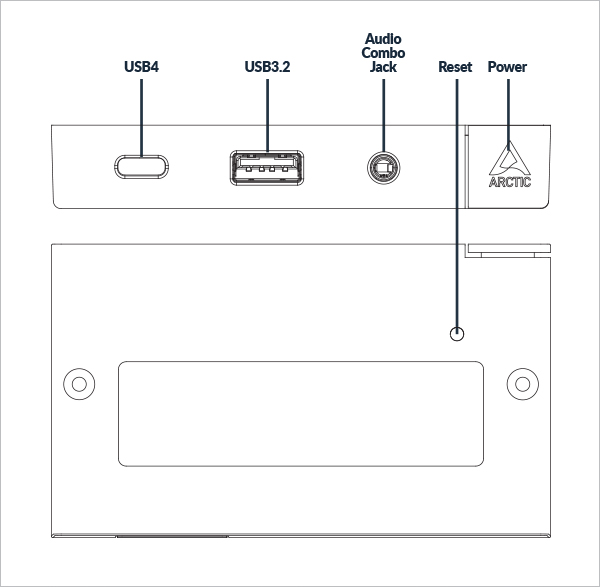
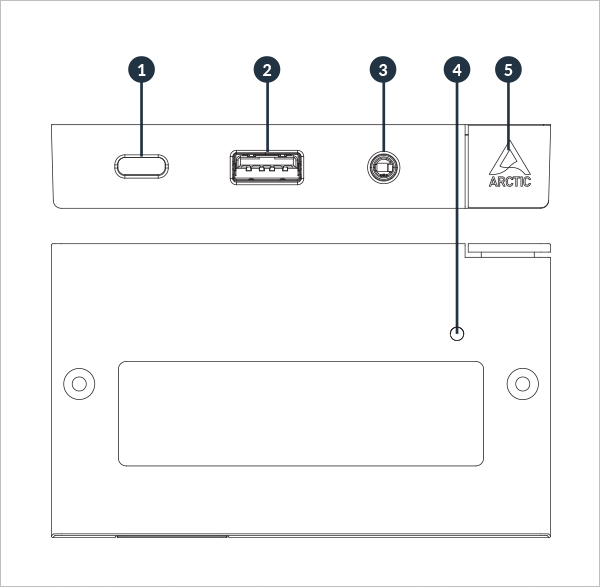
- USB4 Port
- This USB4 (Type-C) port provides a transfer rate up to 40 Gbps.
- USB3.2 Gen 2 Port
- This USB3.2 Gen 2 port provides a transfer rate up to 10 Gbps.
- 3.5mm audio output port (Headphone/Headset)
- The port is used to plug in audio output devices like headset or amplified speakers. (Both audio in and out)
- Reset button (Small hole)
- The reset button allows you restart your PC in any circumstances.
- . Power button
- The power button allows you turn your Senza on or off. You can use it to turn your Senza to the sleep mode by press it once when its on. You can force your Senza shutdown by press this button (10) seconds.
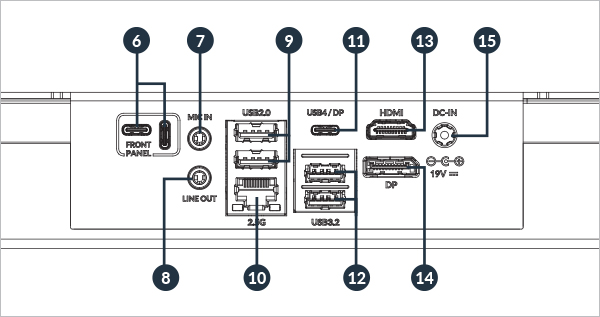
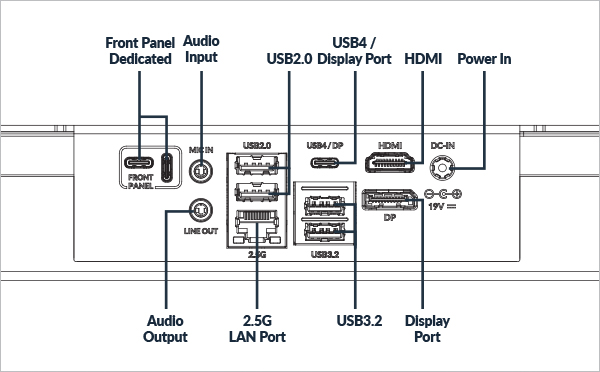
- Front panel ports.
- The ports inside the border is the ports especially for Senza AI 370 Front Panel.
- Don’t plug in any Type-C cables, devices or thumb drives to any ports here!
- 3.5mm audio input port (MIC)
- The MIC (Microphone) port is to connect a microphone with 3.5mm cable which can be used for video conferencing and recording.
- 3.5mm audio output port (Headphone/Headset)
- The port is used to plug in audio output devices like headset or amplified speakers with 3.5mm cable.
- USB2 Ports
- The USB (Universal Serial Bus) port can compatible with USB2.0 and USB1.1 devices such as keyboards and mouse, thumb drives, speakers and printers.
- 2.5G LAN port
- The 8-pin RJ-45 LAN port supports standard Ethernet cable for connecting the local network.
- USB4/DP Port
- This USB4 (Type-C) port provides a transfer rate up to 40 Gbps. Also support DisplayPort 8K 60Hz video output (if the cable and monitor are applicable).
- USB3.2 Gen 2 Ports
- These USB3.2 Gen 2 (Universal Serial Bus) ports provides transfer rate up to 10.0 Gbps.
- HDMI port
- The HDMI2.1 port can deliver uncompressed, fully digital audio/video signal, which supports 4K 120Hz TV or monitor (if the cable and monitor are applicable).
- DisplayPort
- The DisplayPort 2.0 port can deliver uncompressed, fully digital audio and video signals, supporting 8K60Hz devices (if the cable and monitor are applicable).
- Power input
- The port is to plug in the power supply. To prevent damaging the Senza, please always use the supplied power.
WARNING! The temperature of the power adapter will rise and it may become hot when it's in use. Do not cover the power adapter and keep it away from your body.
Table top requirements
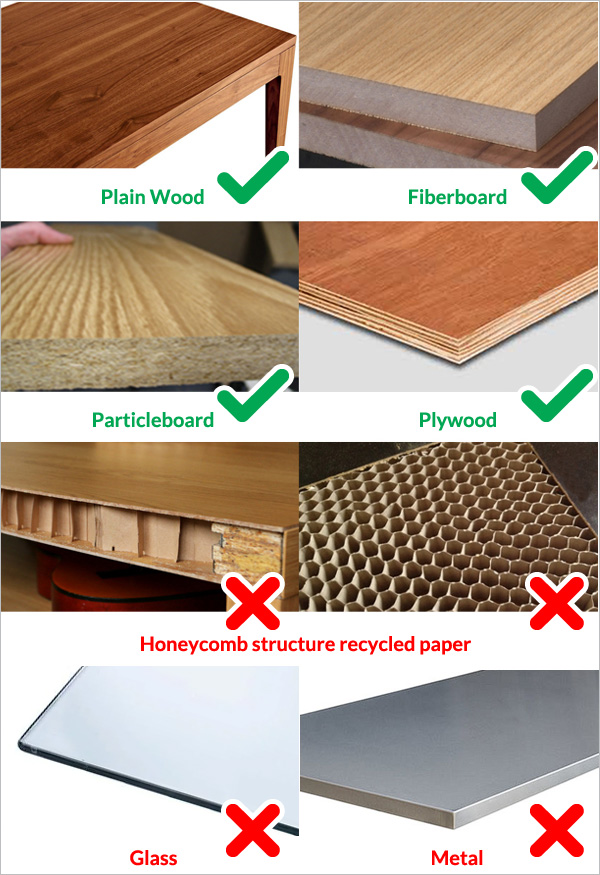
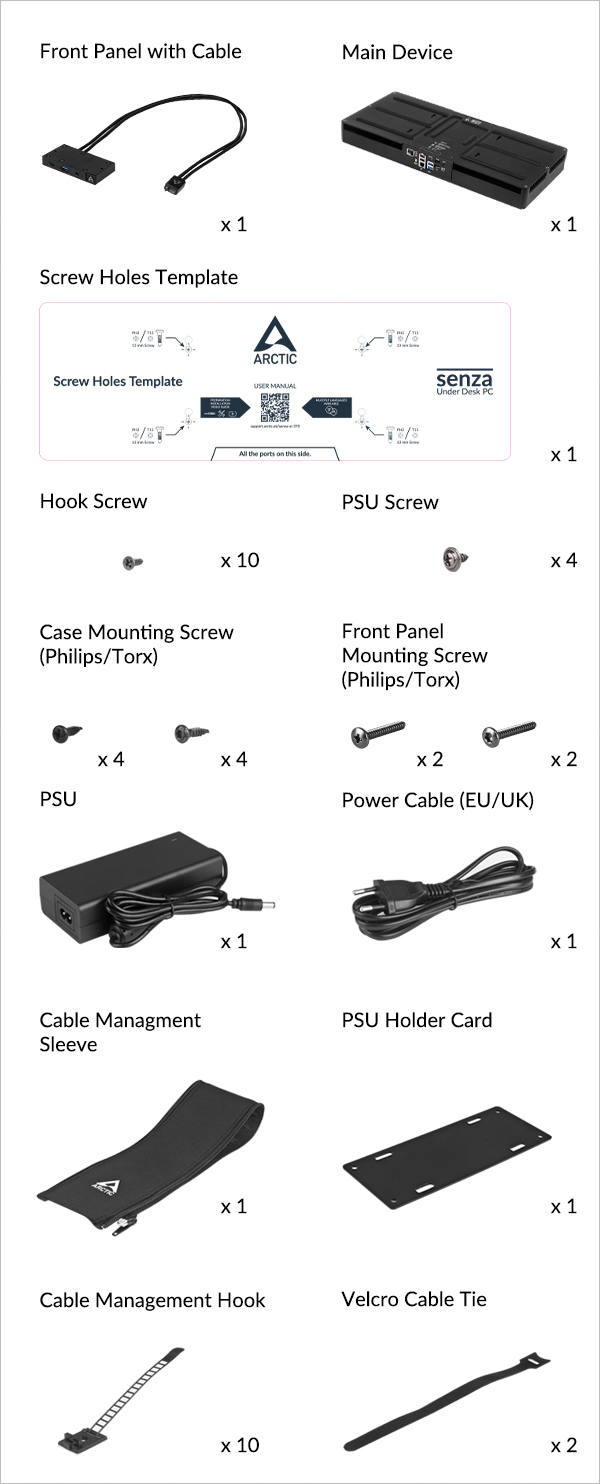
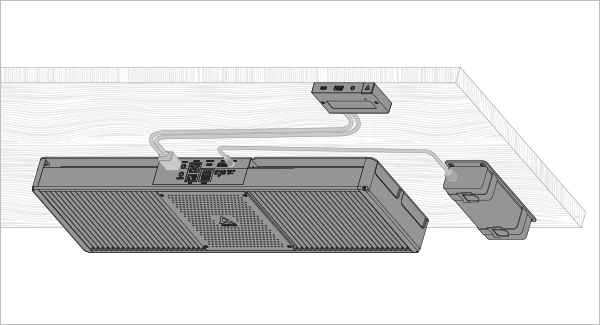
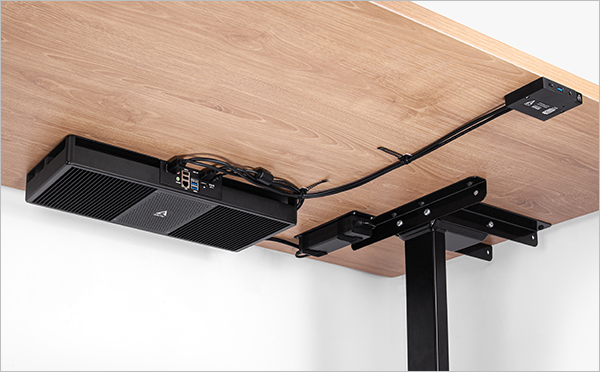
To install the Senza under the desk, there are 3 major parts need to be installed. The layout of the manual is only for reference. You can install it to anywhere you want.
Attention
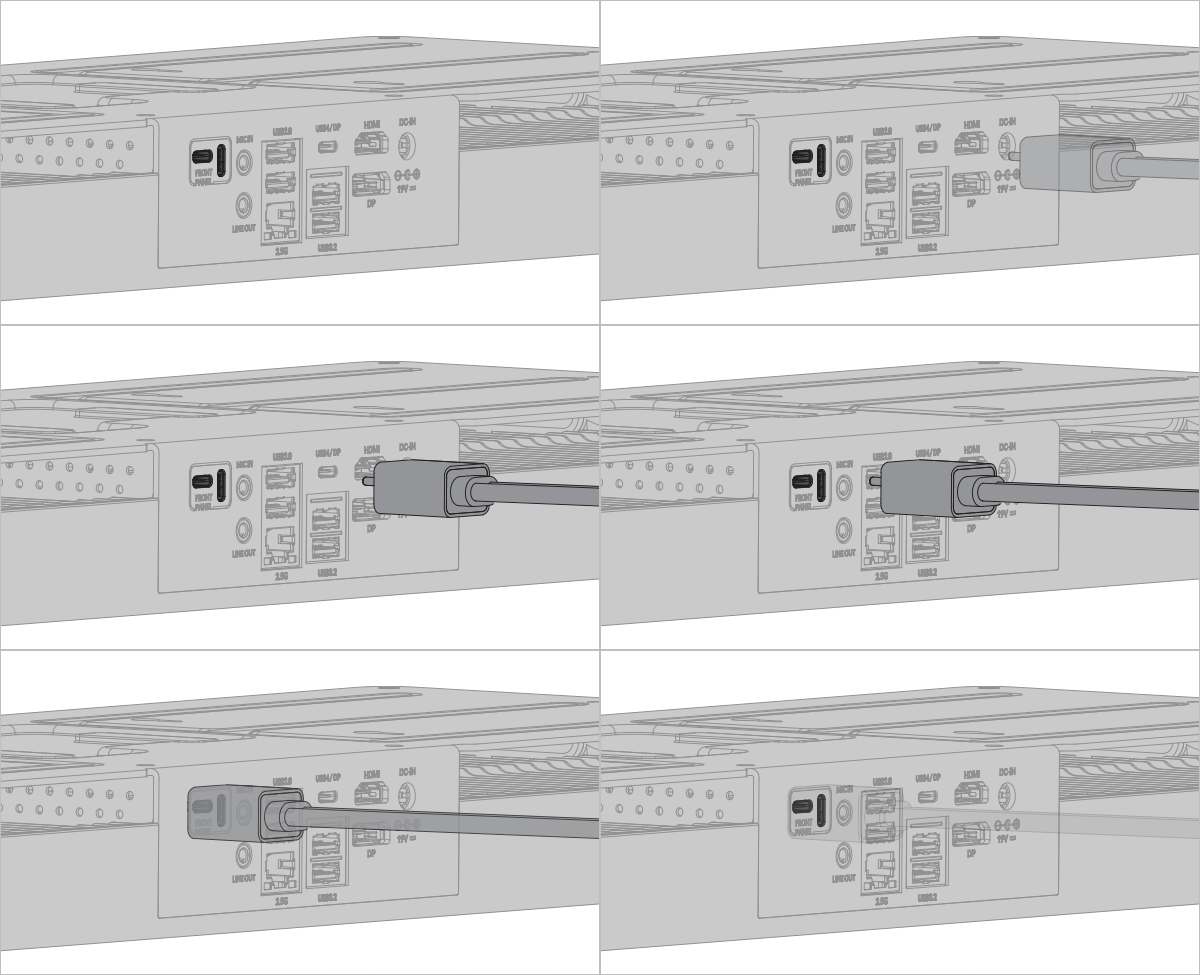
Plug the front panel and present the product in position to find the best position for you.
Main Case
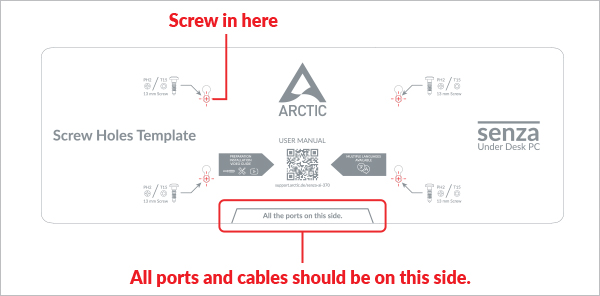
You can download the printable template here, for your moving or pre-measuring

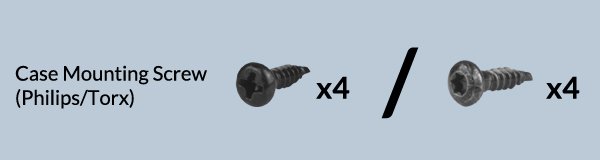
Warning
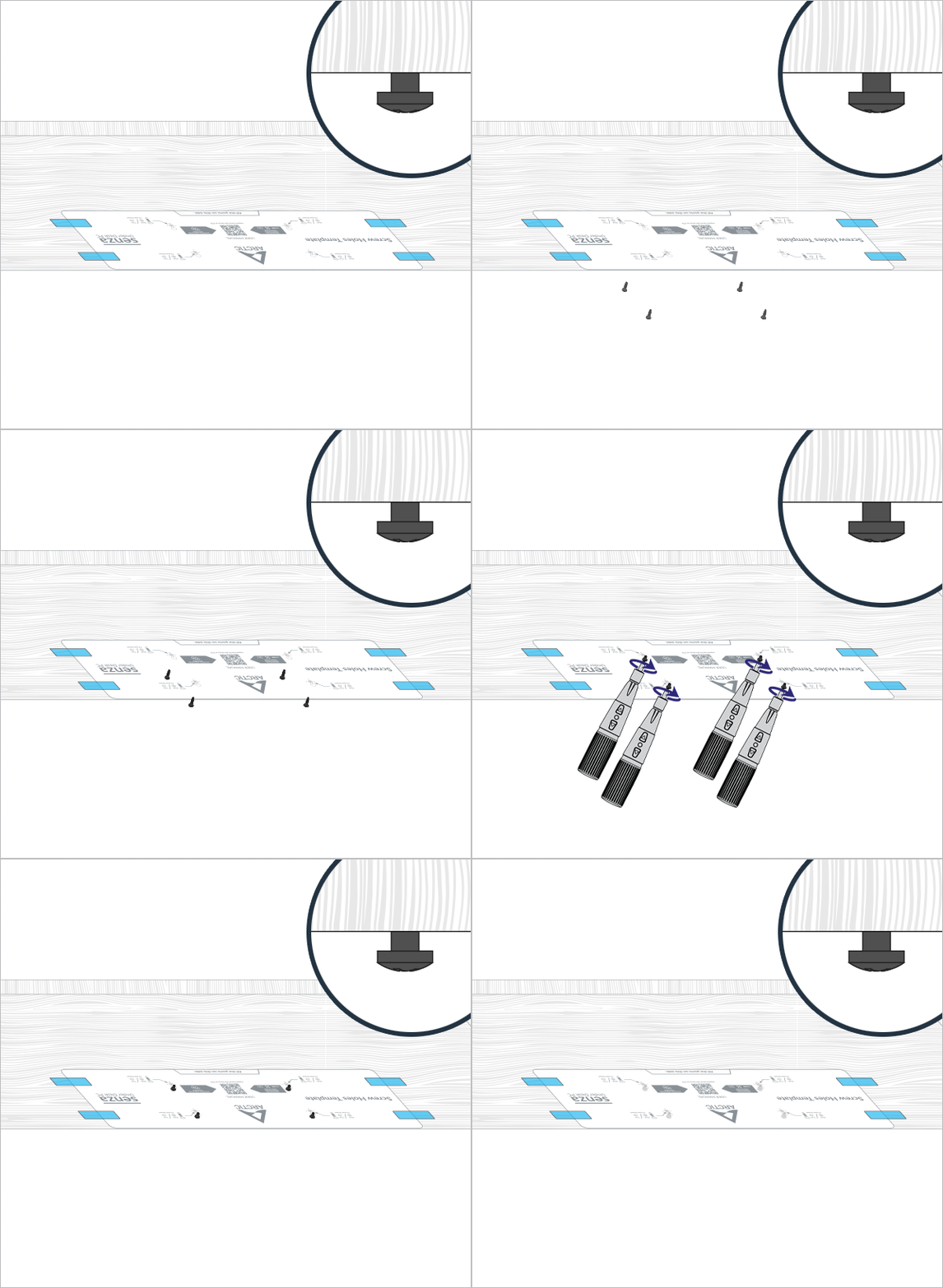
To ensure proper installation of the Senza, the screws should be tightened all the way to the shoulder.
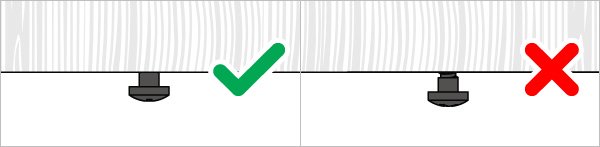
Overtightening them may lead to hard to secure the device in place.
Too loose may lead the Senza fell.
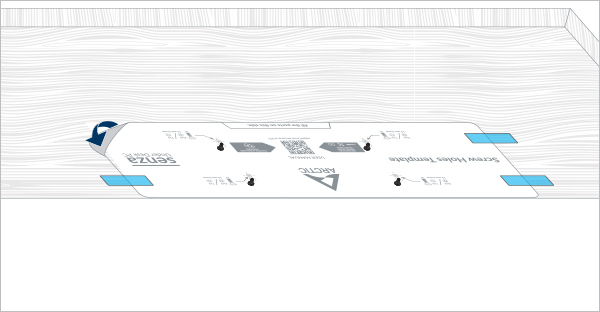
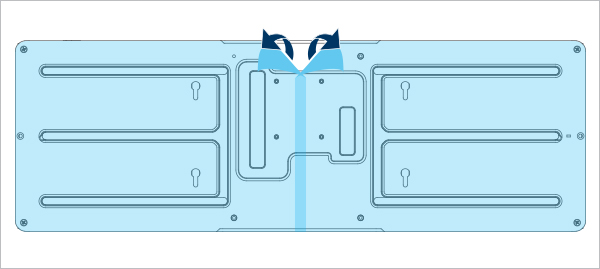
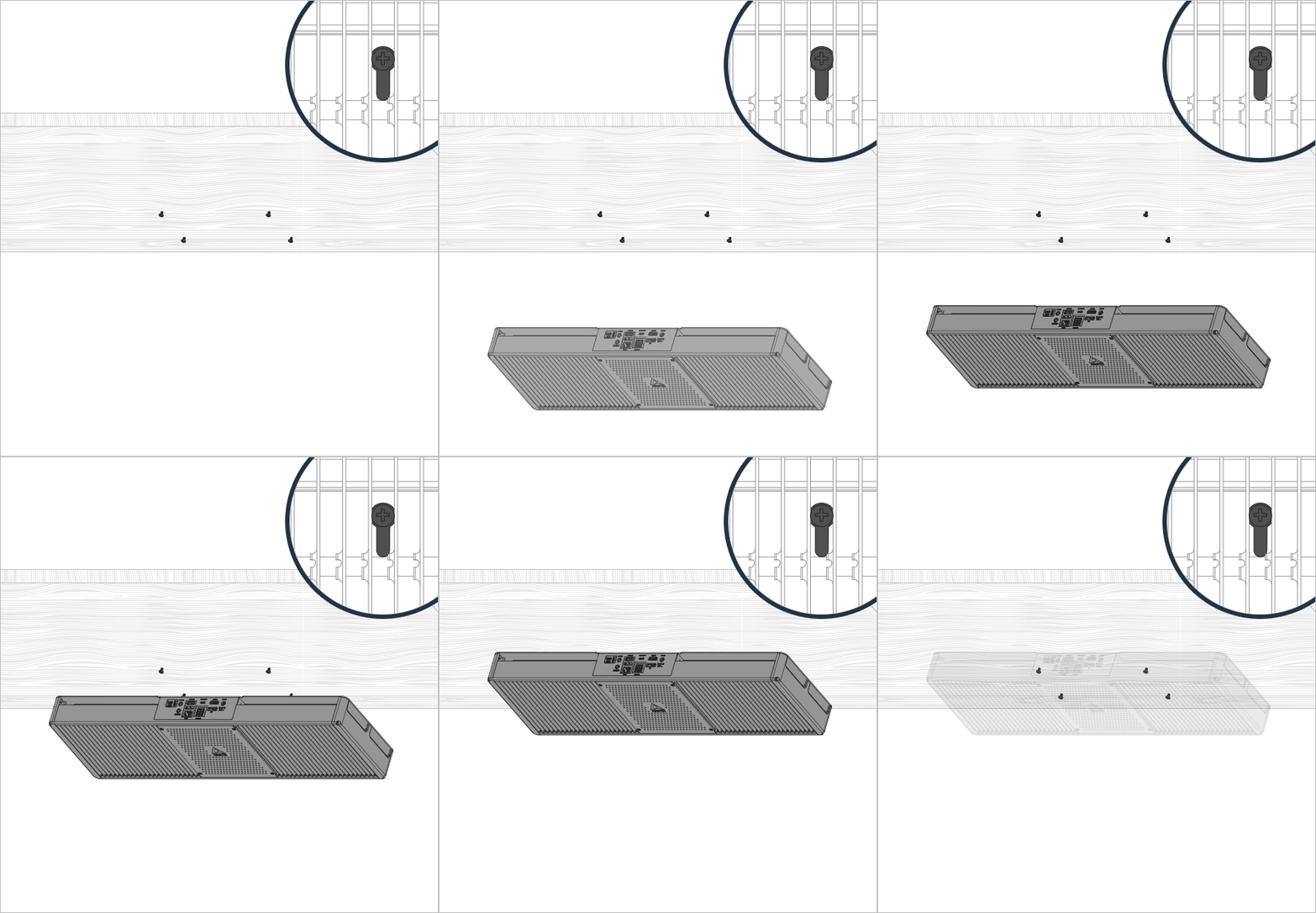
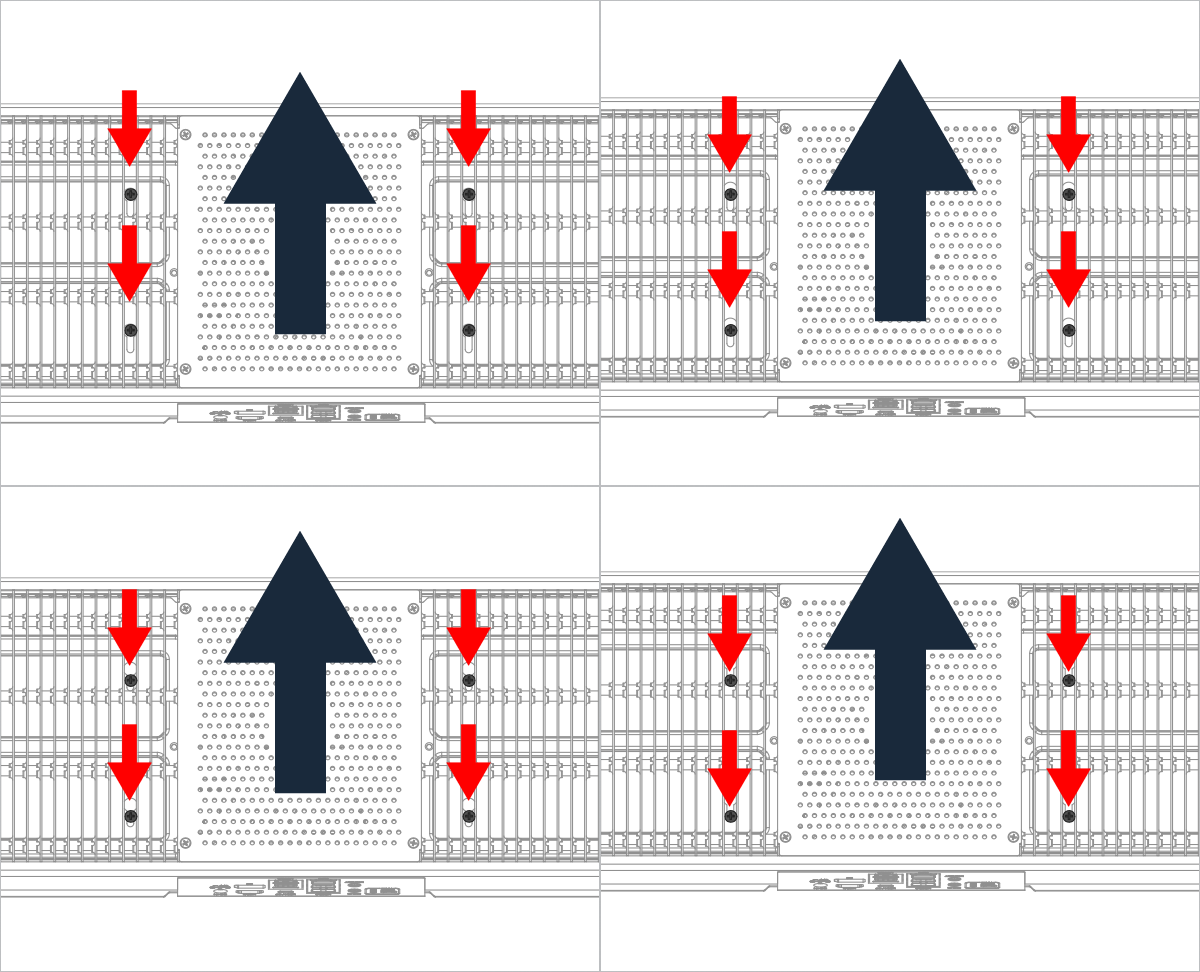
Front Panel

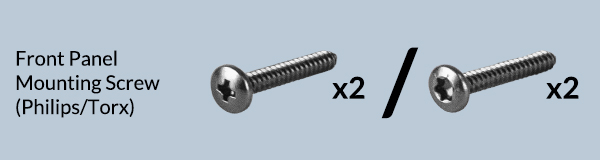
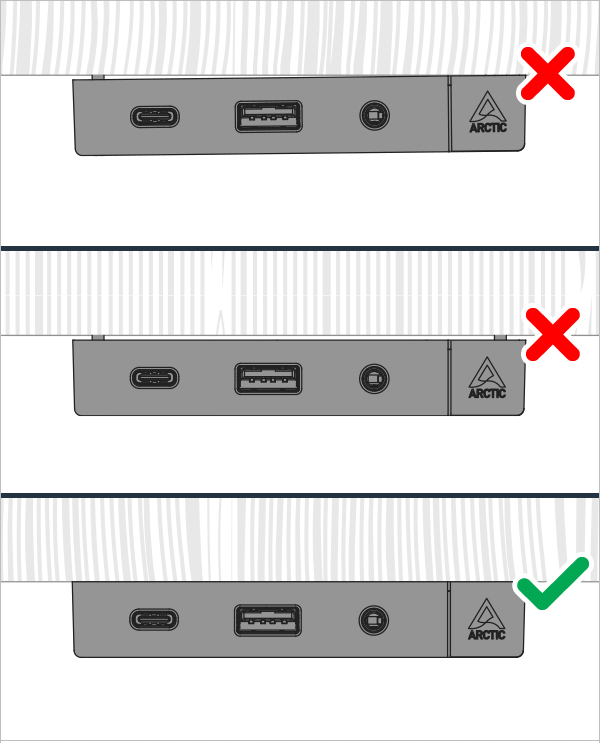
 Attention
Ensure the front panel is well mounted.
PSU
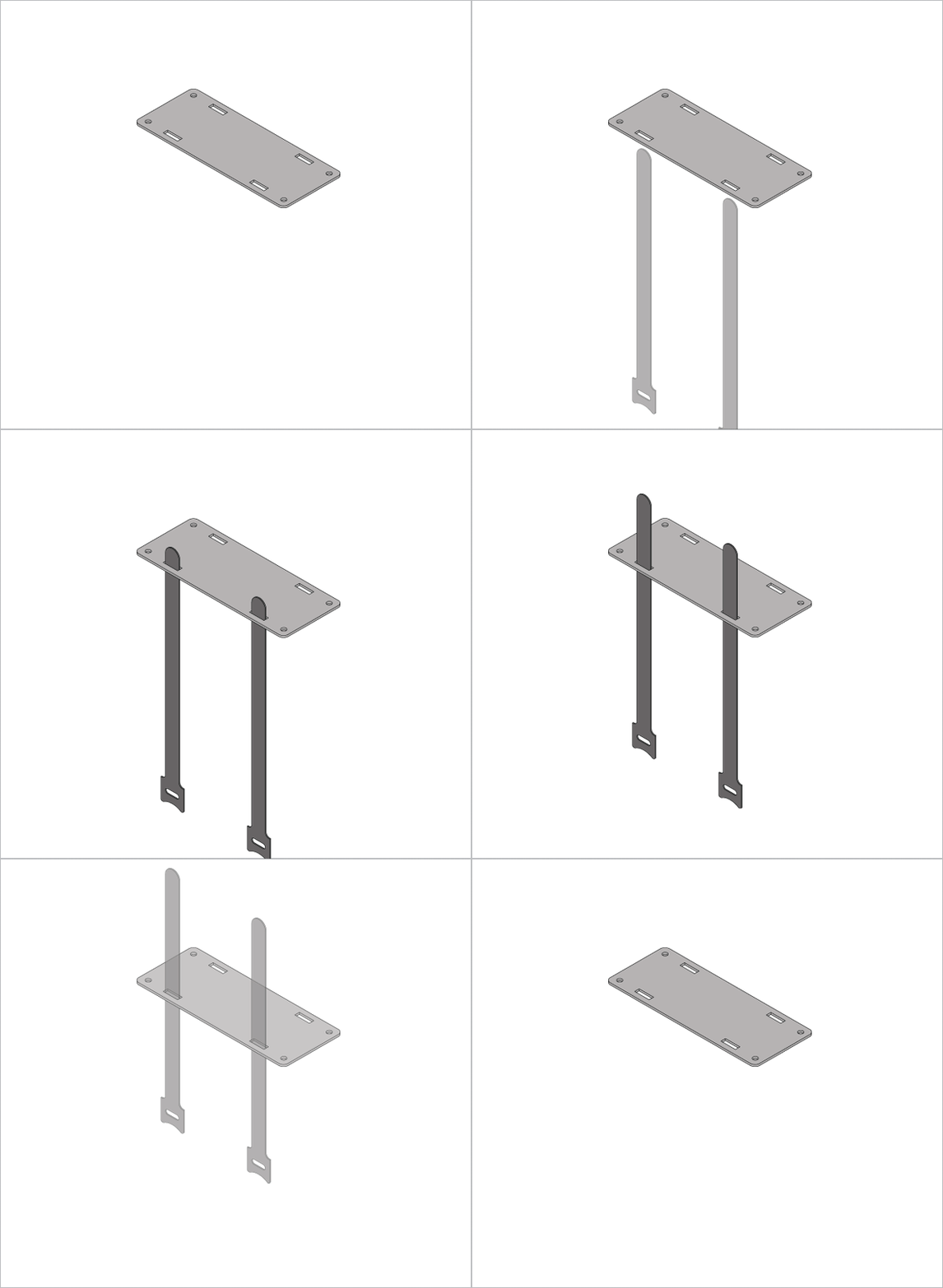
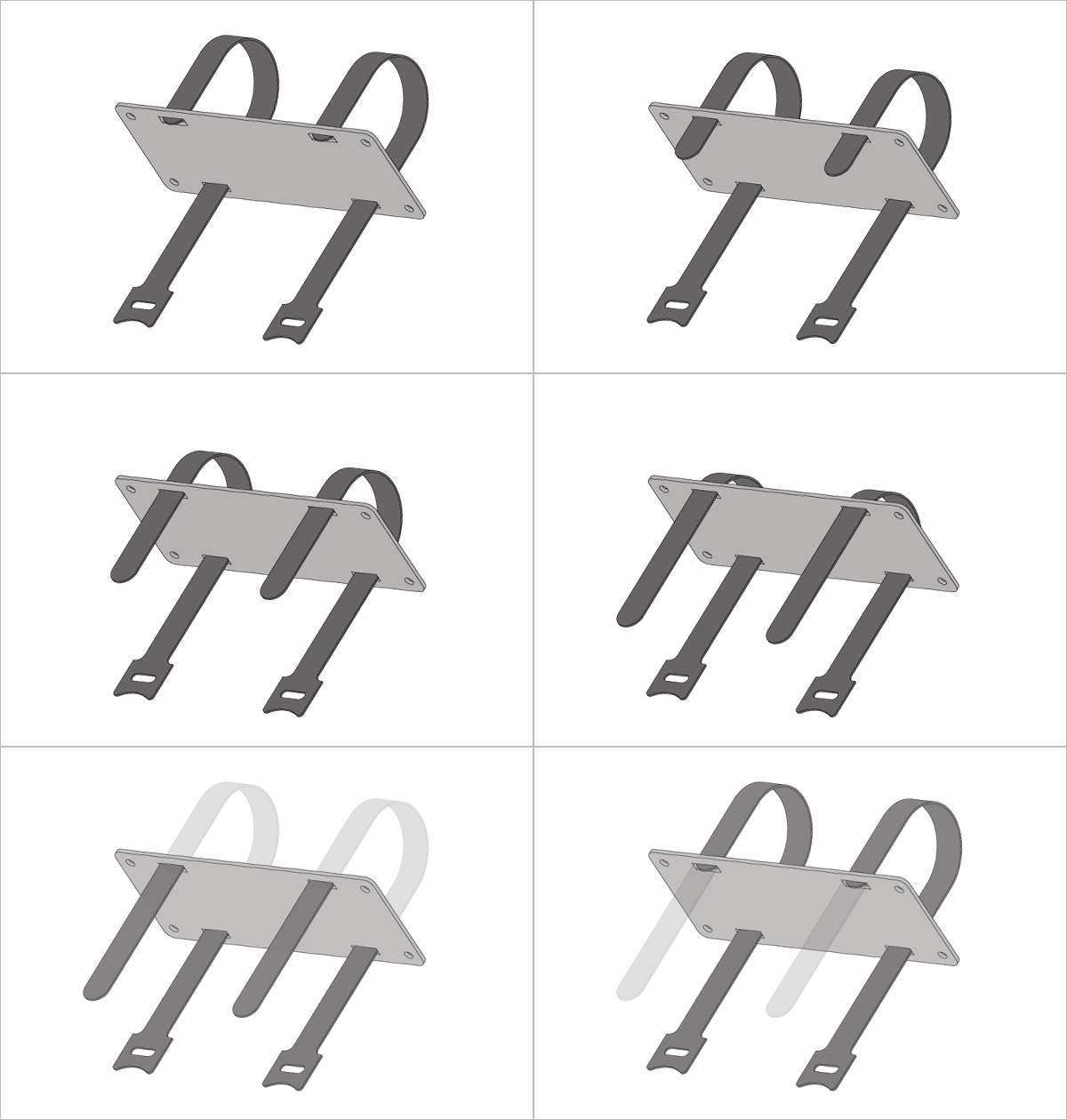
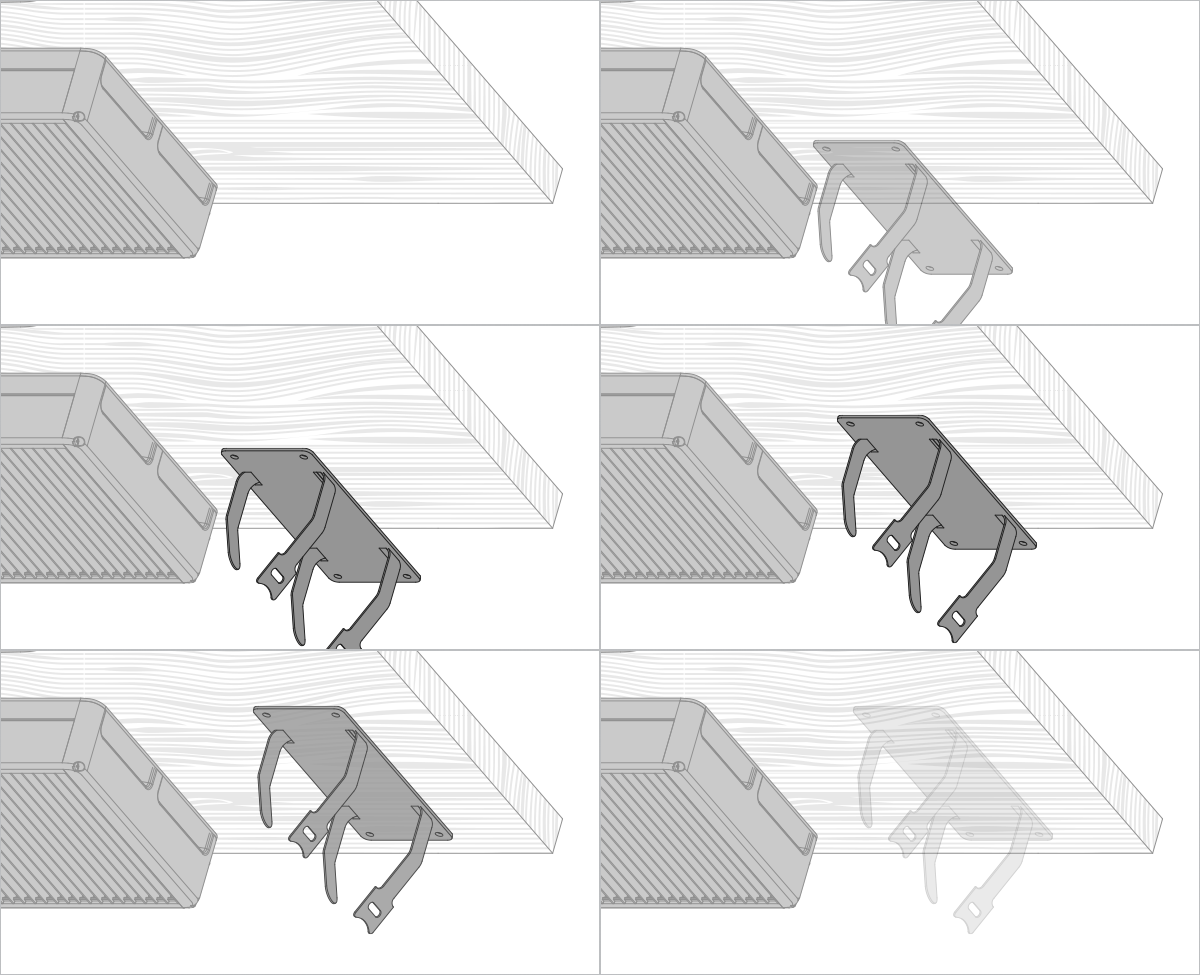
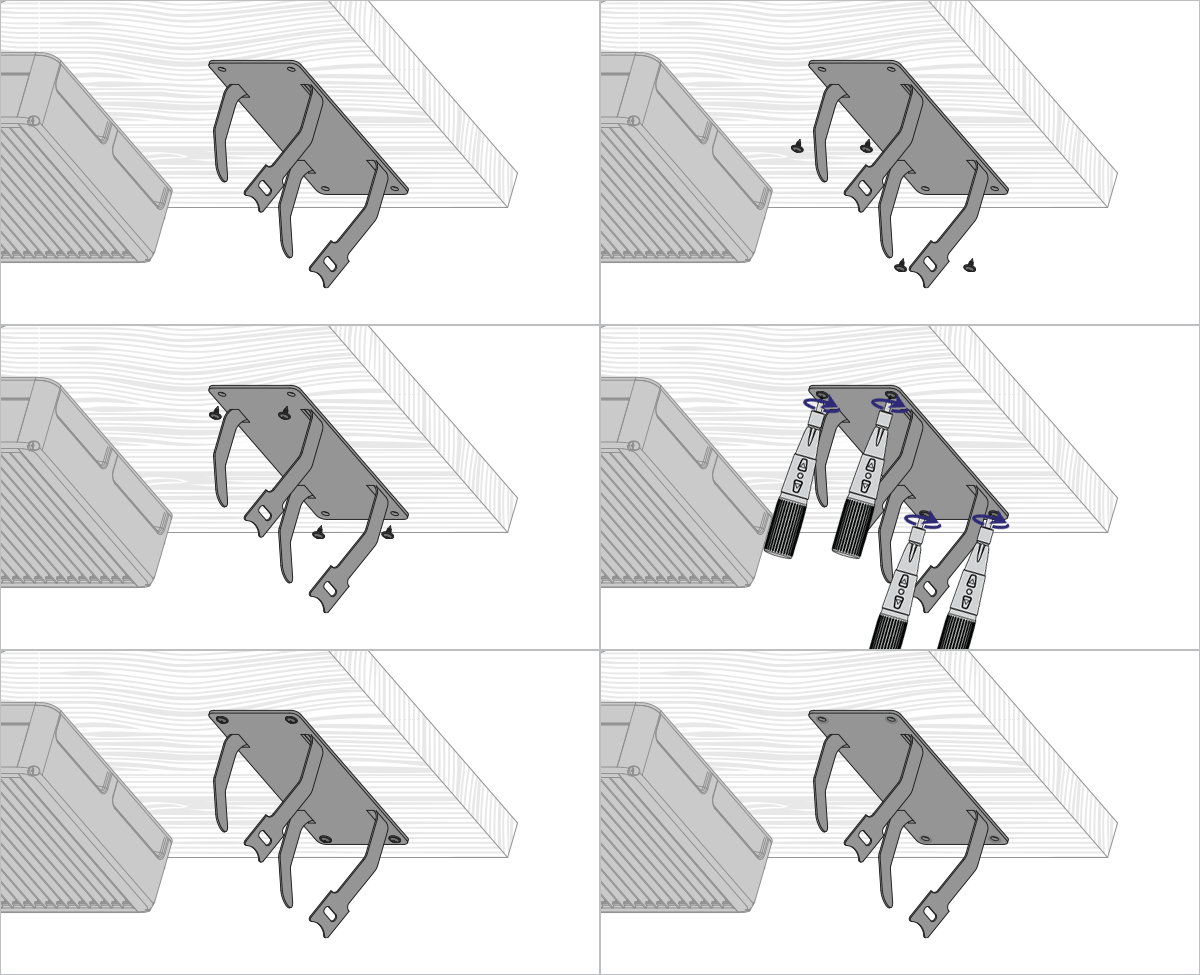

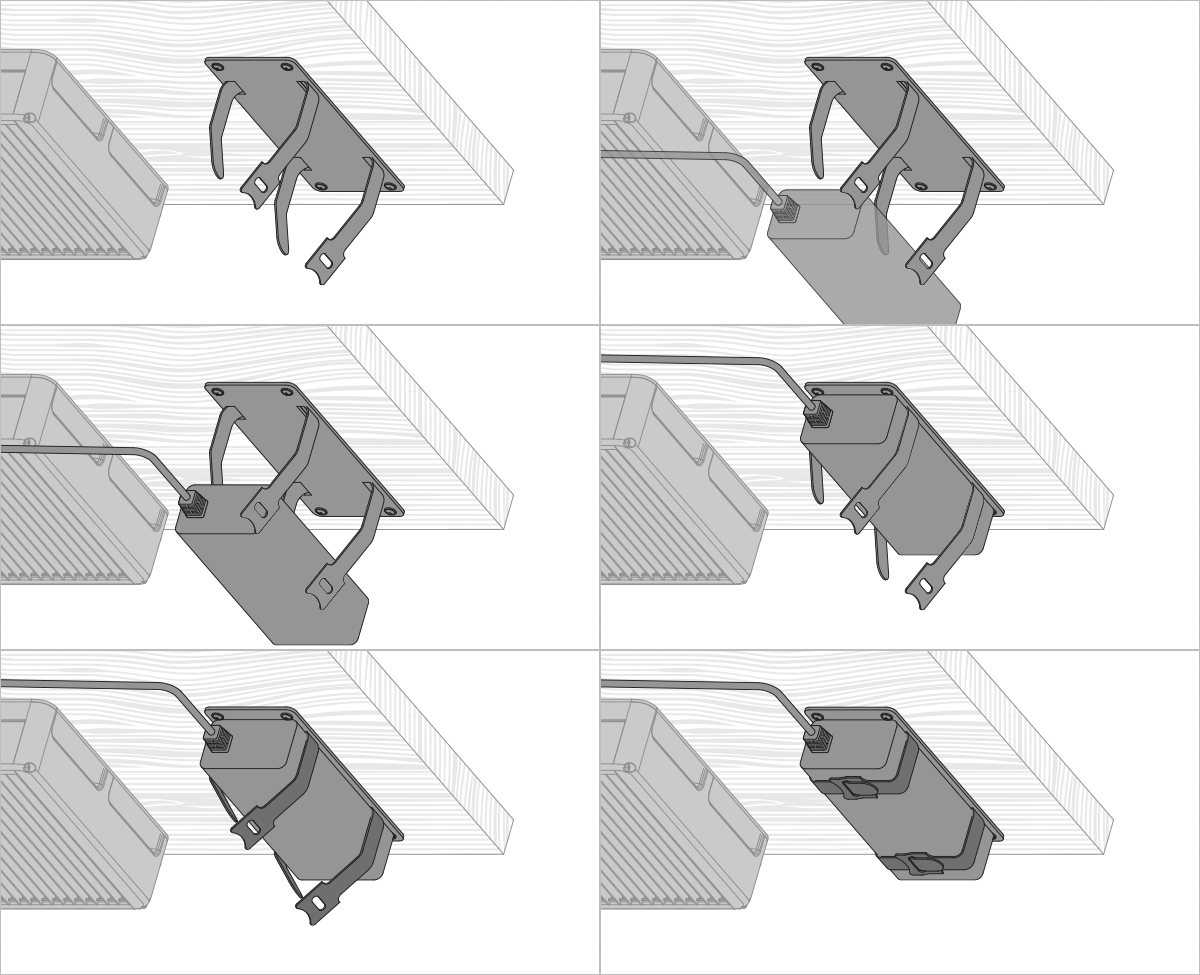
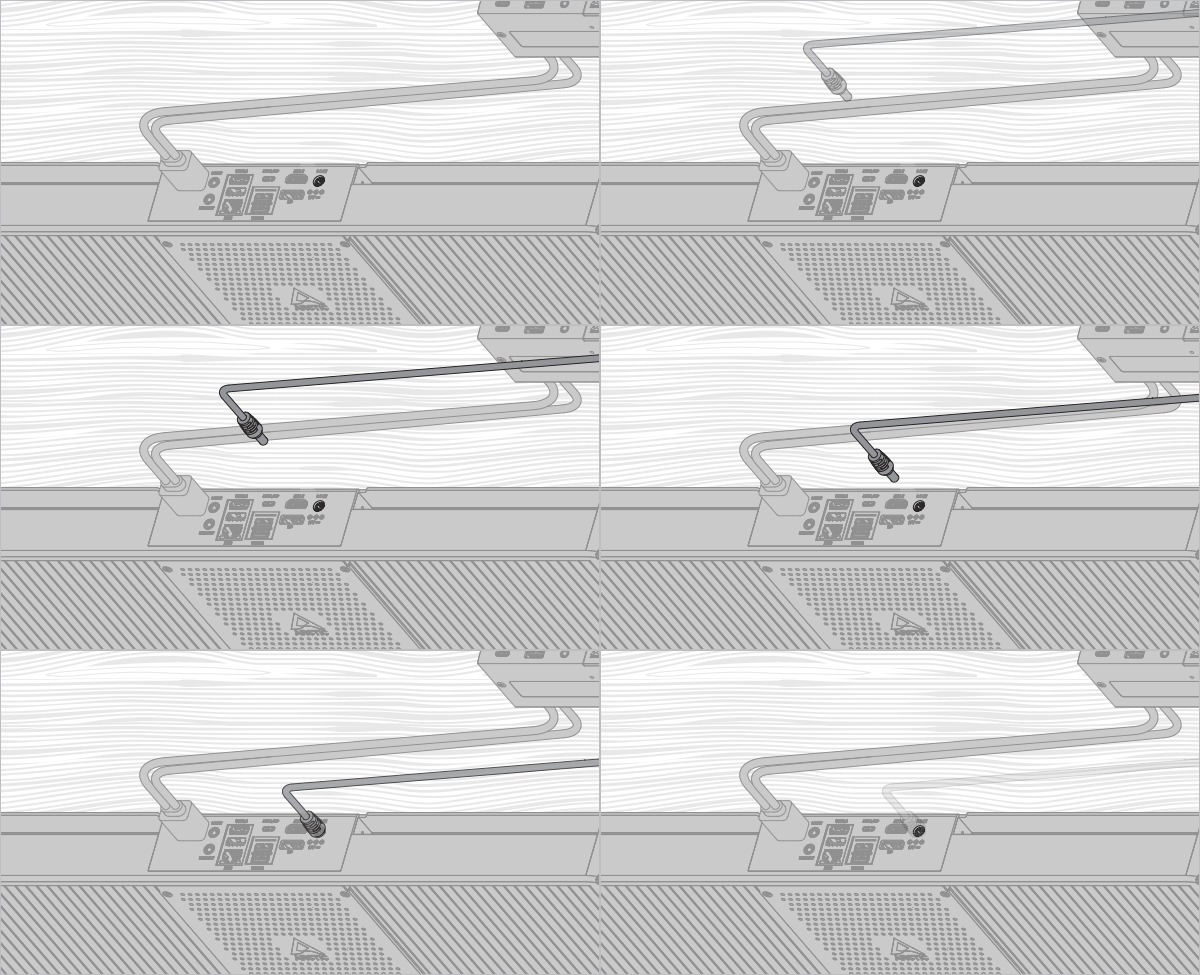
Cable Management Hook
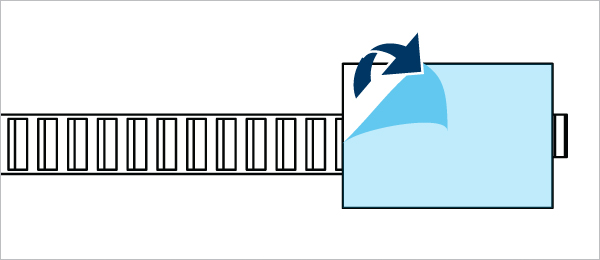
Stick the cable tie to any place you want to manage your cable.

You can secure the mounting further by using the provided screws.


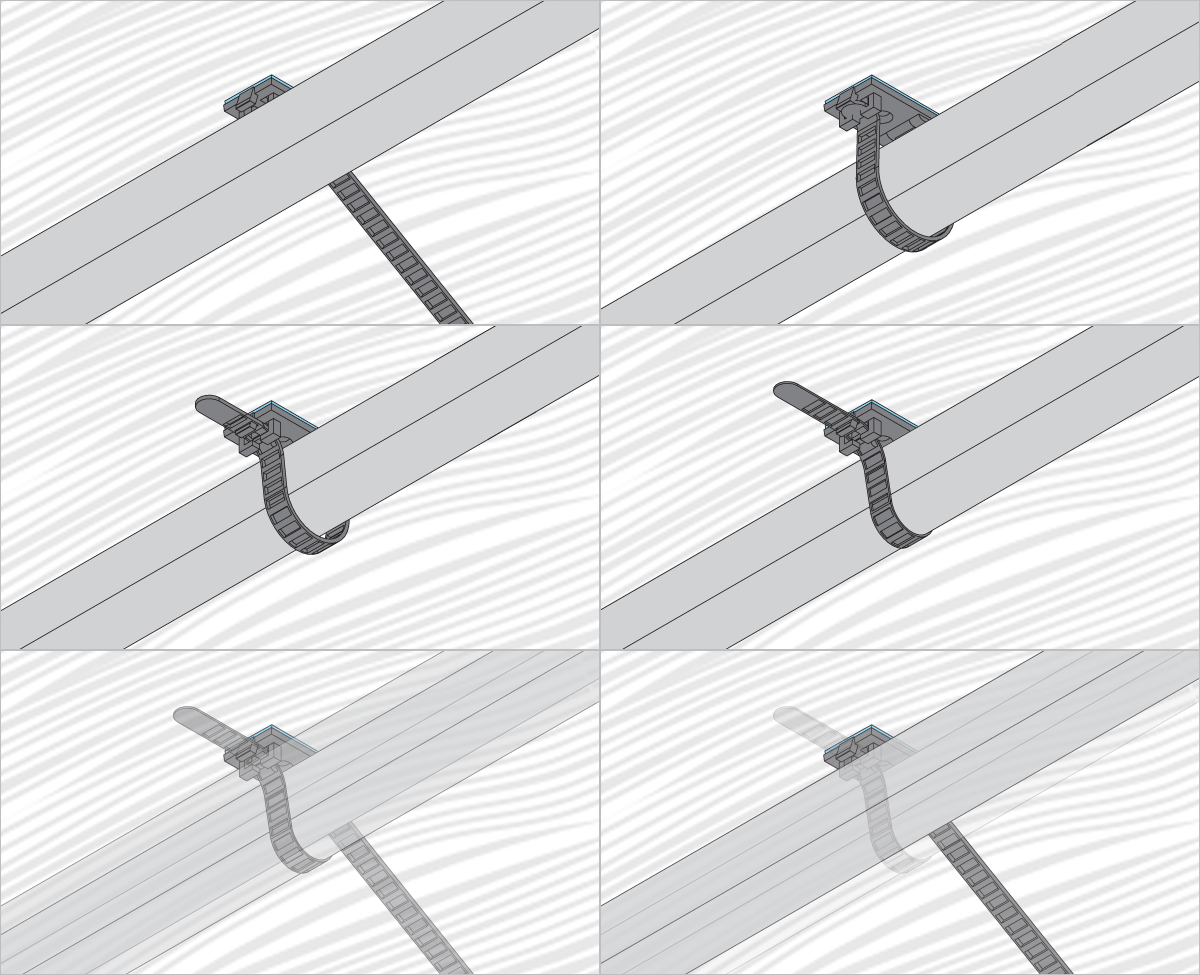
Cable Management Sleeve

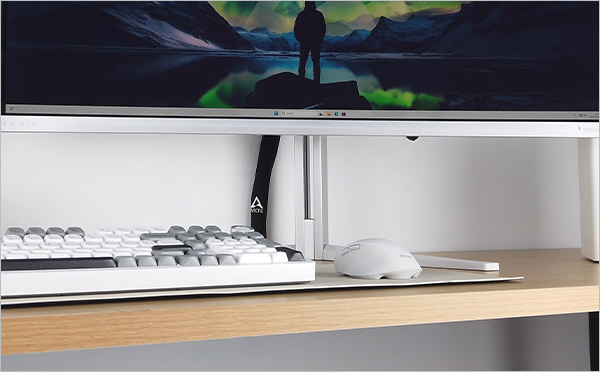
Cable management example
Рекомендуемые продукты