죄송하지만 이 문서는 한국어로 제공되지 않습니다. 아래는 영어 버전입니다.
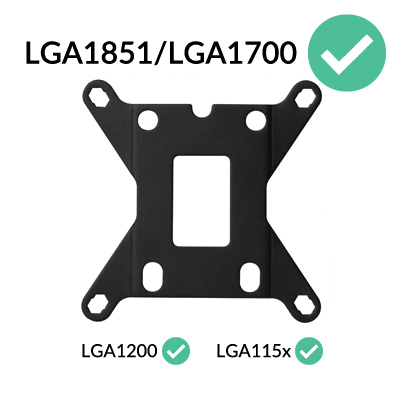
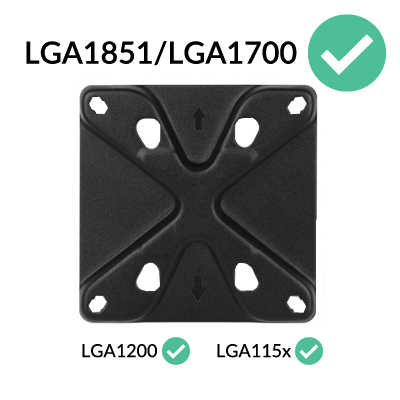
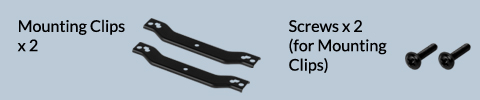
All coolers shipped by ARCTIC are already compatible with LGA1851/LGA1700 processors. Coolers purchased from resellers may have been delivered without the corresponding accessories. In this case, please contact our customer support.
Preparation
How (not) to mount your water cooling AIO?
(by GamersNexus)
Steve from GamersNexus explains you the mistakes to avoid while assembling your water cooling AIO in your PC case.
The featured video is independently produced by GamersNexus, ARCTIC has been authorized to use by GamersNexus.
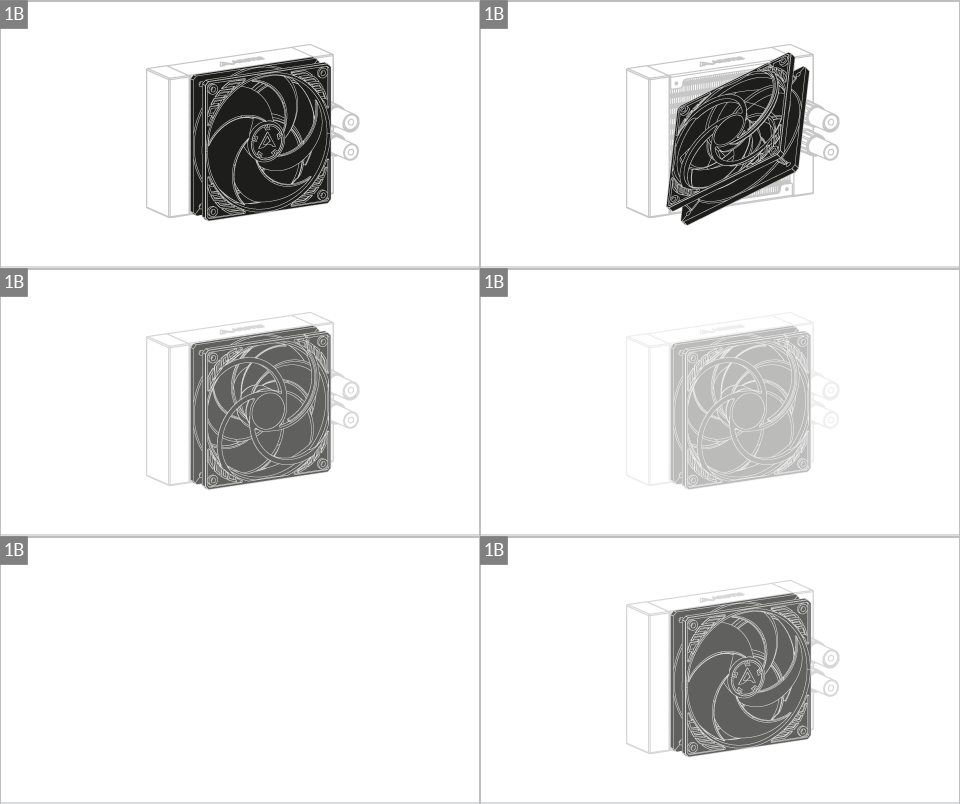
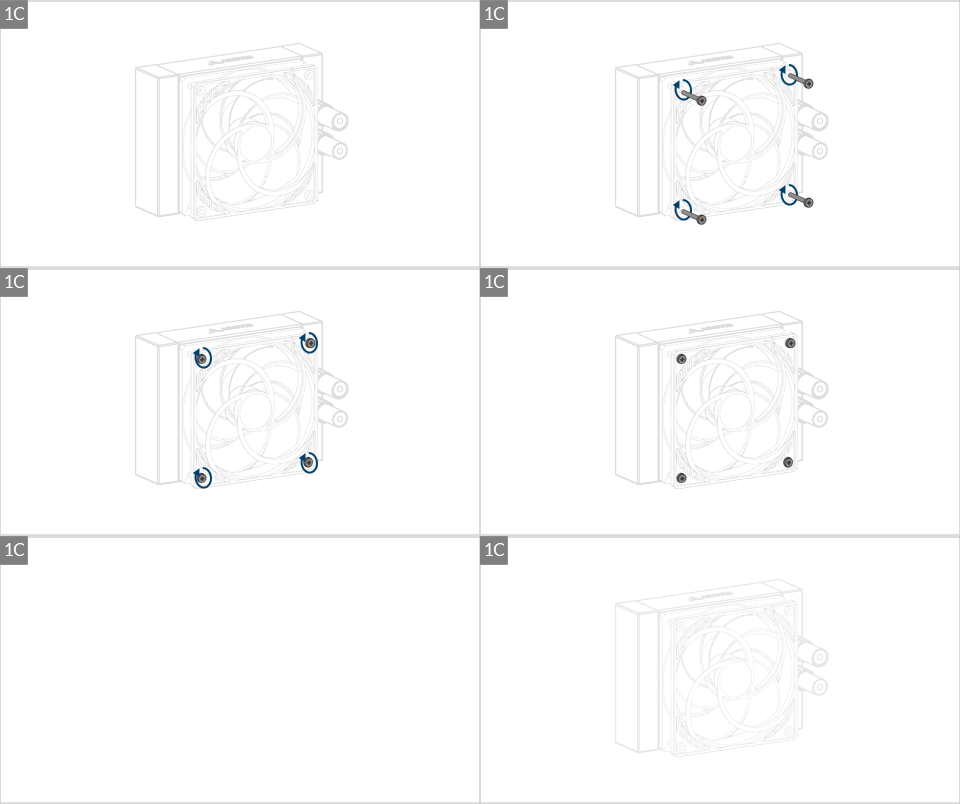
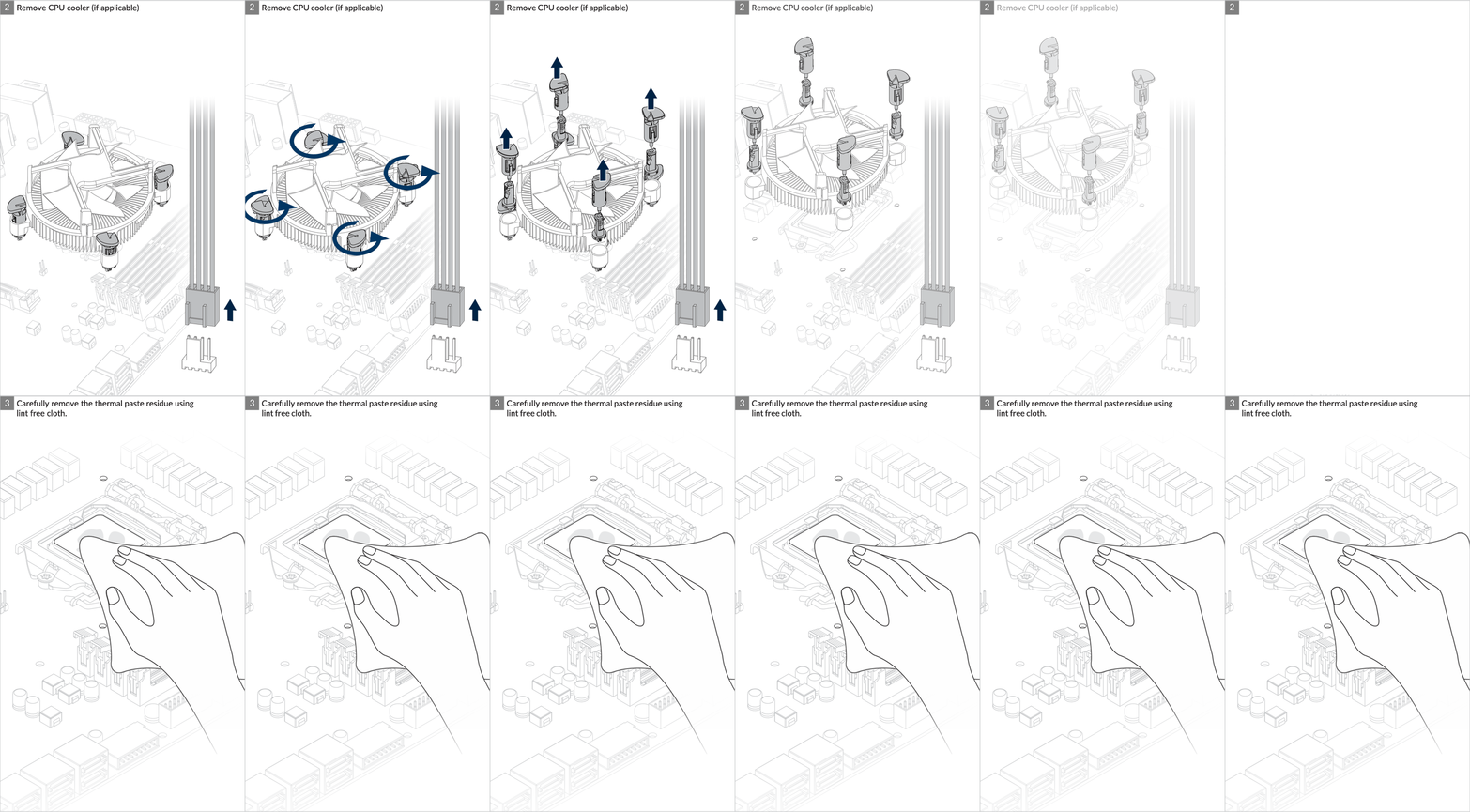

Installation
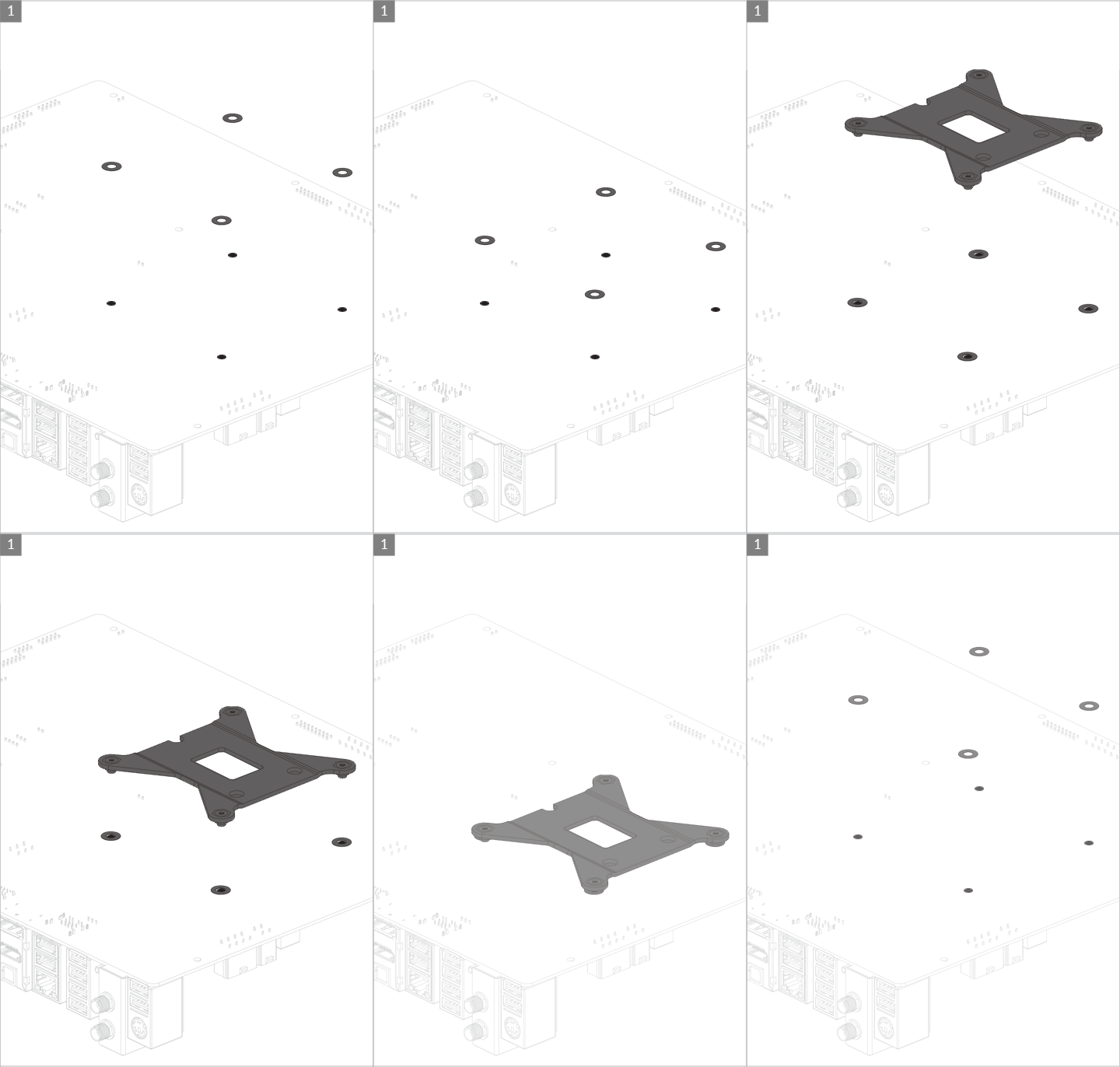
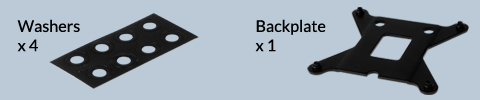
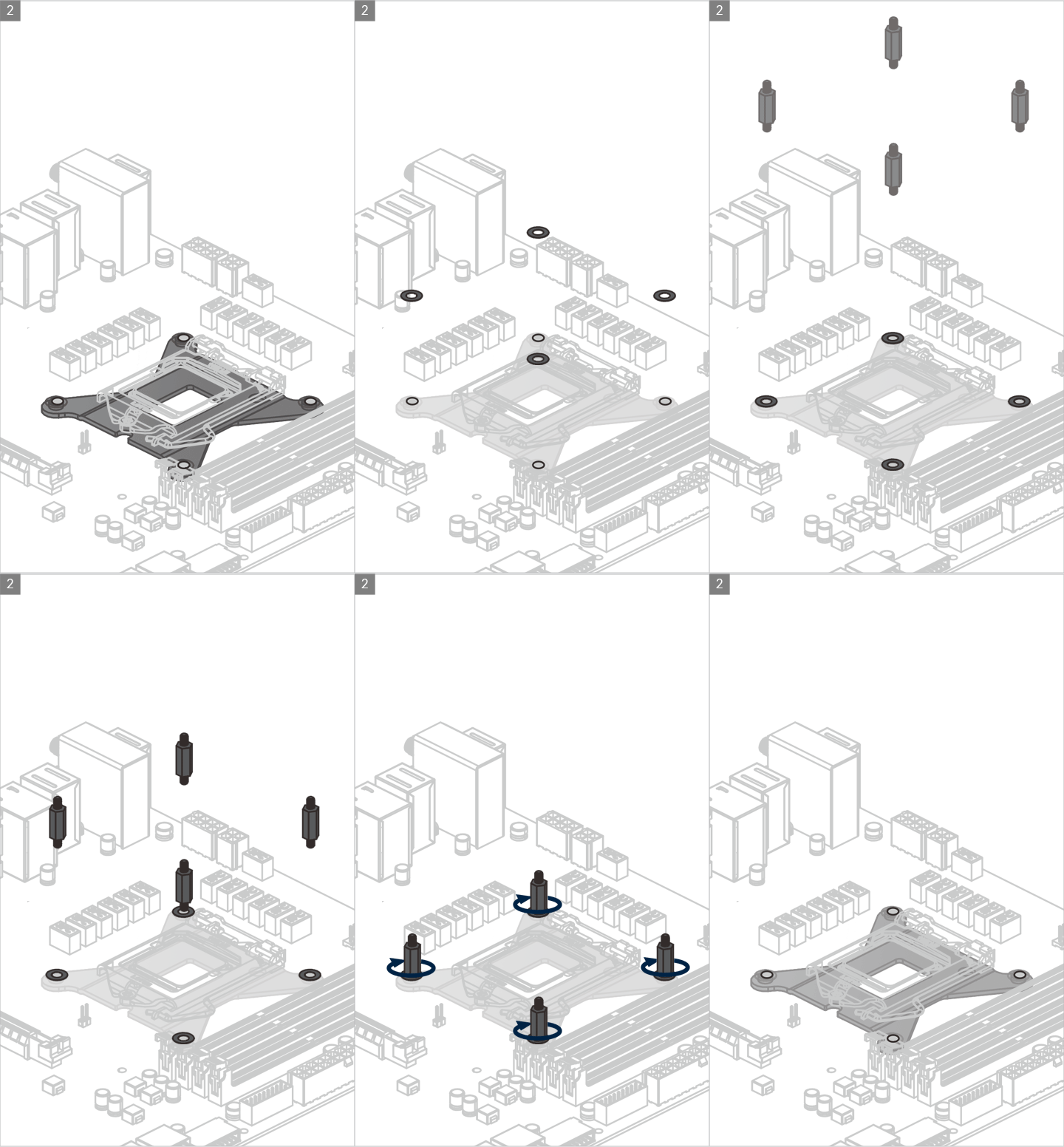
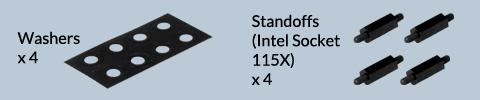
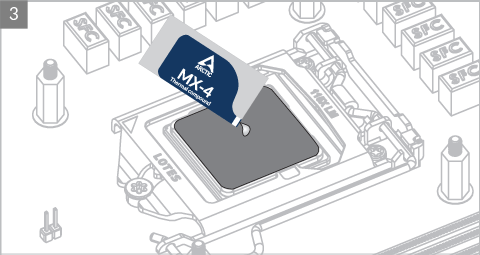

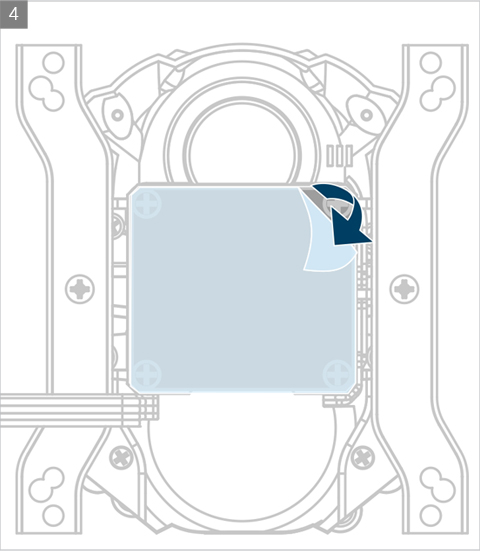

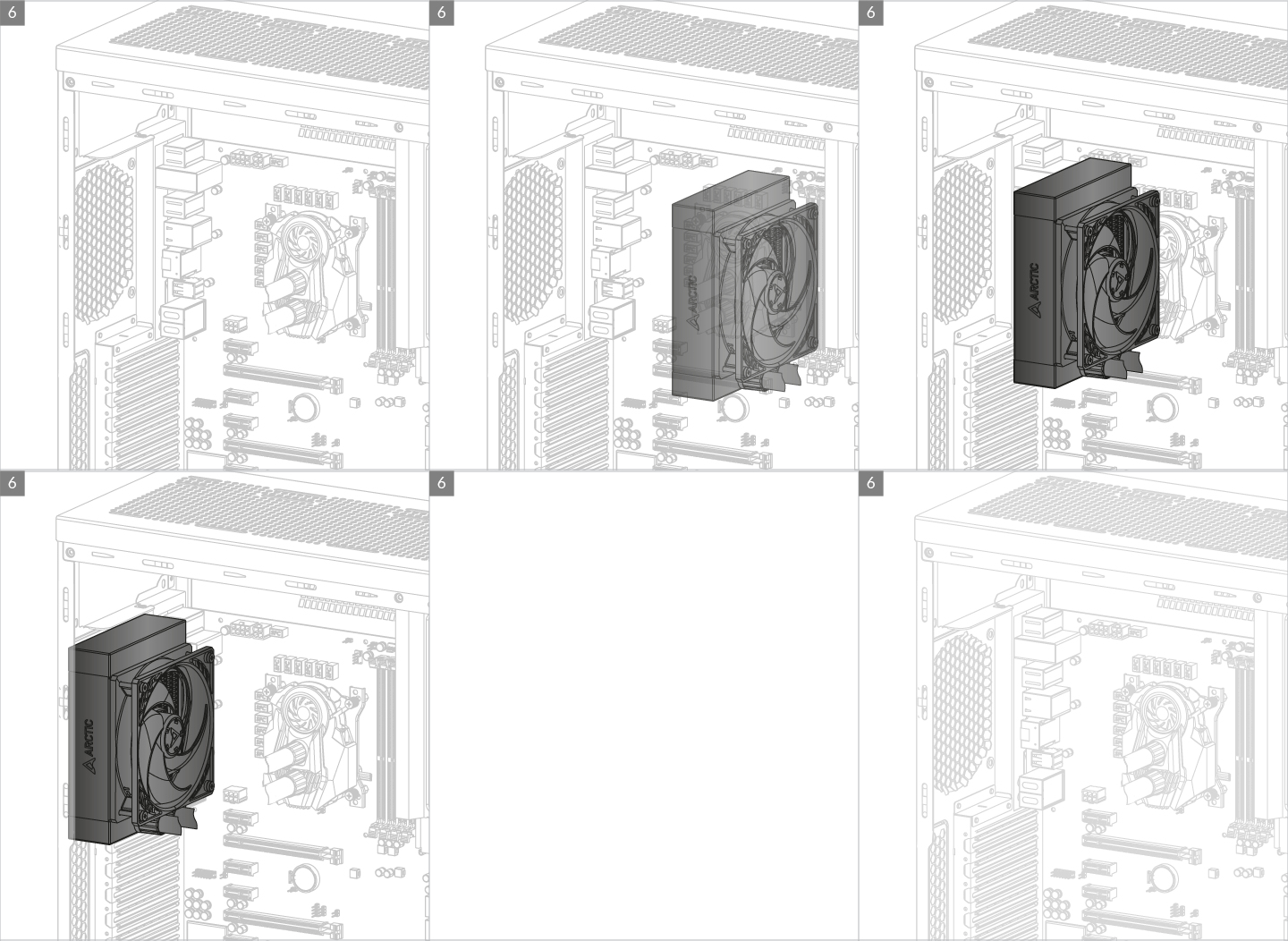
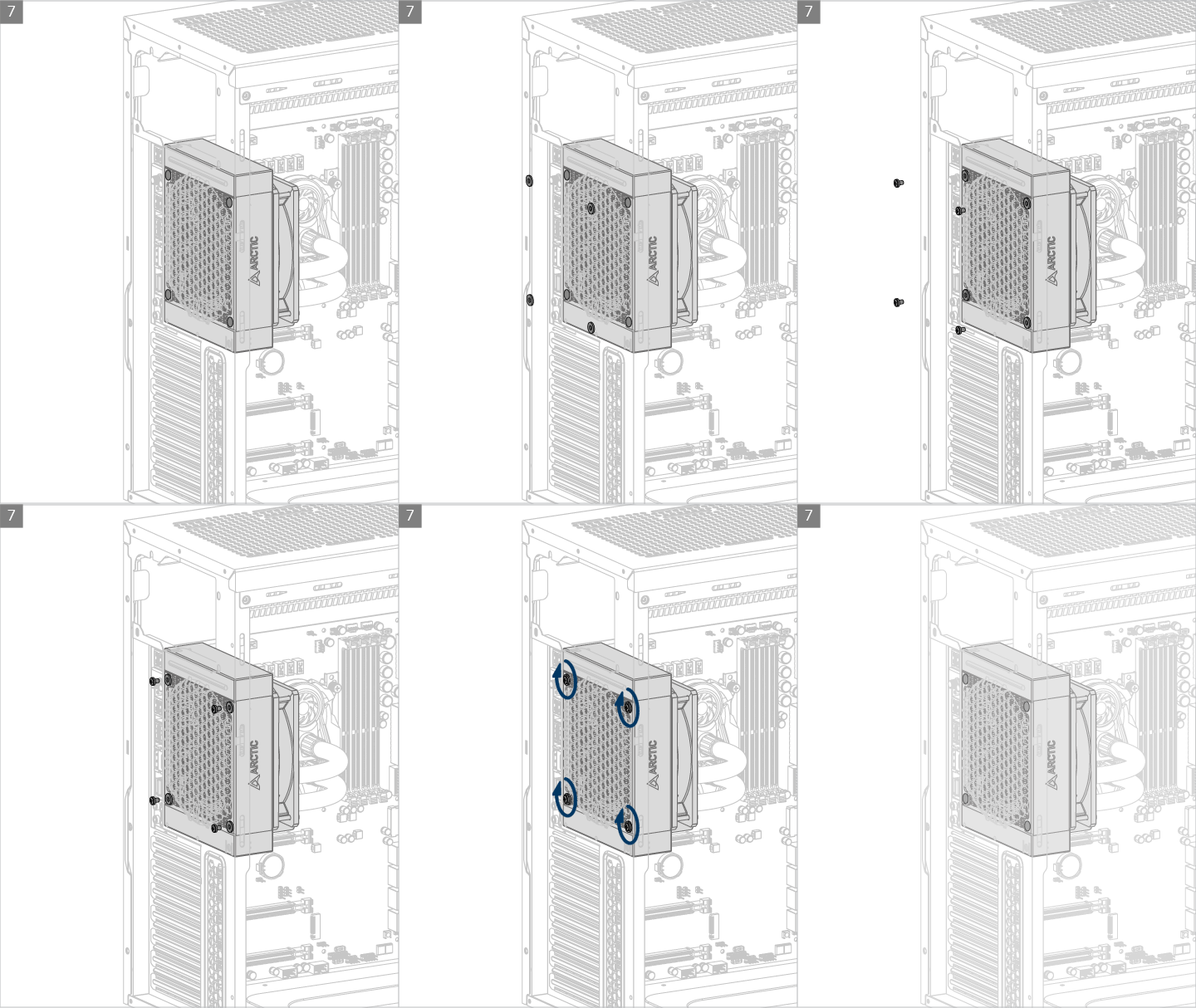

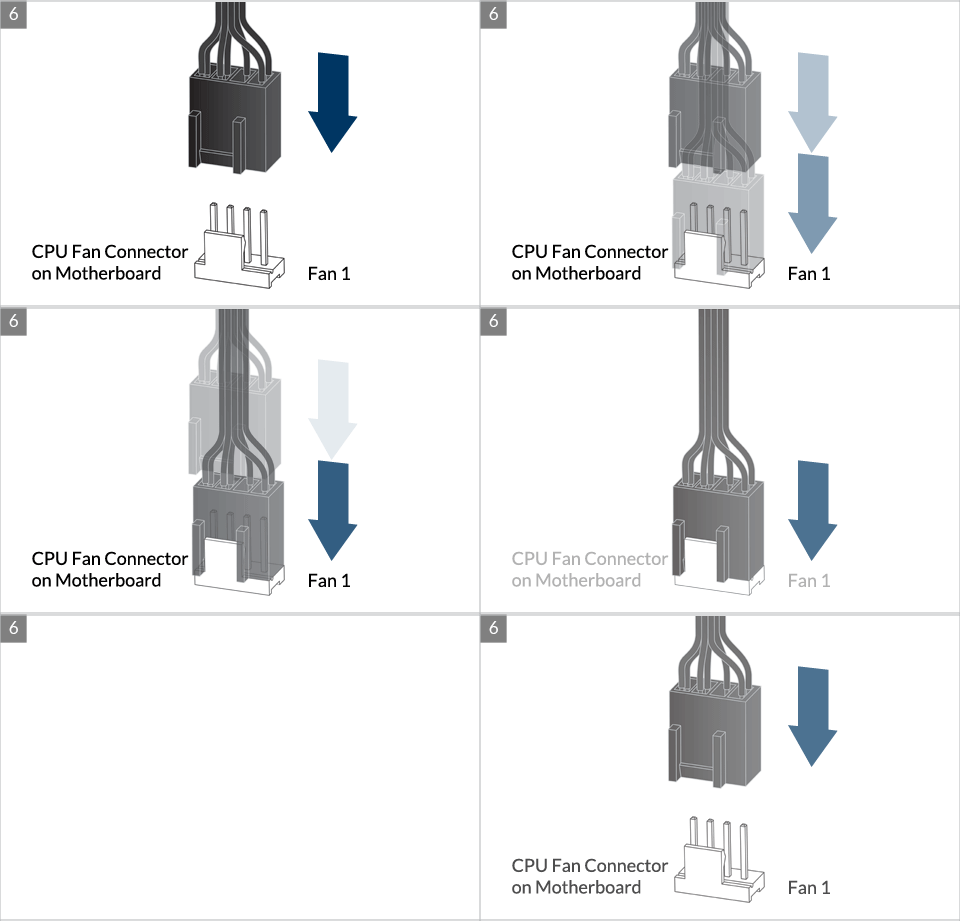
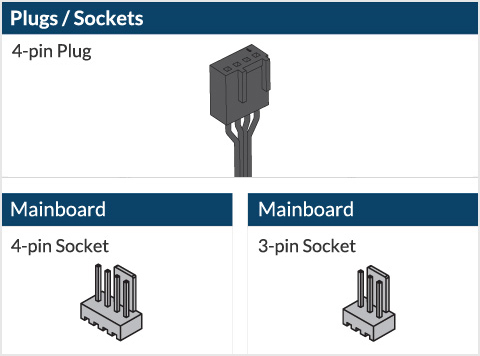
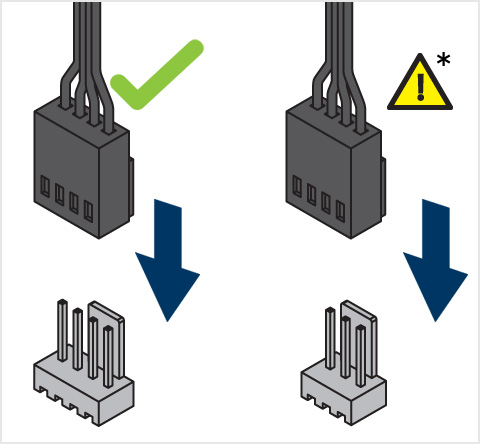
* Some mechanical interference with surrounding components may appear. The fan will not be controllable by PWM.

To get the best out of your cooler, it is recommended to adjust the fan speed control in the BIOS, follow this guide to adjust your PWM.
** If your Liquid Freezer II does not come with the LGA1851/LGA1700 upgrade kit, please contact us through the contact form to get upgrade kit shipped to you. Tap to go to the installation.
Preparation
How (not) to mount your water cooling AIO?
(by GamersNexus)
Steve from GamersNexus explains you the mistakes to avoid while assembling your water cooling AIO in your PC case.
The featured video is independently produced by GamersNexus, ARCTIC has been authorized to use by GamersNexus.
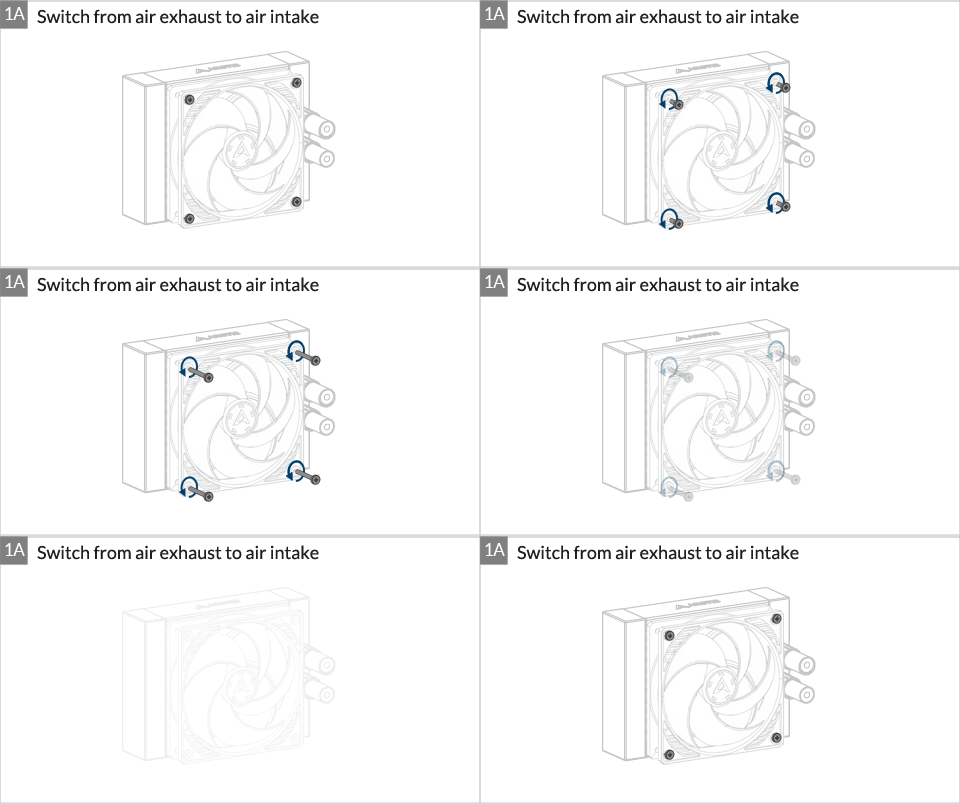
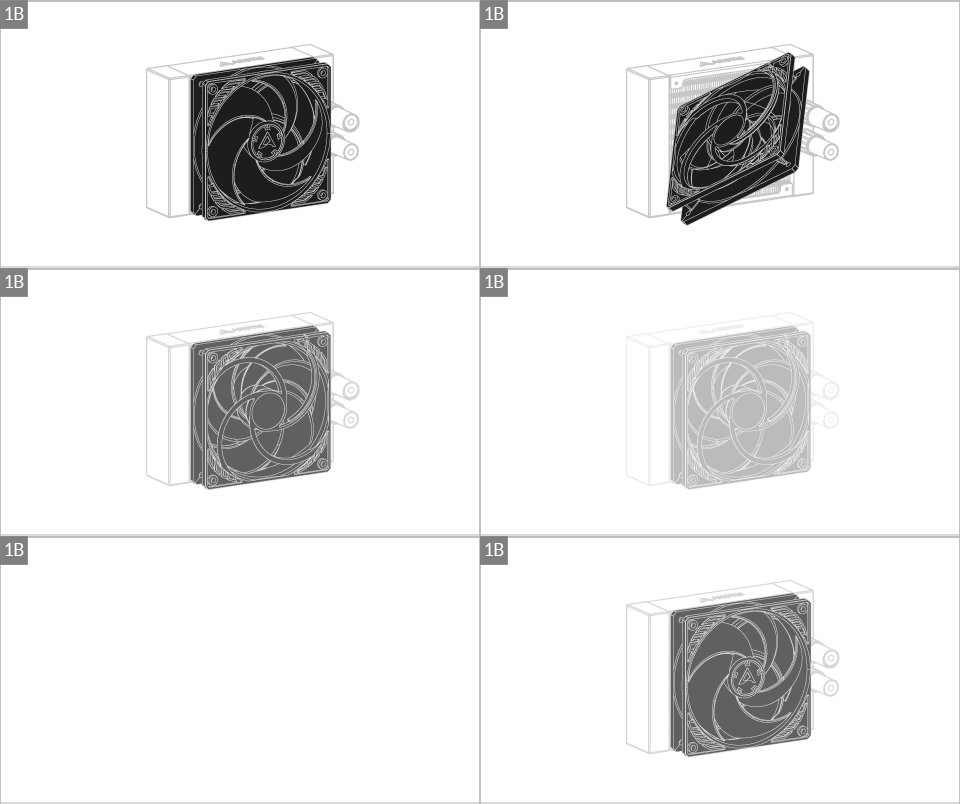
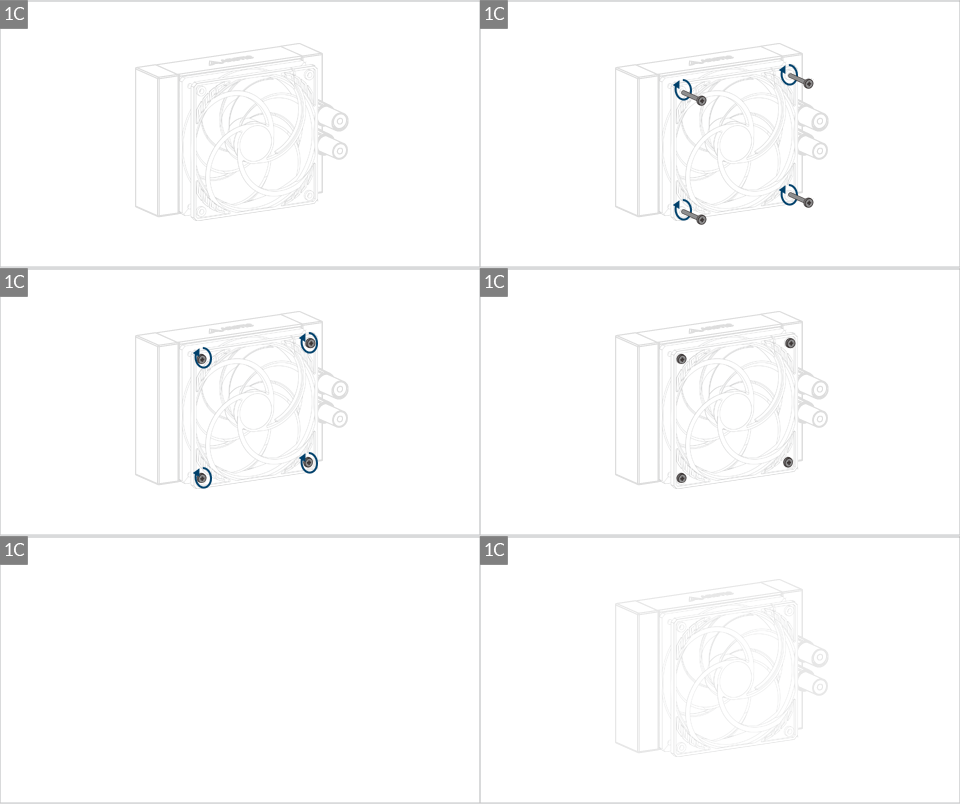
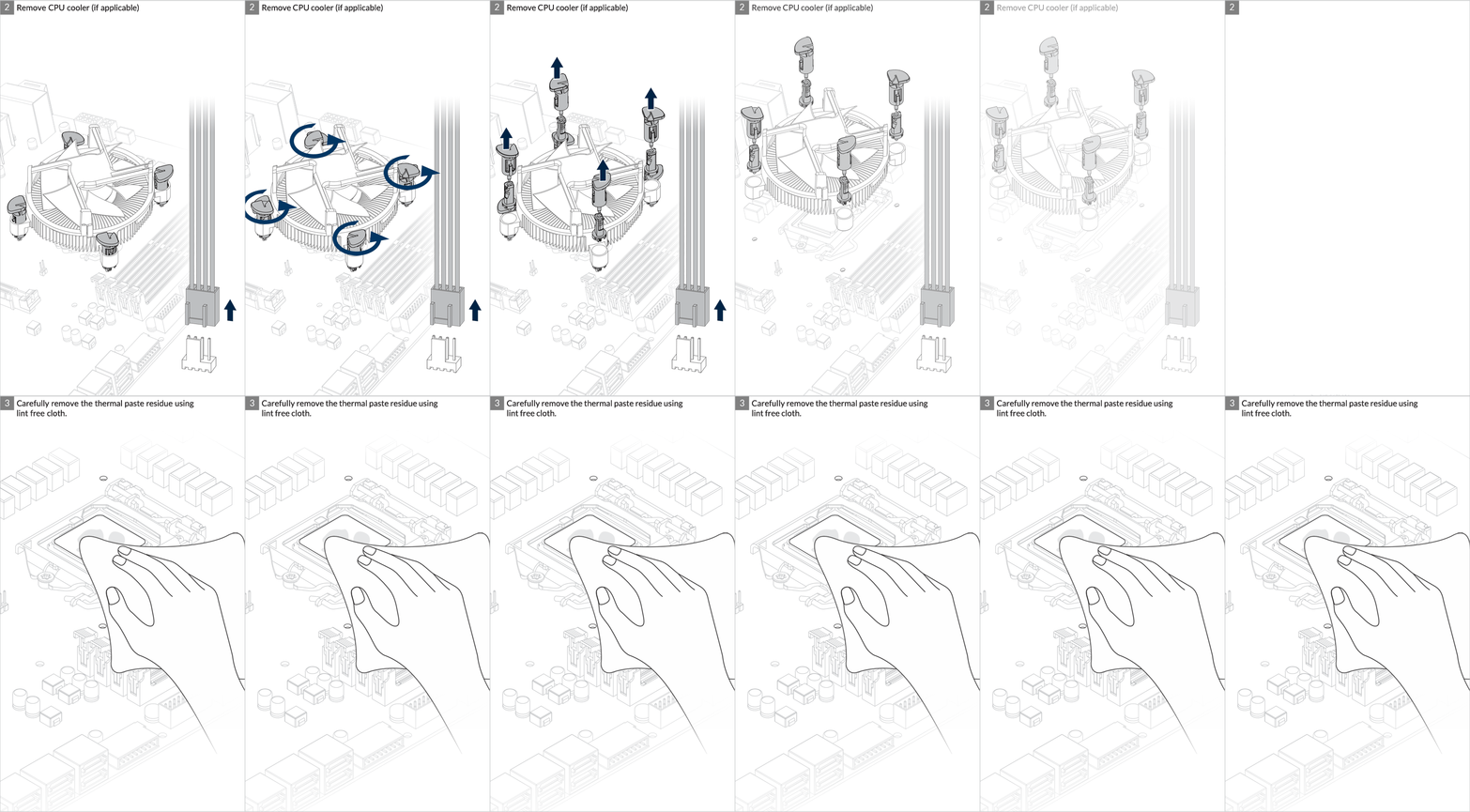
Installation
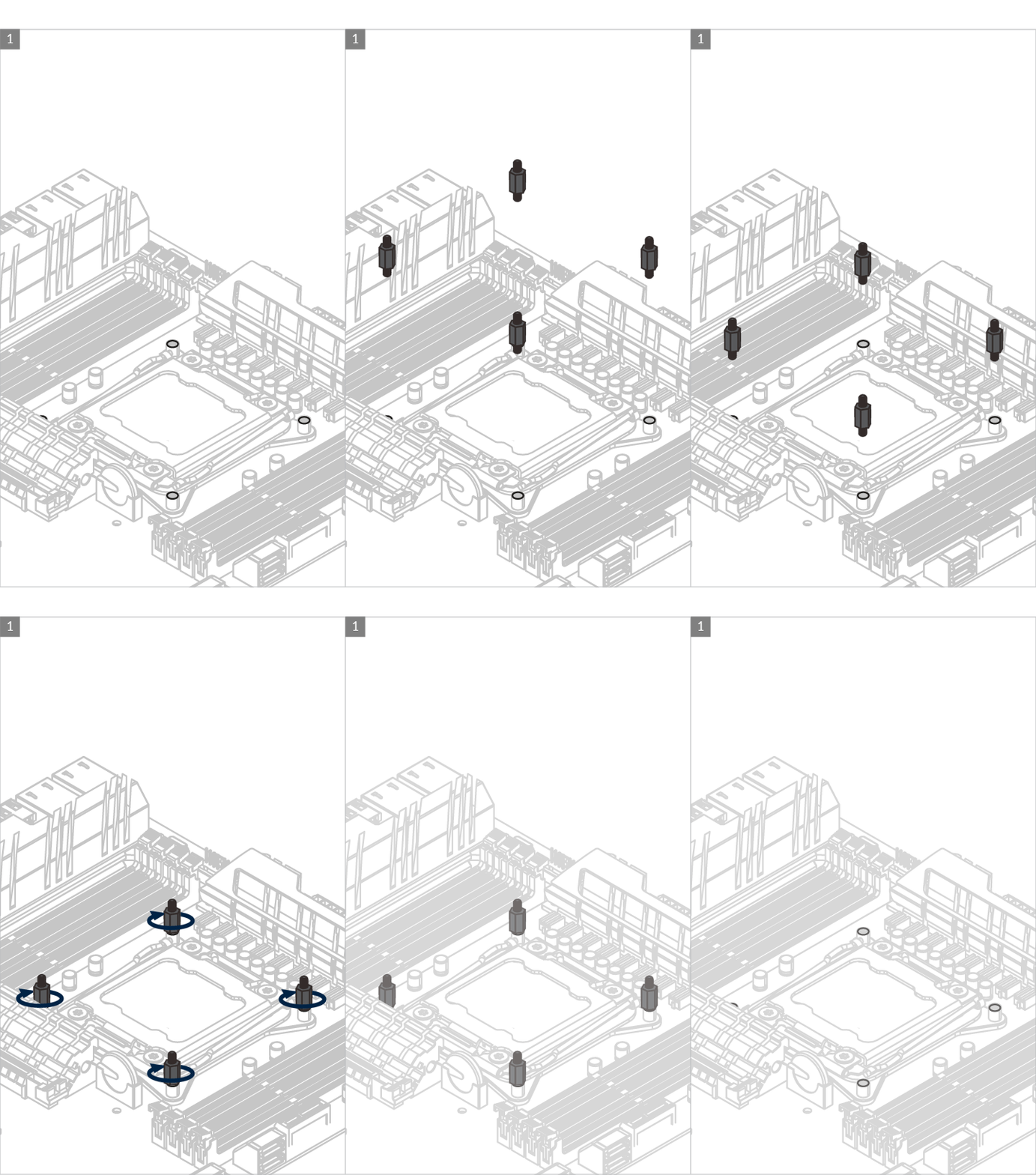

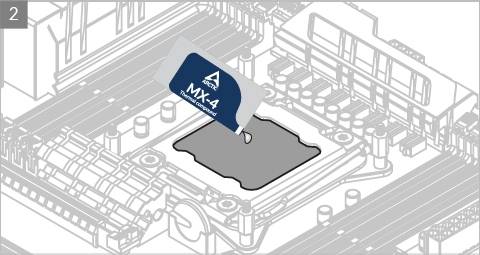
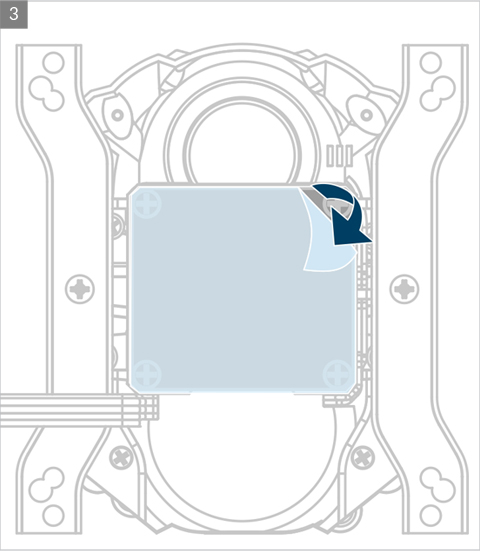
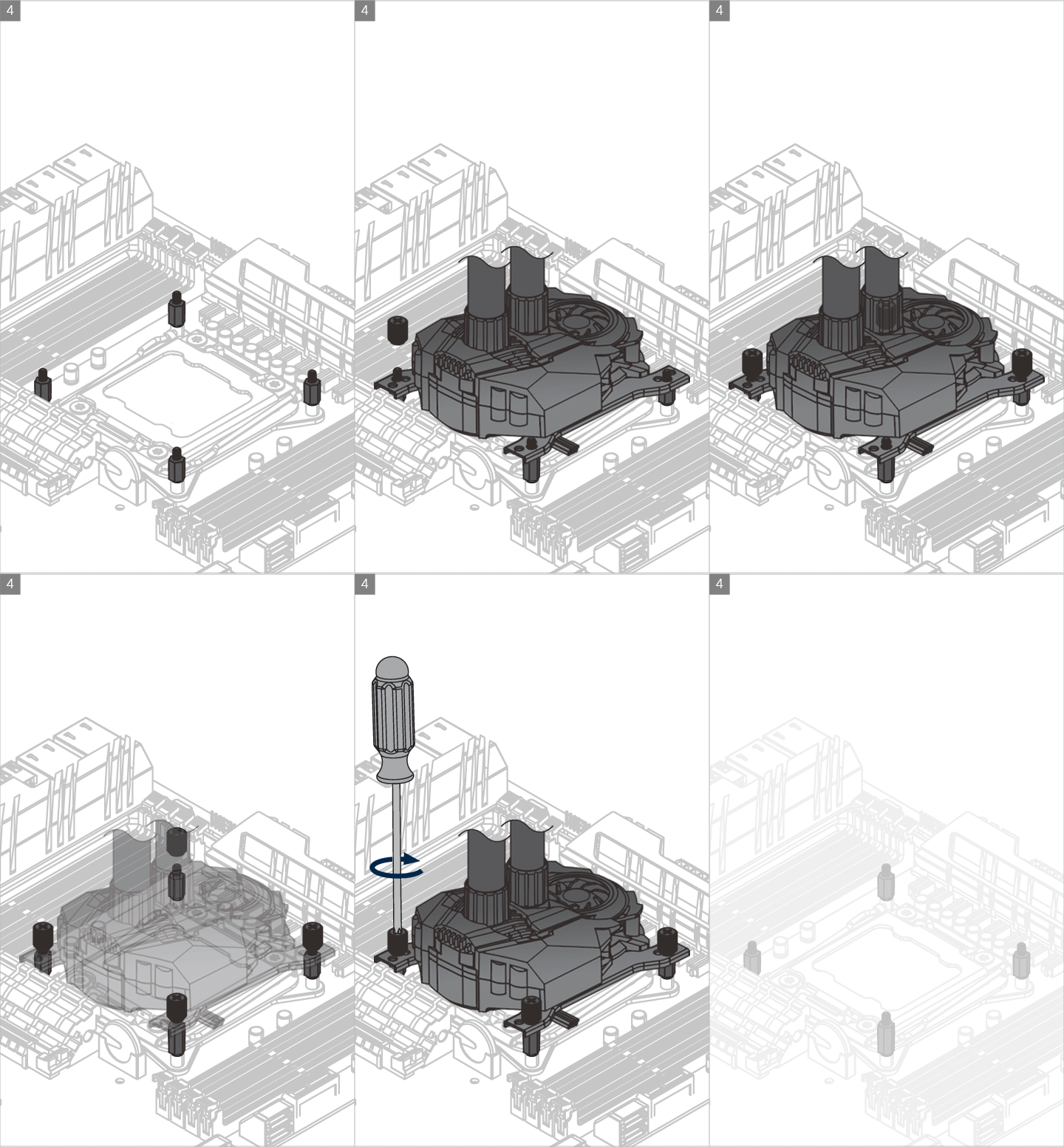
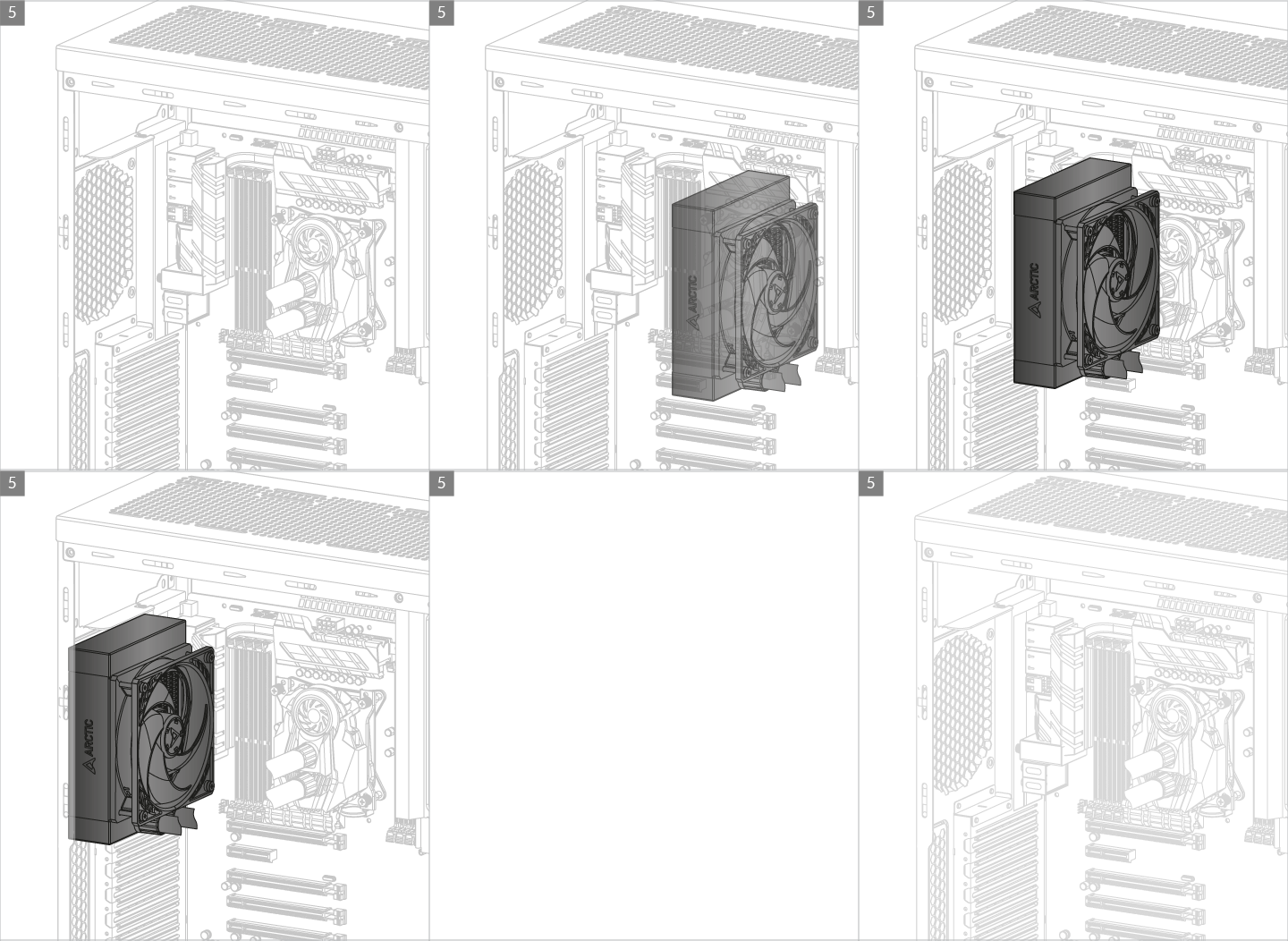
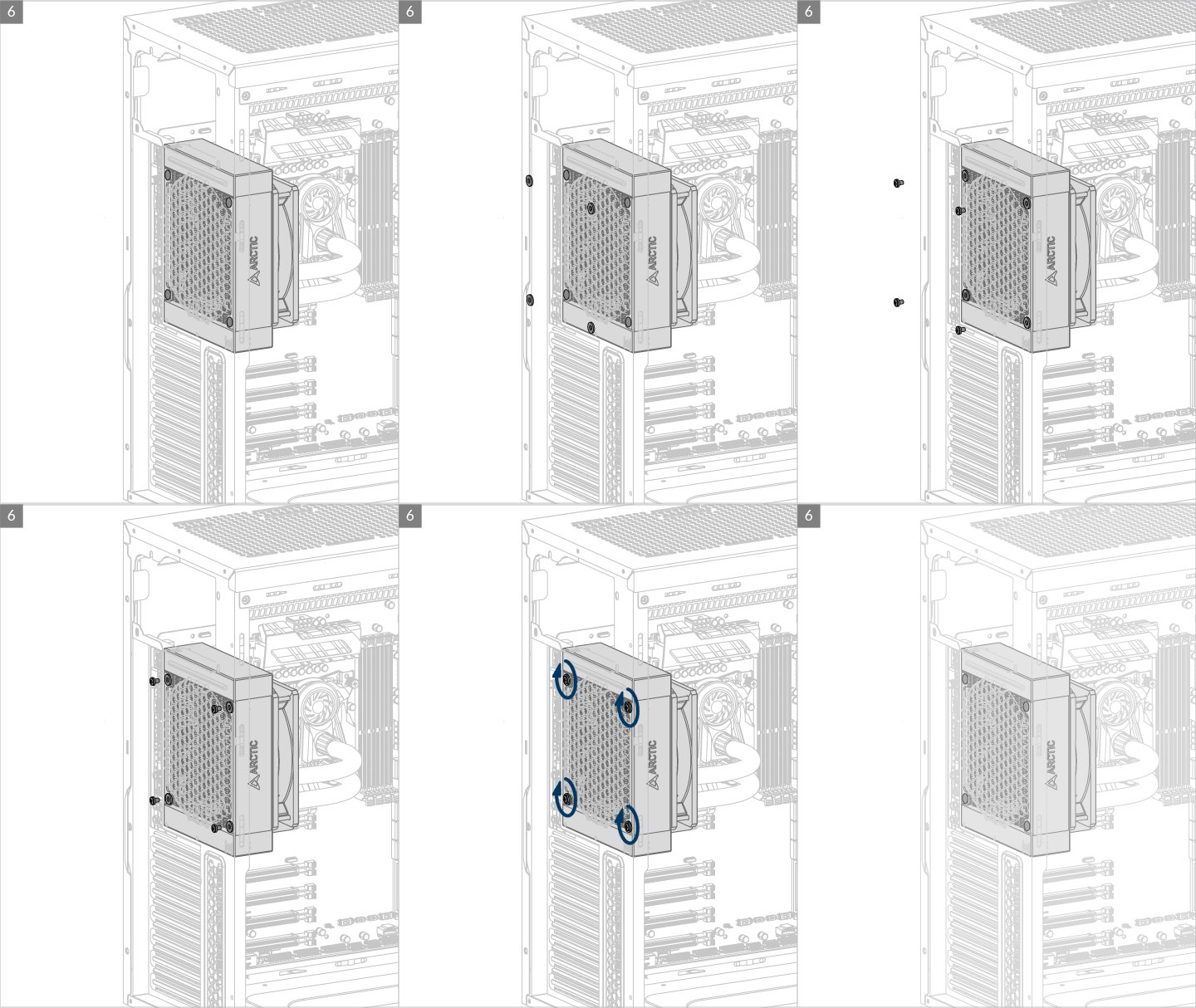
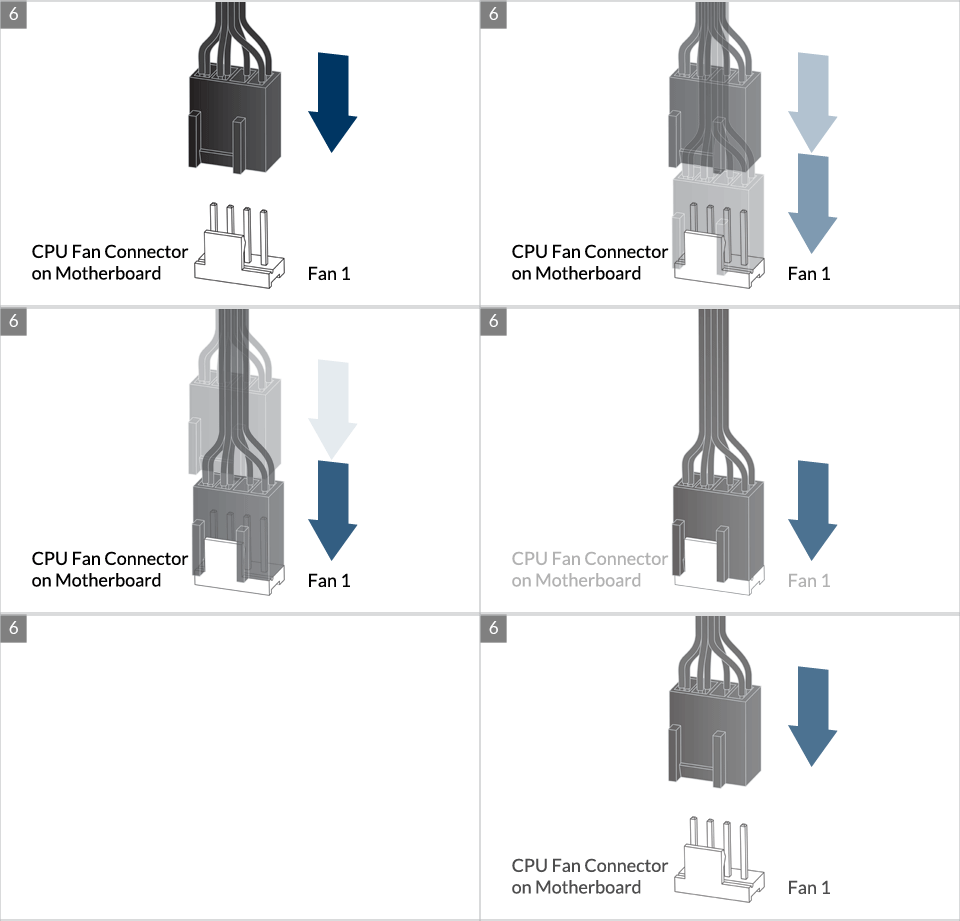
* Some mechanical interference with surrounding components may appear. The fan will not be controllable by PWM.
To get the best out of your cooler, it is recommended to adjust the fan speed control in the BIOS, follow this guide to adjust your PWM.
Preparation
How (not) to mount your water cooling AIO?
(by GamersNexus)
Steve from GamersNexus explains you the mistakes to avoid while assembling your water cooling AIO in your PC case.
The featured video is independently produced by GamersNexus, ARCTIC has been authorized to use by GamersNexus.
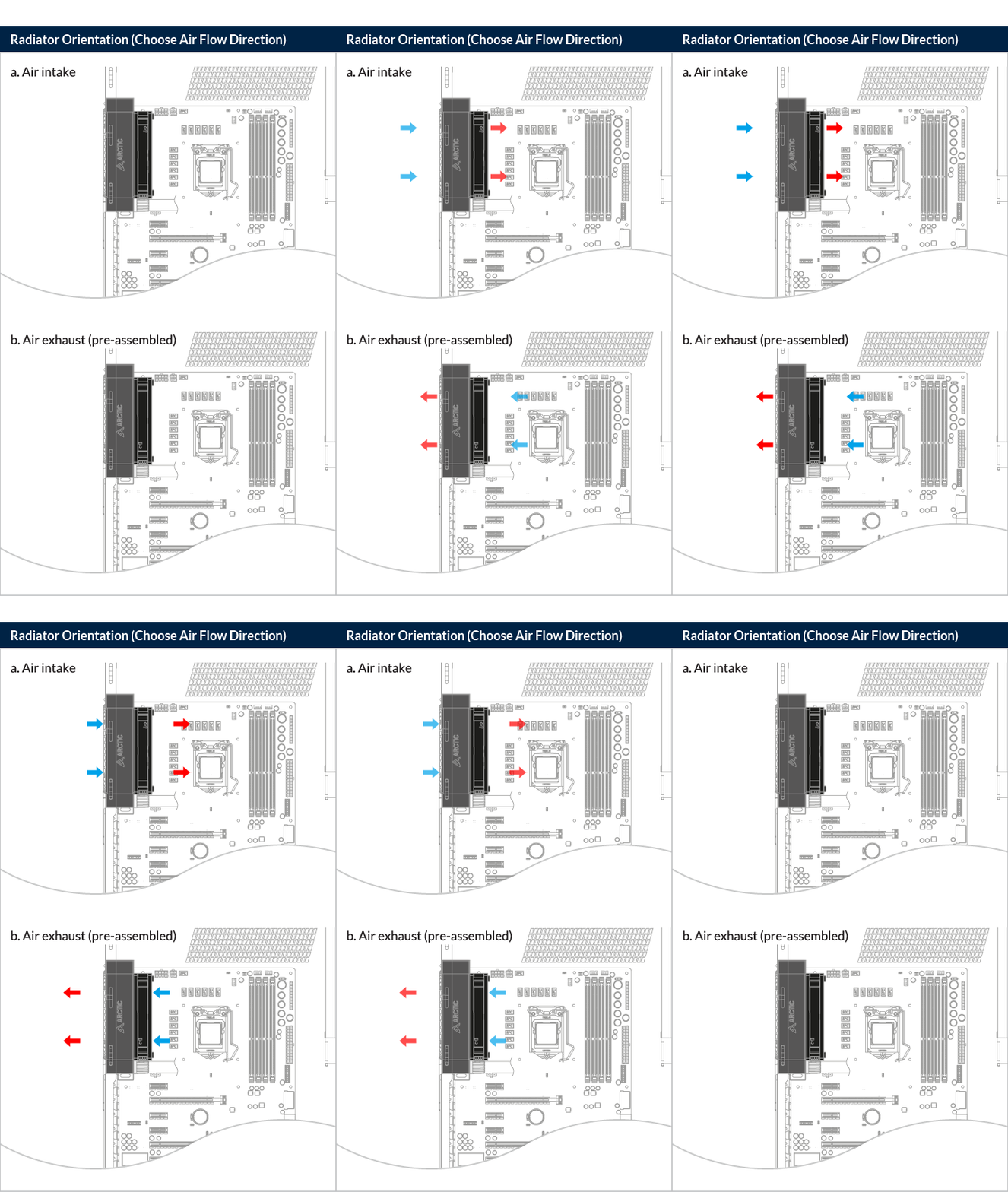
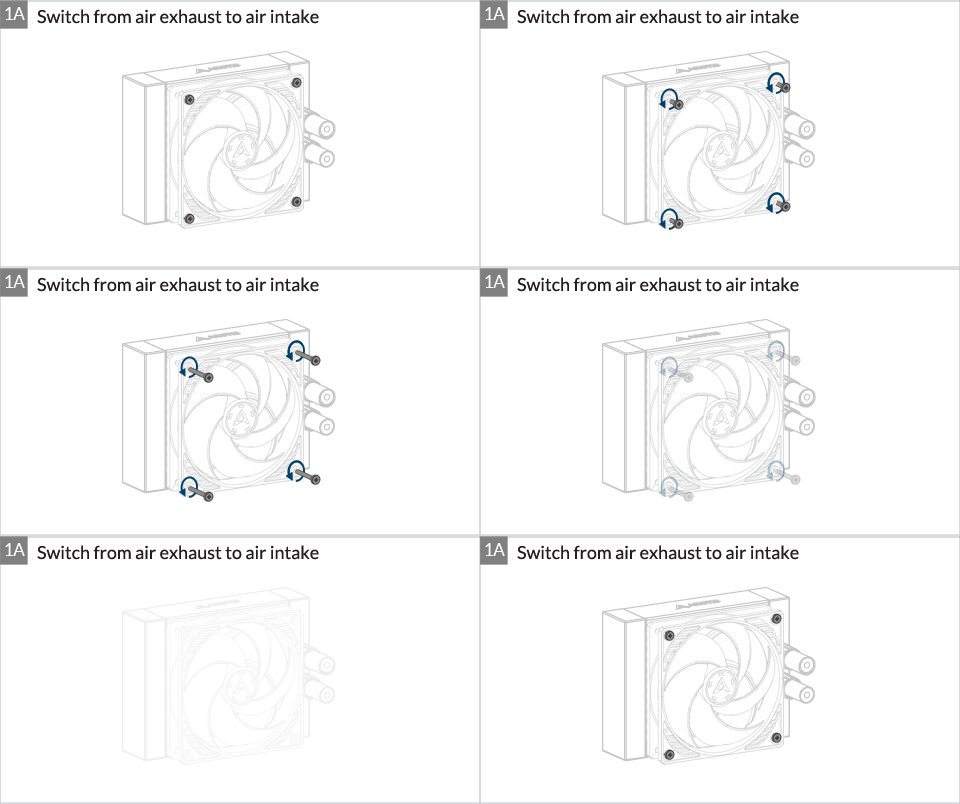
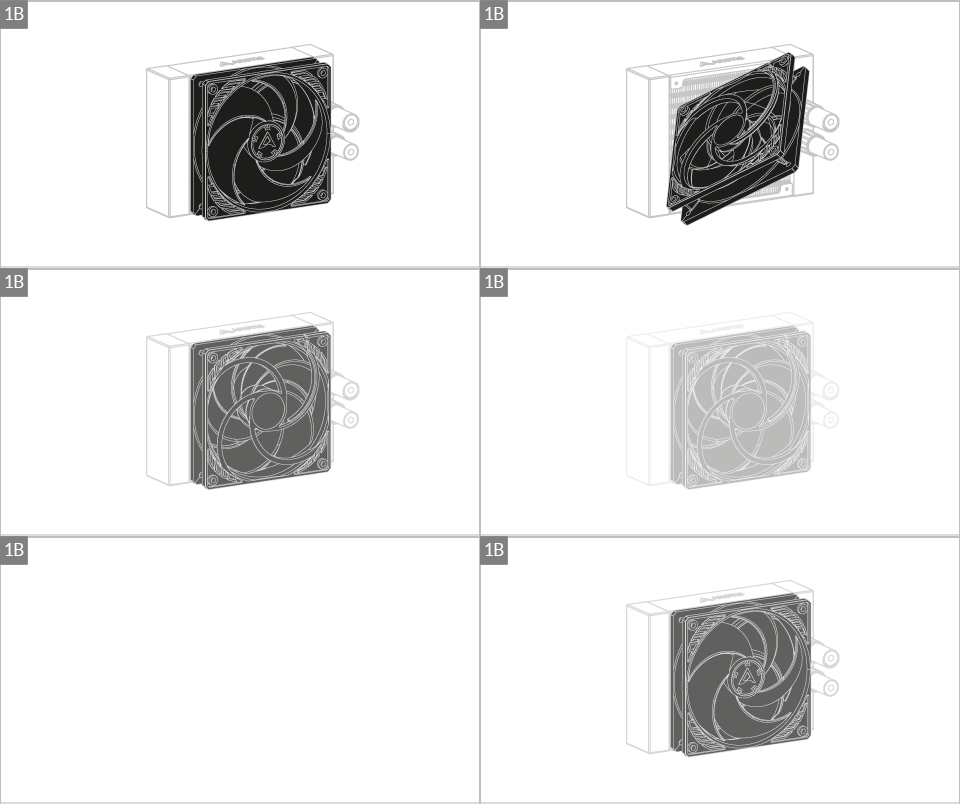
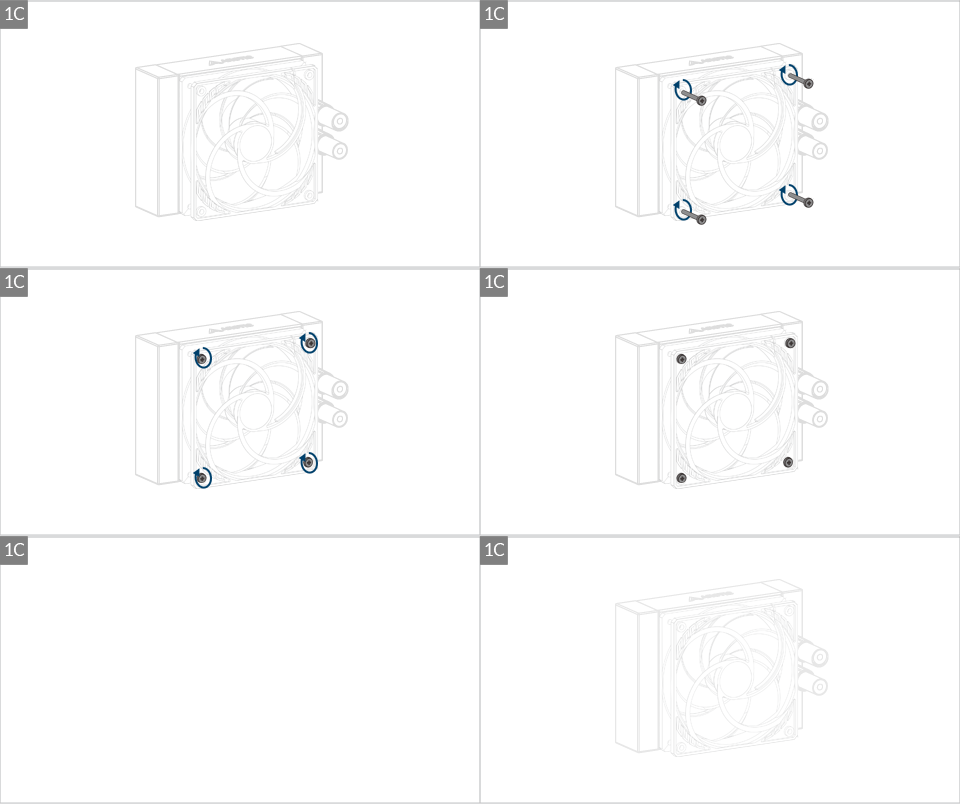
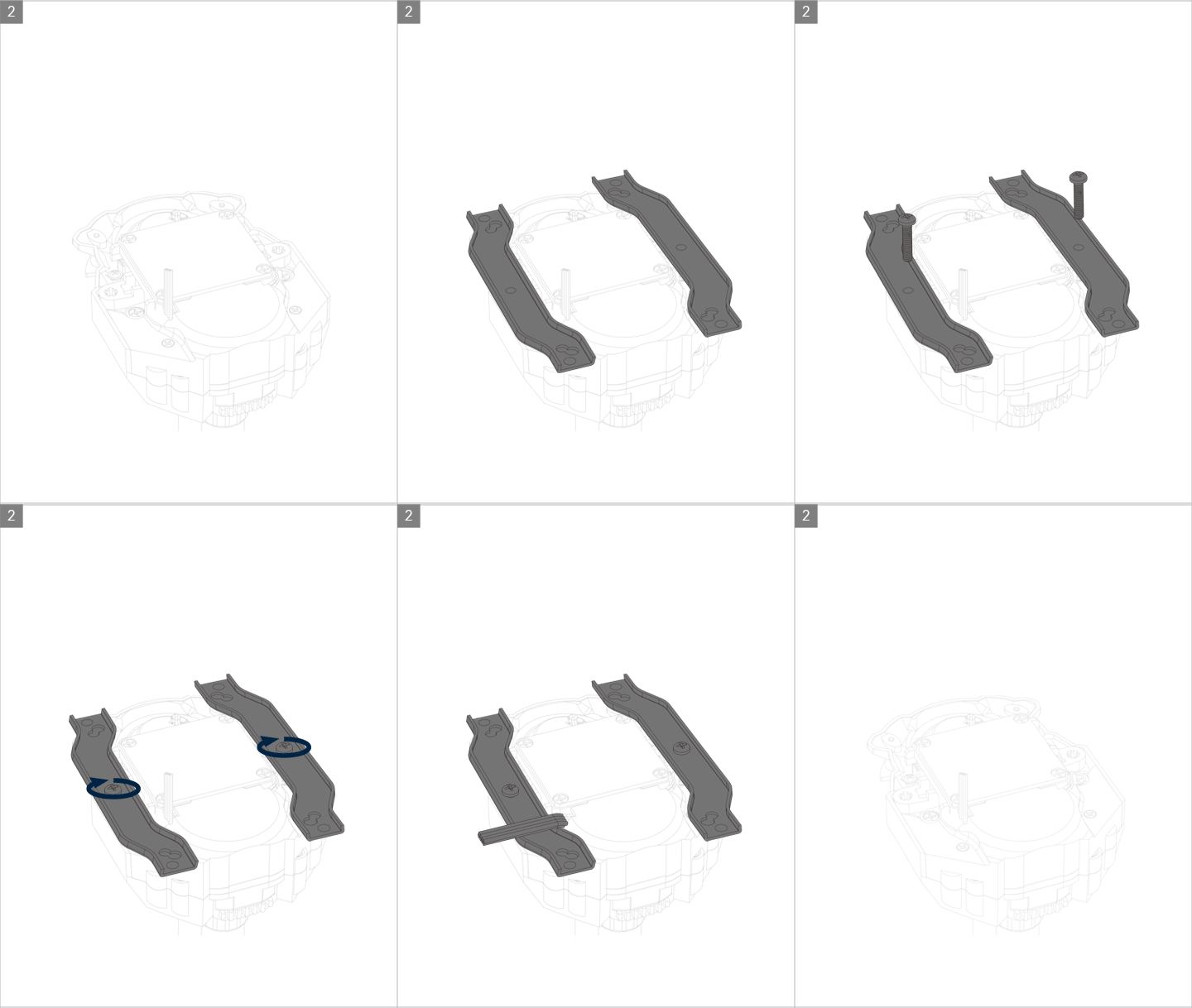
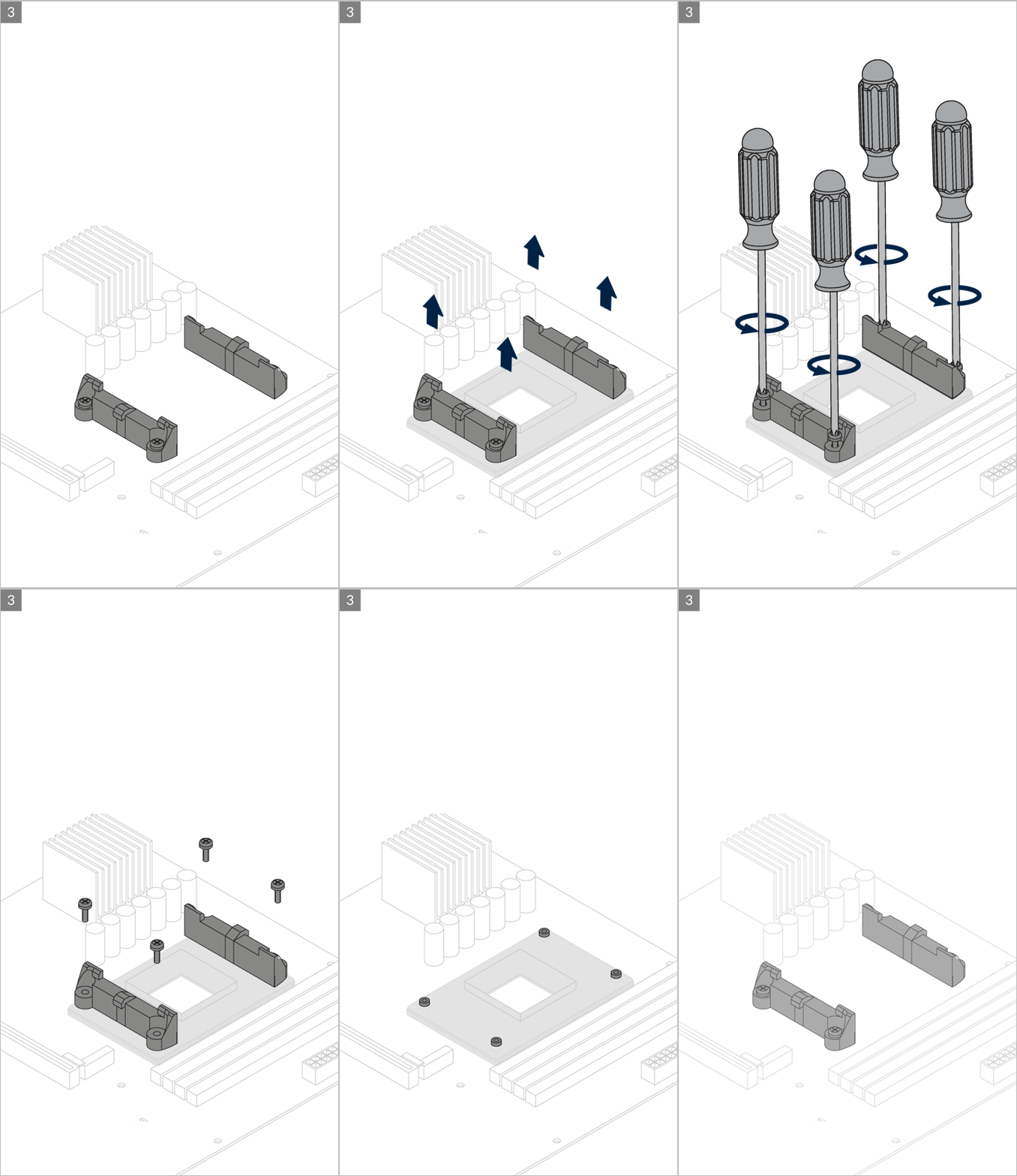
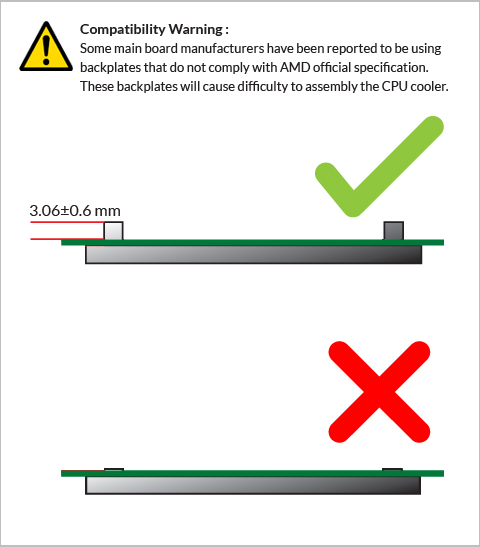
Installation
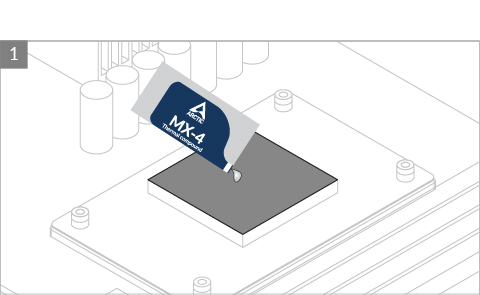
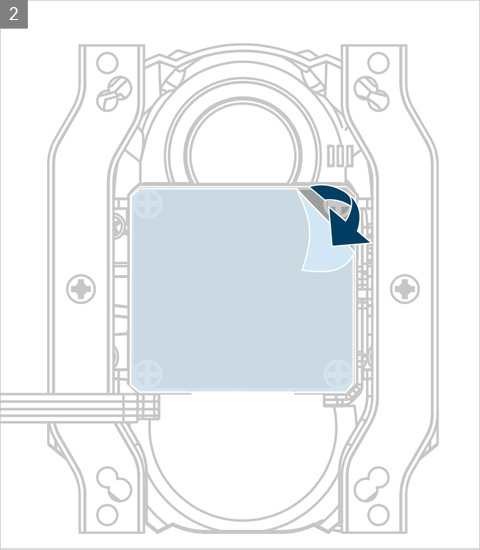
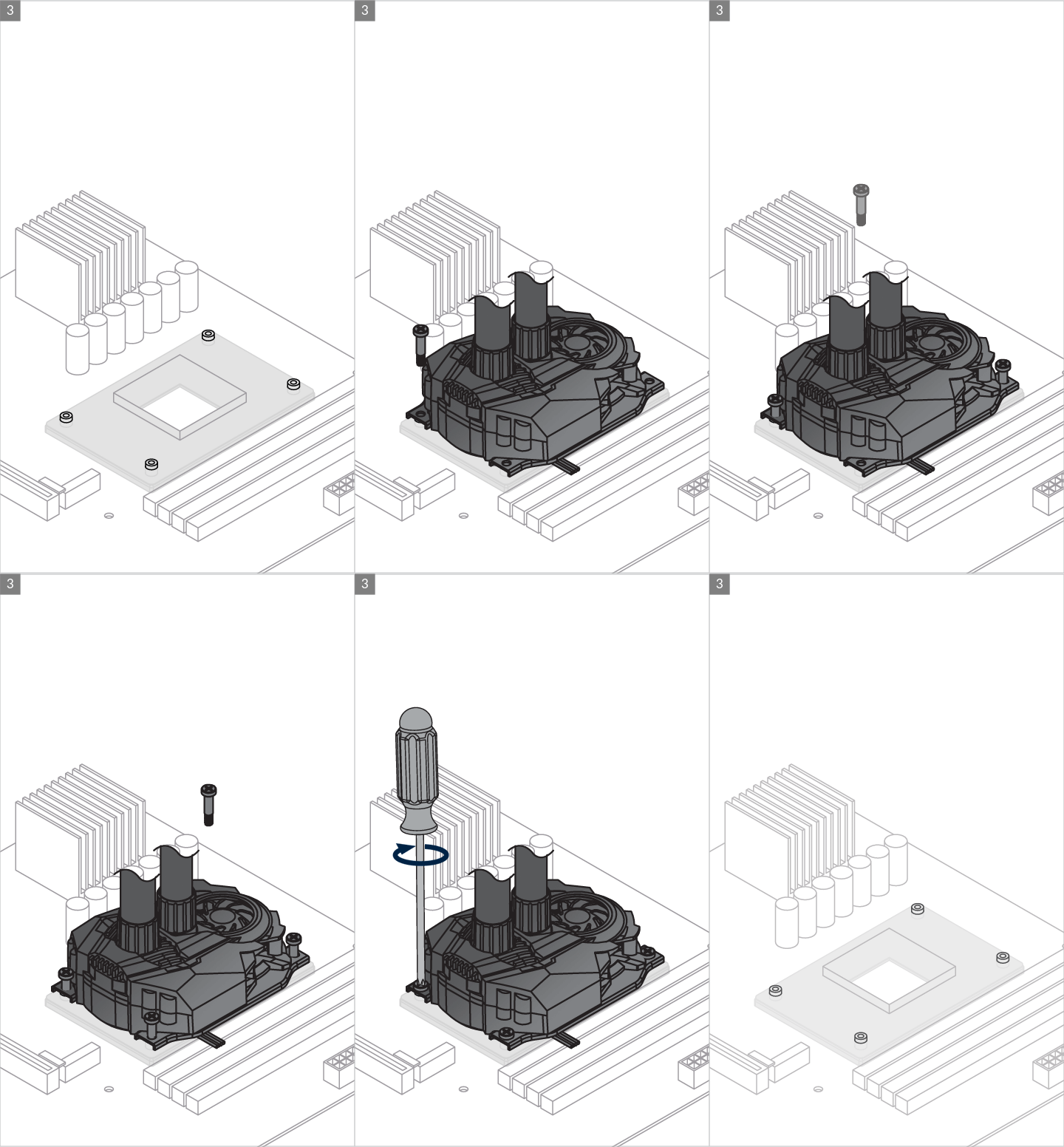

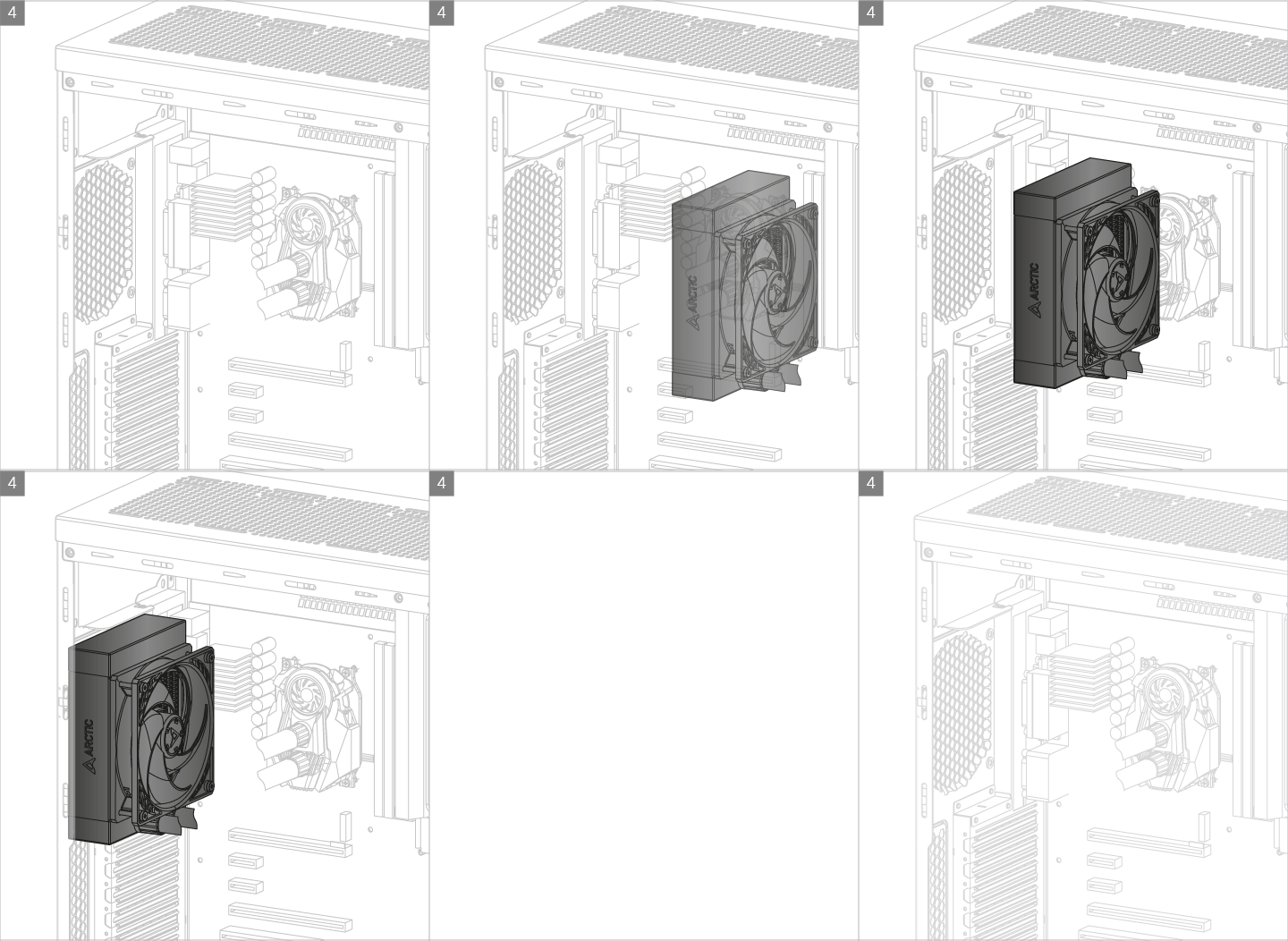
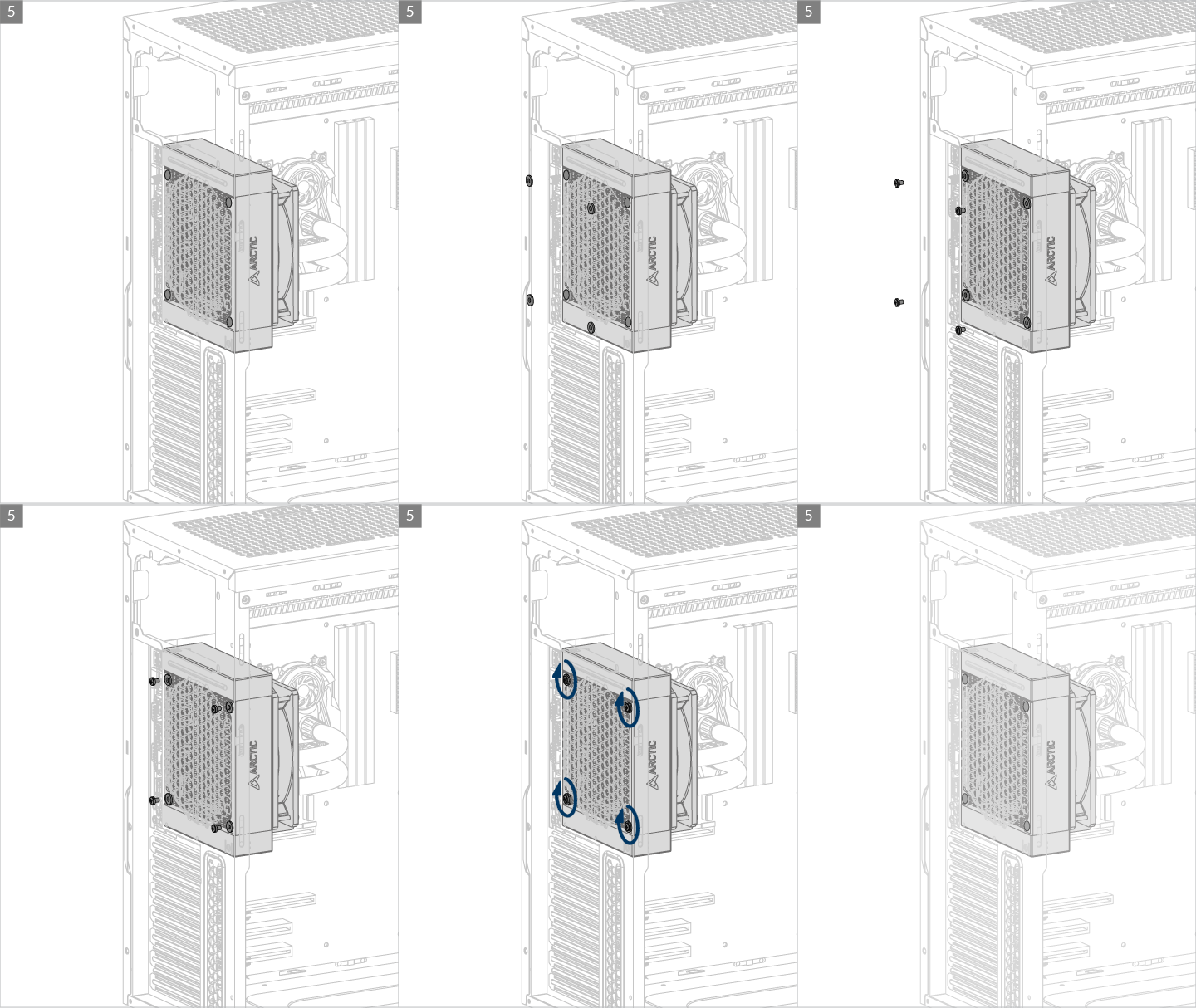
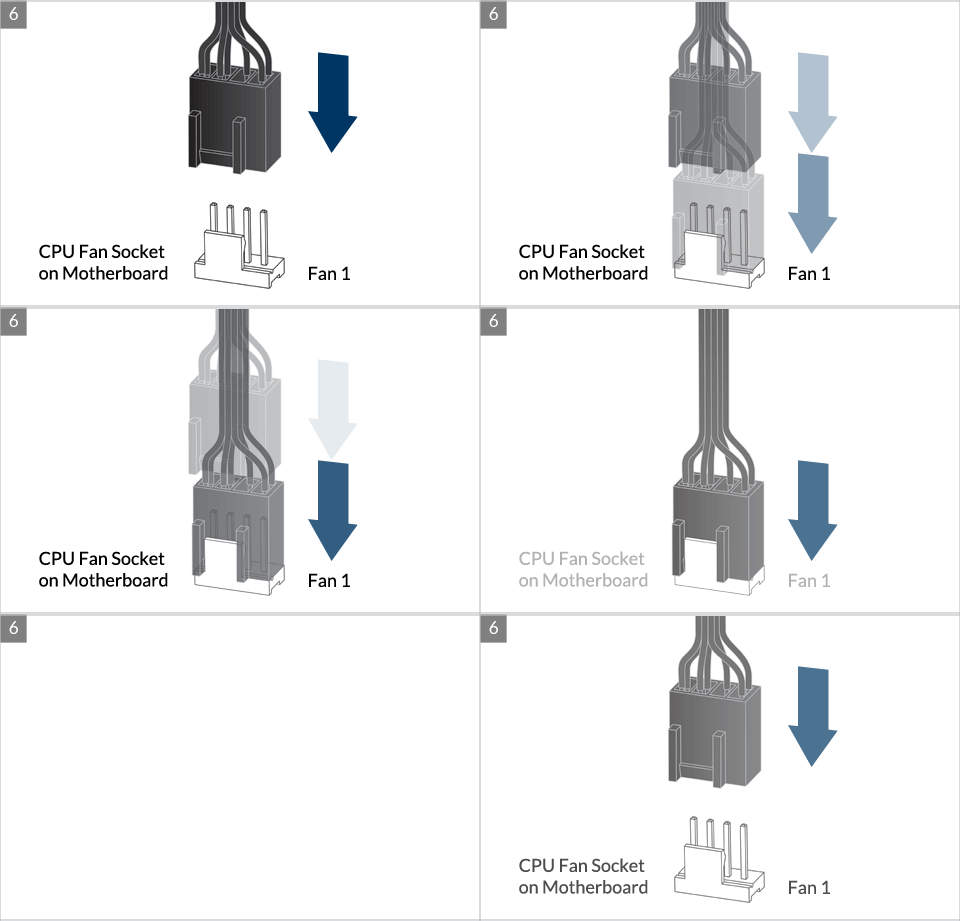
* Some mechanical interference with surrounding components may appear. The fan will not be controllable by PWM.
To get the best out of your cooler, it is recommended to adjust the fan speed control in the BIOS, follow this guide to adjust your PWM.
Watch Video
추천 상품