Maalesef bu belge Türkçe olarak mevcut değildir, aşağıda İngilizce versiyonu bulunmaktadır.
Attention
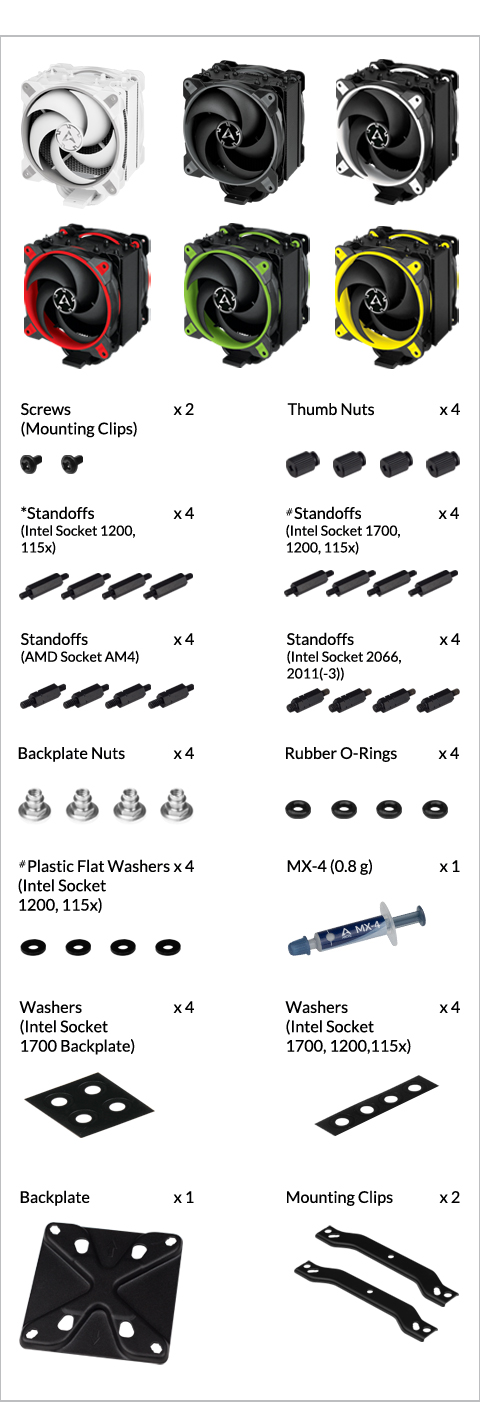
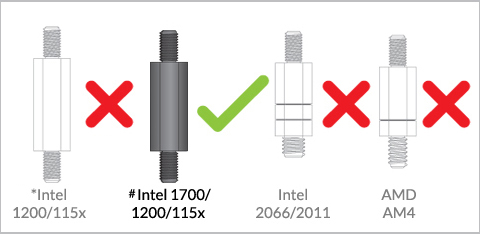
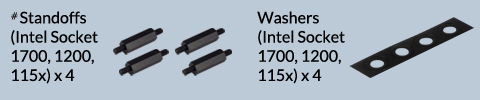
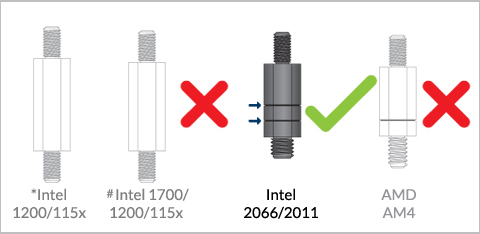
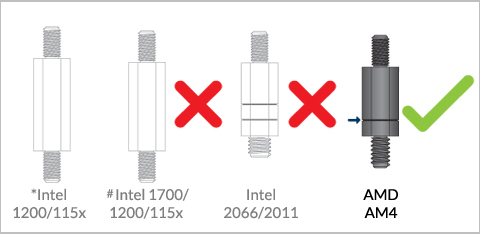
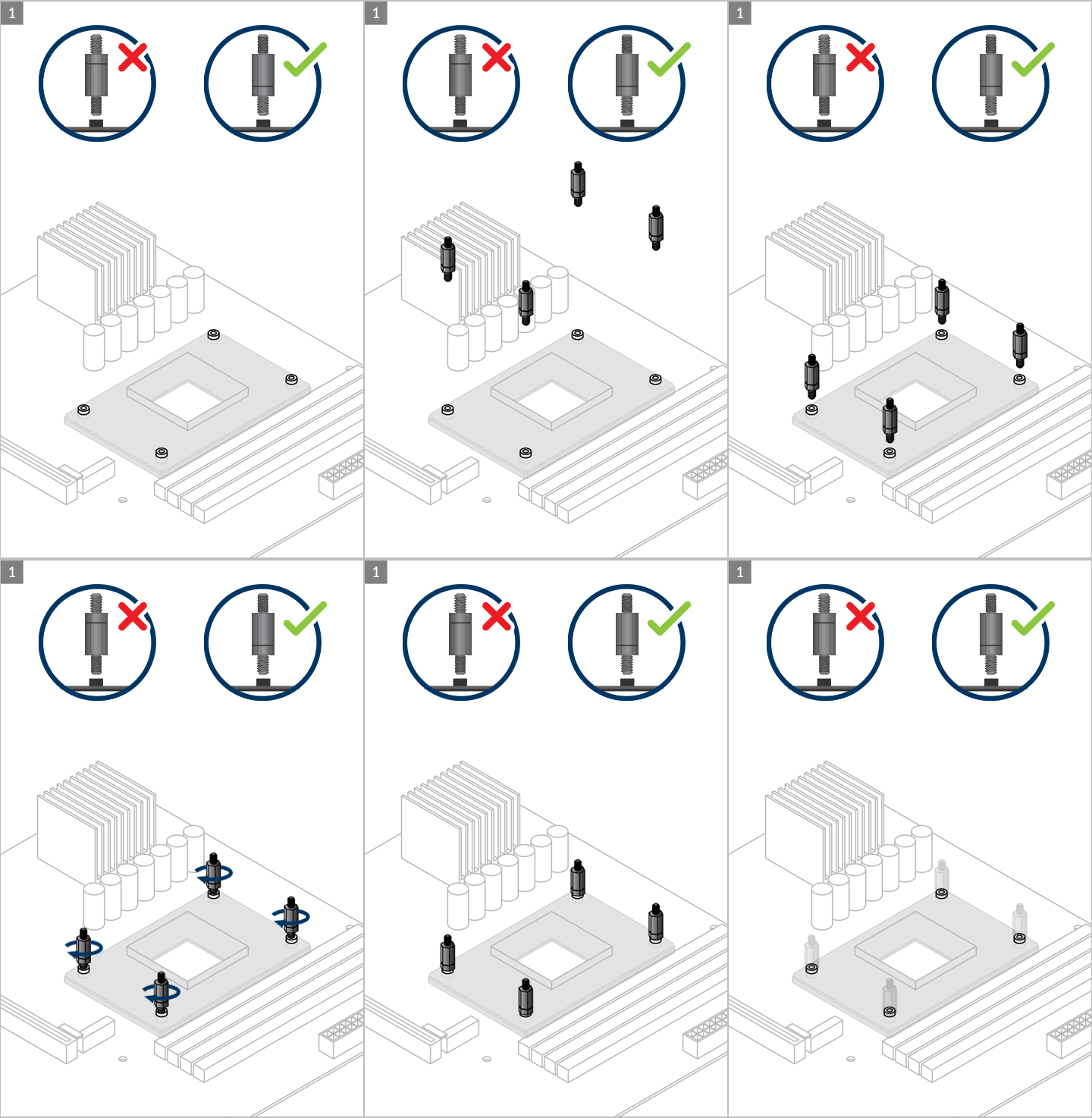
* if you purchased Freezer 34 eSports DUO Rev. 2, these standoffs in the accessories bag should be kept and used on Intel LGA 1200/115x motherboard.
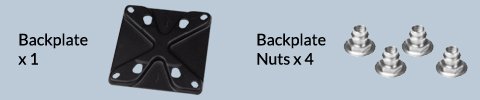
# 1. The standoffs are included in the Intel LGA1700 upgrade kit and the accessories of Freezer 34 eSports DUO Rev. 3
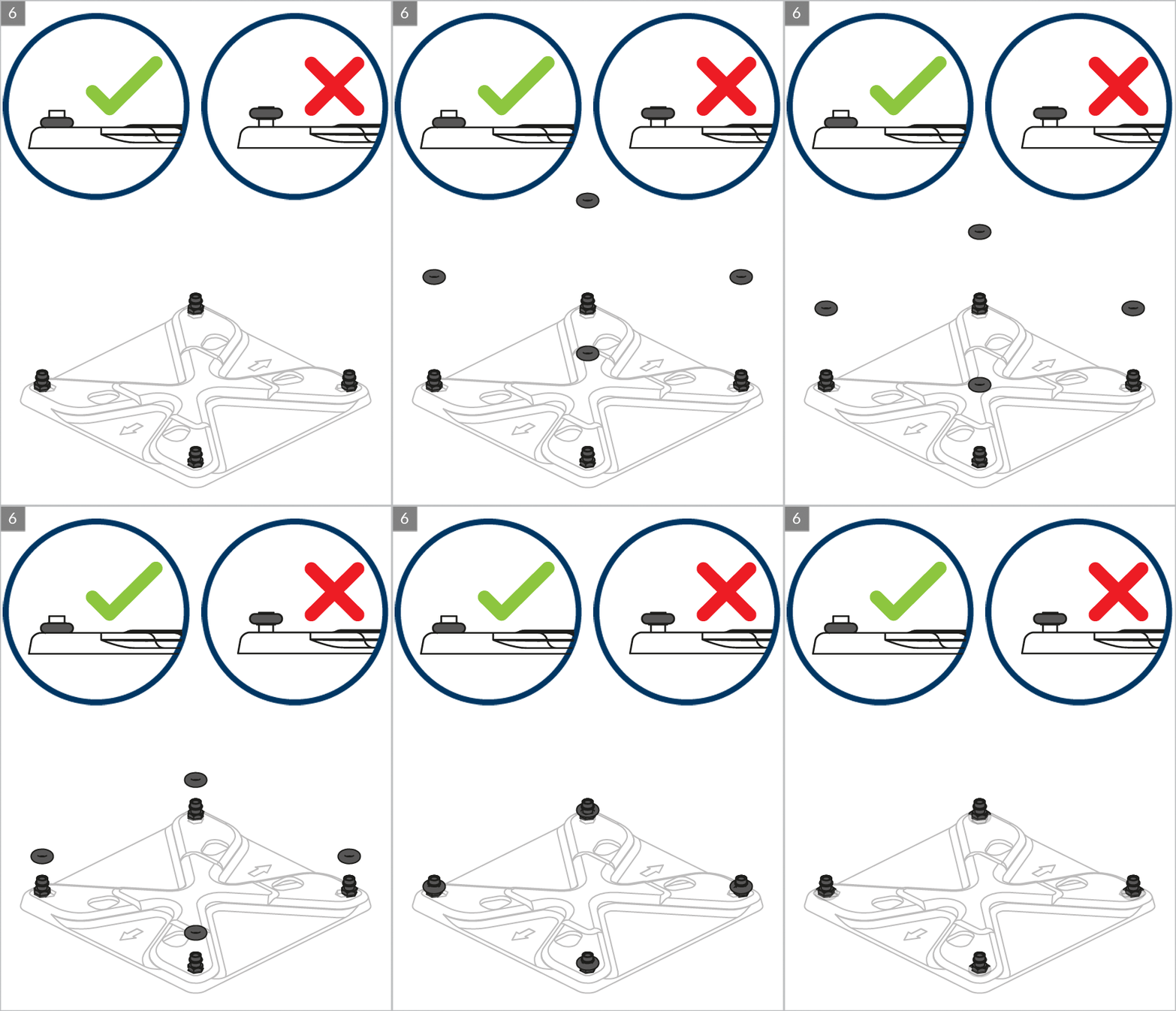
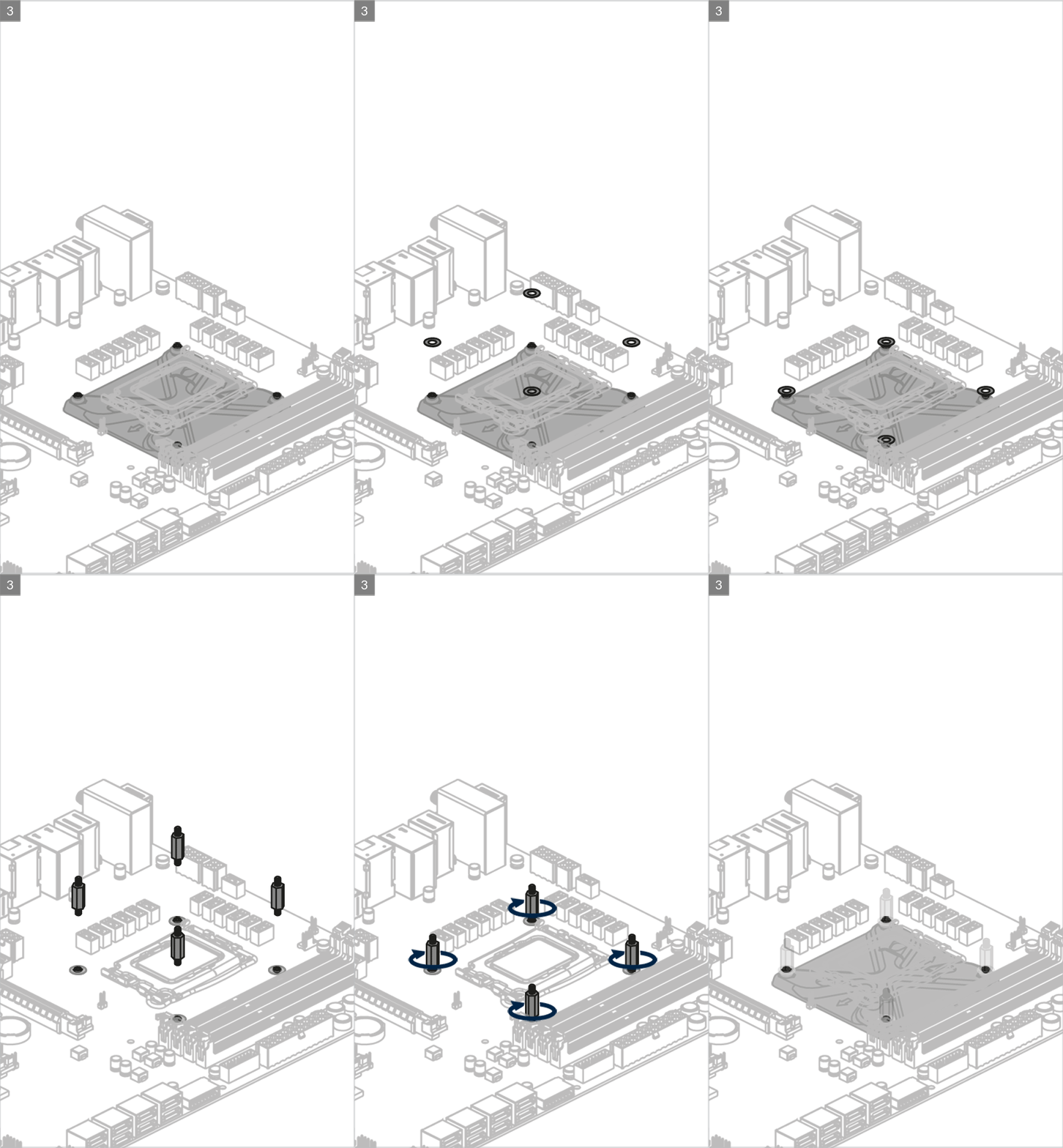
# 2. The plastic flat washers only include in the accessories of Freezer 34 eSports DUO Rev. 3. You should place the washer under the Intel LGA 1700 standoffs for installing the Freezer 34 eSports DUO Rev. 3 on Intel LGA 1200/115x motherboard.
Preparation
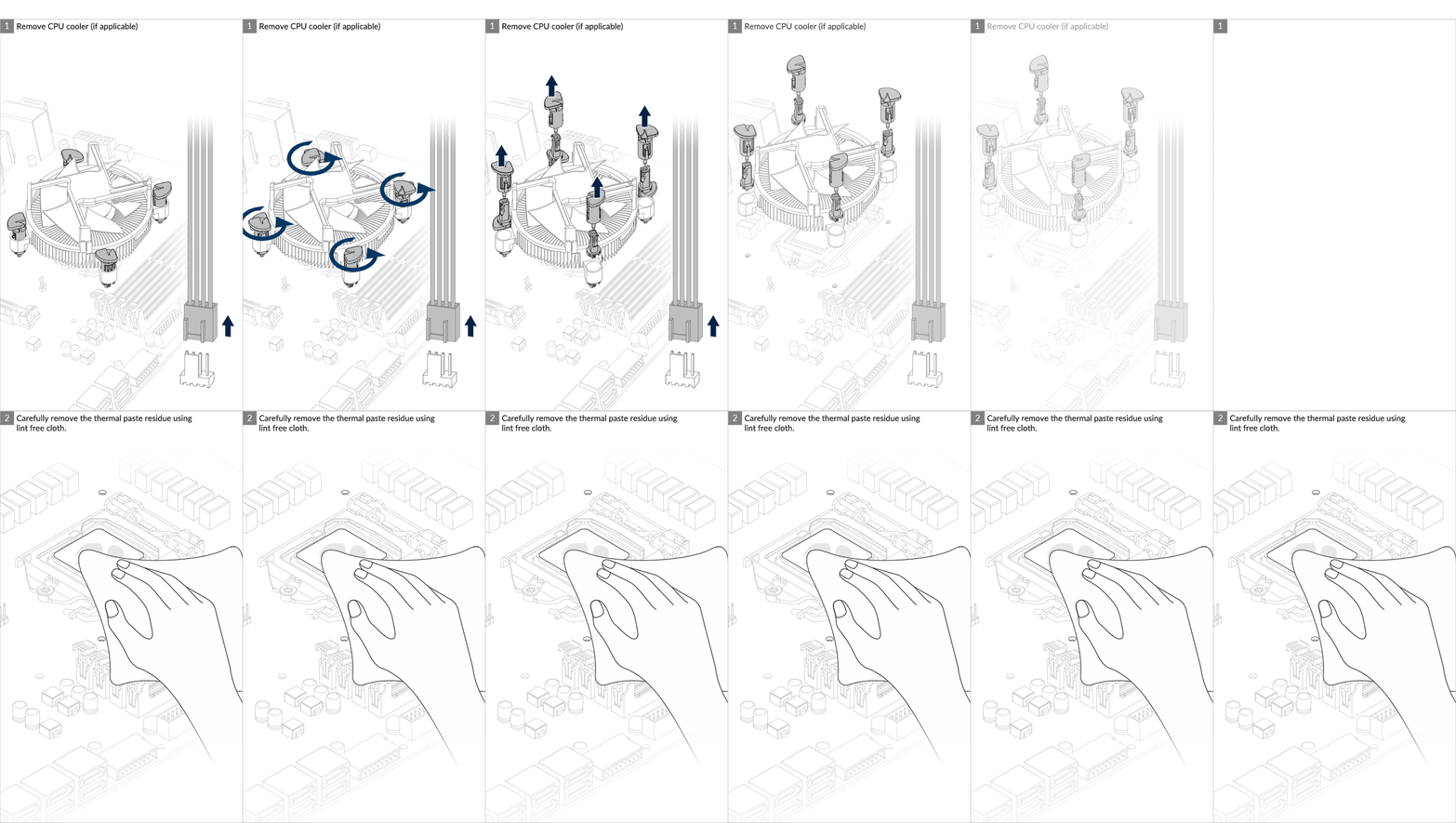
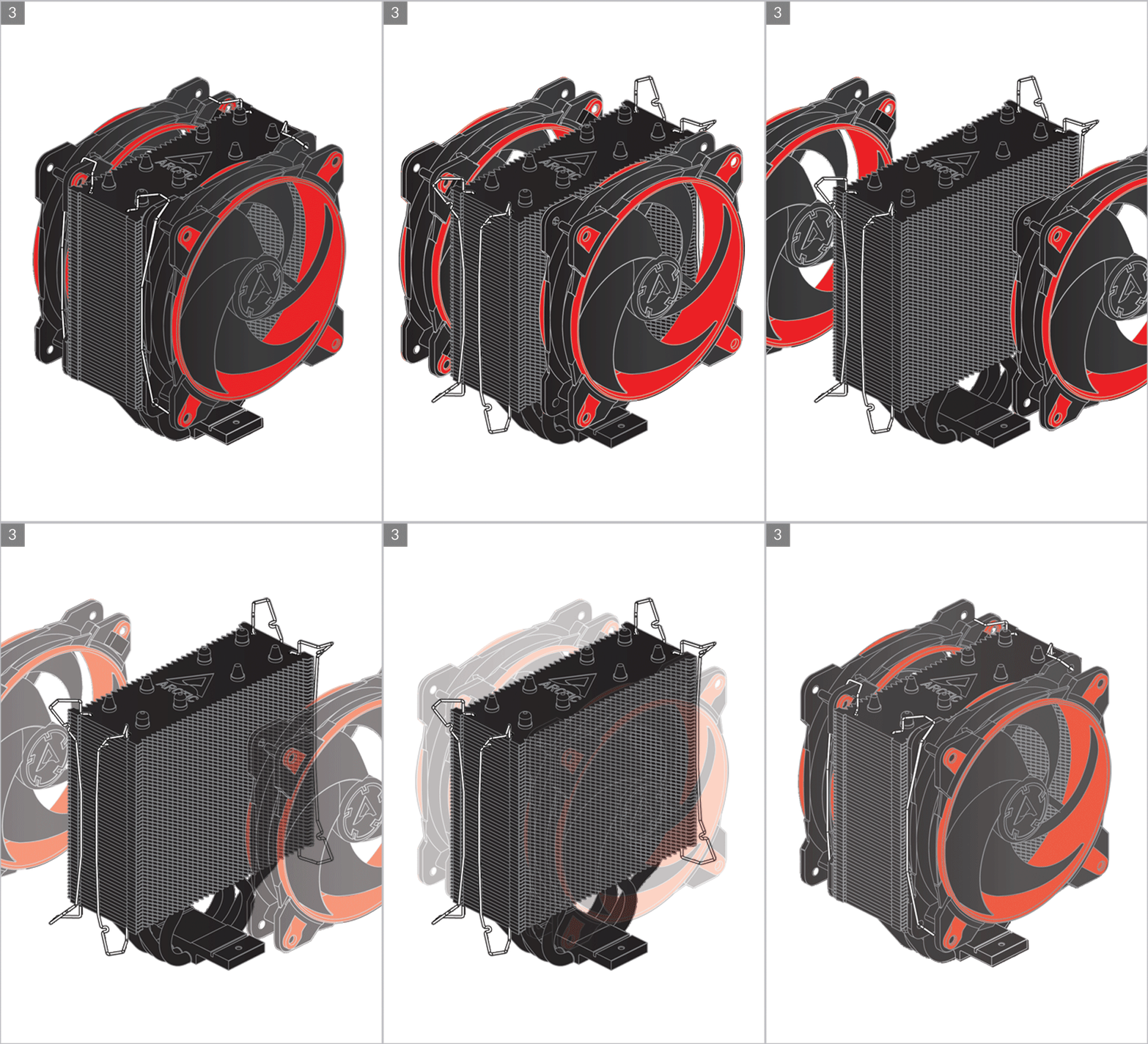
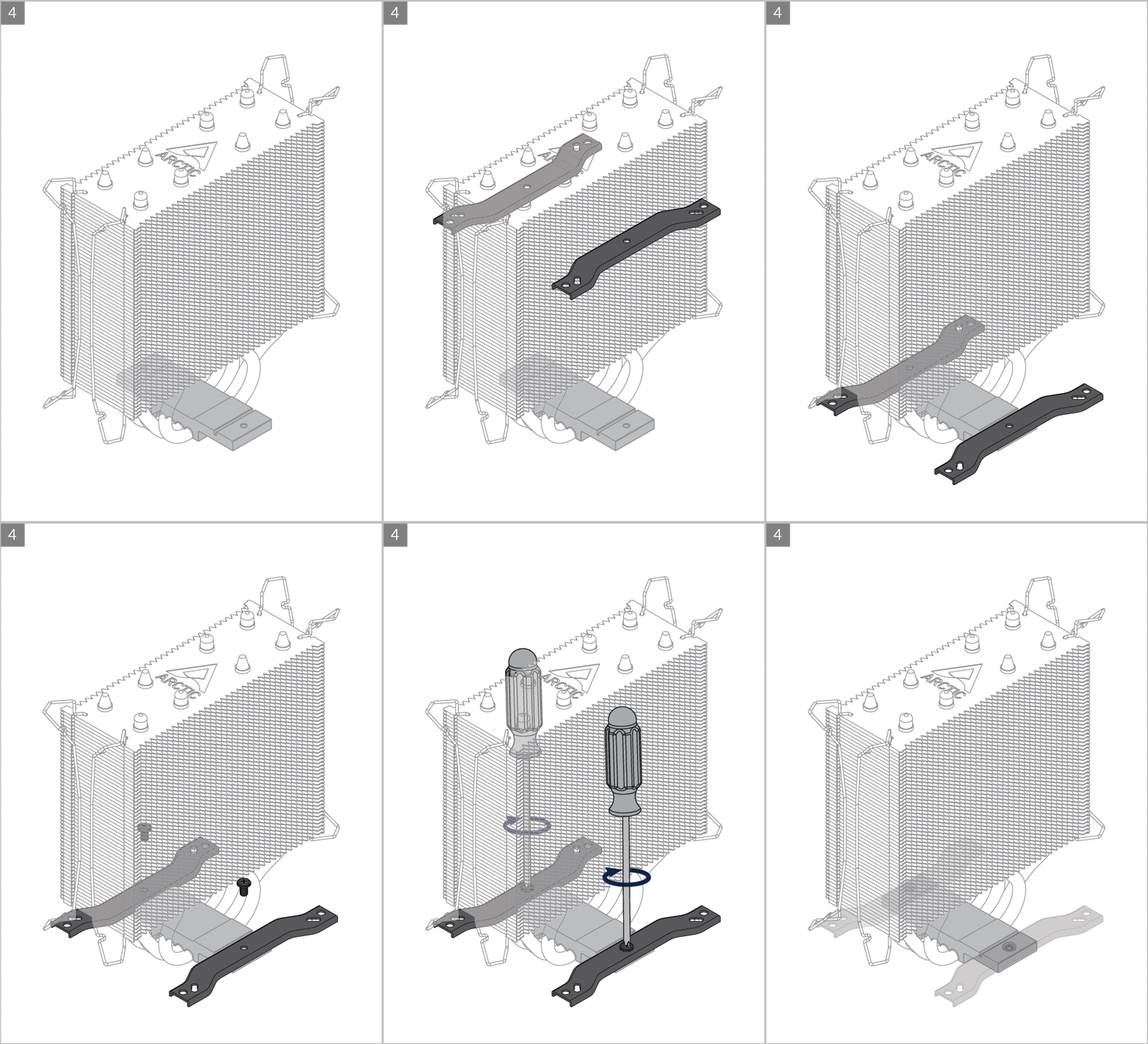
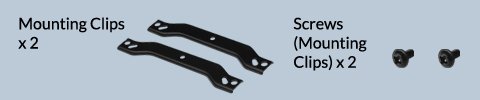

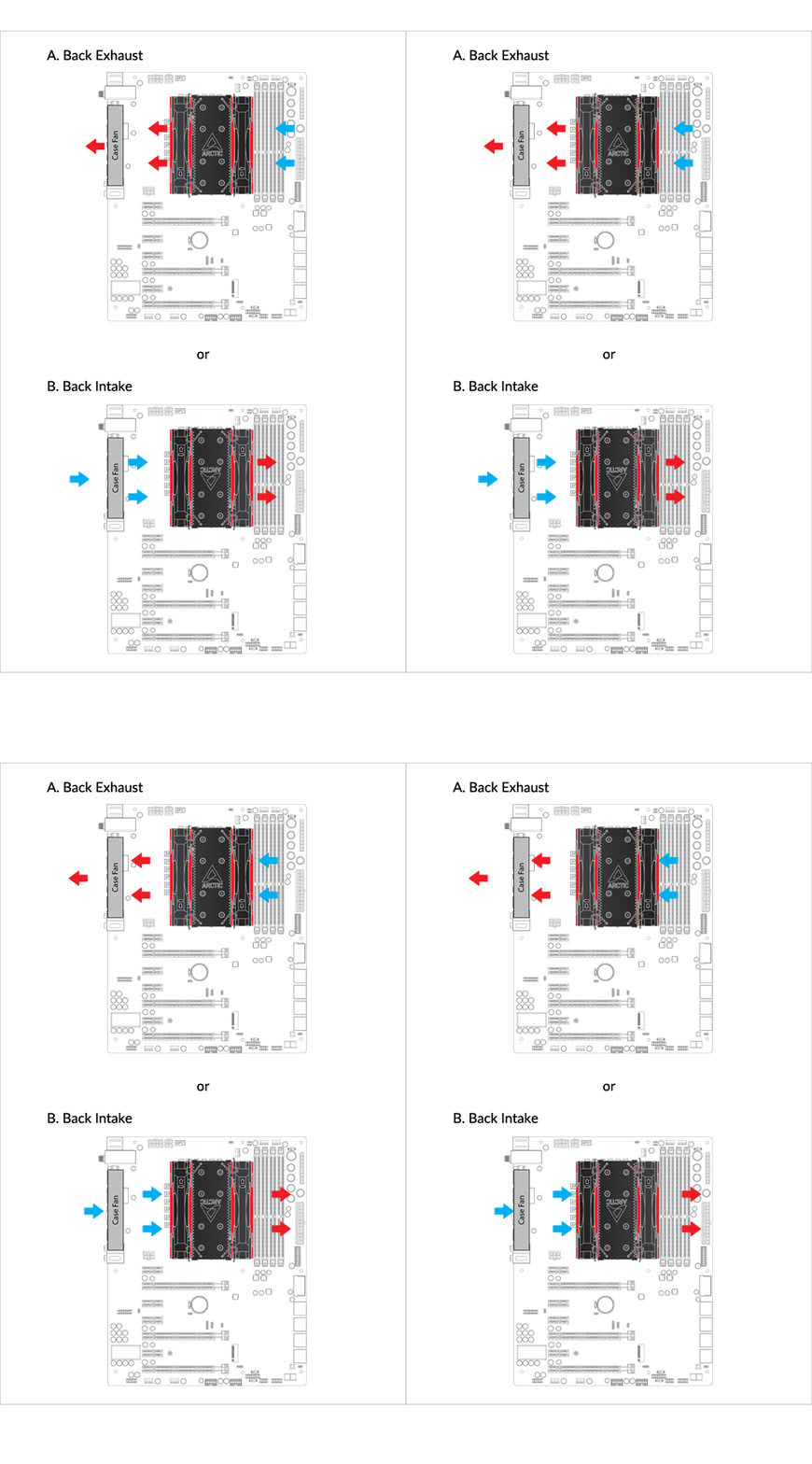
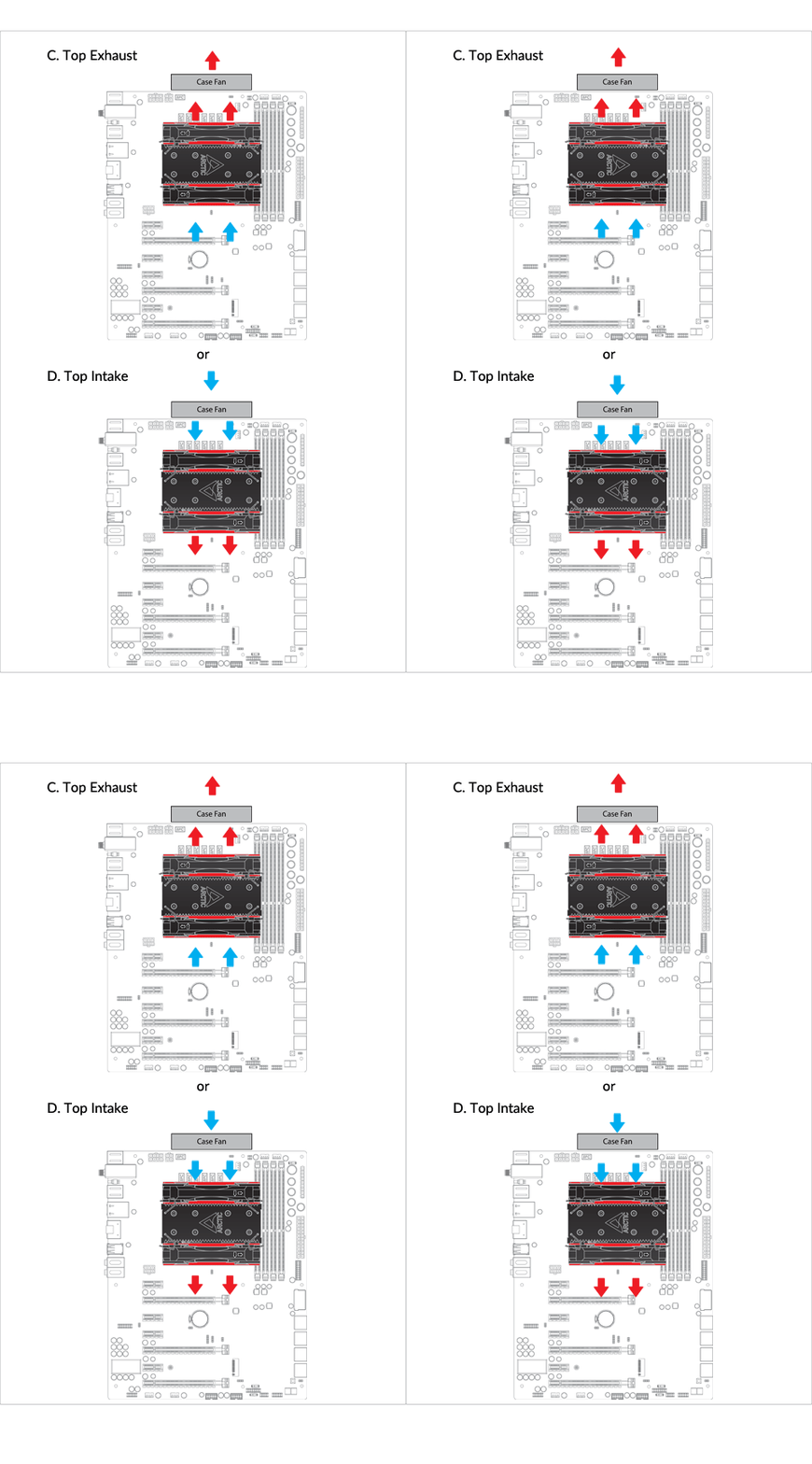
Cooler Orientation
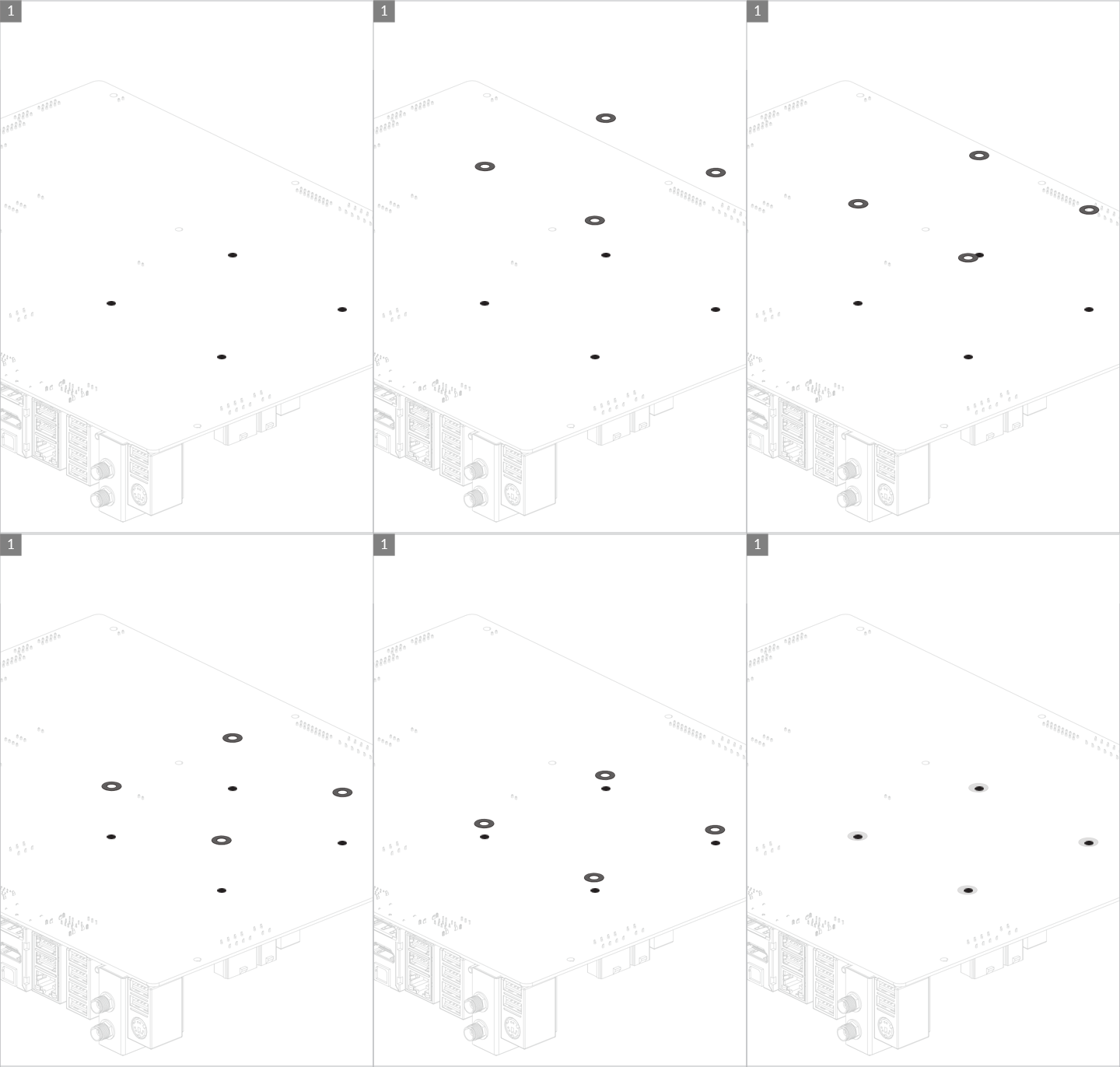
Installation

Attention
# if you purchased Freezer 34 eSports DUO Rev. 2 and got the Intel LGA 1700 upgrade kit, you should use the standoffs provided in the upgrade kit.
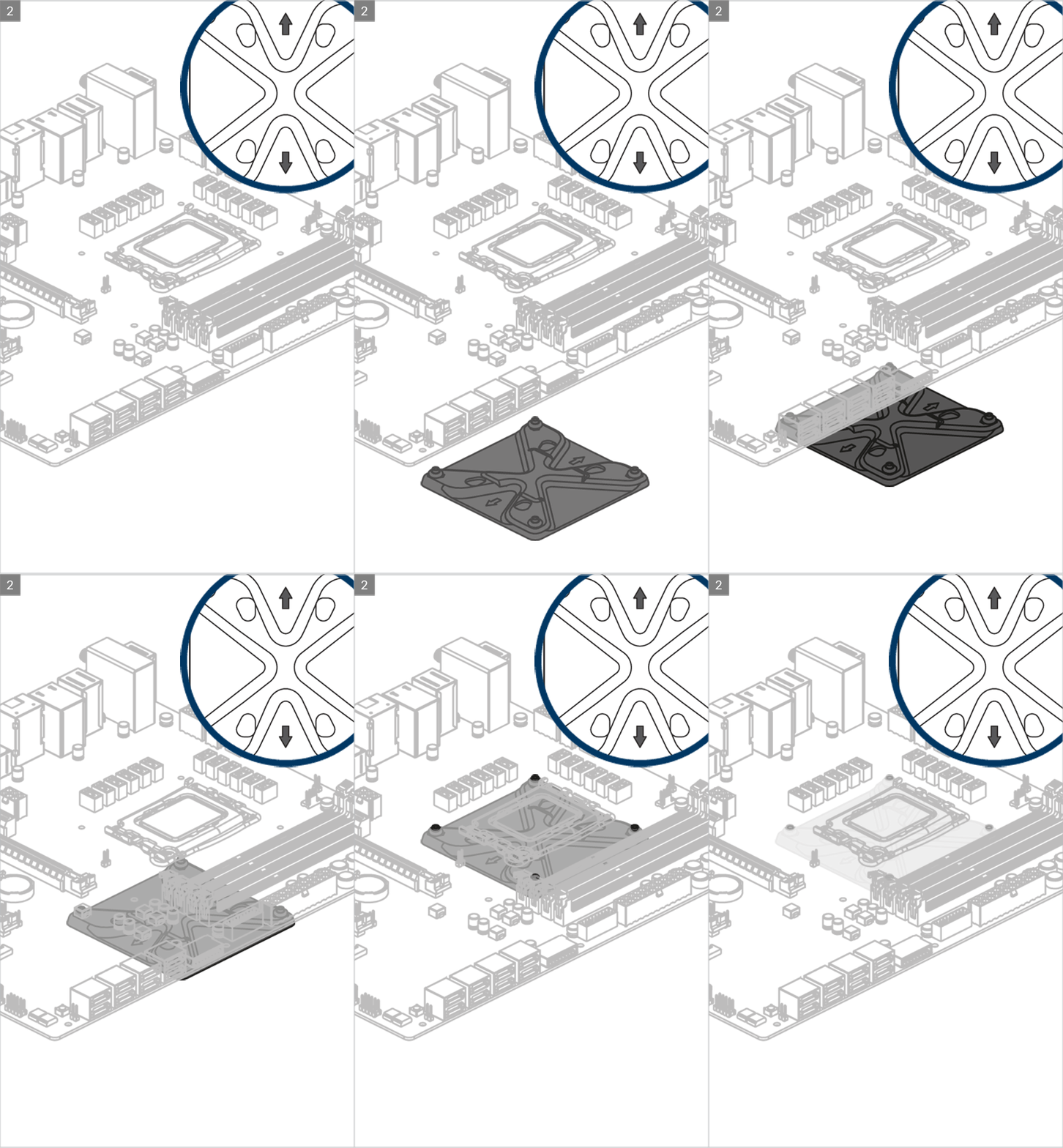

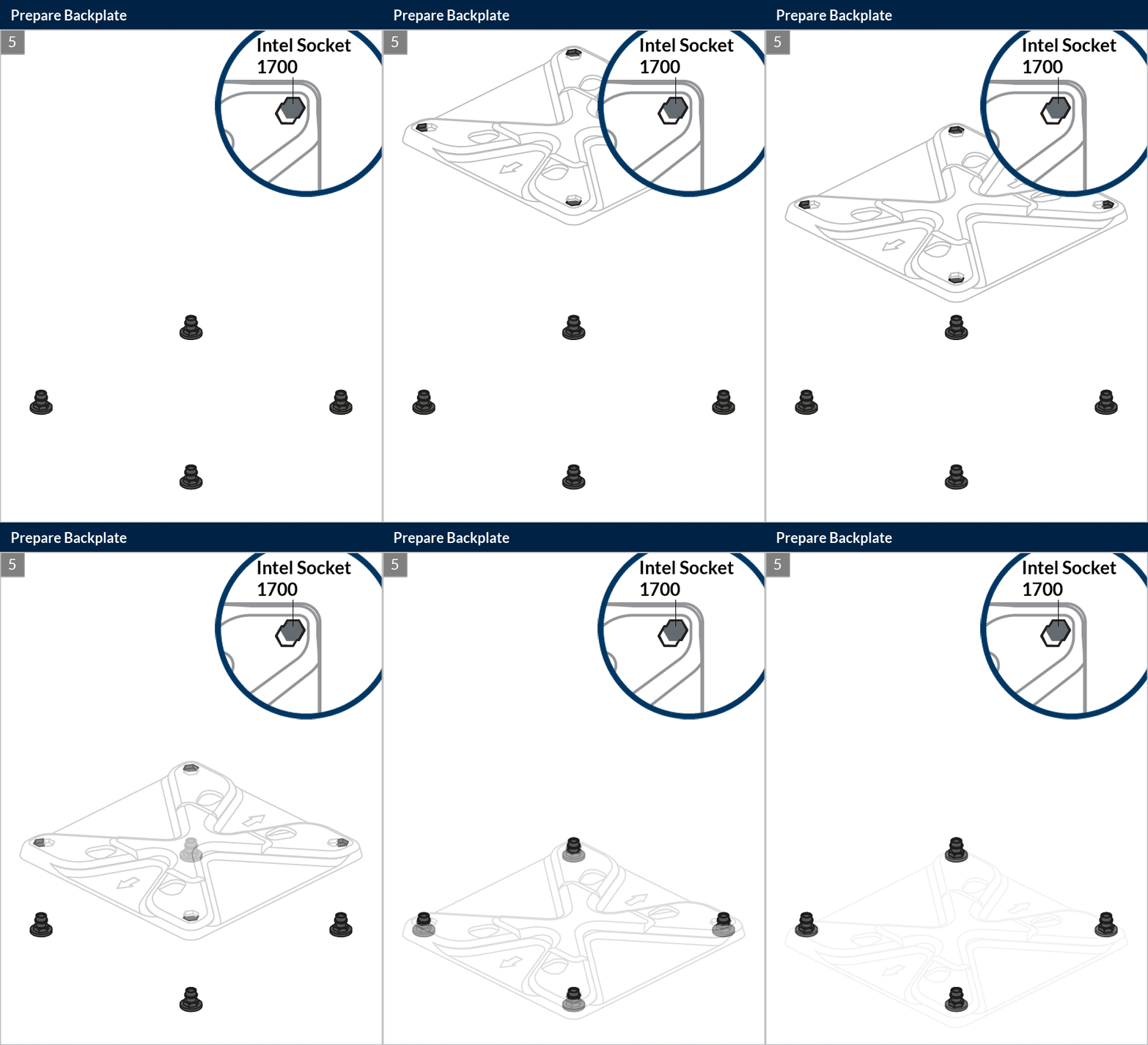
Arrow indicators should locate vertically for correct positioning of the metal backplate
Attention
# if you purchased Freezer 34 eSports DUO Rev. 2 and got the Intel LGA 1700 upgrade kit, you should use the standoffs provided in the upgrade kit.
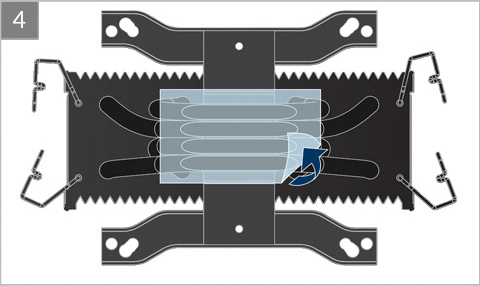
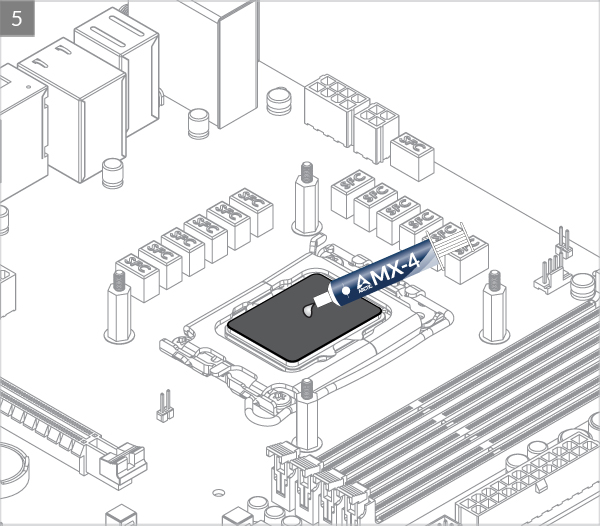

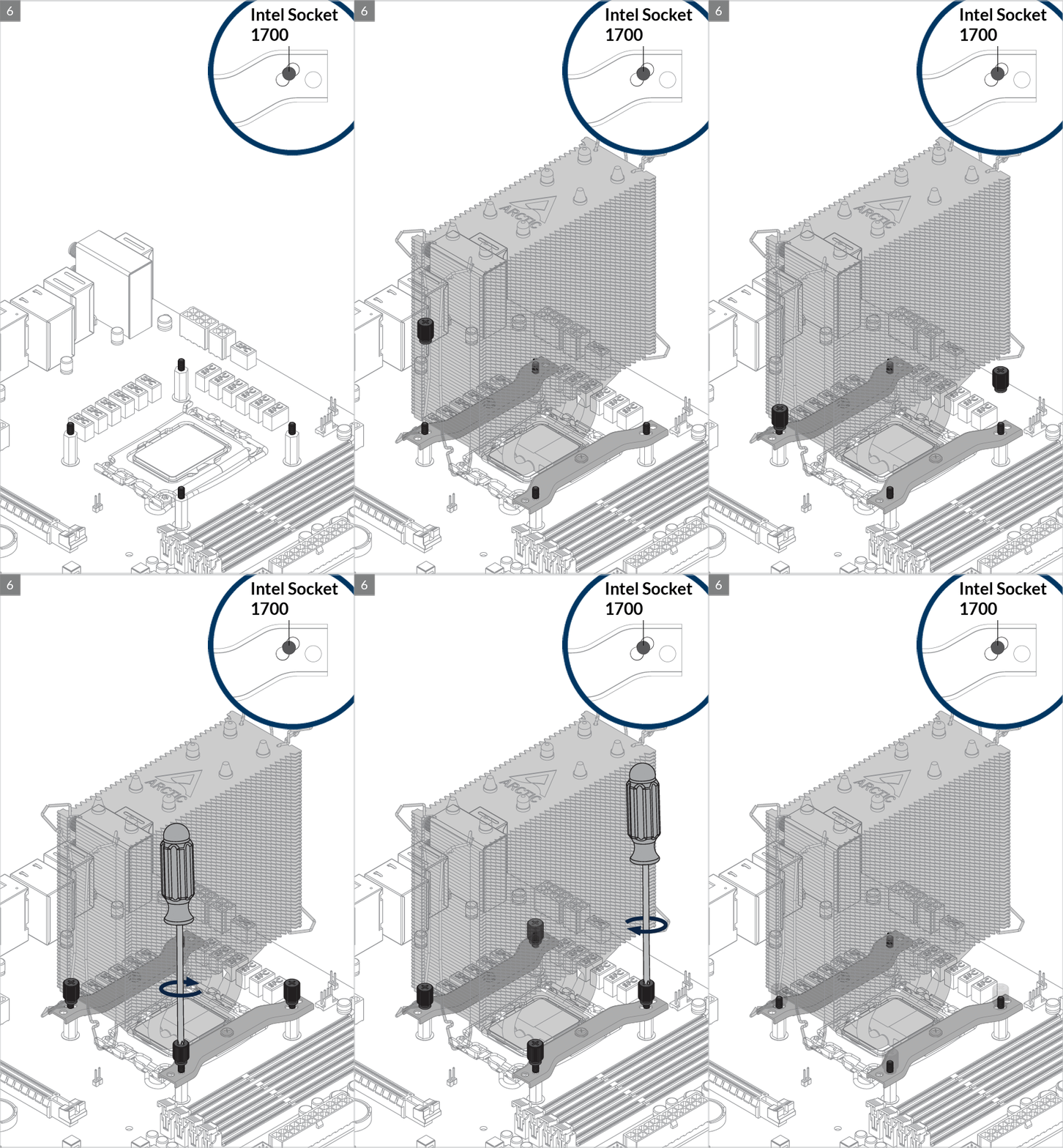
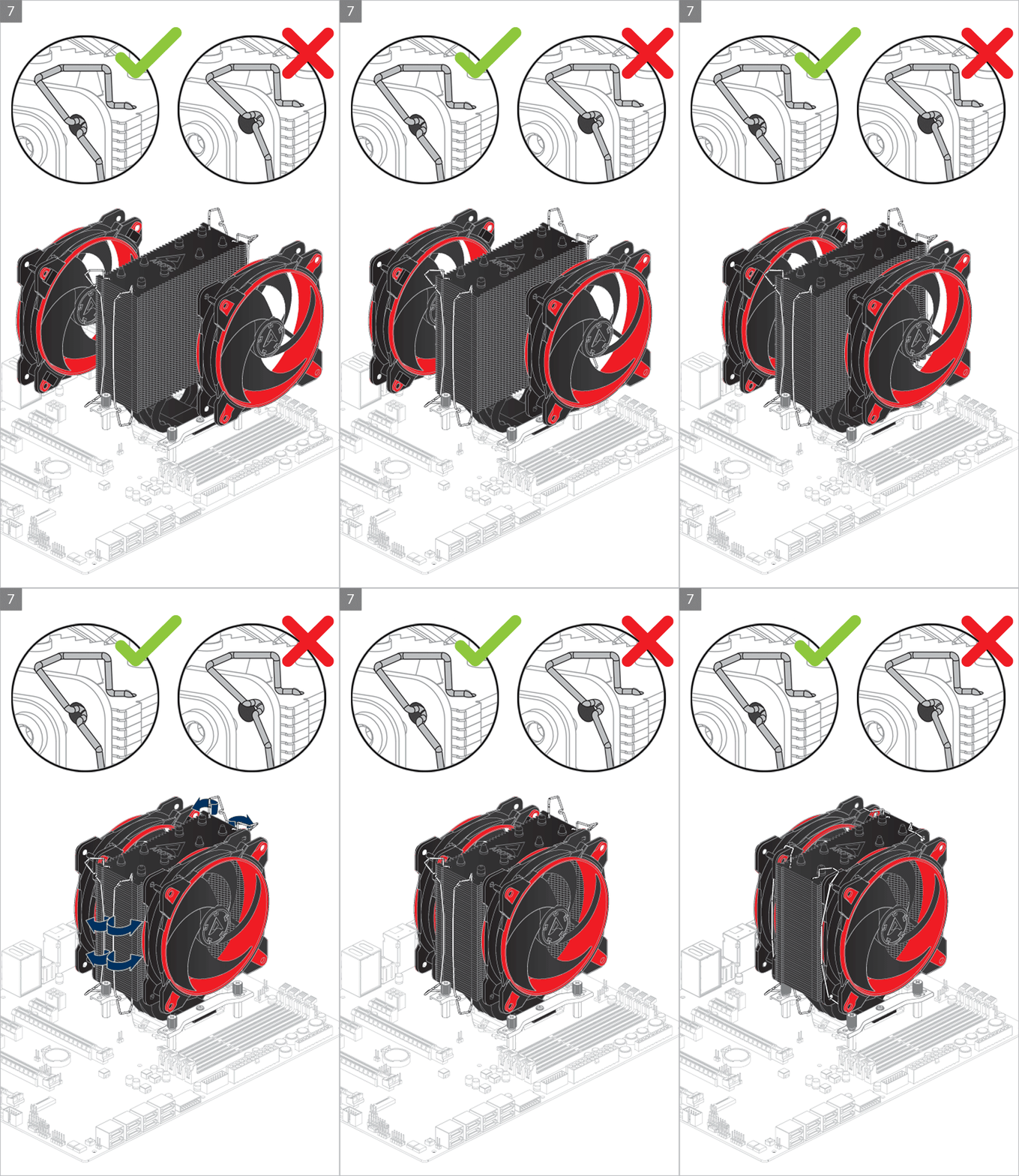
Please make sure the mounting modules insert into the same position on both end of the slots according to the socket.

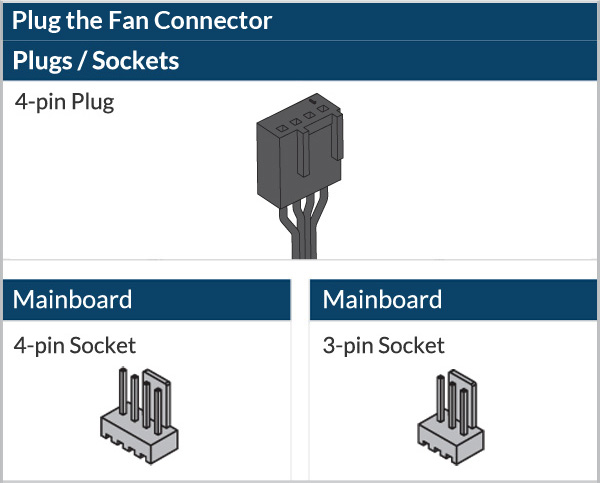
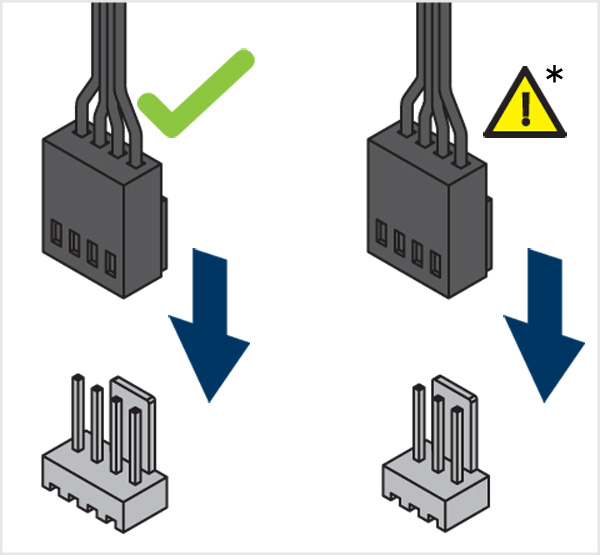
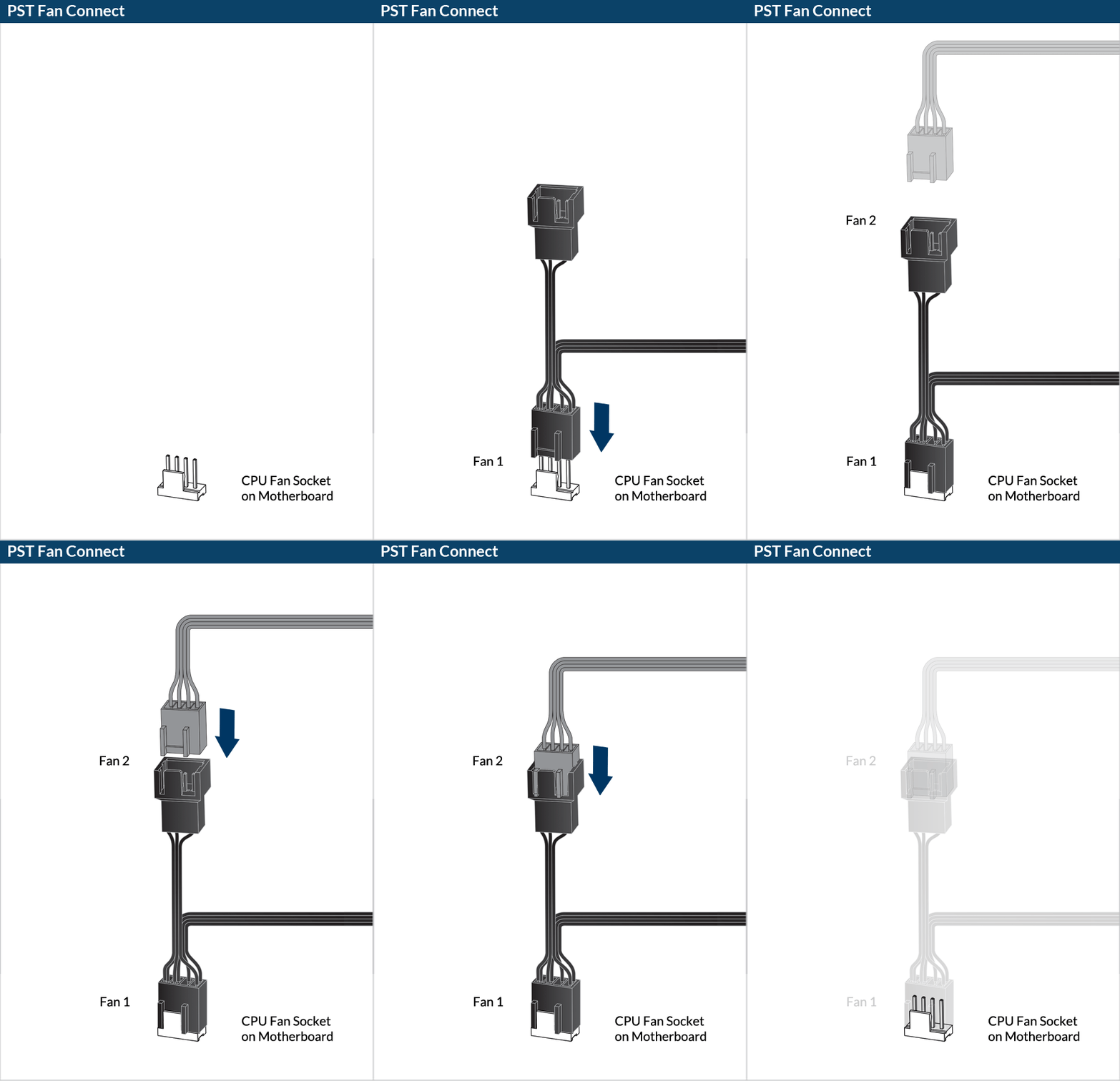
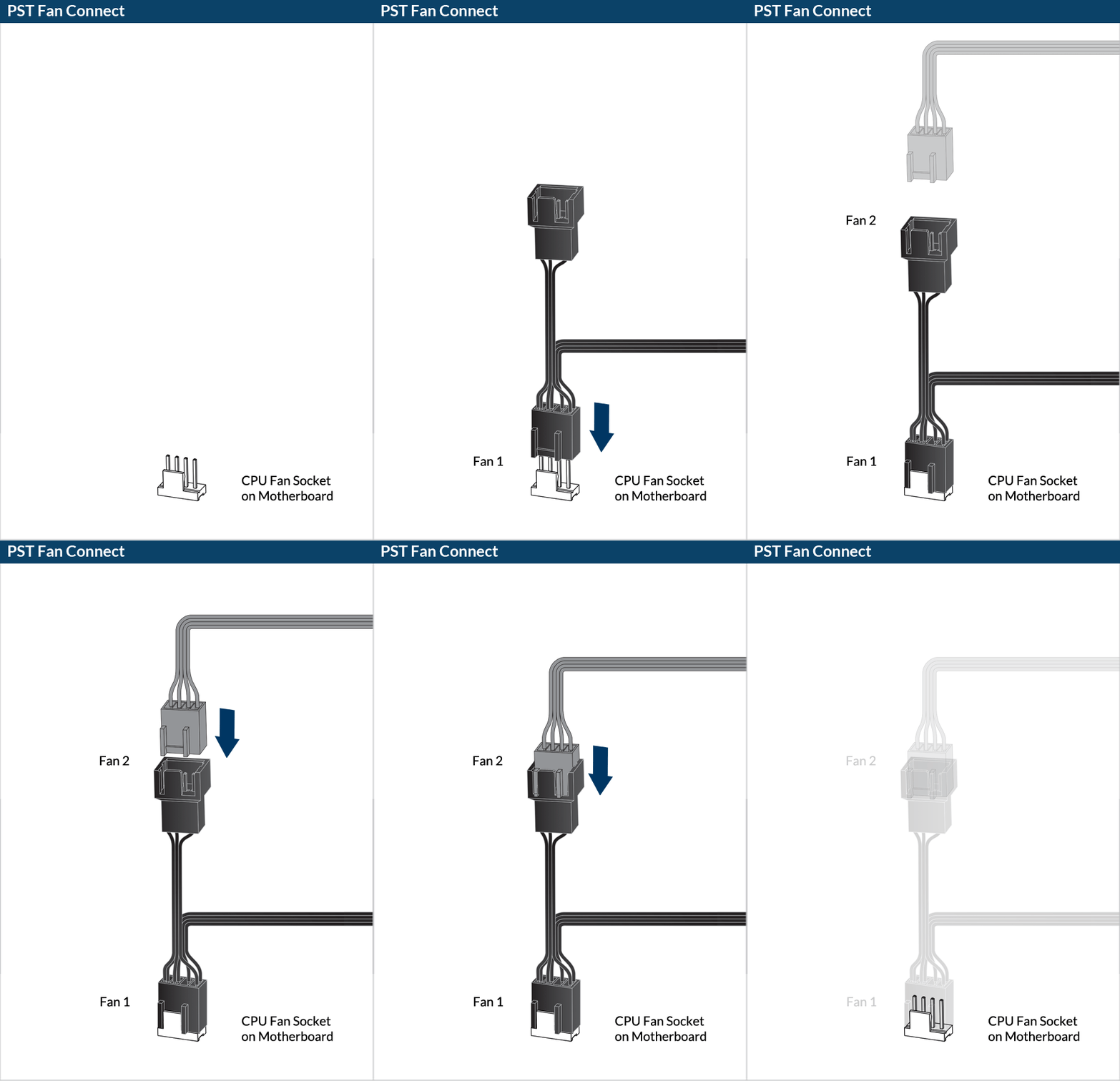
* To get the best out of your cooler, it is recommended to adjust the fan speed control in the BIOS, follow this guide to adjust your PWM.

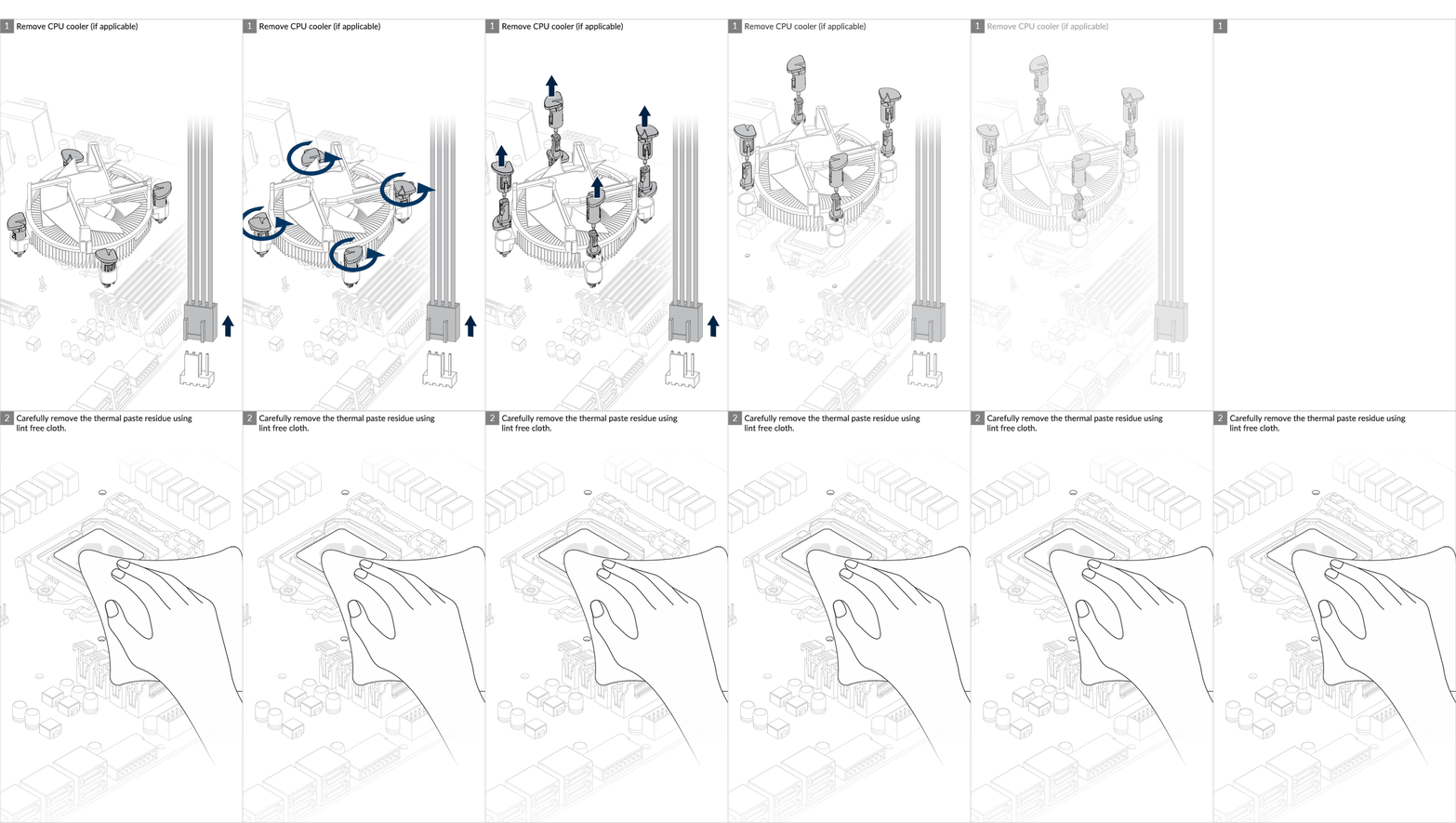
Preparation
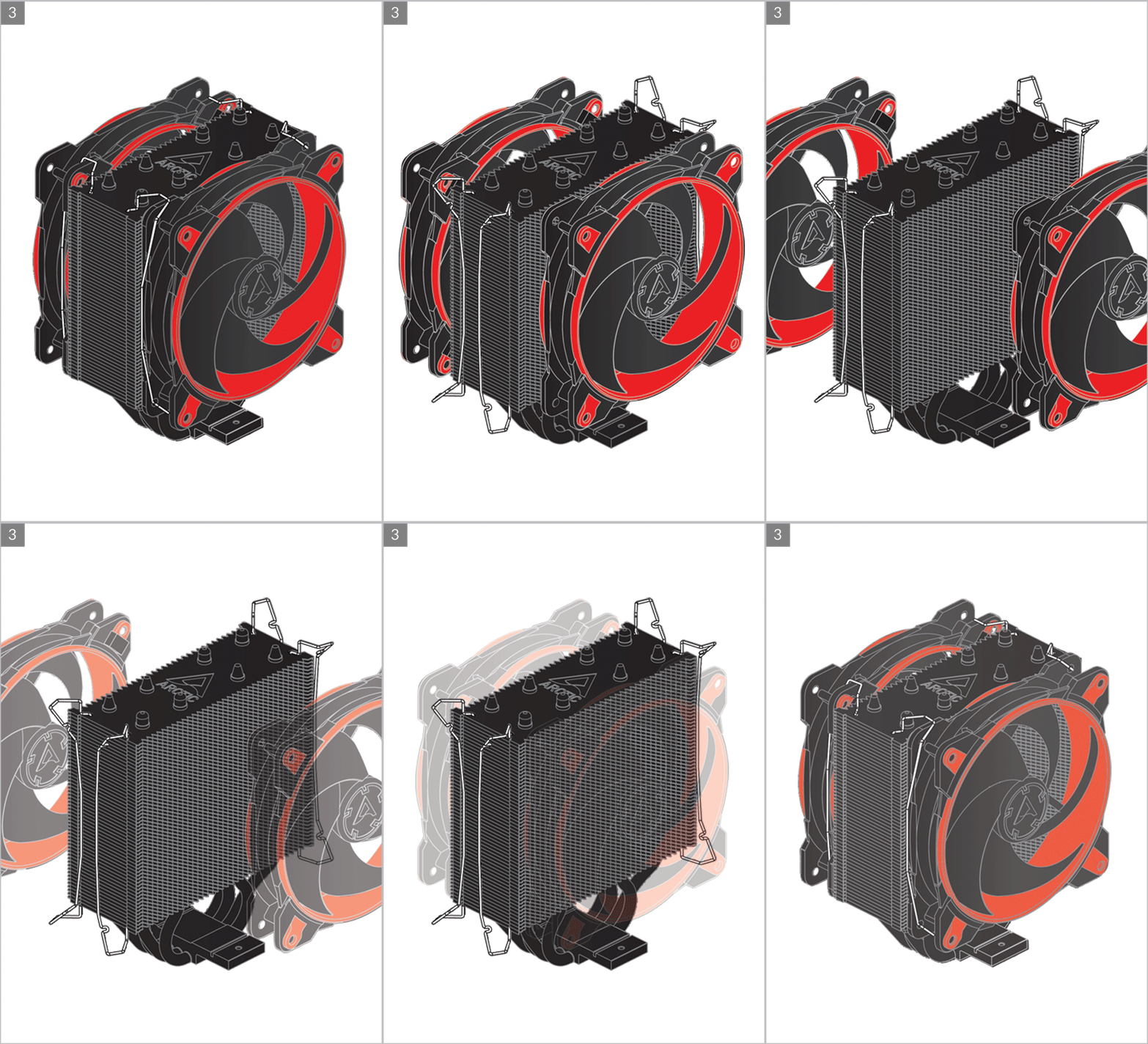
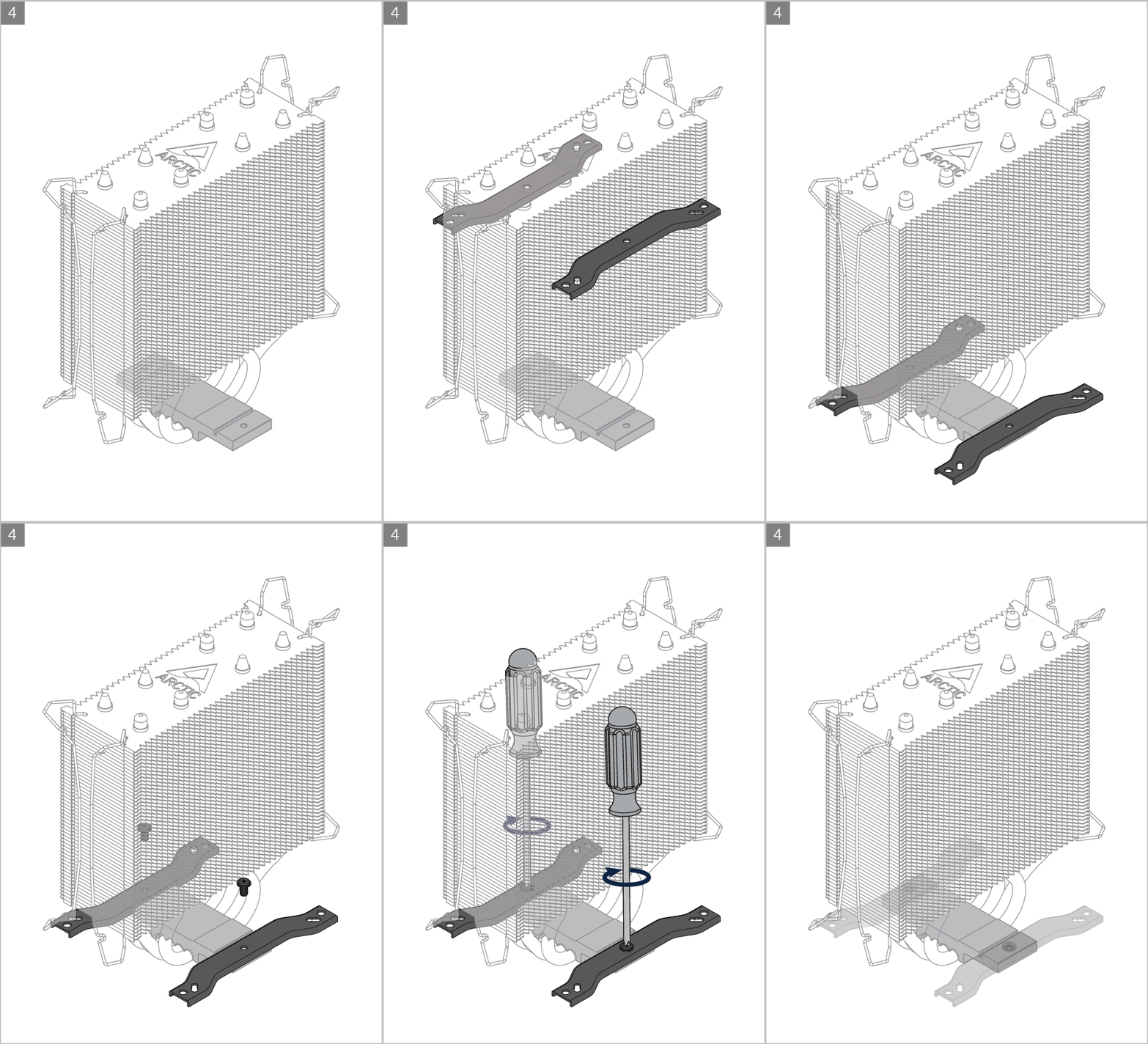
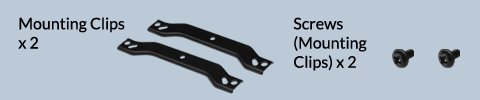
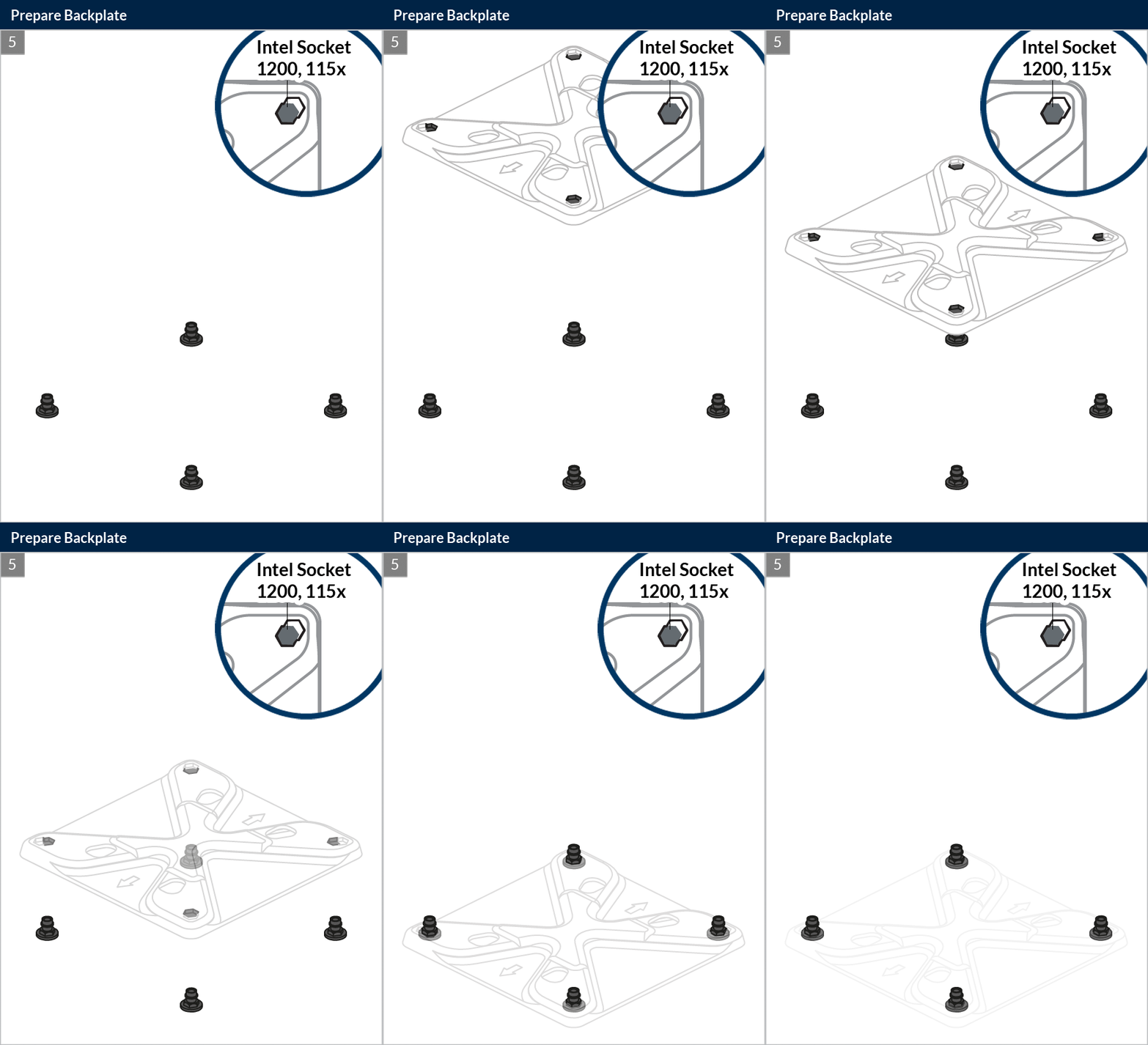
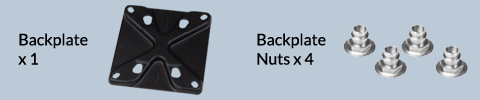
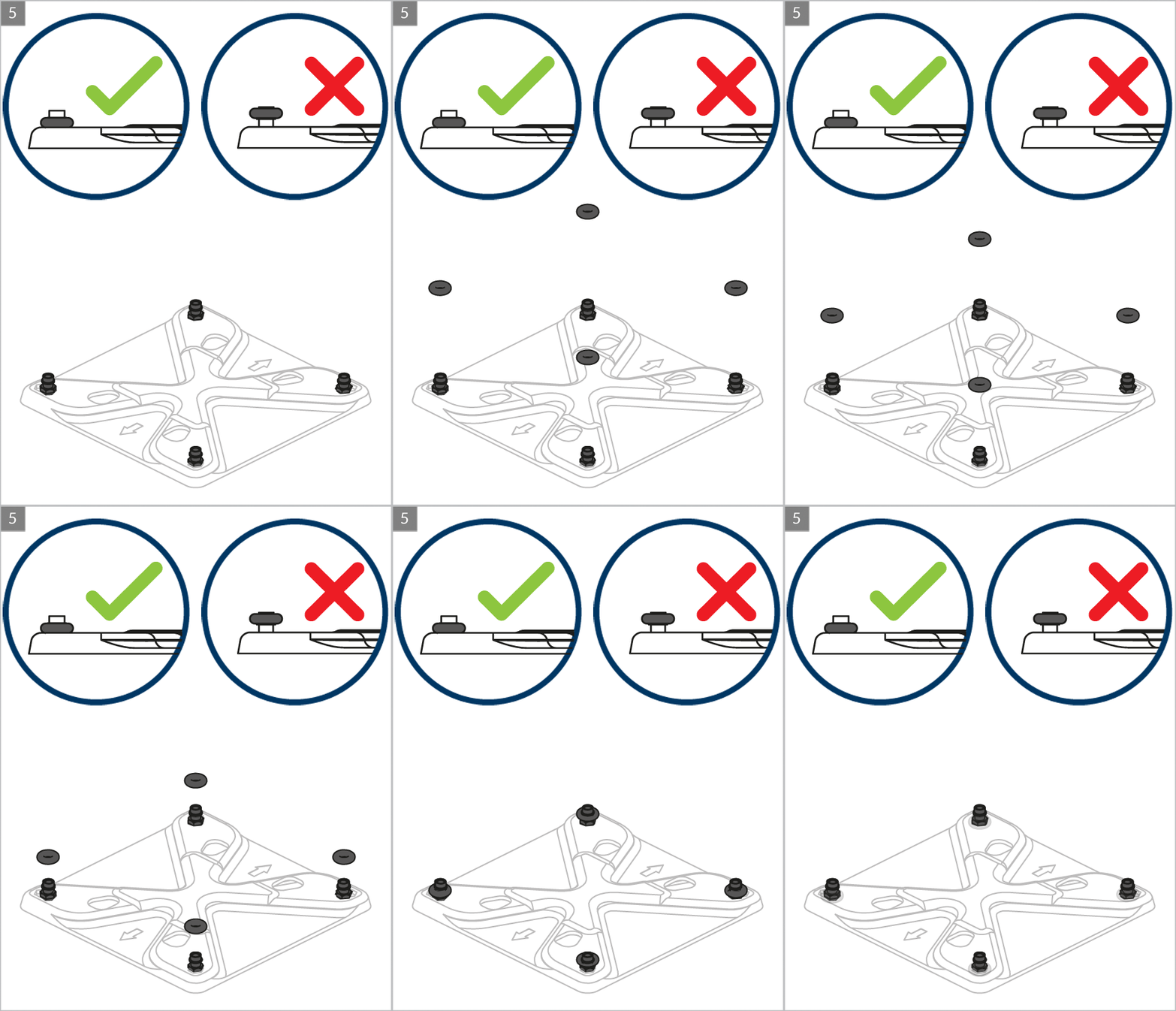

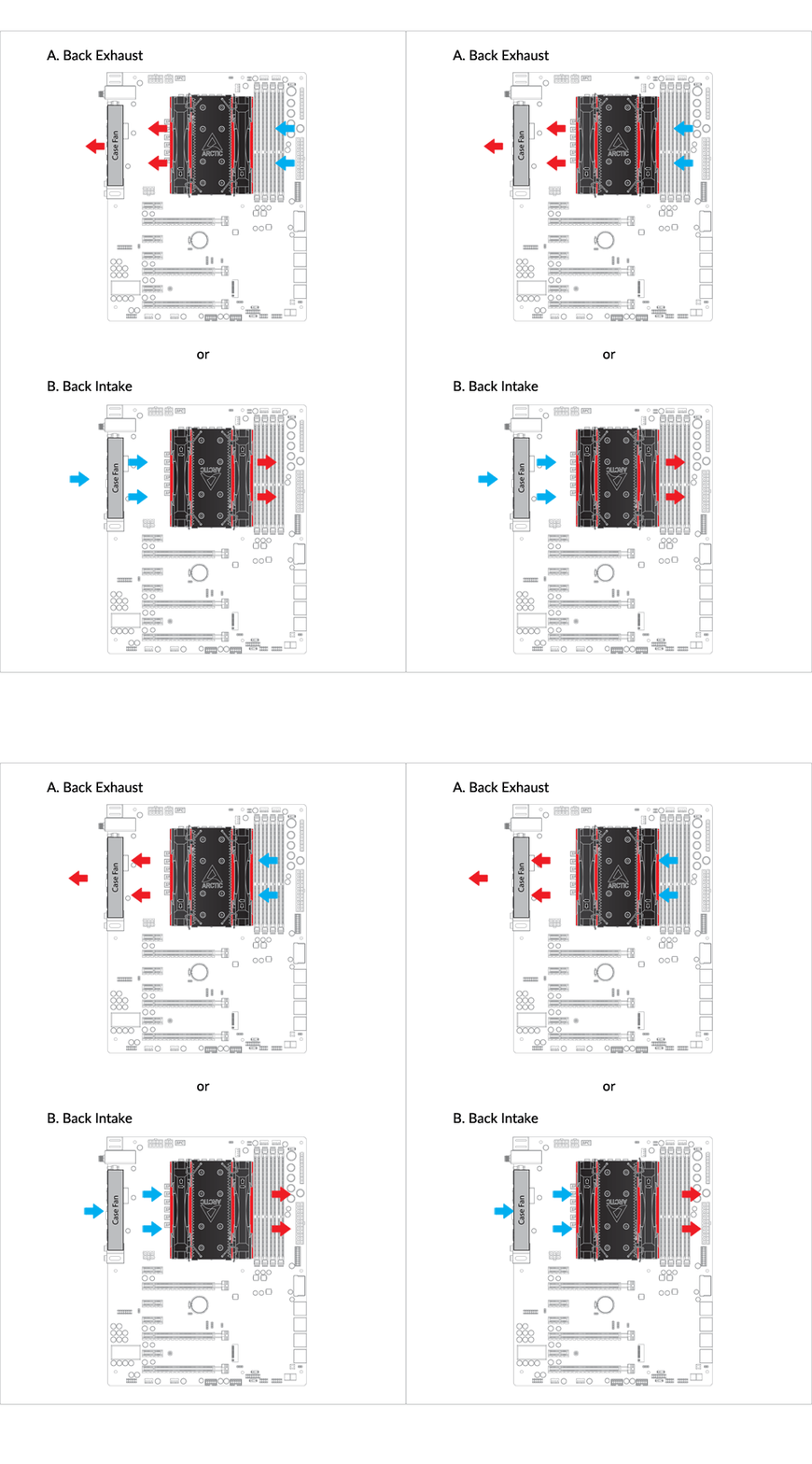
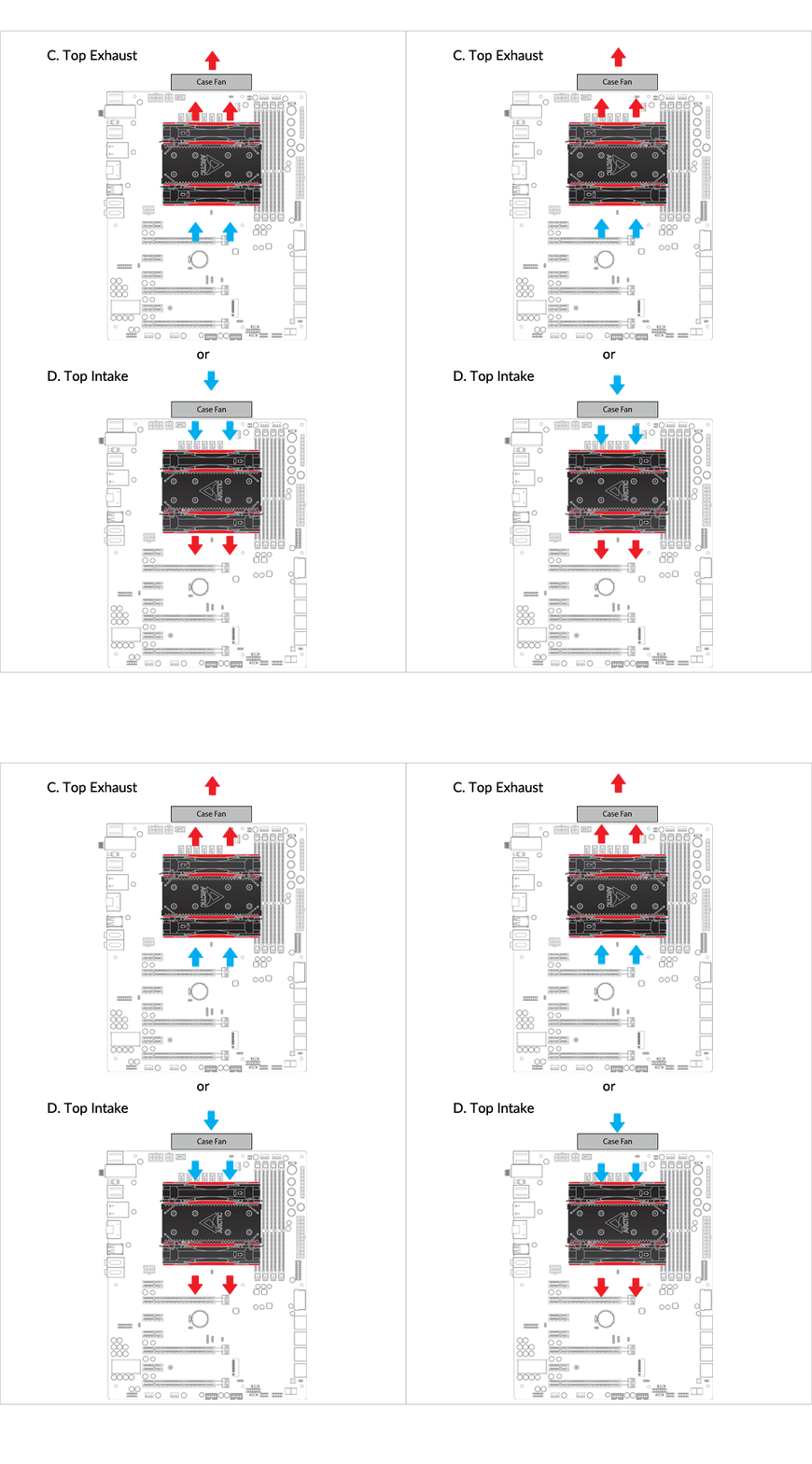
Cooler Orientation
Installation
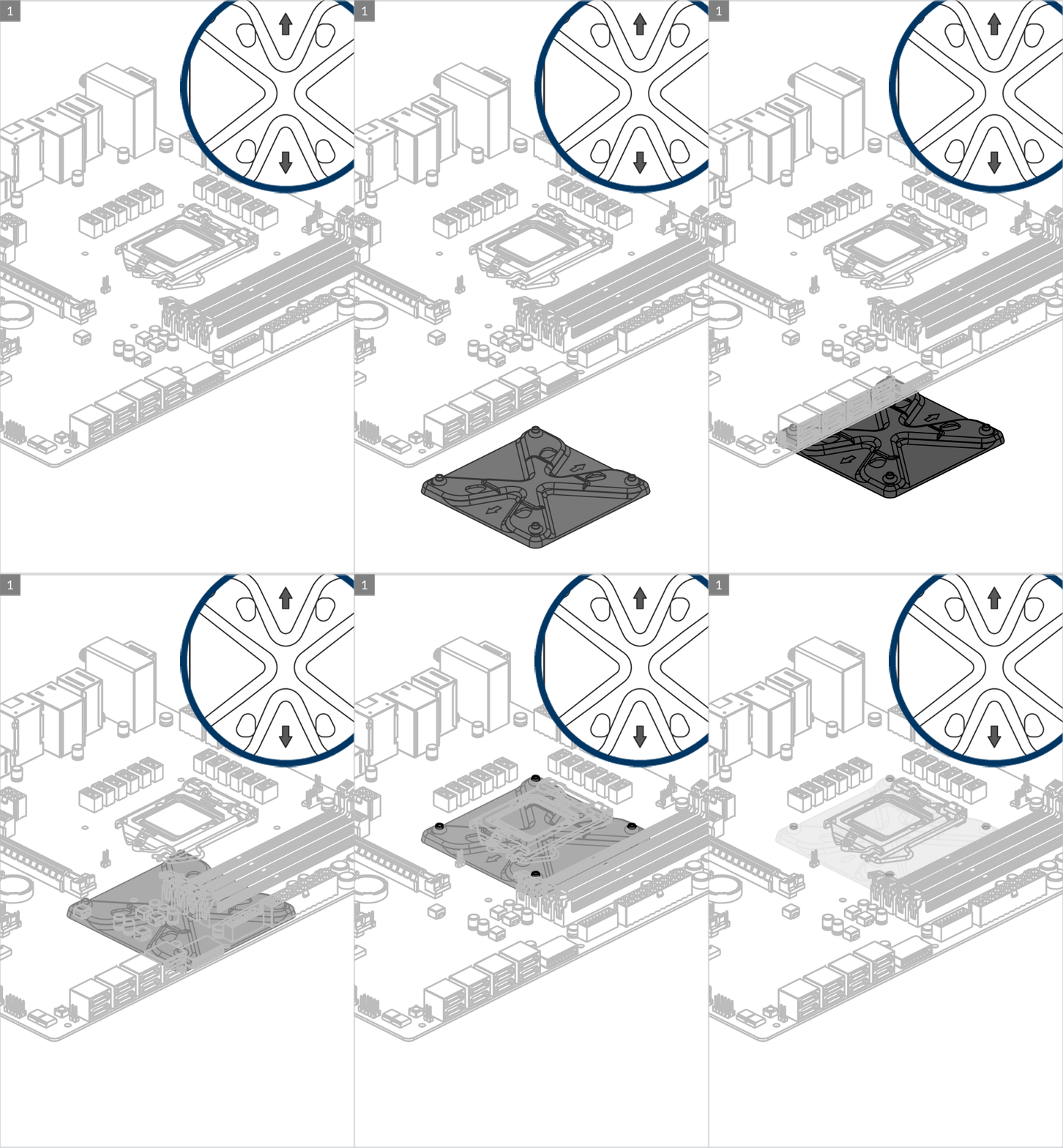
Arrow indicators should locate vertically for correct positioning of the metal backplate
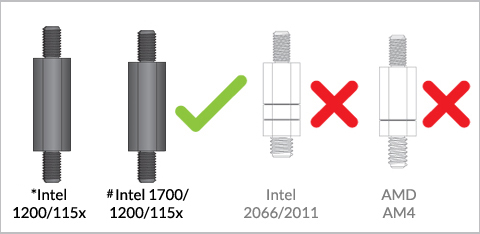
Attention
* if you purchased Freezer 34 eSports DUO Rev. 2, these standoffs in the accessories bag should be kept and used on Intel LGA 1200/115x motherboard.
# if you purchased Freezer 34 eSports DUO Rev. 3, you can use these Intel LGA 1700 standoffs together with flat washers for the installation on Intel LGA 115x/1200 motherboard.
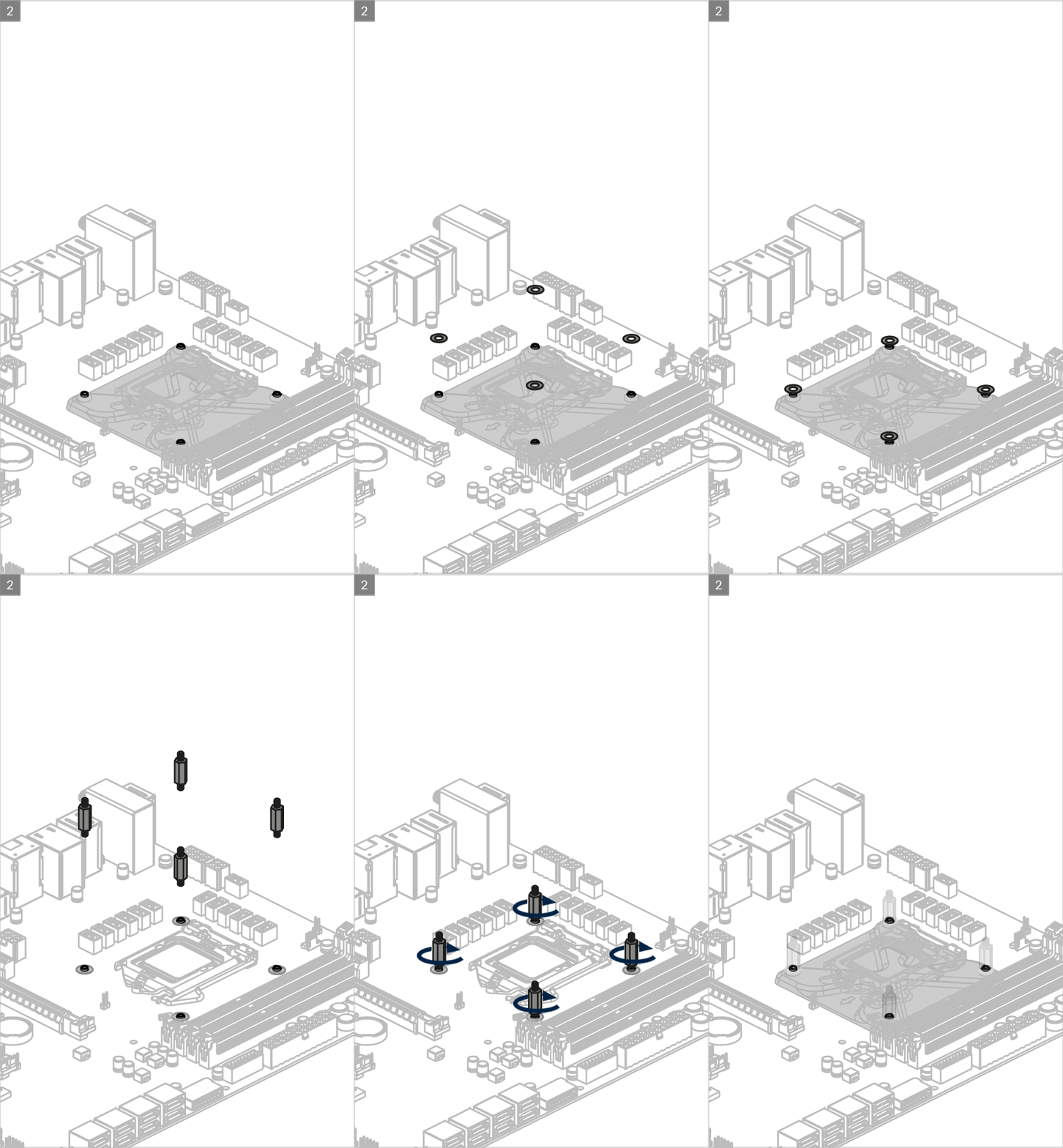
For Freezer 34 eSports DUO Rev. 2
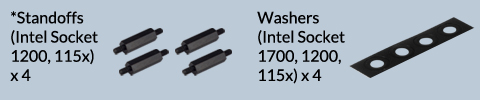
Attention
* if you purchased Freezer 34 eSports DUO Rev. 2, these standoffs in the accessories bag should be kept and used on Intel LGA 1200/115x.
For Freezer 34 eSports DUO Rev. 3
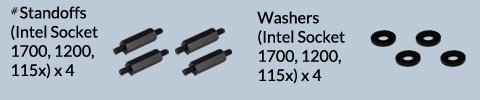
Attention
# 1. The standoffs are included in the Intel LGA1700 upgrade kit and the accessories of Freezer 34 eSports DUO Rev. 3
# 2. The plastic flat washers only include in the accessories of Freezer 34 eSports DUO Rev. 3. You should place the washer under the Intel LGA 1700 standoffs for installing the Freezer 34 eSports DUO Rev. 3 on Intel LGA 1200/115x motherboard.
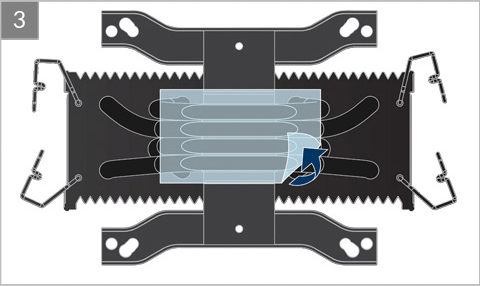
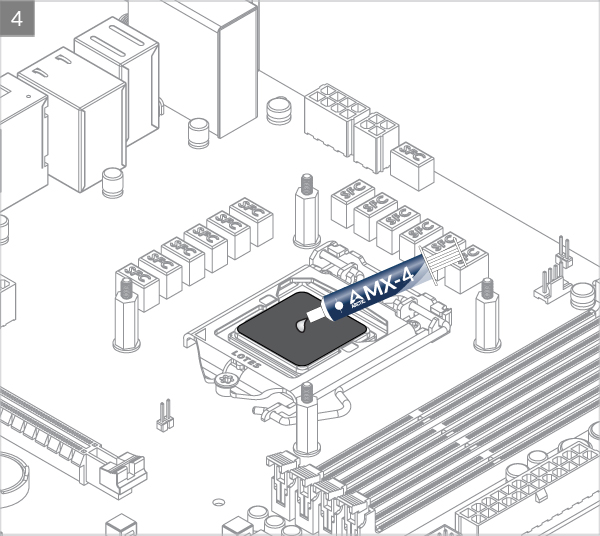

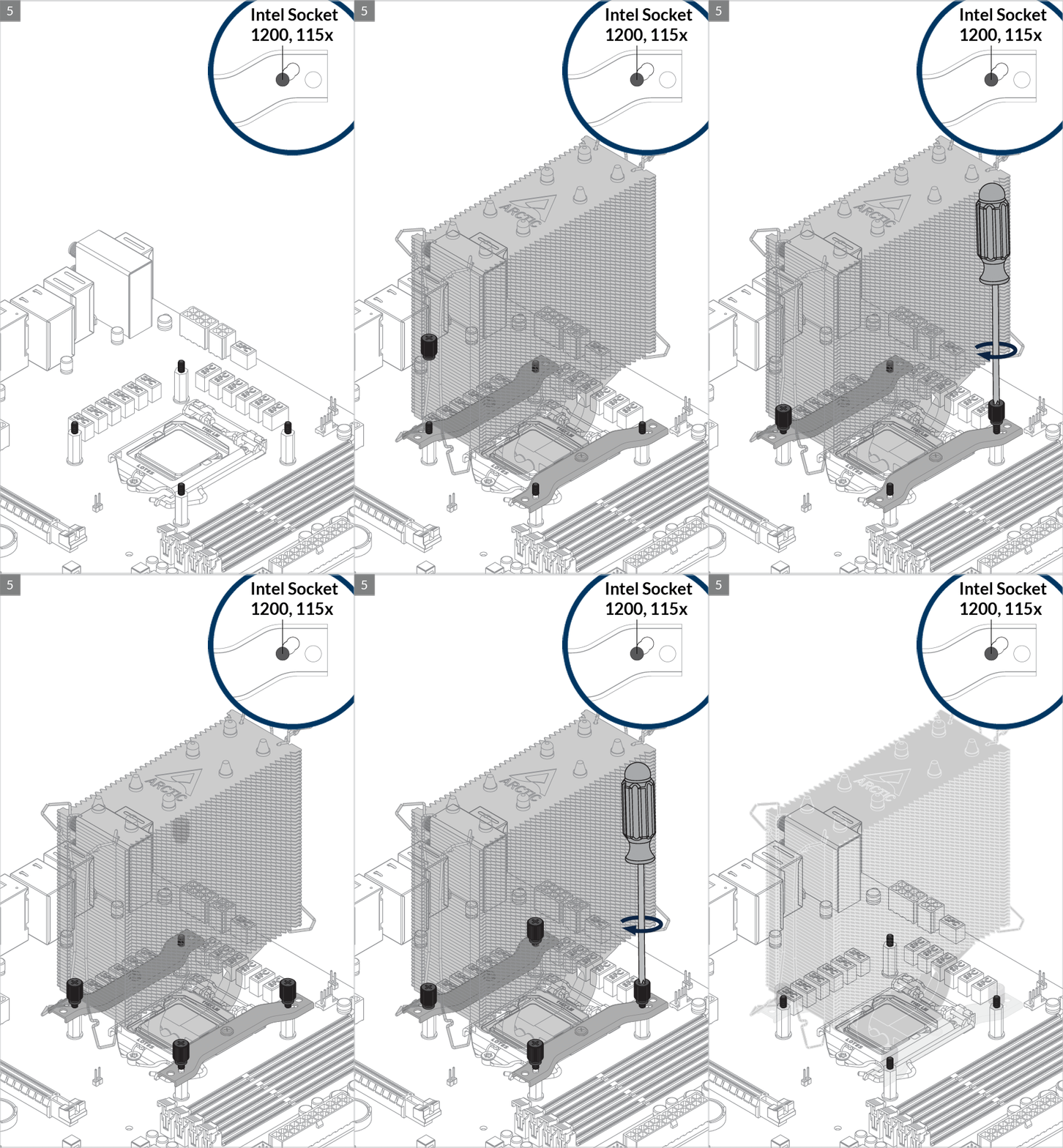

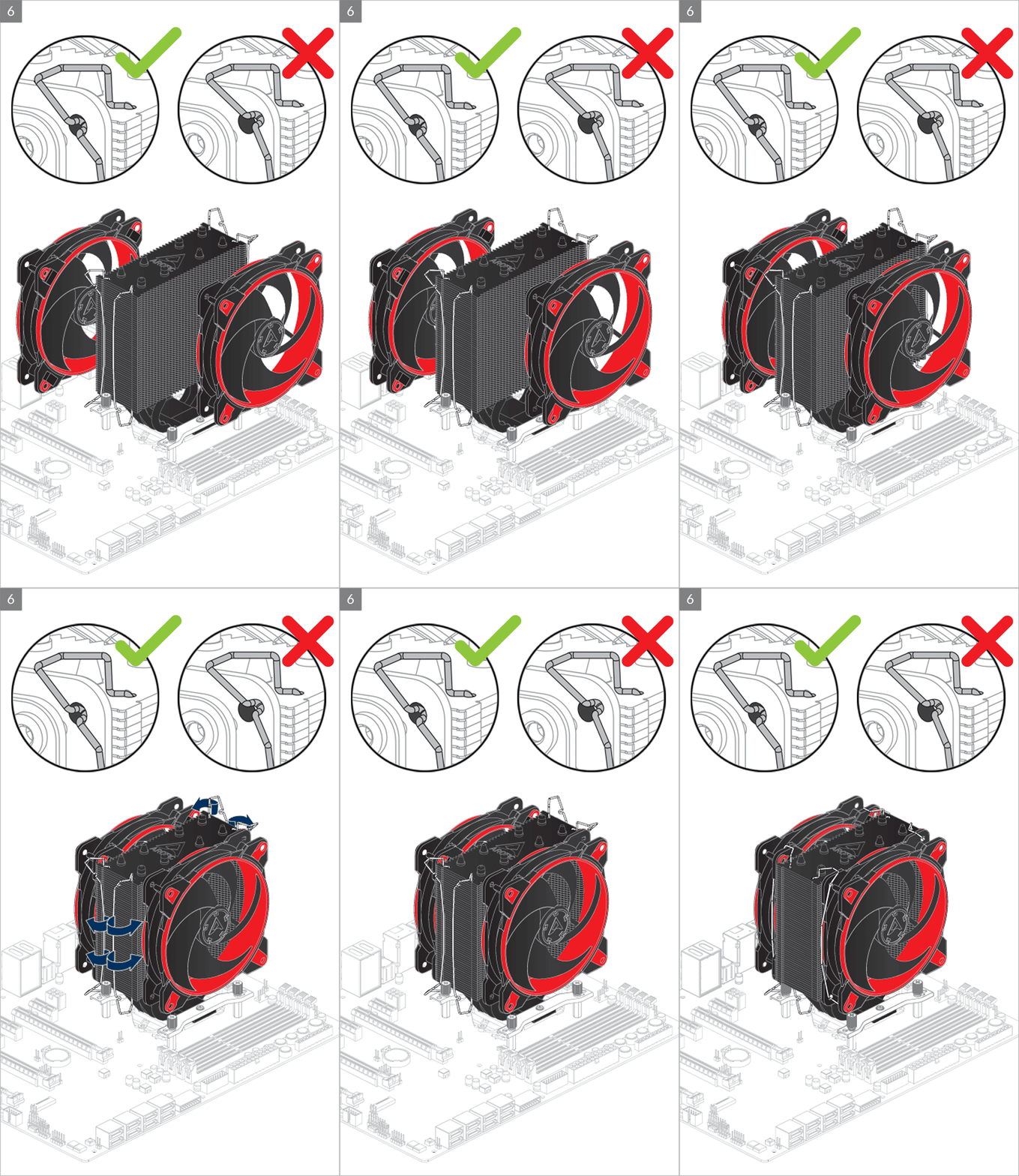
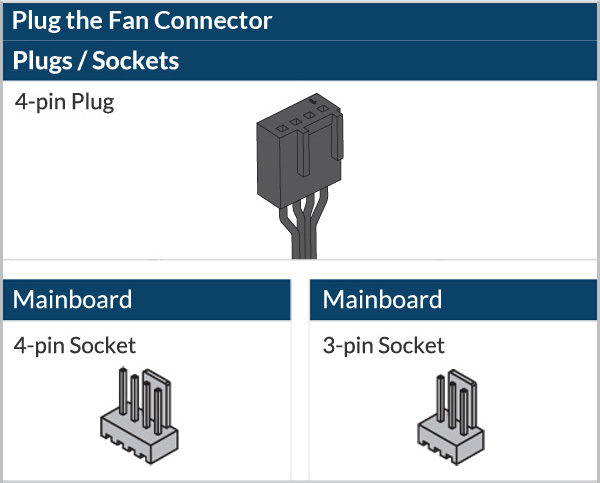
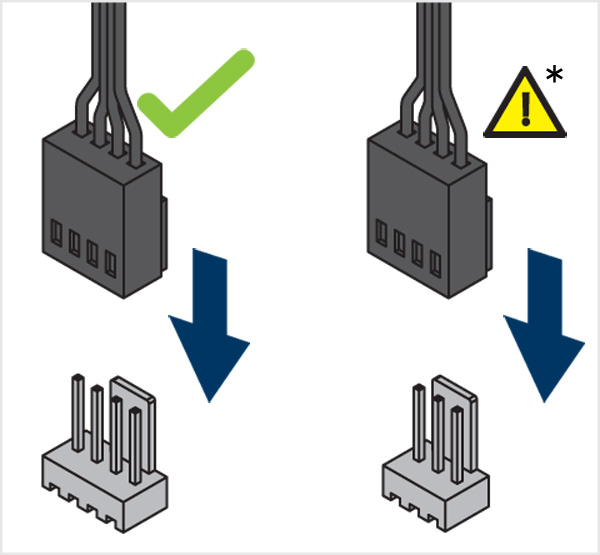
* To get the best out of your cooler, it is recommended to adjust the fan speed control in the BIOS, follow this guide to adjust your PWM.
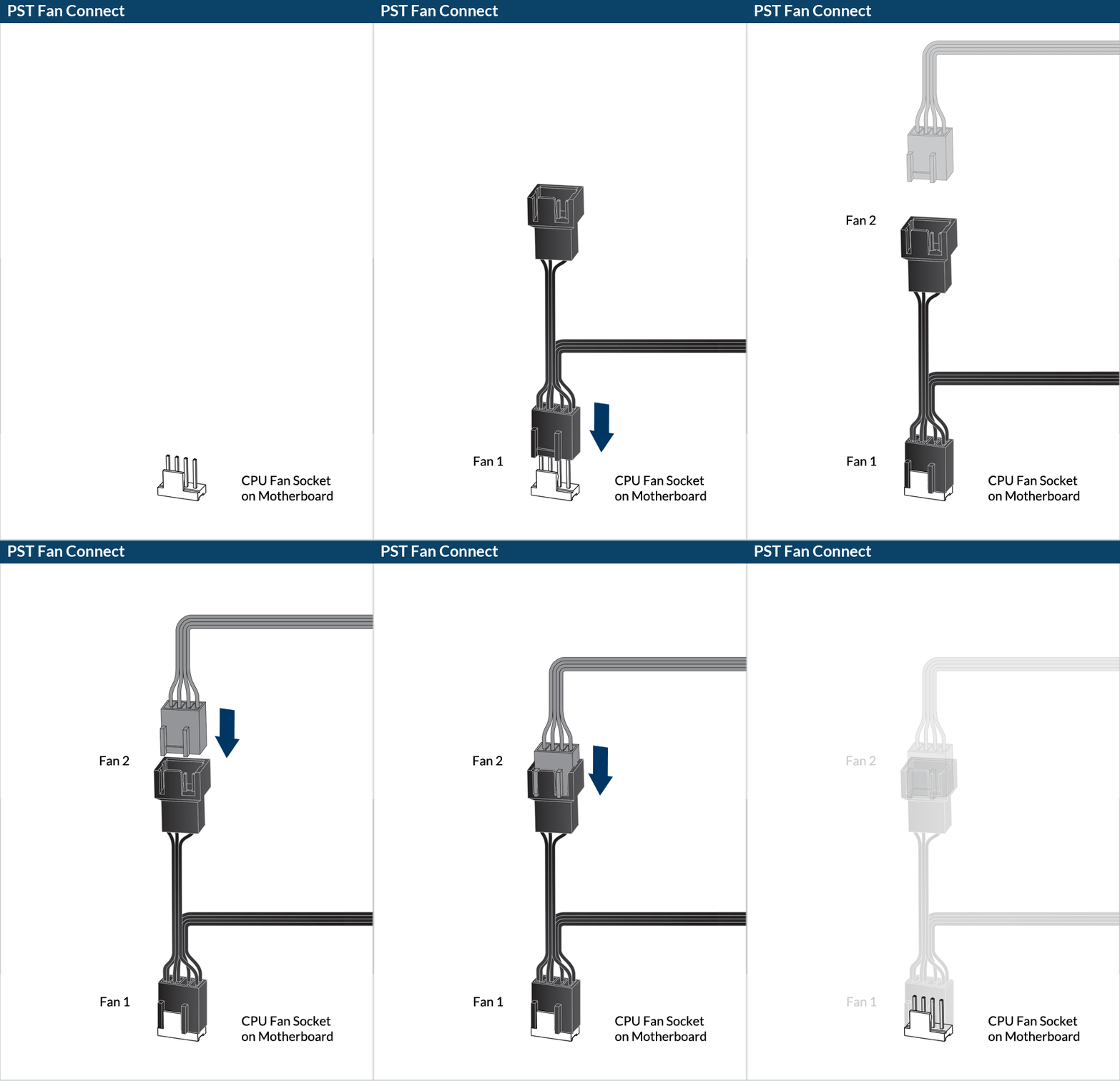

Preparation
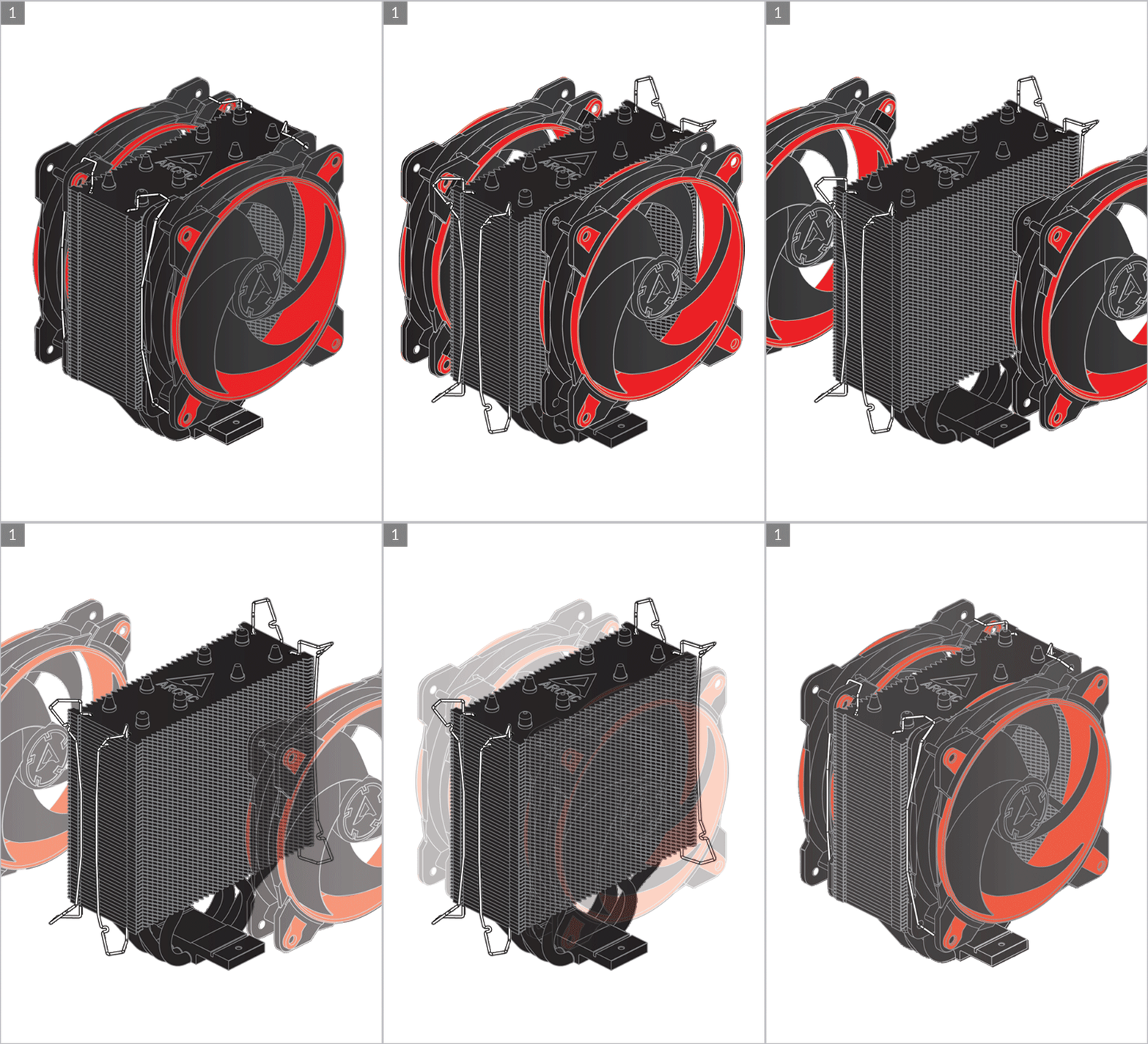
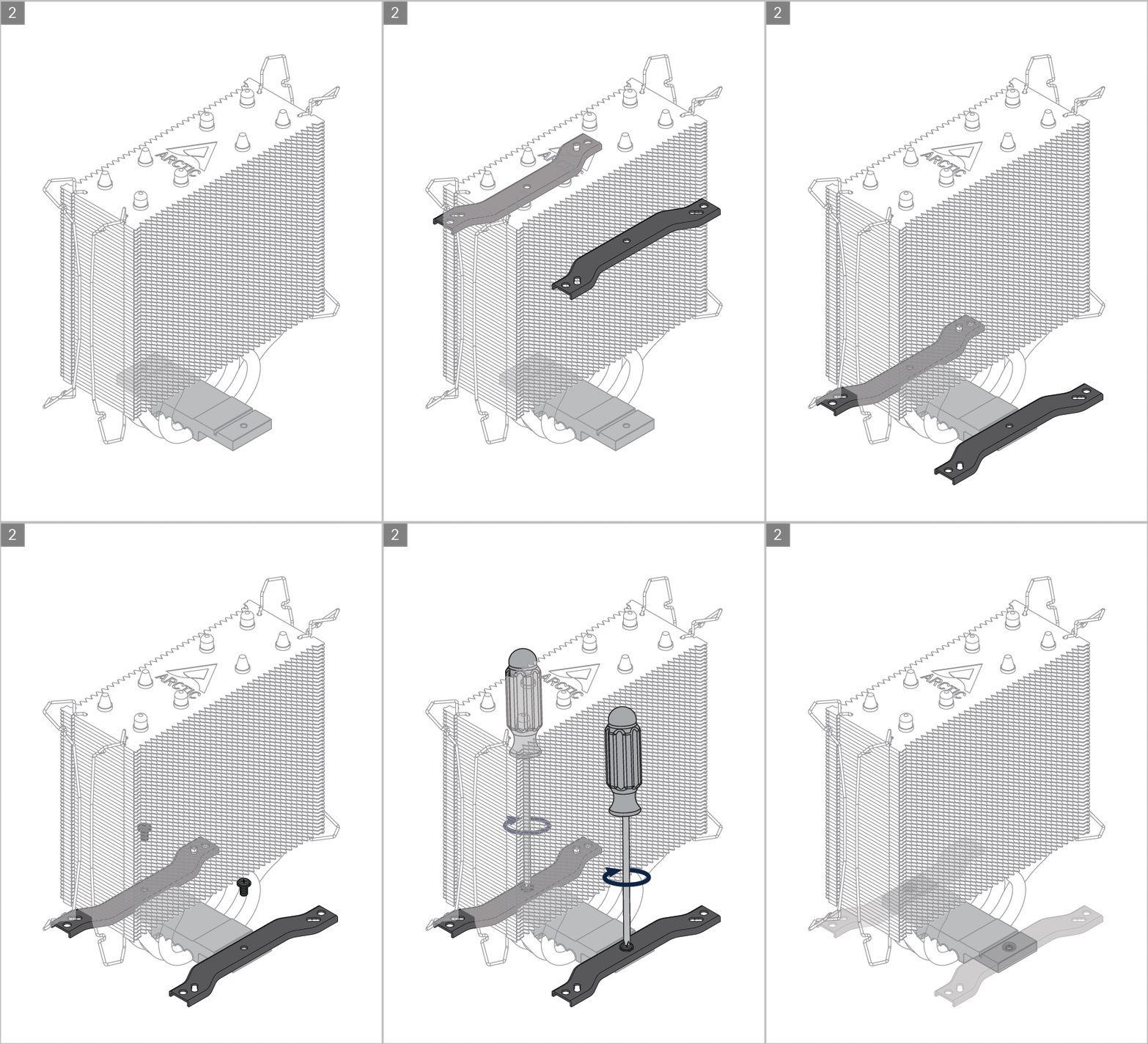
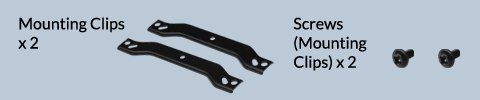
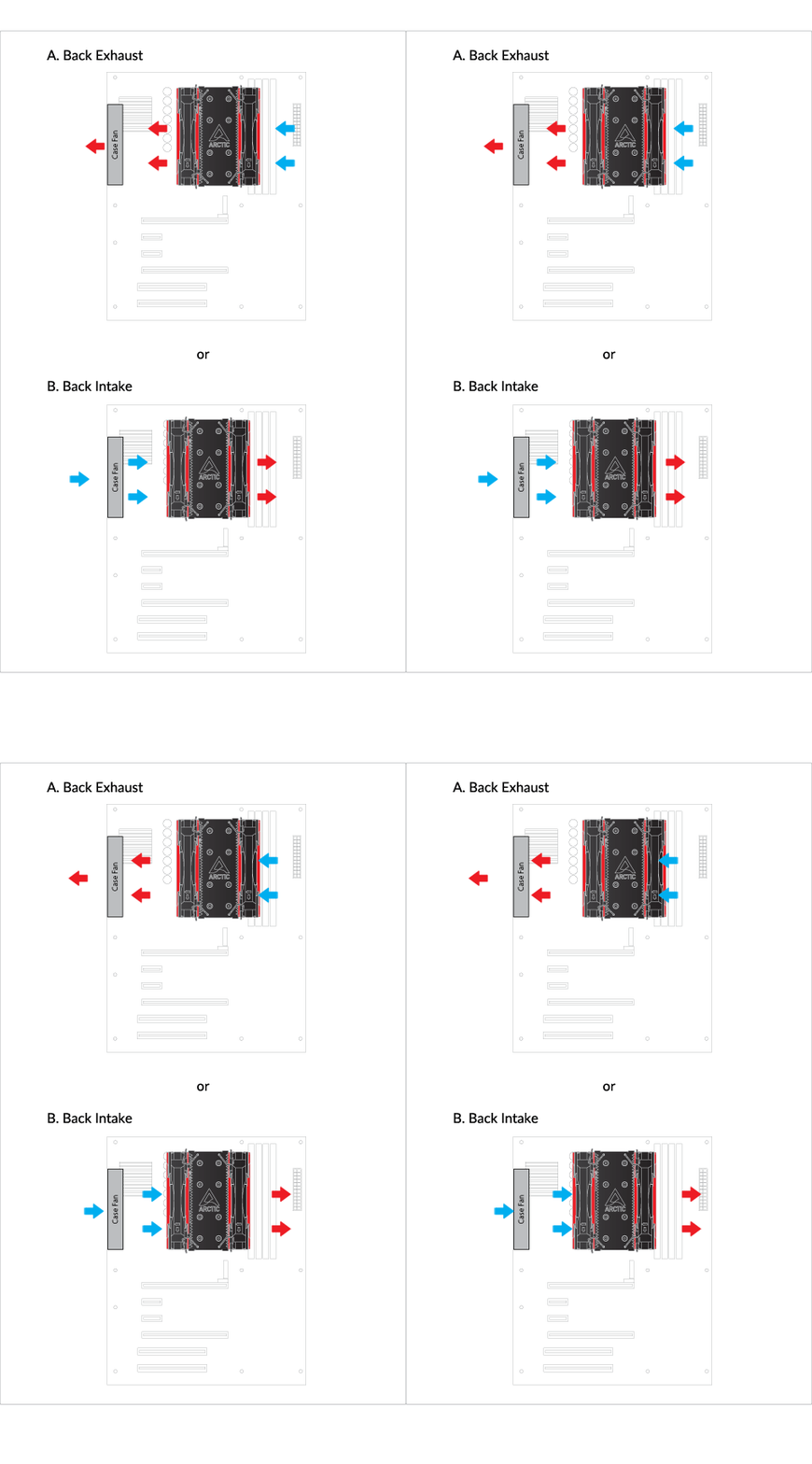
Cooler Orientation
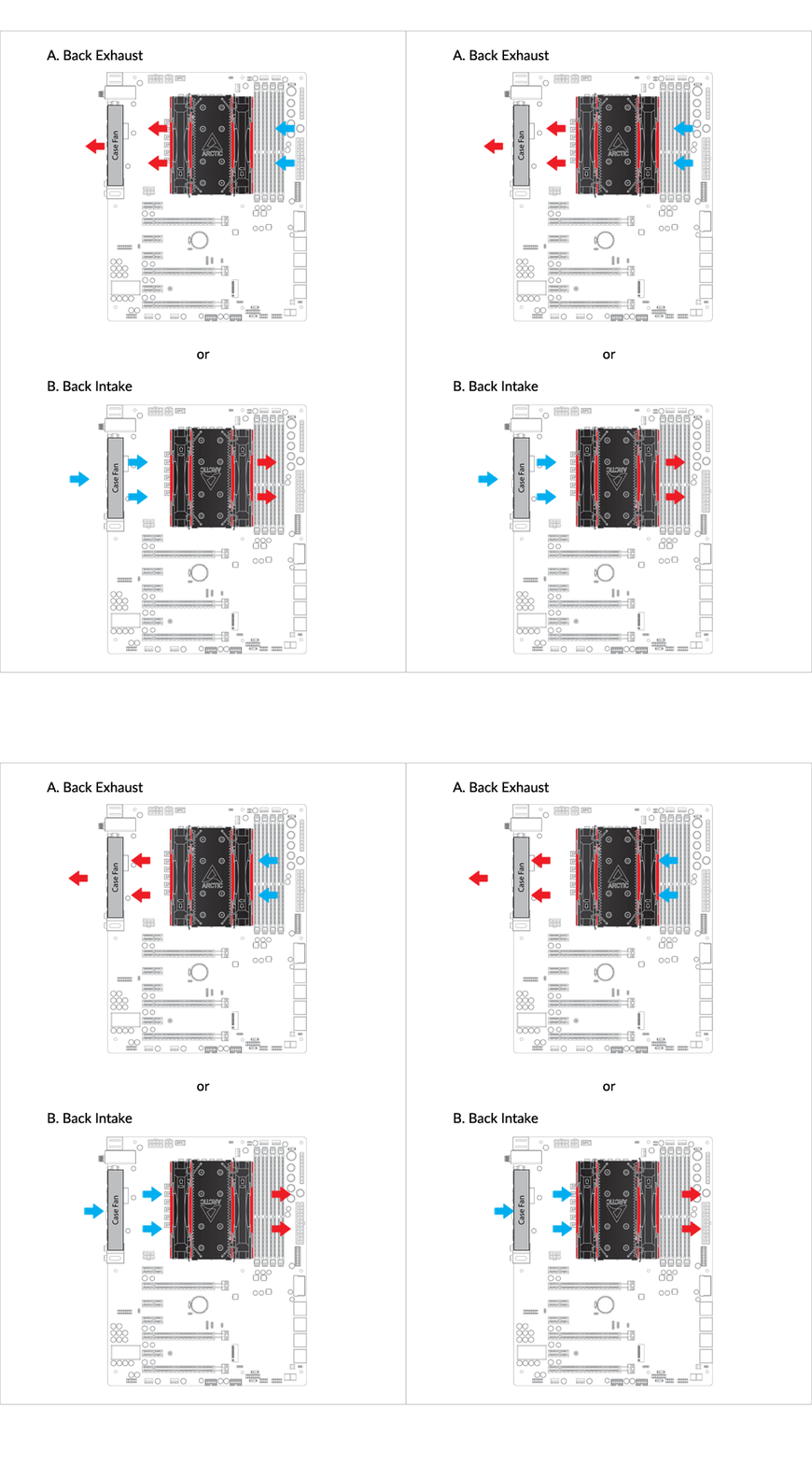
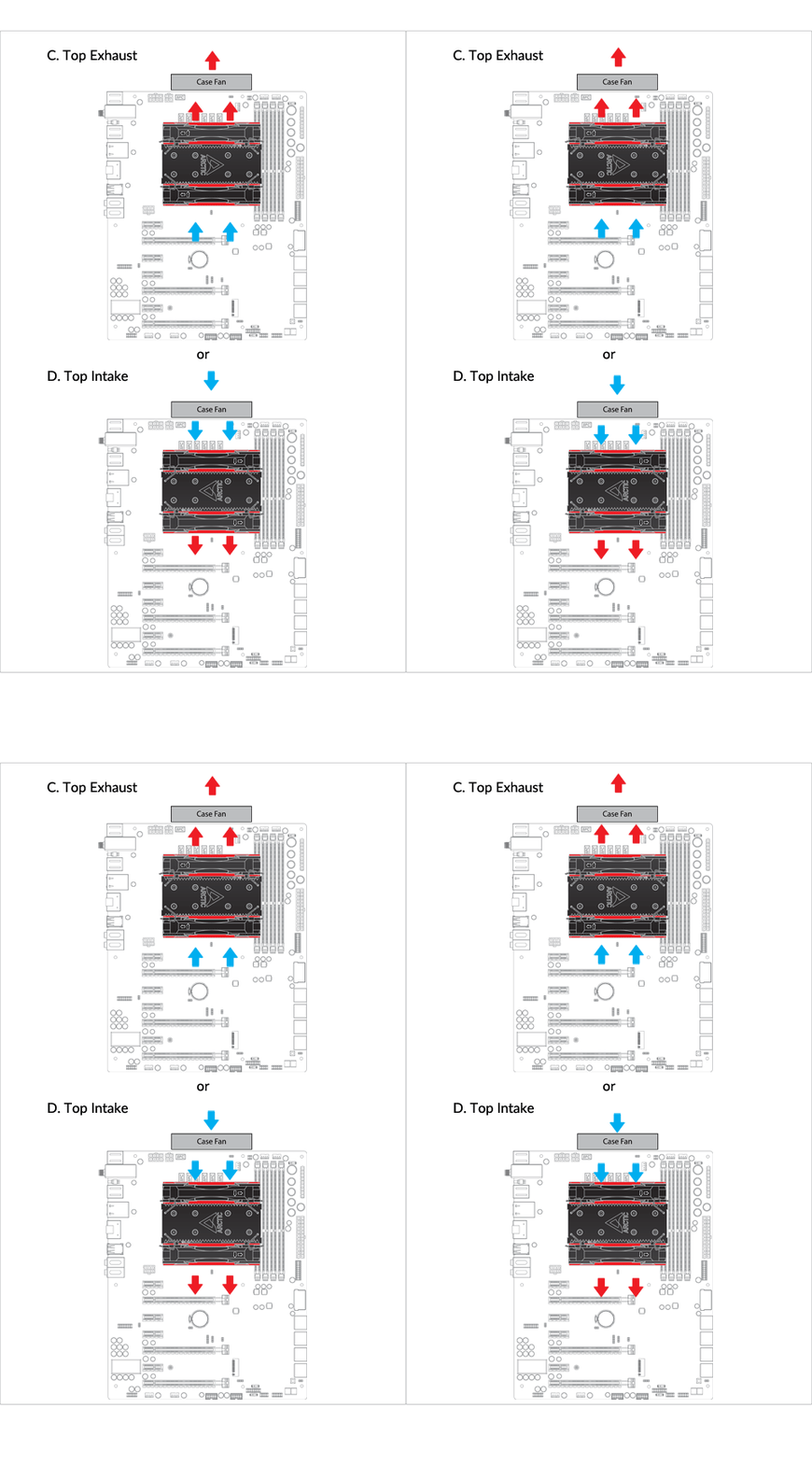
Installation
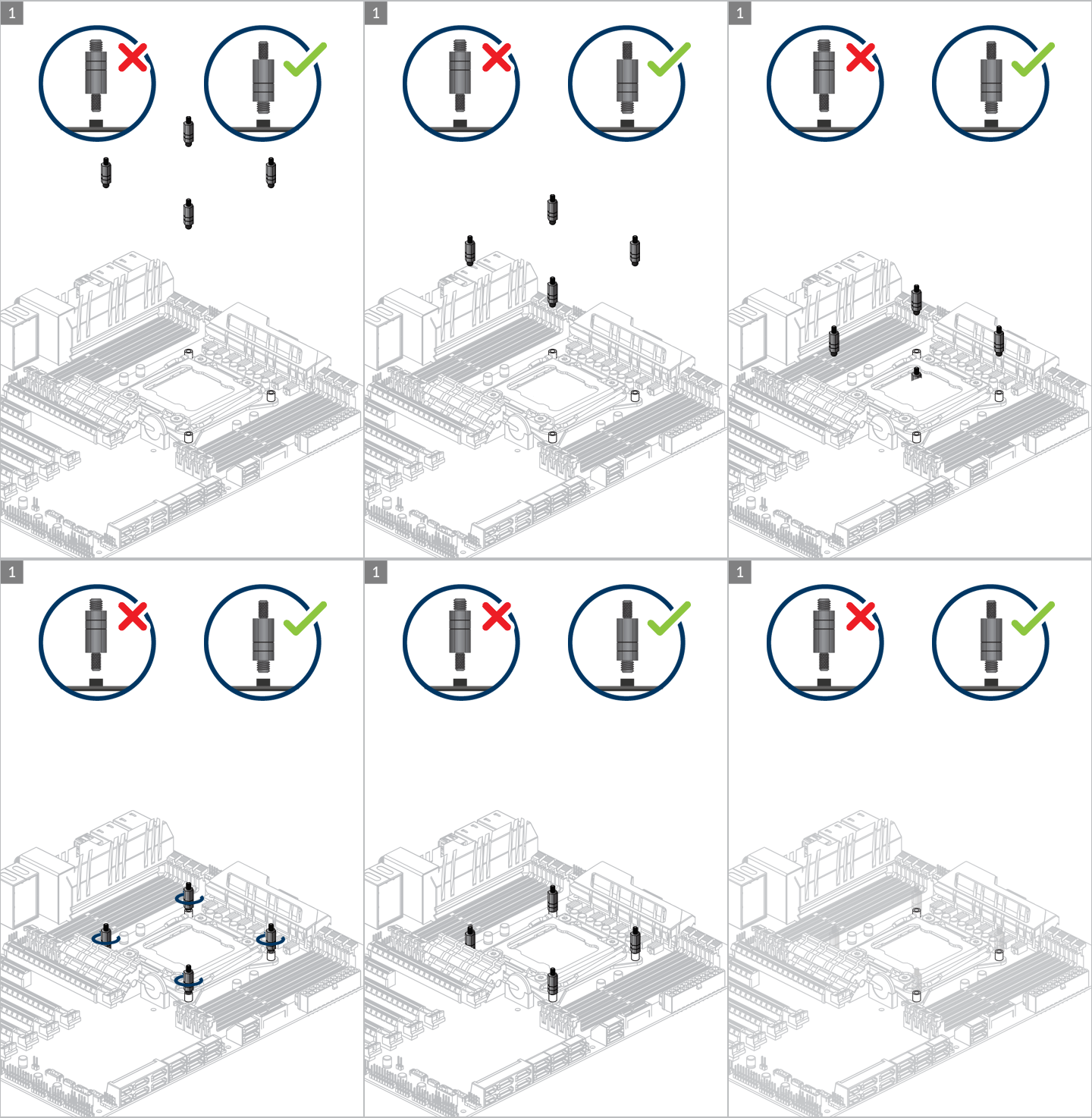

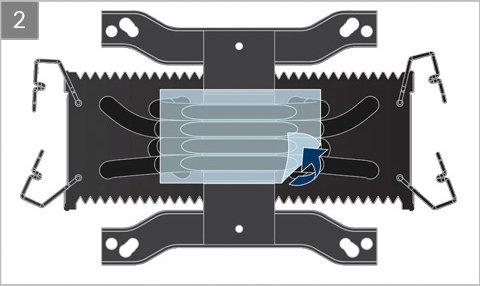
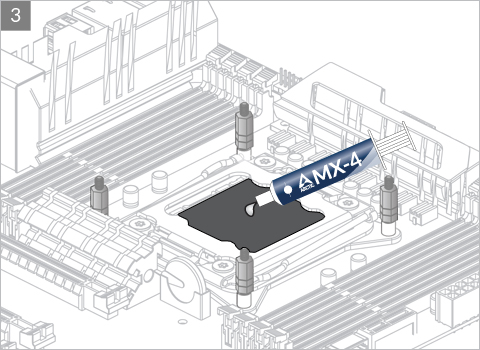

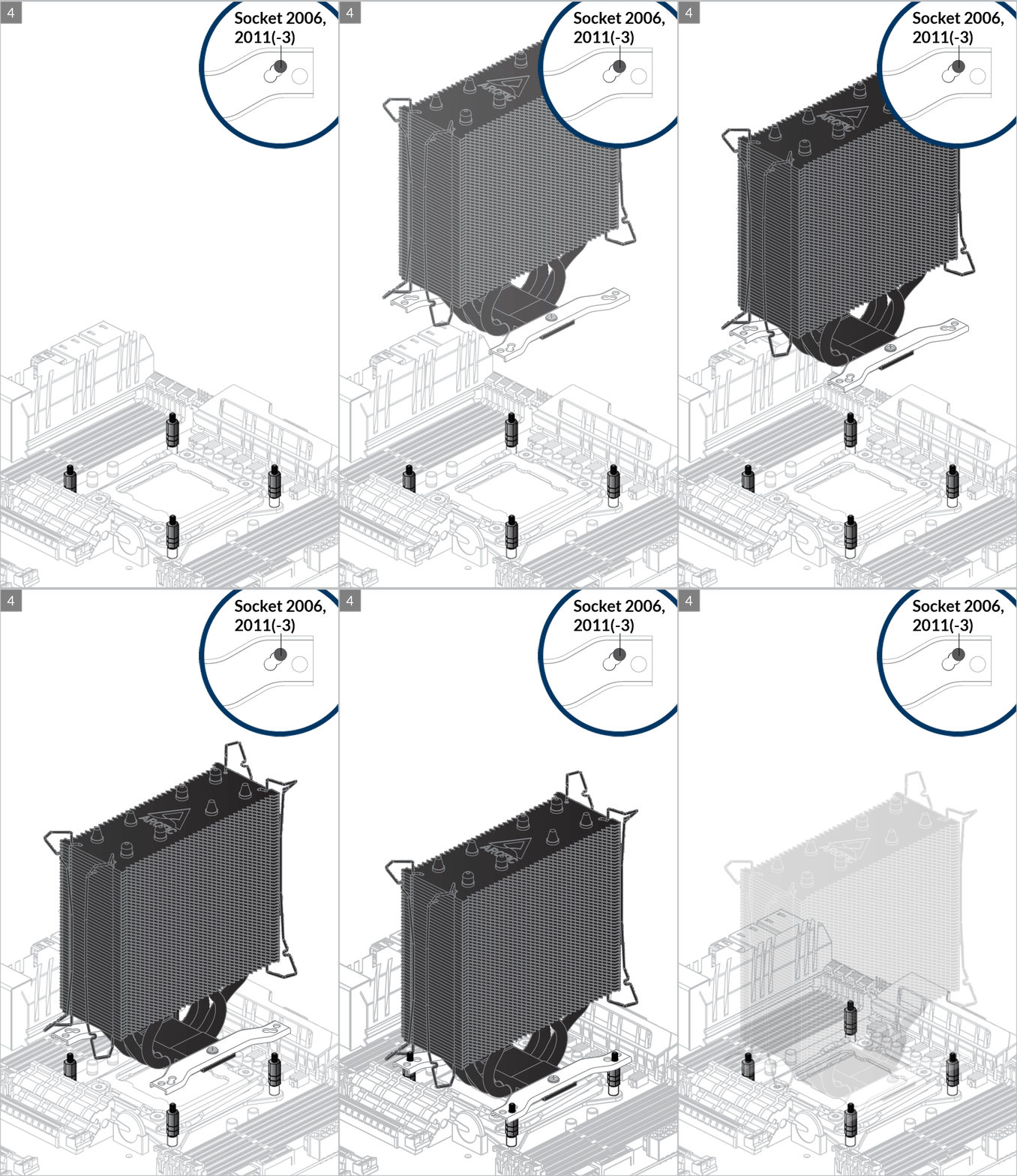
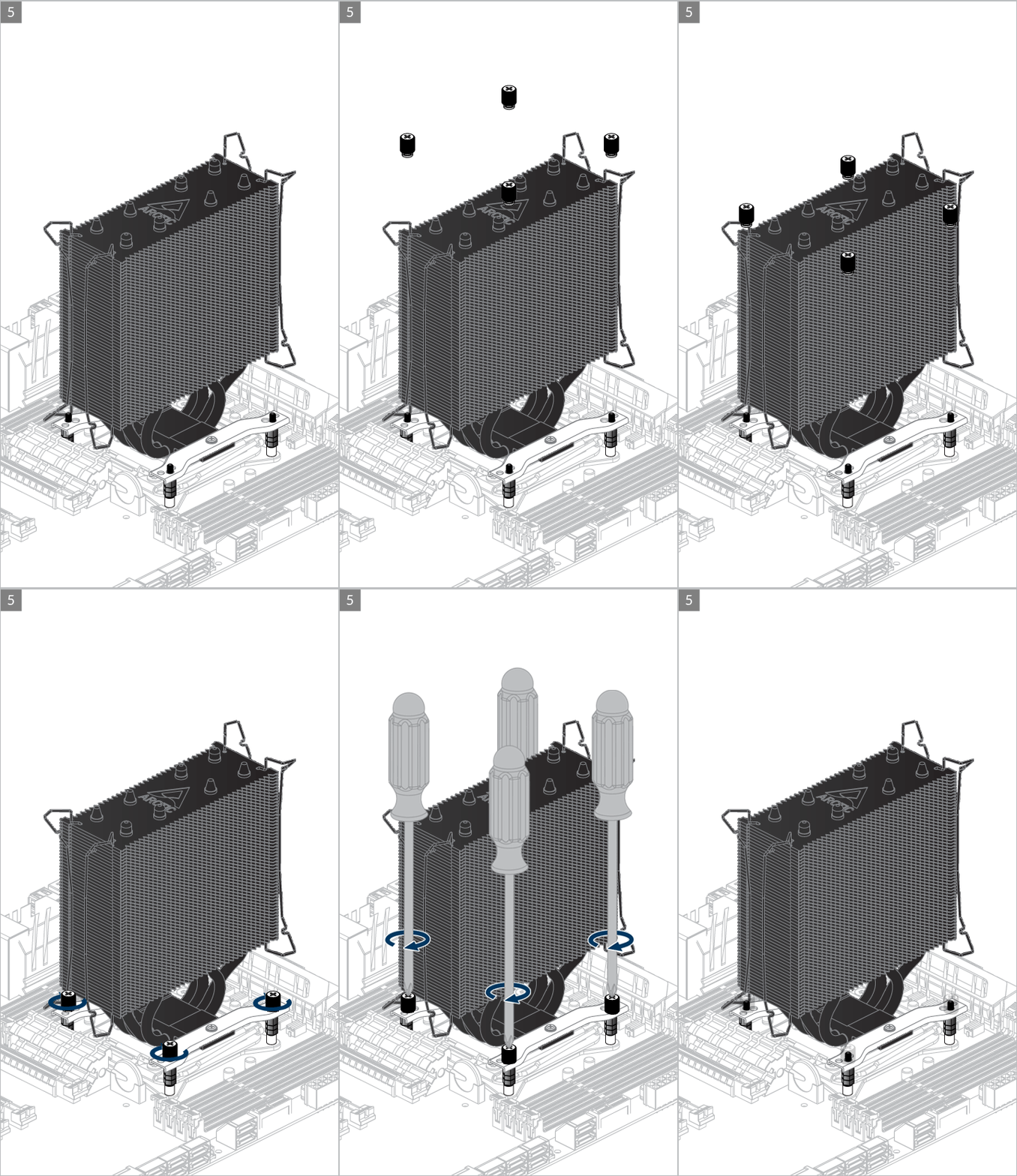

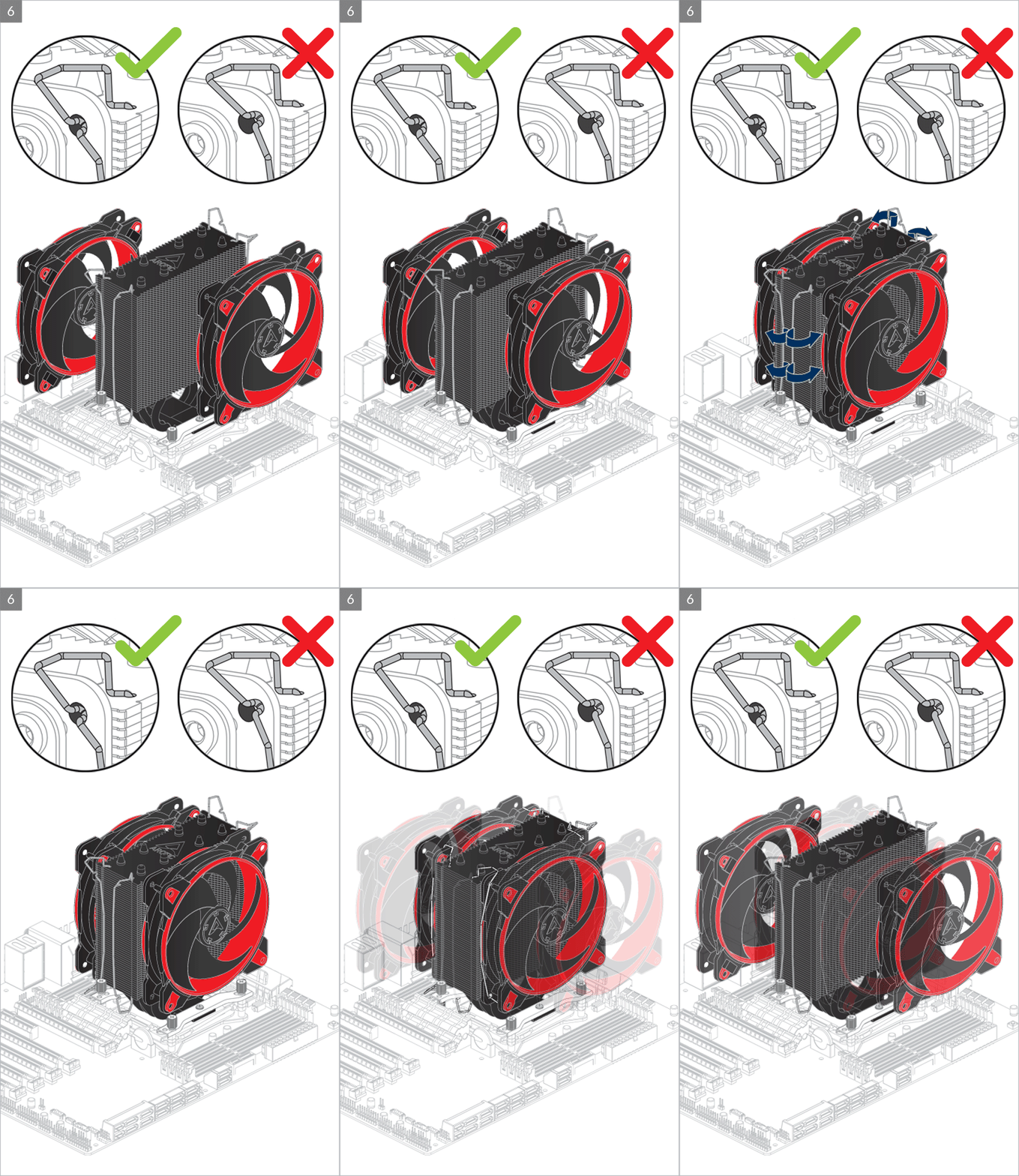
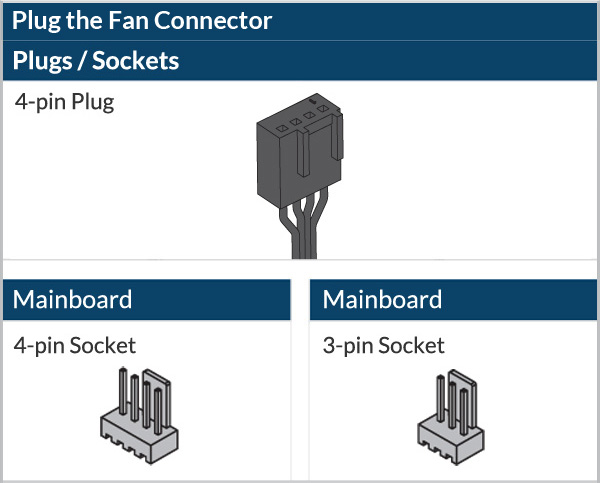
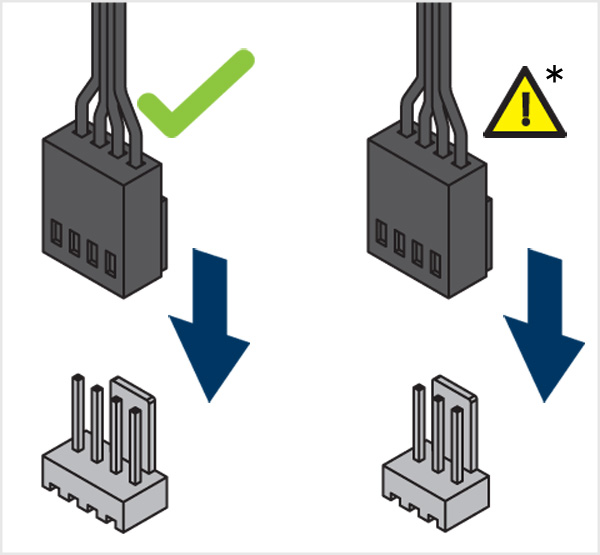
* To get the best out of your cooler, it is recommended to adjust the fan speed control in the BIOS, follow this guide to adjust your PWM.

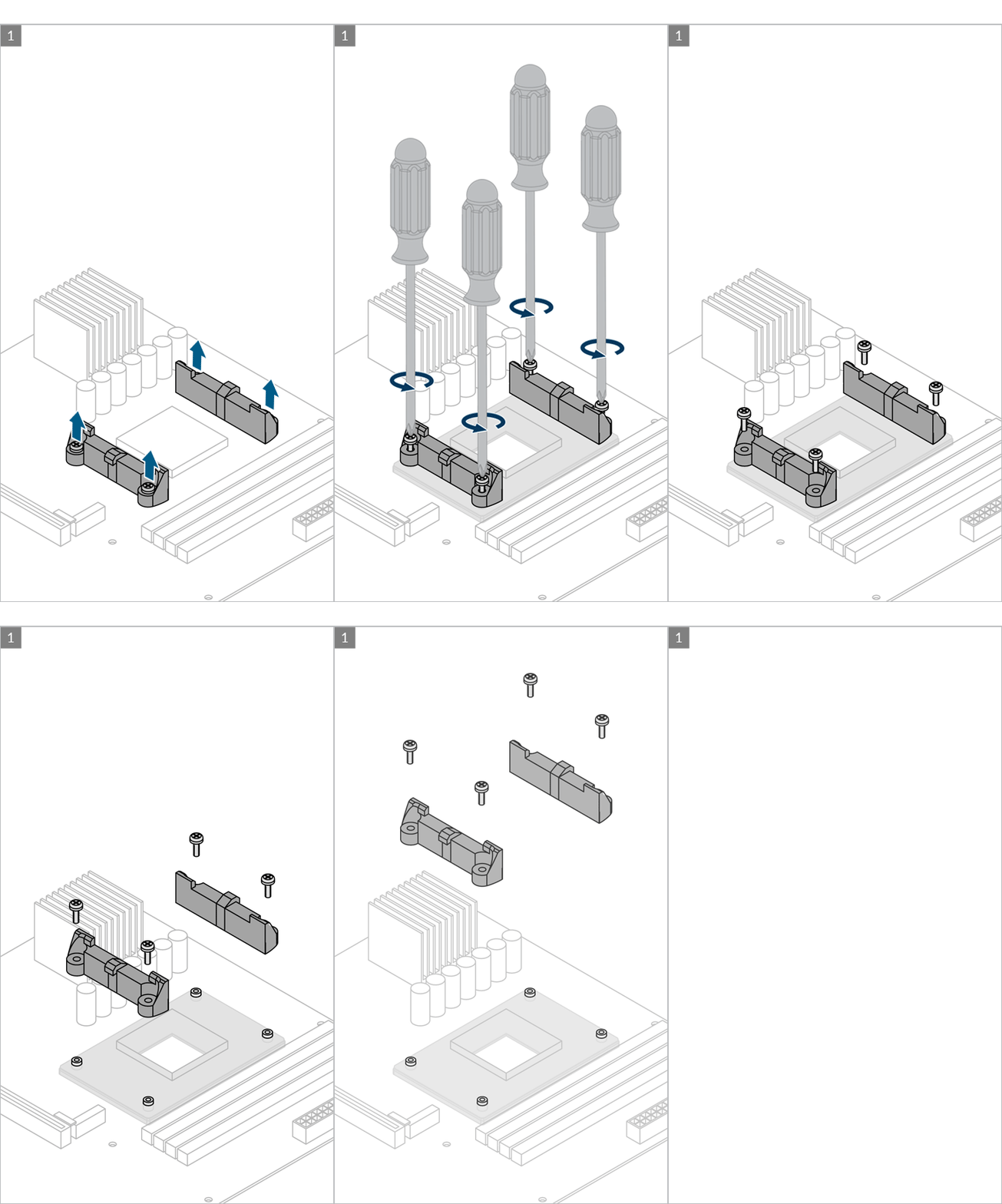
Preparation
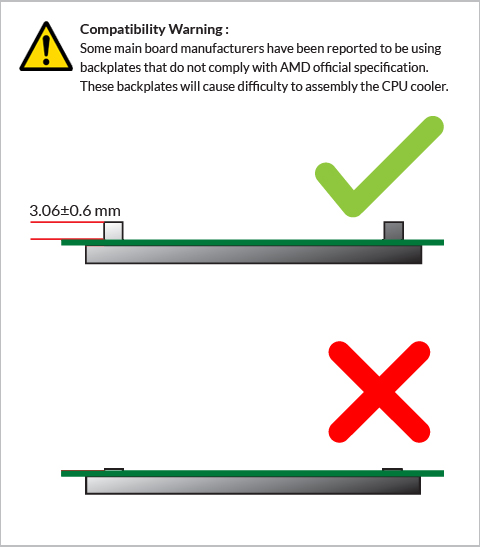
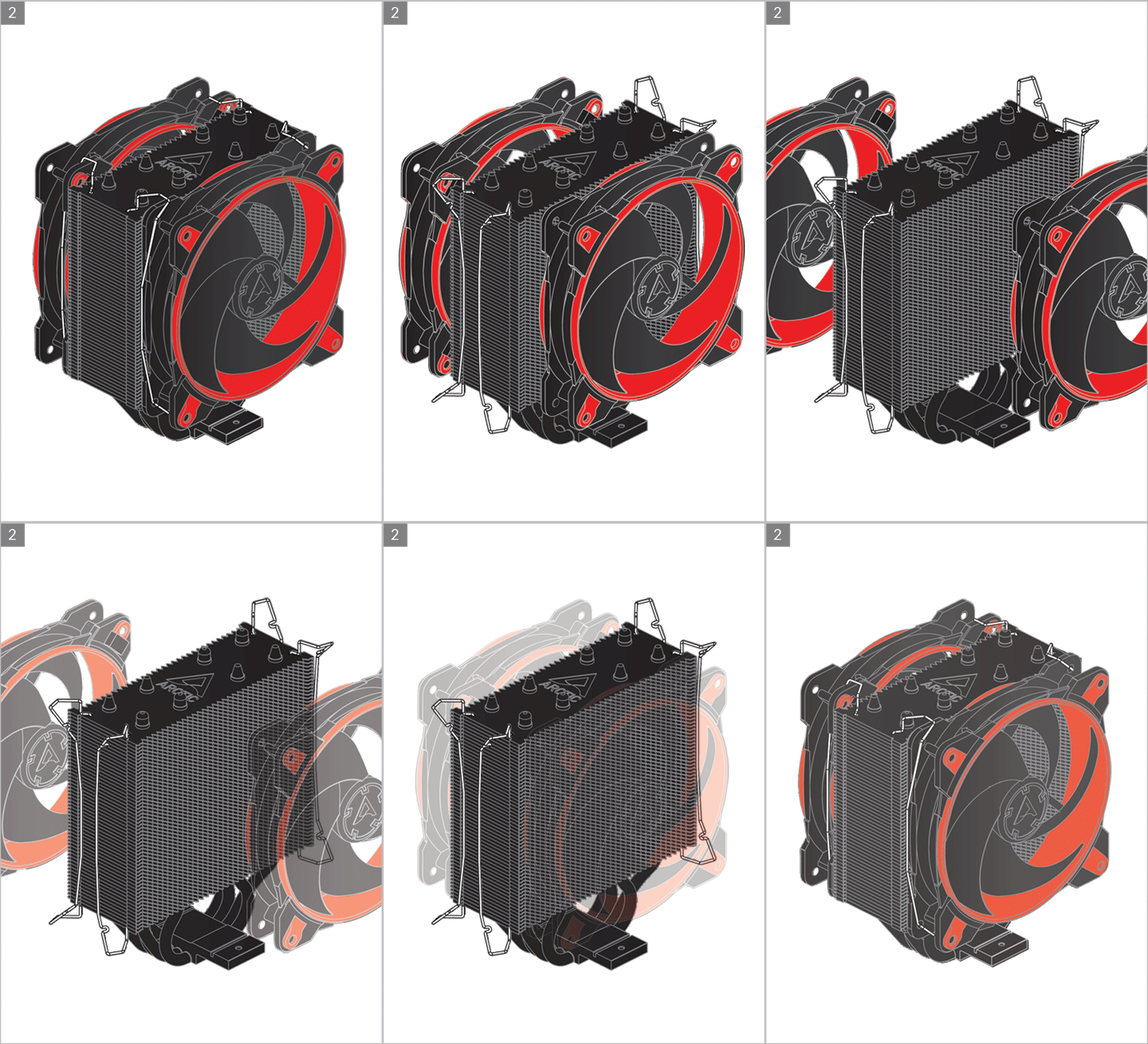
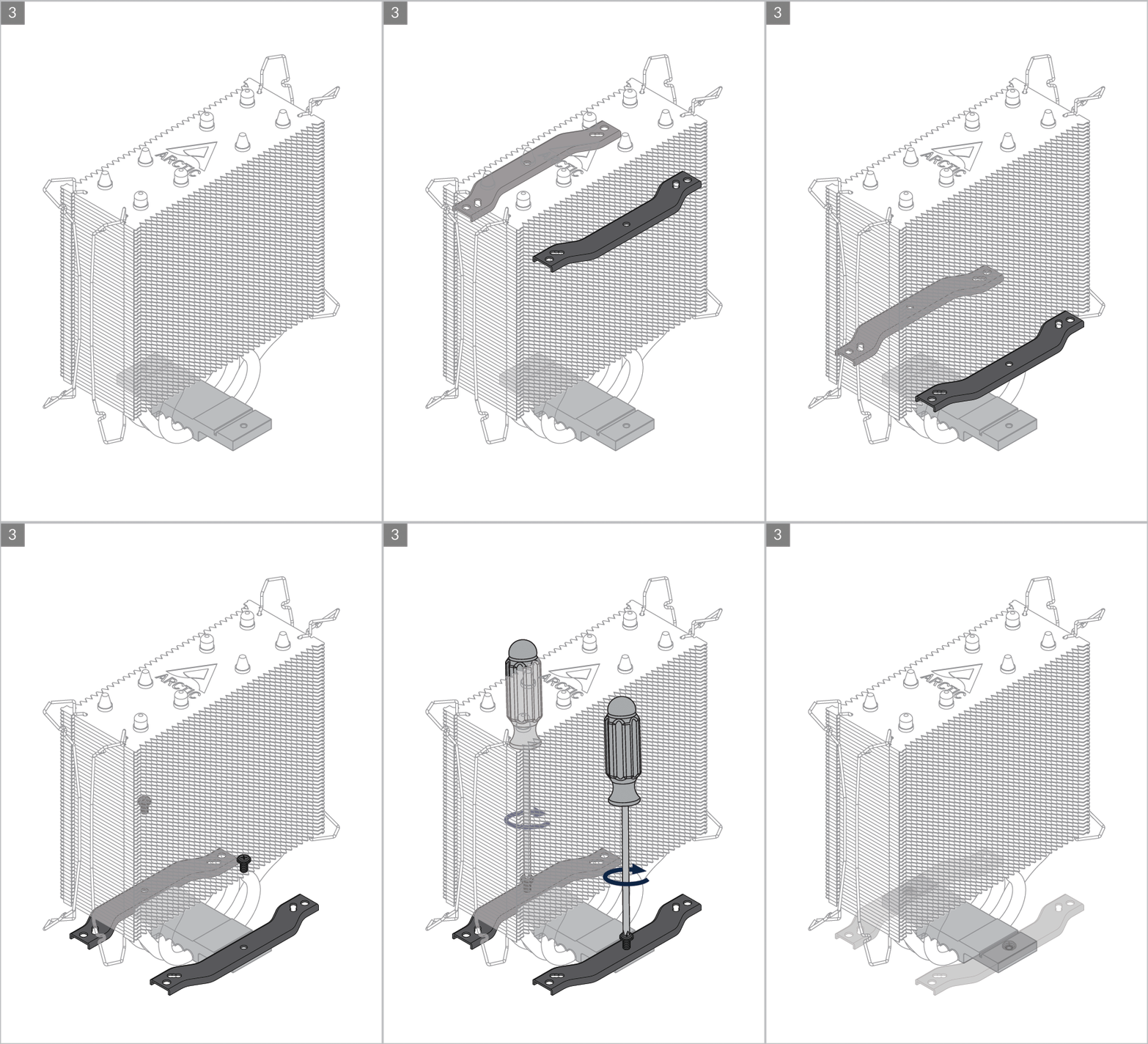
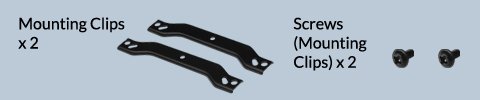
Cooler Orientation
Installation


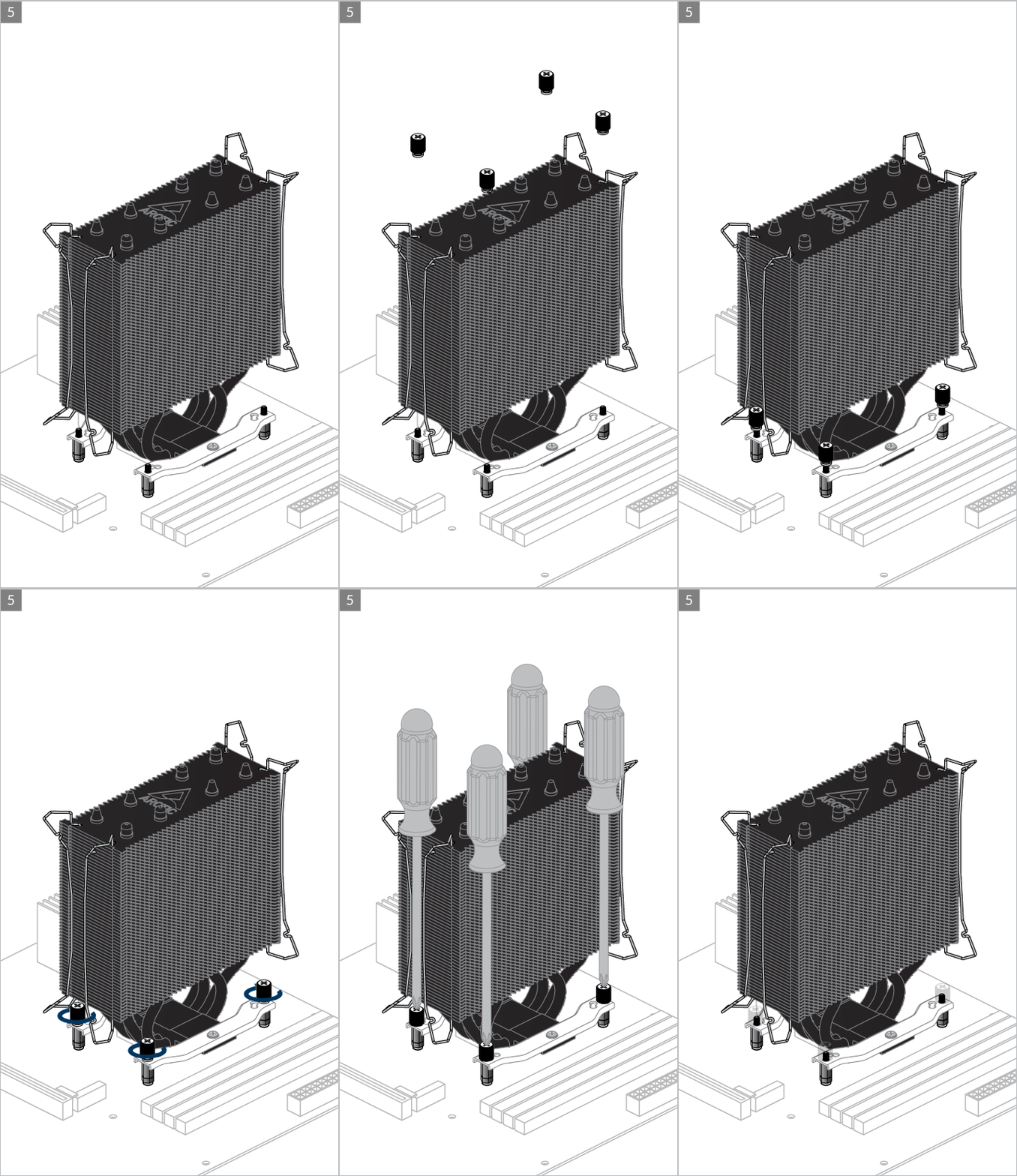

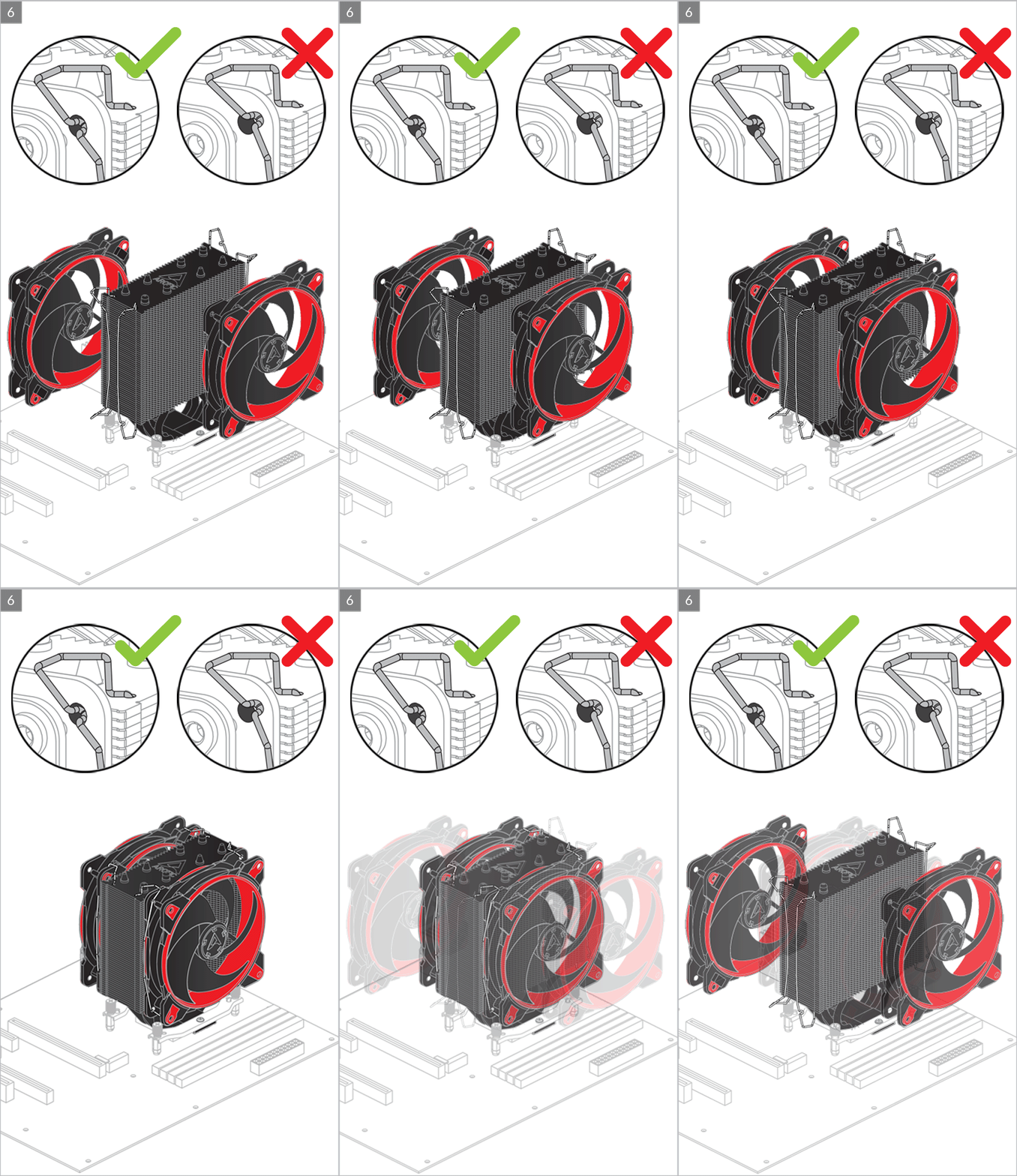
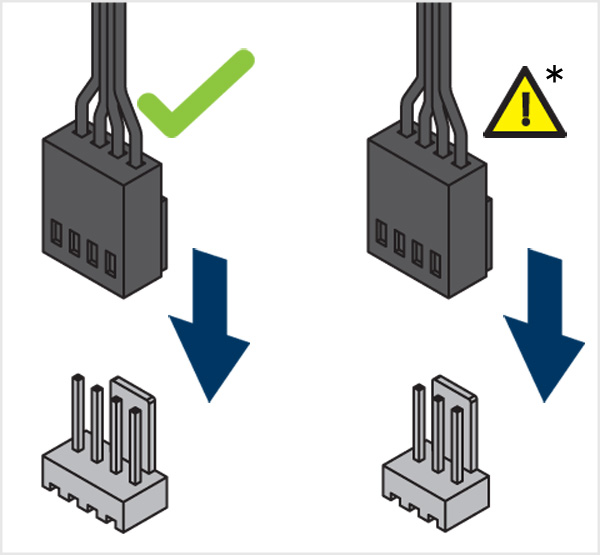
* To get the best out of your cooler, it is recommended to adjust the fan speed control in the BIOS, follow this guide to adjust your PWM.
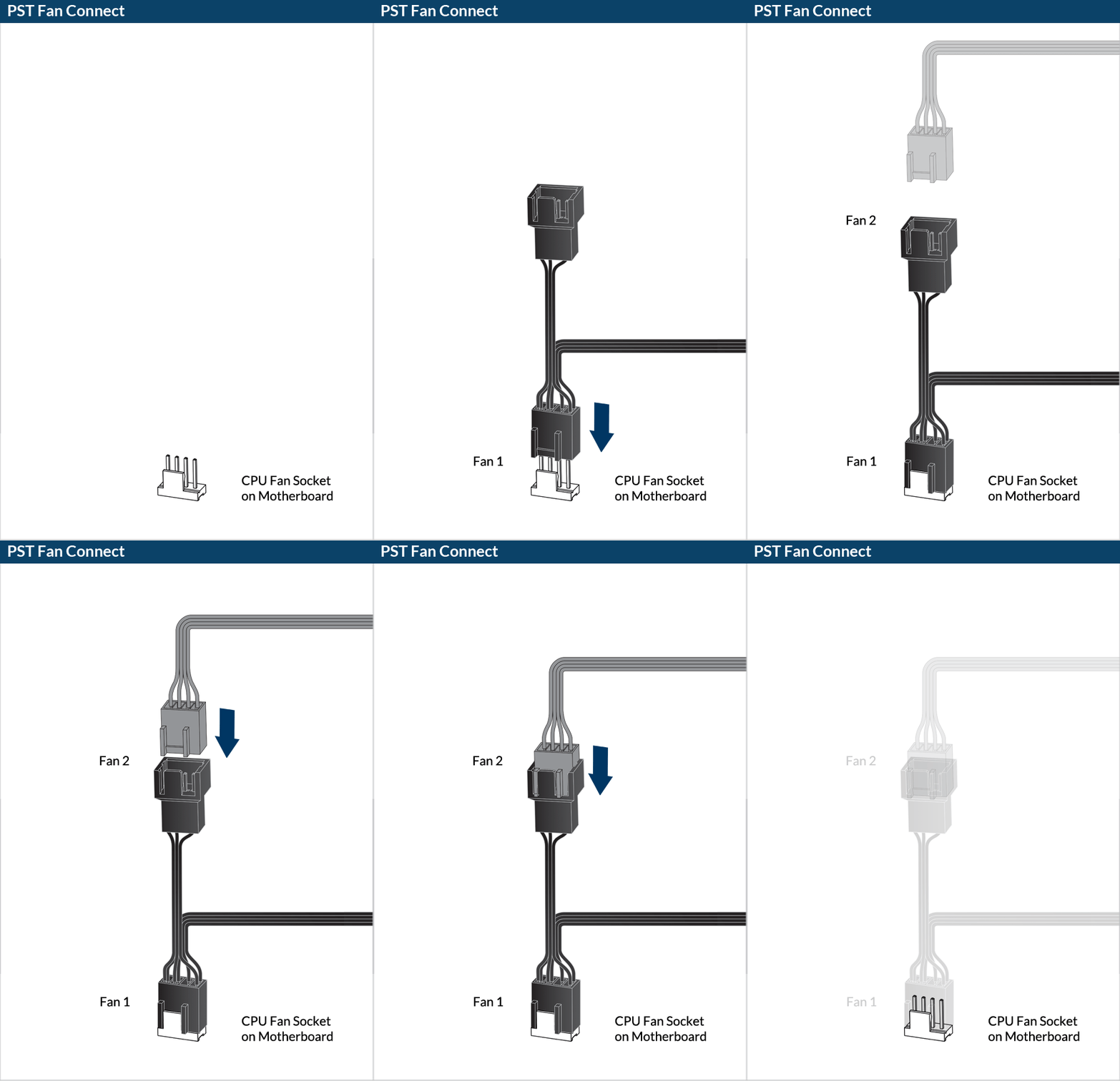

To get the best out of your cooler, it is recommended to adjust the fan speed control in the BIOS, follow this guide to adjust your PWM Settings.
Önerilen Ürünler