很遗憾,本文档暂无中文版本,以下为英文版本。
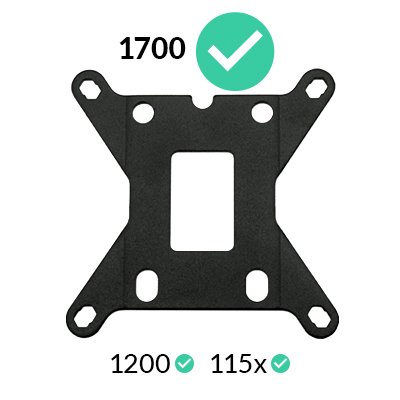
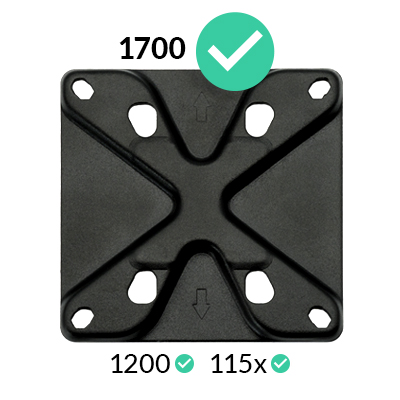
All coolers shipped by ARCTIC are already compatible with LGA1700 processors. Coolers purchased from resellers may have been delivered without the corresponding accessories. In this case, please contact our customer support.
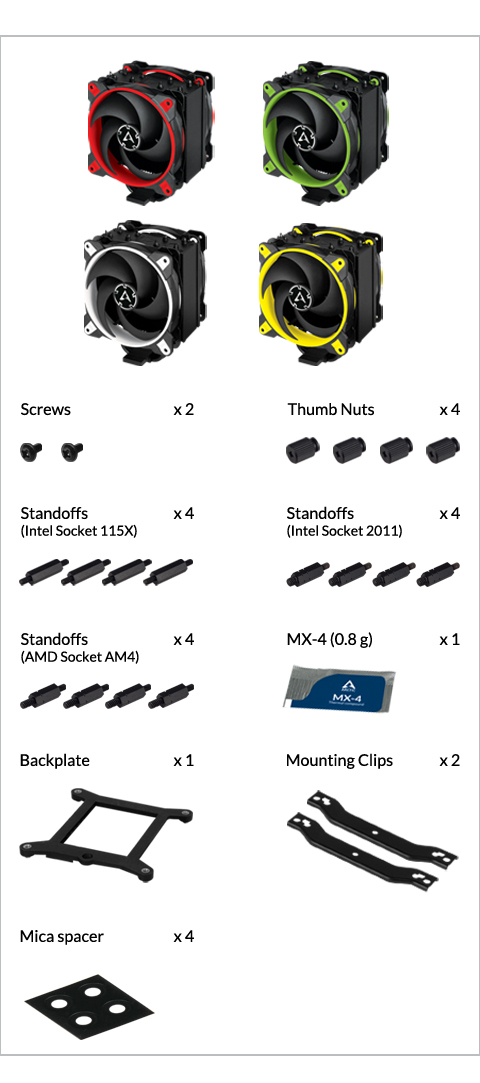
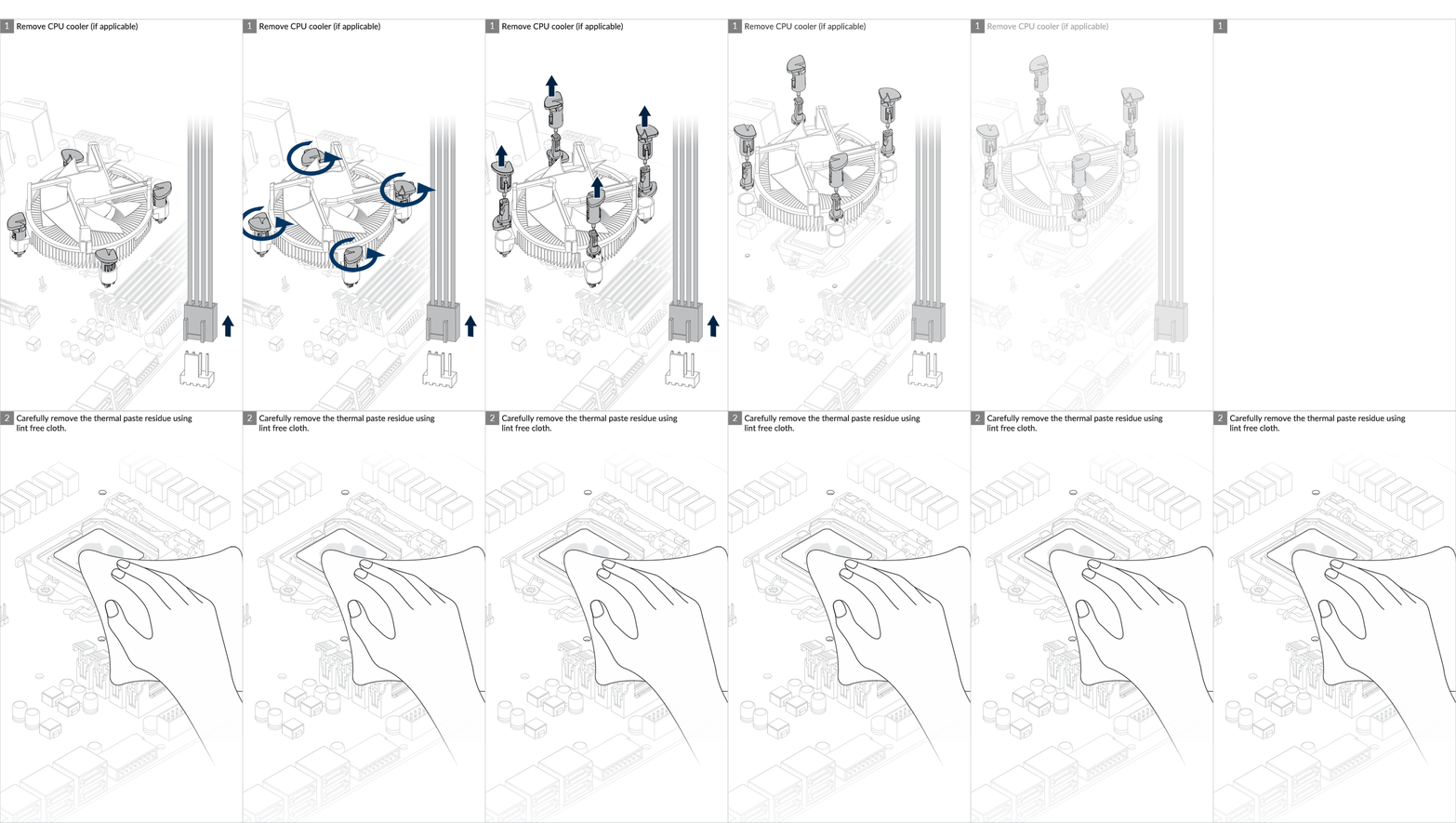
Preparation
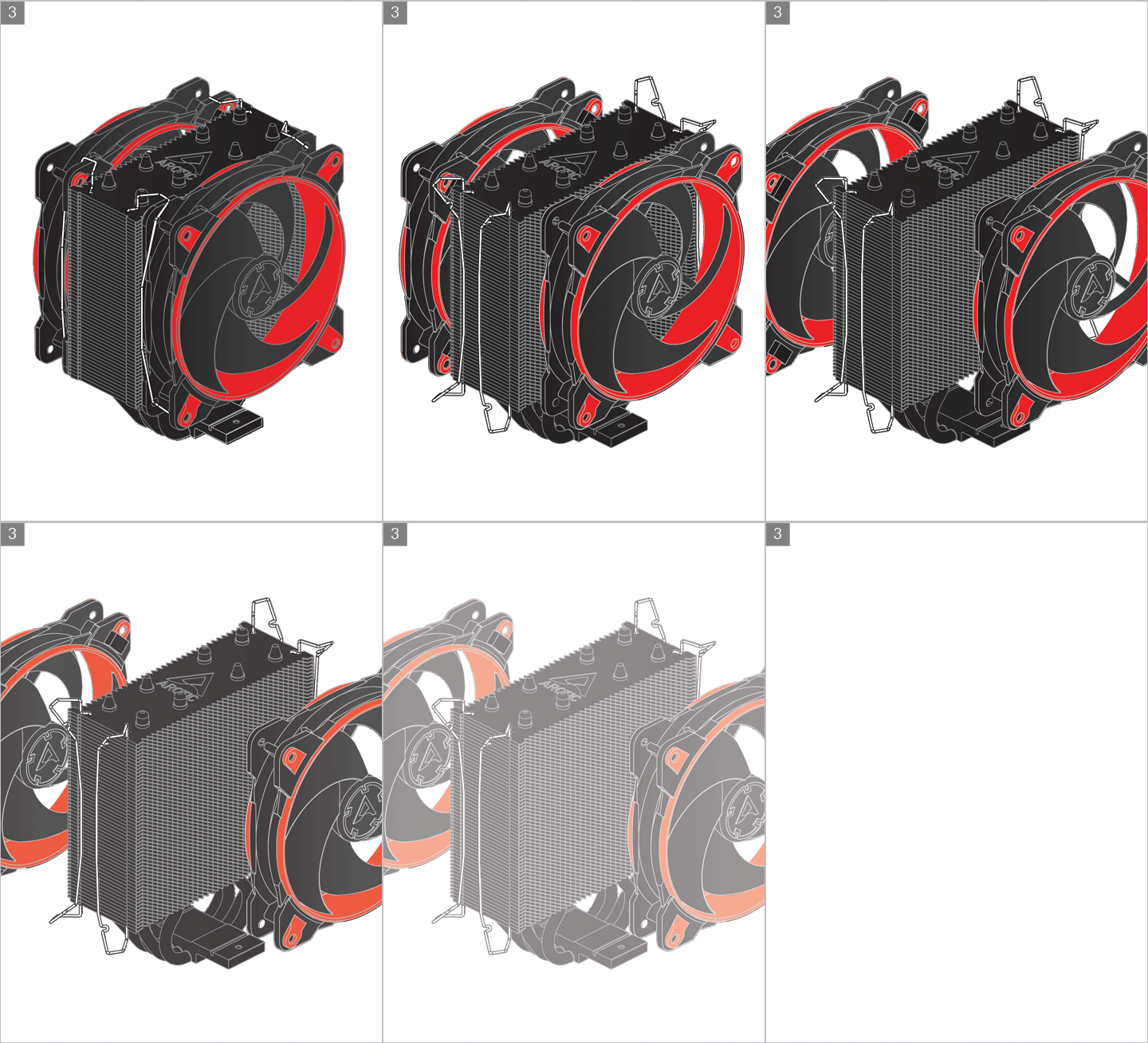
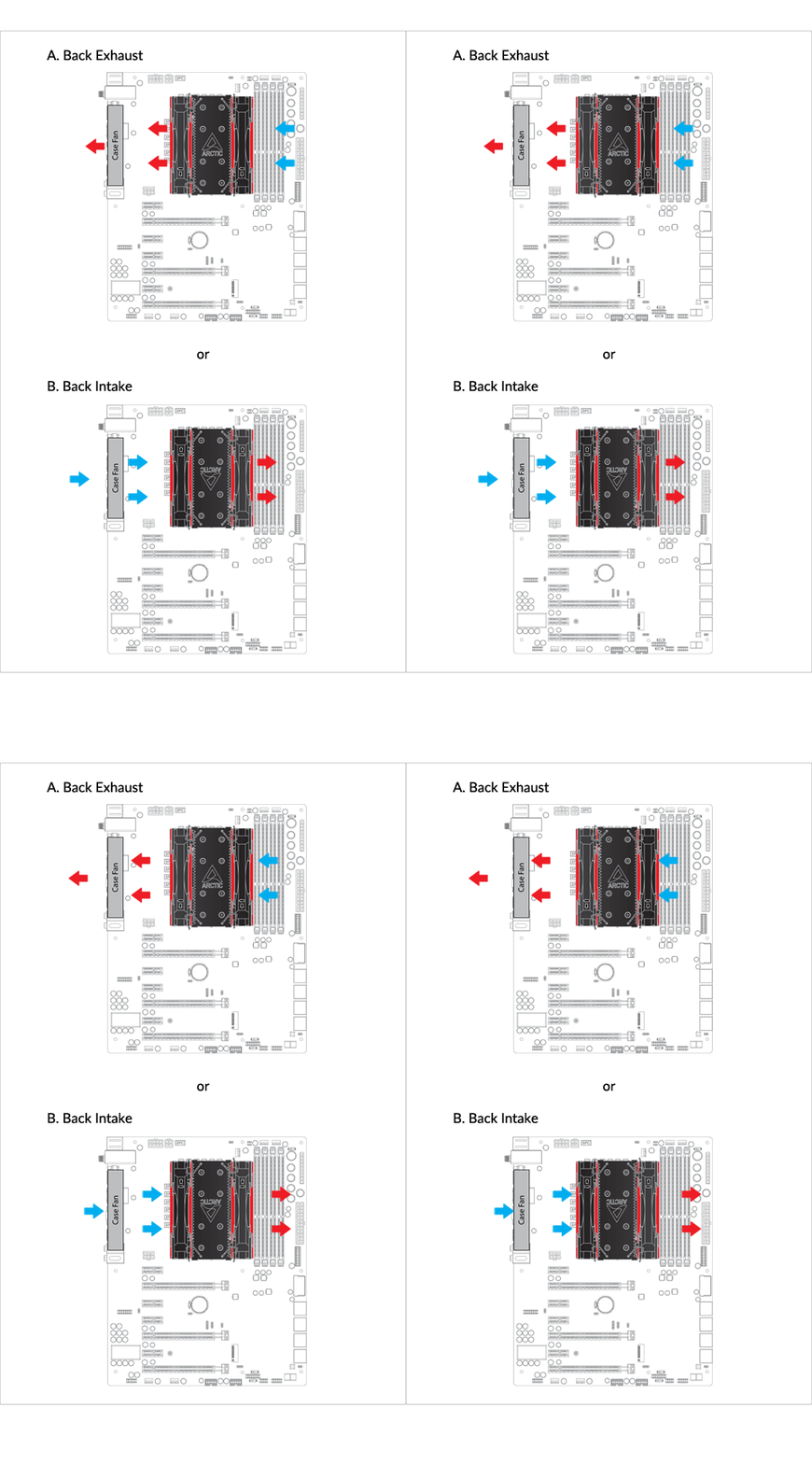
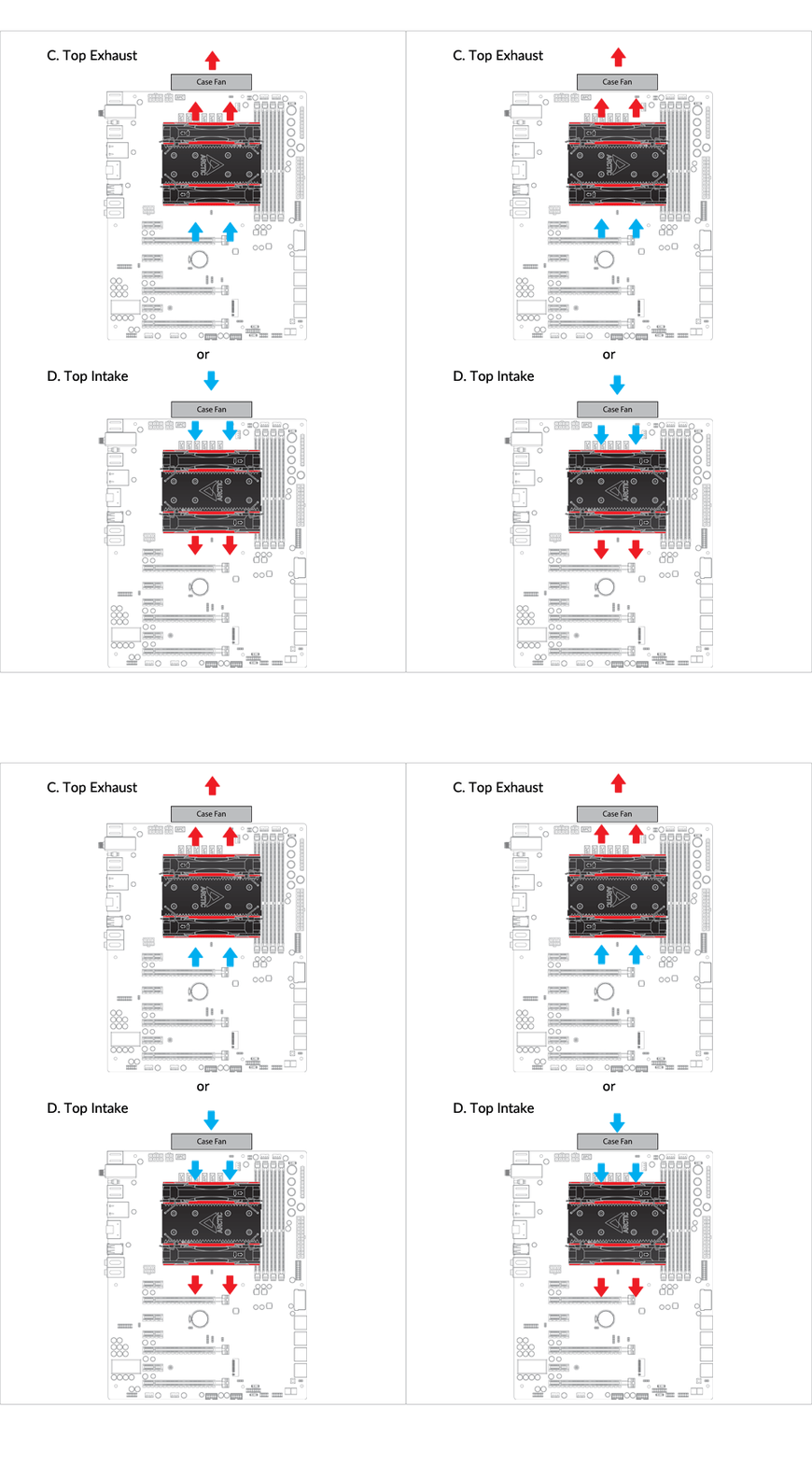
Cooler Orientation
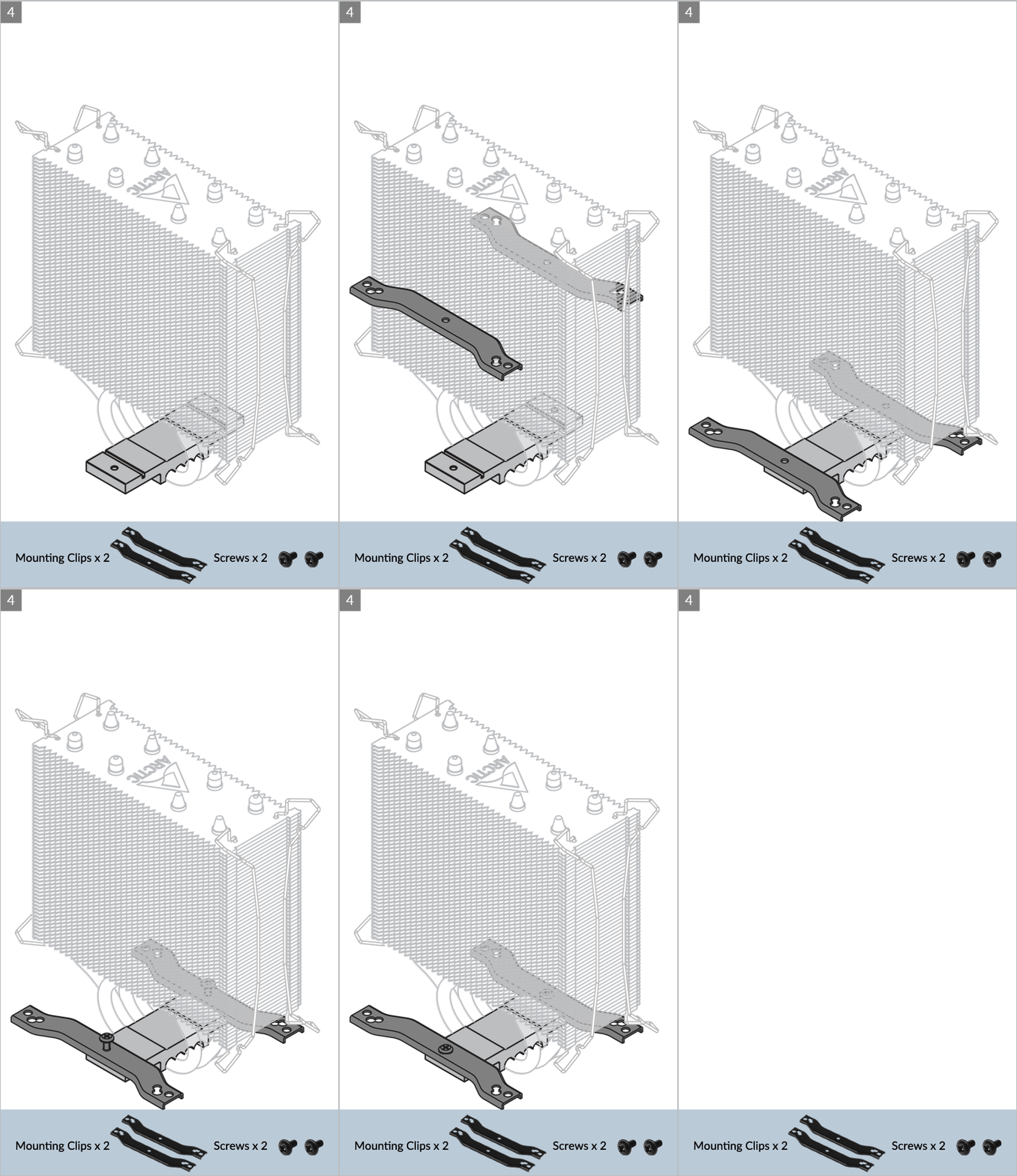
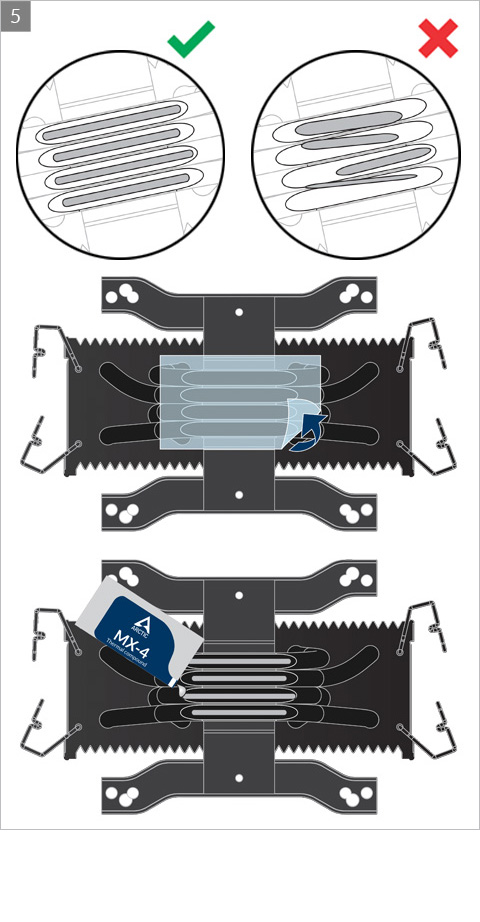
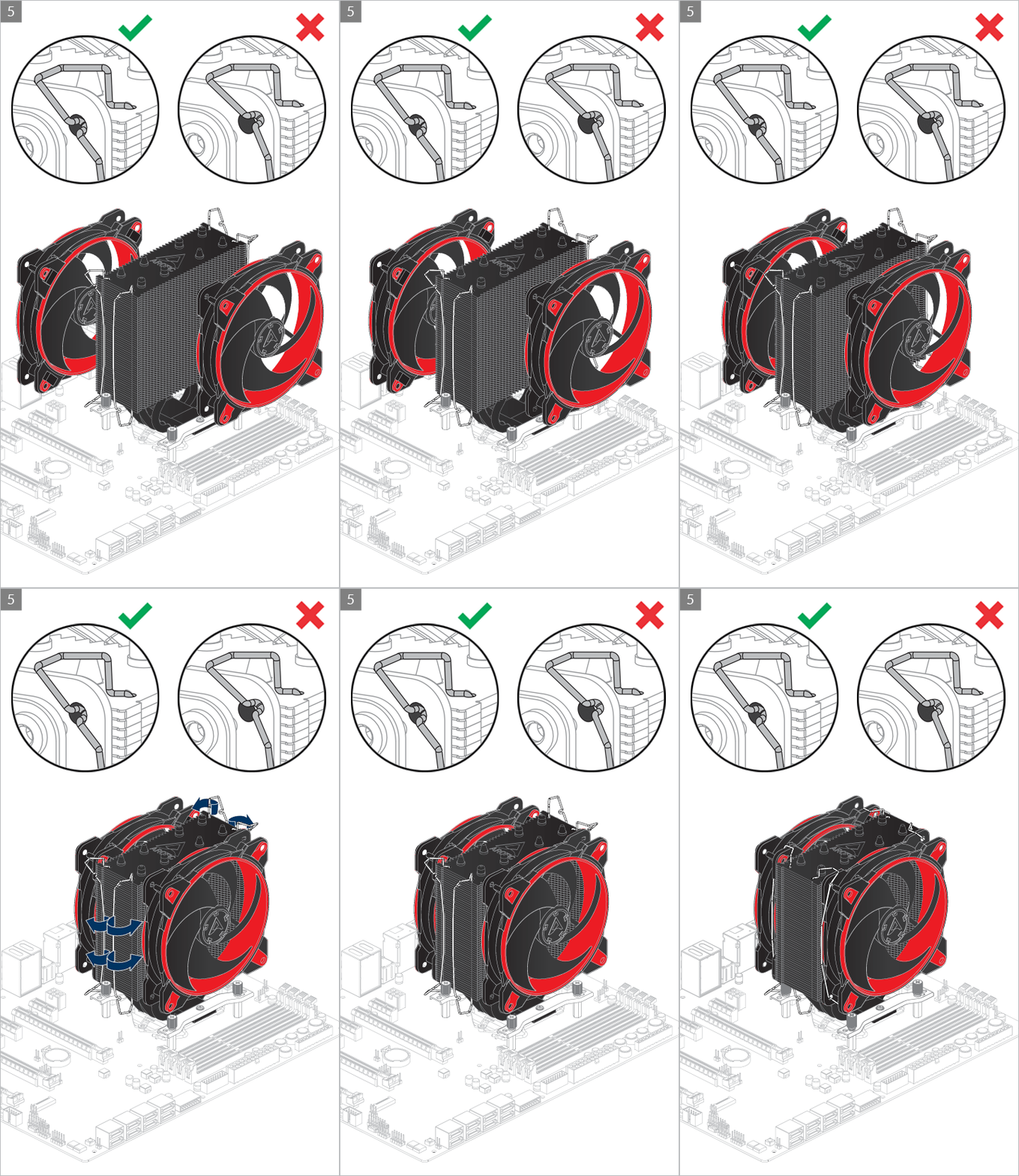
Installation
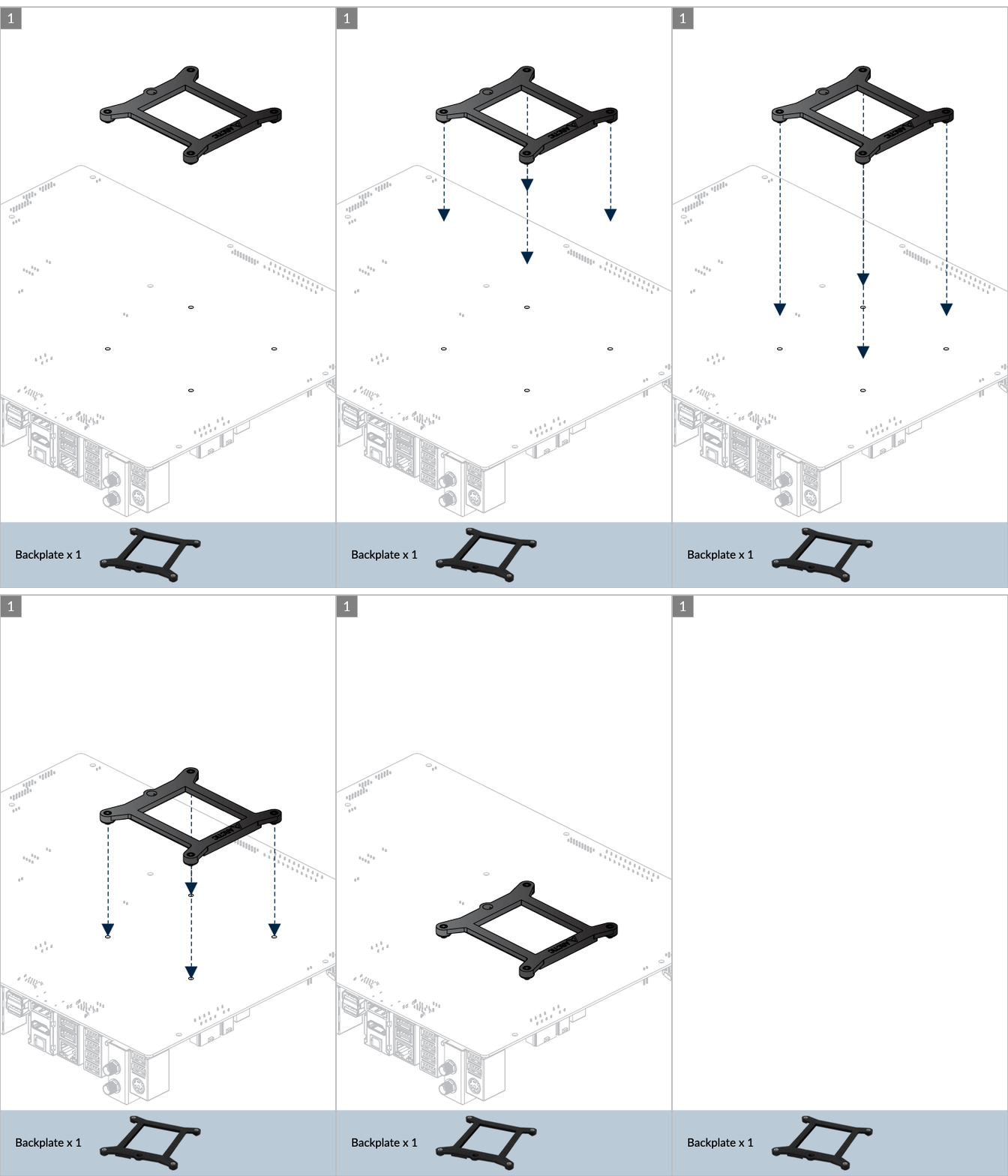
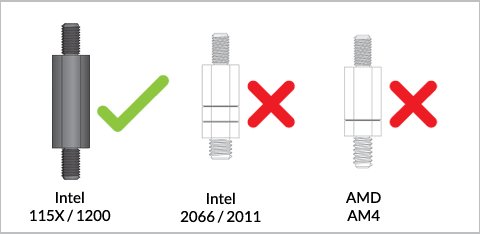
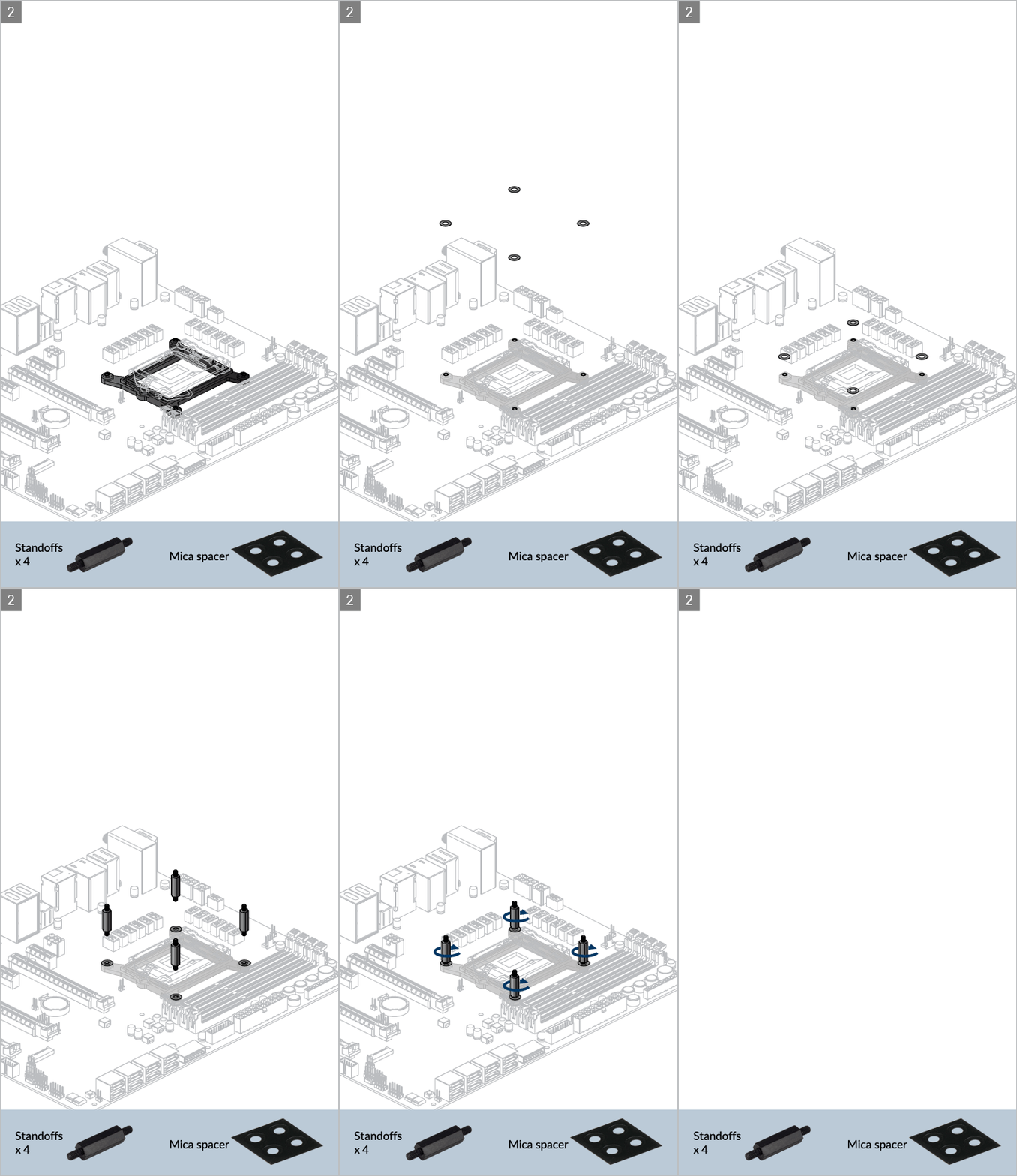
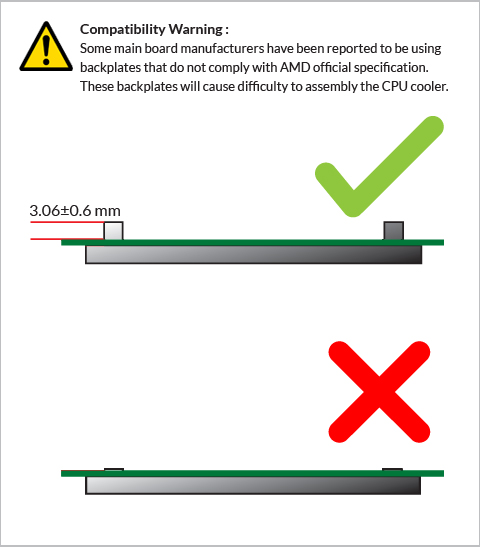
Please make sure that you first insert the backplate to the motherboard mounting before inserting the standoff screws.
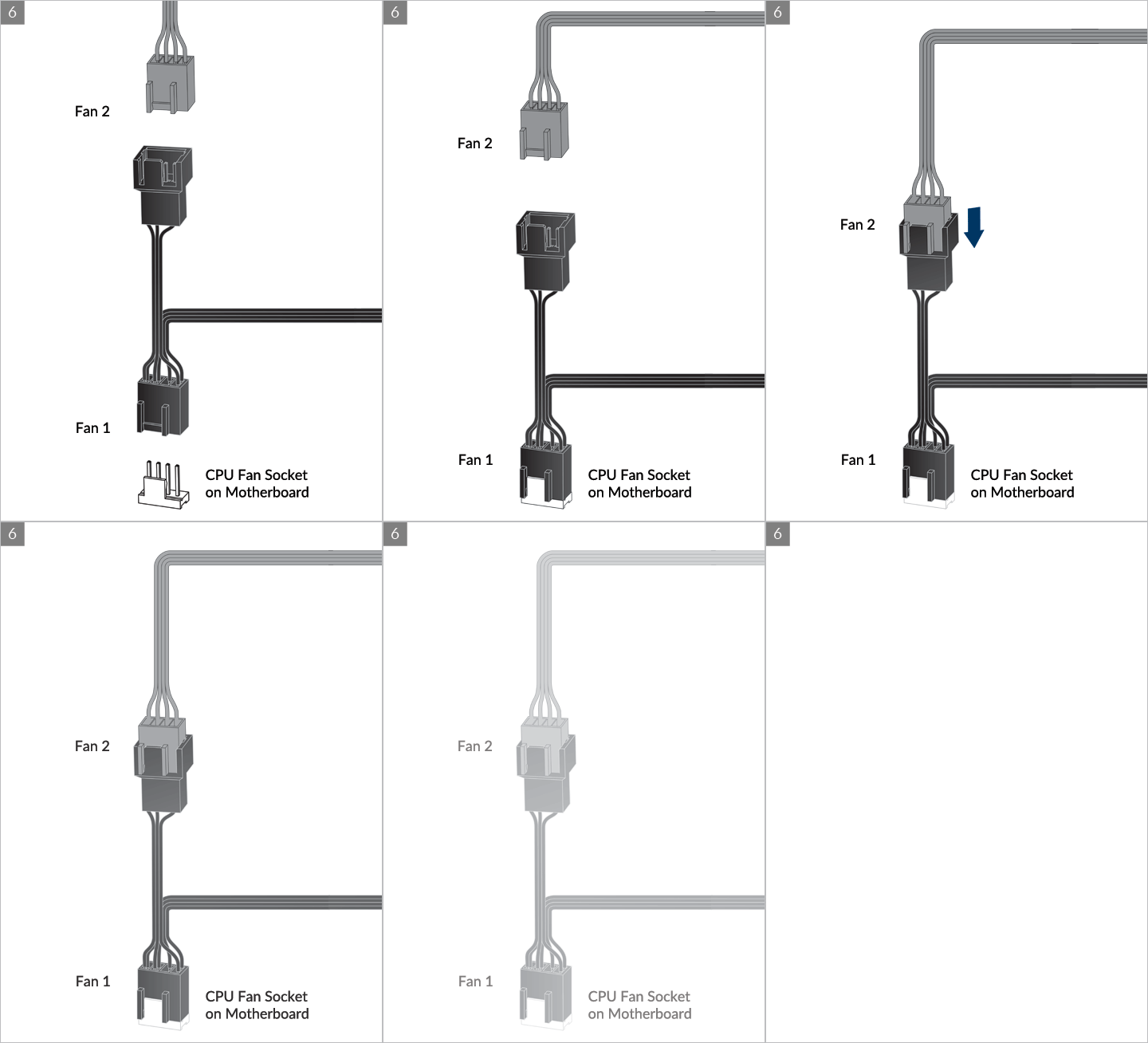
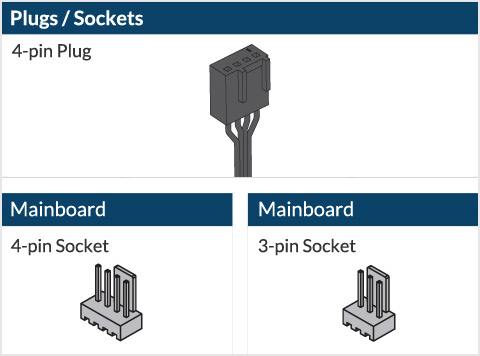
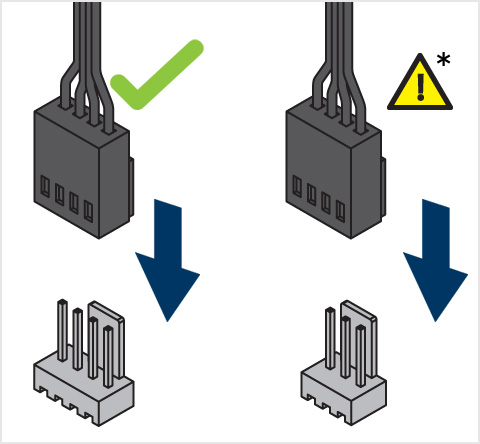
* Some mechanical interference with surrounding components may appear. The fan will not be controllable by PWM.

To get the best out of your cooler, it is recommended to adjust the fan speed control in the BIOS, follow this guide to adjust your PWM.
Watch Video
** If your Freezer 34 series does not come with the LGA 1700 upgrade kit, please contact us through the contact form to get upgrade kit shipped to you. Tap to go to the installation.
Preparation
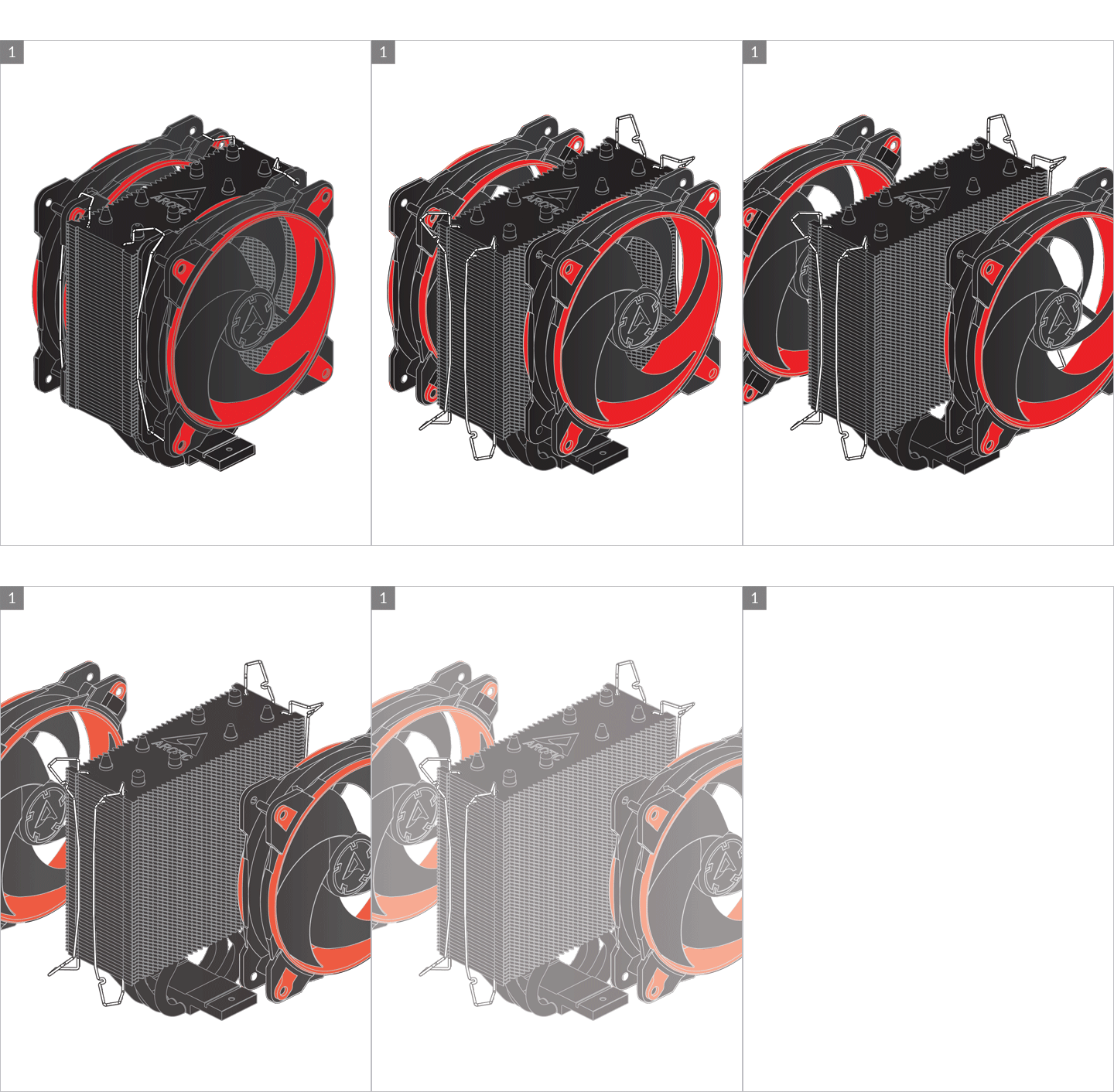
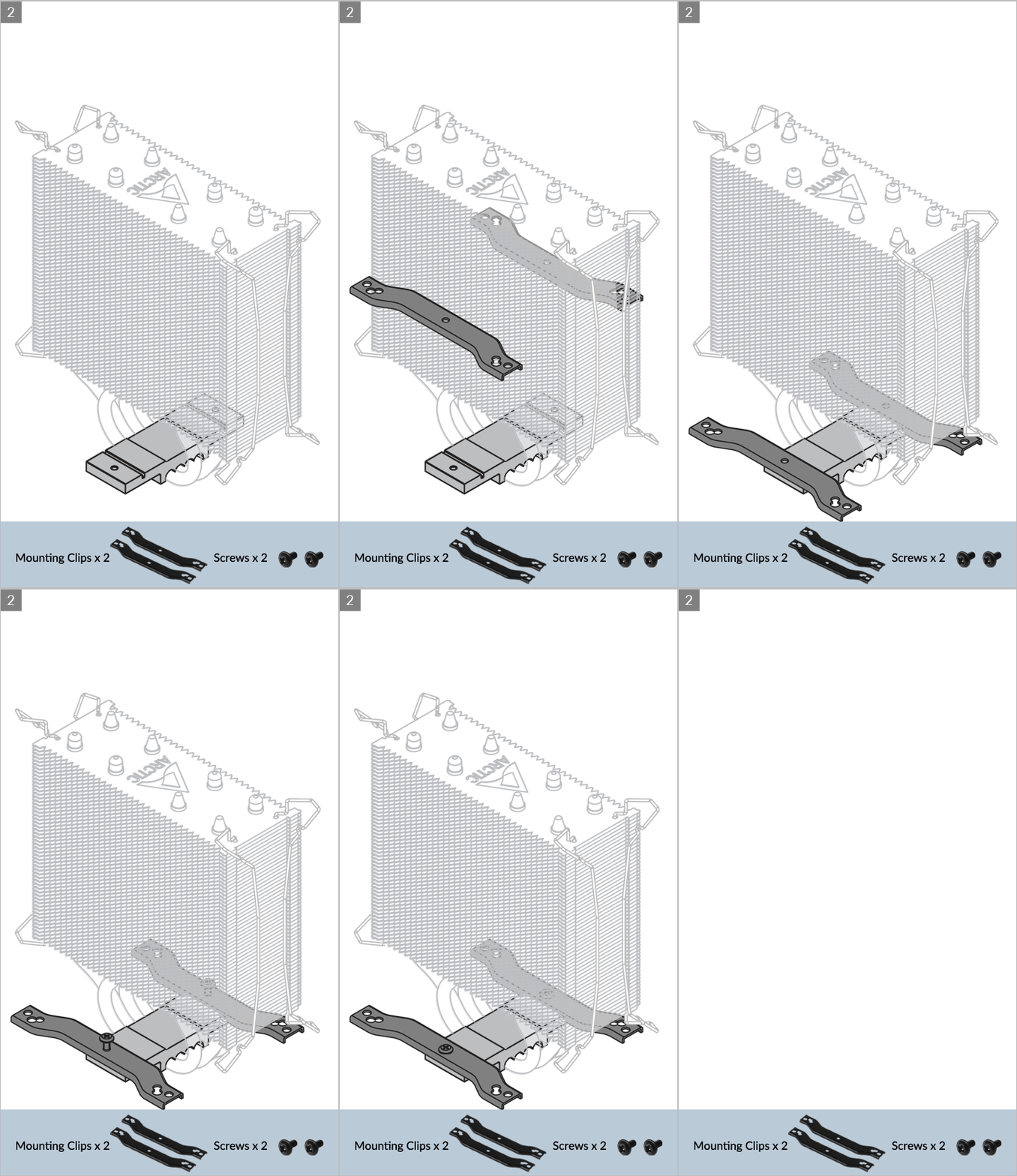
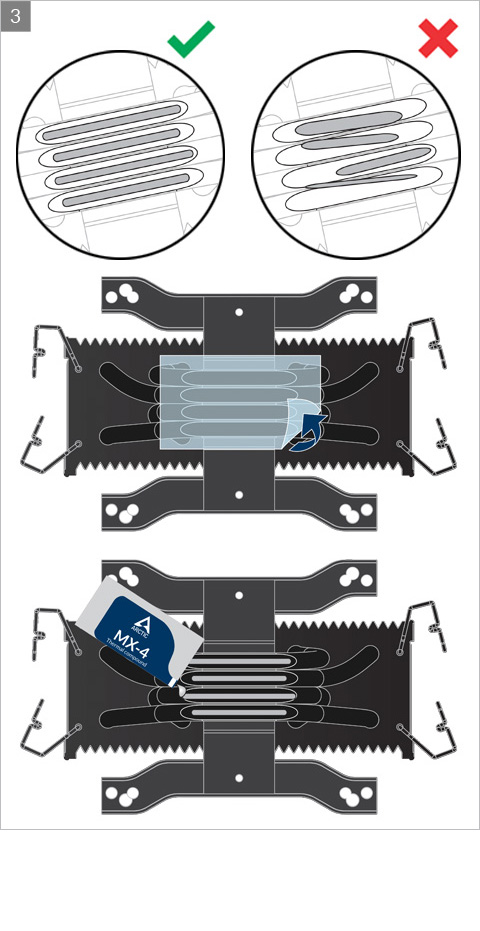
Cooler Orientation
Installation
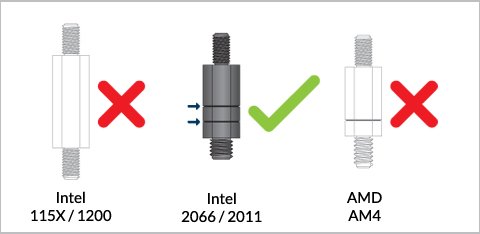
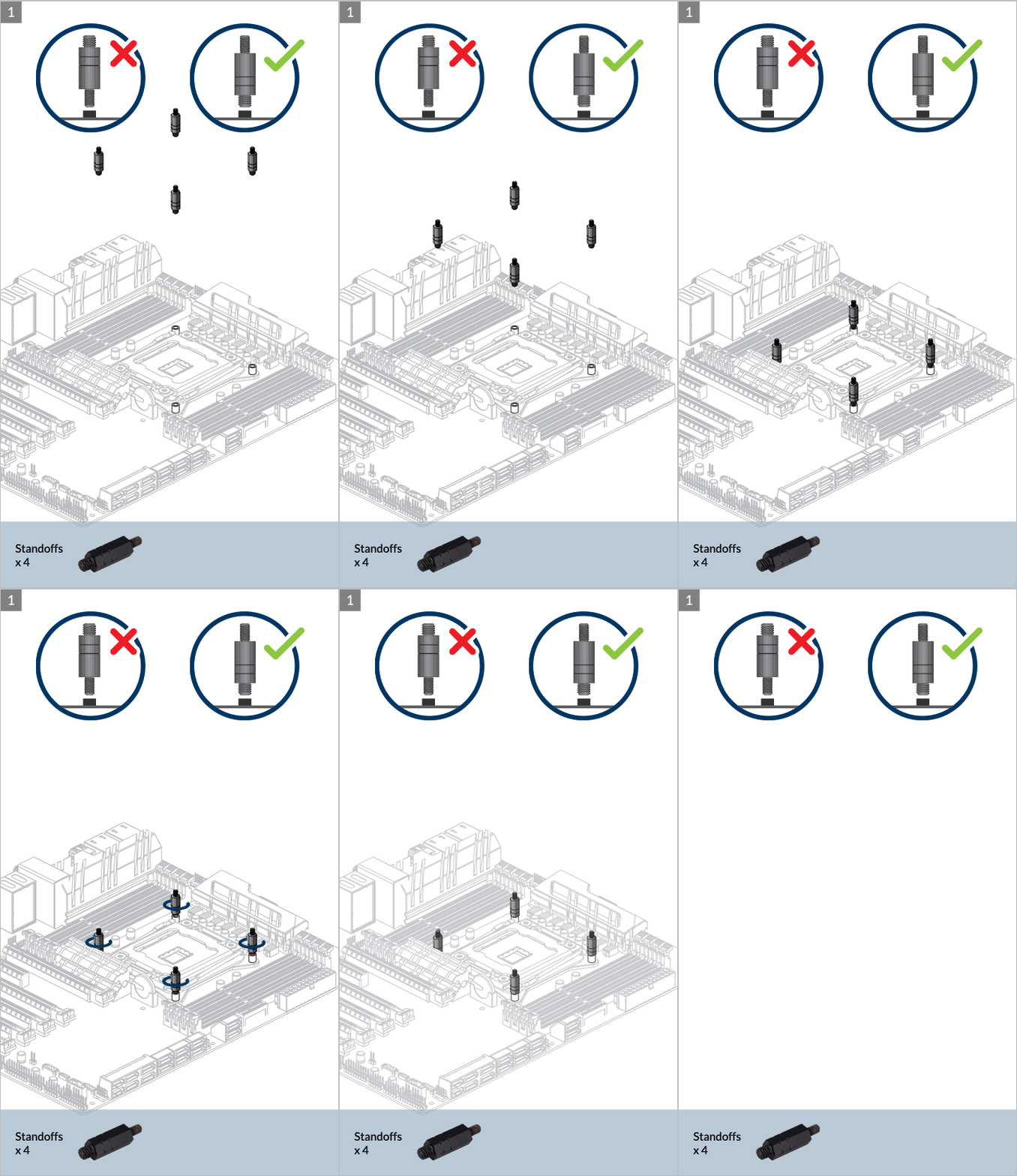
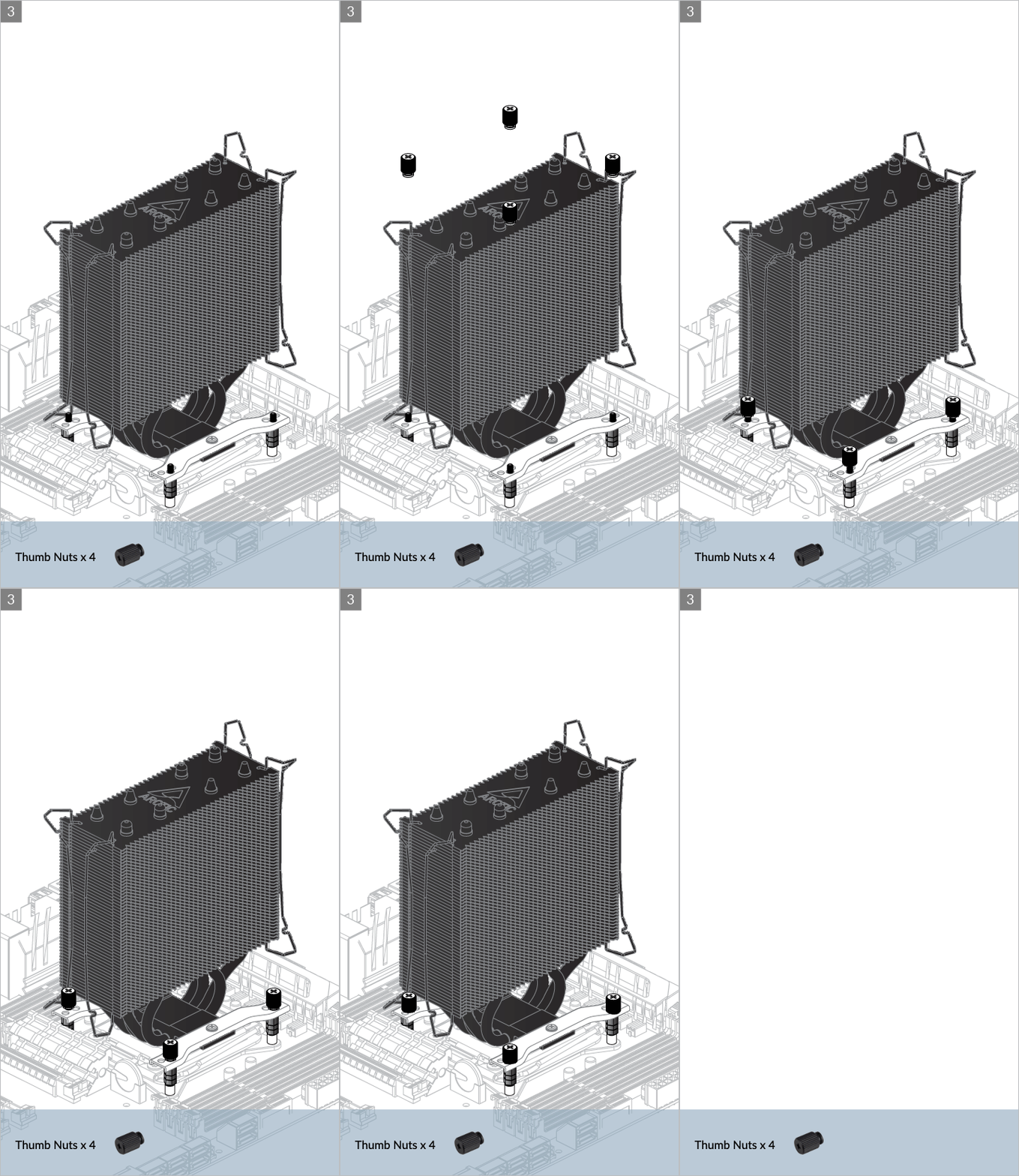
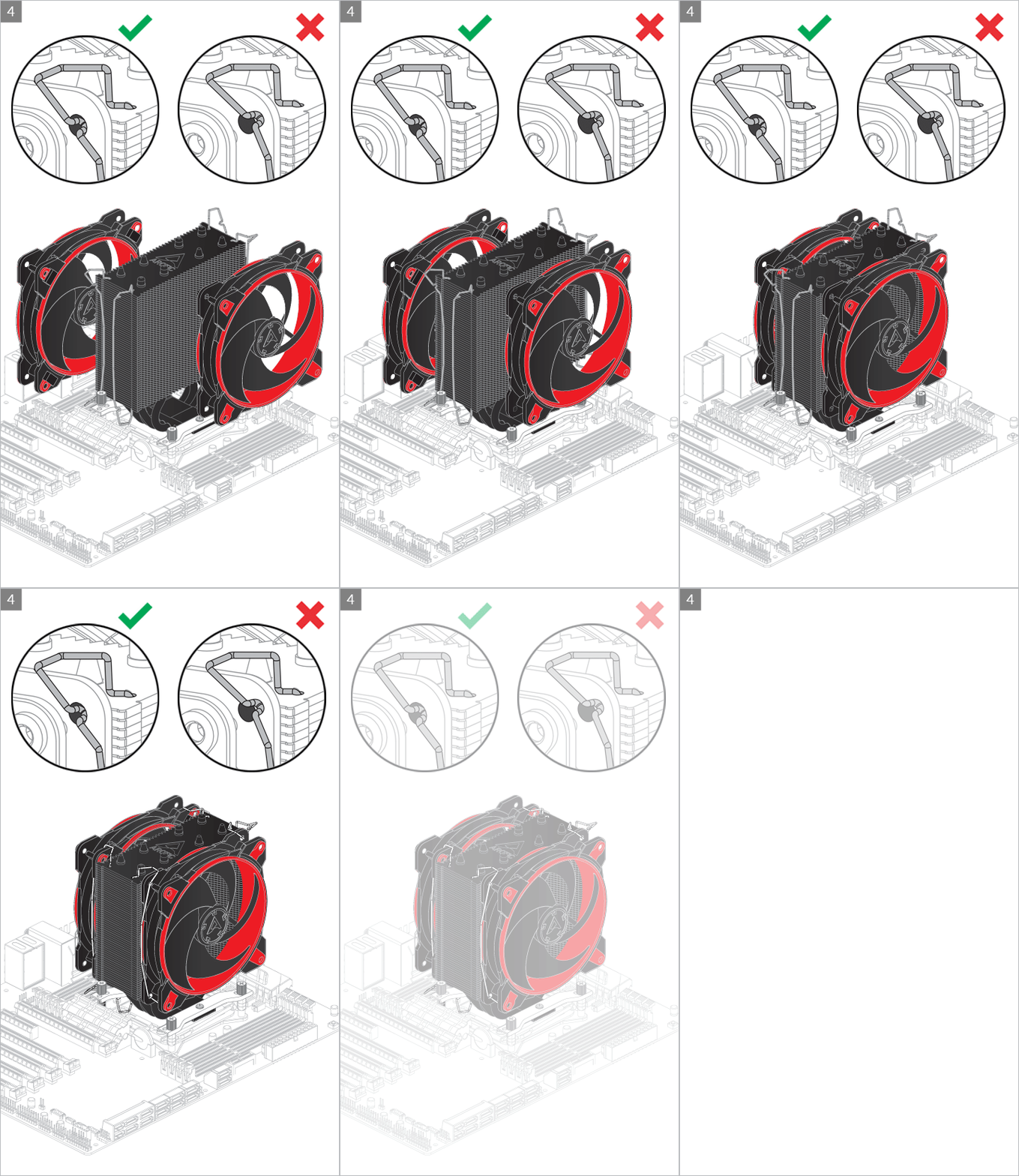
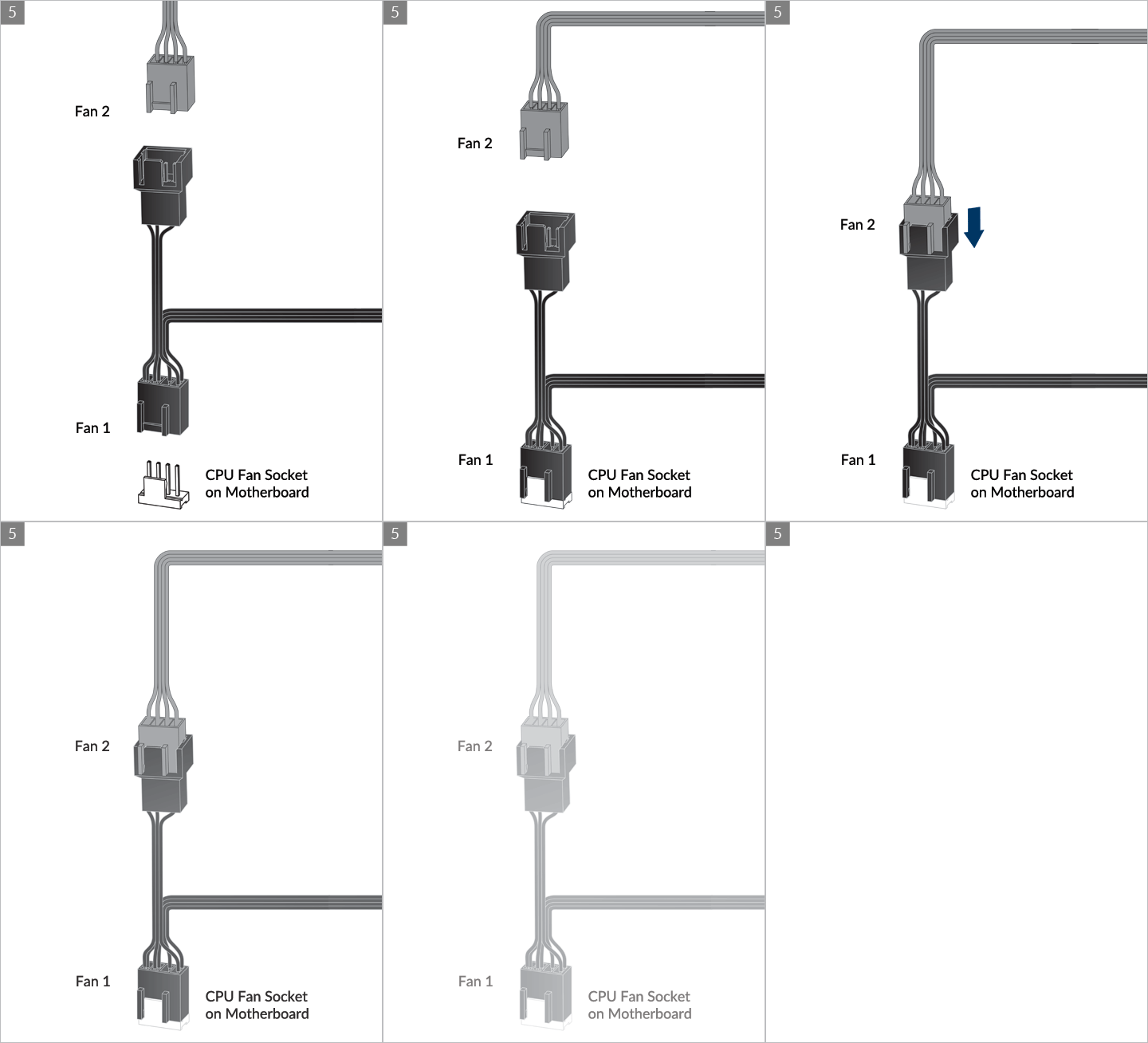
* Some mechanical interference with surrounding components may appear. The fan will not be controllable by PWM.
To get the best out of your cooler, it is recommended to adjust the fan speed control in the BIOS, follow this guide to adjust your PWM.
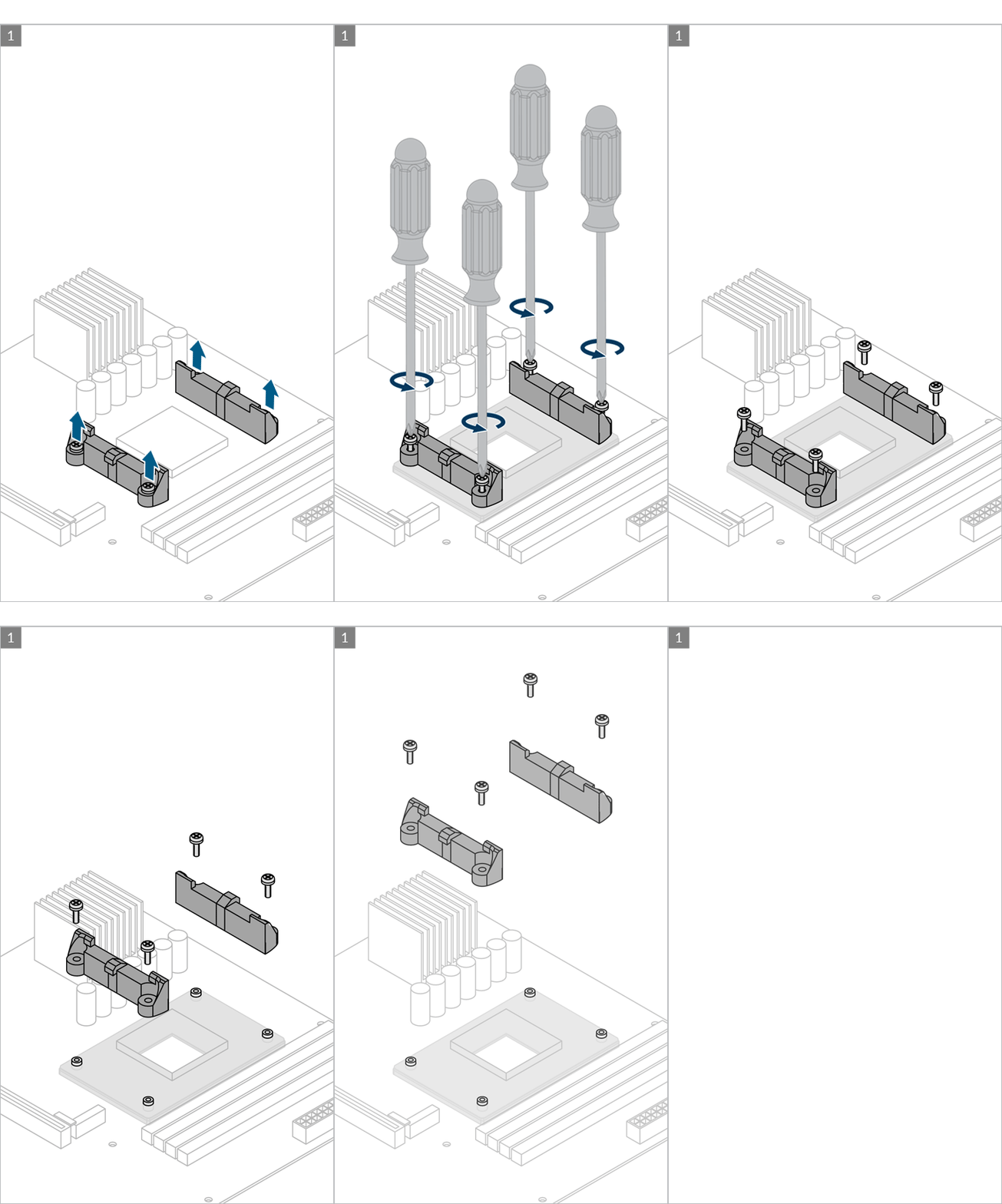
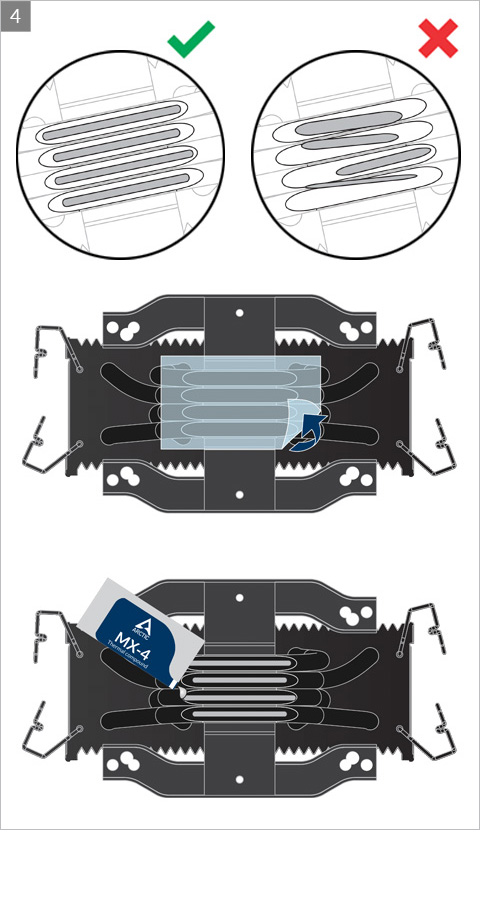
Preparation
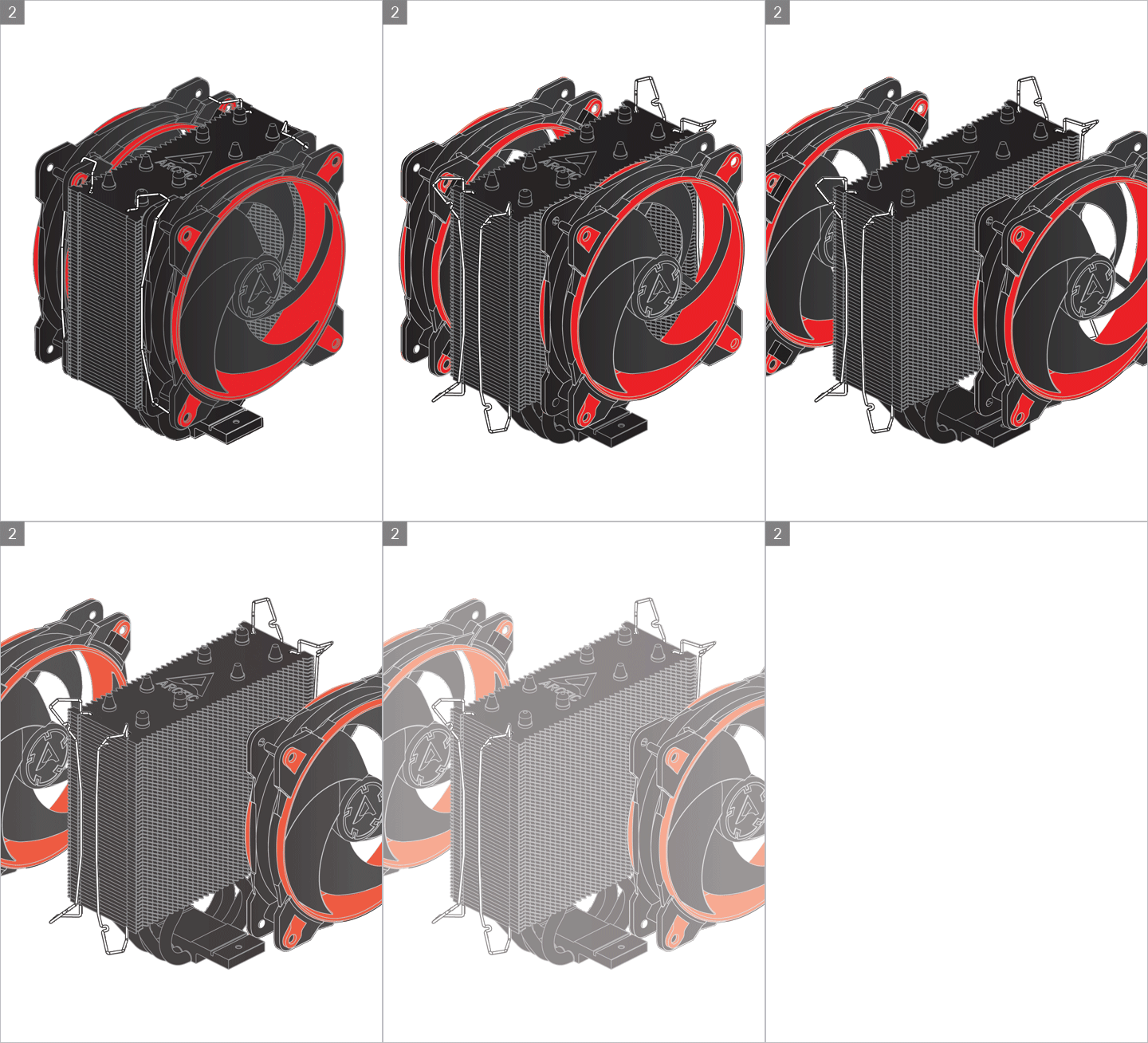
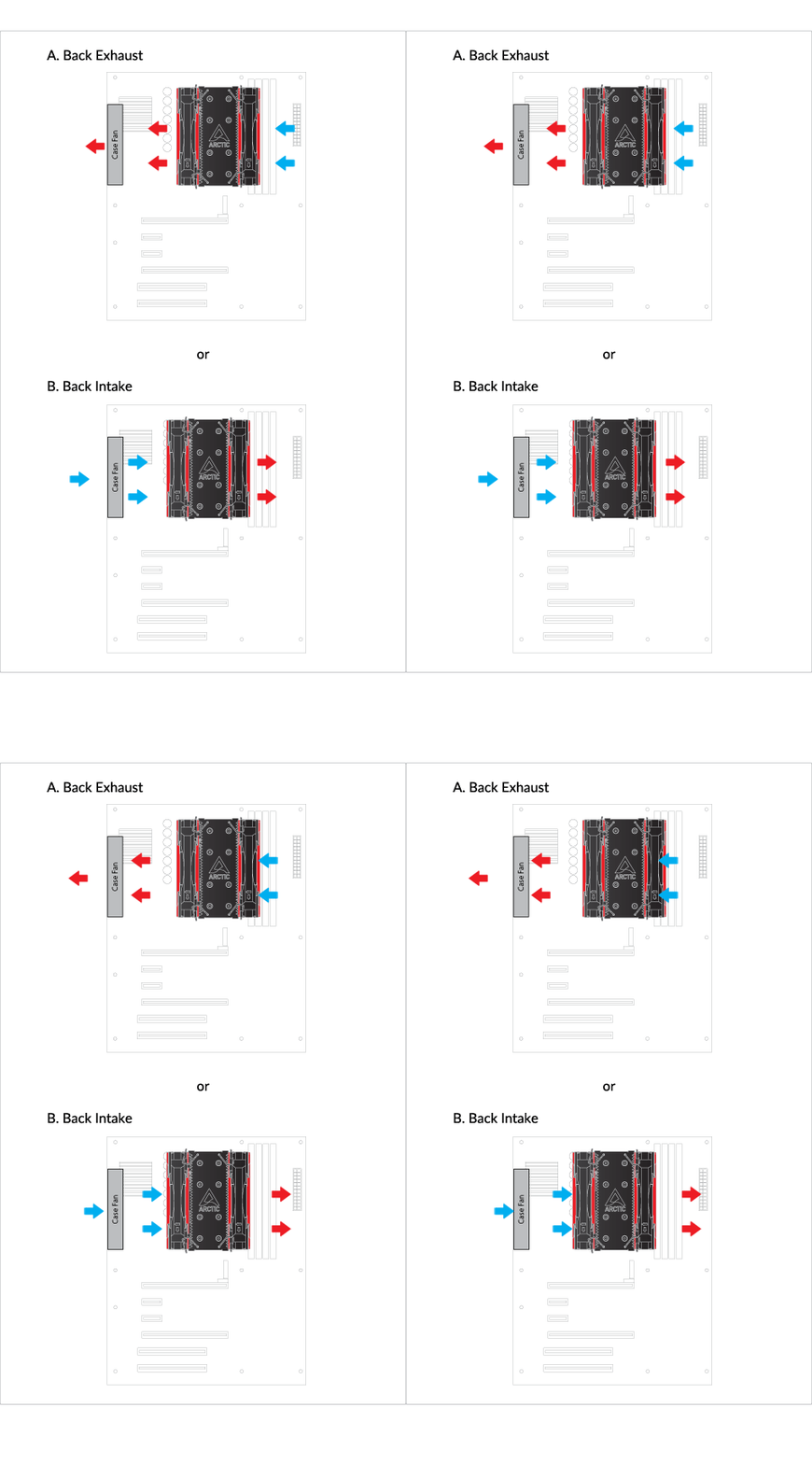
Cooler Orientation
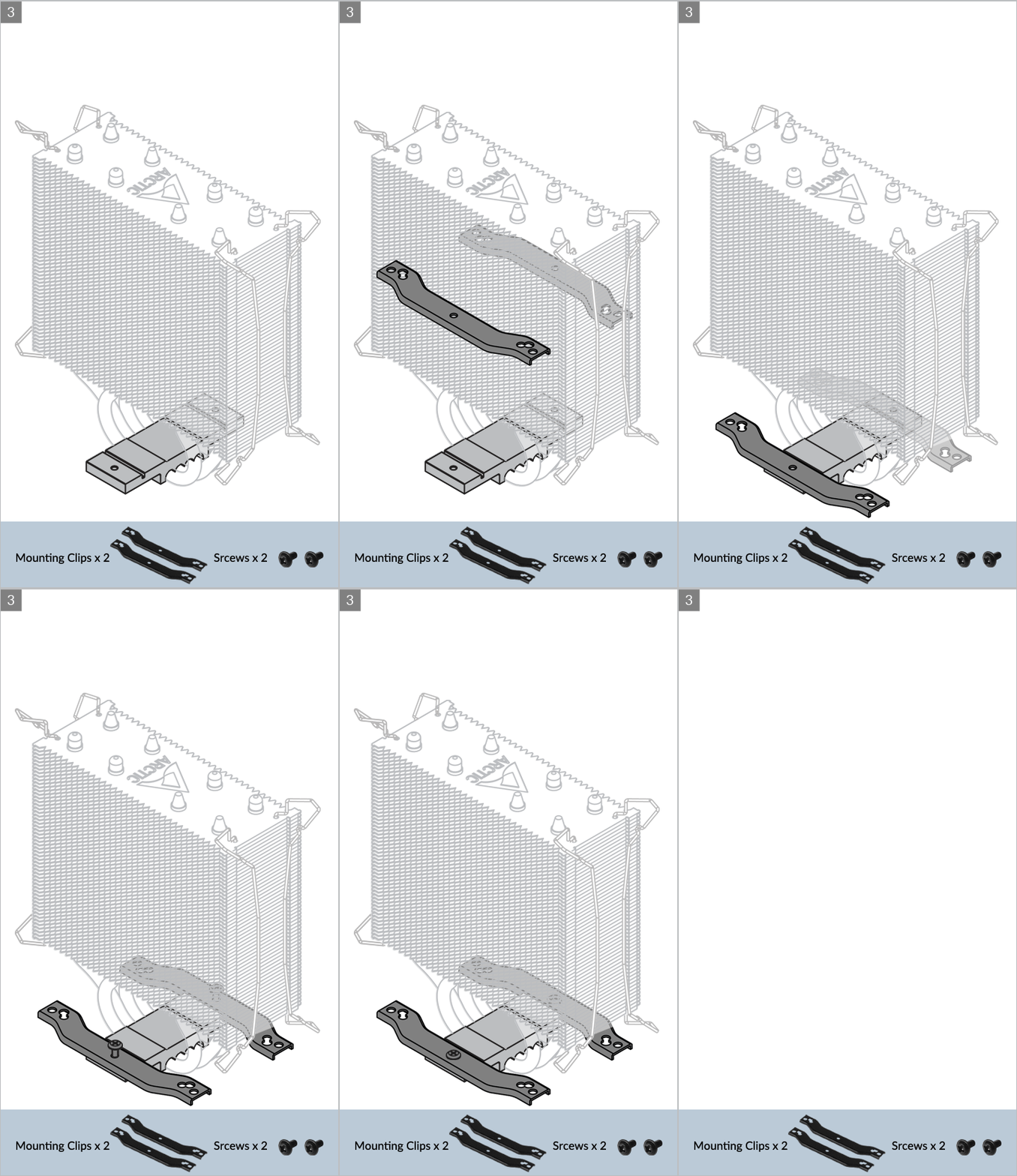
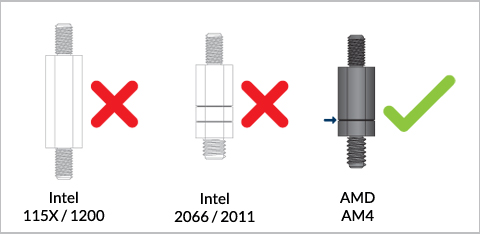
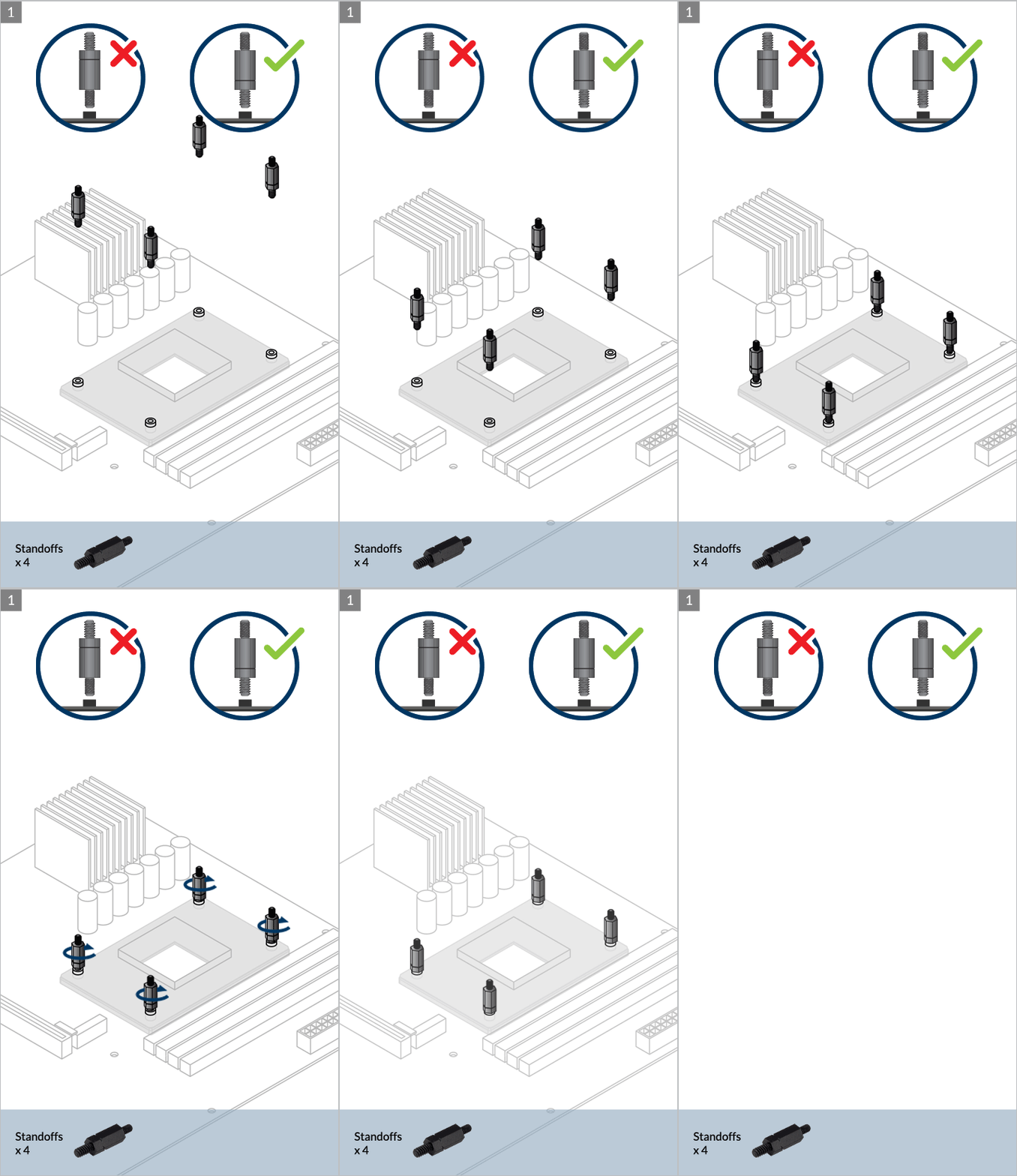
Installation
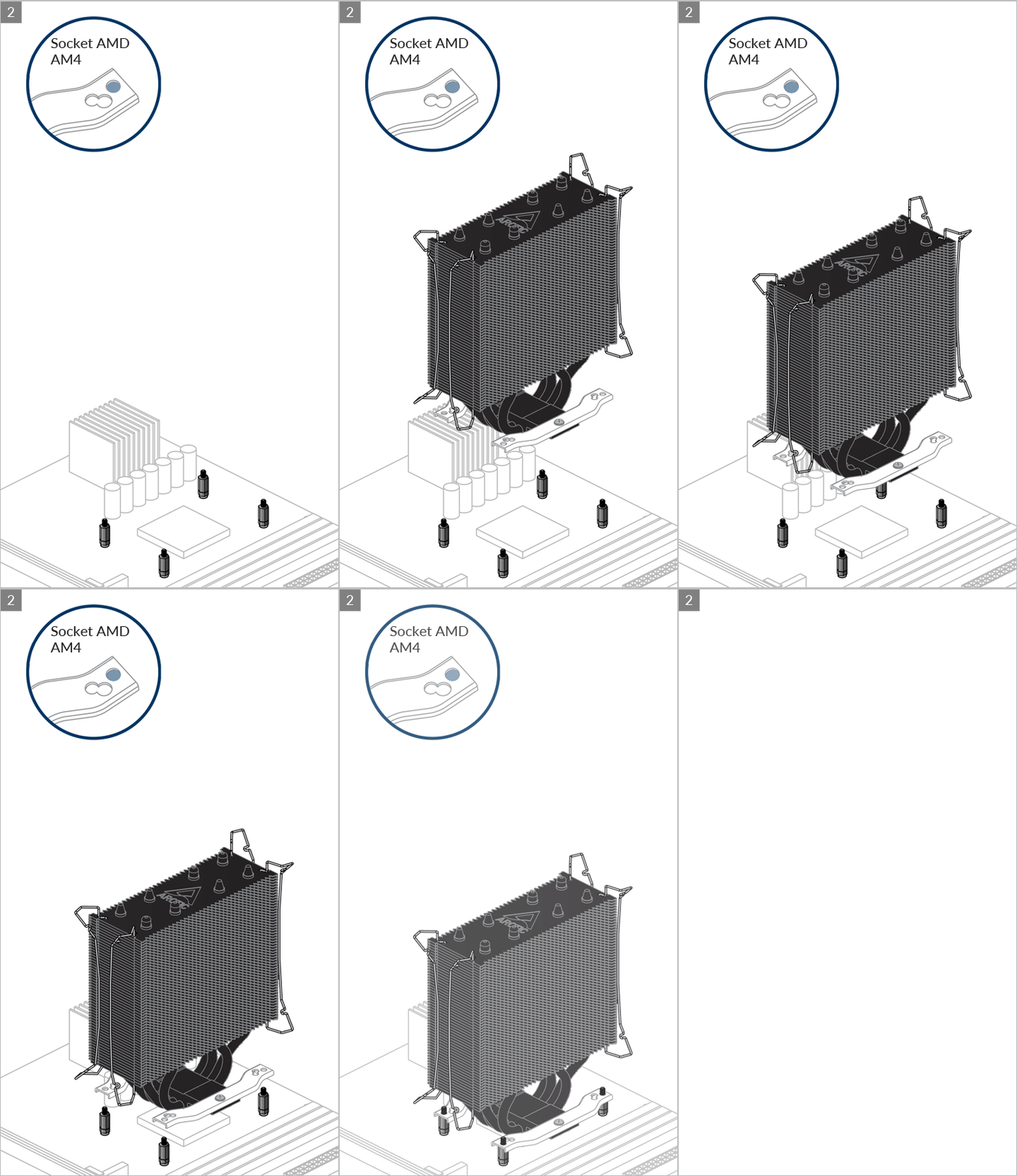
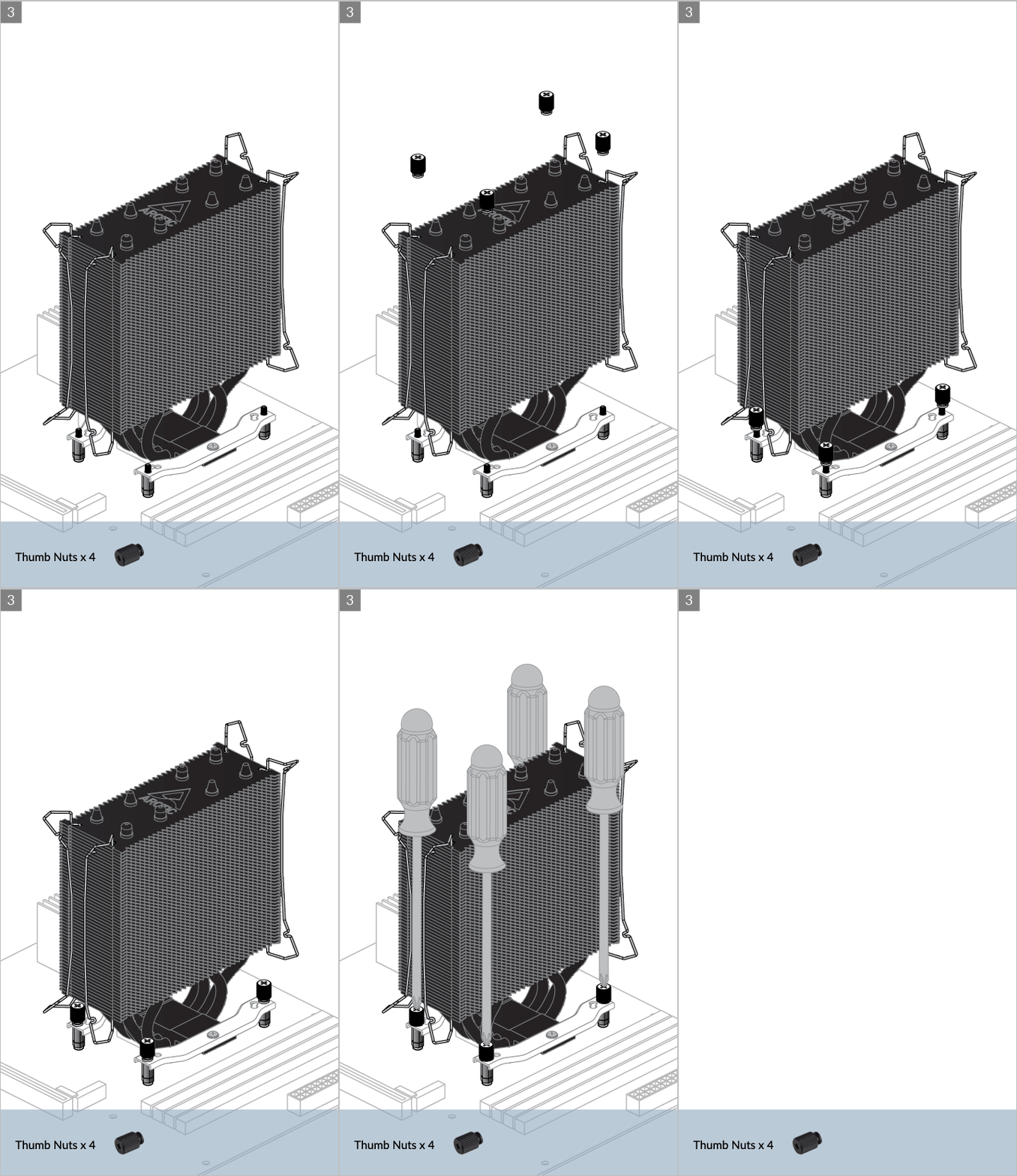
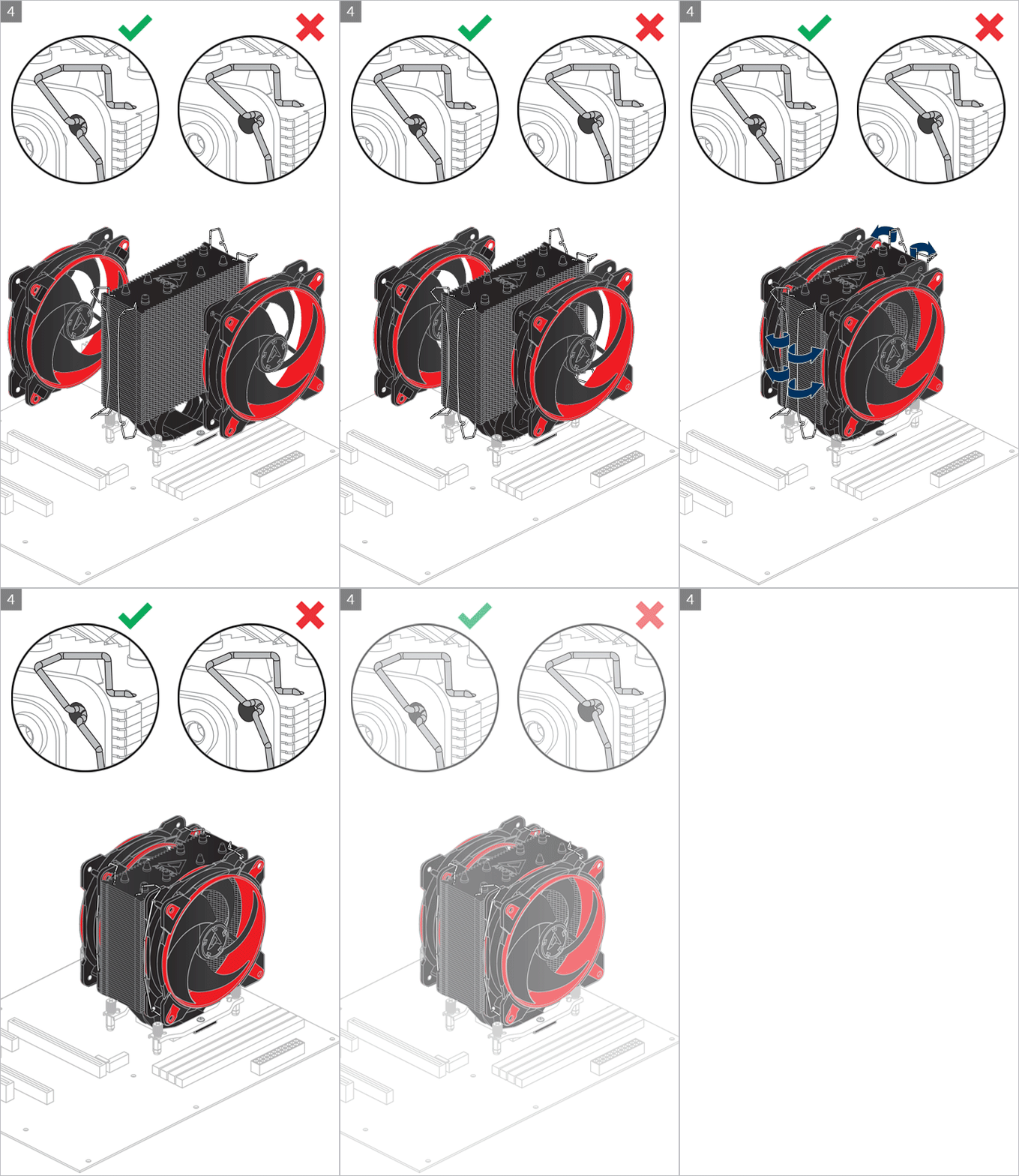
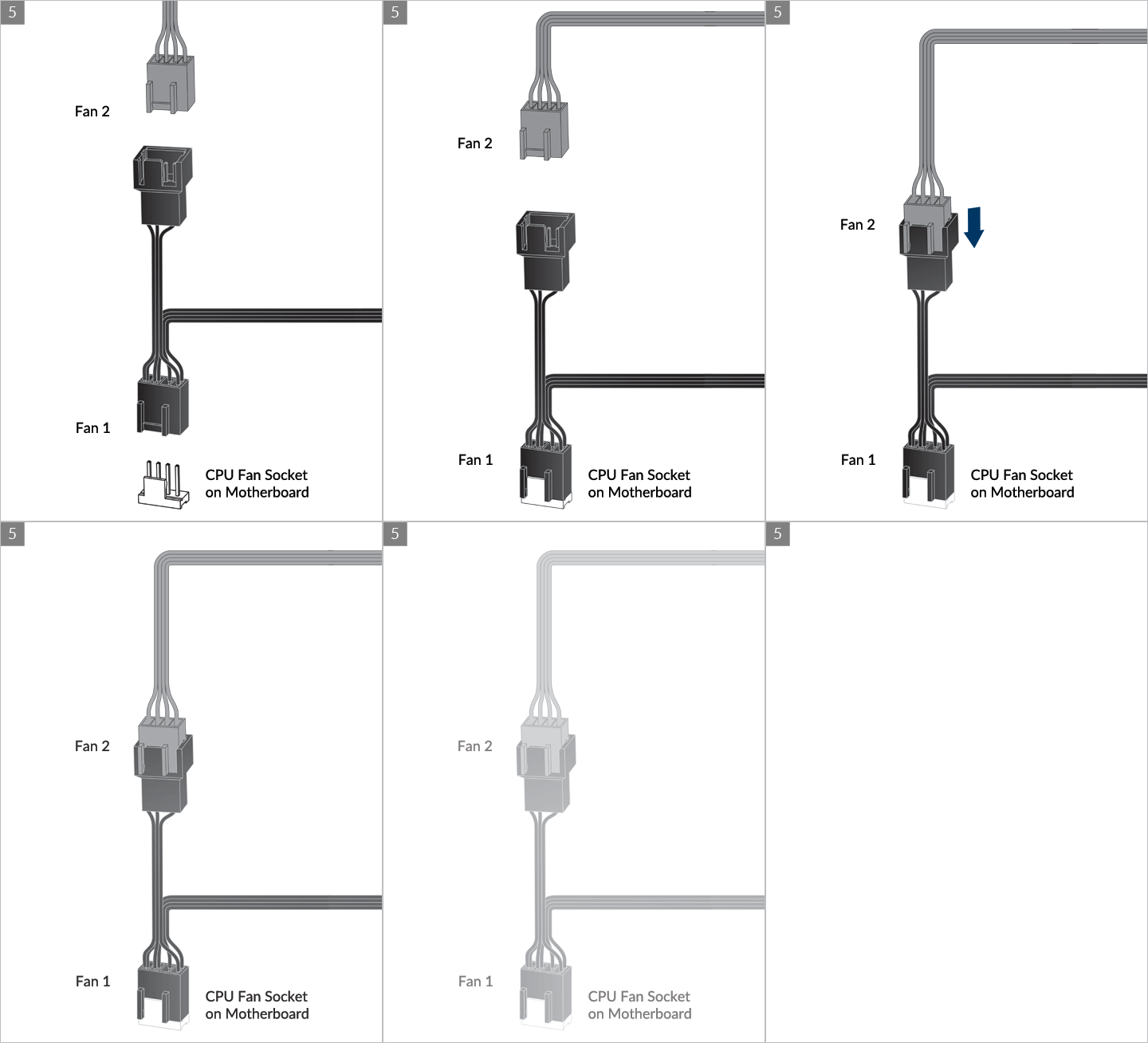
* Some mechanical interference with surrounding components may appear. The fan will not be controllable by PWM.
To get the best out of your cooler, it is recommended to adjust the fan speed control in the BIOS, follow this guide to adjust your PWM.
Watch Video
To get the best out of your cooler, it is recommended to adjust the fan speed control in the BIOS, follow this guide to adjust your PWM Settings.
推荐产品