Unfortunately, this document is not available in English, below is the English version.

Attention
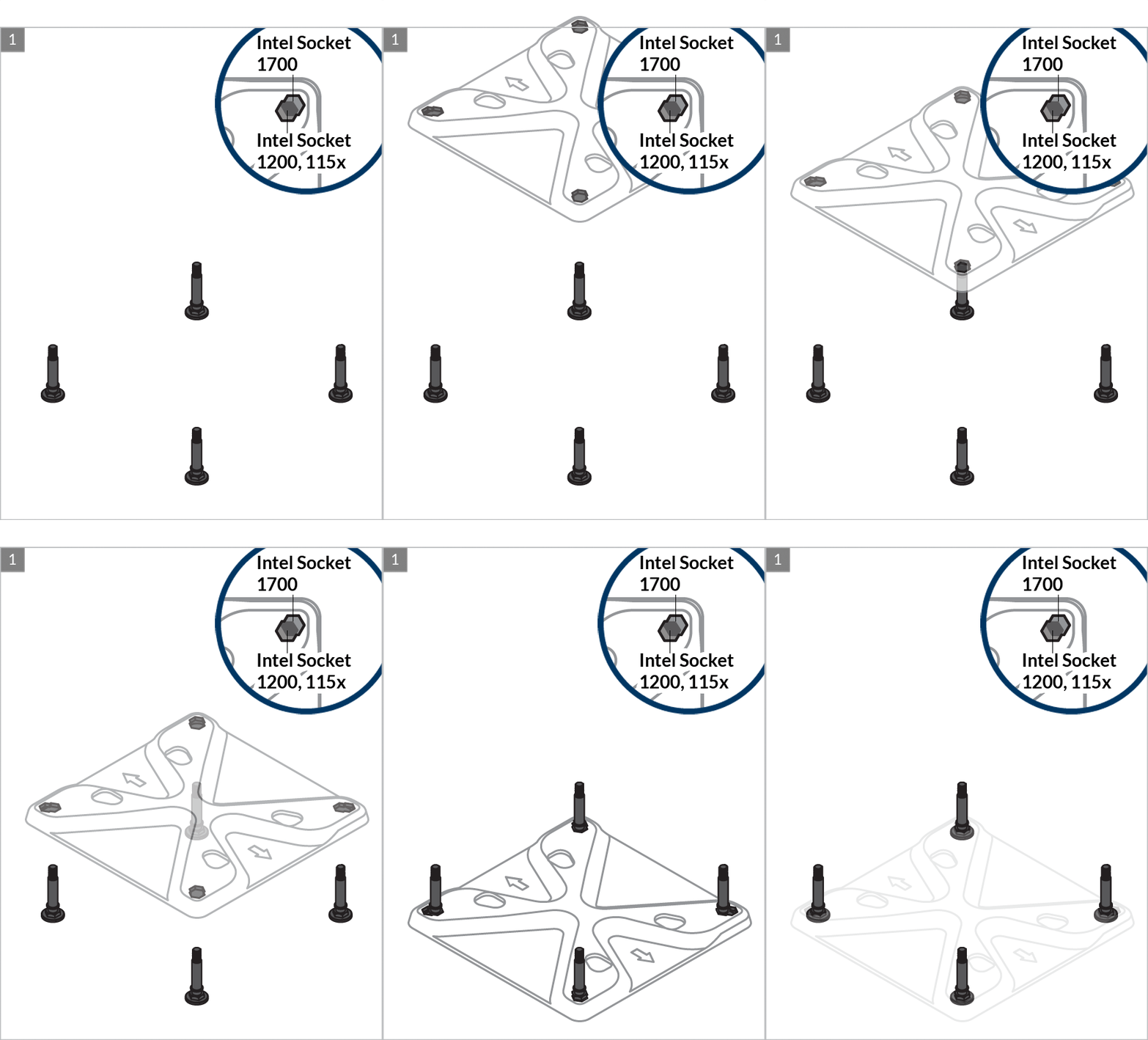
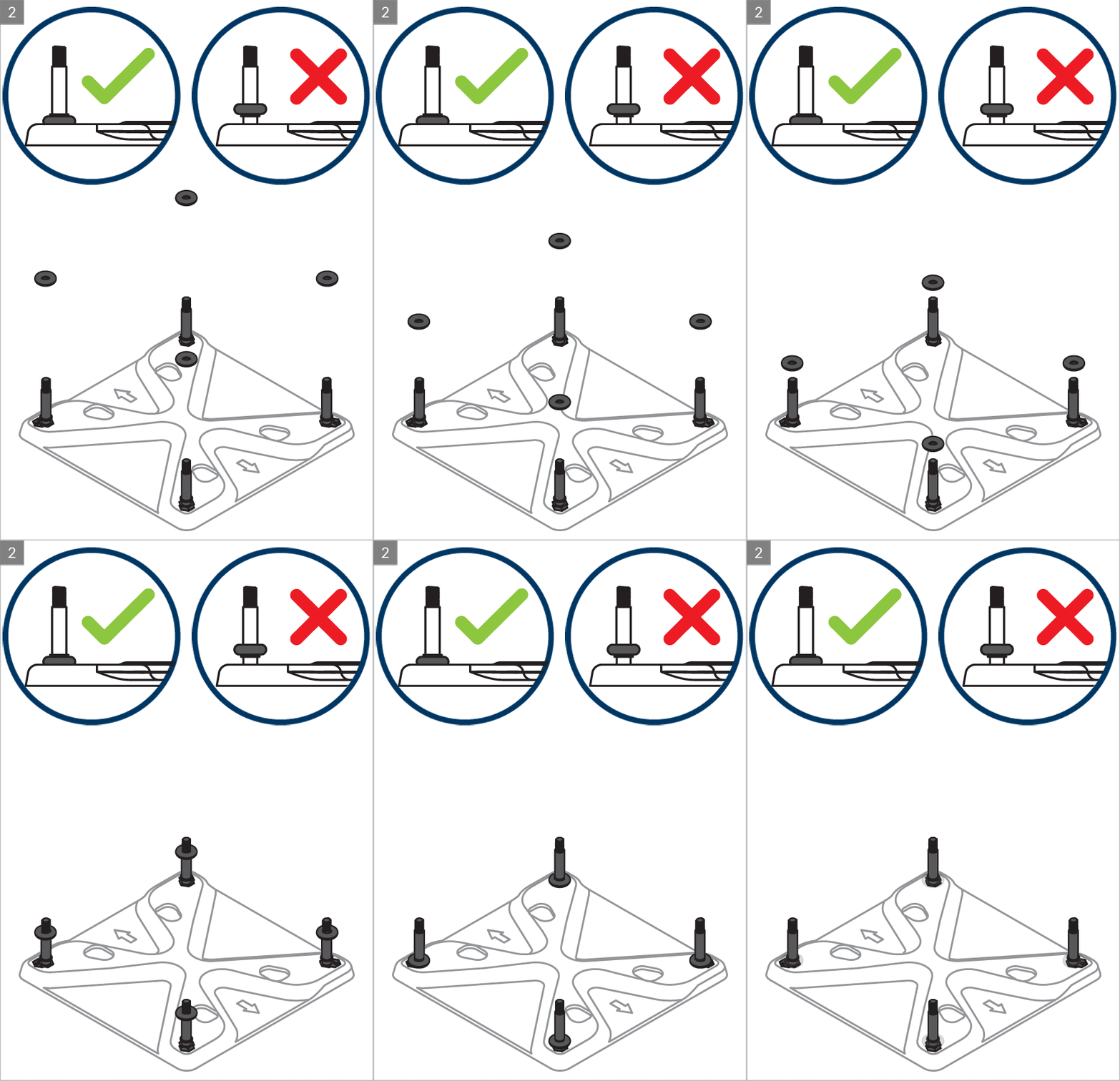
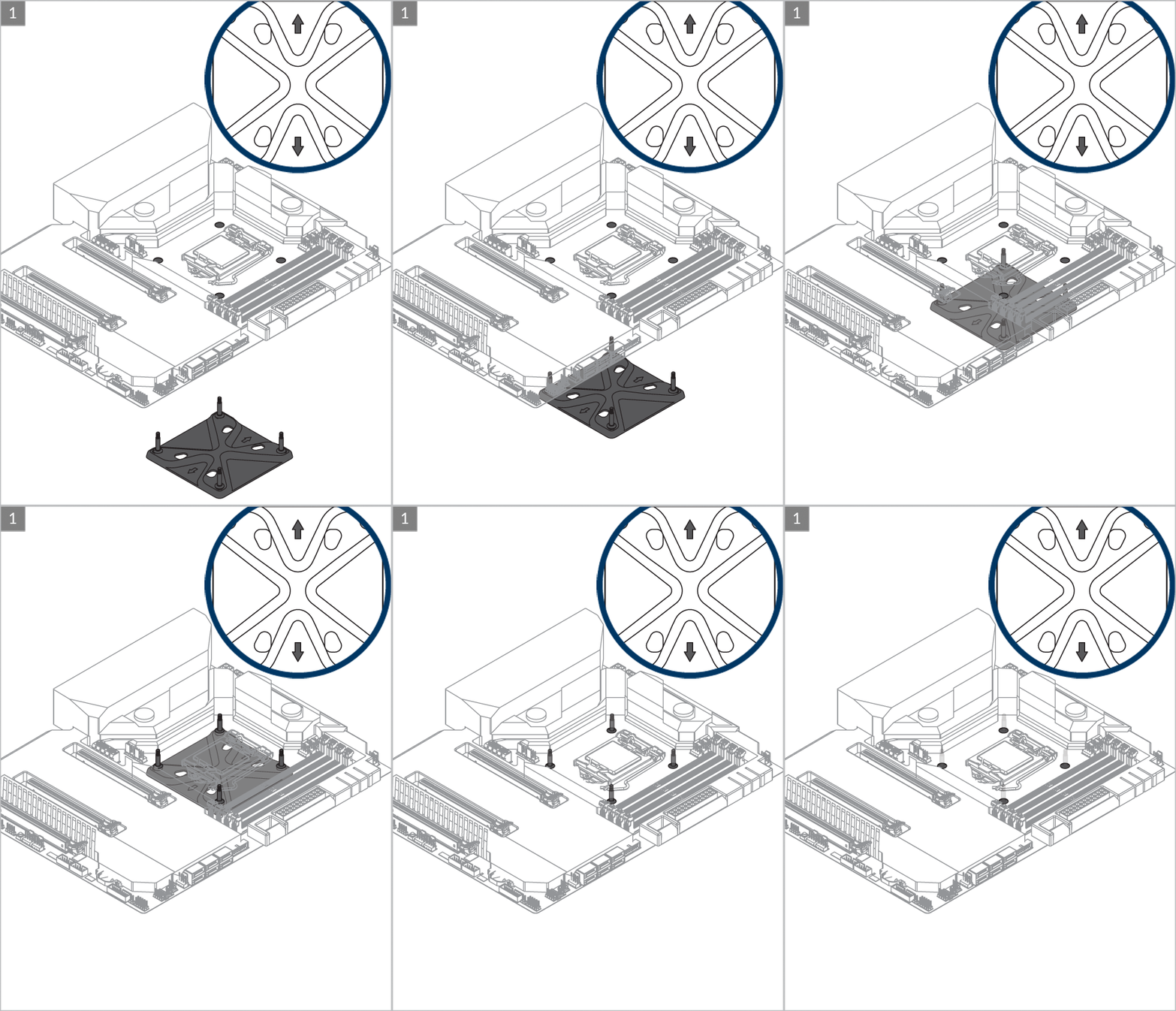
Arrow indicators should locate vertically for correct positioning of the metal backplate.


Attention
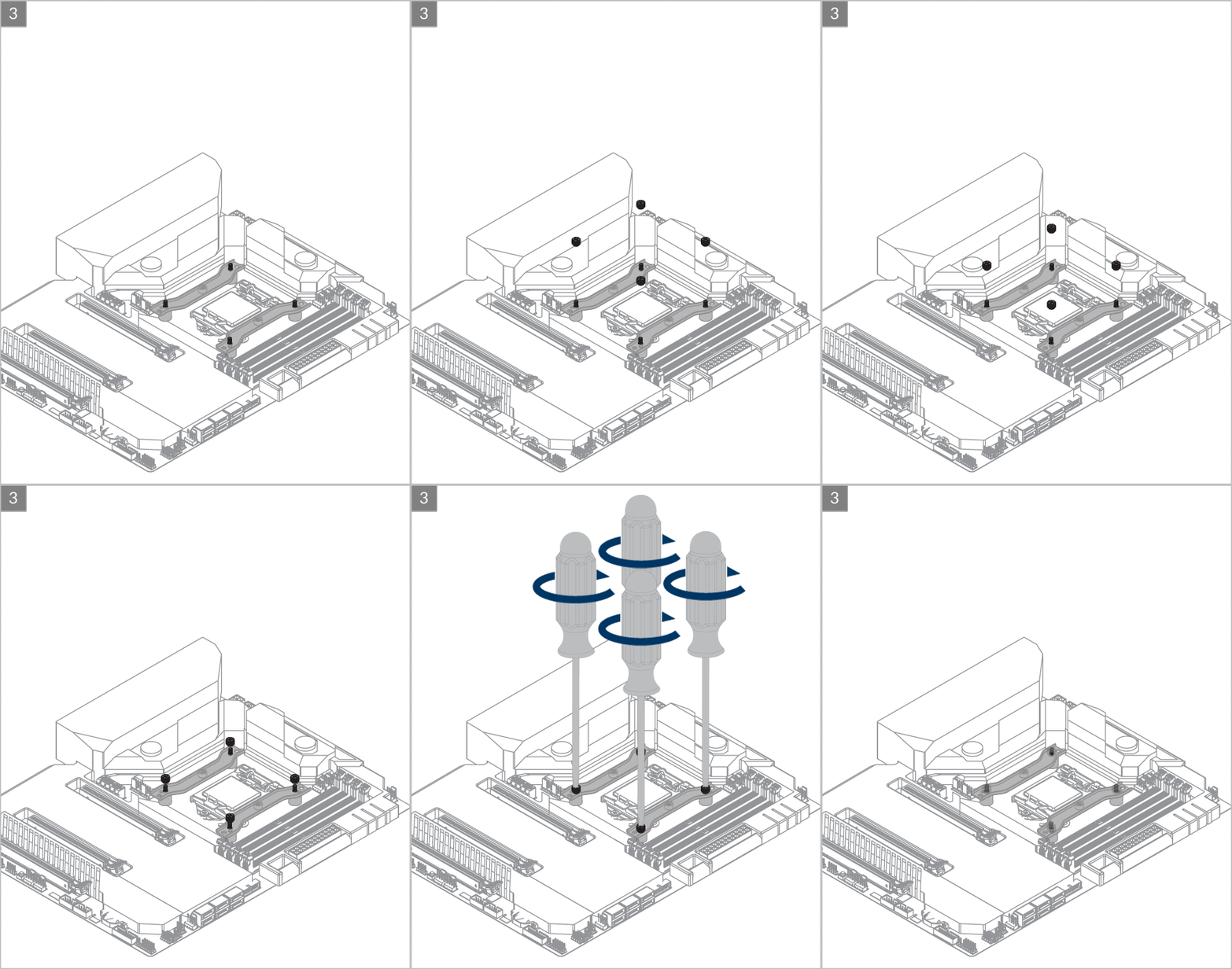
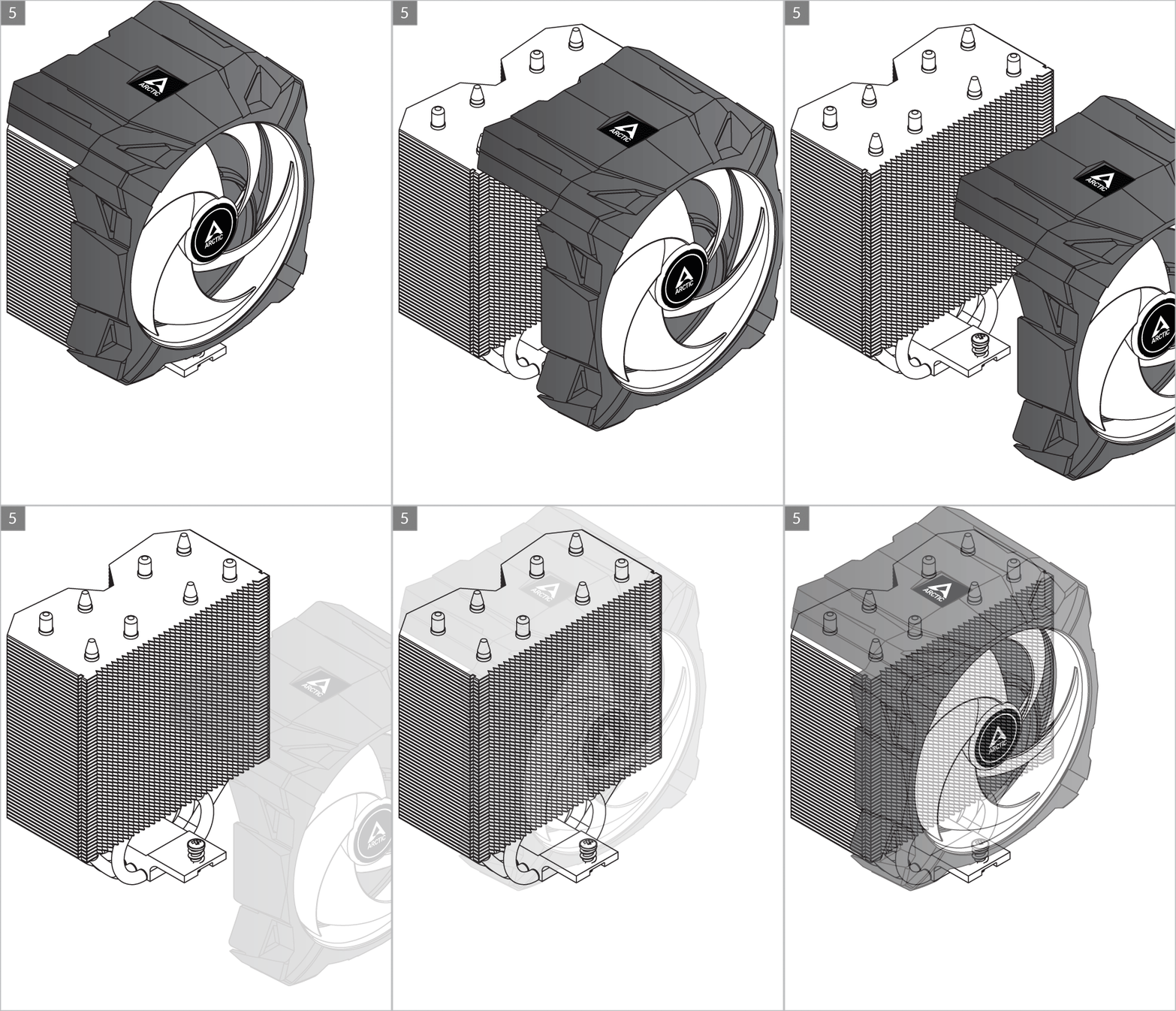
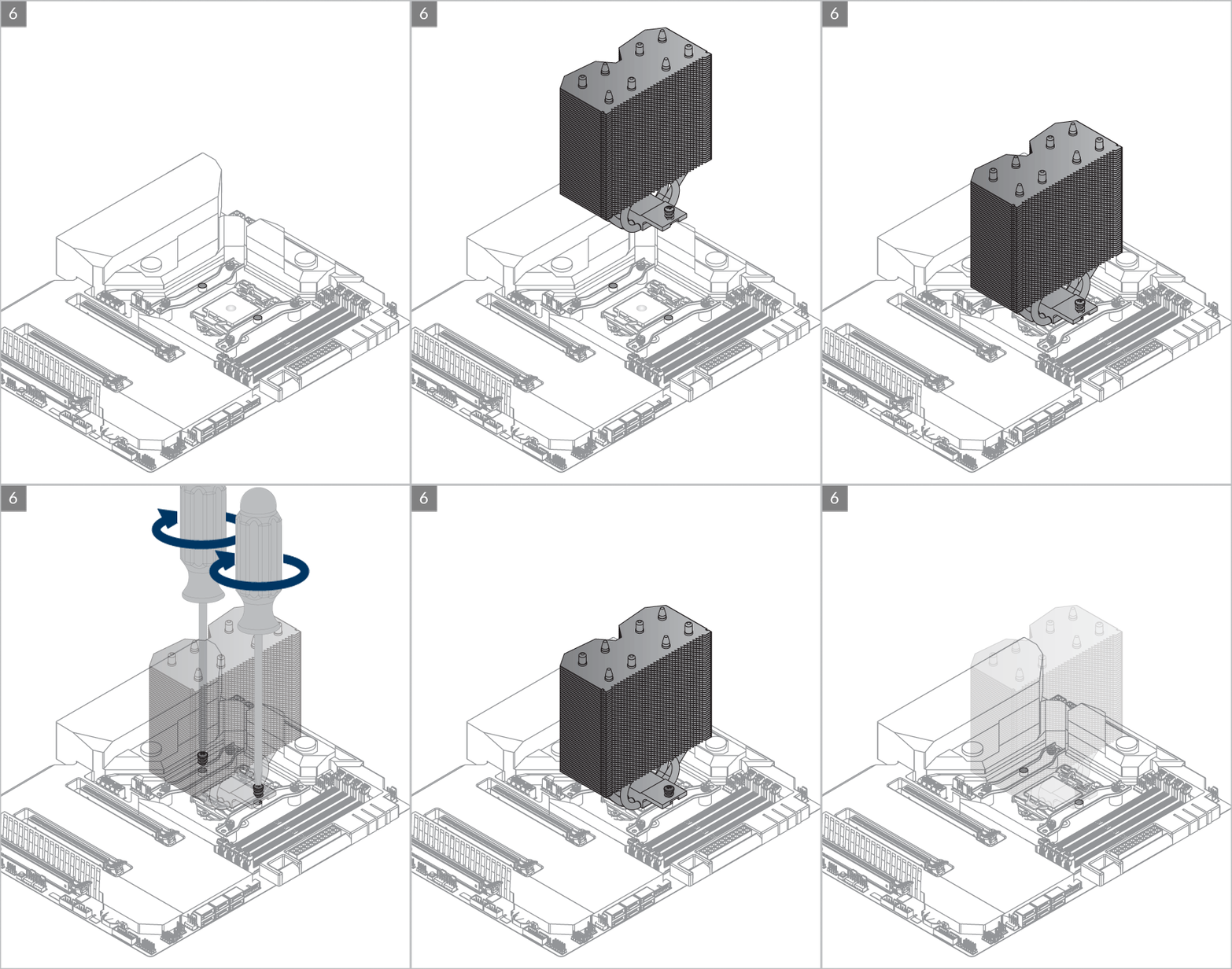
Slowly turn the left and right screws alternatively to make sure both screws engage with the nuts on the mounting modules. Tighten the screws afterwards.
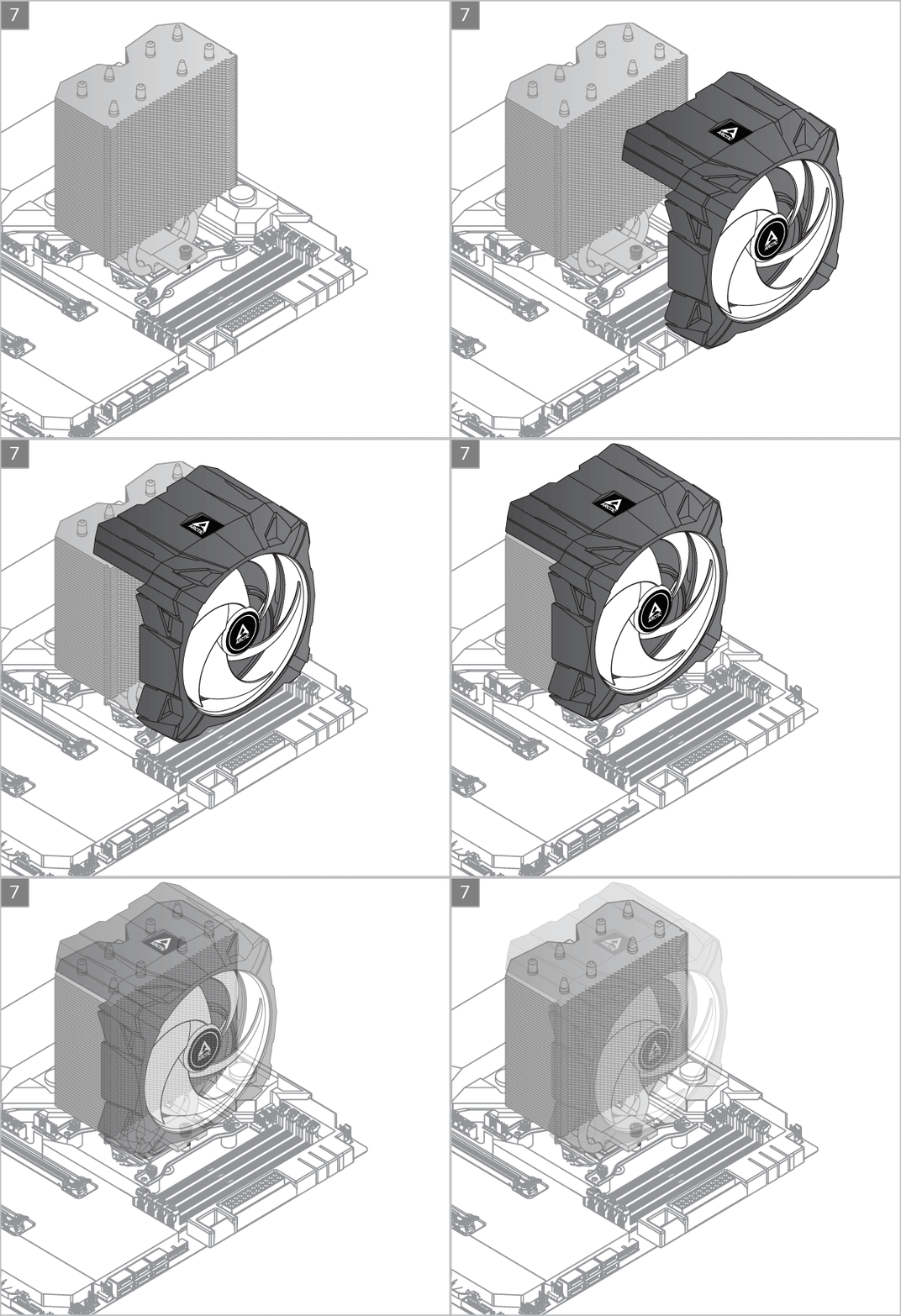
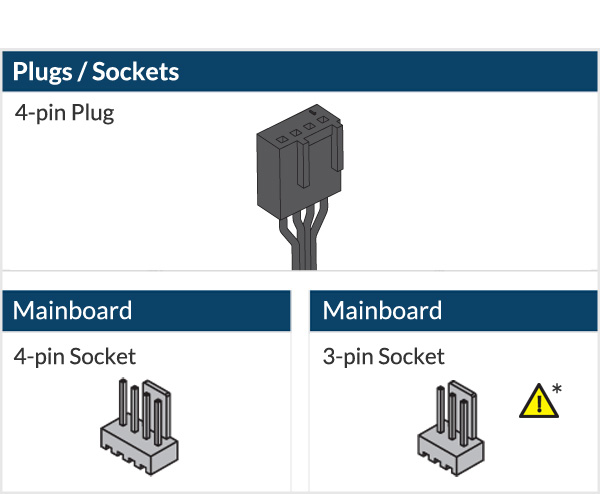
* To get the best out of your cooler, it is recommended to adjust the fan speed control in the BIOS, follow this guide to adjust your PWM.


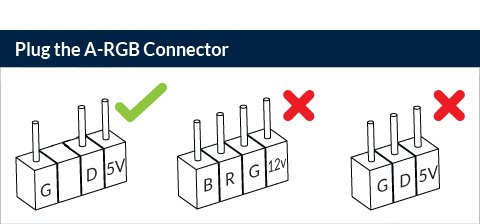

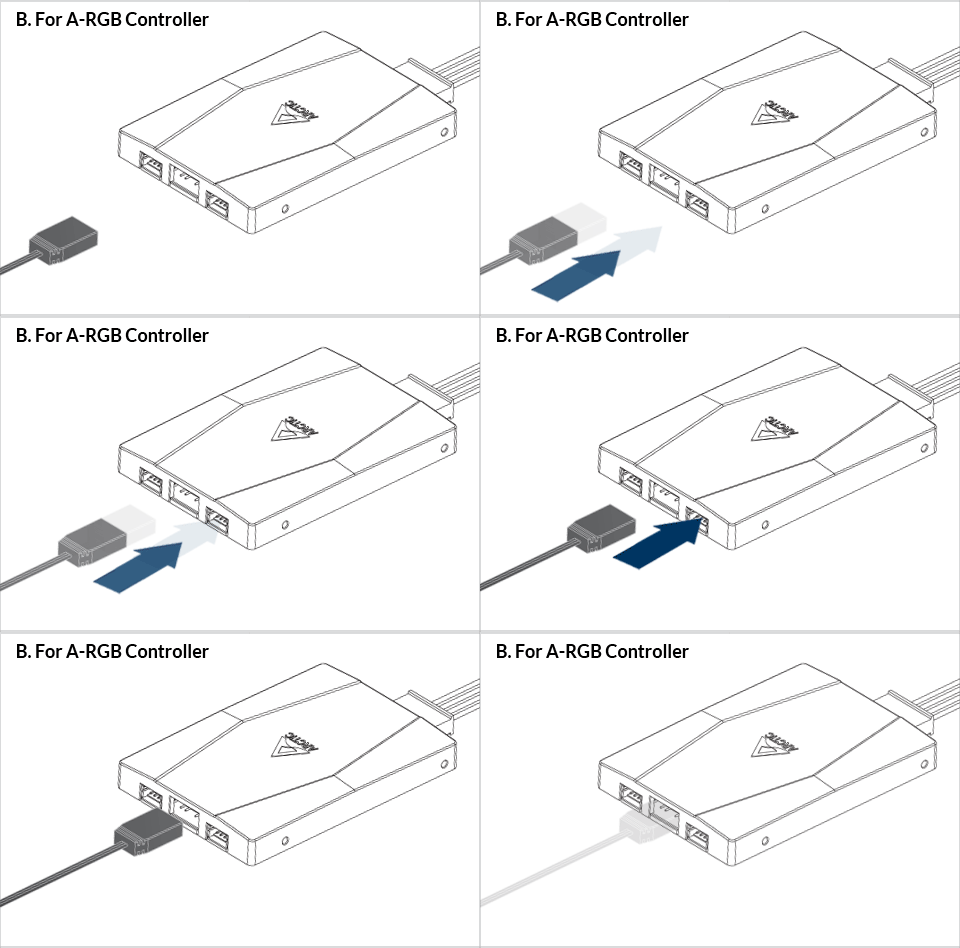
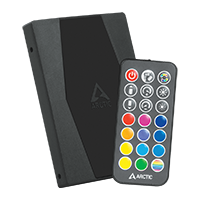
The ARCTIC A-RGB controller is available as standalone product or included in some models.
To get the best out of your cooler, it is recommended to adjust the fan speed control in the BIOS, follow this guide to adjust your PWM.
The ARCTIC A-RGB controller is available as standalone product or included in some models. Follow this guide to install ARCTIC A-RGB controller..
Recommended Products