Unfortunately, this document is not available in English, below is the English version.
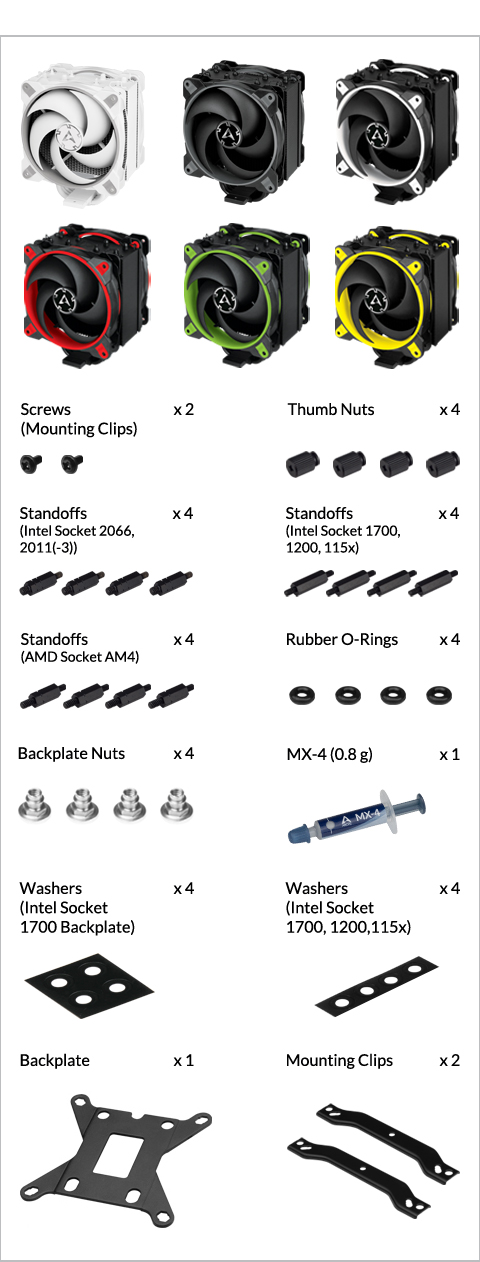
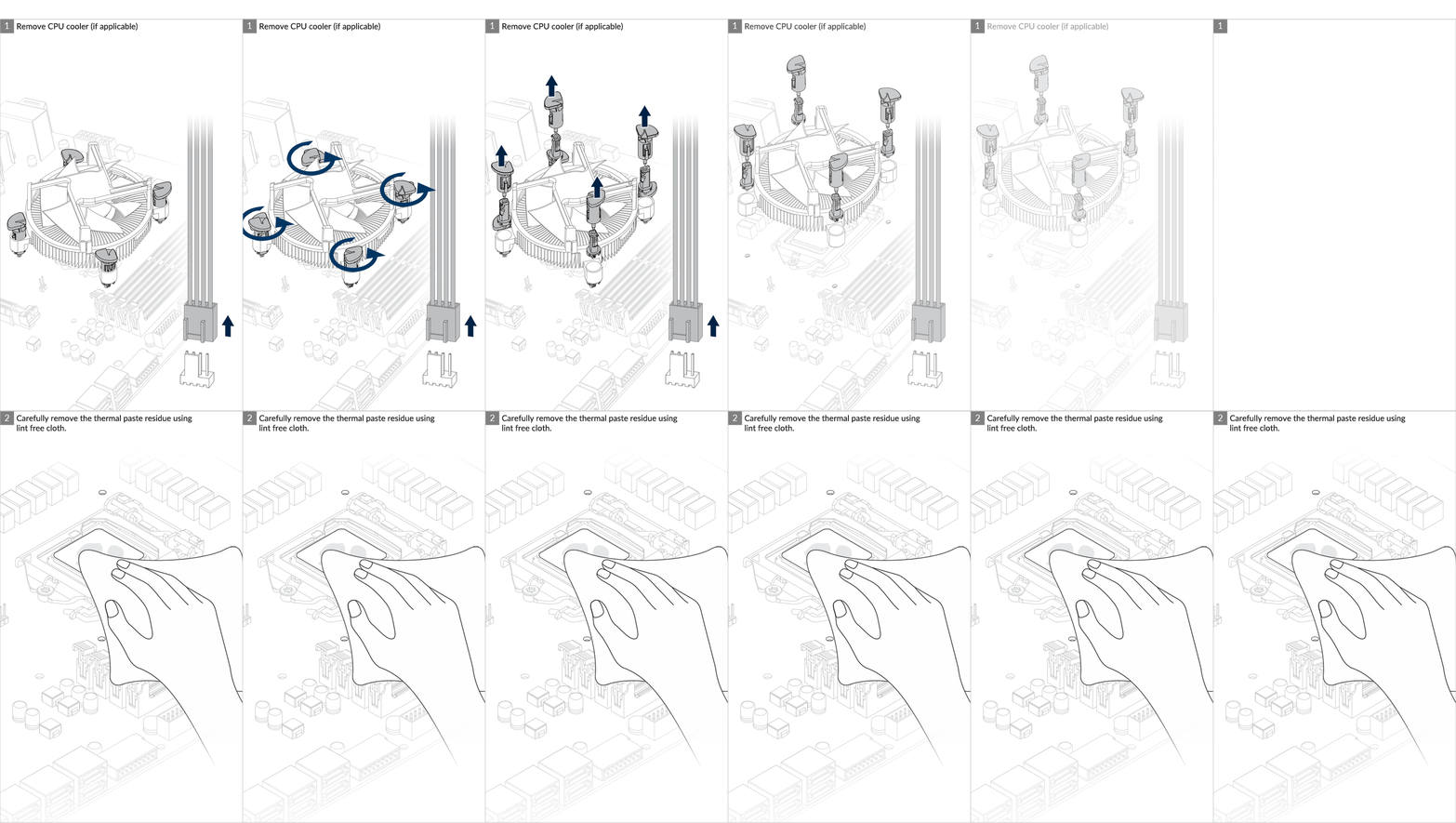
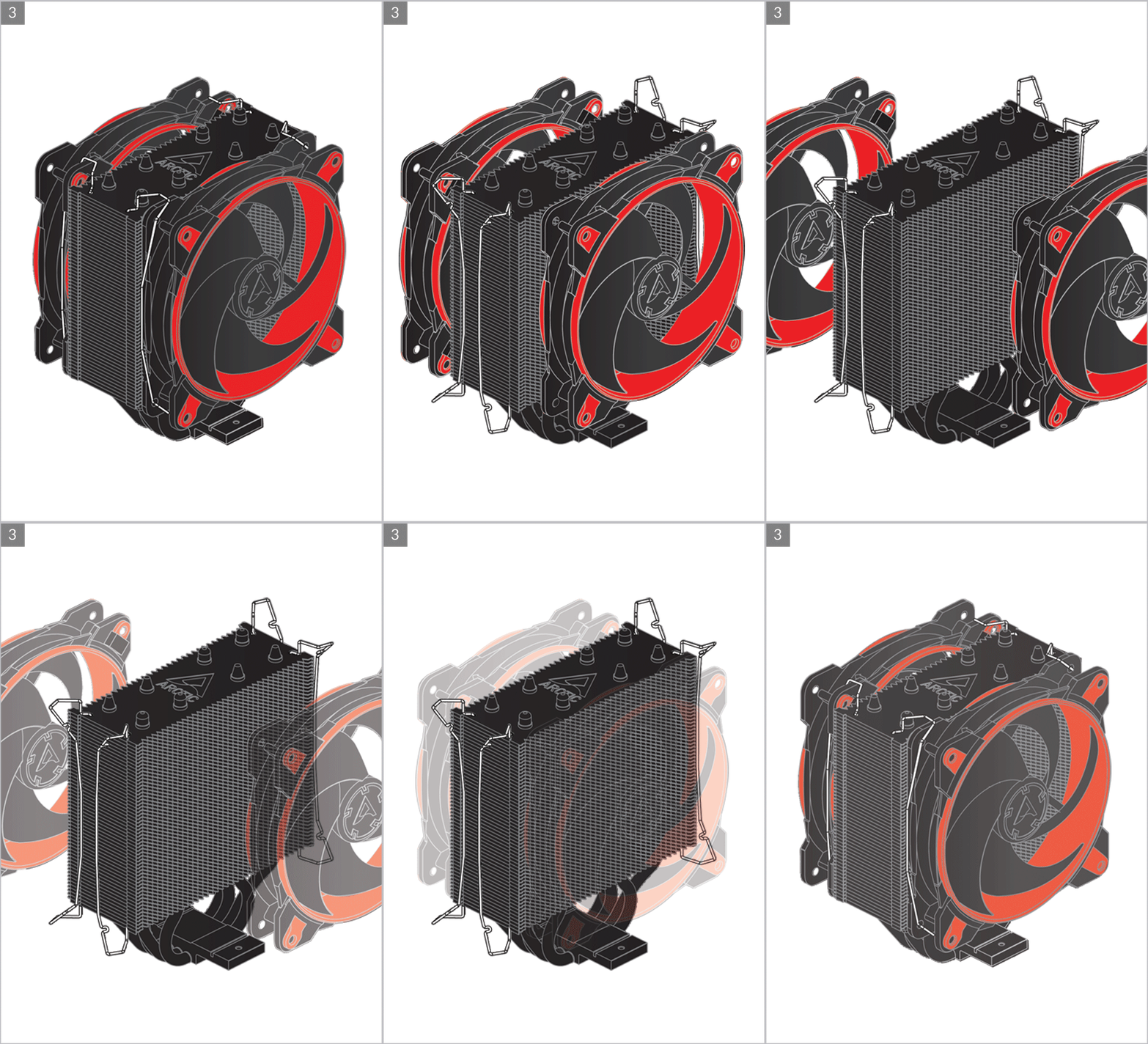
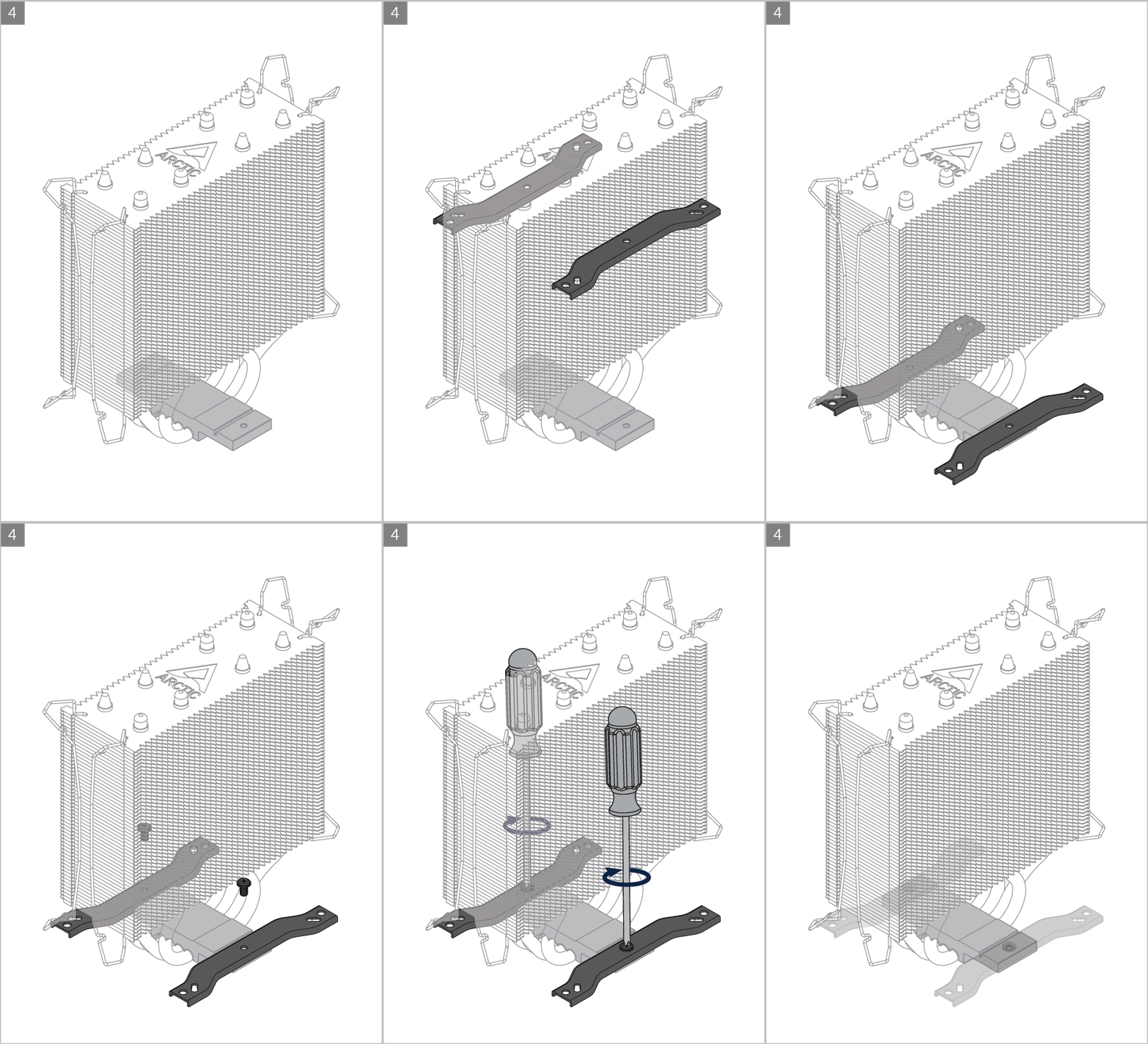
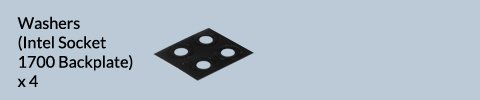
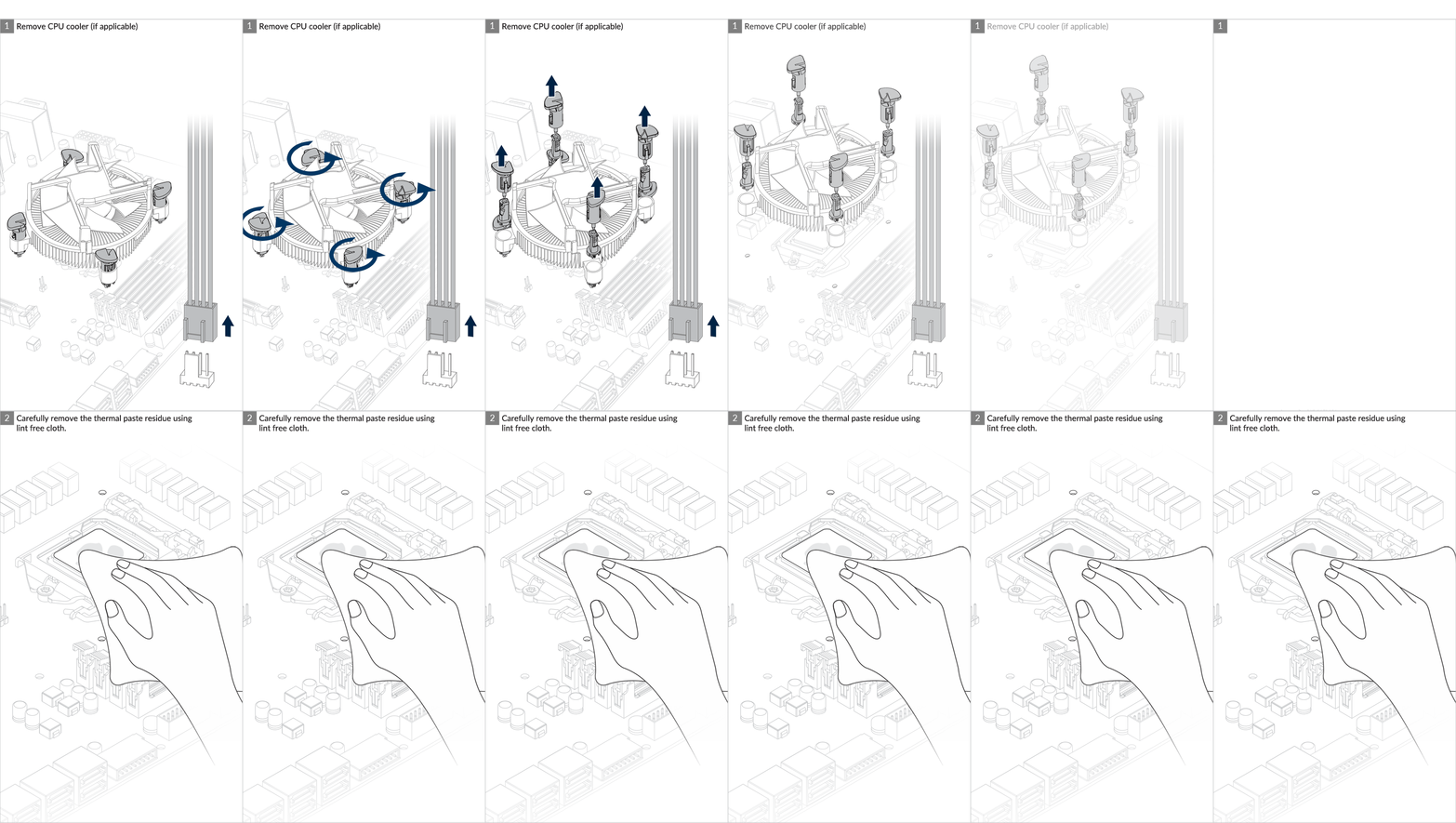
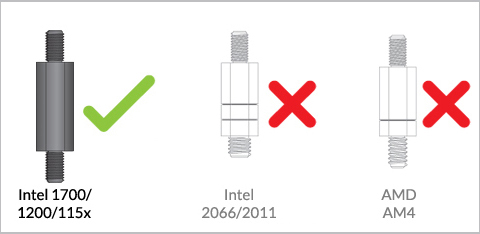
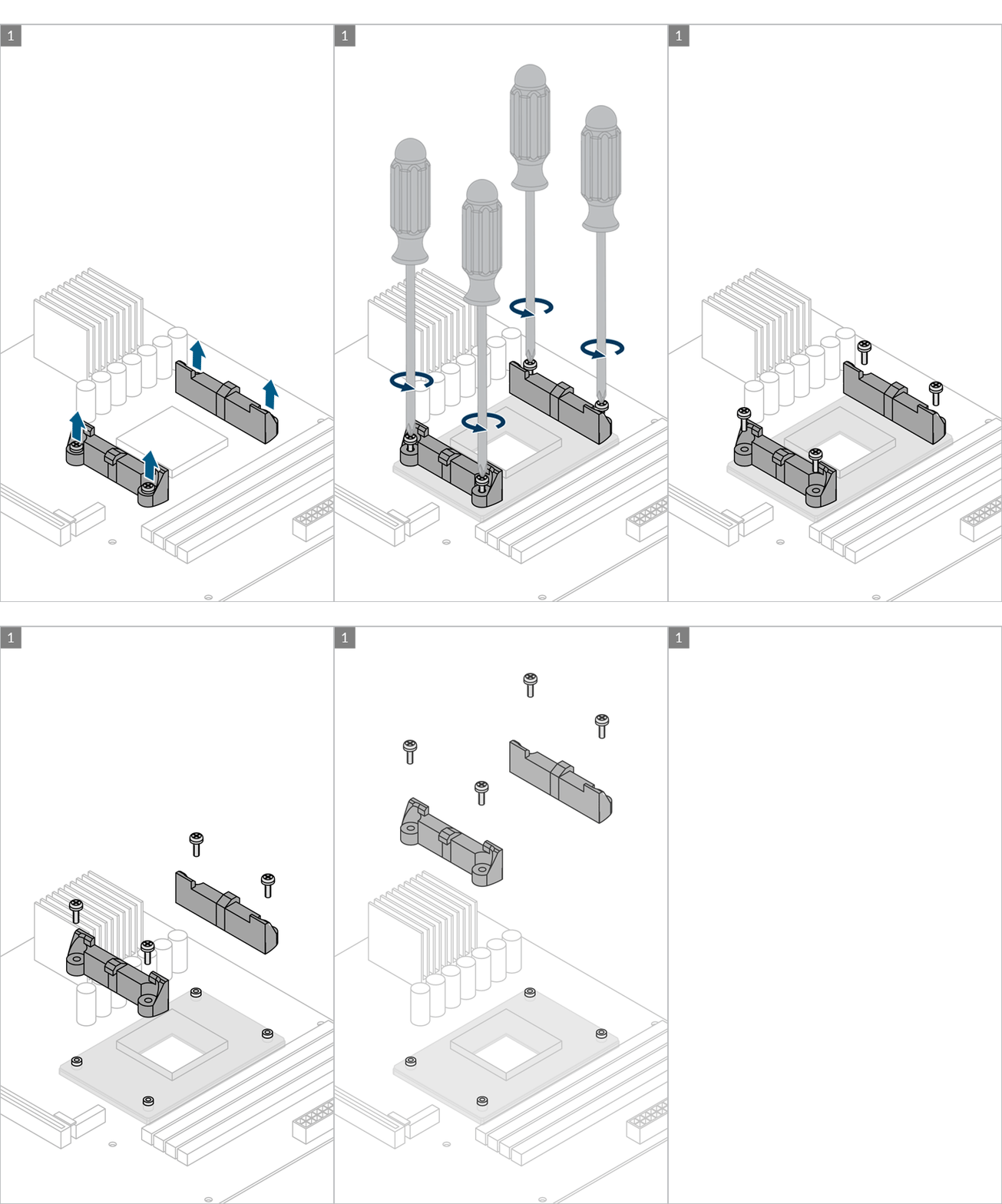
Preparation

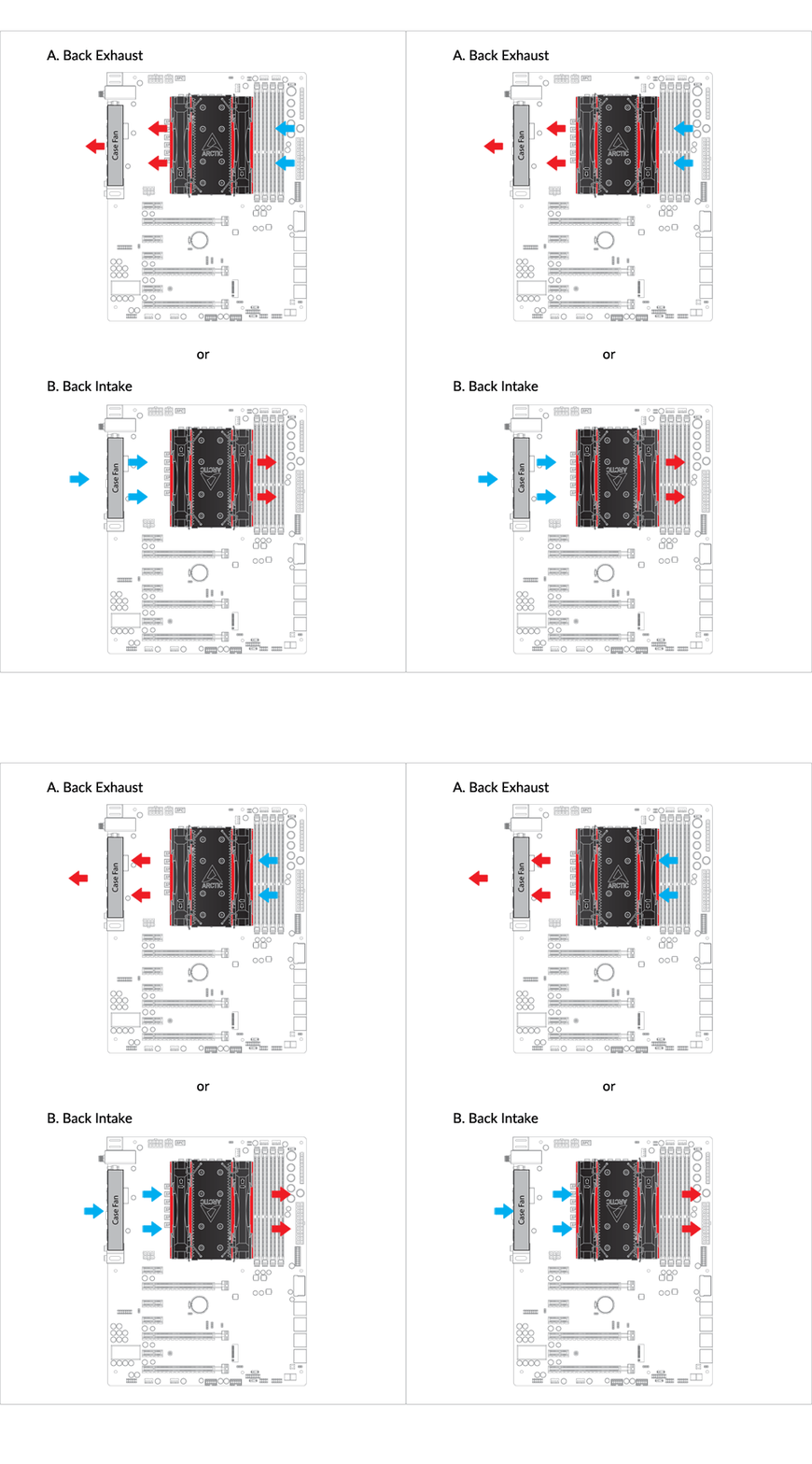
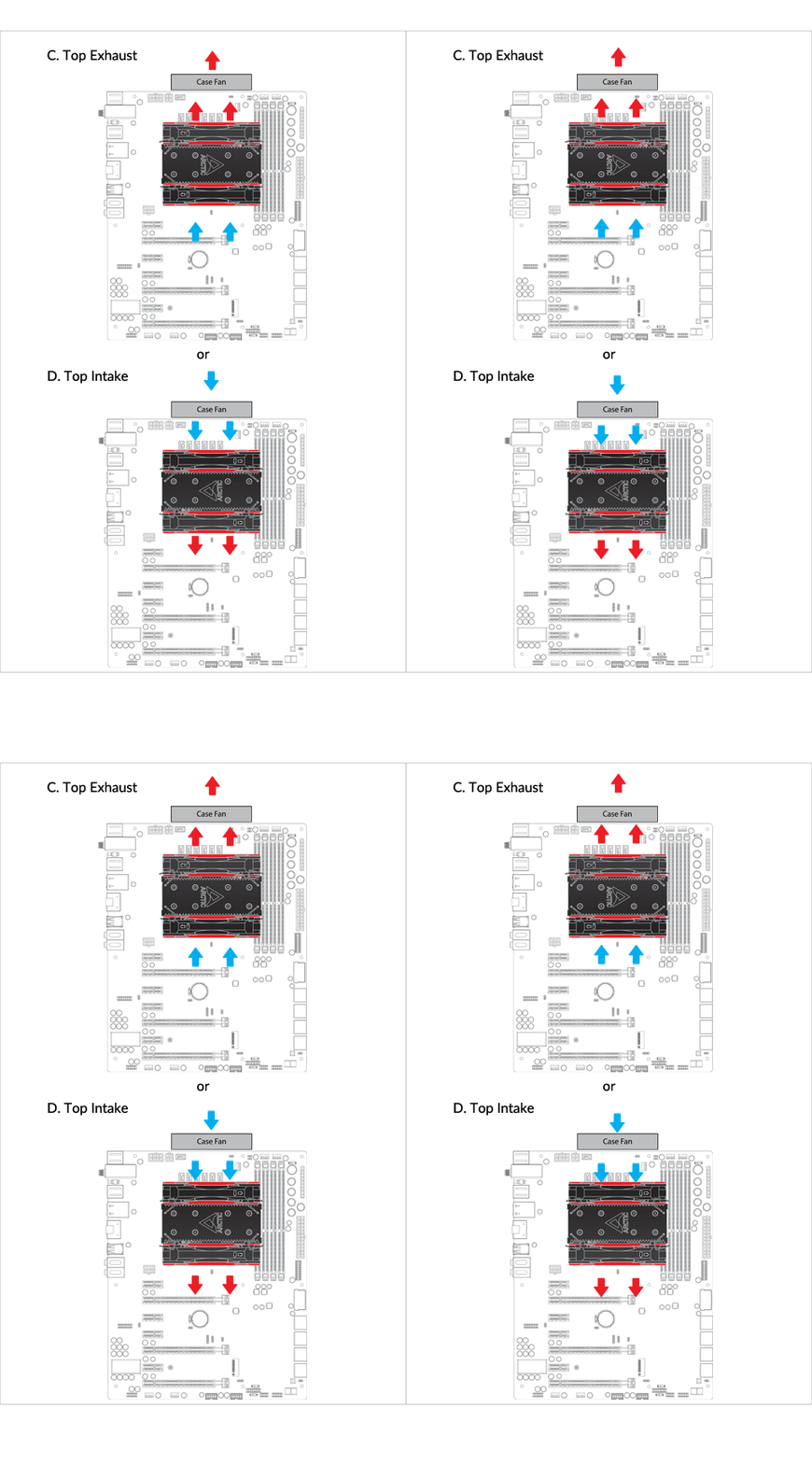
Cooler Orientation
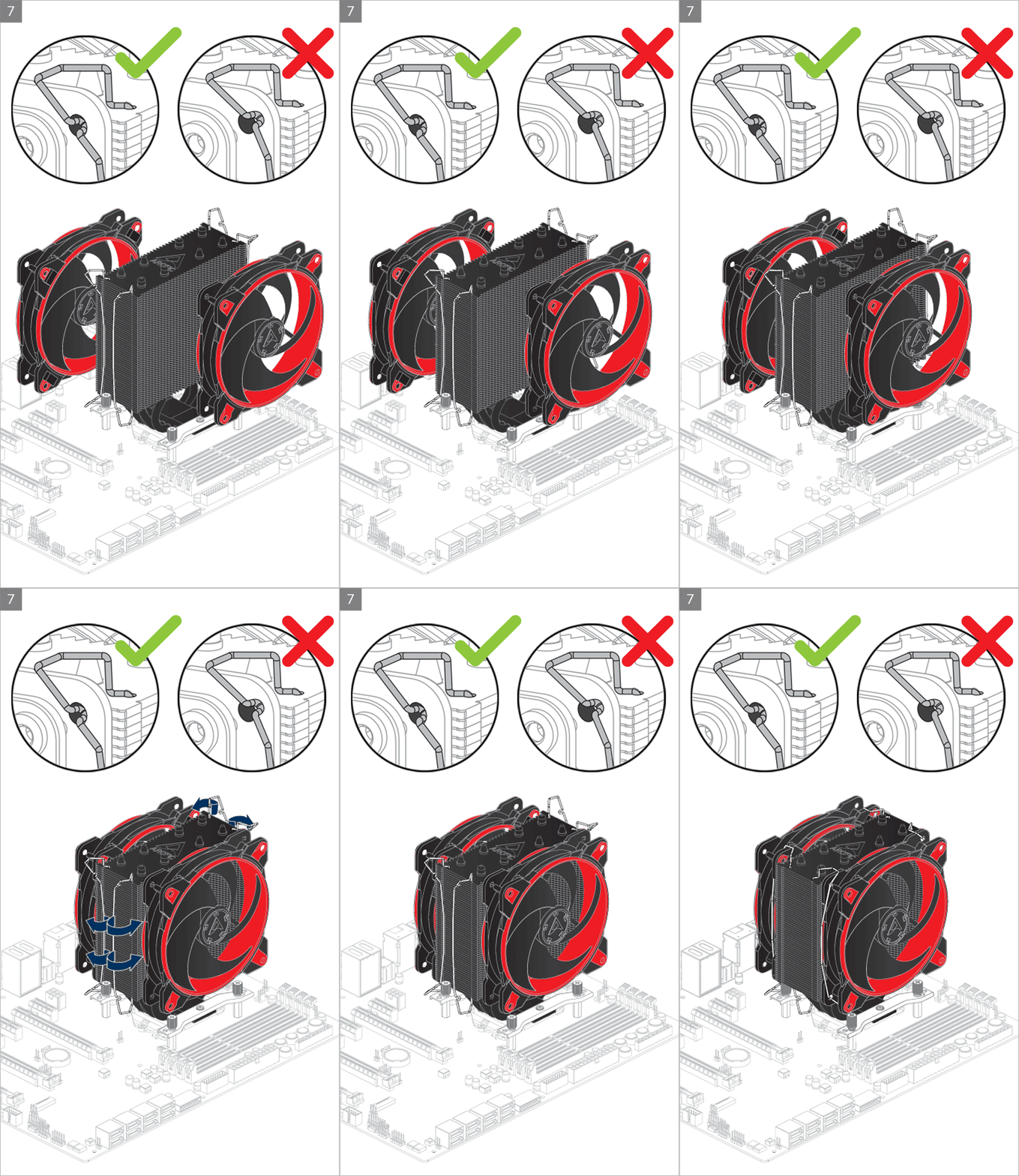
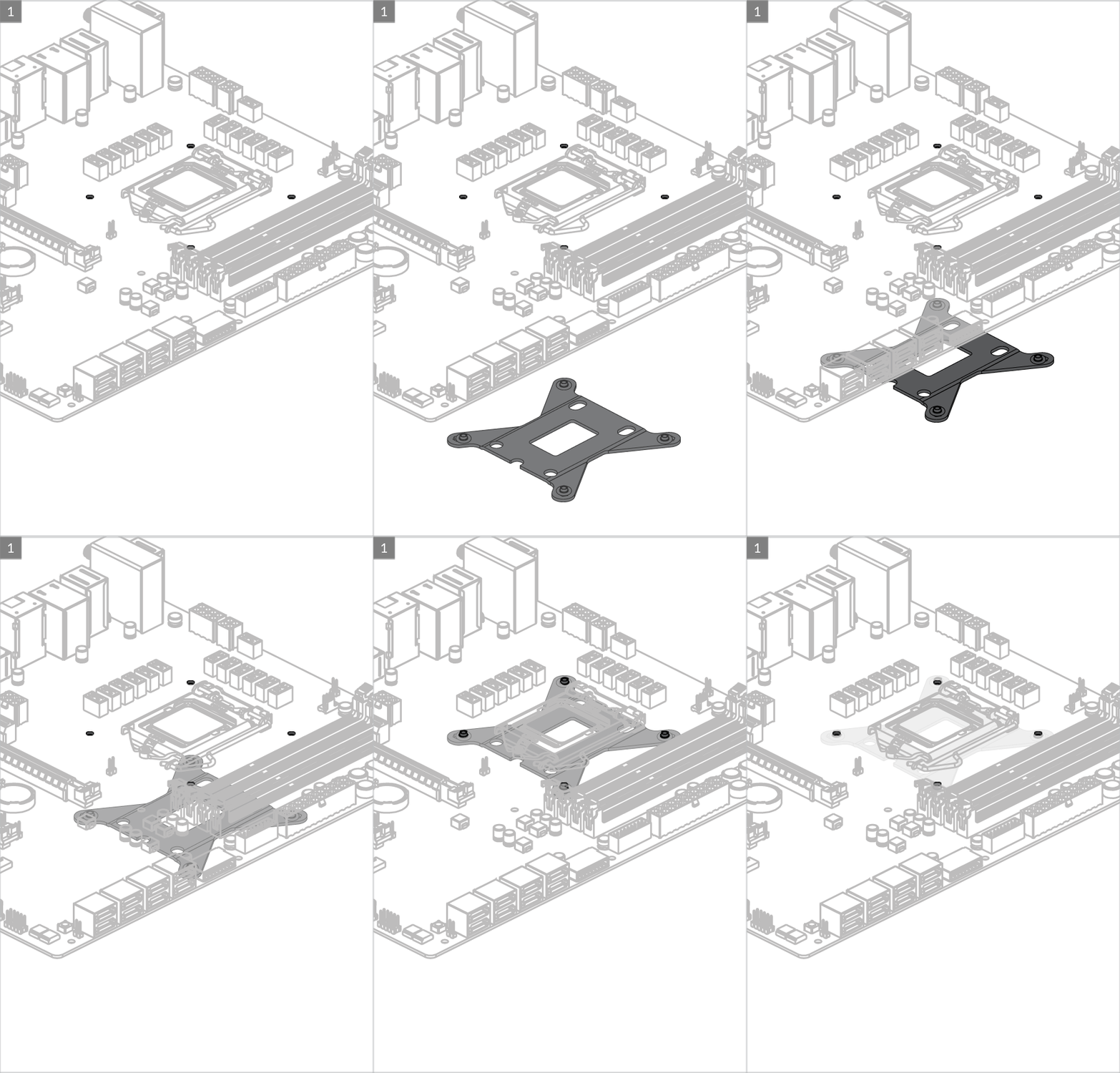
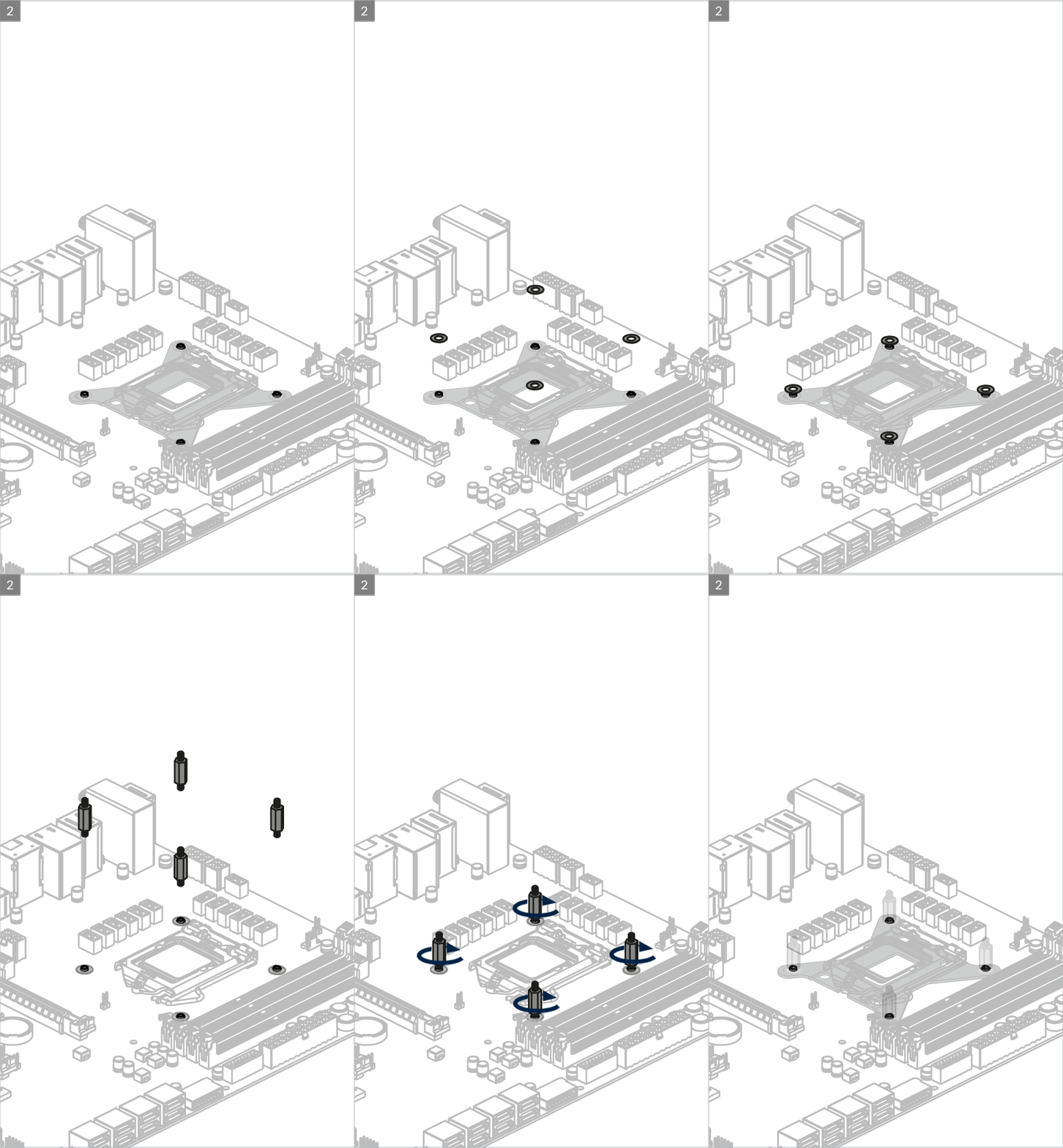
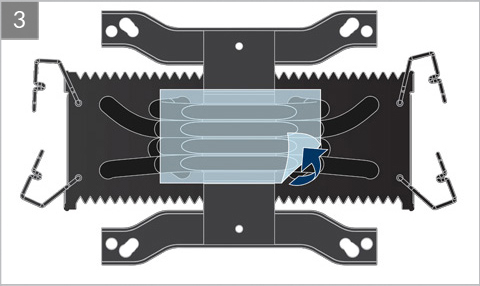
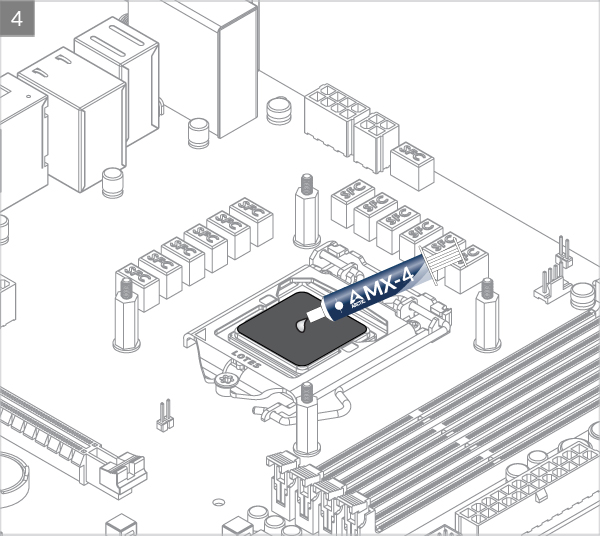
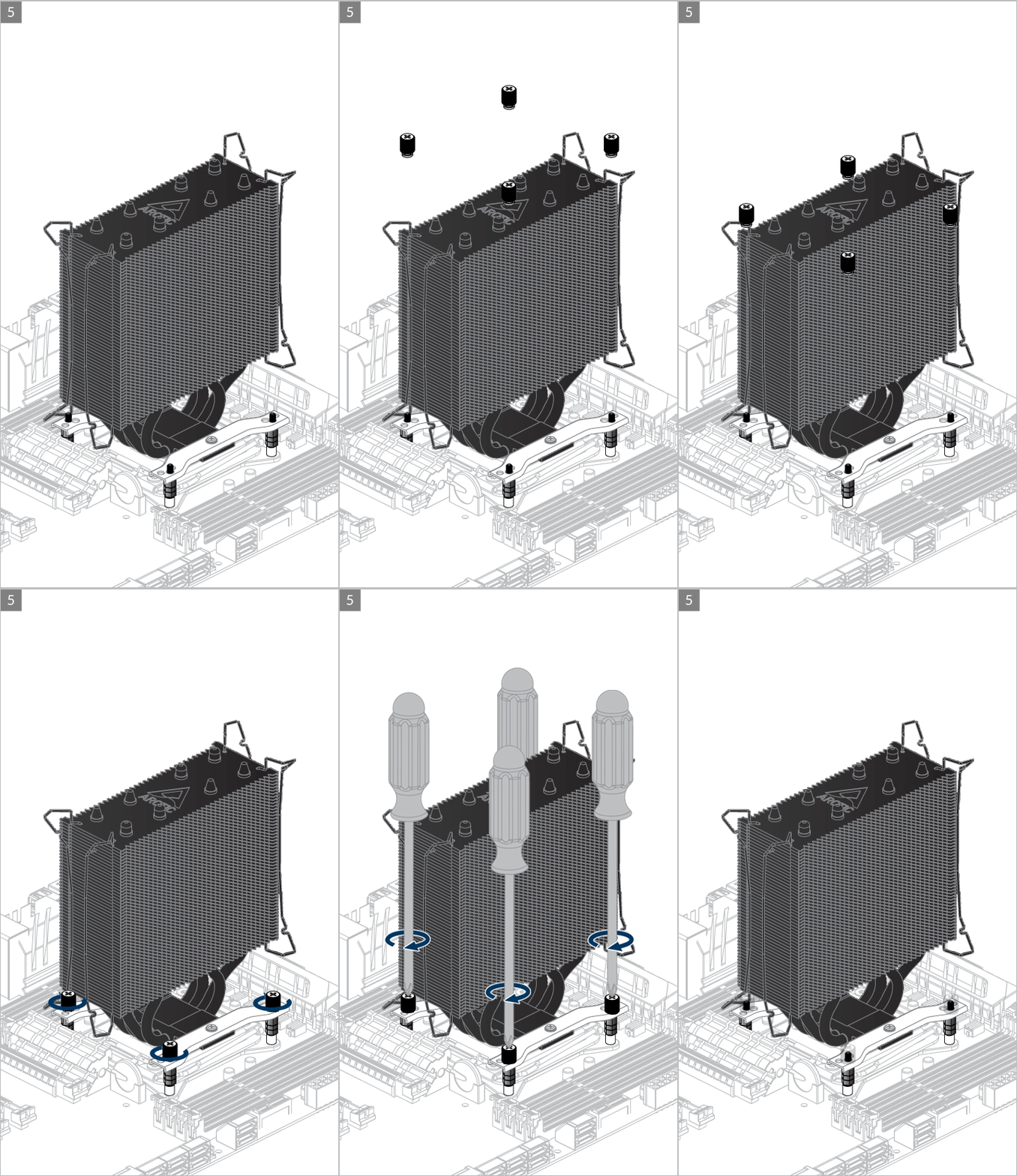
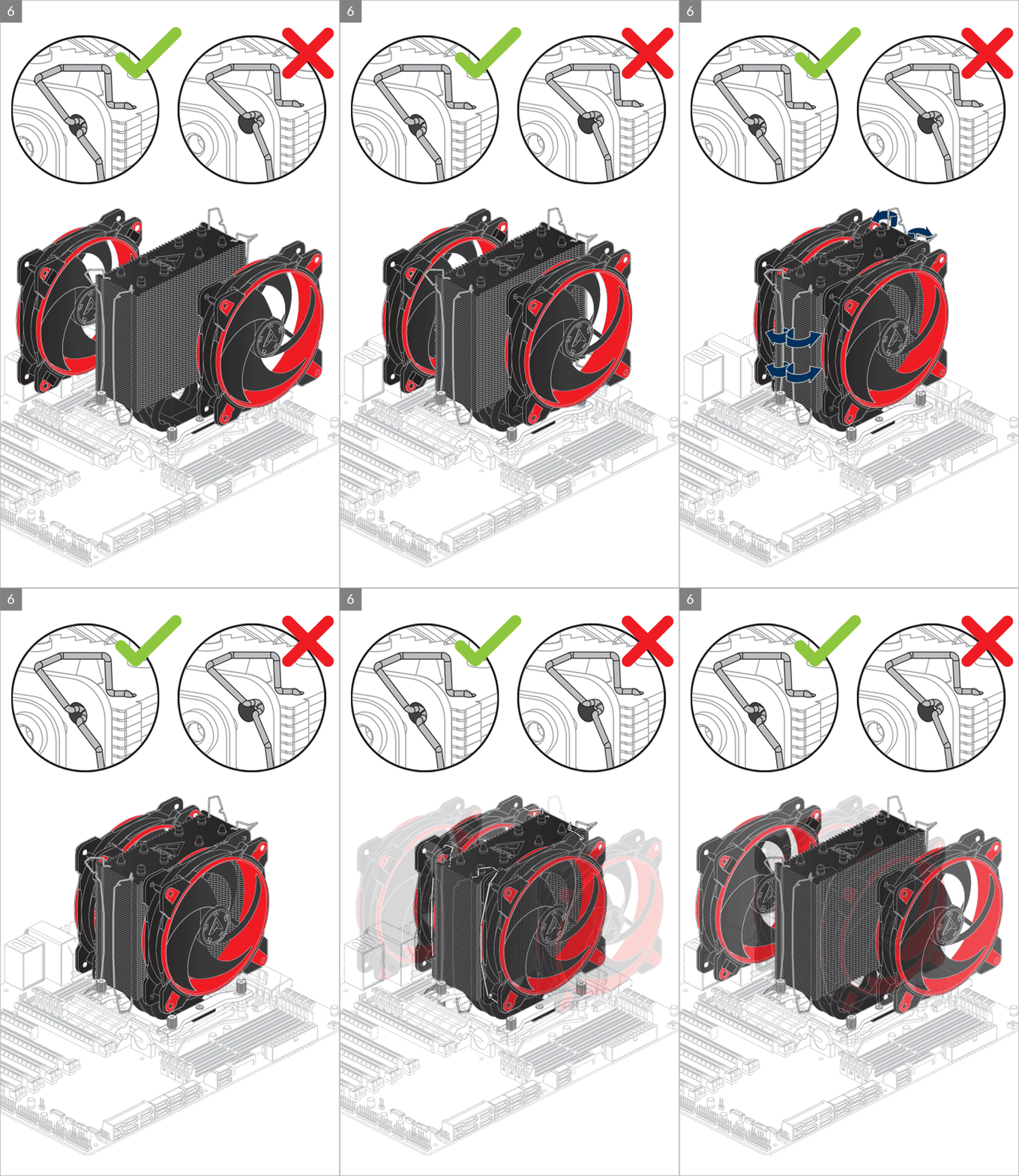
Installation
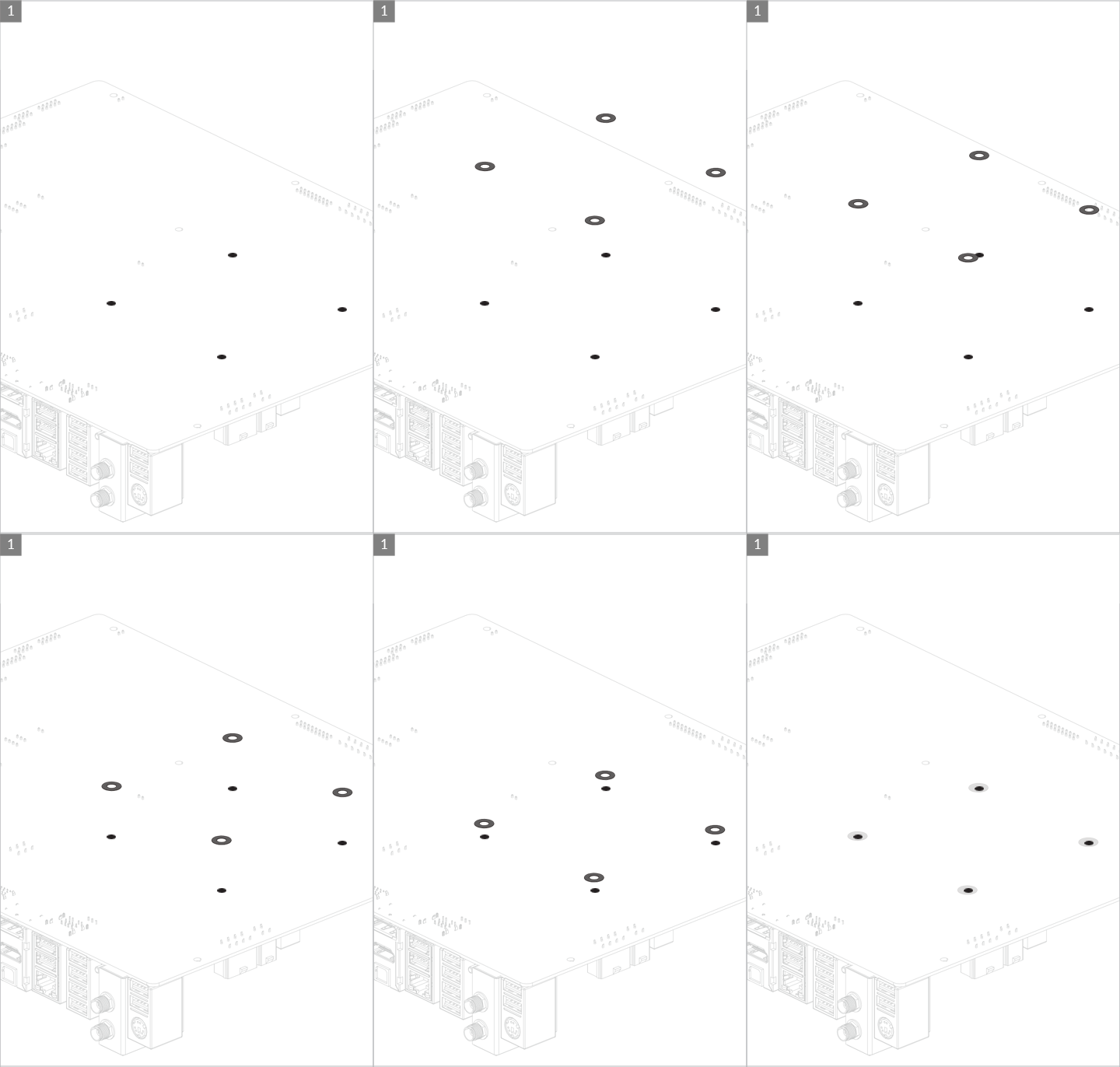
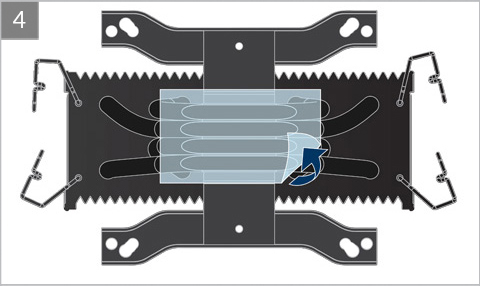
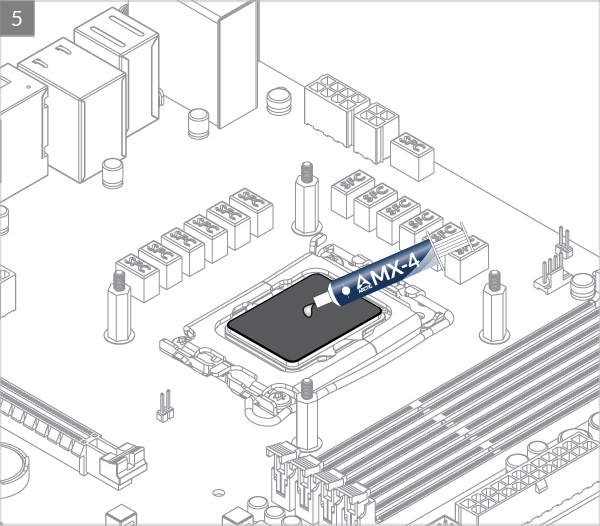
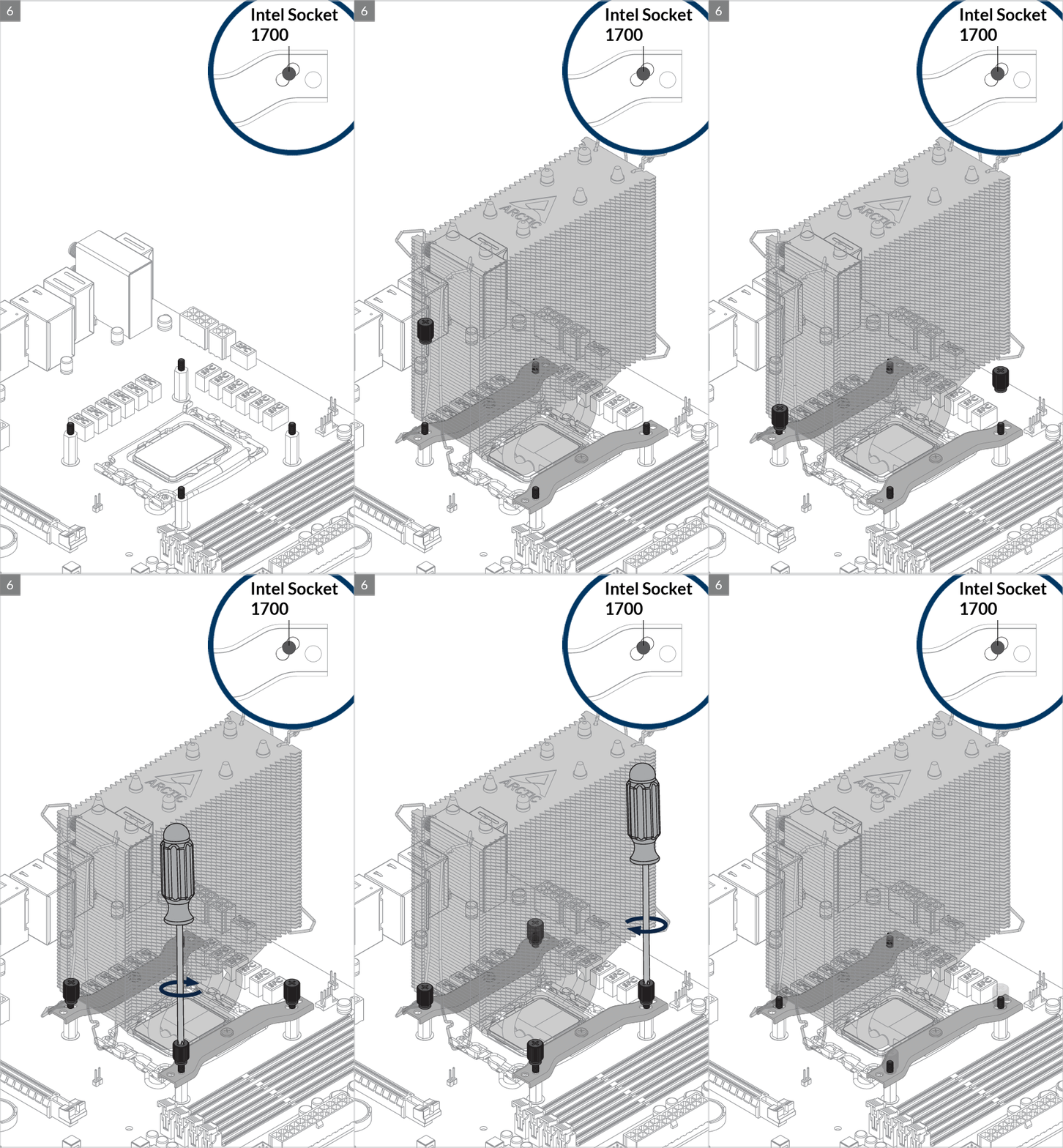

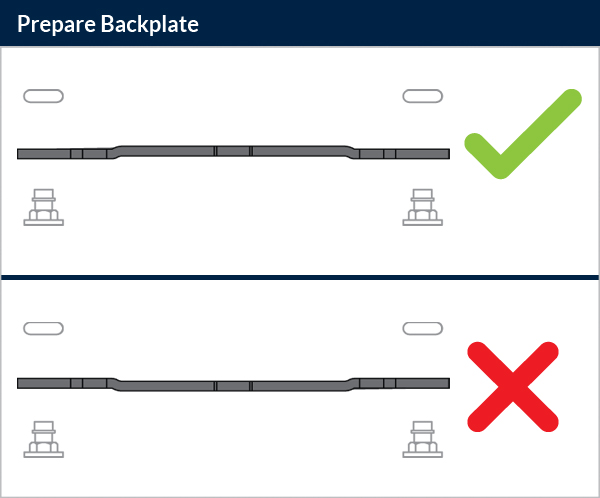
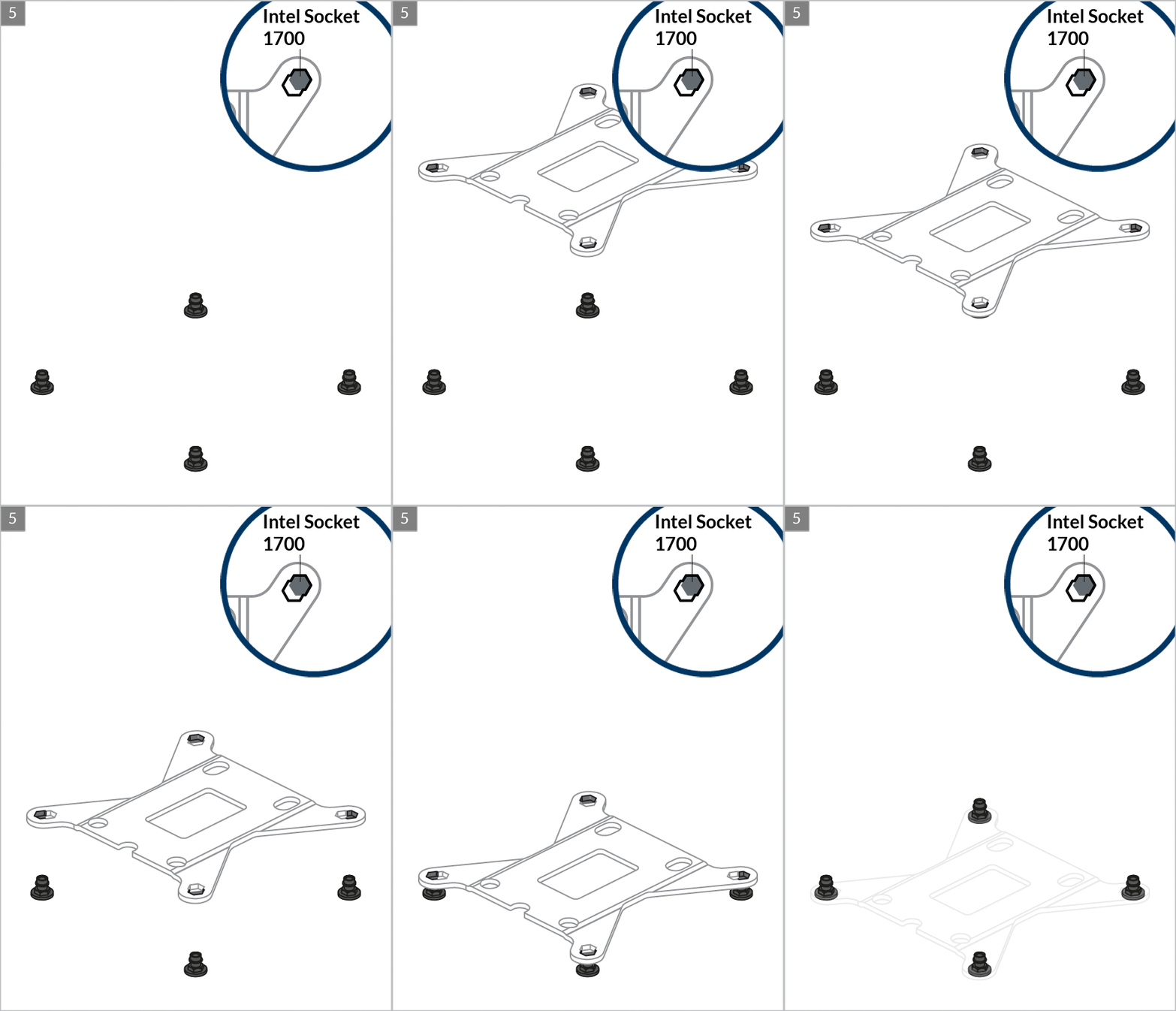
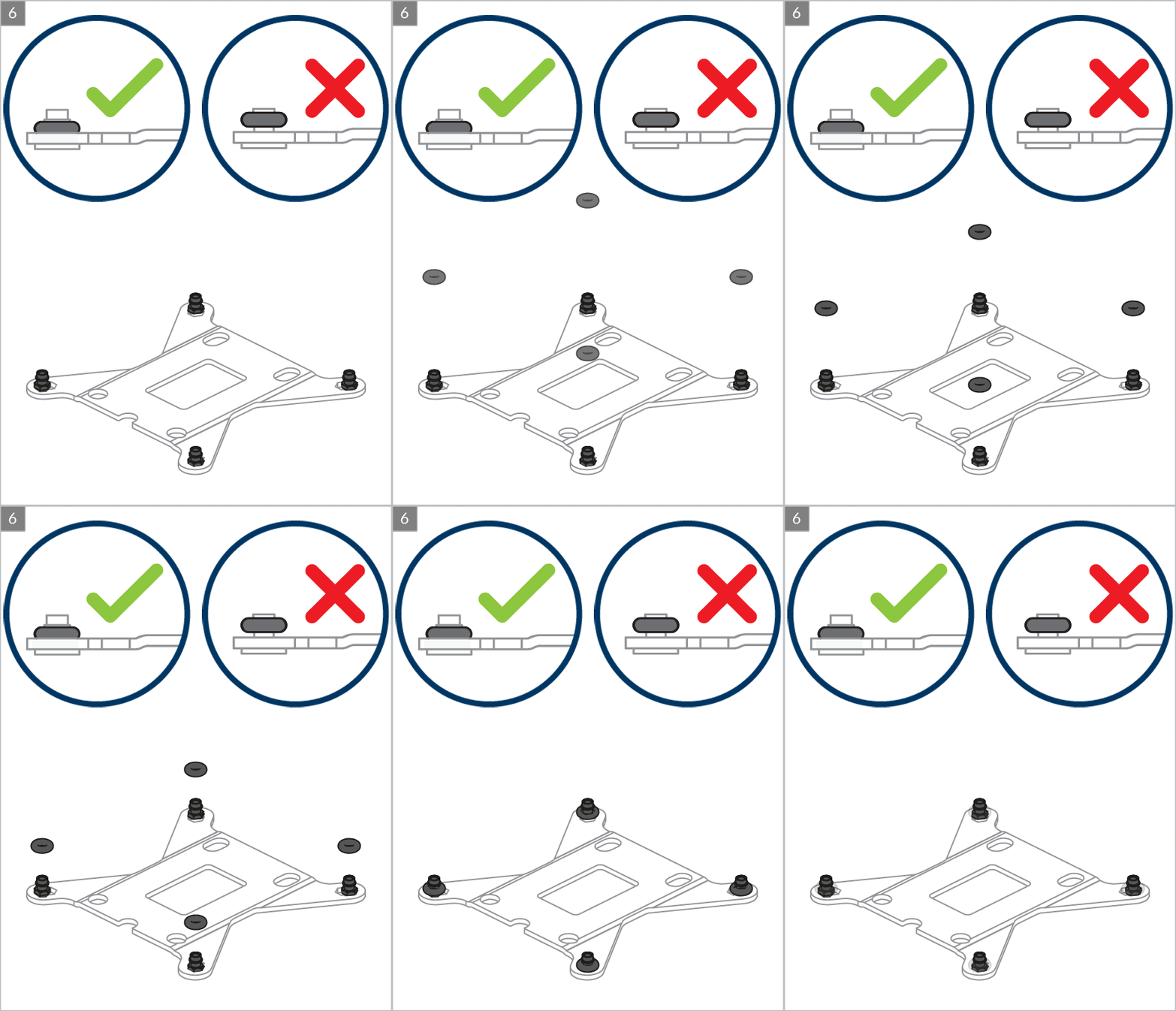
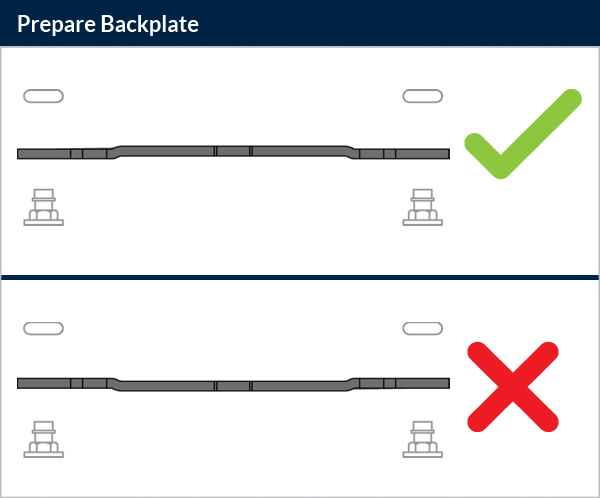
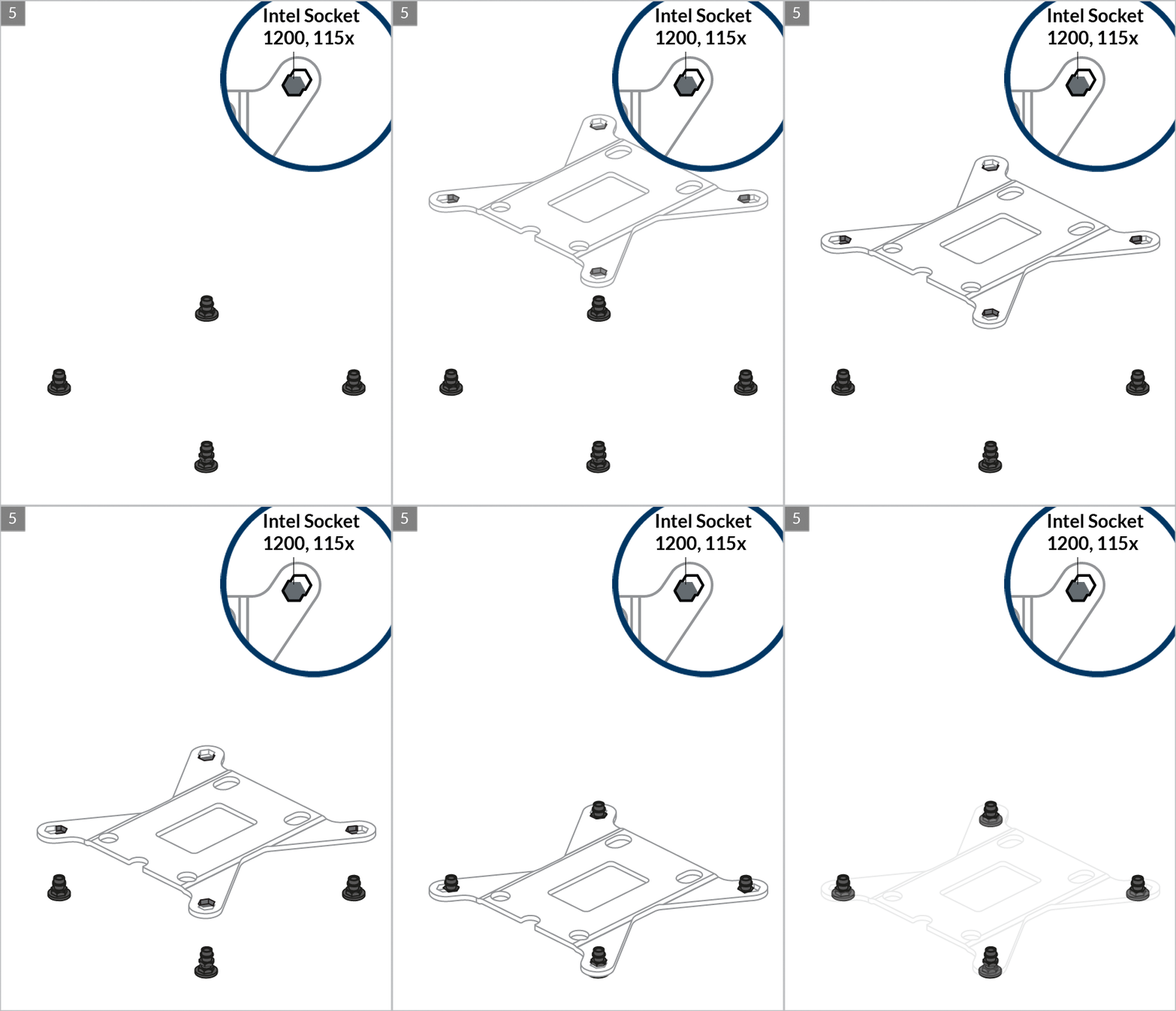
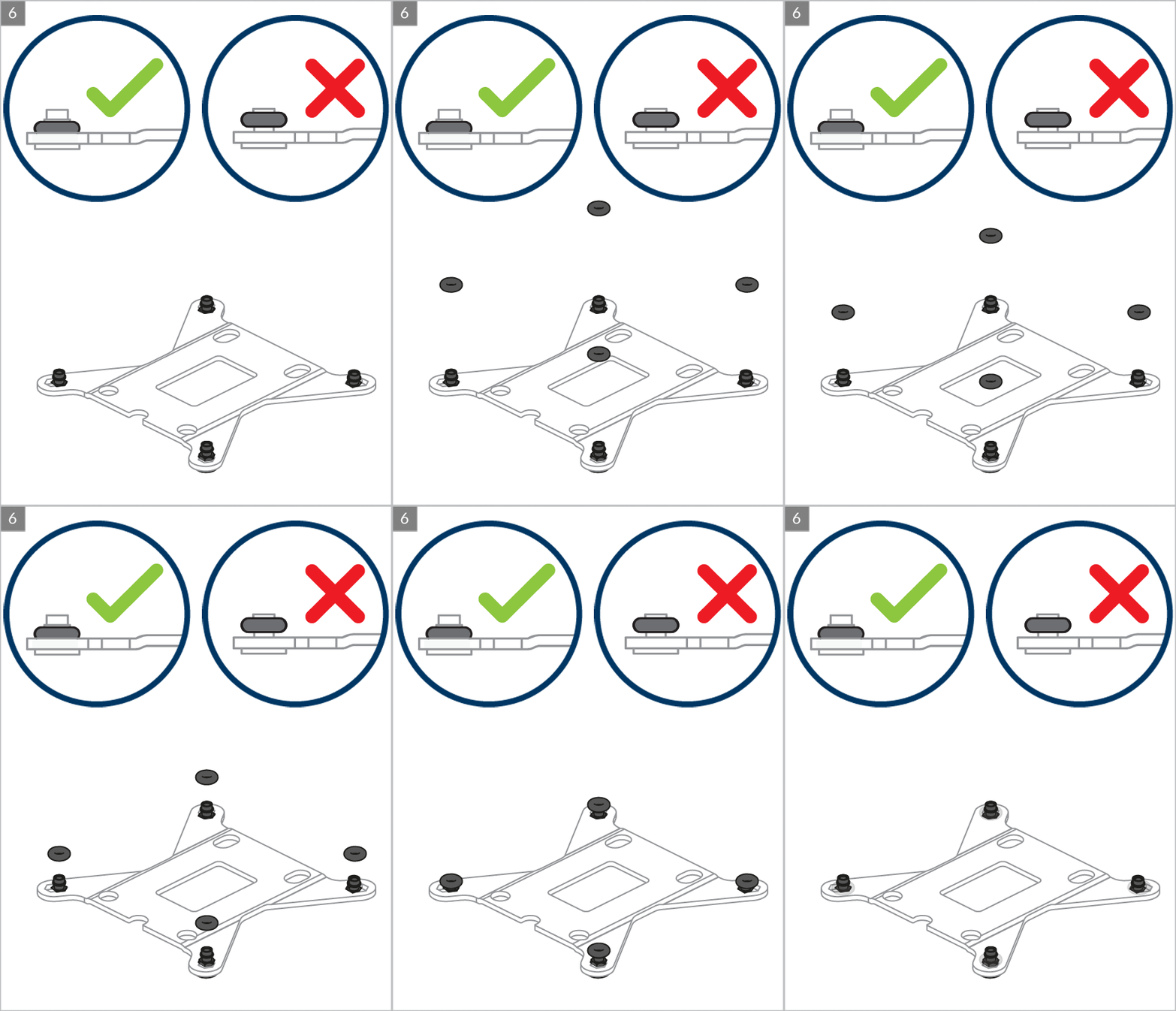
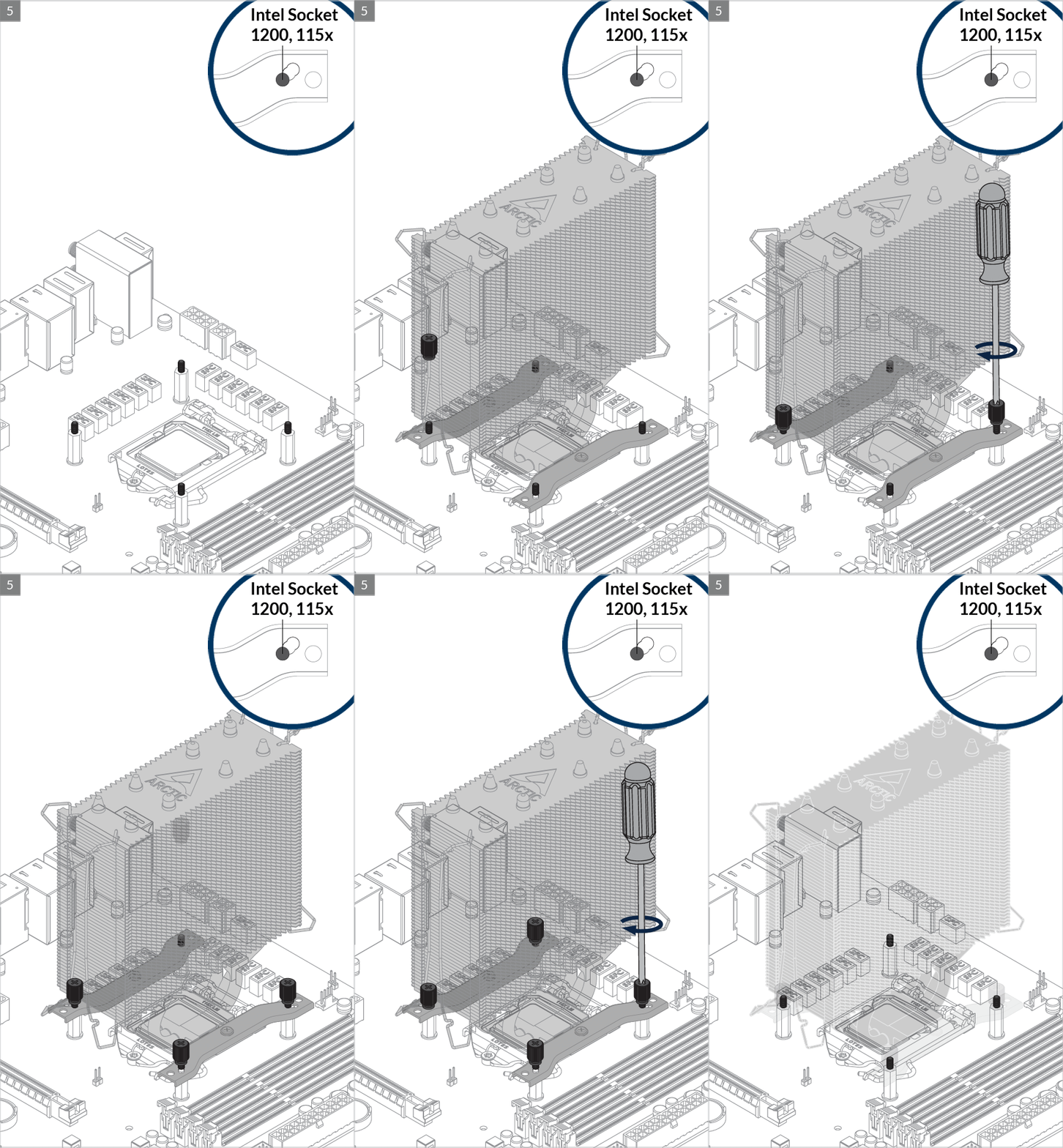
Please make sure the mounting modules insert into the same position on both end of the slots according to the socket.

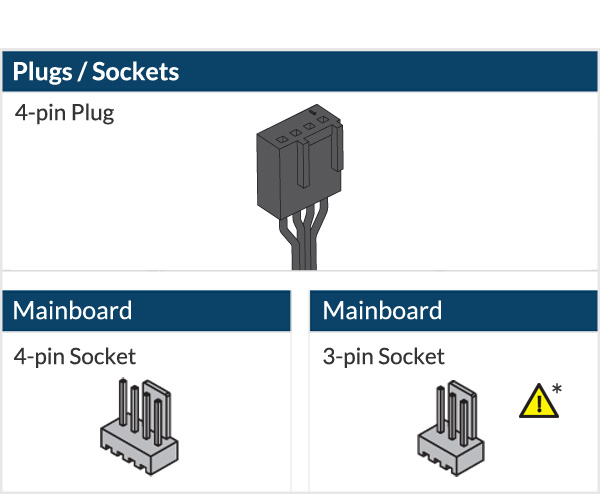
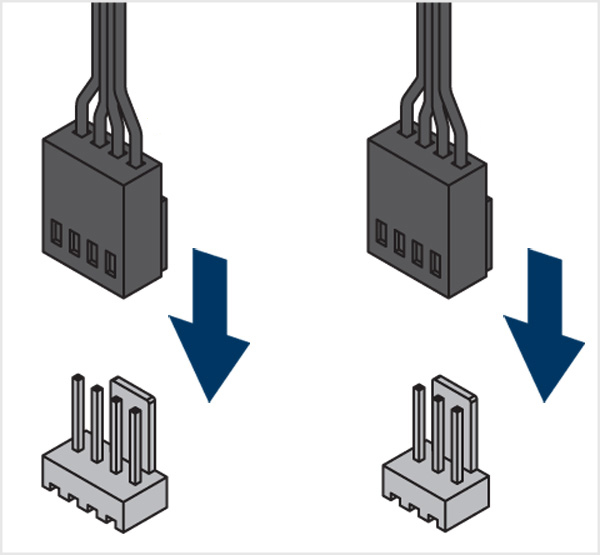

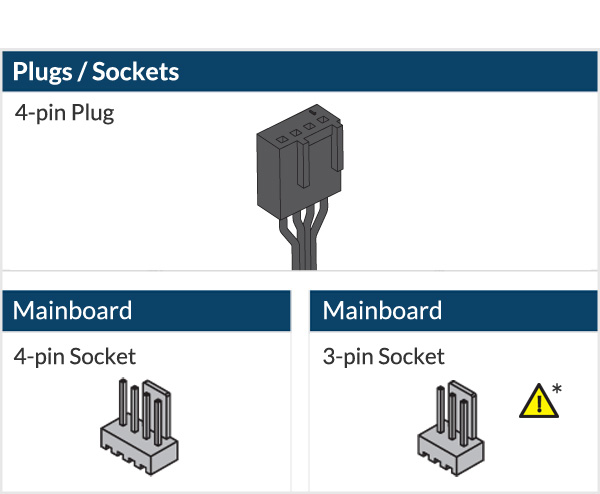
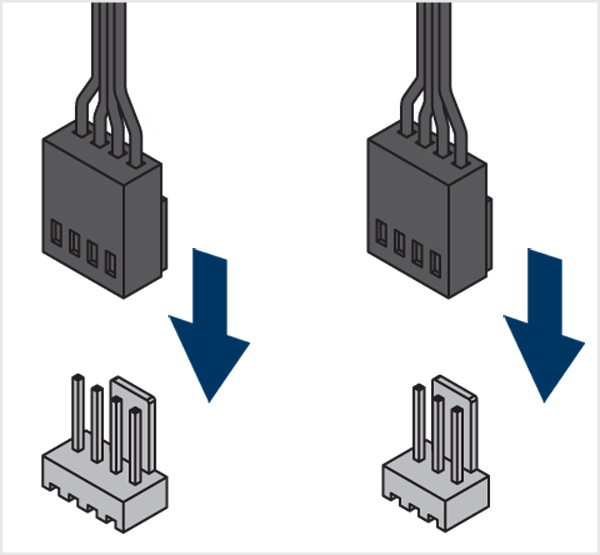
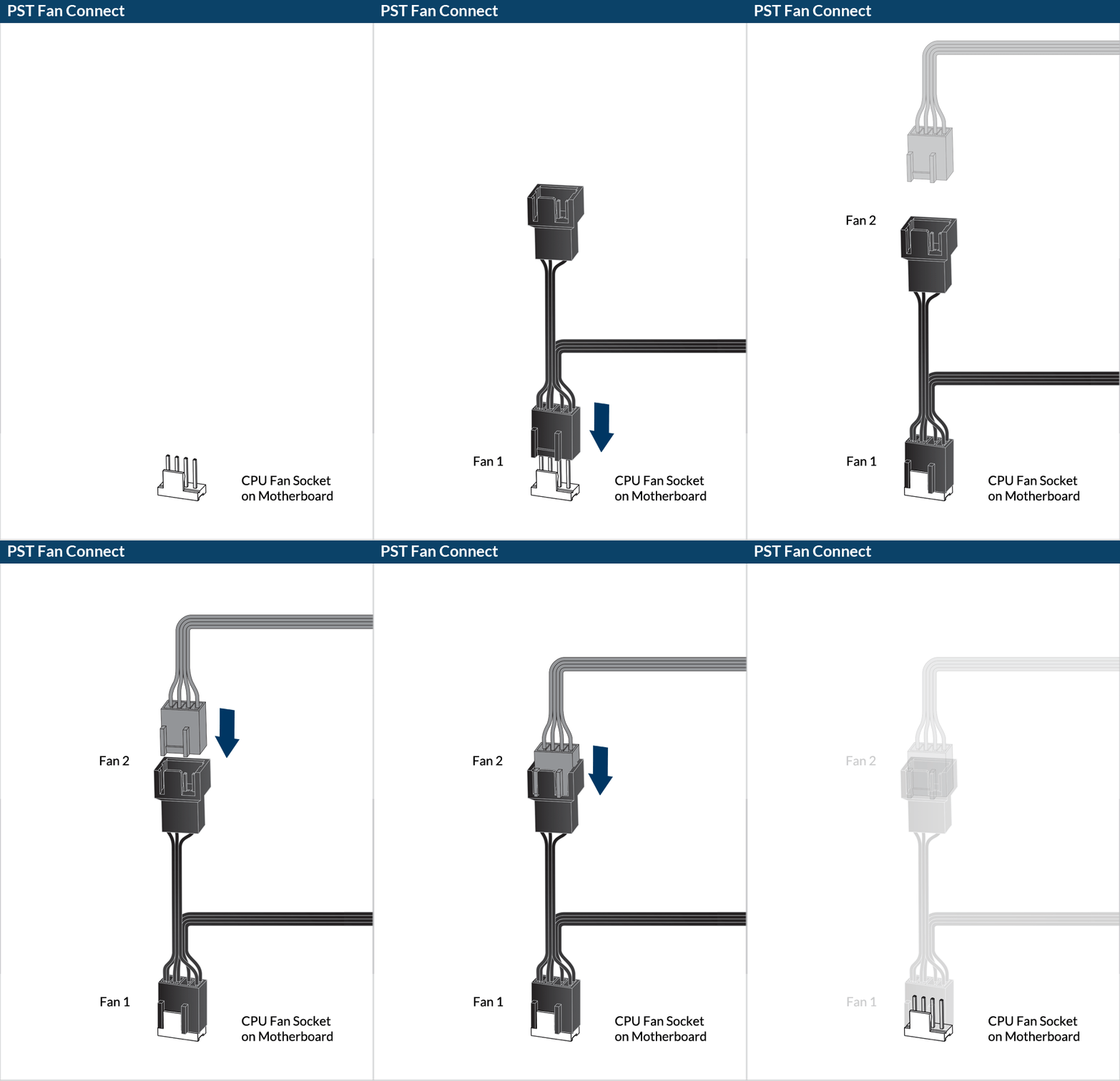
* To get the best out of your cooler, it is recommended to adjust the fan speed control in the BIOS, follow this guide to adjust your PWM.
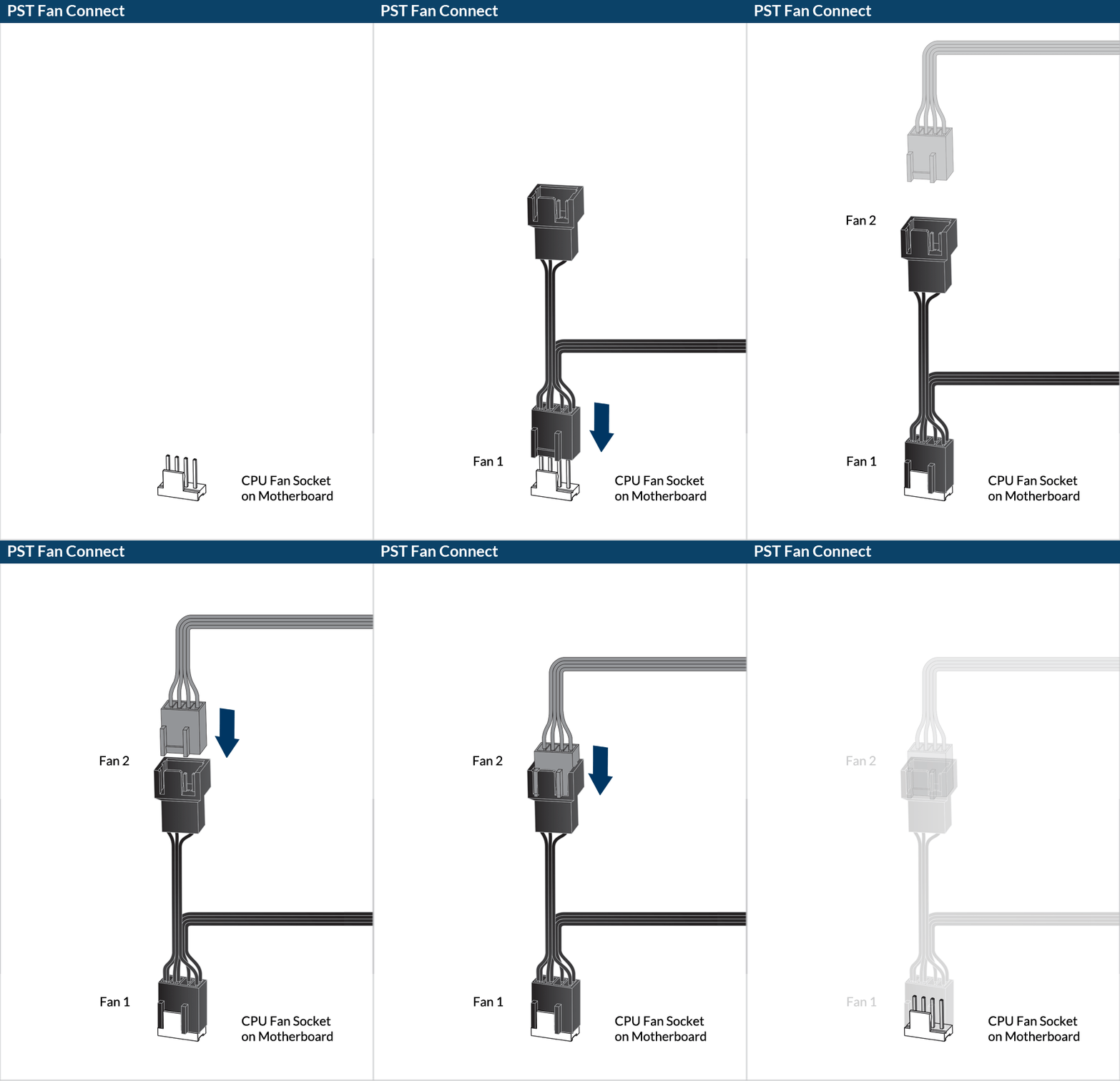
Preparation
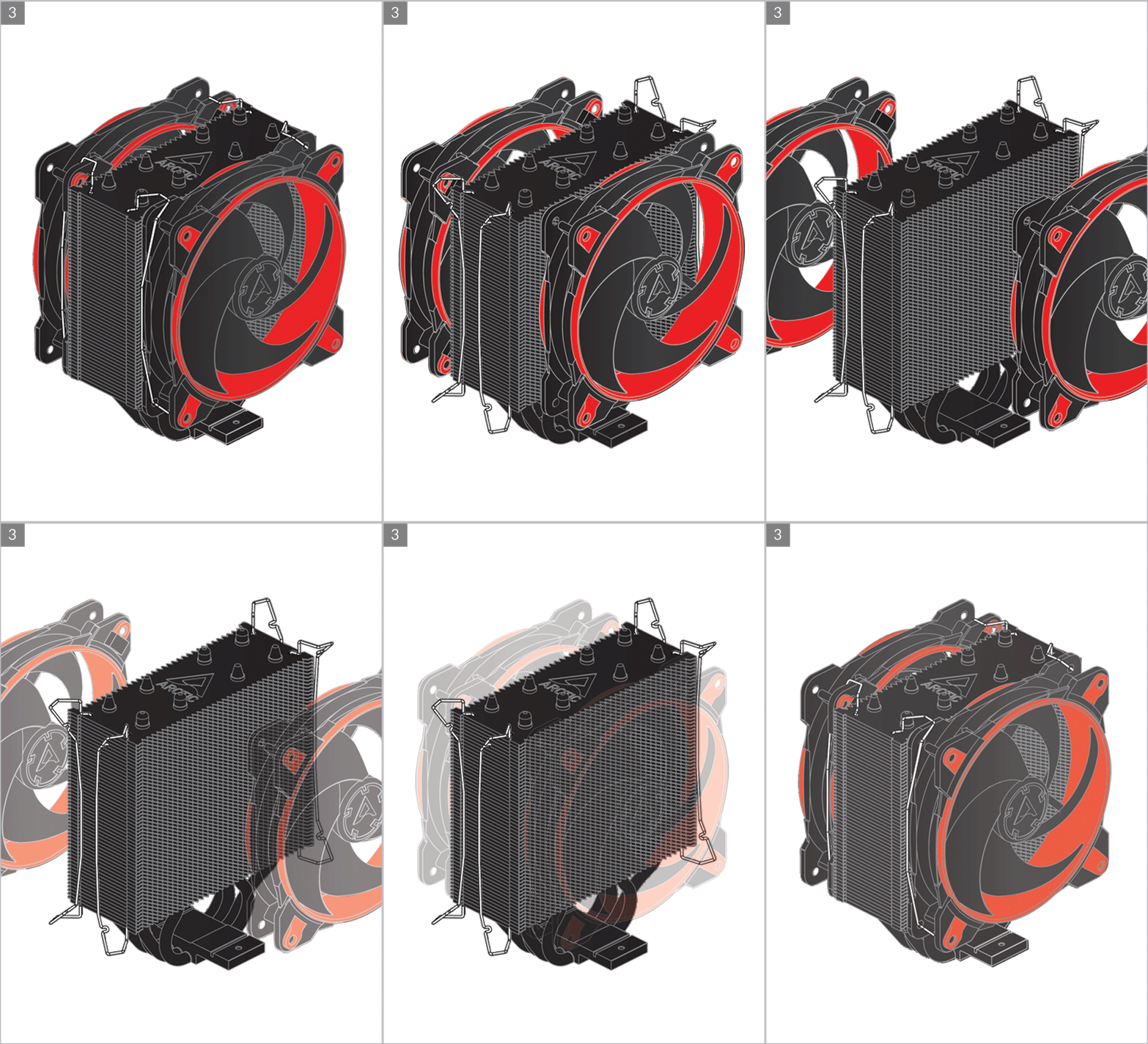
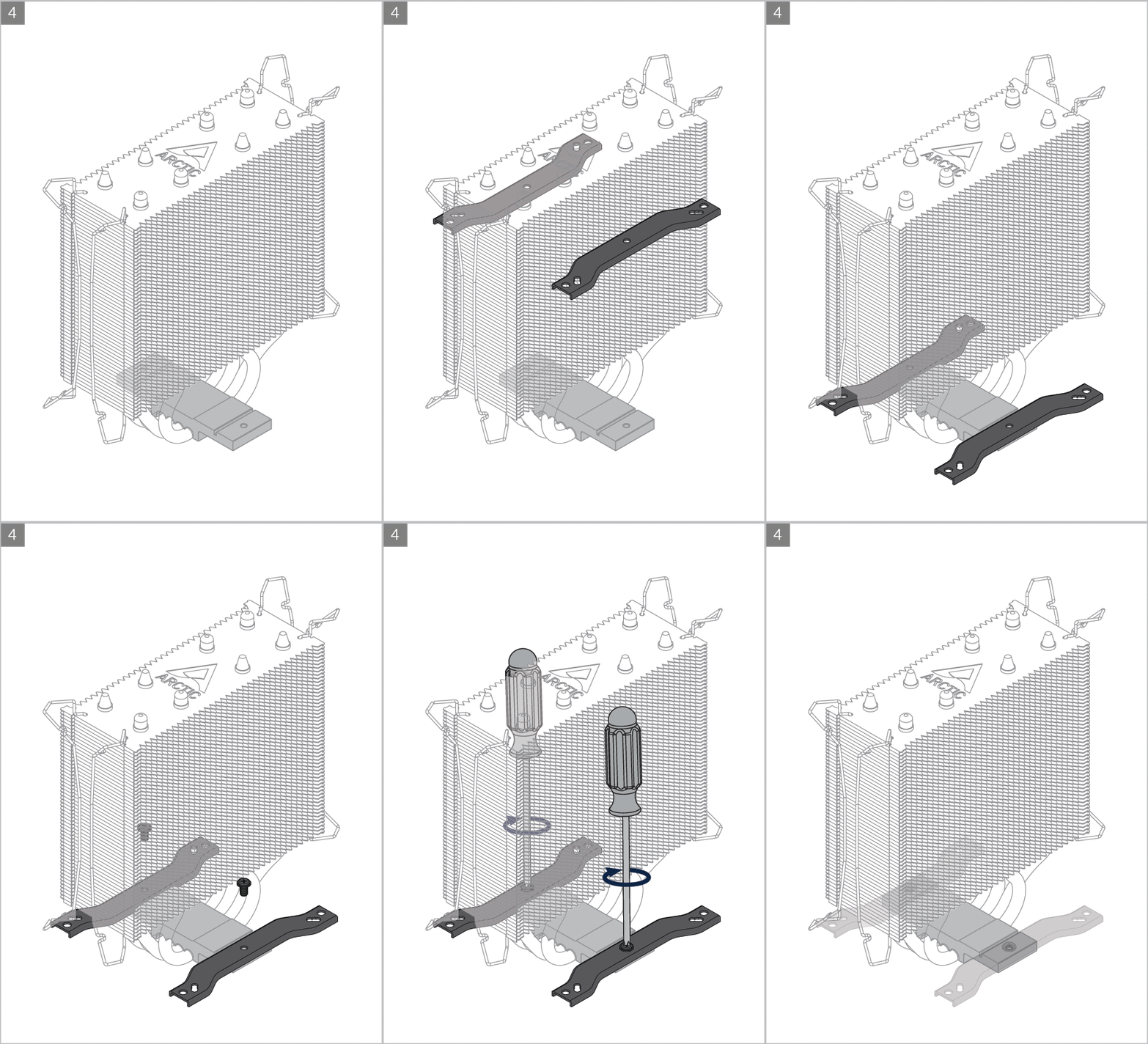
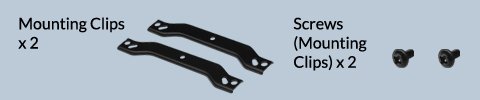

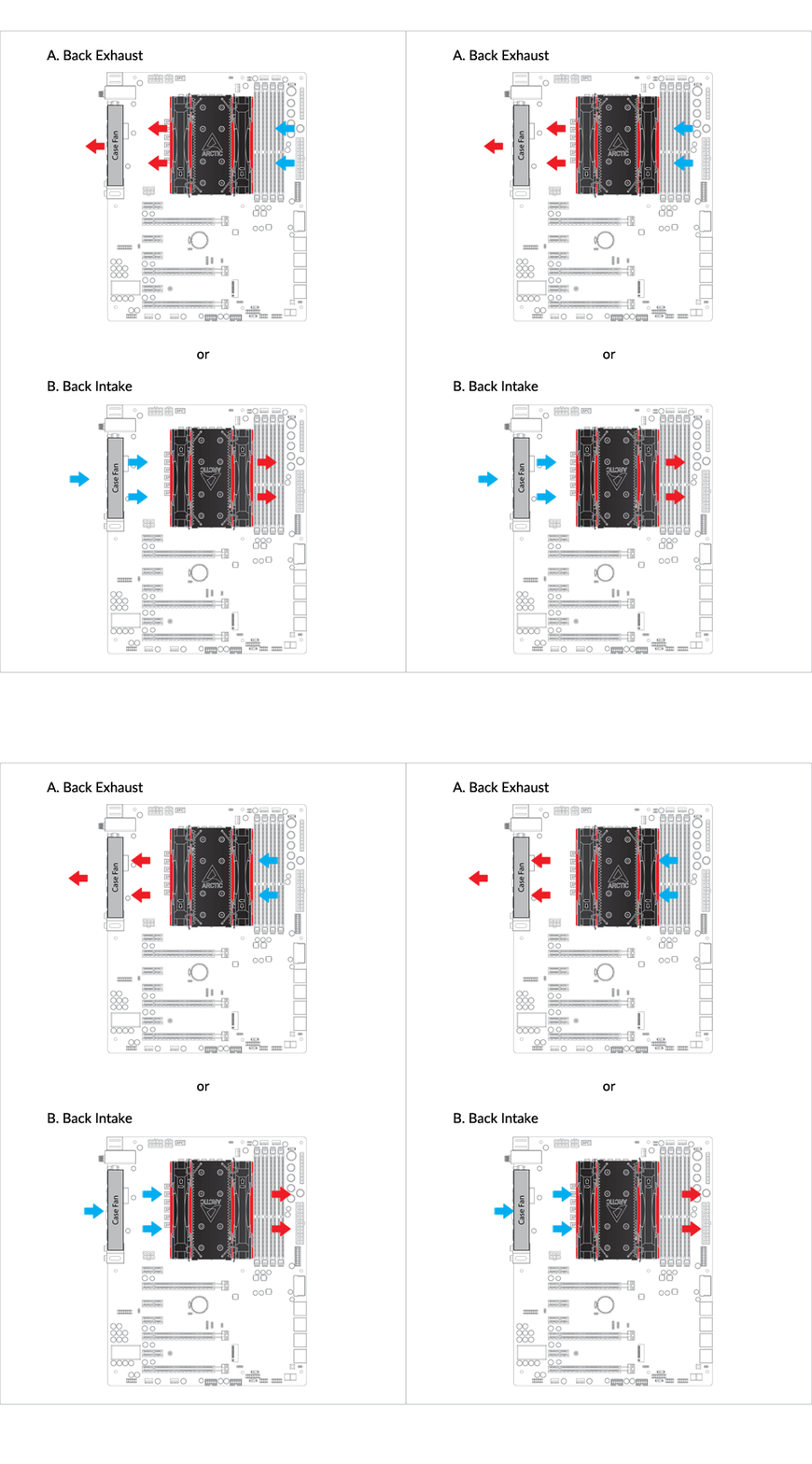
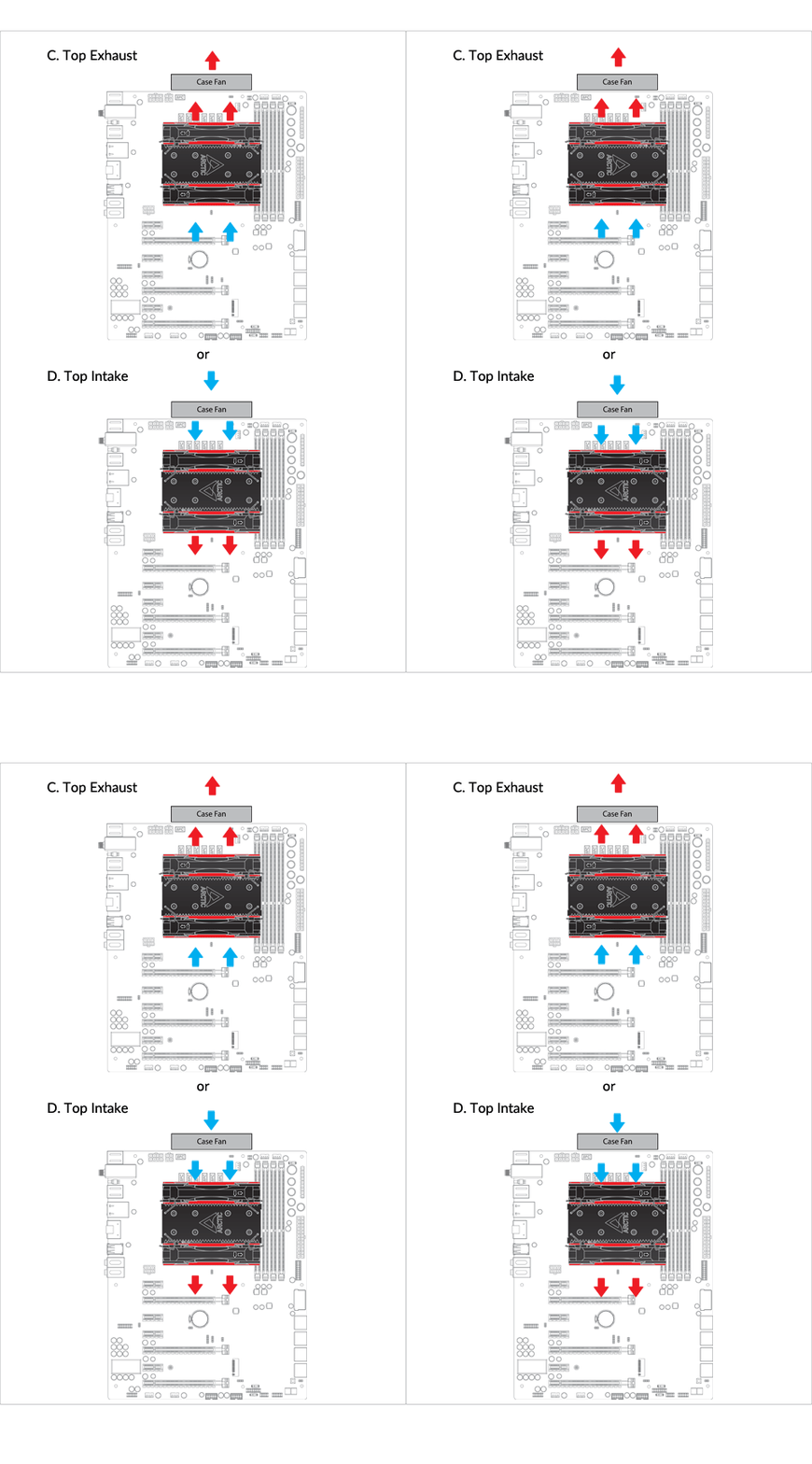
Cooler Orientation
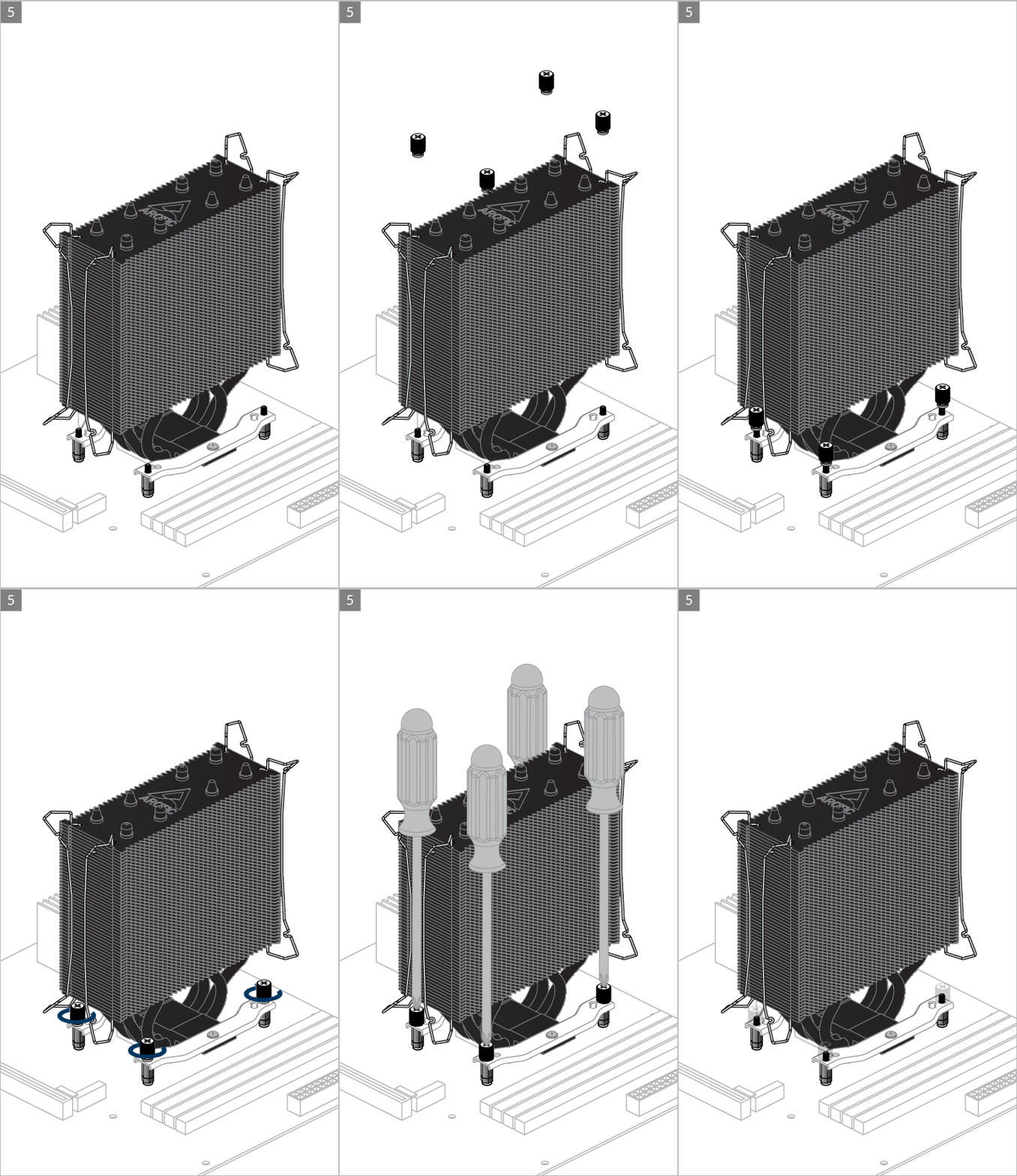
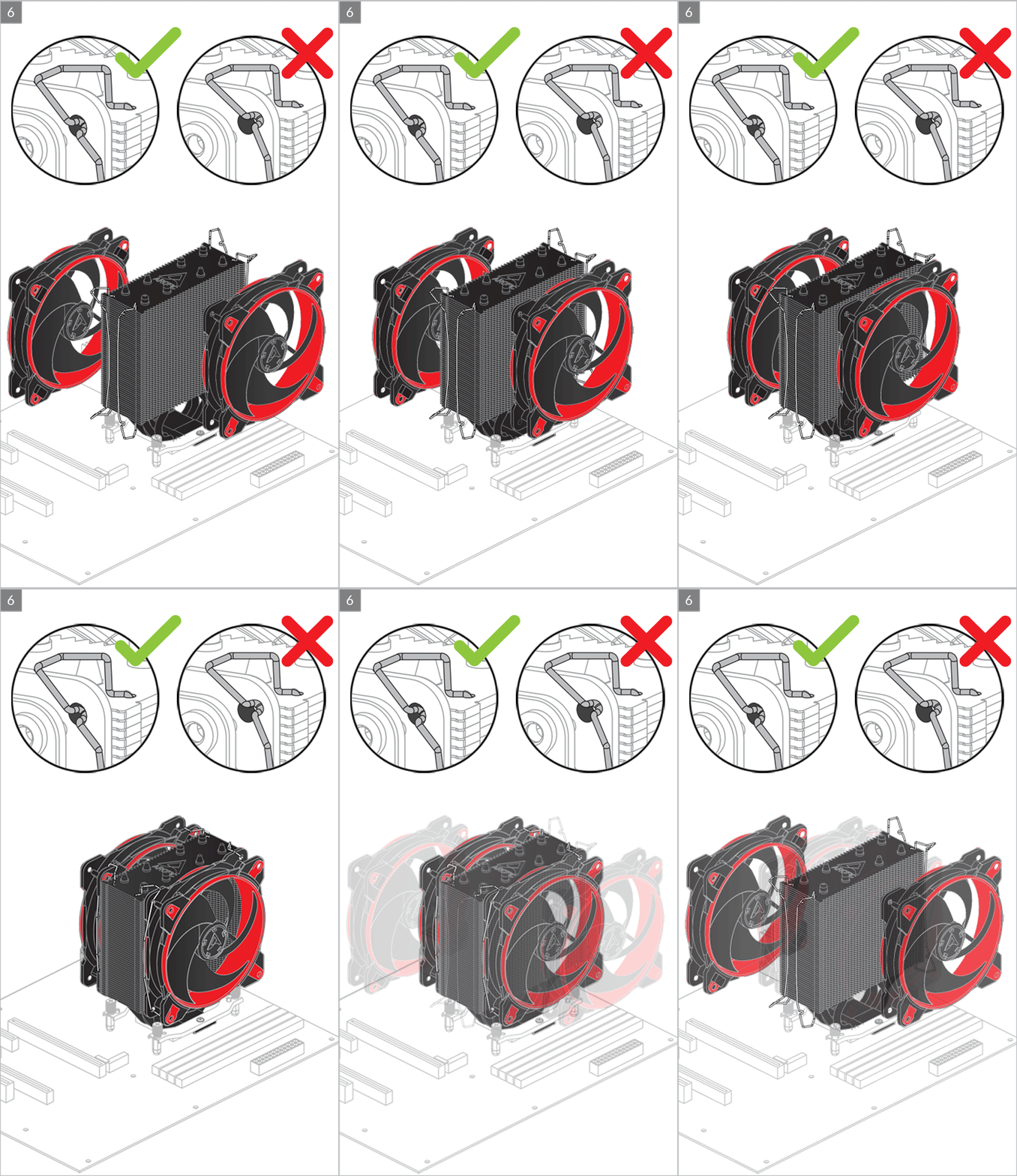
Installation
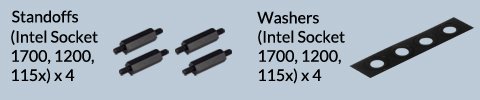


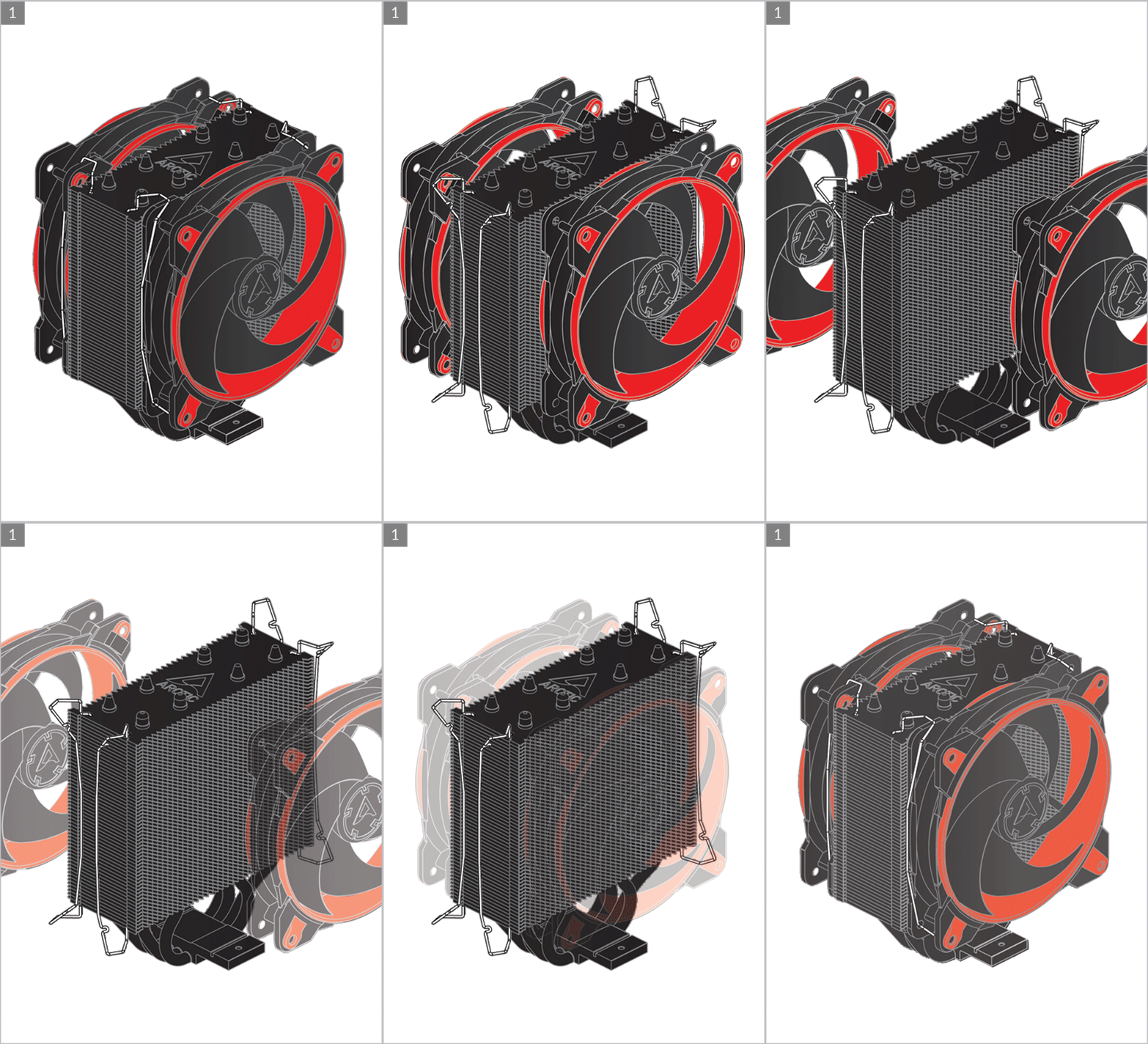
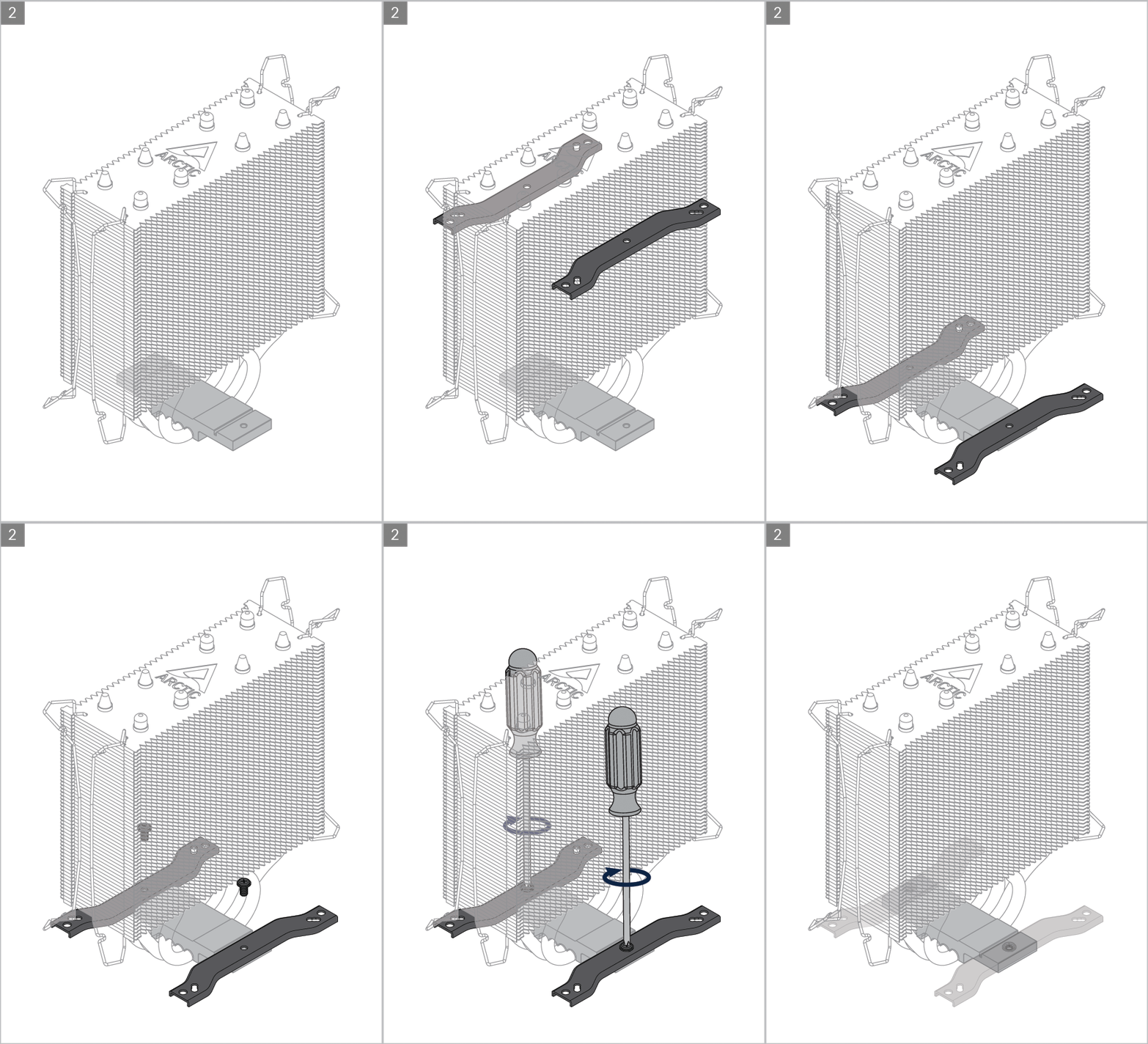
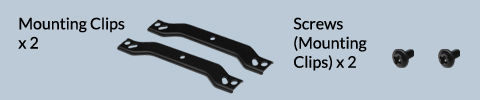
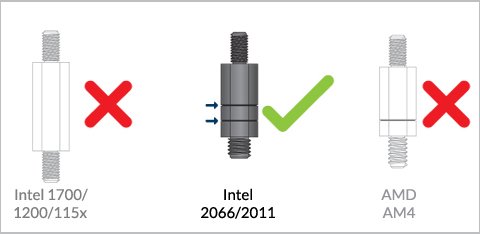
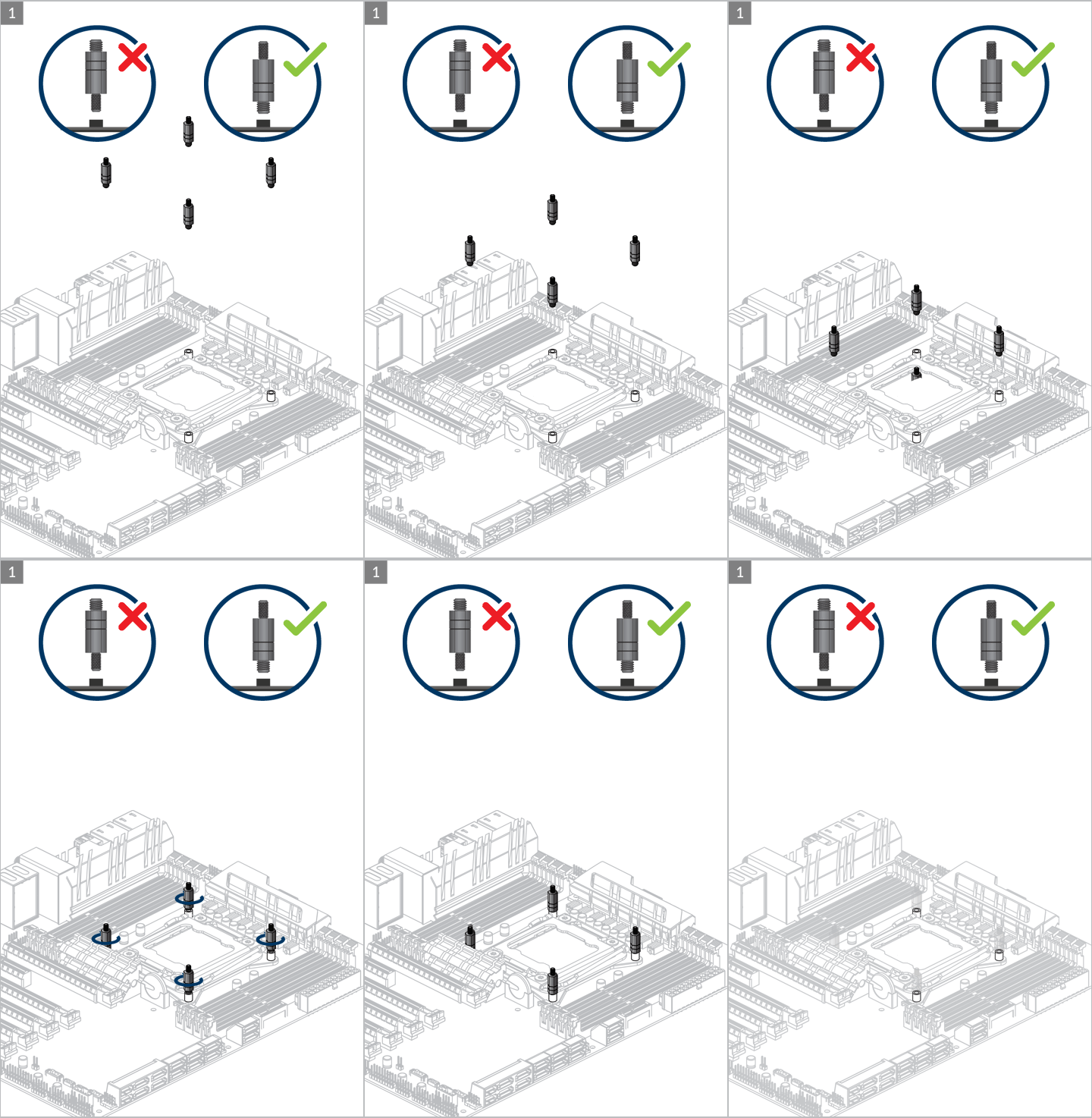
Preparation
Cooler Orientation
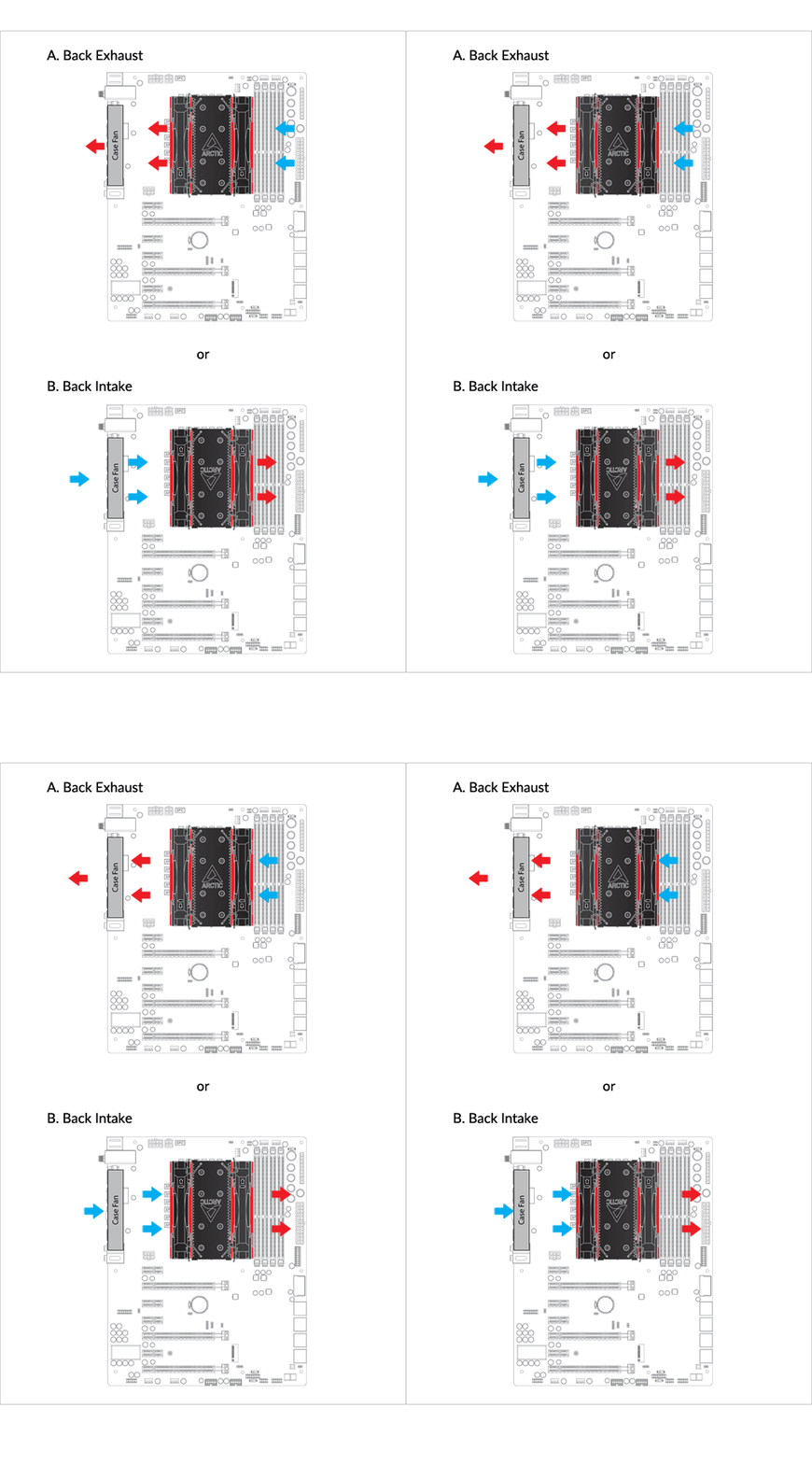
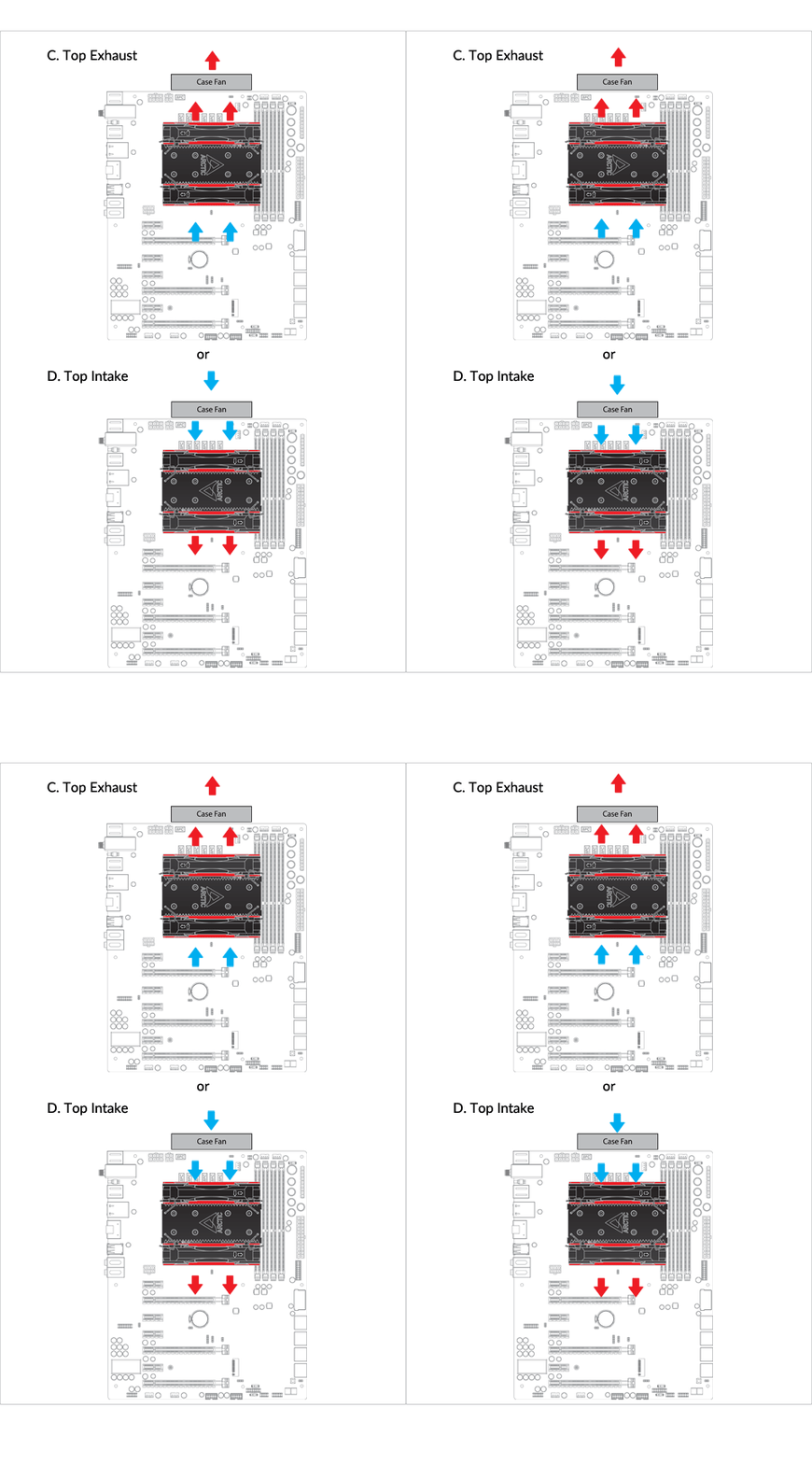
Installation
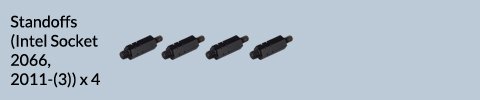
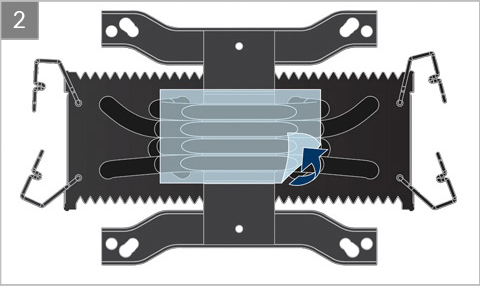
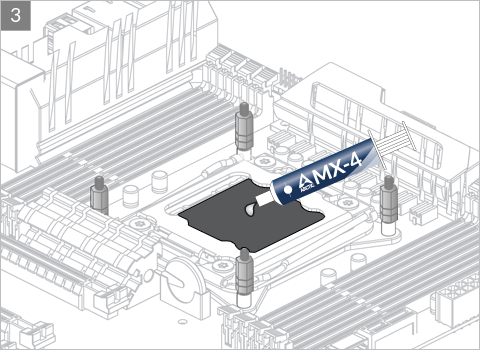

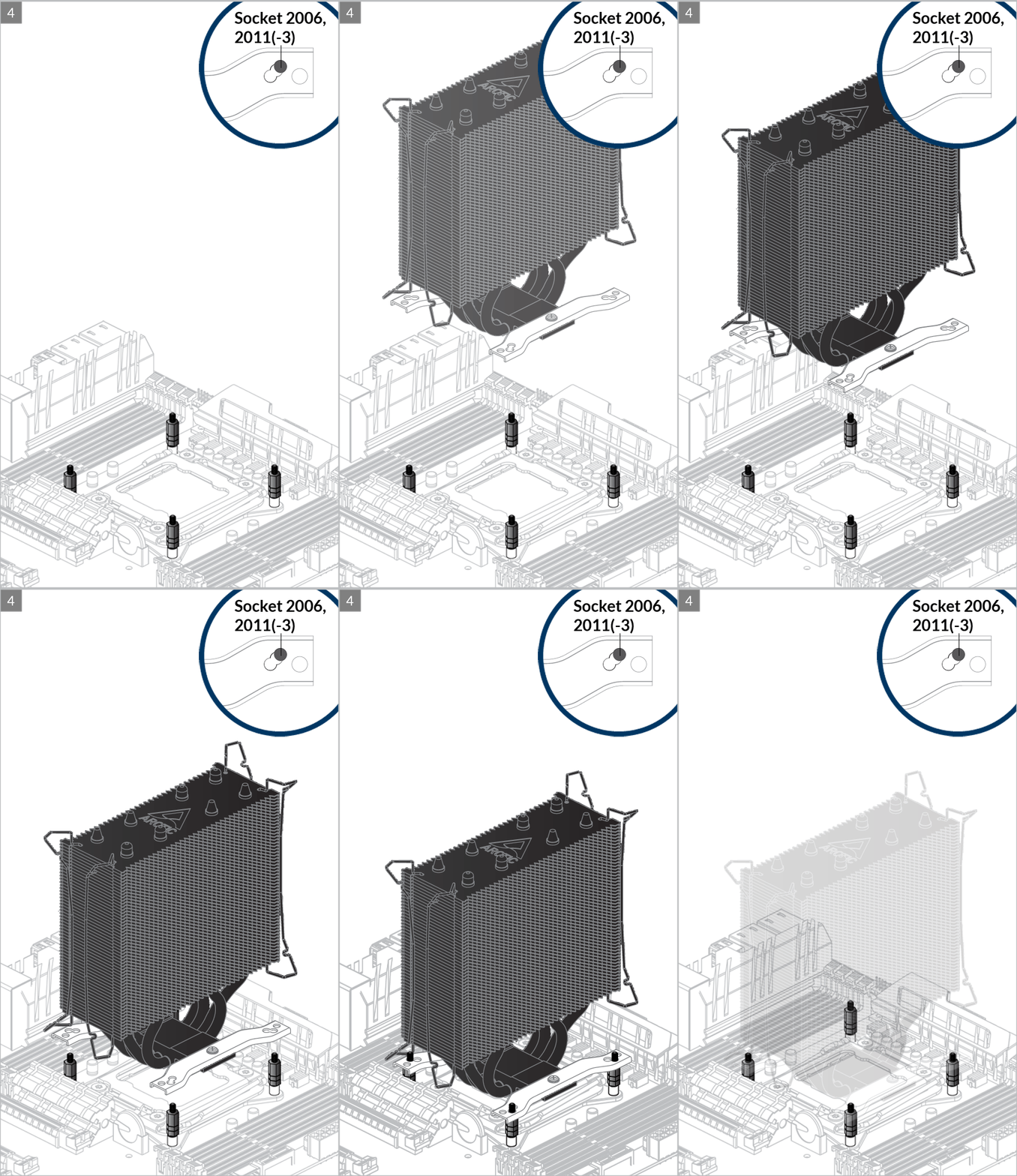

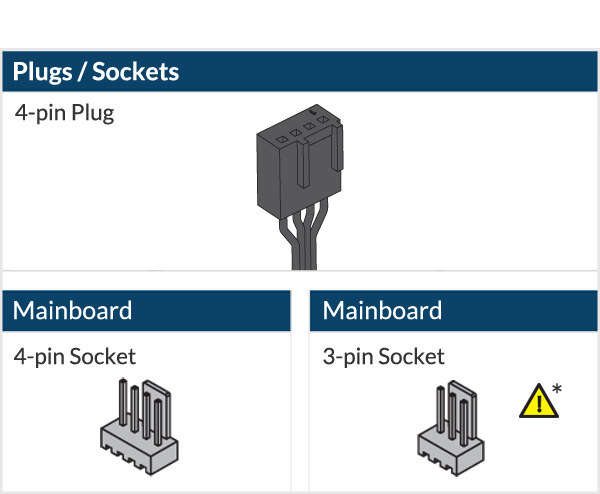
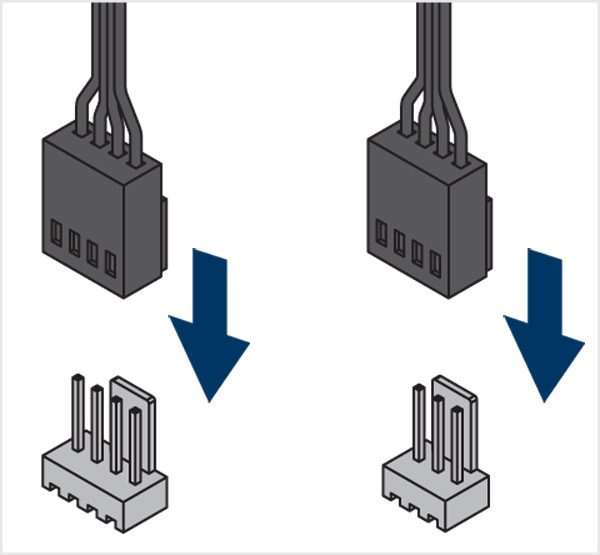

* To get the best out of your cooler, it is recommended to adjust the fan speed control in the BIOS, follow this guide to adjust your PWM.
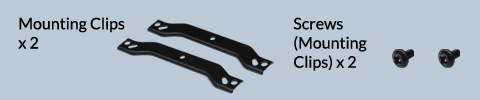
Preparation
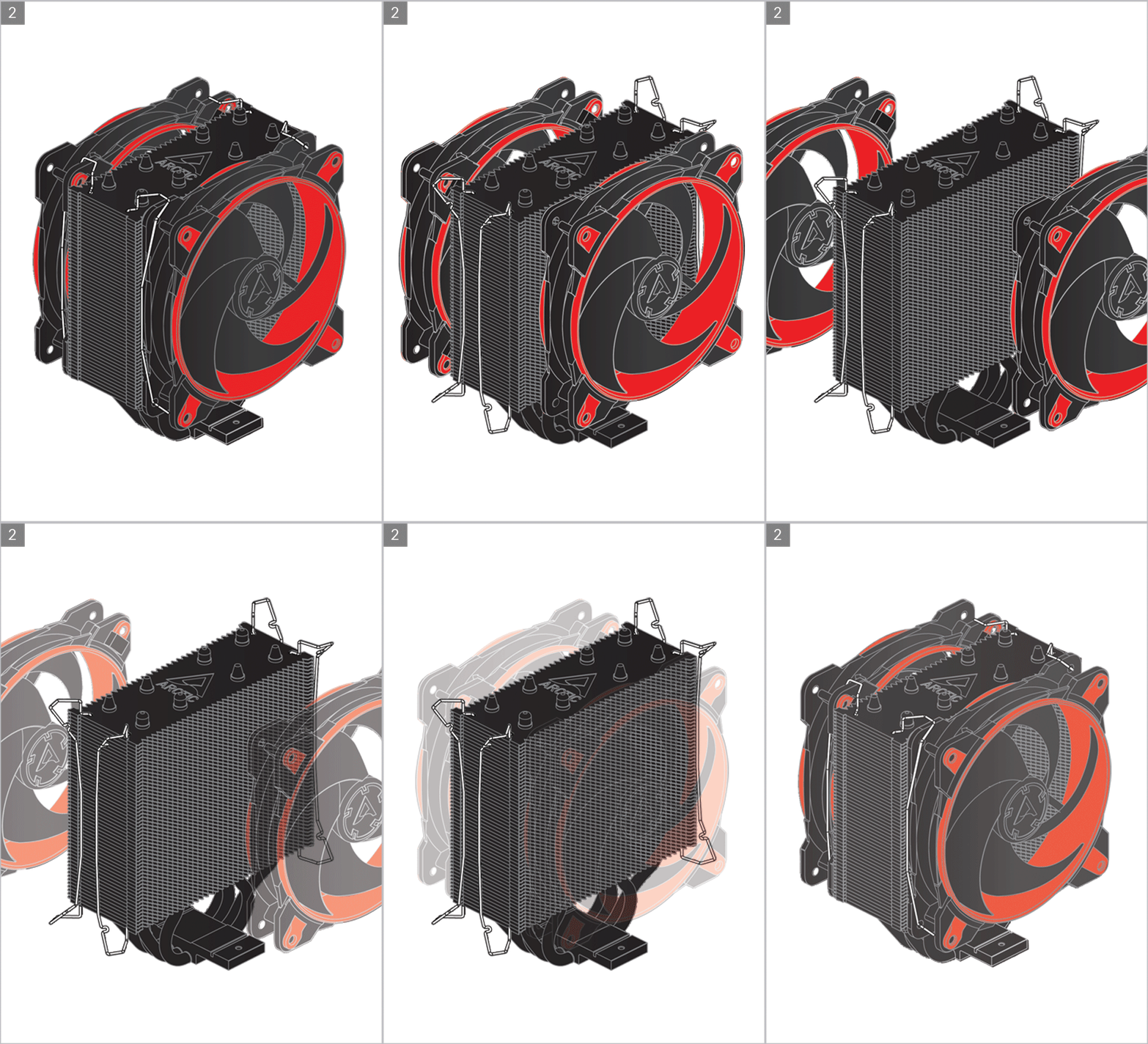
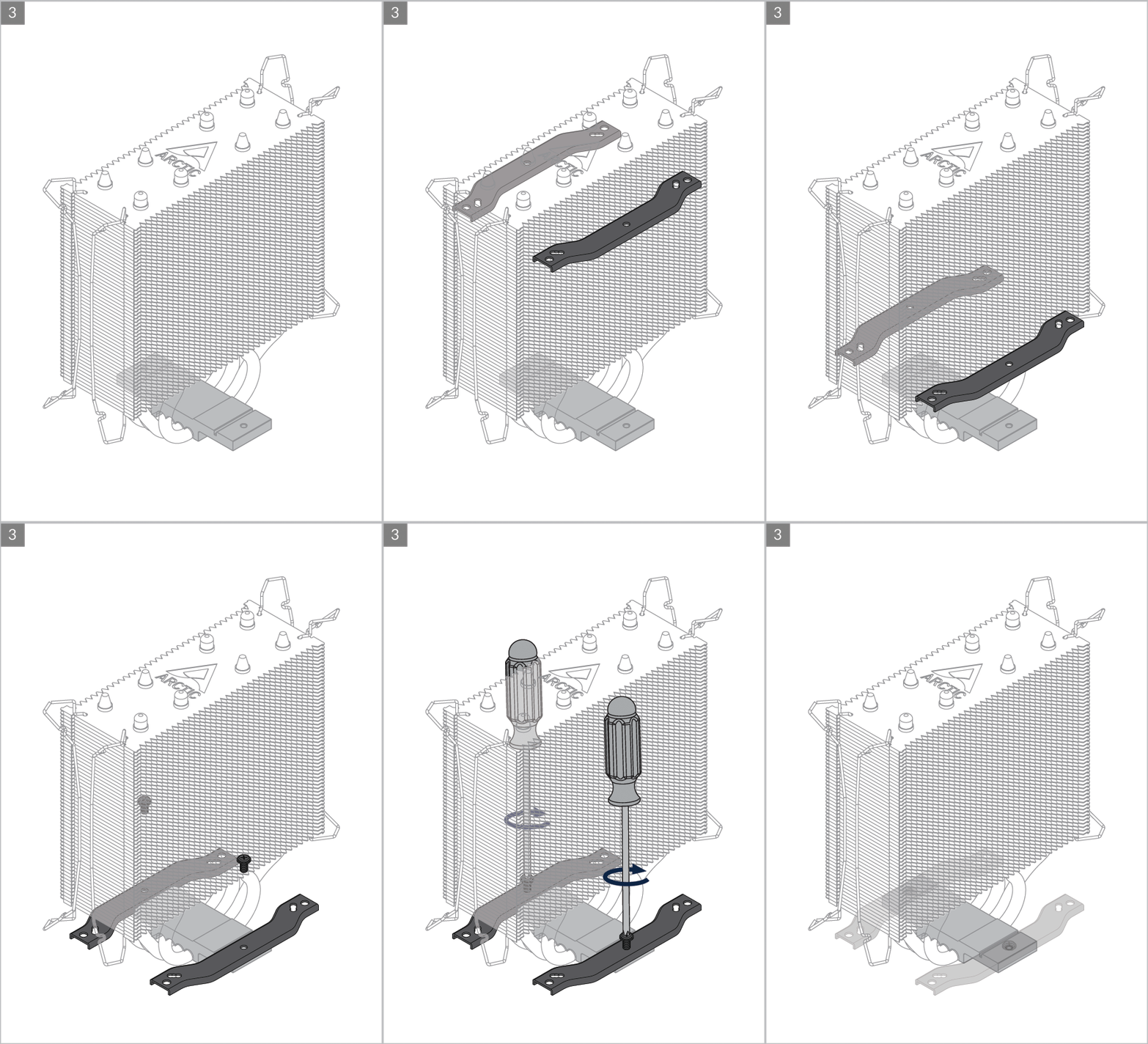
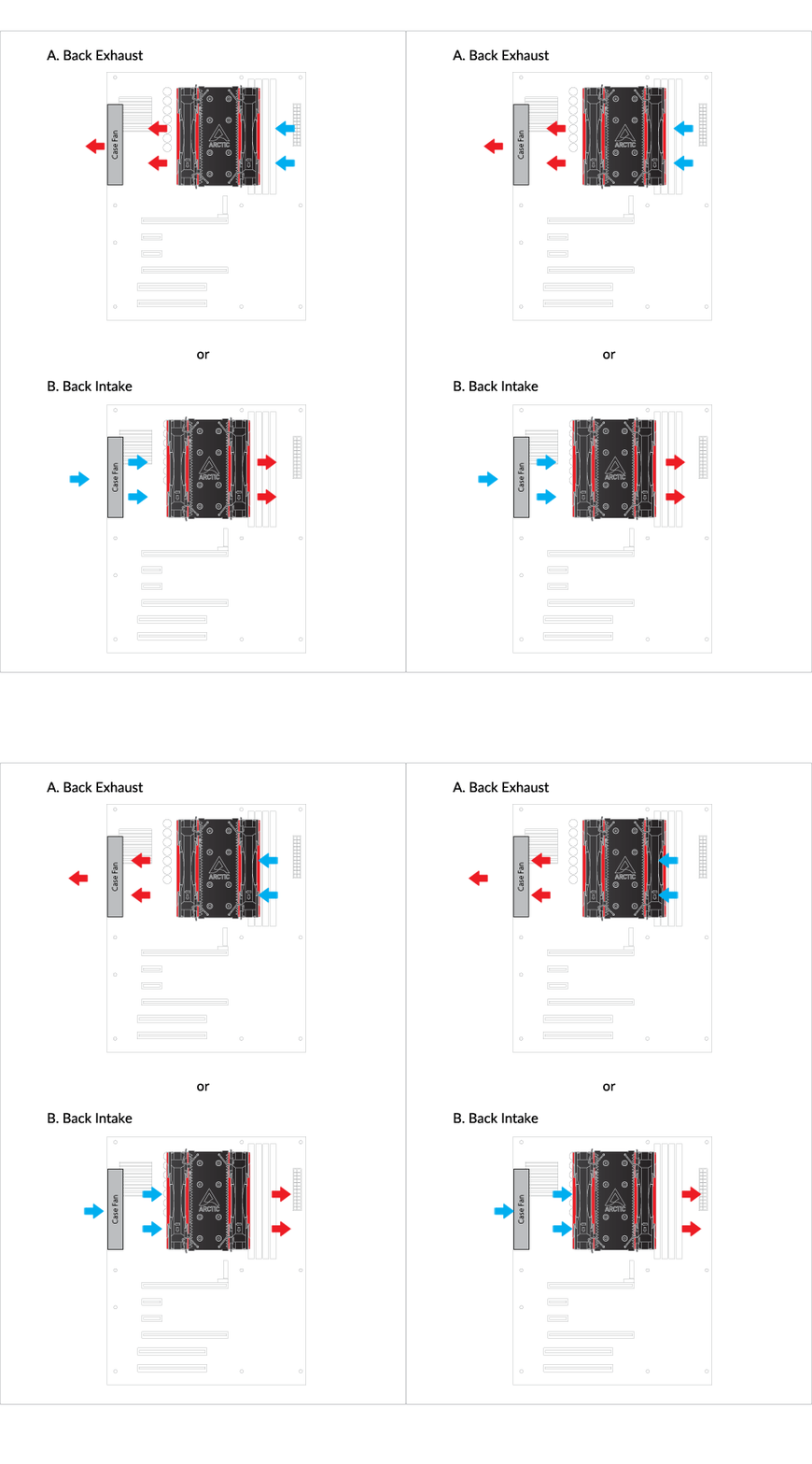
Cooler Orientation
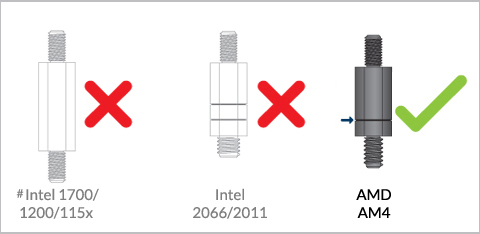
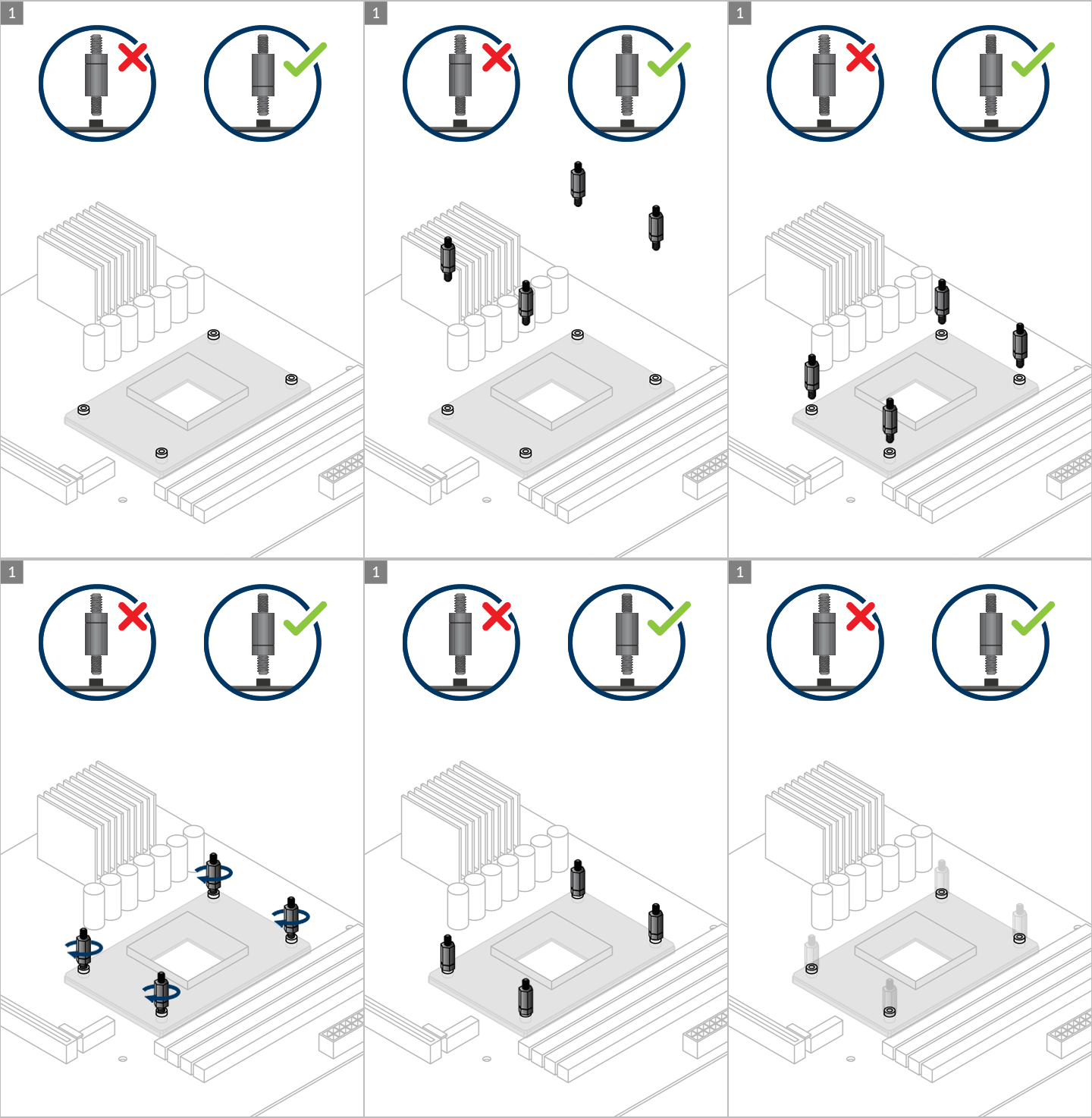
Installation
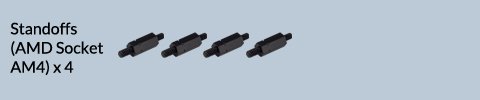
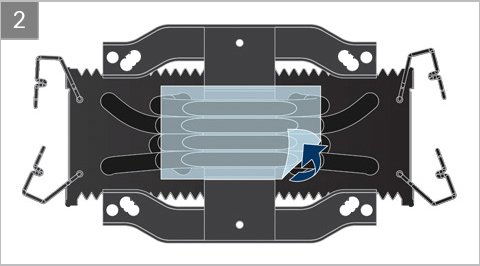
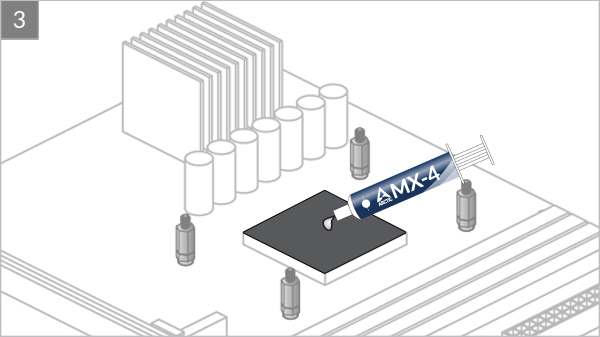

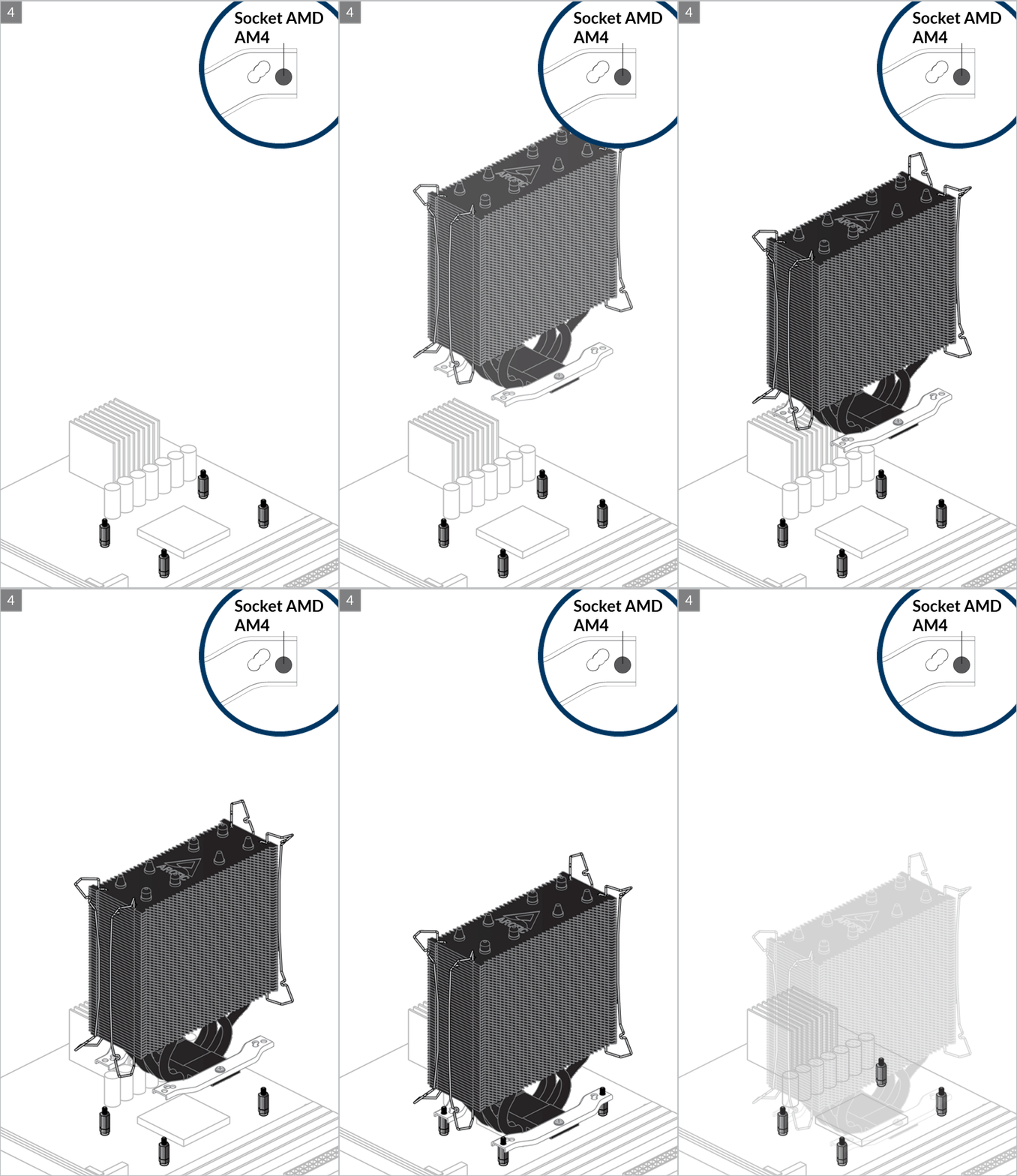

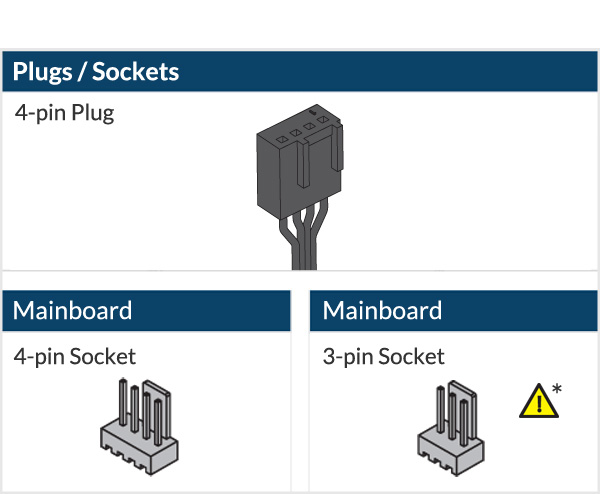
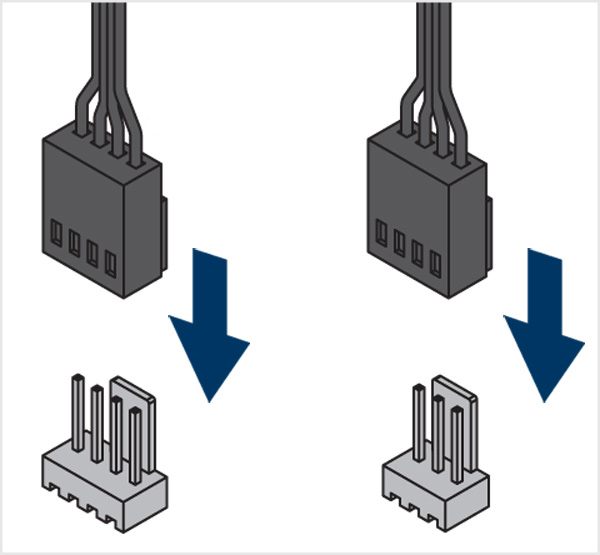

* To get the best out of your cooler, it is recommended to adjust the fan speed control in the BIOS, follow this guide to adjust your PWM.
To get the best out of your cooler, it is recommended to adjust the fan speed control in the BIOS, follow this guide to adjust your PWM Settings.
Recommended Products