很遗憾,本文档暂无中文版本,以下为英文版本。
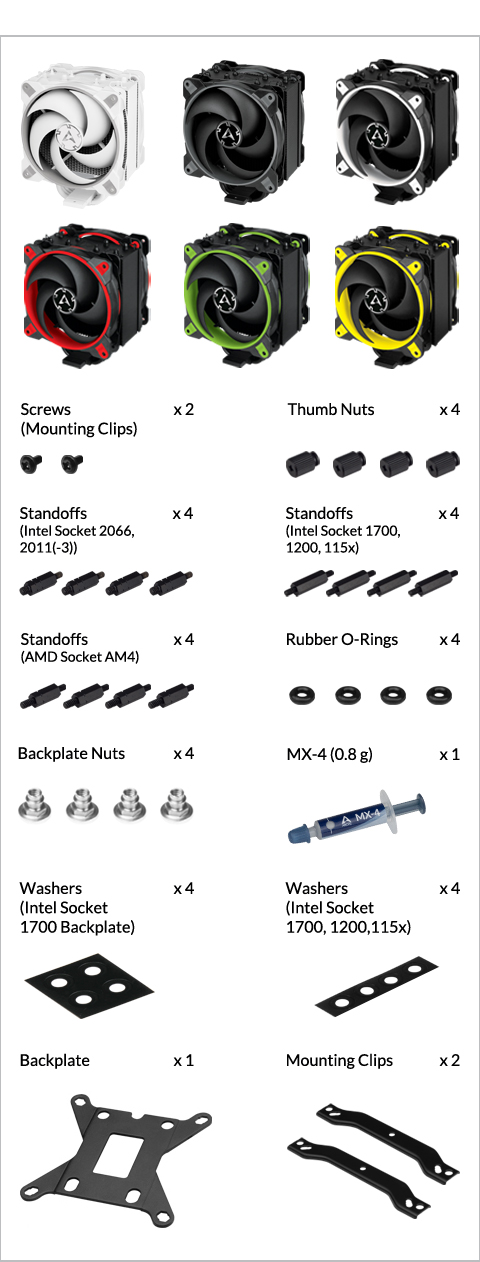
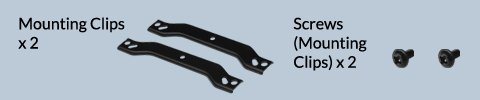
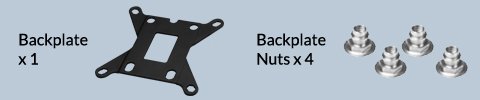
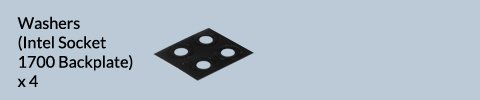
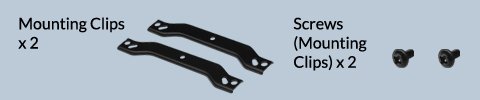
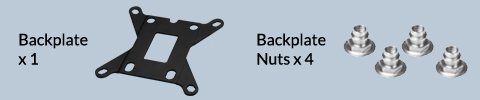
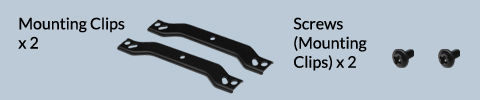
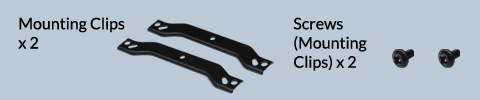
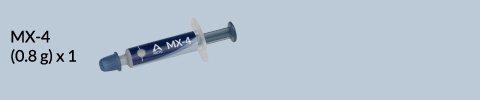
Packaging Content
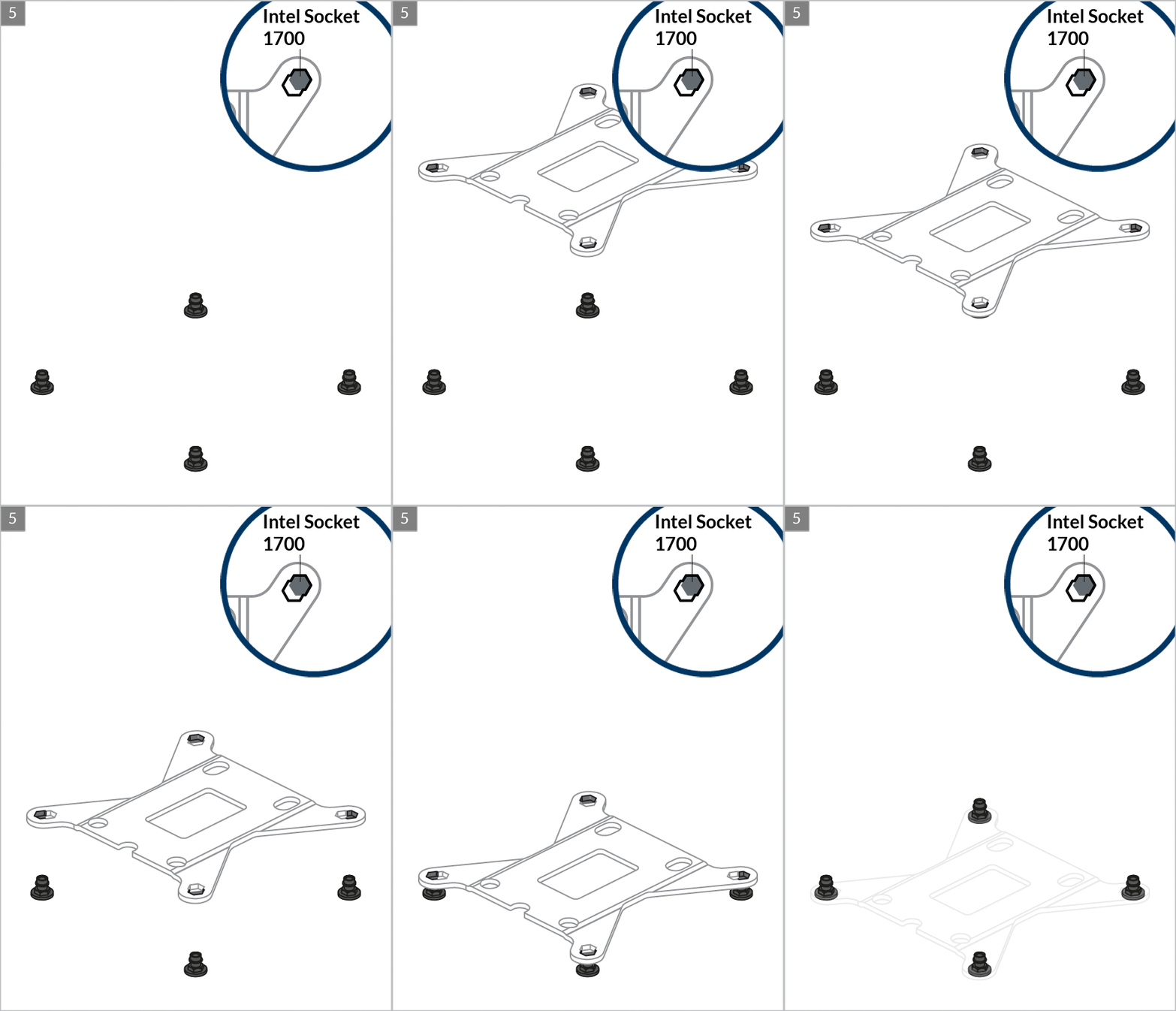
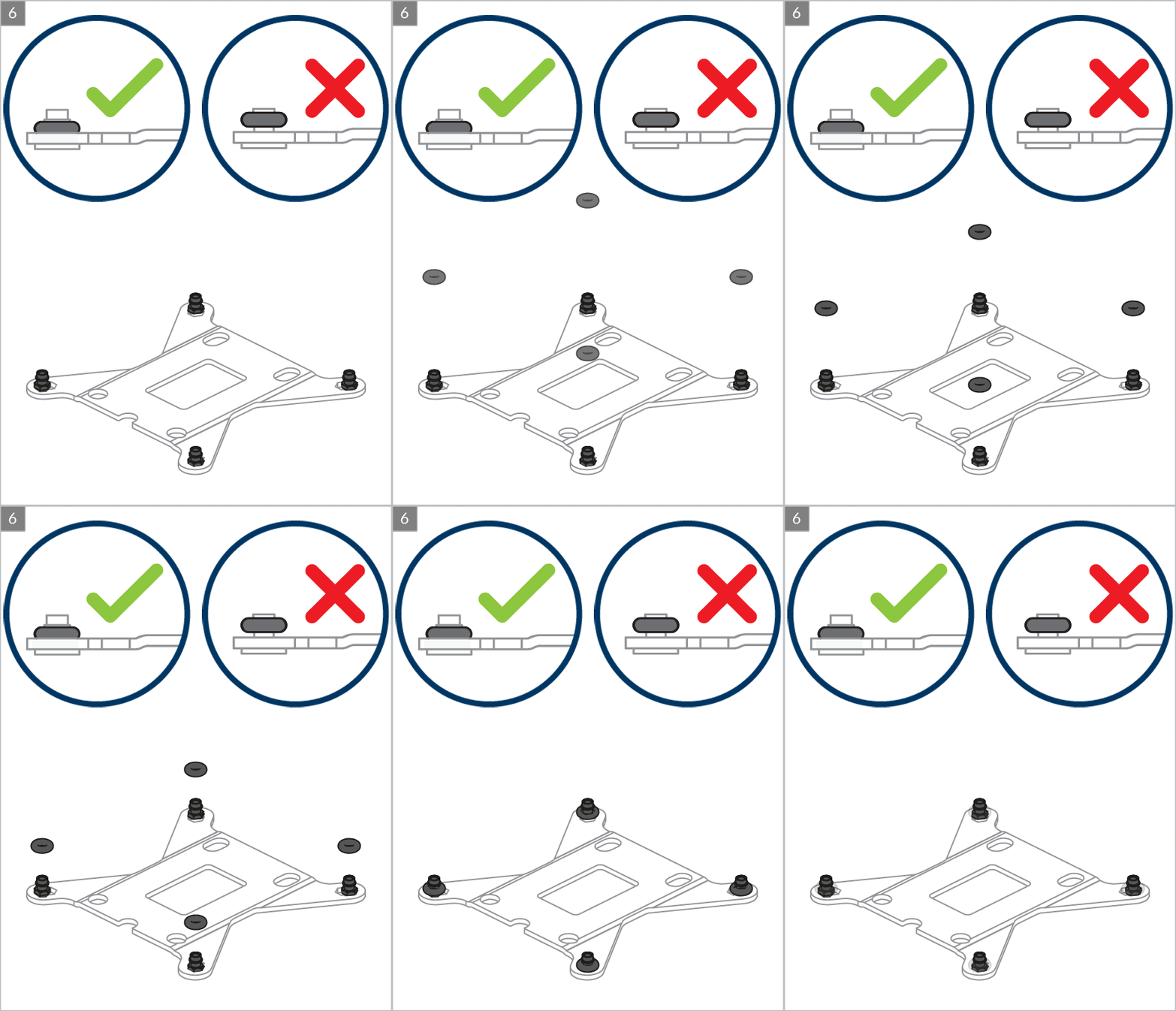
Intel Socket – 1700
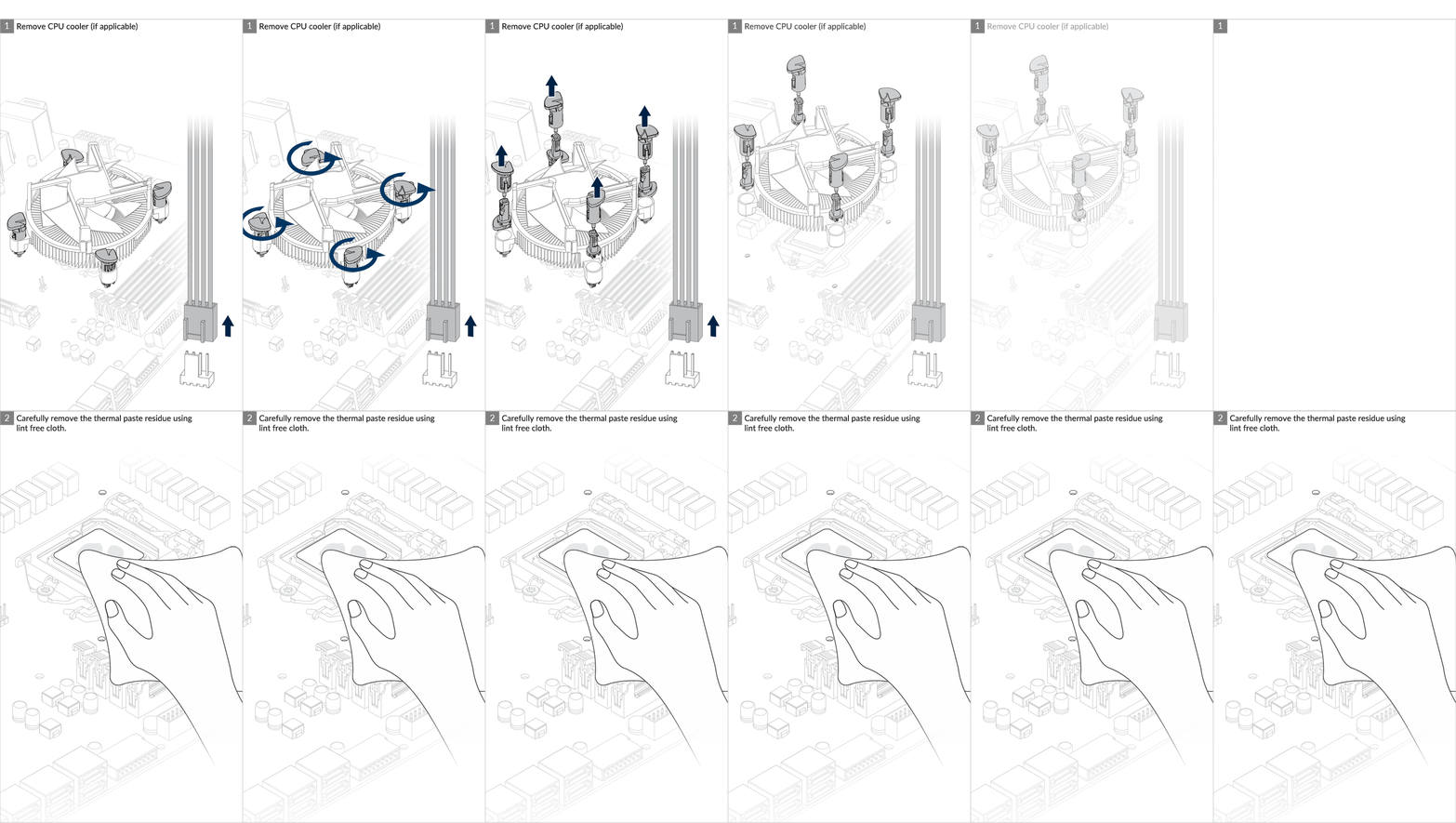
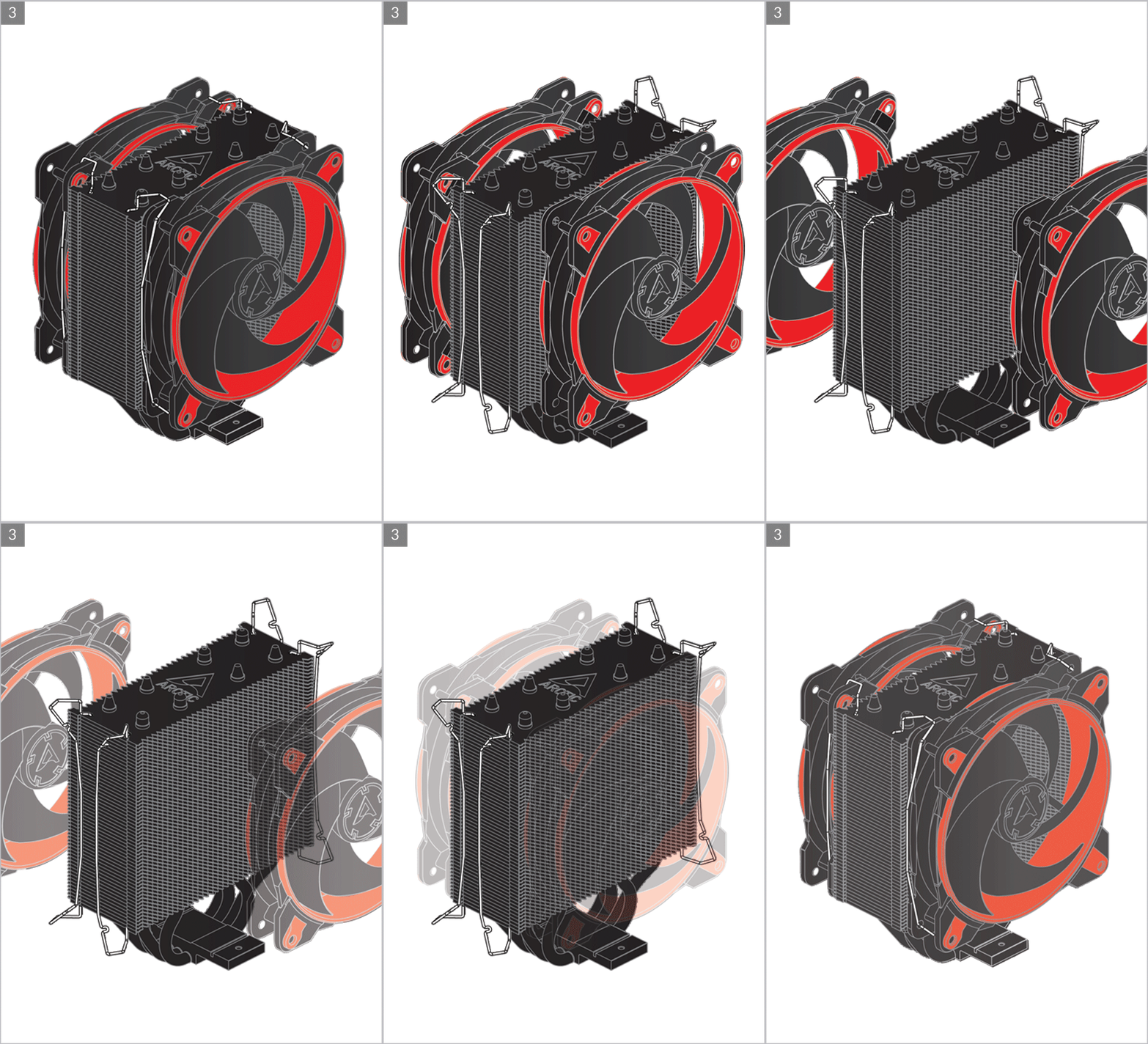
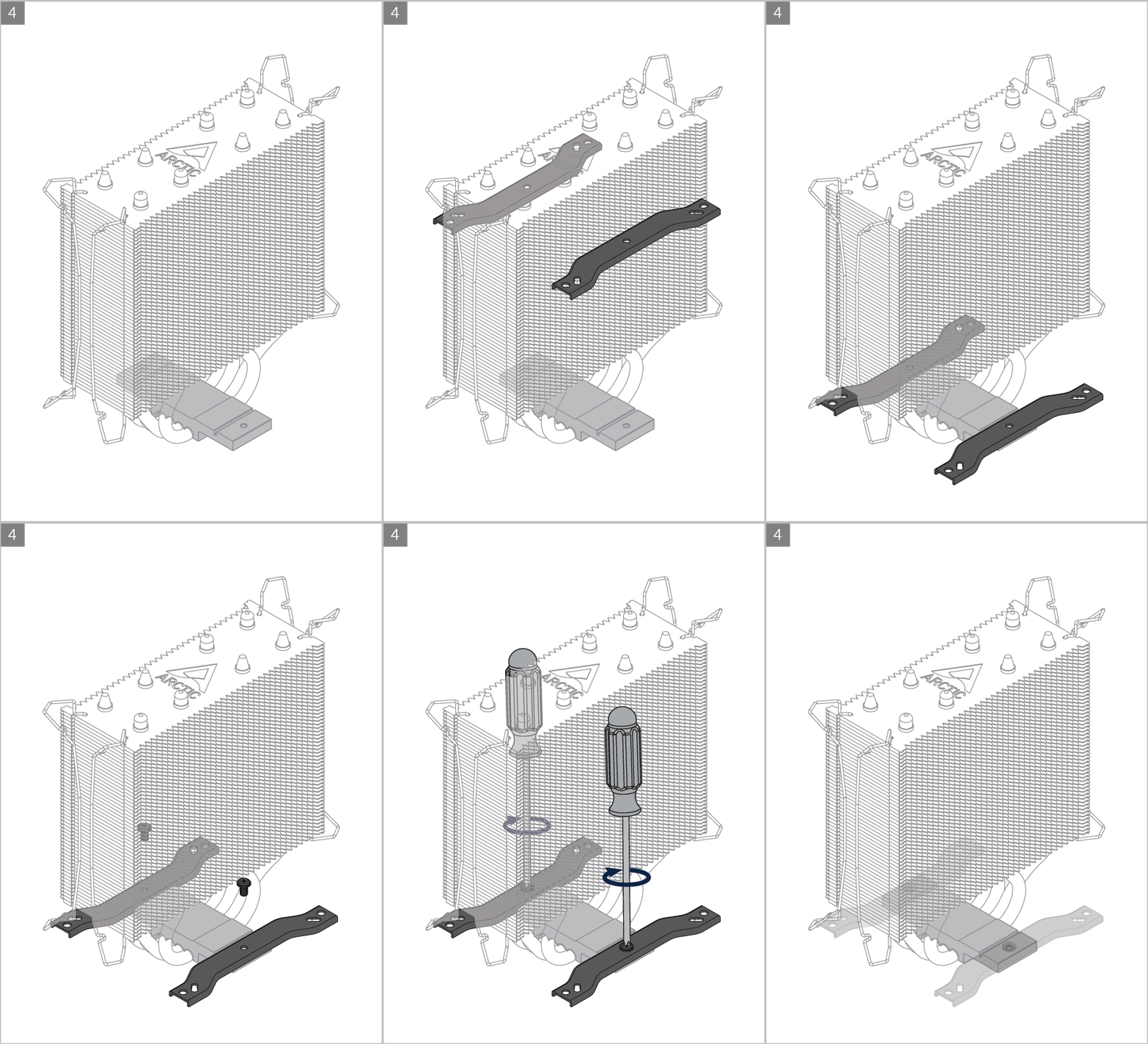
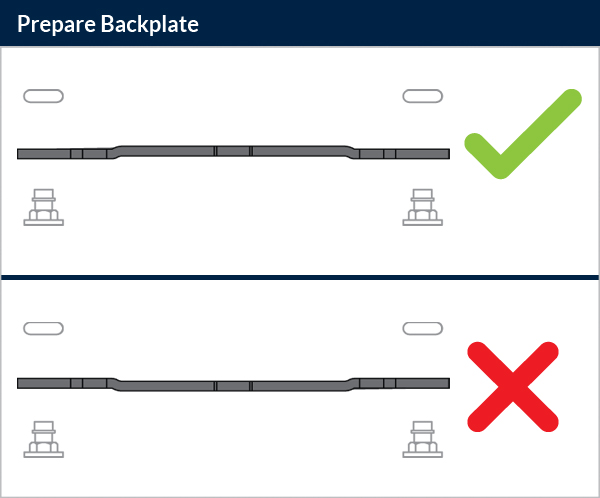
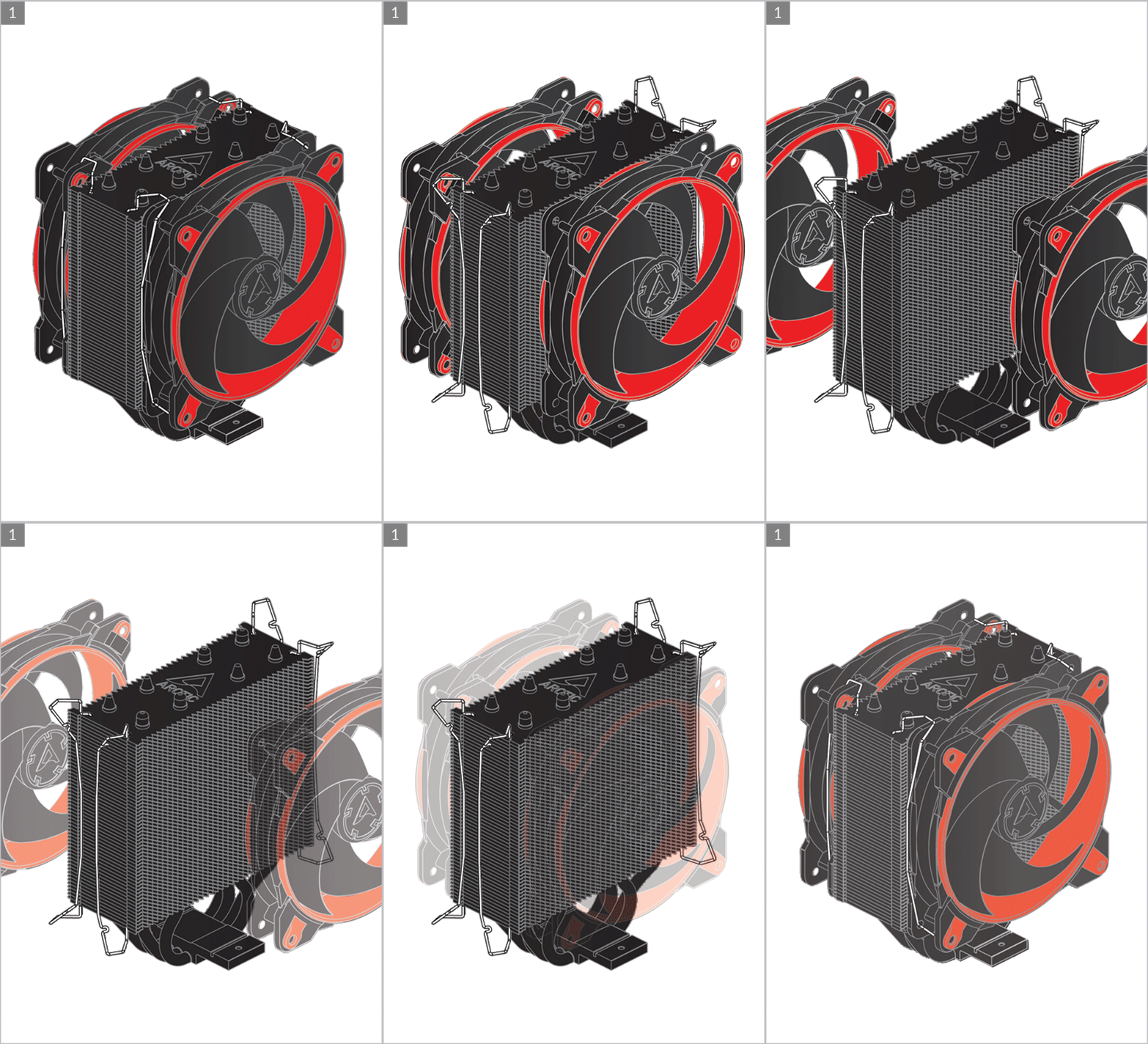
Preparation

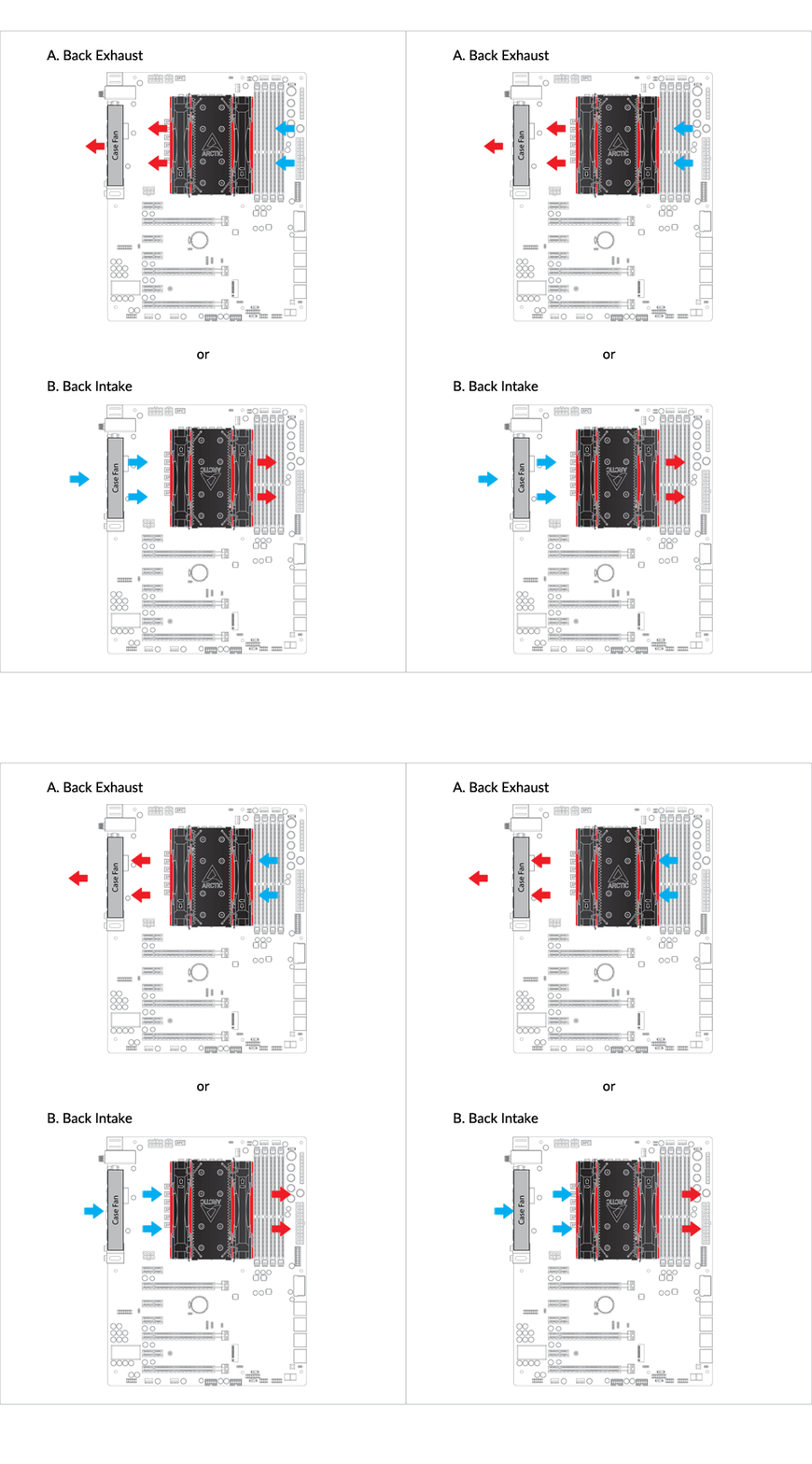
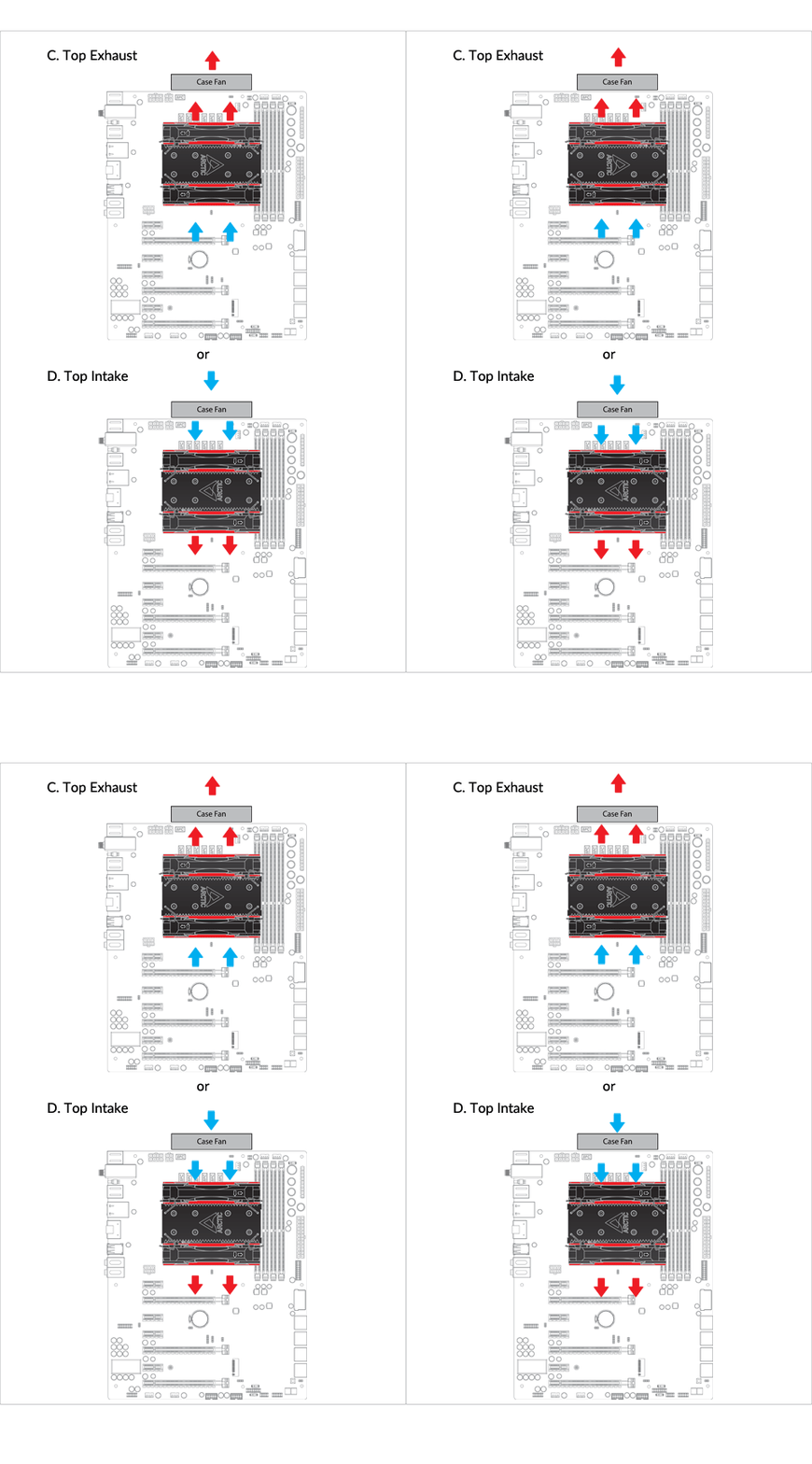
Cooler Orientation
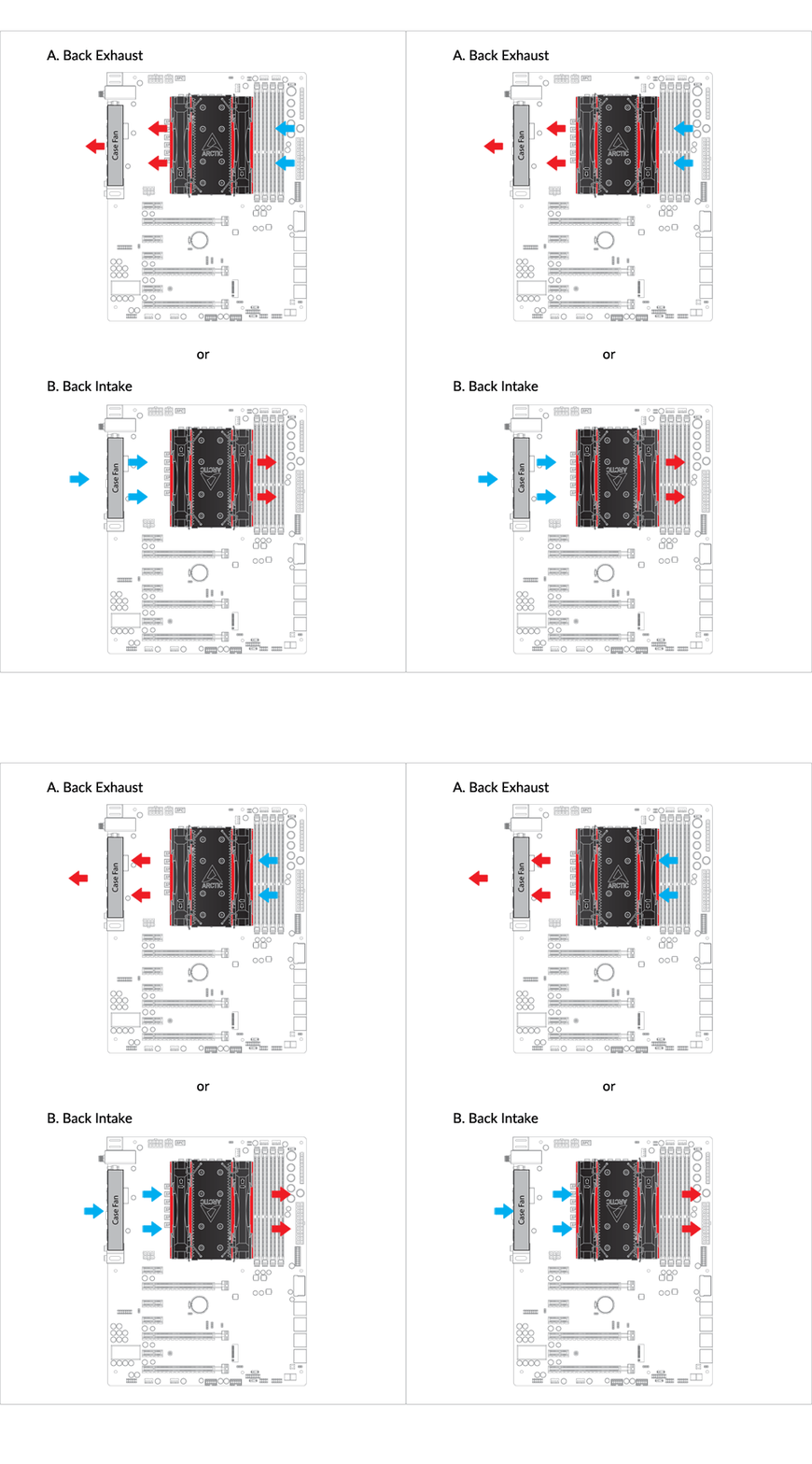
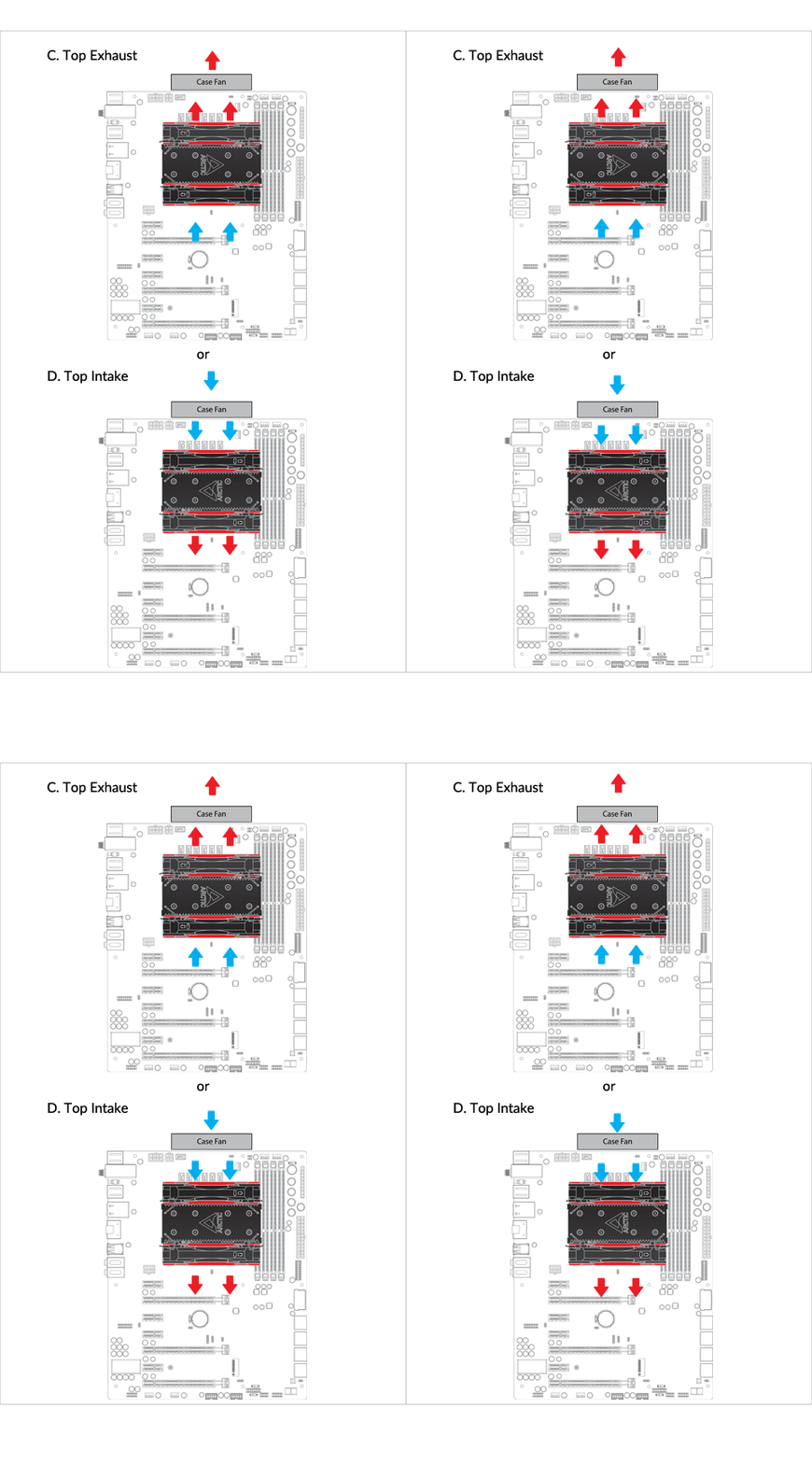
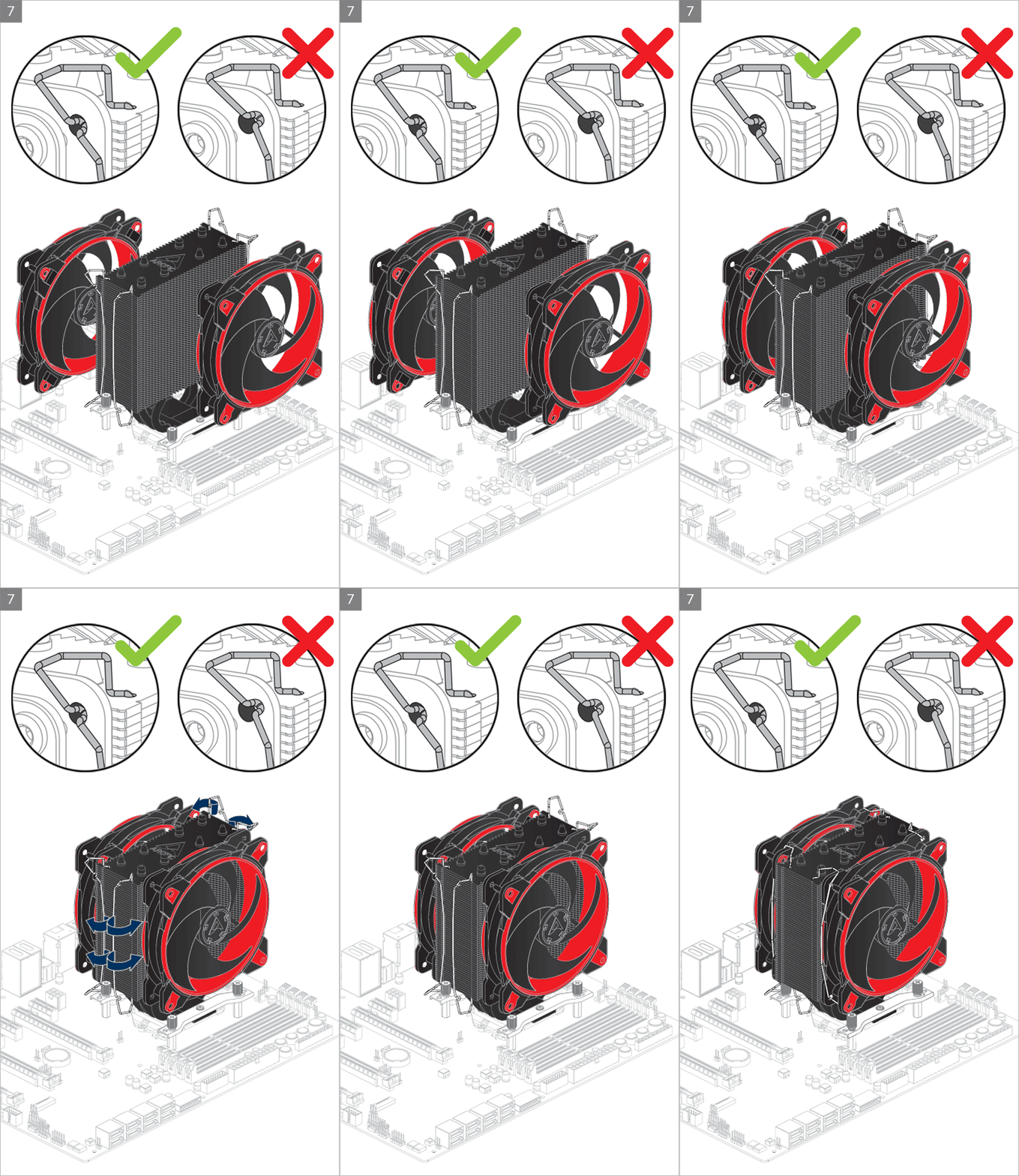
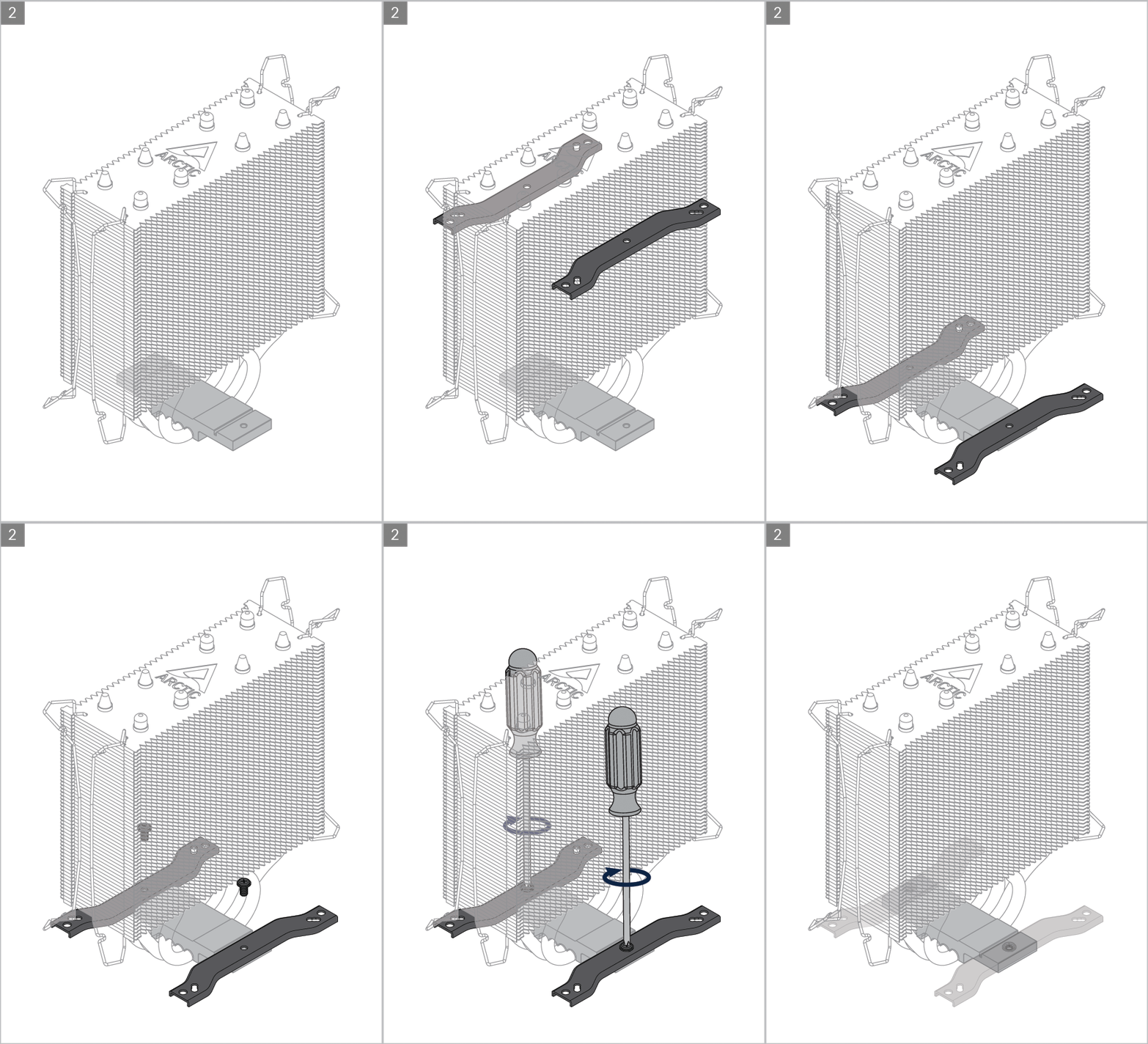
Installation
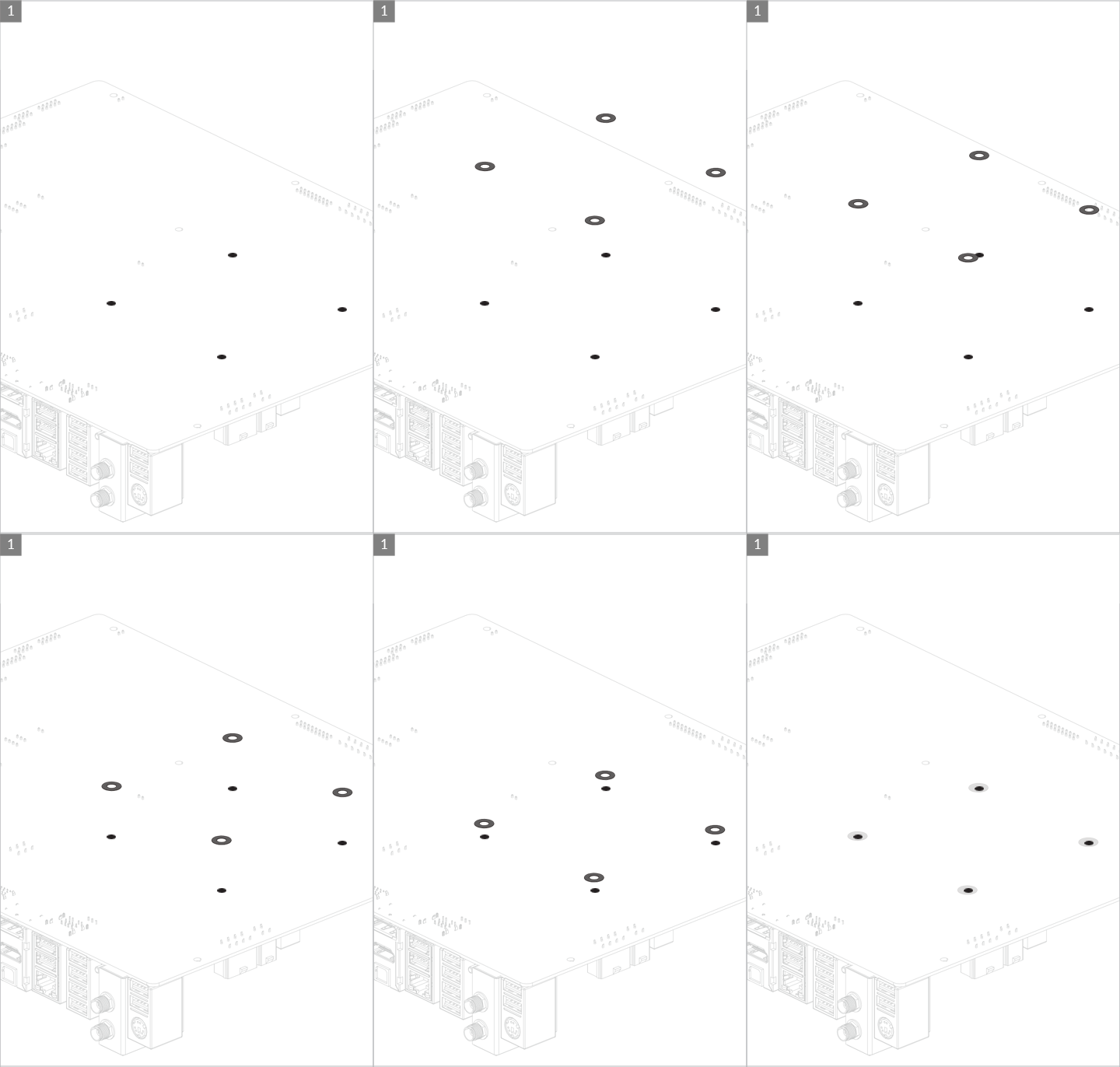
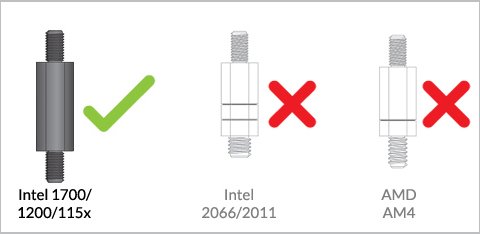
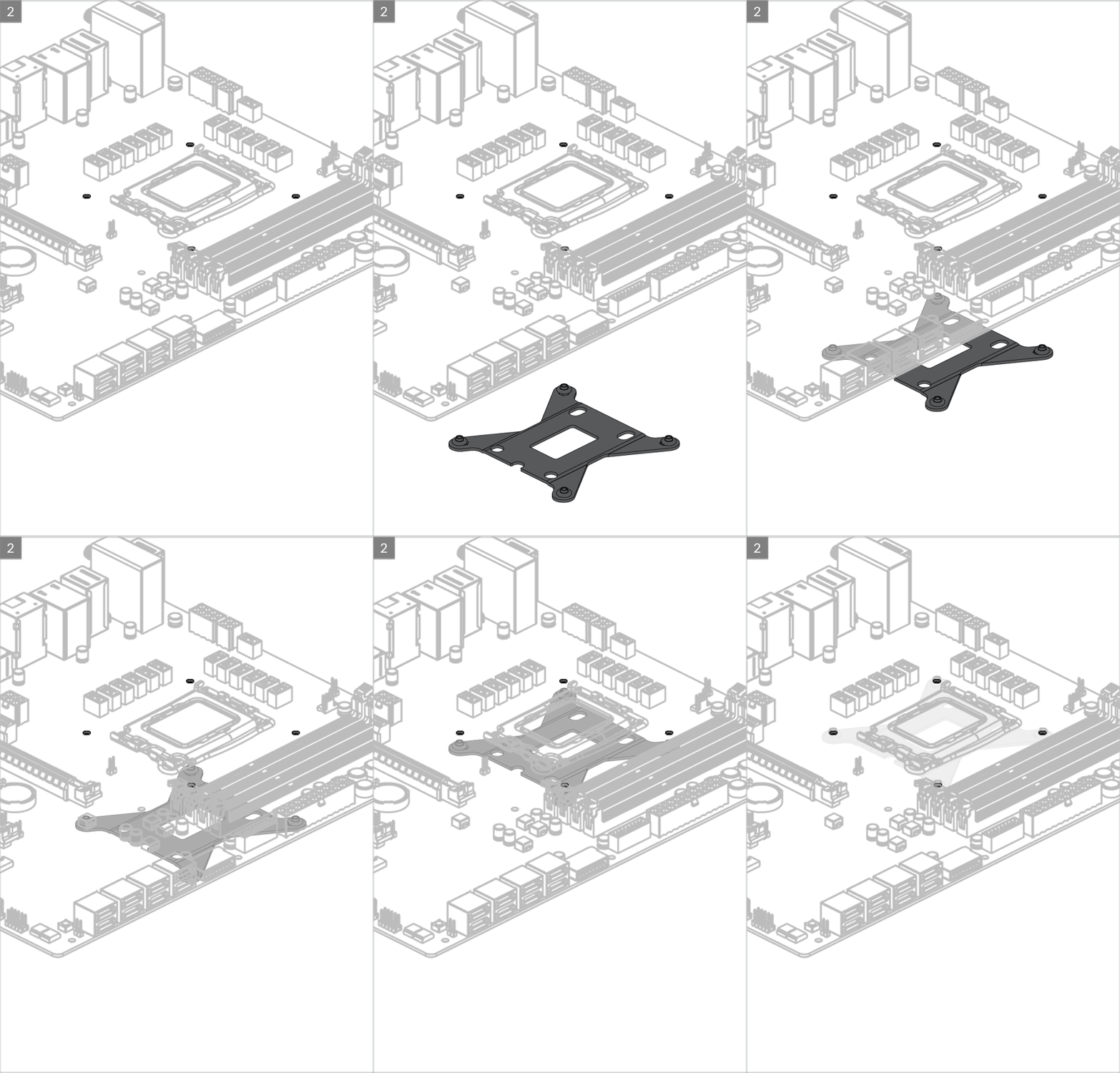
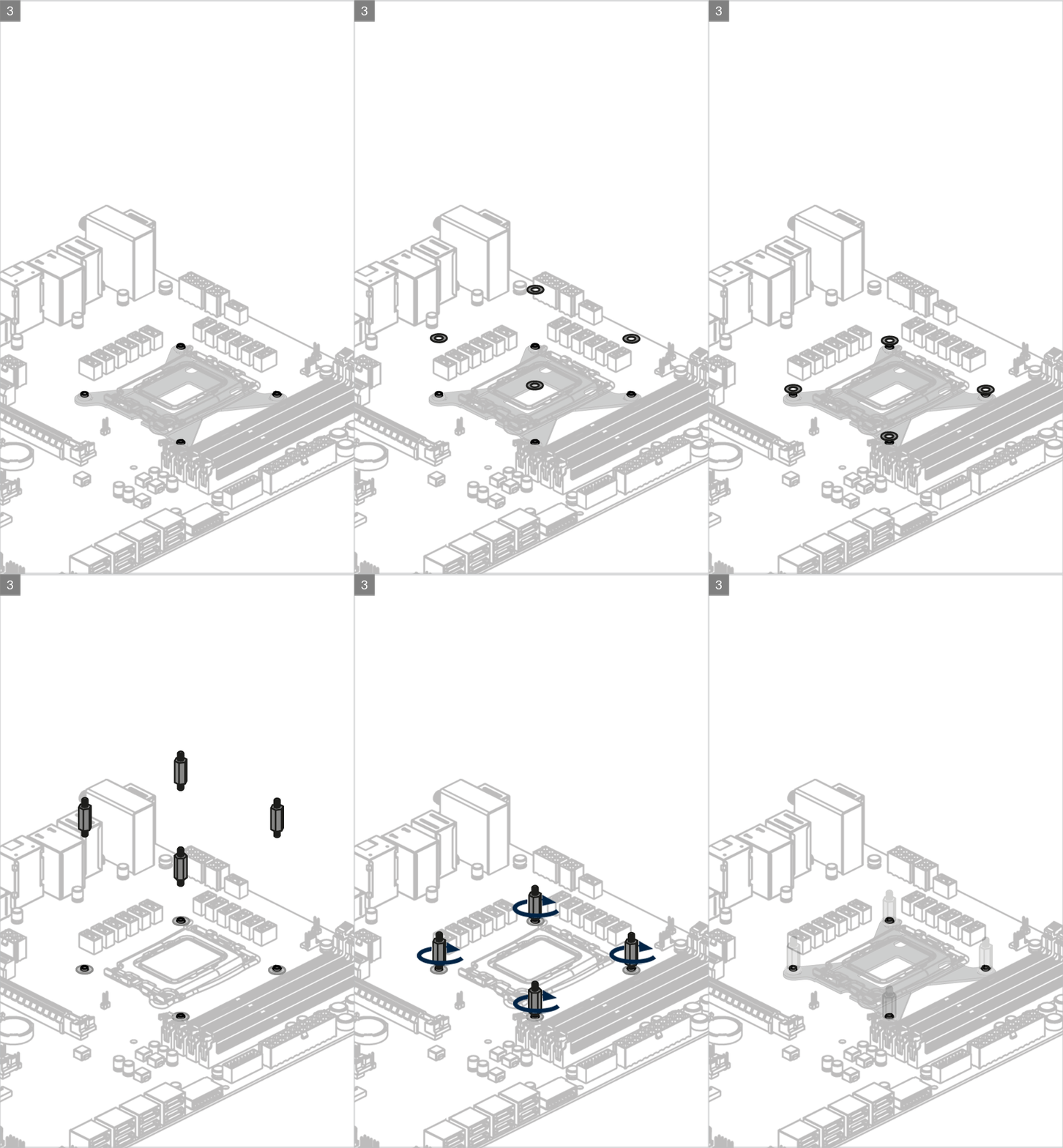
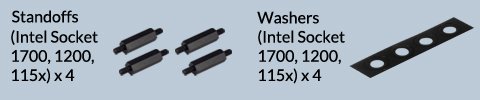
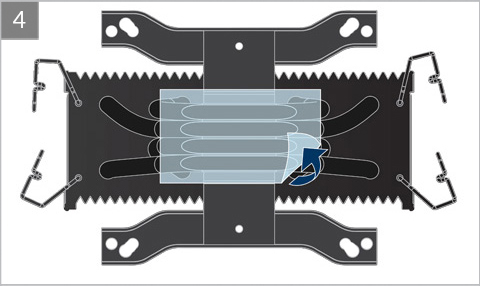
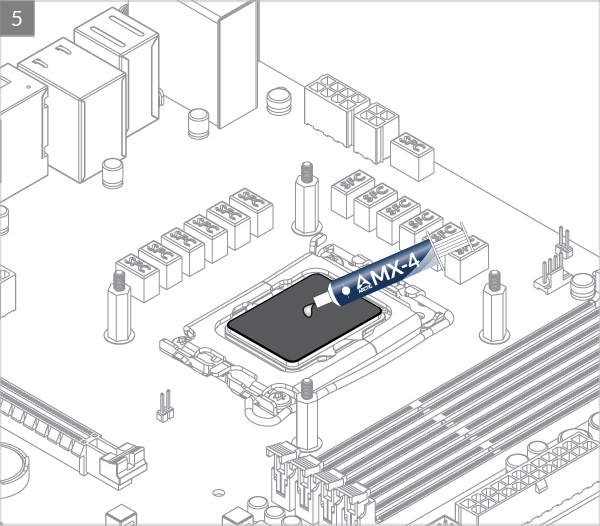
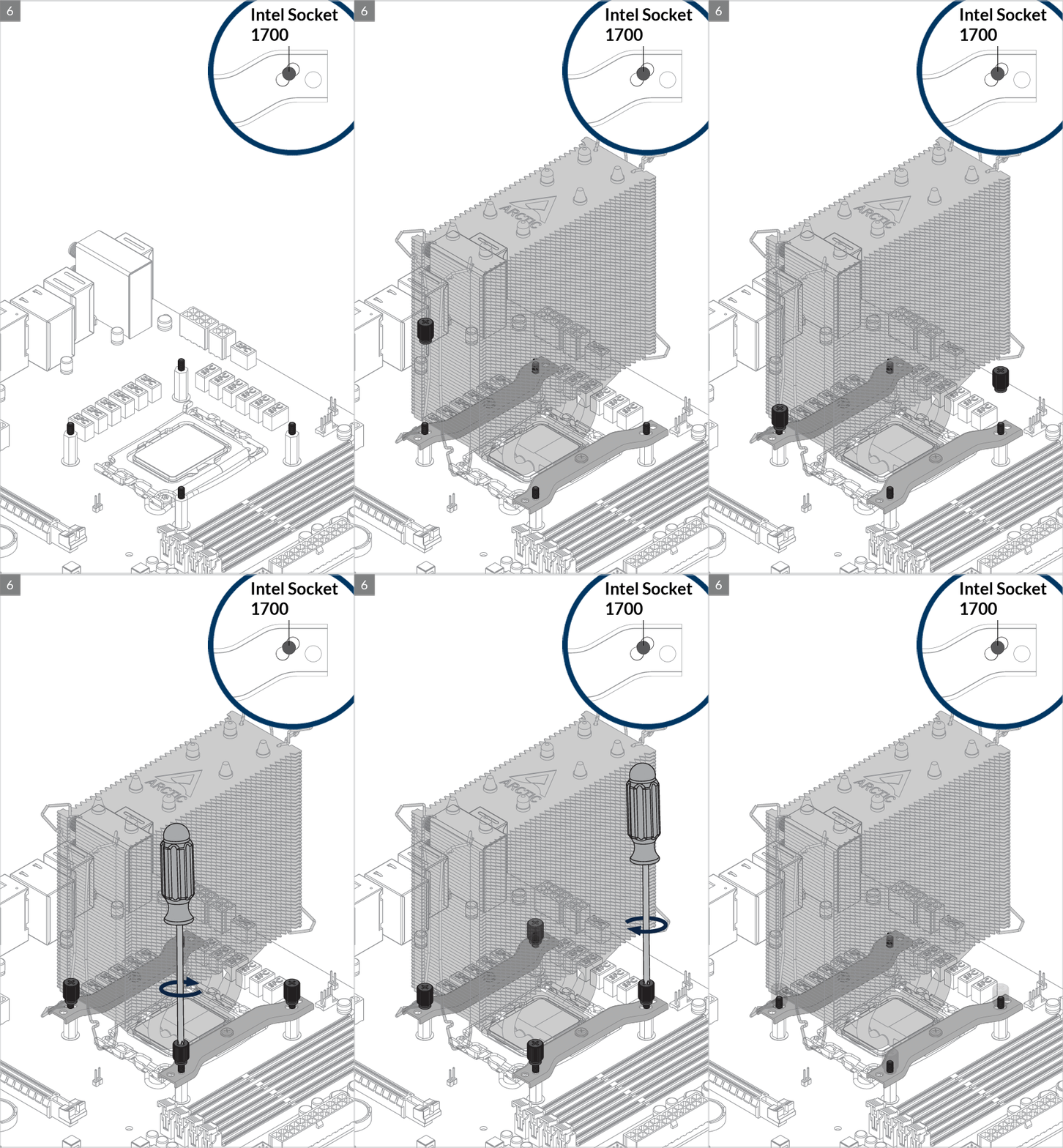

Please make sure the mounting modules insert into the same position on both end of the slots according to the socket.

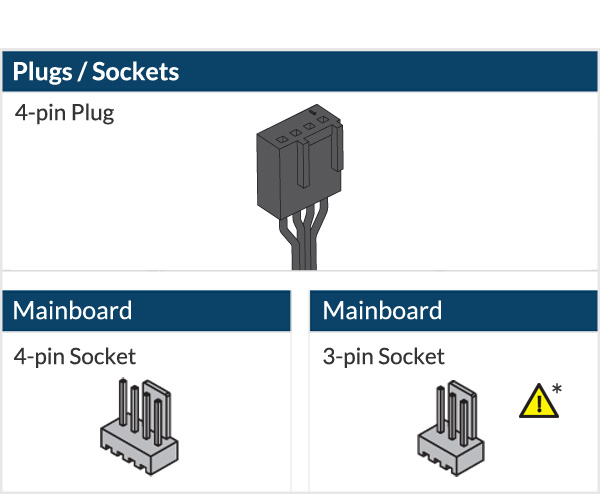
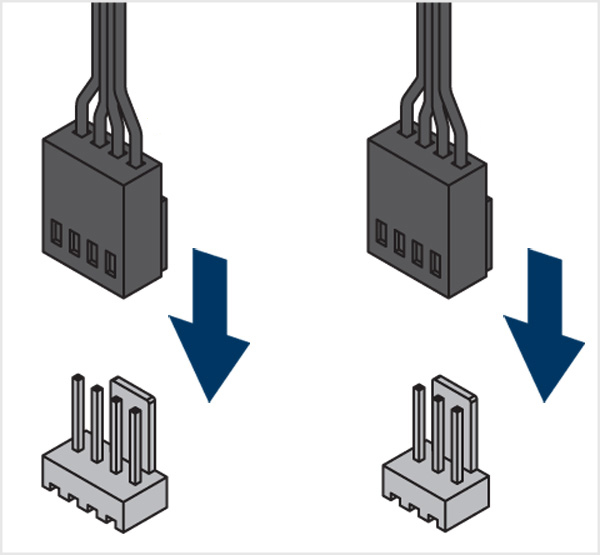

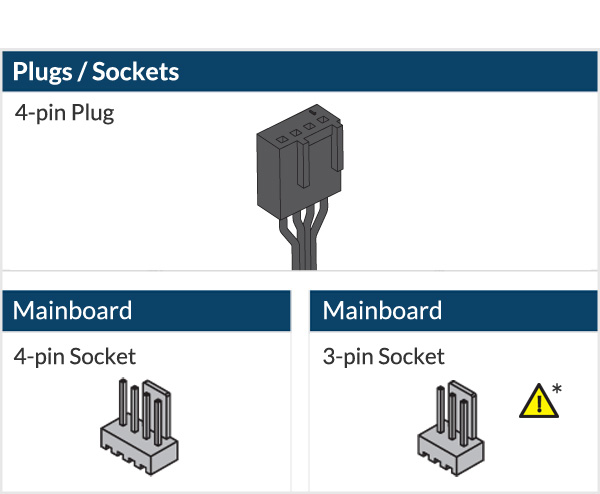
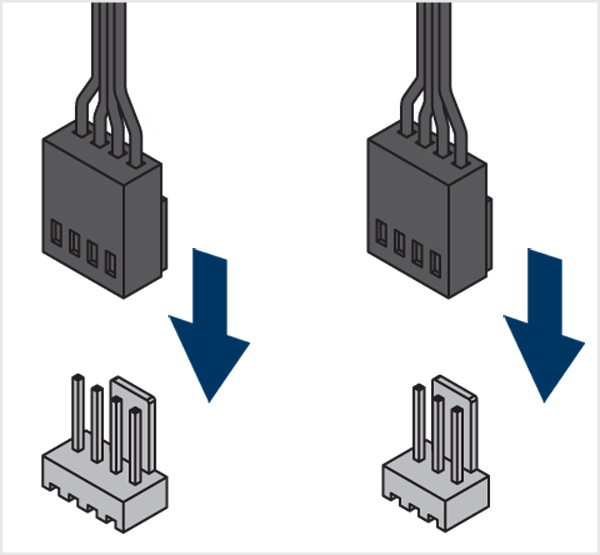
* To get the best out of your cooler, it is recommended to adjust the fan speed control in the BIOS, follow this guide to adjust your PWM.
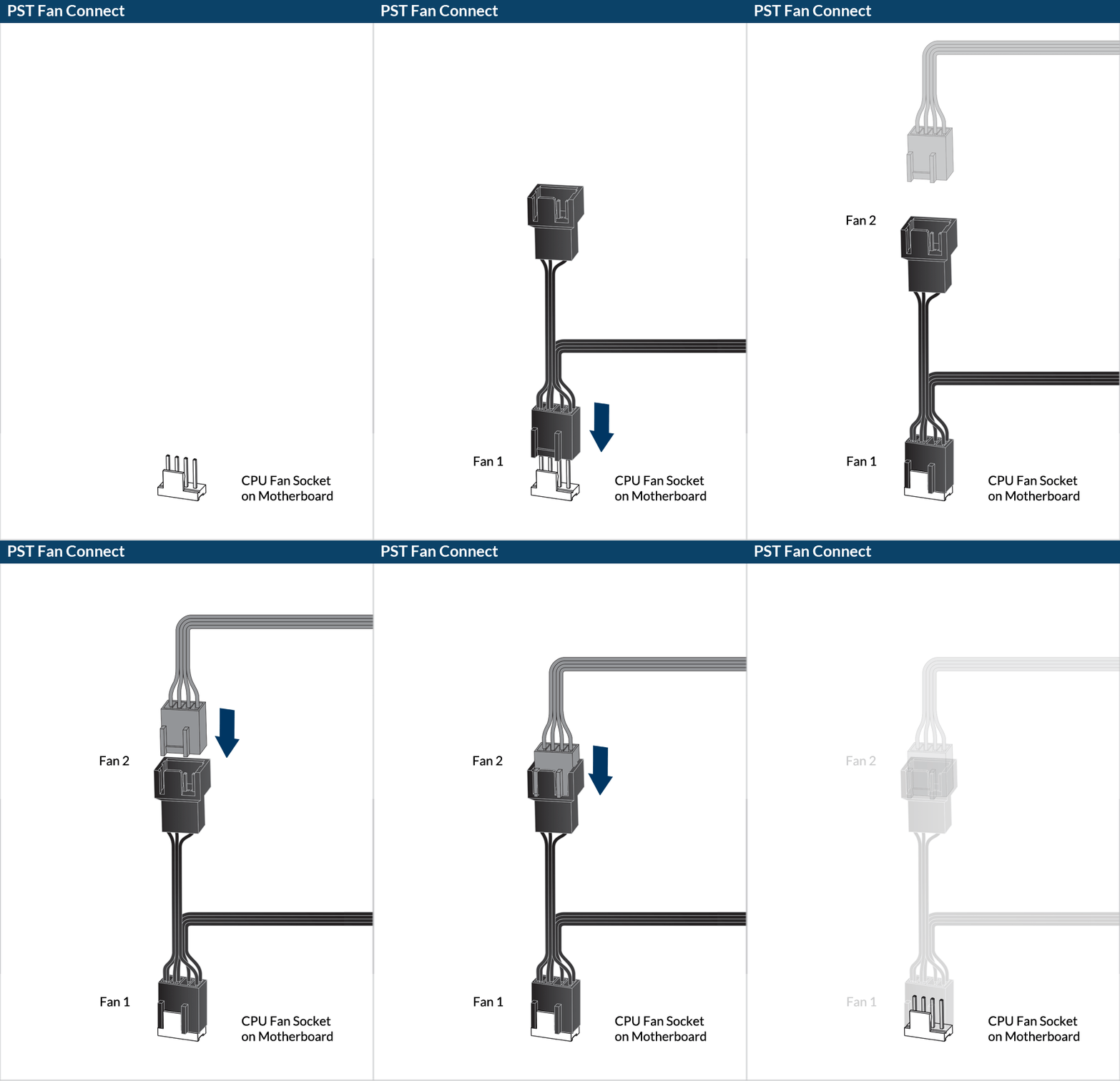
Intel Socket – 1200/115x
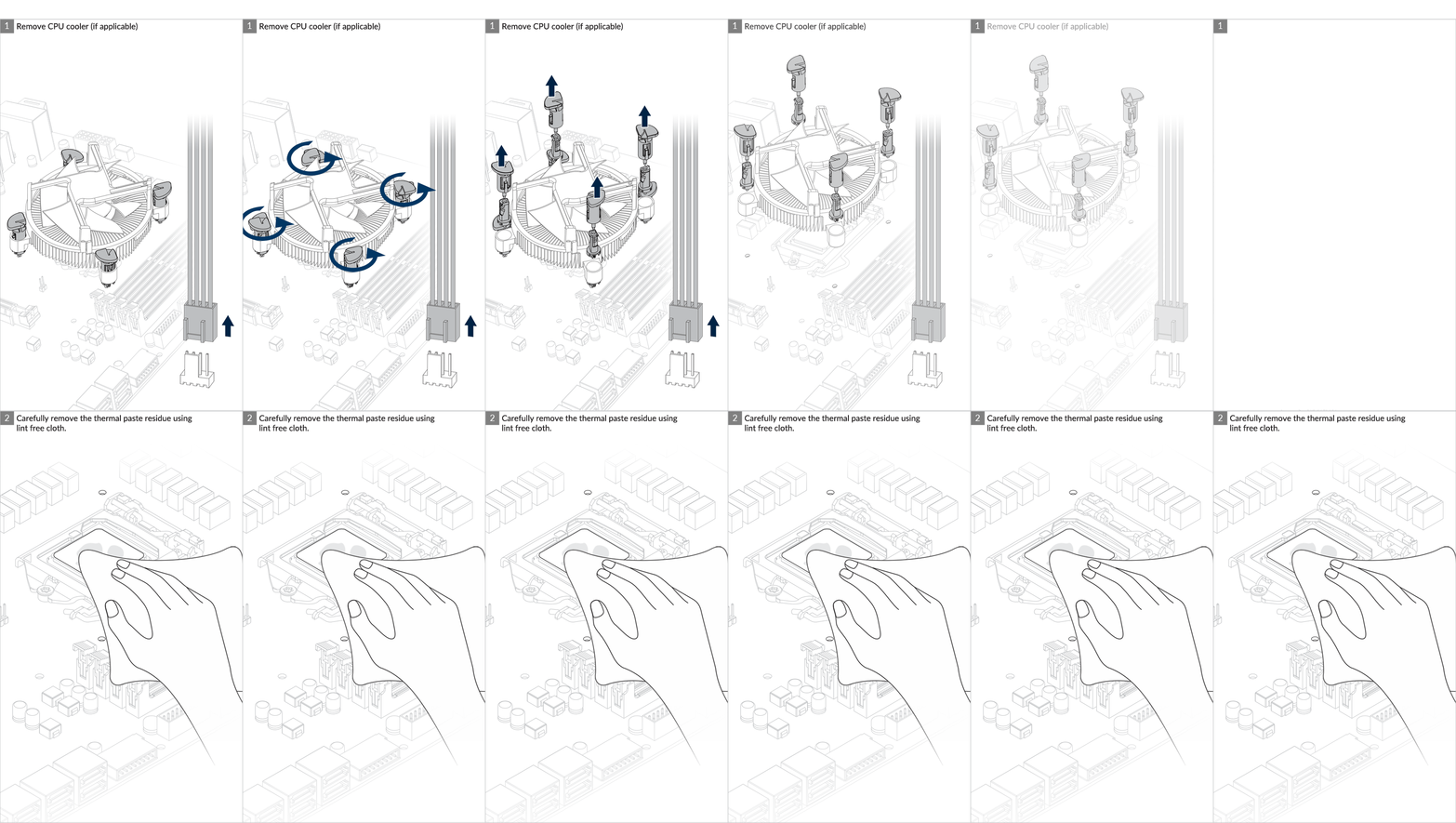
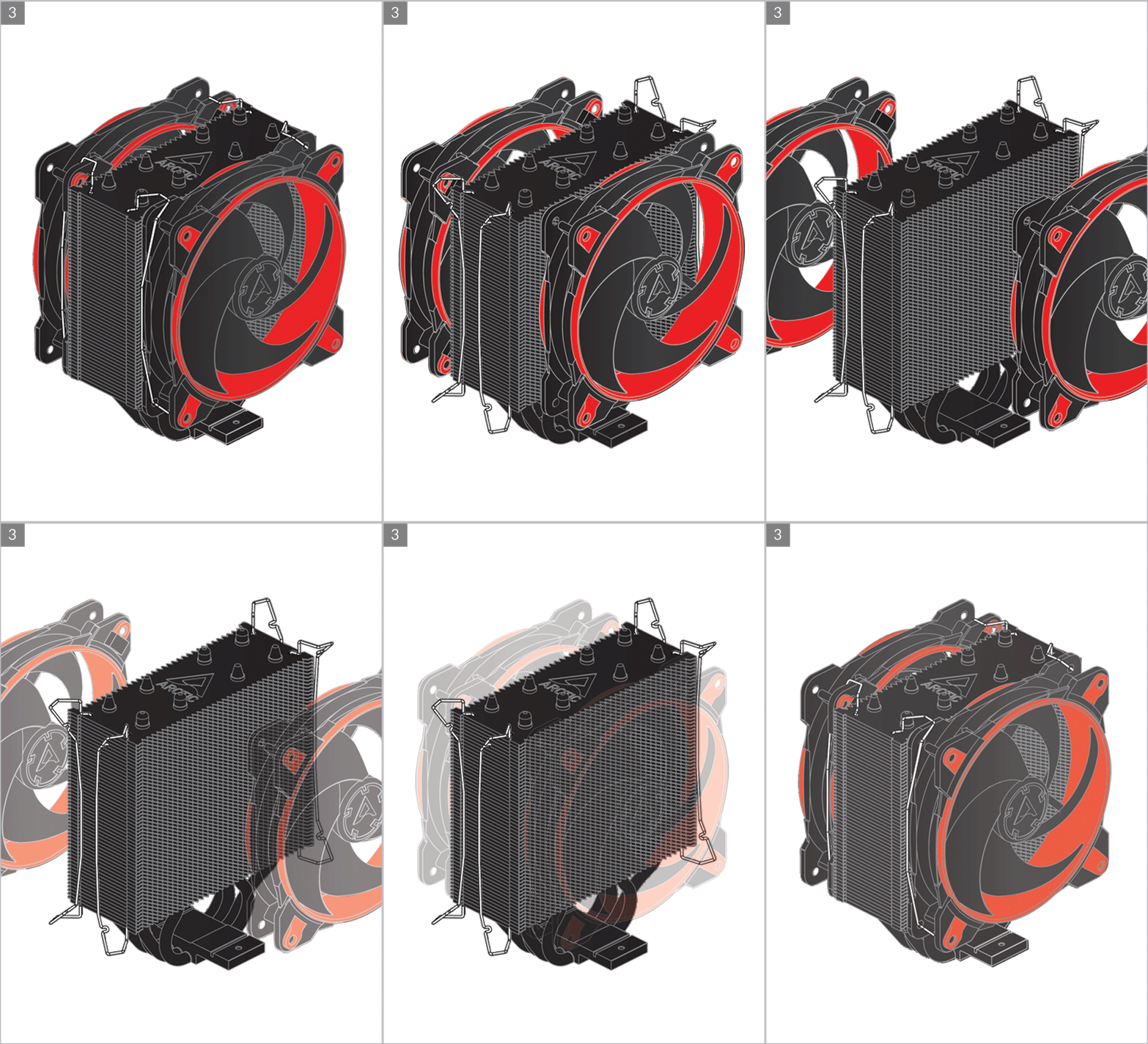
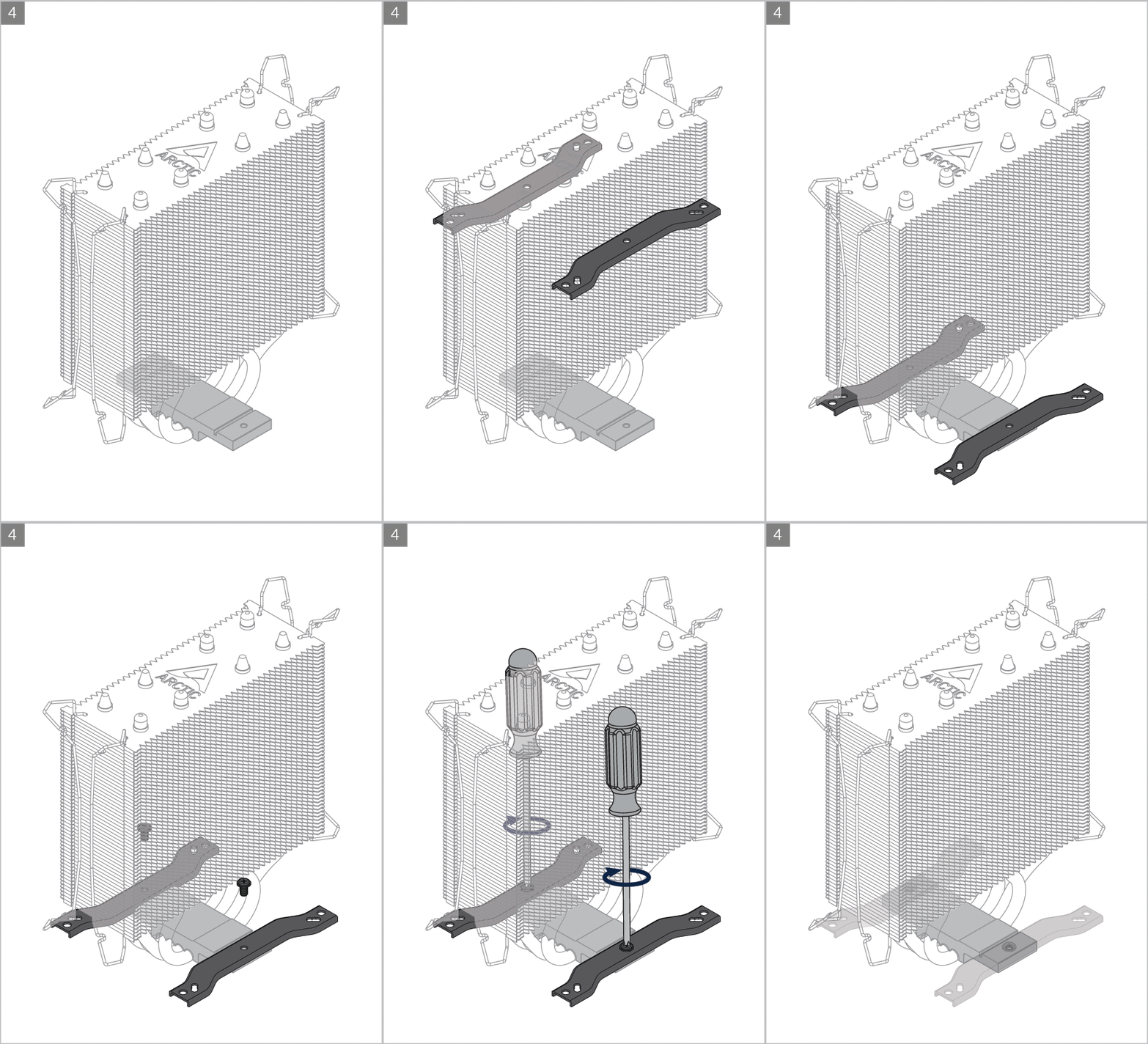
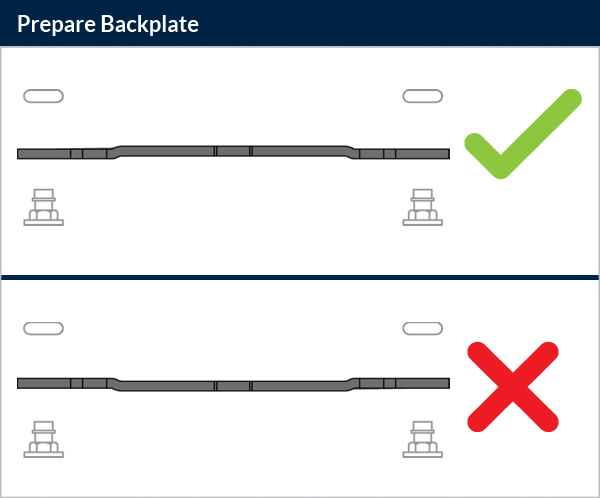
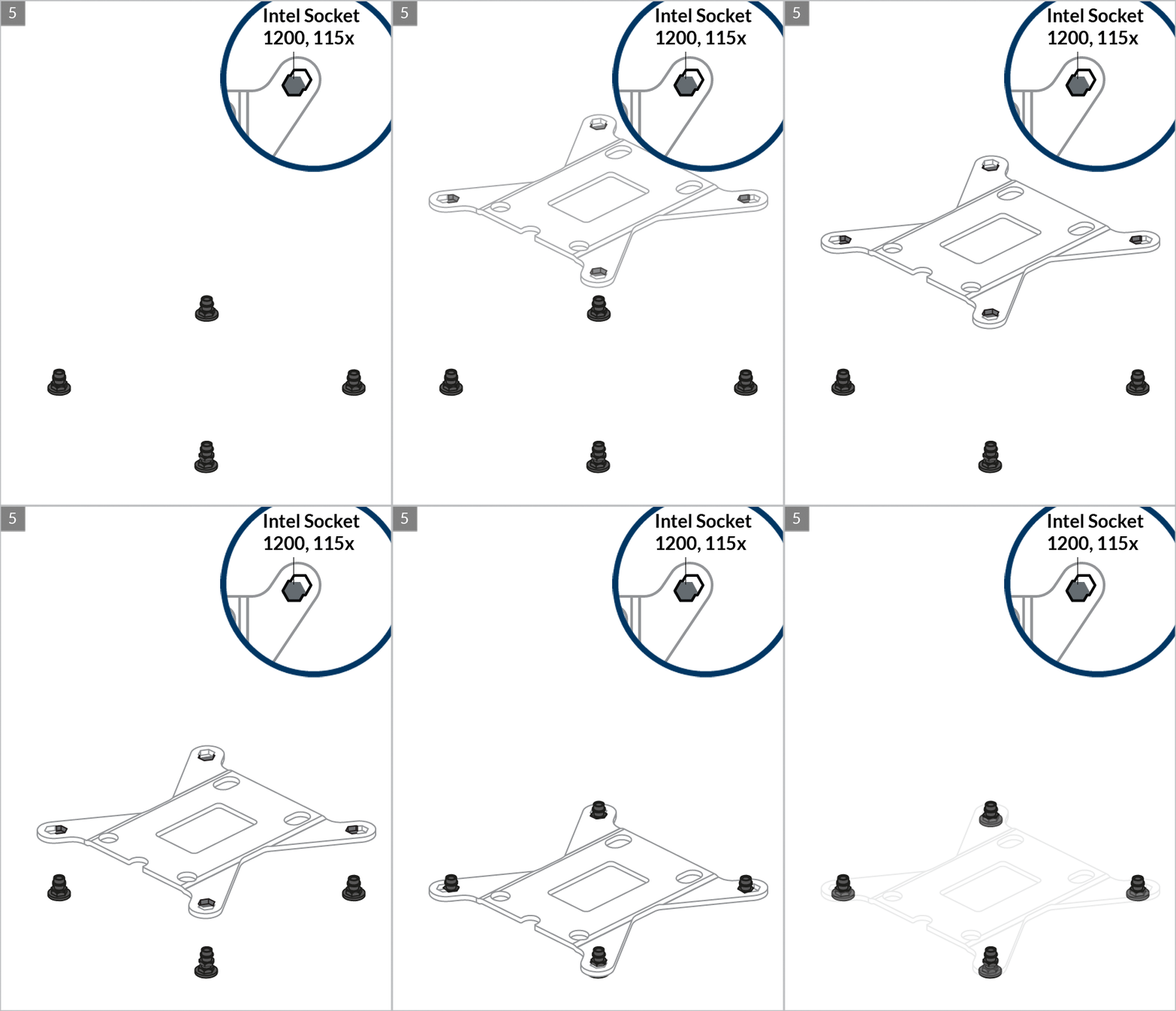
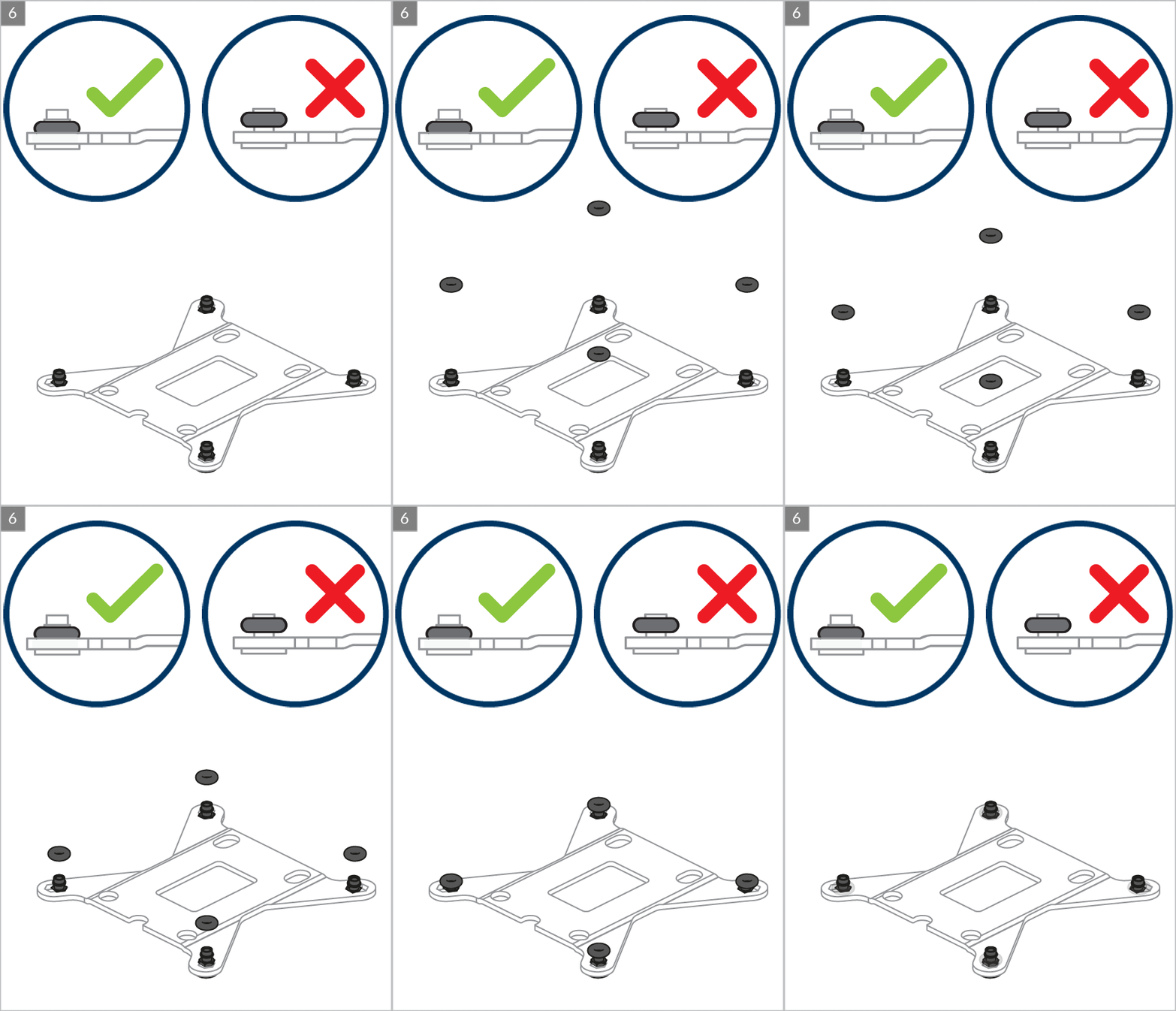
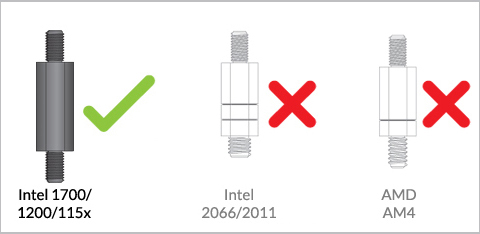
Preparation

Cooler Orientation
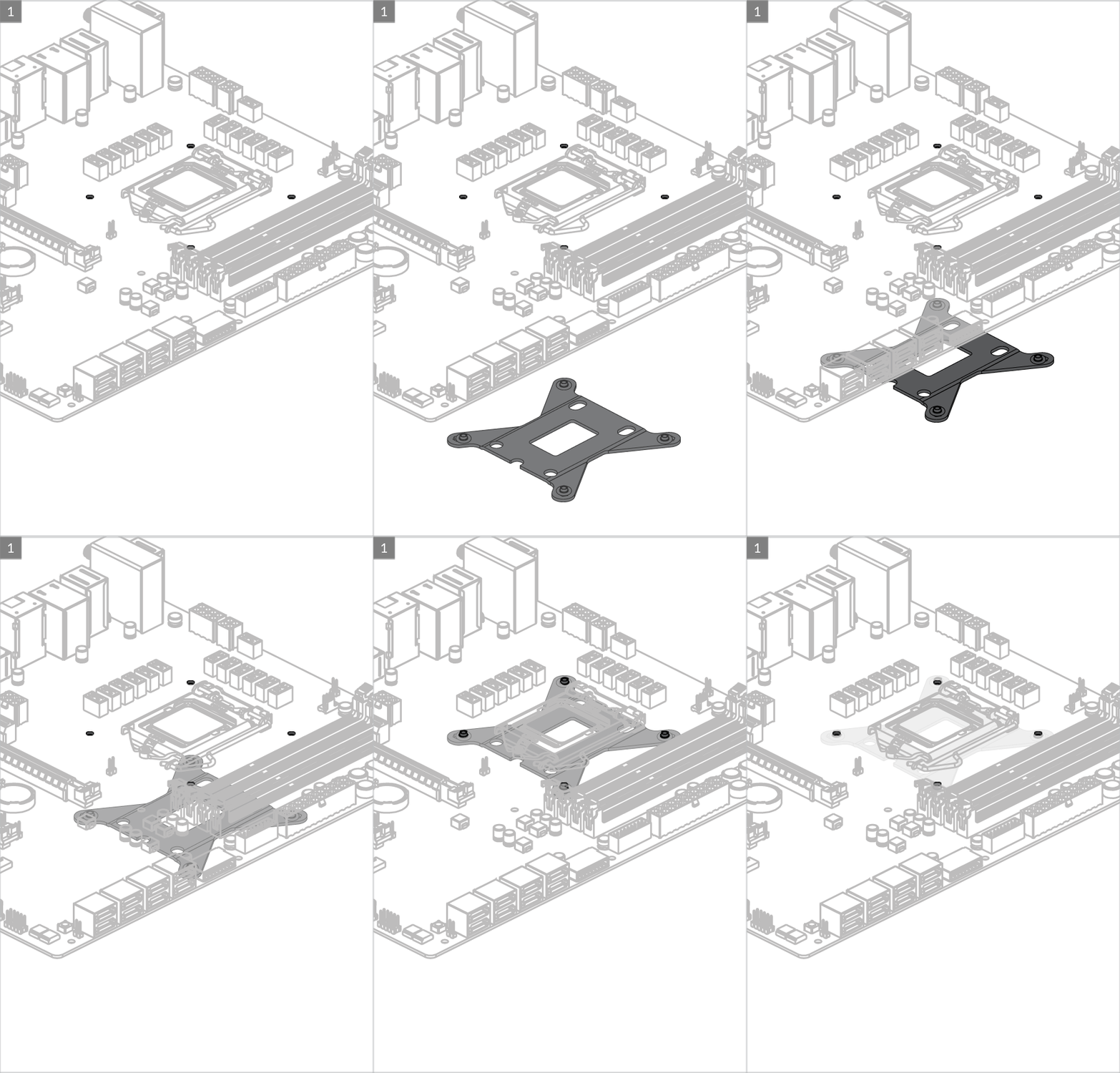
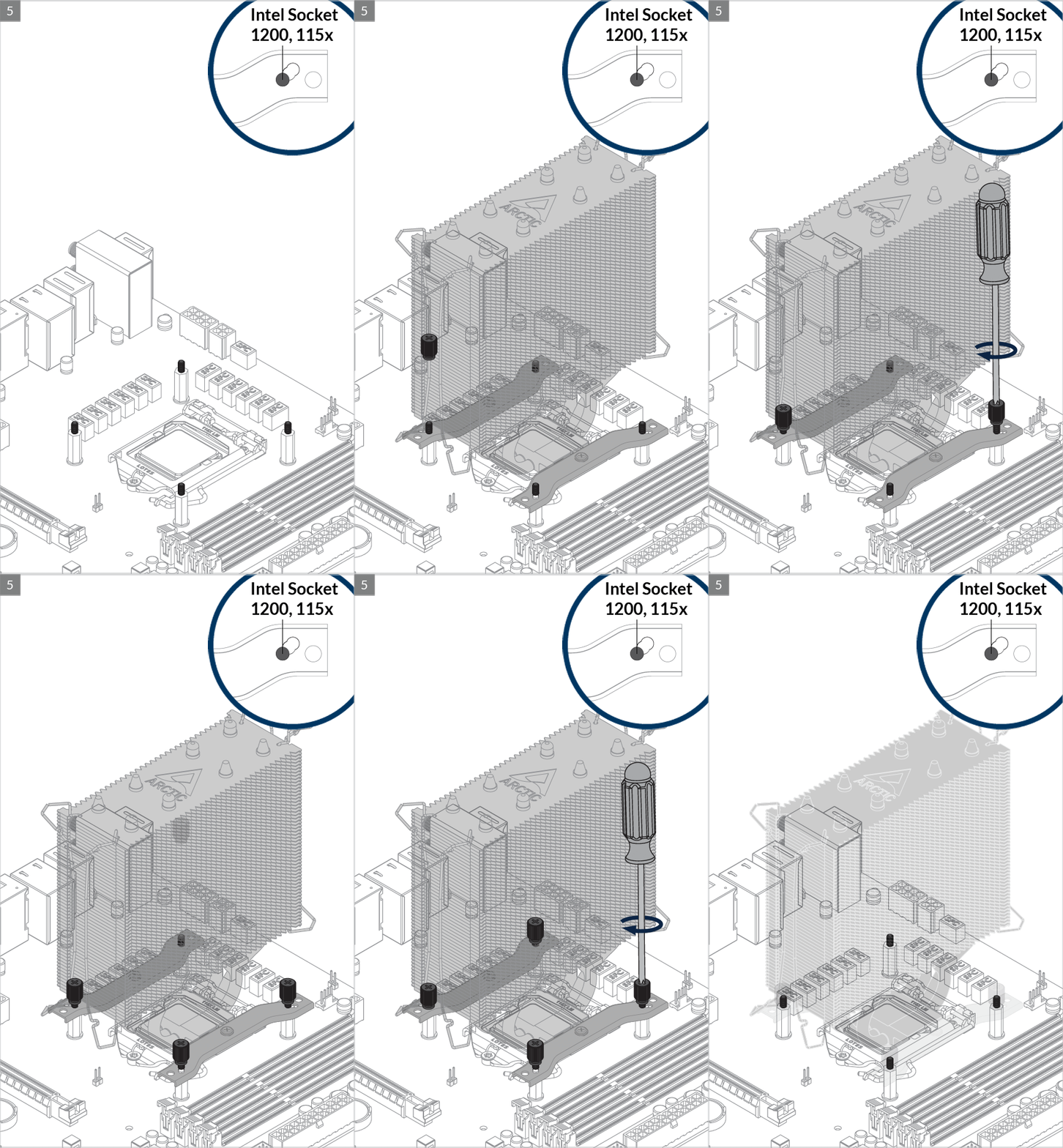
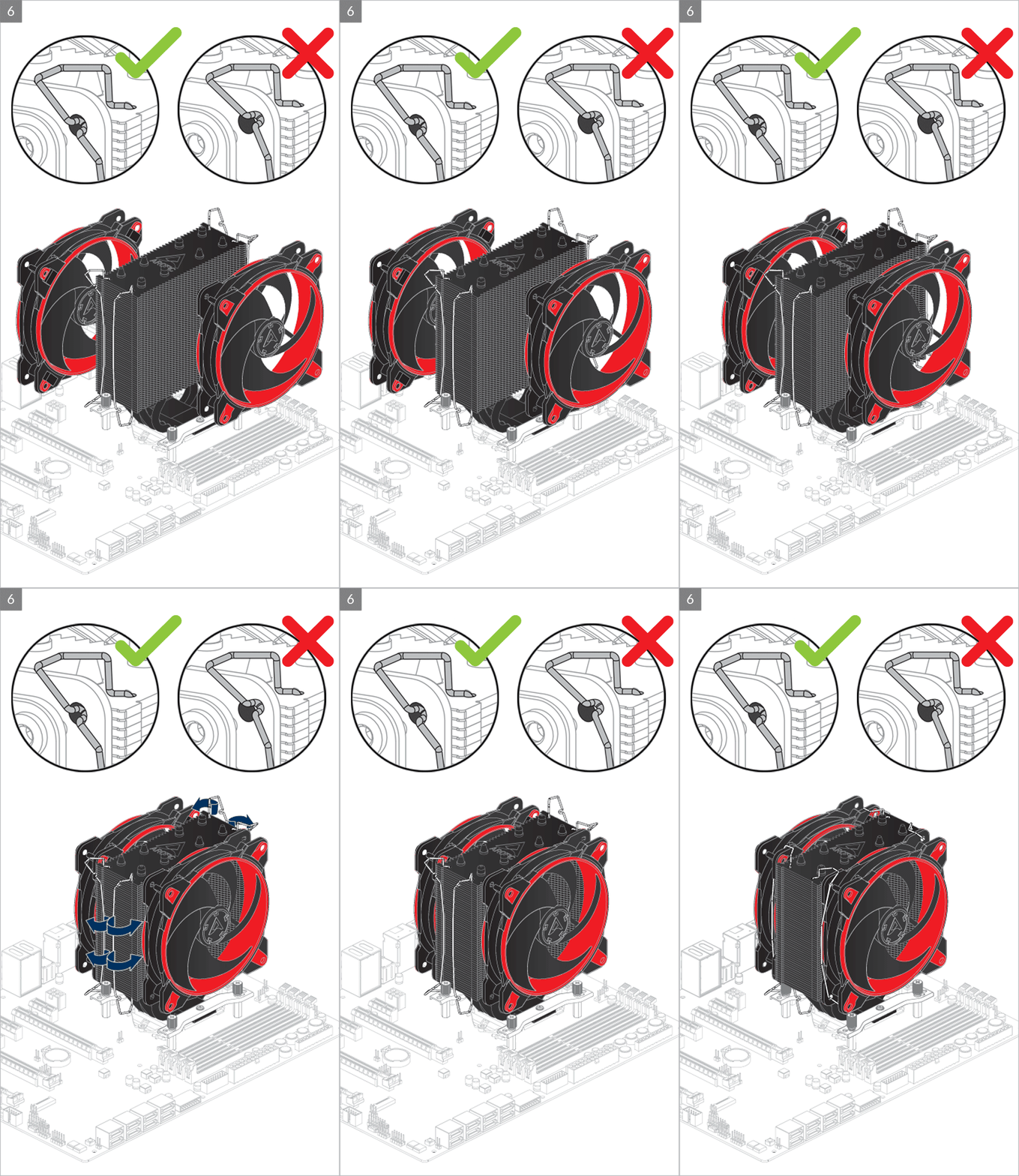
Installation
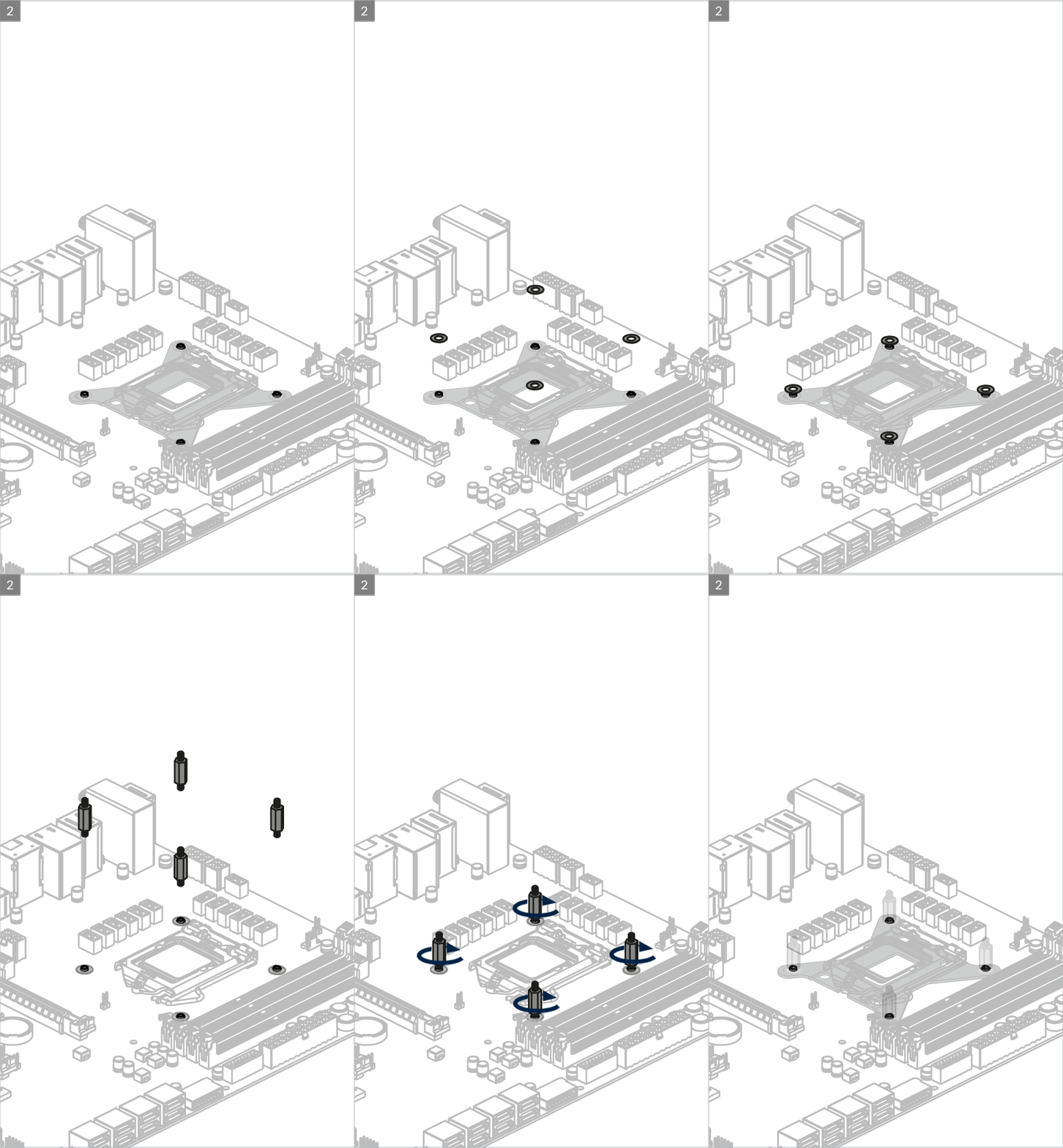
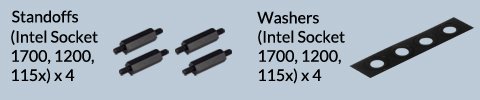
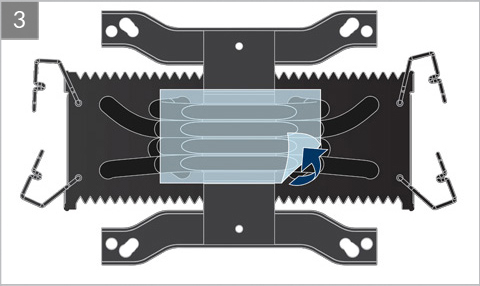
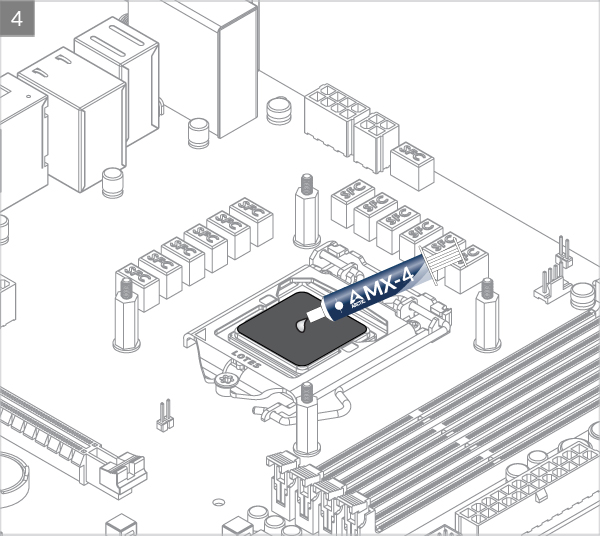


Intel Socket – 2066, 2011(-3)
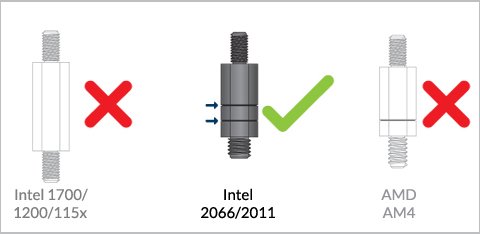
Preparation
Cooler Orientation
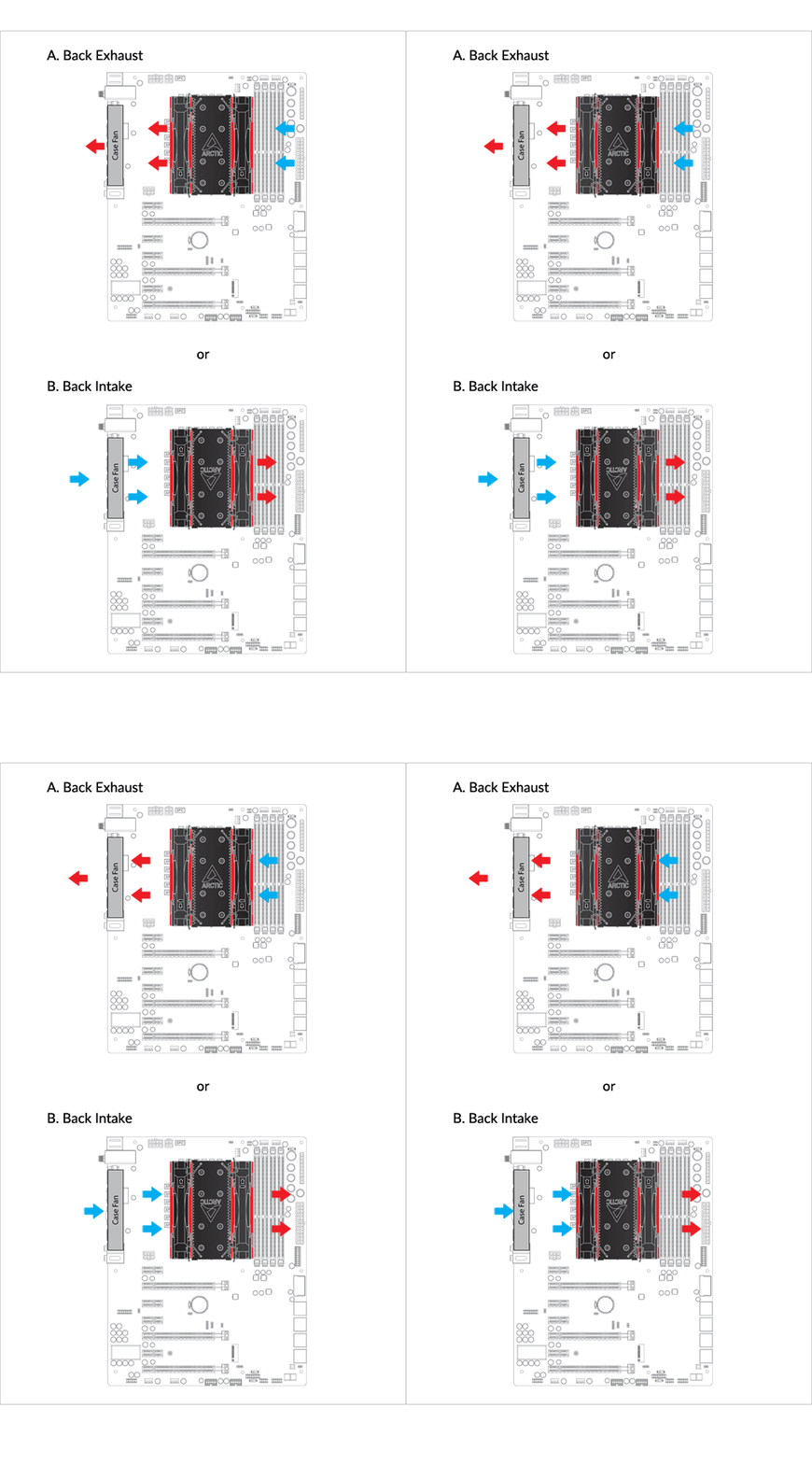
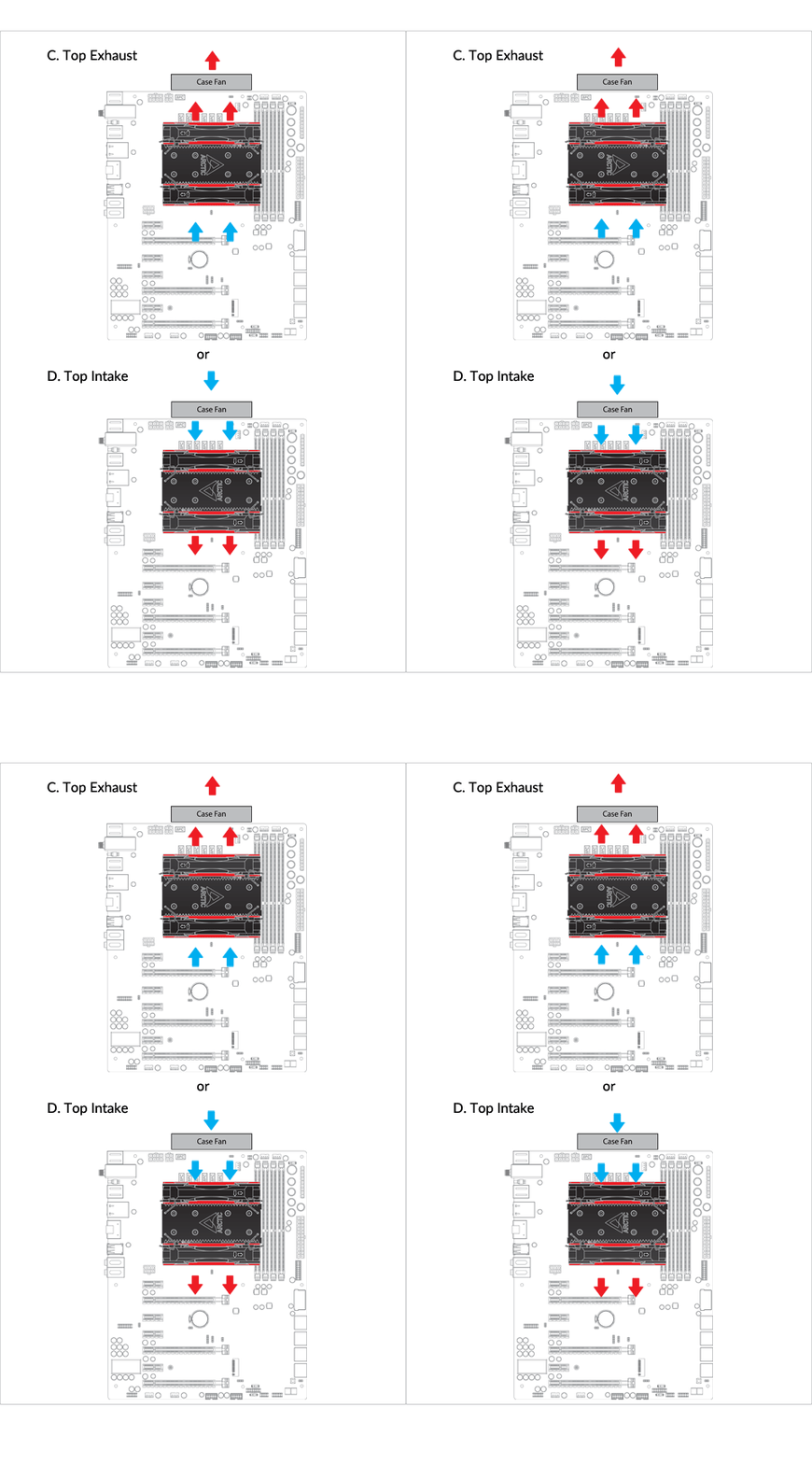
Installation
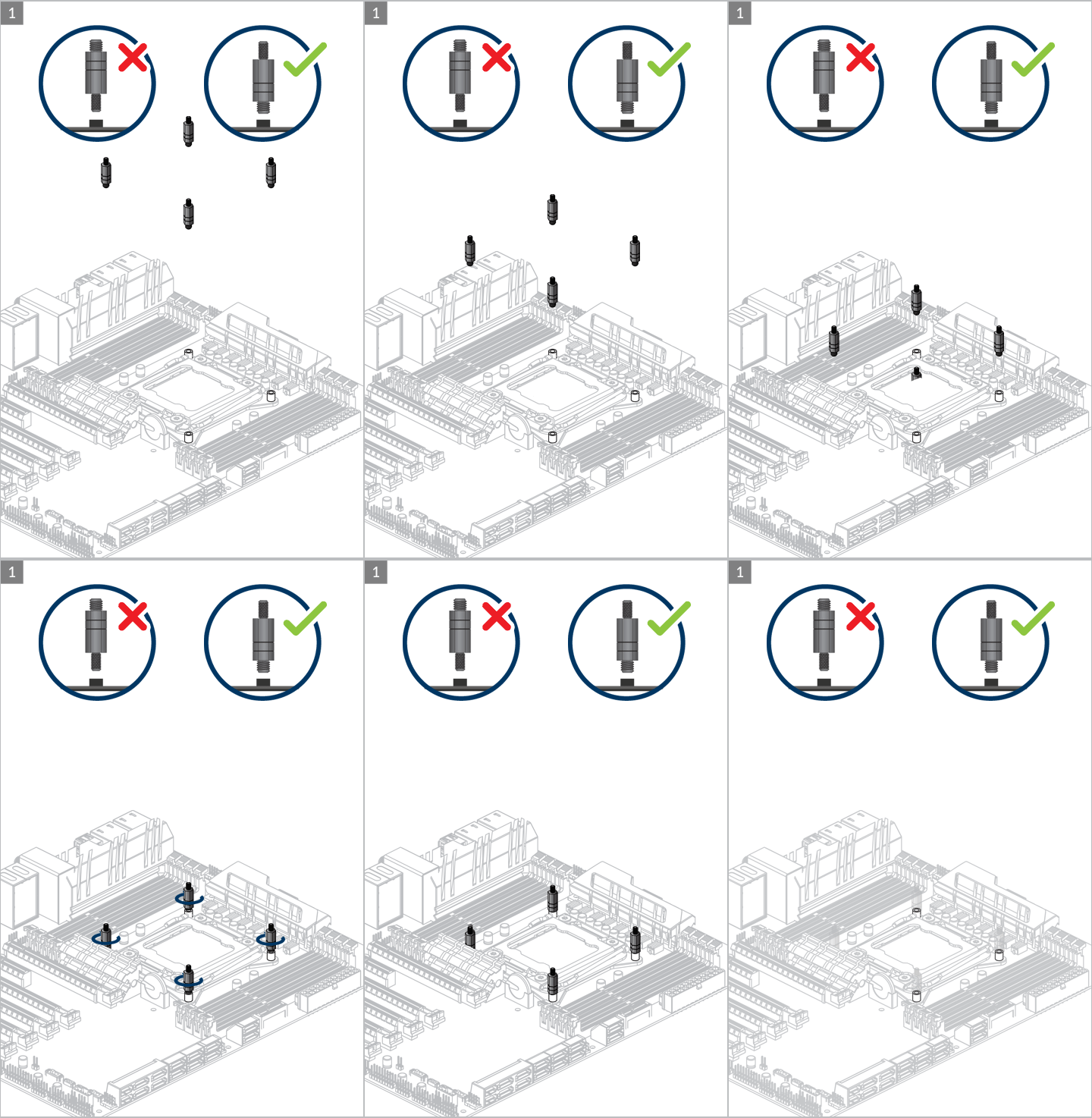
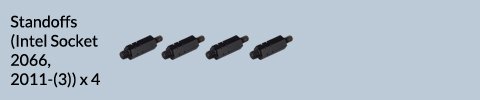
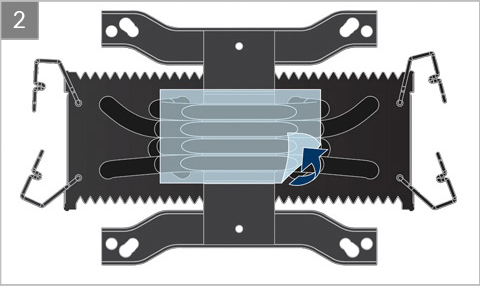
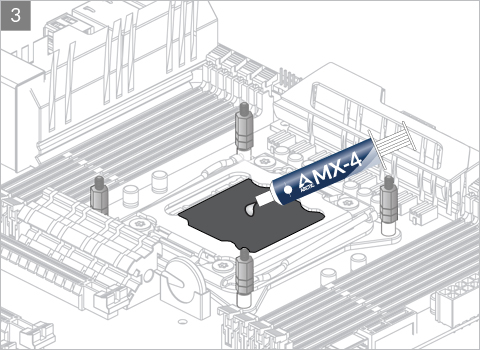
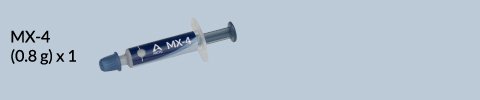
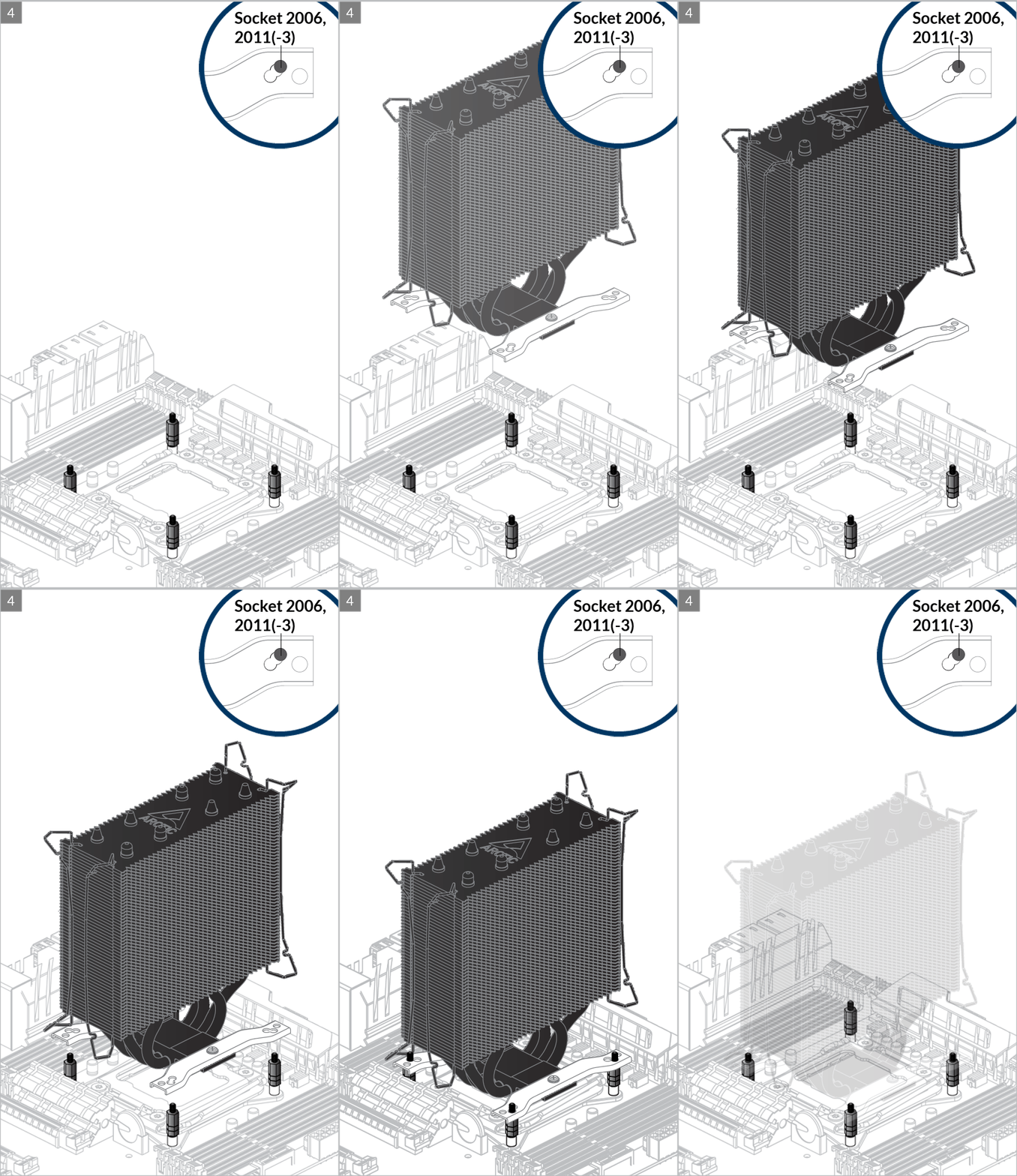
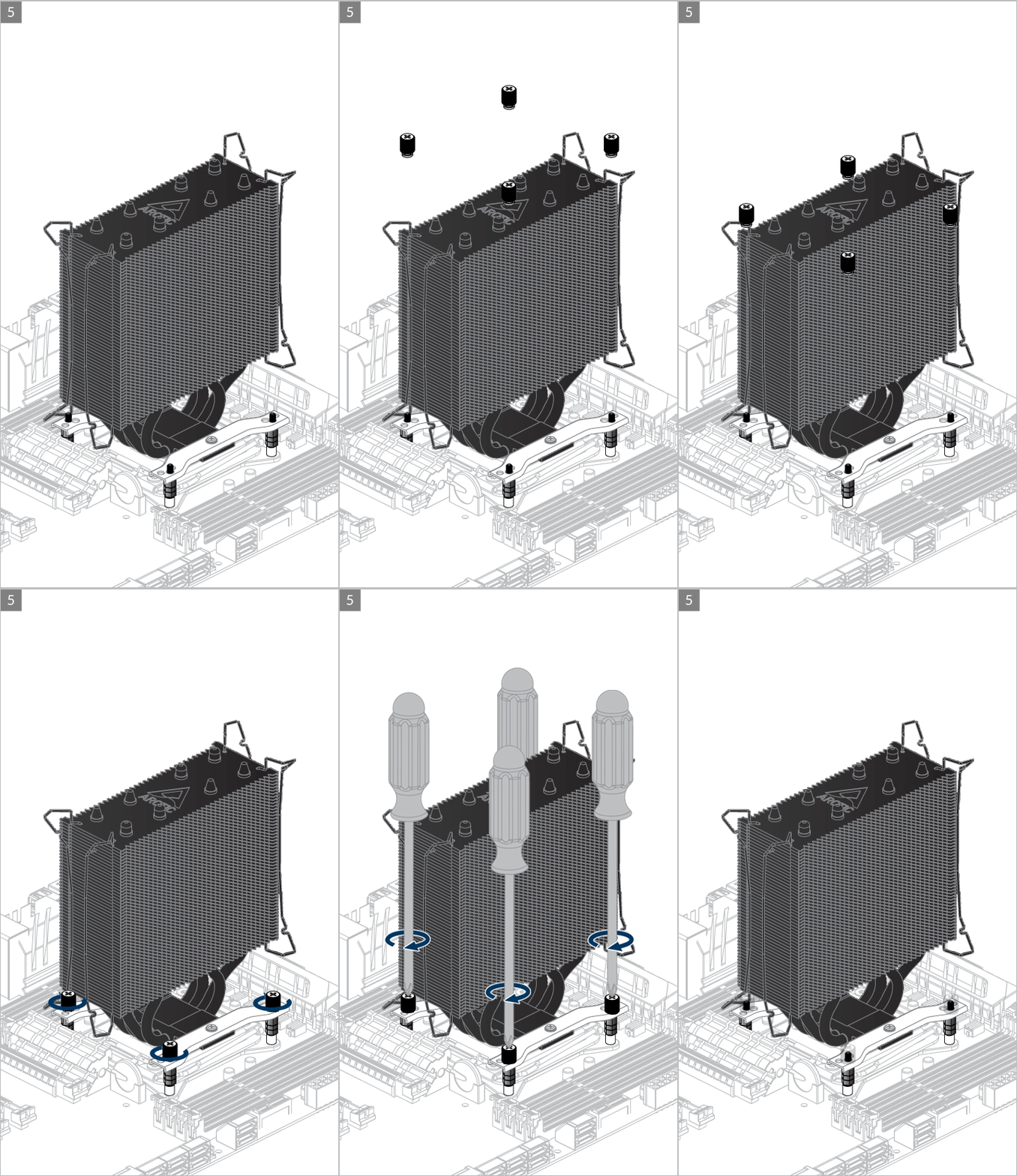

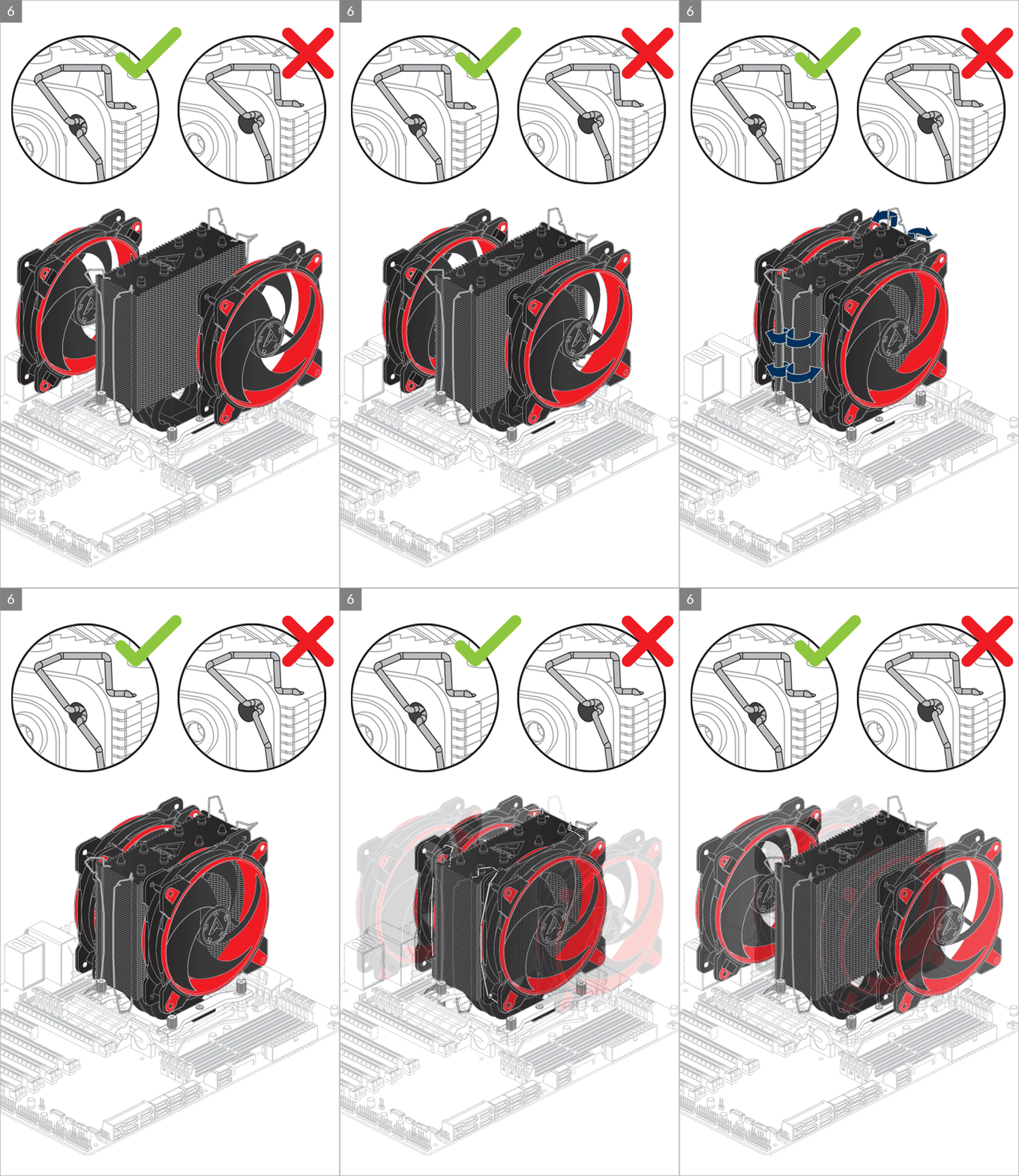
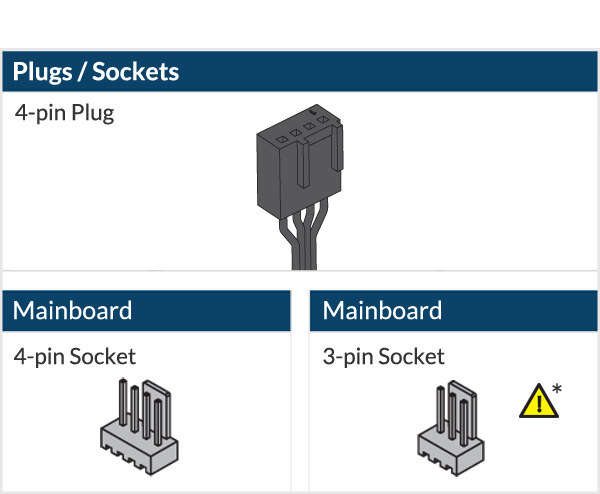
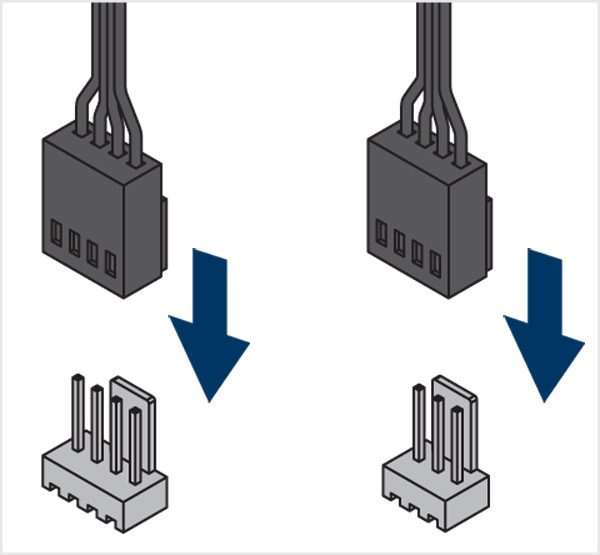

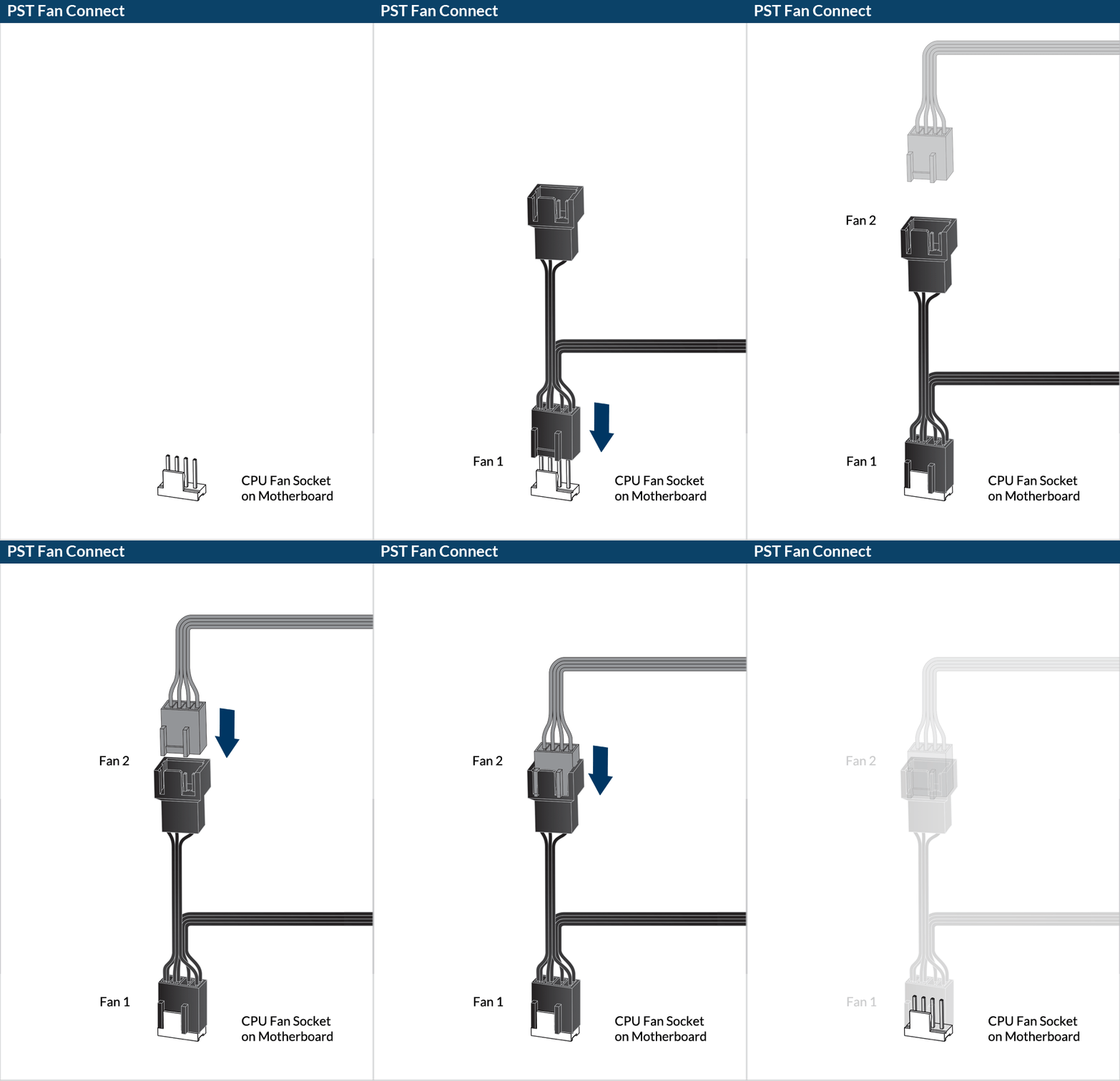
* To get the best out of your cooler, it is recommended to adjust the fan speed control in the BIOS, follow this guide to adjust your PWM.
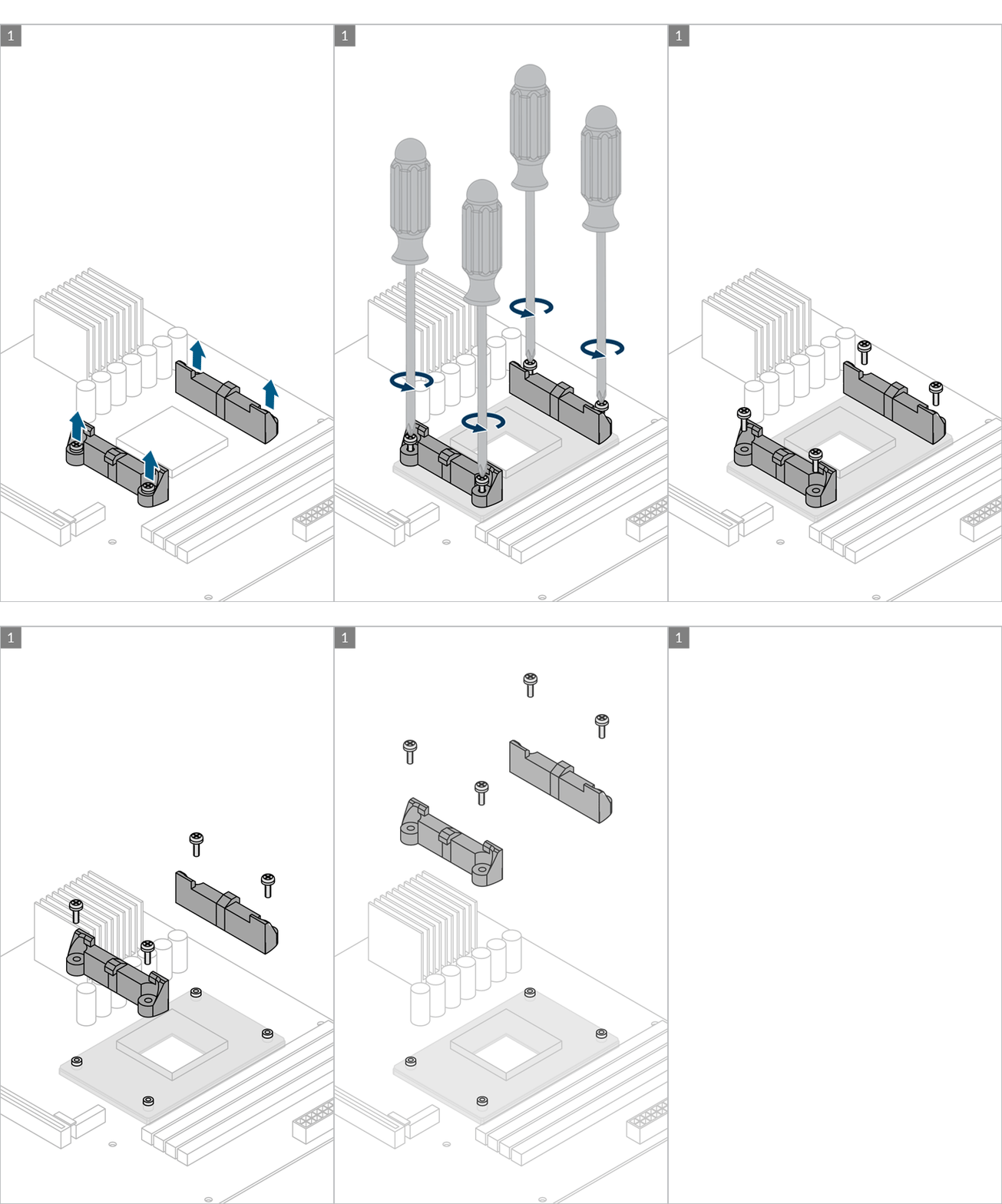
AMD Socket – AM4, AM5
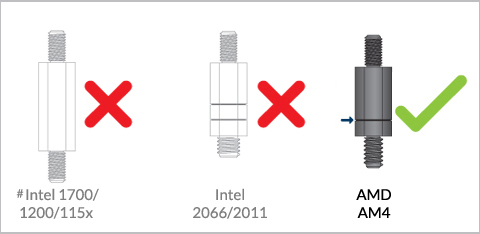
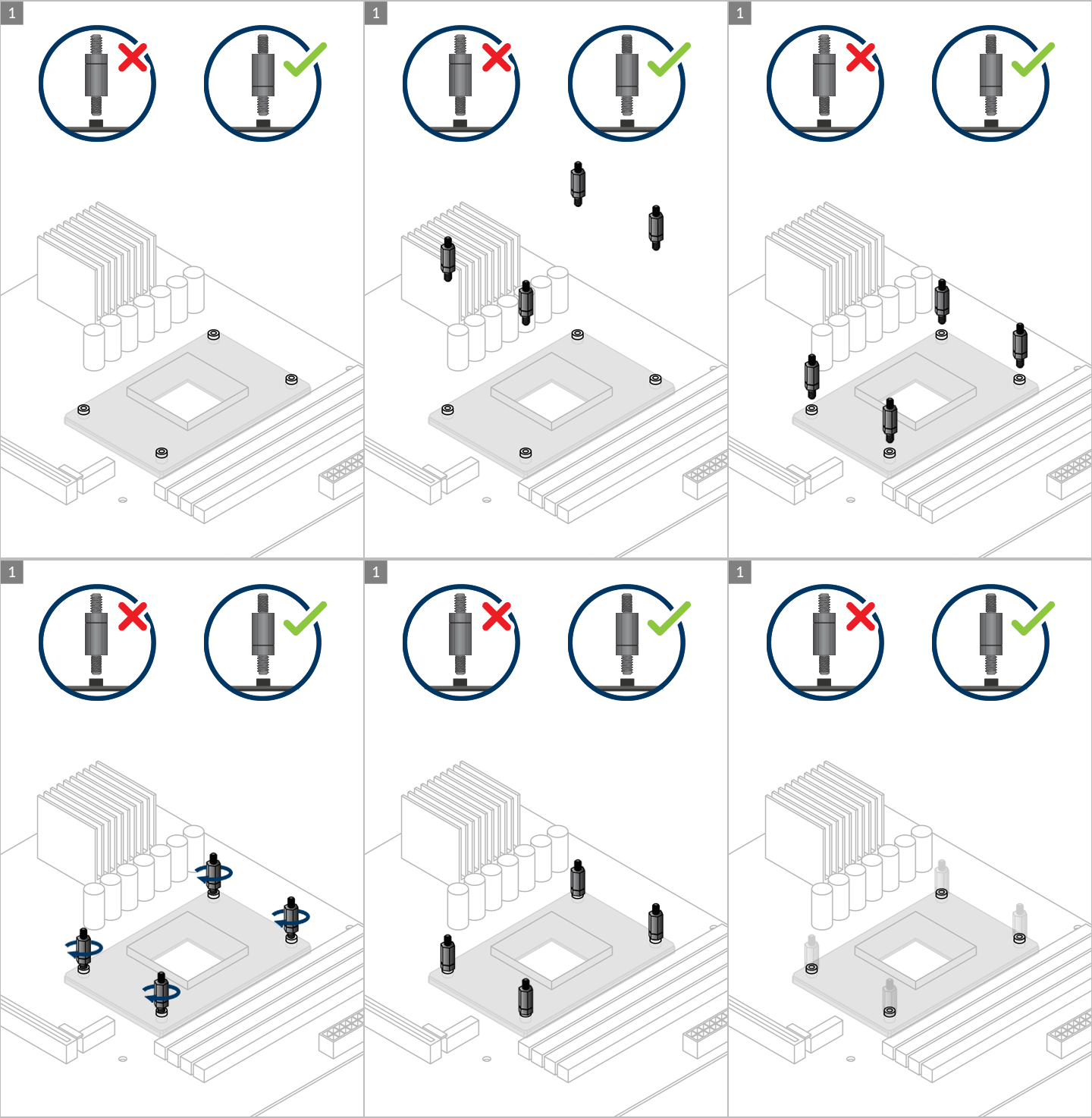
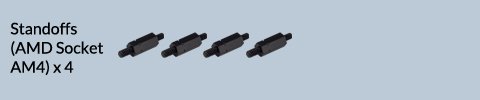
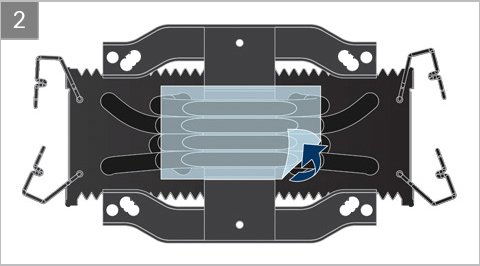
Preparation
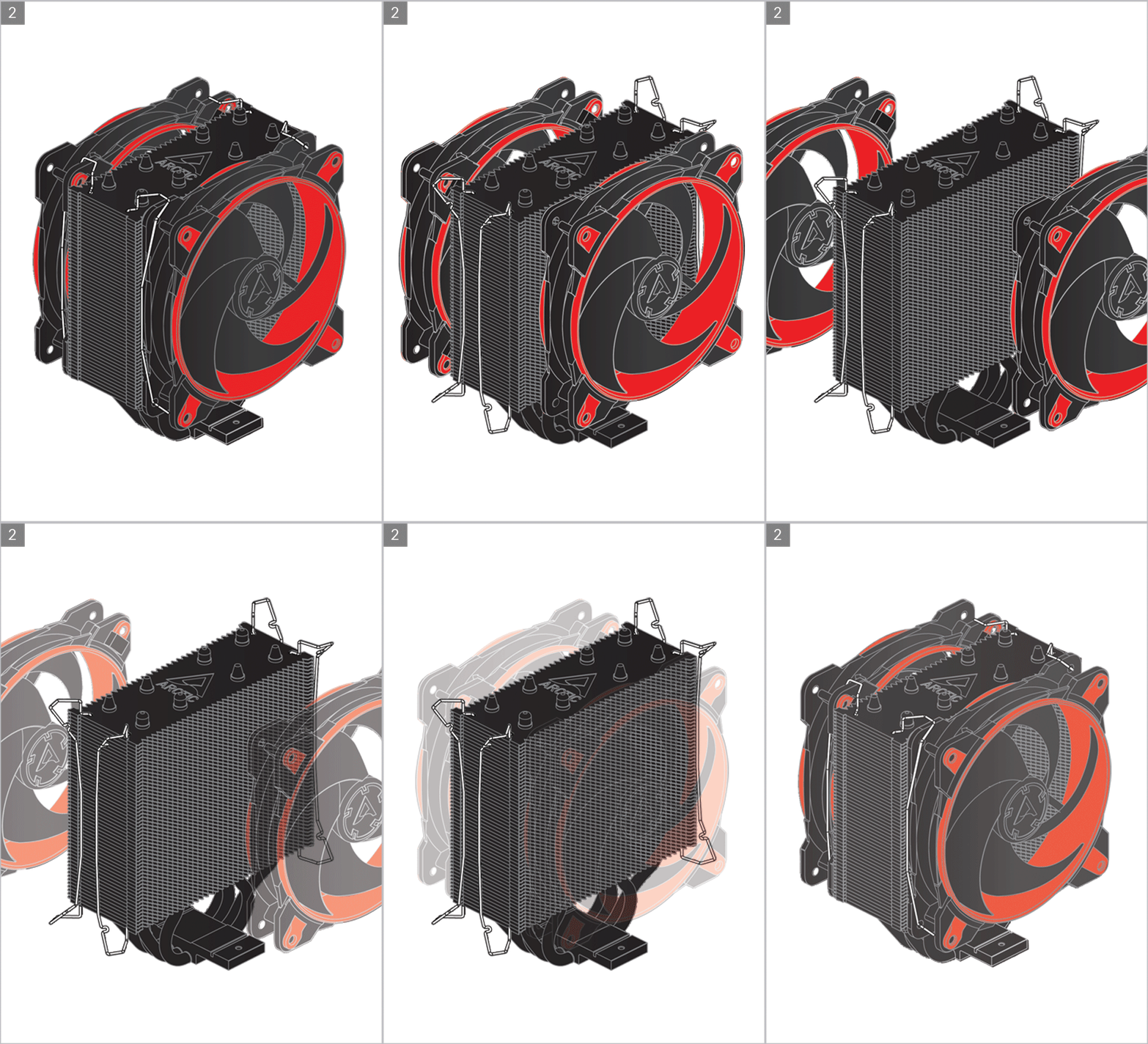
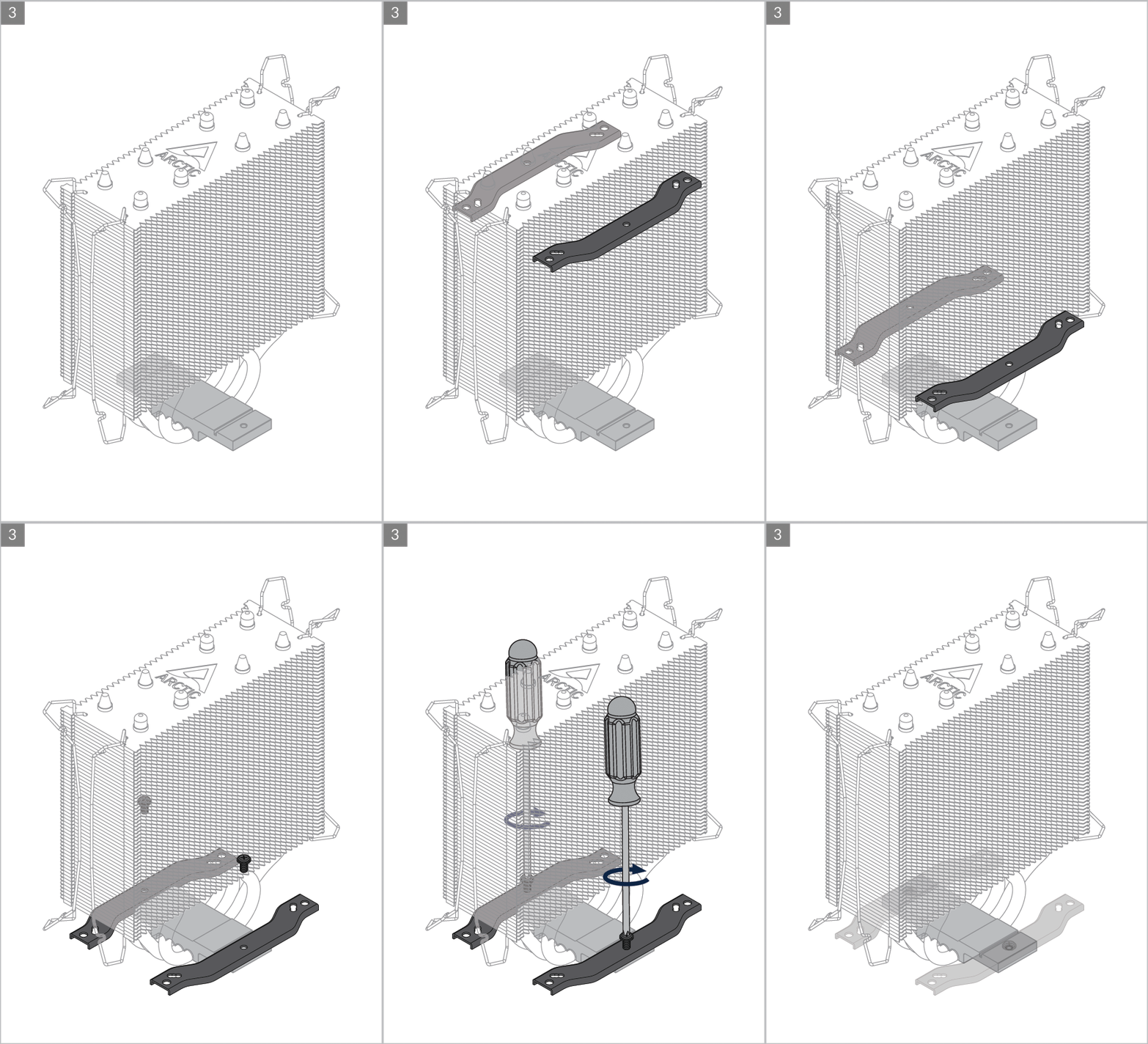
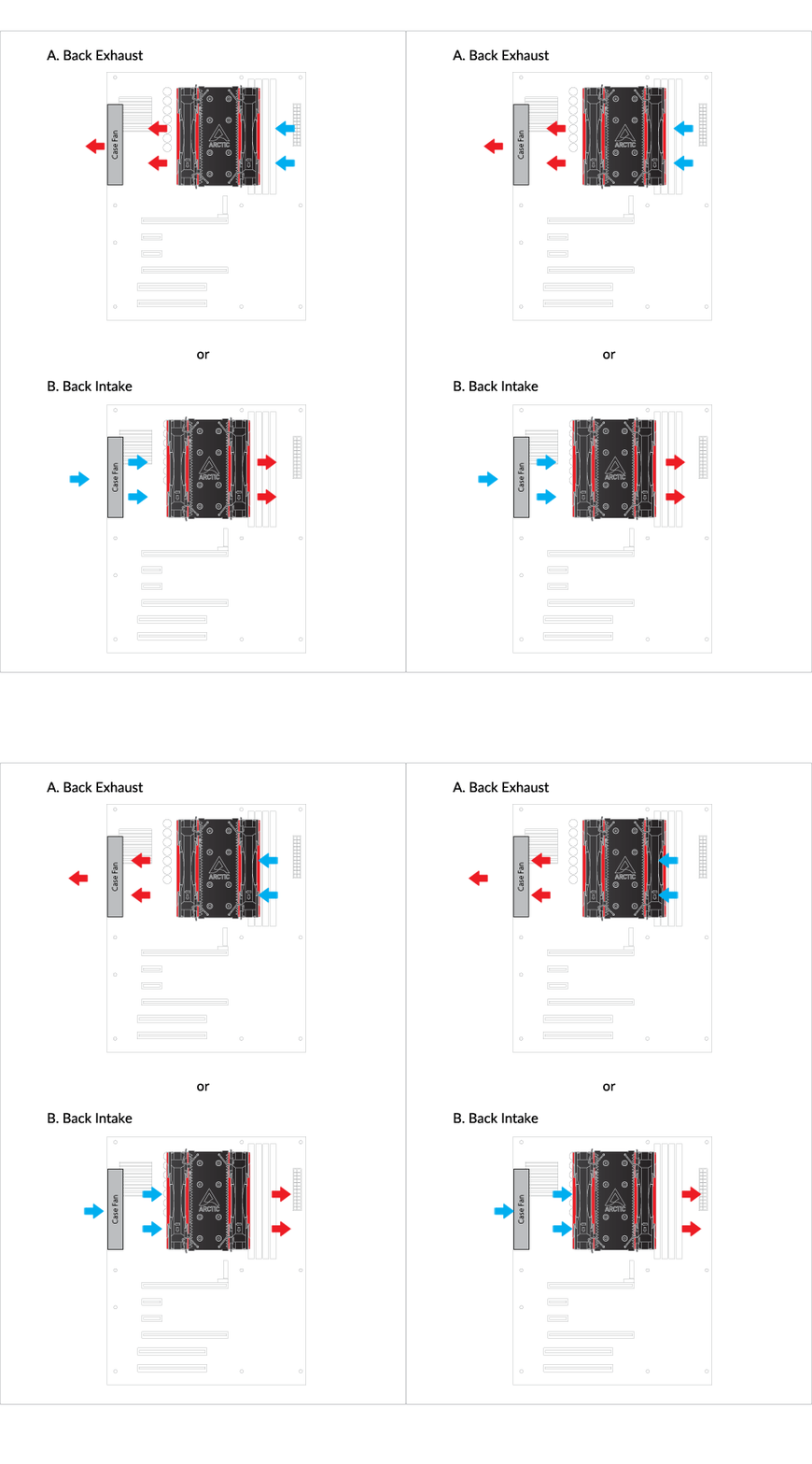
Cooler Orientation
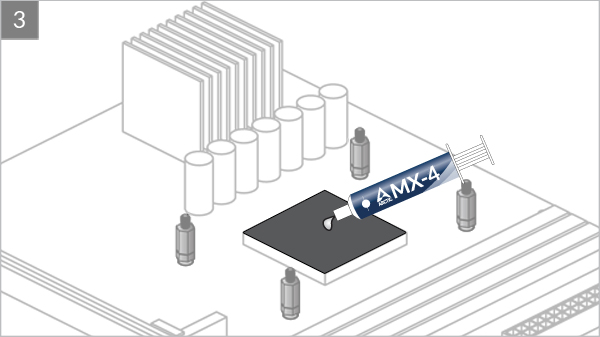
Installation
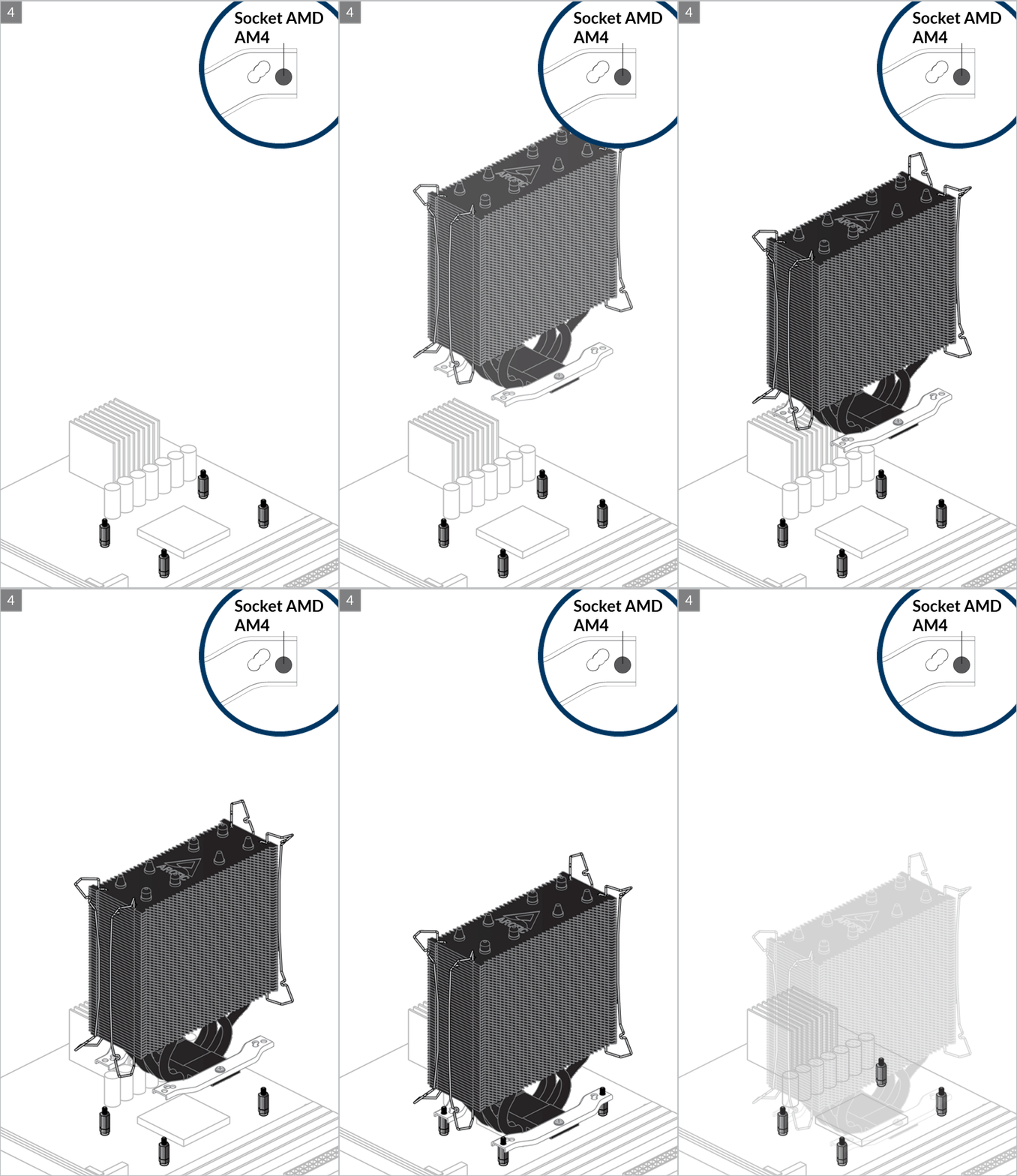
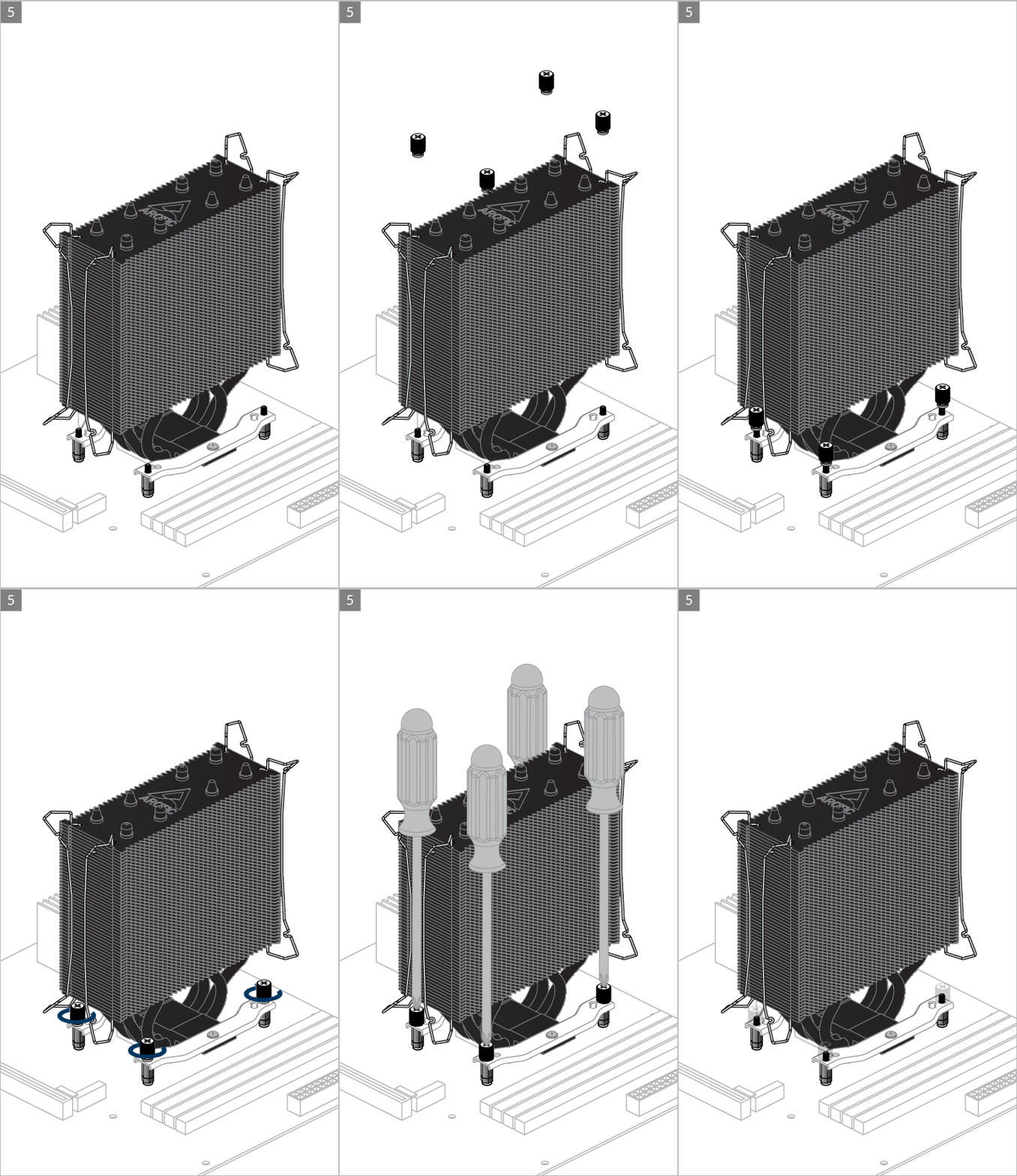

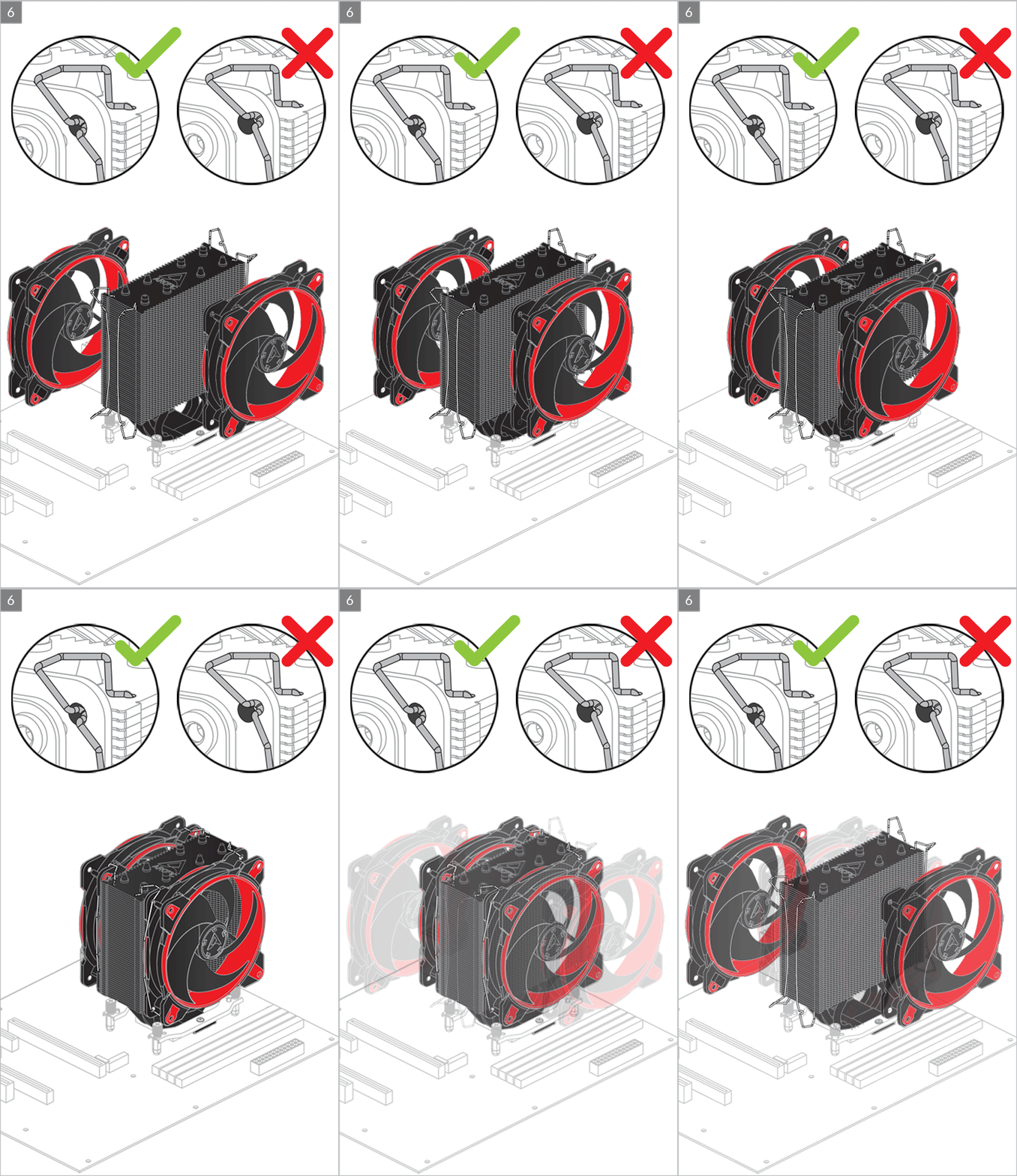
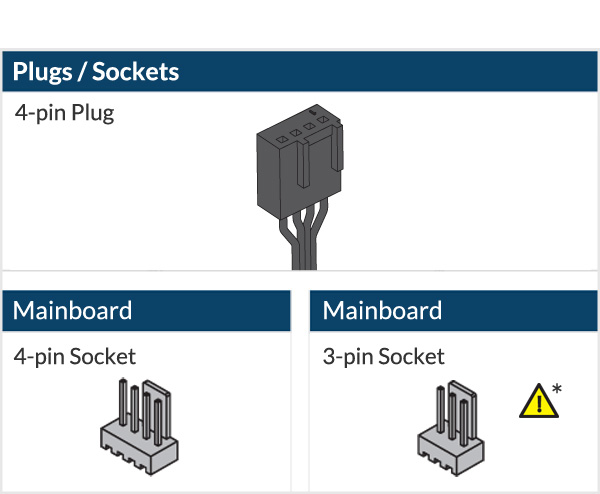
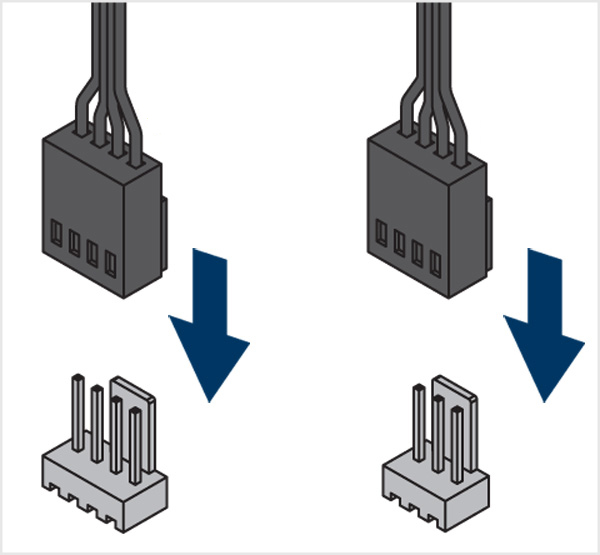

* To get the best out of your cooler, it is recommended to adjust the fan speed control in the BIOS, follow this guide to adjust your PWM.
BIOS Configuration
To get the best out of your cooler, it is recommended to adjust the fan speed control in the BIOS, follow this guide to adjust your PWM Settings.
推荐产品