言語
English
Deutsch
Français
Español
Italiano
Русский
čeština
Polski
Português
中文
عربي
日本の
한국인
Türkçe
Svenska
Nederlands

申し訳ございませんが、このドキュメントは日本語版では提供されておりません。下記に英語版を掲載いたします。

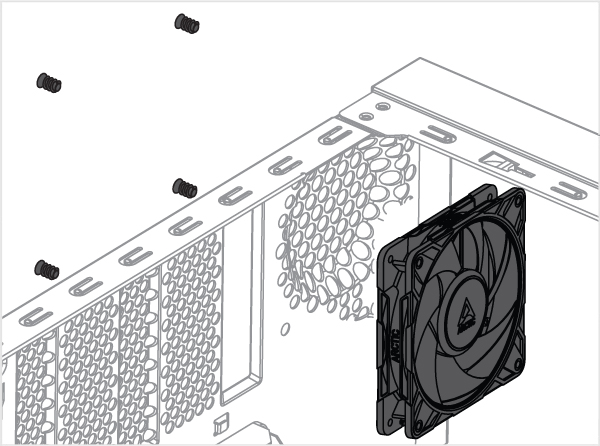
Mounting the Fan

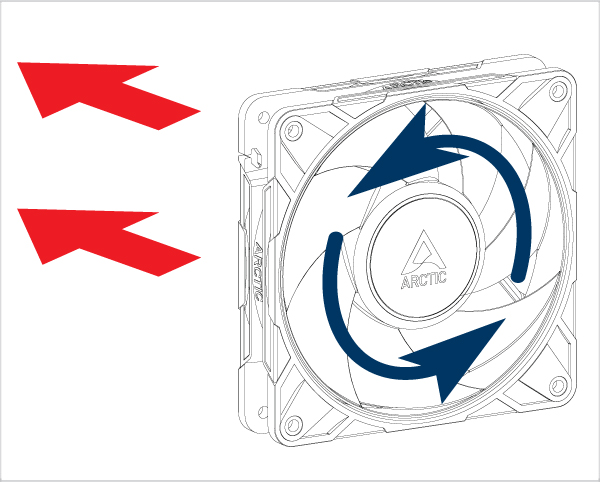
Choose Airflow direction

P12 Pro A-RGB
P12 Pro A-RGB
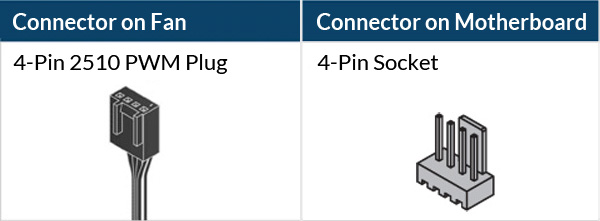
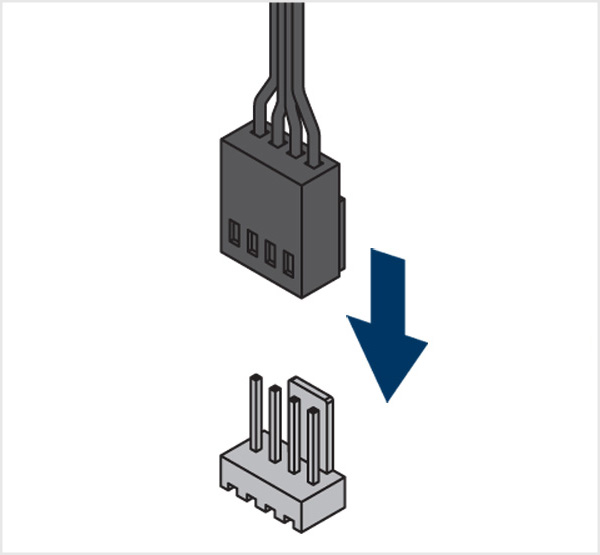
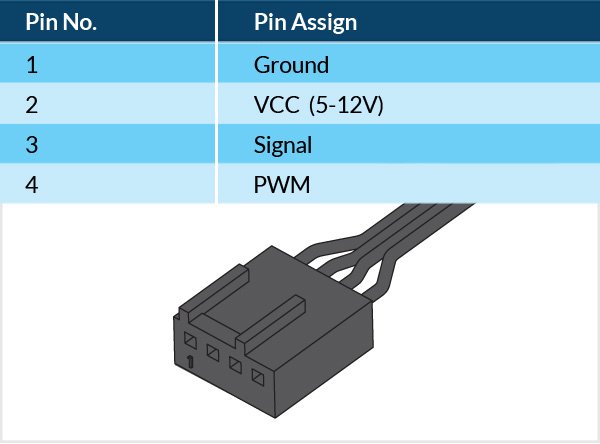
Connecting the Fan
P12 Pro A-RGB P12 Pro A-RGB

Attention

P12 Pro A-RGB

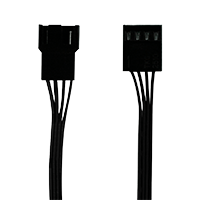
3-pin socket is compatible with 4-pin plug but Fan PWM control will not be available.

P12 Pro A-RGB

Ensure your motherboard's fan header can supply enough power for multiple fans. Connect no more thatn 3 fans to a 1A header, 6 fans to a 2A header, and 9 fans to a 3A header. Check your motherboard specifications for details.

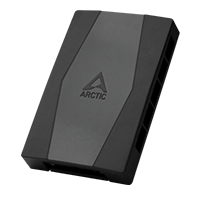
To connect up to 10 fans, use ARCTIC Case Fan Hub.

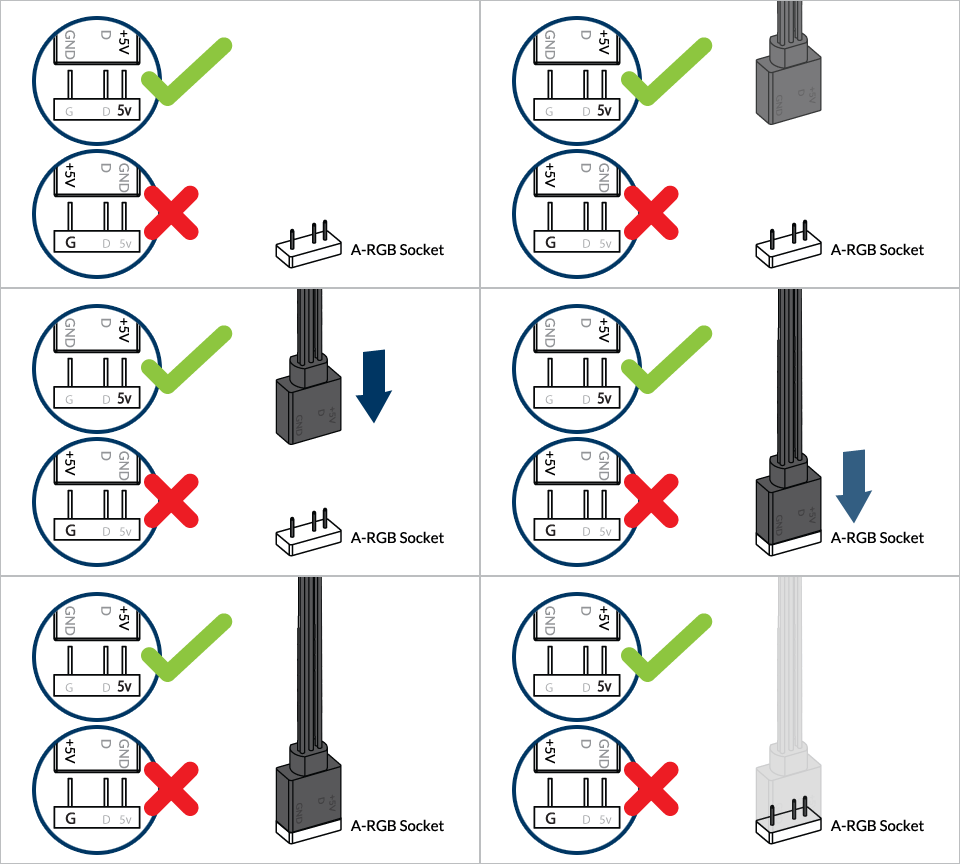
P12 Pro A-RGB P12 Pro A-RGB P12 Pro A-RGB P12 Pro A-RGB

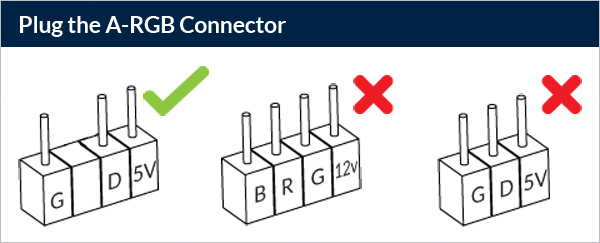
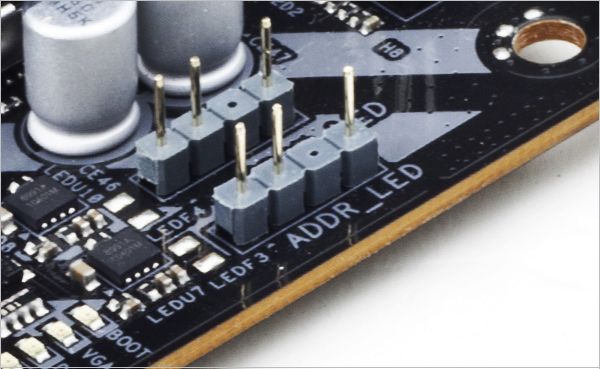
To take full advantage of your A-RGB products, check out the A-RGB Setup Guide.

Controlling the Fan
P12 Pro A-RGB

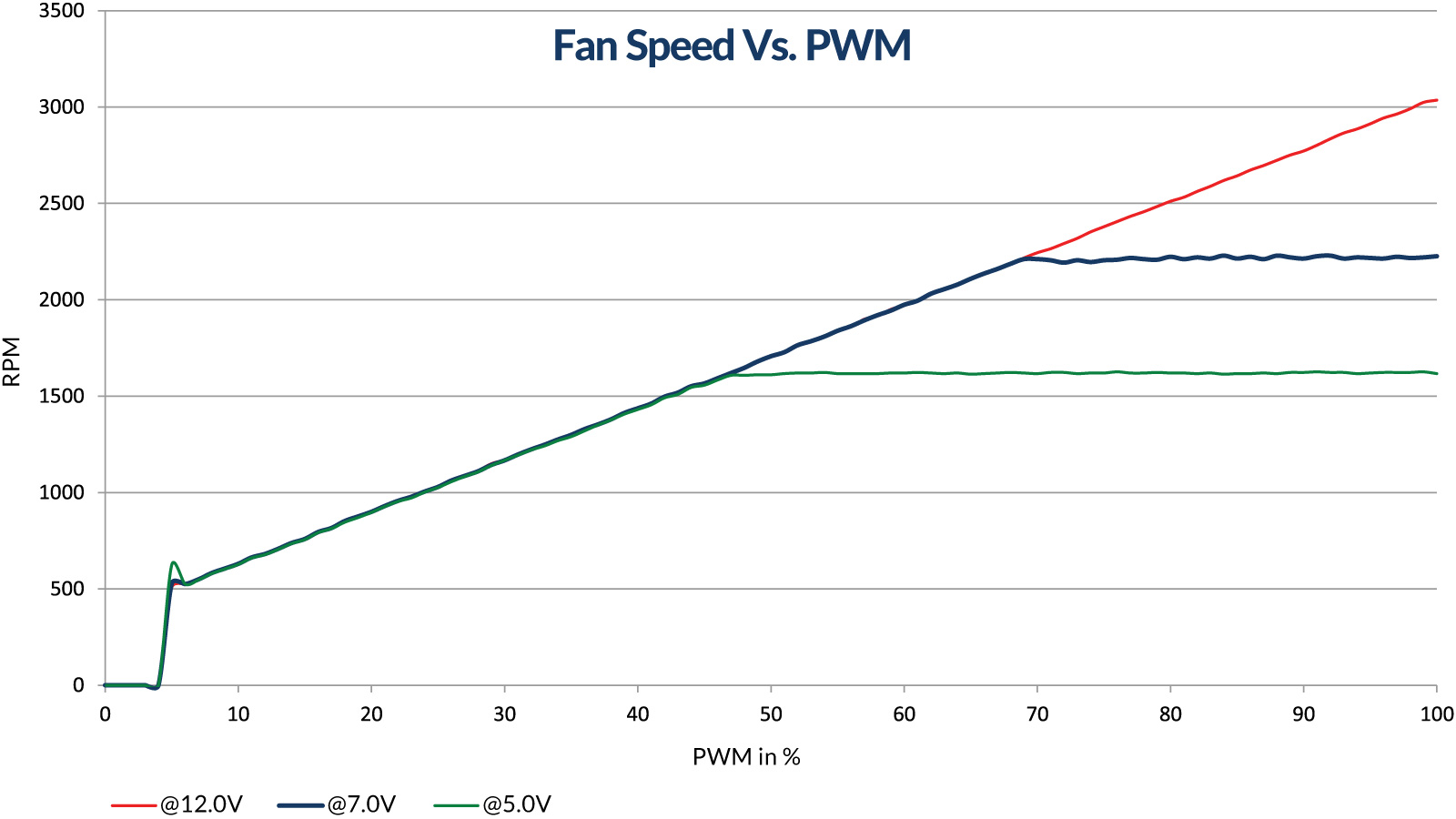
The speed of P12 Pro A-RGB can be adjusted using PWM signal from the motherboard. Please follow this procedure to adjust the settings on your motherboard.

Mounting the Fan

Choose Airflow direction

P12 Pro A-RGB

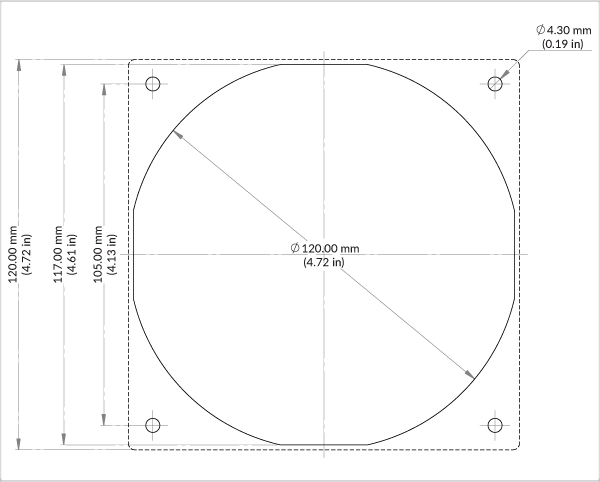
Mounting pattern

P12 Pro A-RGB Download in PDF format
Connecting the Fan
P12 Pro A-RGB P12 Pro A-RGB P12 Pro A-RGB P12 Pro A-RGB P12 Pro A-RGB

To take full advantage of your A-RGB products, check out the A-RGB Setup Guide.

Controlling the Fan
P12 Pro A-RGB

PWM Frequency: Target frequency 25 kHz, acceptable operational range 21 kHz to 28 kHz
Maximum voltage for logic low: VIL = 0.8 V
Absolute maximum current sourced: Imax = 5 mA (short circuit current)
Absolute maximum voltage level: Vmax = 5.25 V (open circuit voltage)

support.arctic.deは、読者の皆様に最高のウェブサイト体験を提供するためにCookieを使用しています。また、一部のCookieはサードパーティのサービスによっても設定されます。詳しくは、プライバシーポリシーをご覧ください。.

承諾します

ARCTIC からの Cookie は受け入れるが、Google Analytics を使用した追跡は受け入れない場合は、ここをクリックして受け入れてください。