- Bir bilgisayar kasasında
- Bir Kendin Yap Projesinde
Vantilatörünüzü nasıl kullanıyorsunuz?
Hava Akışı Yönünü Seçin


 Dikkat

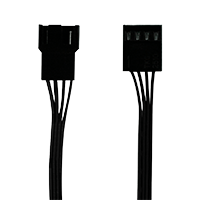
3 pinli soket 4 pinli fişle uyumludur ancak fan PWM kontrolü mümkün olmayacaktır.

Anakartınızın fan başlığının birden fazla fan için yeterli güç sağlayabileceğinden emin olun. 1A başlığına en fazla 3 fan, 2A başlığına 6 fan ve 3A başlığına 9 fan bağlayın. Ayrıntılar için anakartınızın teknik özelliklerine bakın.
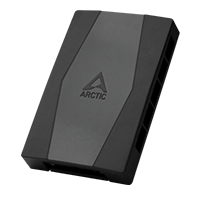
10'a kadar fan bağlamak için ARCTIC Case Fan Hub'ı kullanın.

P12 Pro PST'nun hızı, anakarttan gelen PWM sinyali kullanılarak ayarlanabilir. Anakartınızdaki ayarları düzenlemek için lütfen bu prosedürü izleyin.

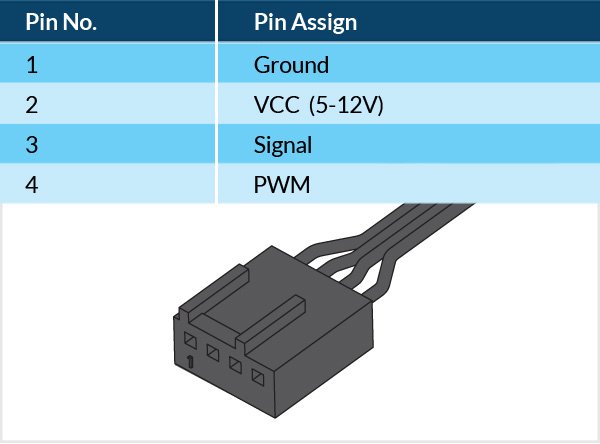
PWM Frekansı: Hedef frekans 25 kHz, kabul edilebilir çalışma aralığı 21 kHz ila 28 kHz
Mantıksal düşük için maksimum voltaj: VIL = 0,8 V
Kaynaklanan mutlak maksimum akım: lmax = 5 mA (kısa devre akımı)
Mutlak maksimum voltaj seviyesi: Vmax = 5,25 V (açık devre voltajı)
Önerilen Ürünler