语言
English
Deutsch
Français
Español
Italiano
Русский
čeština
Polski
Português
中文
عربي
日本の
한국인
Türkçe
Svenska
Nederlands

很遗憾,本文档暂无中文版本,以下为英文版本。

Mounting the Fan

Choose Airflow direction

P12 PRO PST
P12 PRO PST
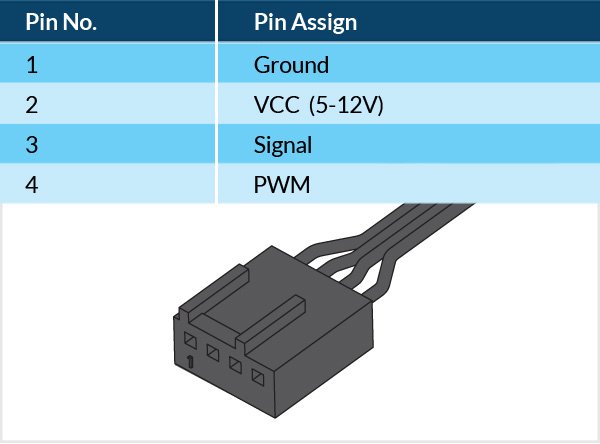
Connecting the Fan
P12 PRO PST P12 PRO PST

Attention

P12 PRO PST

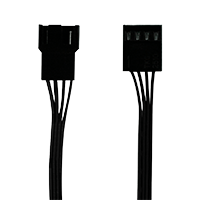
3-pin socket is compatible with 4-pin plug but Fan PWM control will not be available.

P12 PRO PST

Ensure your motherboard's fan header can supply enough power for multiple fans. Connect no more thatn 3 fans to a 1A header, 6 fans to a 2A header, and 9 fans to a 3A header. Check your motherboard specifications for details.

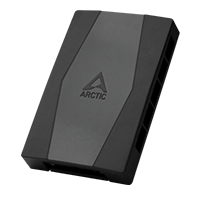
To connect up to 10 fans, use ARCTIC Case Fan Hub.

Controlling the Fan
P12 PRO PST

The speed of P12 Pro PST can be adjusted using PWM signal from the motherboard. Please follow this procedure to adjust the settings on your motherboard.

Mounting the Fan

Choose Airflow direction

P12 PRO PST

Mounting pattern

P12 PRO PST Download in PDF format
Connecting the Fan
P12 PRO PST
Controlling the Fan
P12 PRO PST

PWM Frequency: Target frequency 25 kHz, acceptable operational range 21 kHz to 28 kHz
Maximum voltage for logic low: VIL = 0.8 V
Absolute maximum current sourced: Imax = 5 mA (short circuit current)
Absolute maximum voltage level: Vmax = 5.25 V (open circuit voltage)

support.arctic.de 使用 Cookie,旨在为读者提供最佳的网站体验。此外,一些 Cookie 也由第三方服务设置。更多信息,请参阅隐私政策.

我接受

如果您接受来自 ARCTIC 的 cookie,但不接受使用 Google Analytics 的跟踪,请点击此处接受。