
很遗憾,本文档暂无中文版本,以下为英文版本。
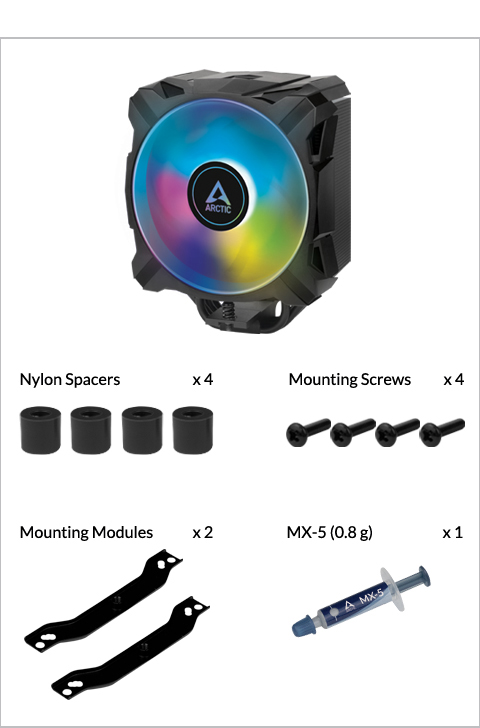
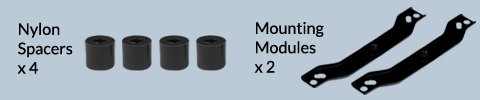
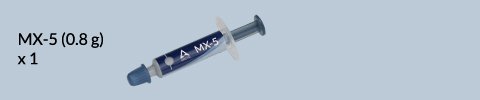
Packaging Content
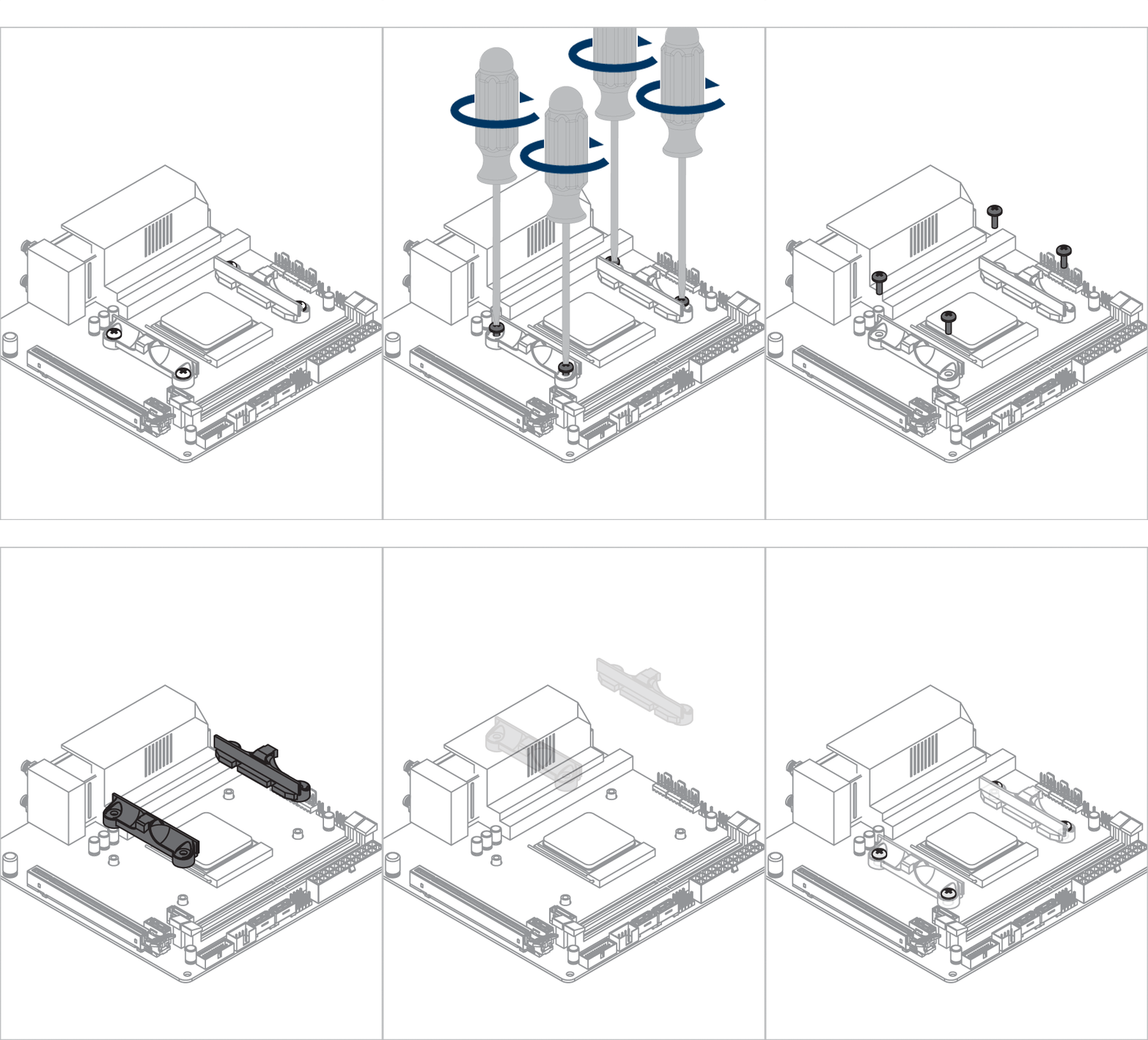
Preparation
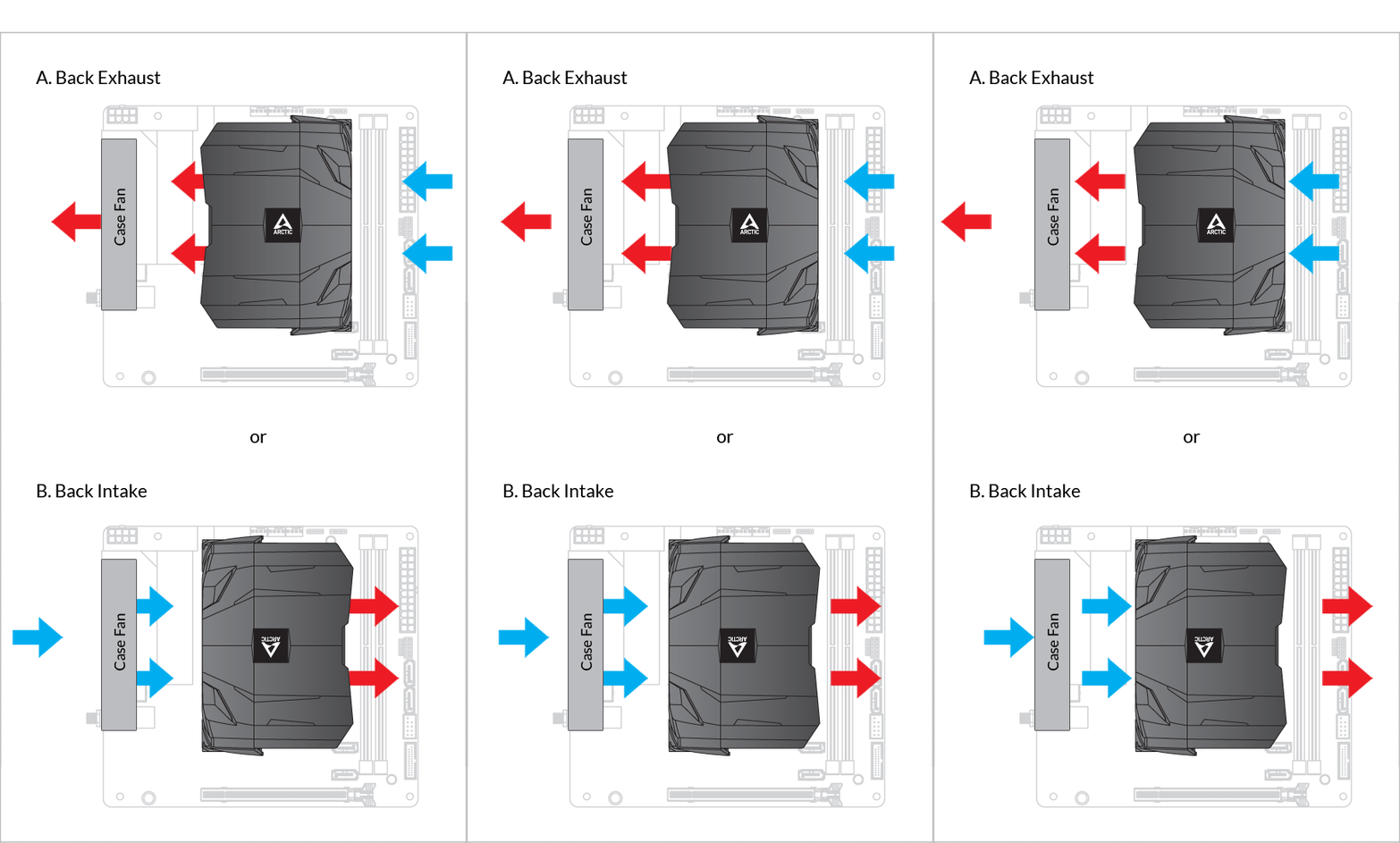
Cooler Orientation
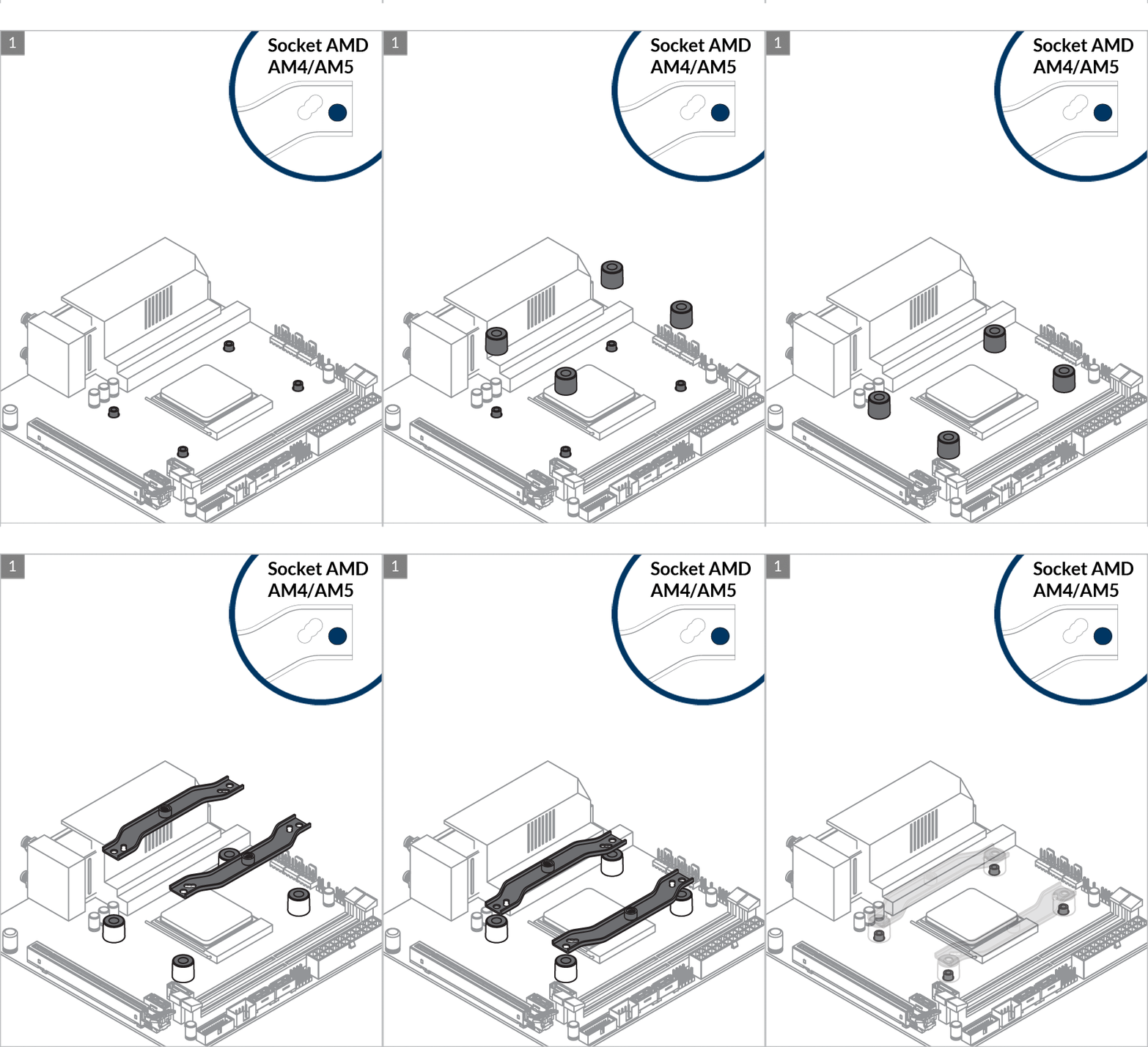
Installation

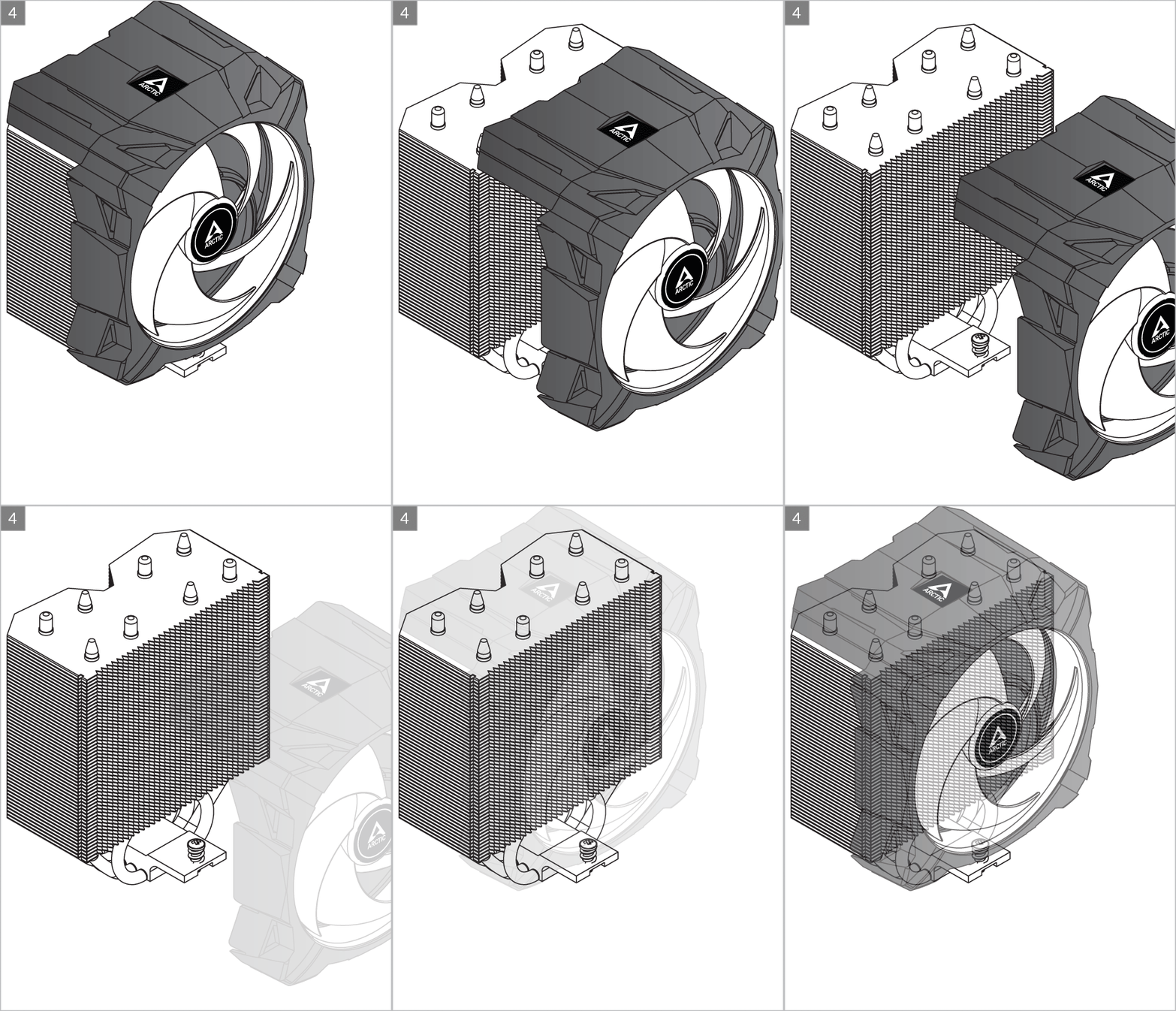
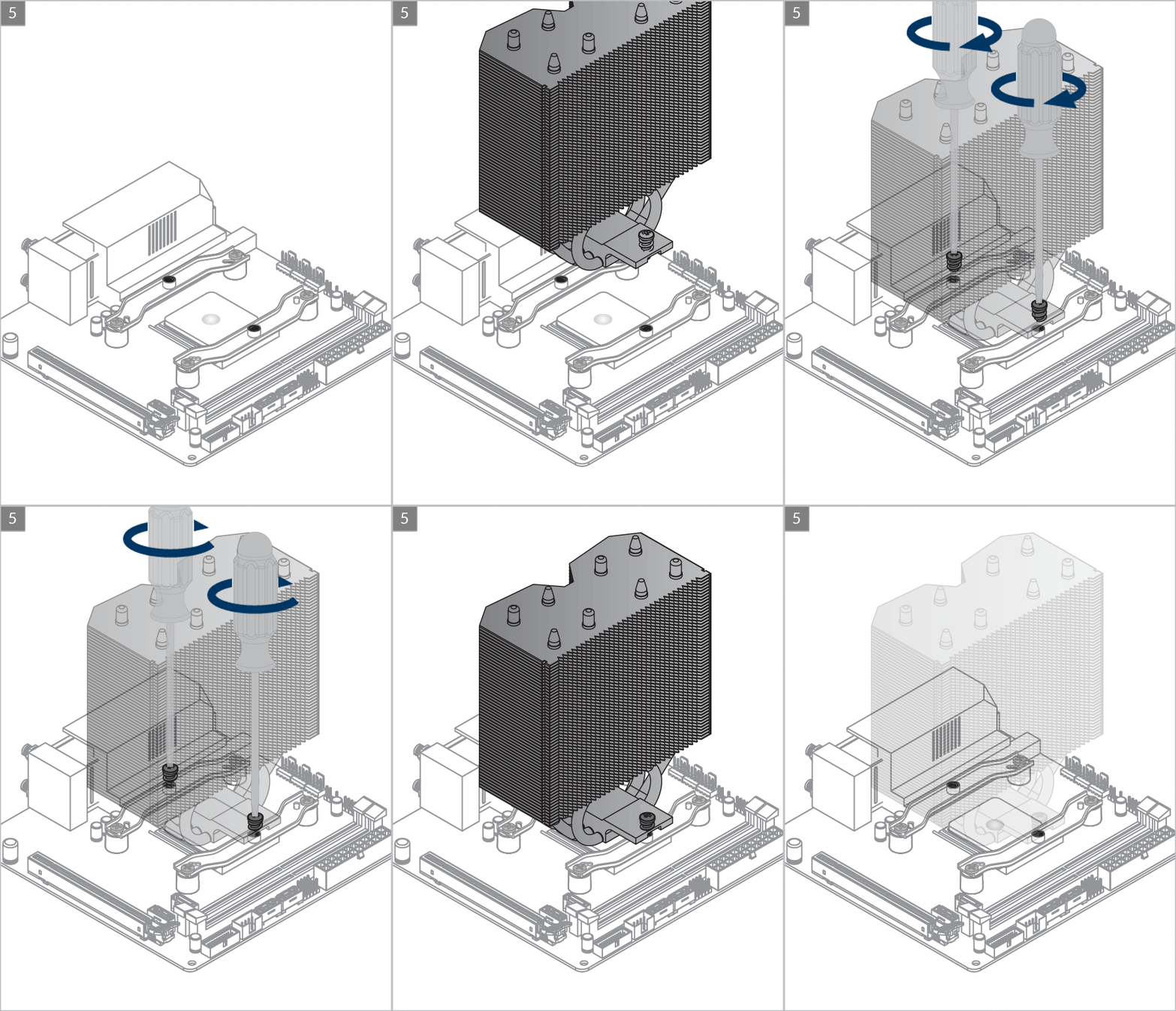
Attention
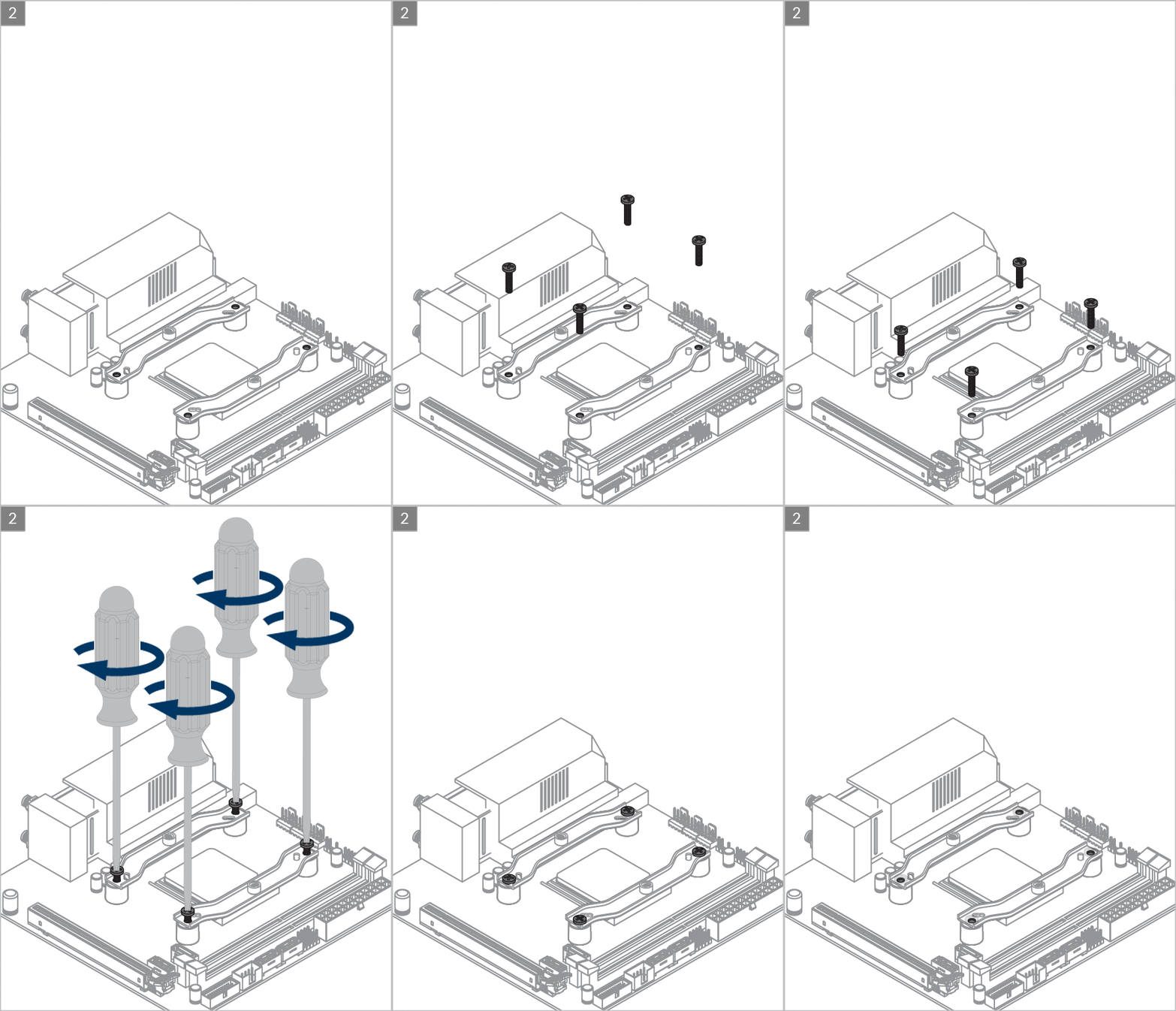
Slowly turn the left and right screws alternatively to make sure both screws engage with the nuts on the mounting modules. Tighten the screws afterwards.
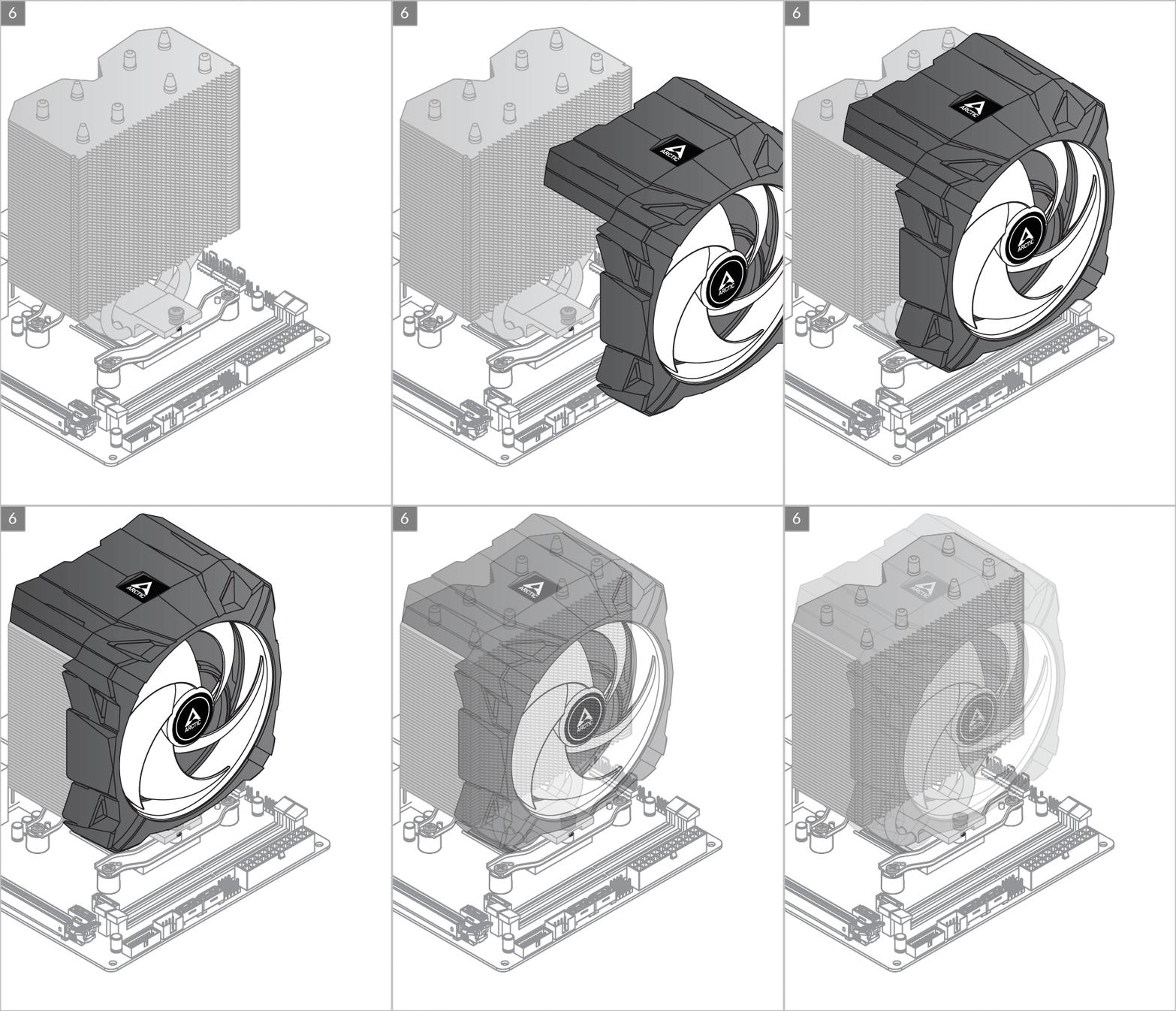
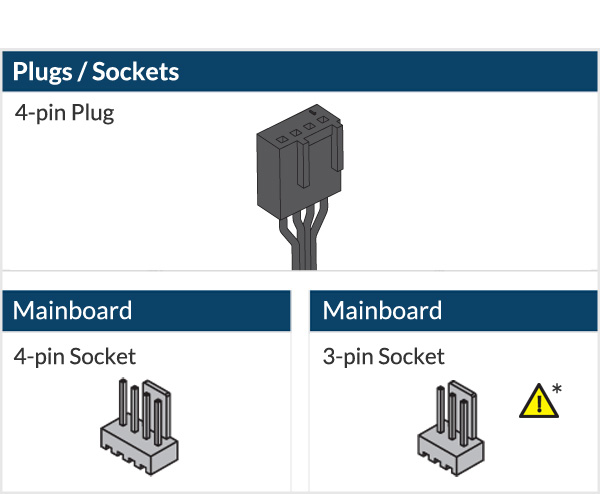
* To get the best out of your cooler, it is recommended to adjust the fan speed control in the BIOS, follow this guide to adjust your PWM.
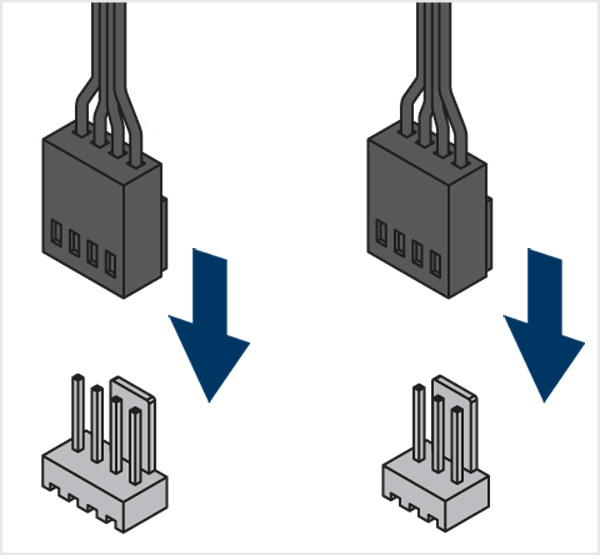

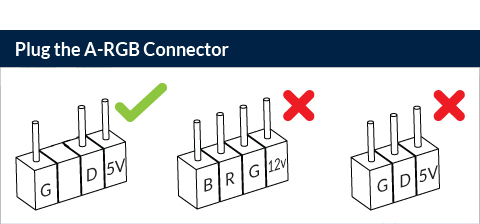
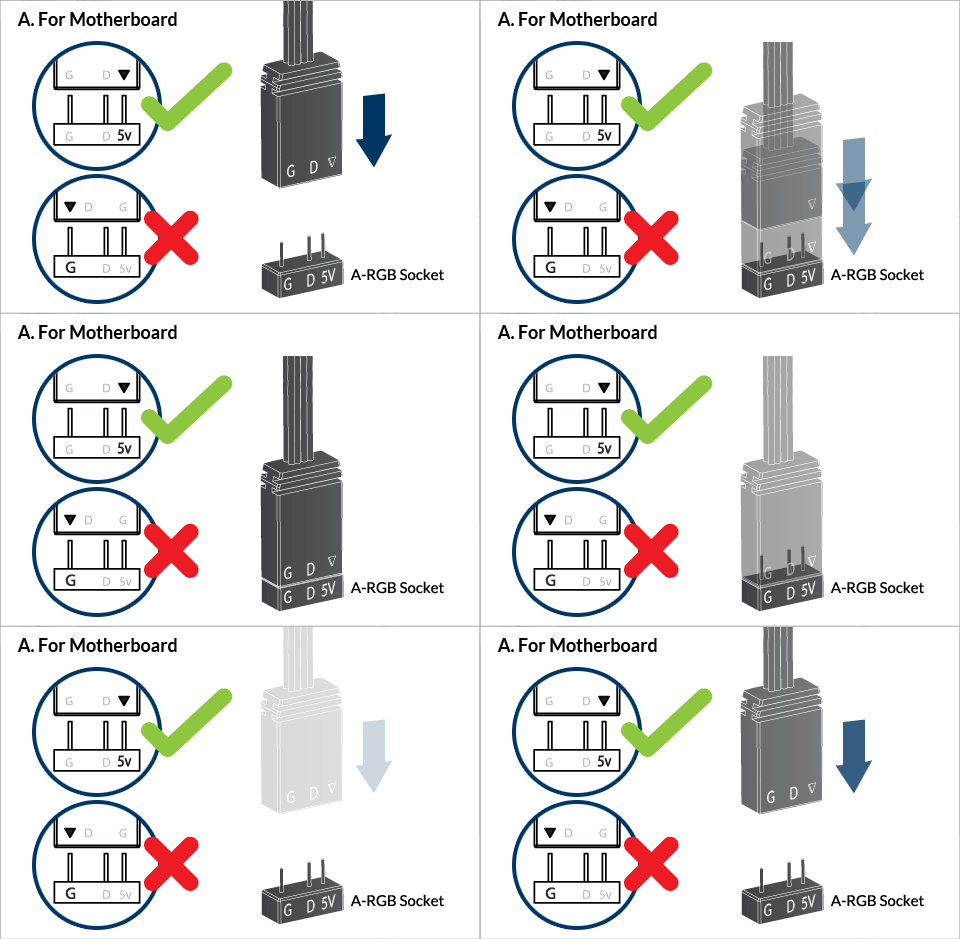

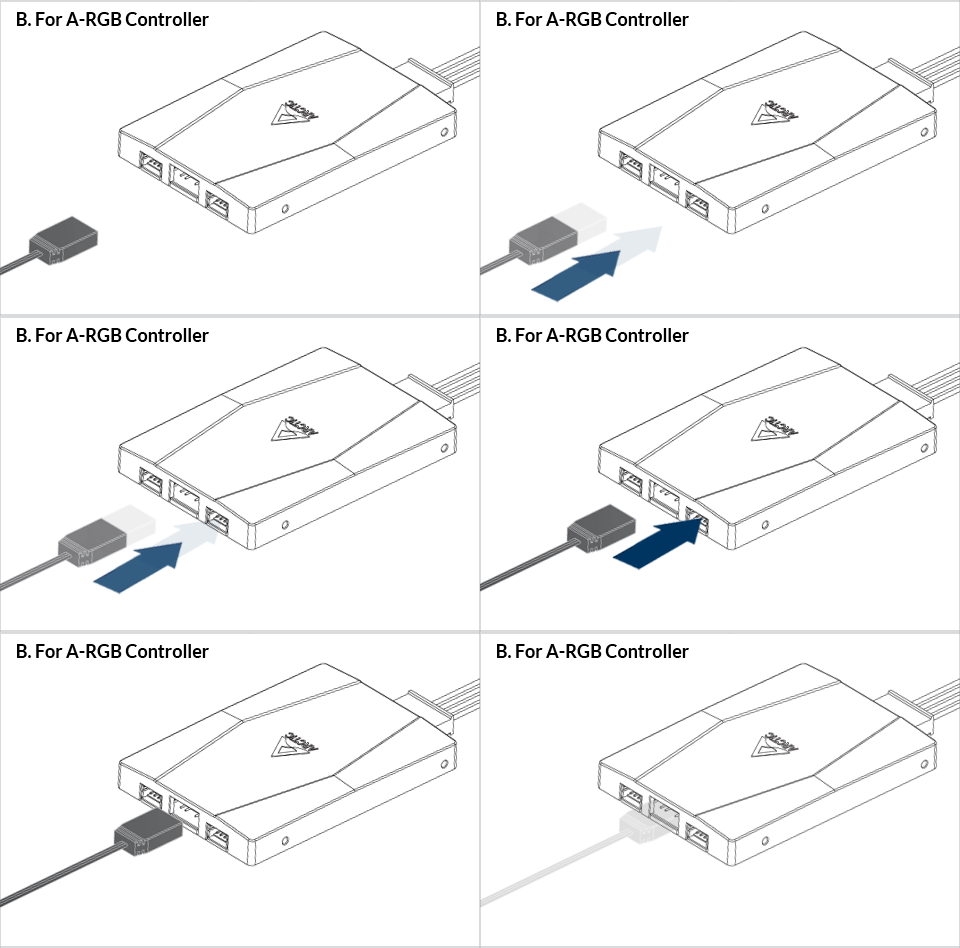
The ARCTIC A-RGB controller is available as standalone product or included in some models.
Watch Video
BIOS Configuration
To get the best out of your cooler, it is recommended to adjust the fan speed control in the BIOS, follow this guide to adjust your PWM.
A-RGB controller
The ARCTIC A-RGB controller is available as standalone product or included in some models. Follow this guide to install ARCTIC A-RGB controller.


