
申し訳ございませんが、このドキュメントは日本語版では提供されておりません。下記に英語版を掲載いたします。
Required Tools
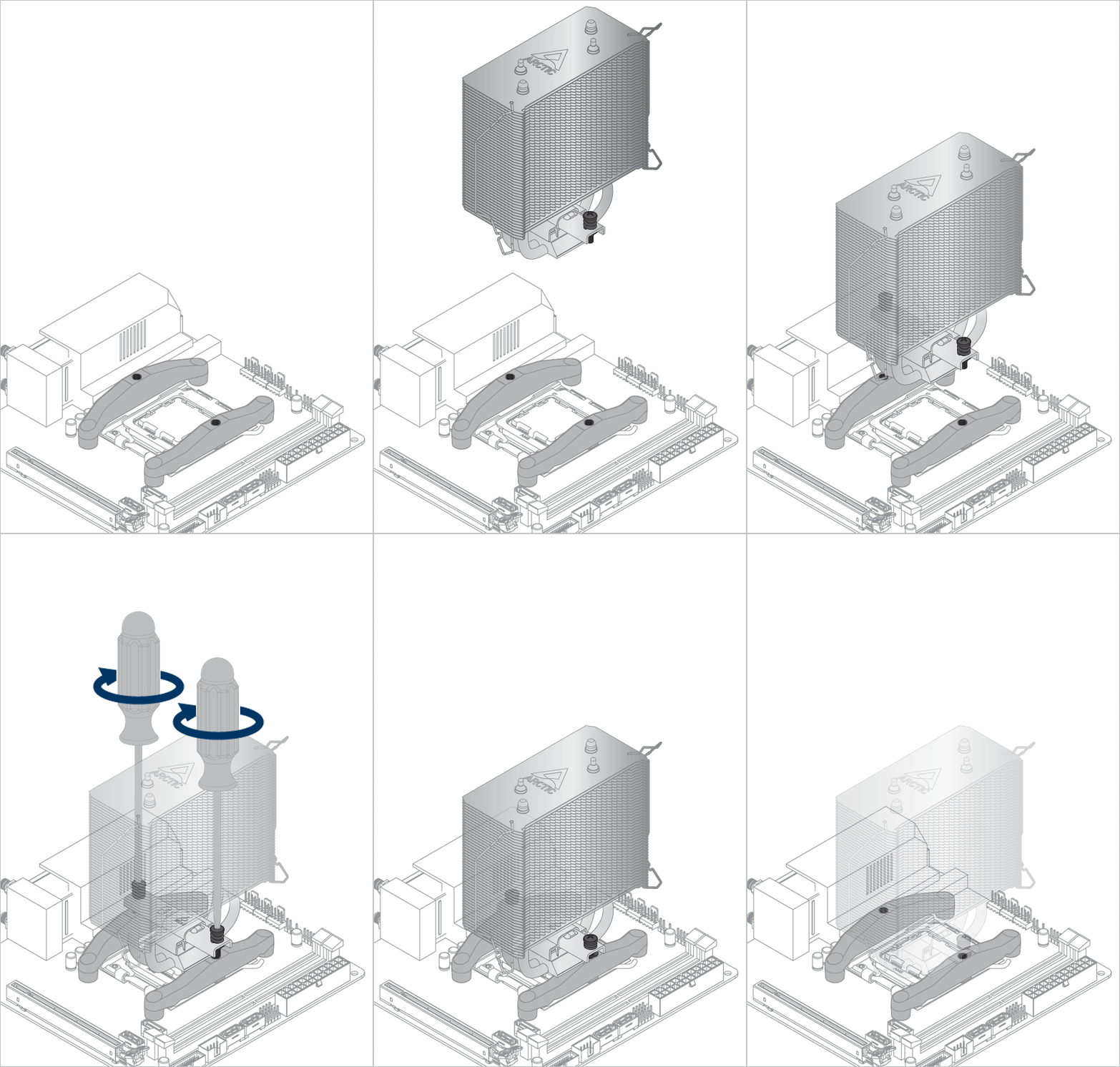
 PH2 Philips Head Screwdriver
Warning
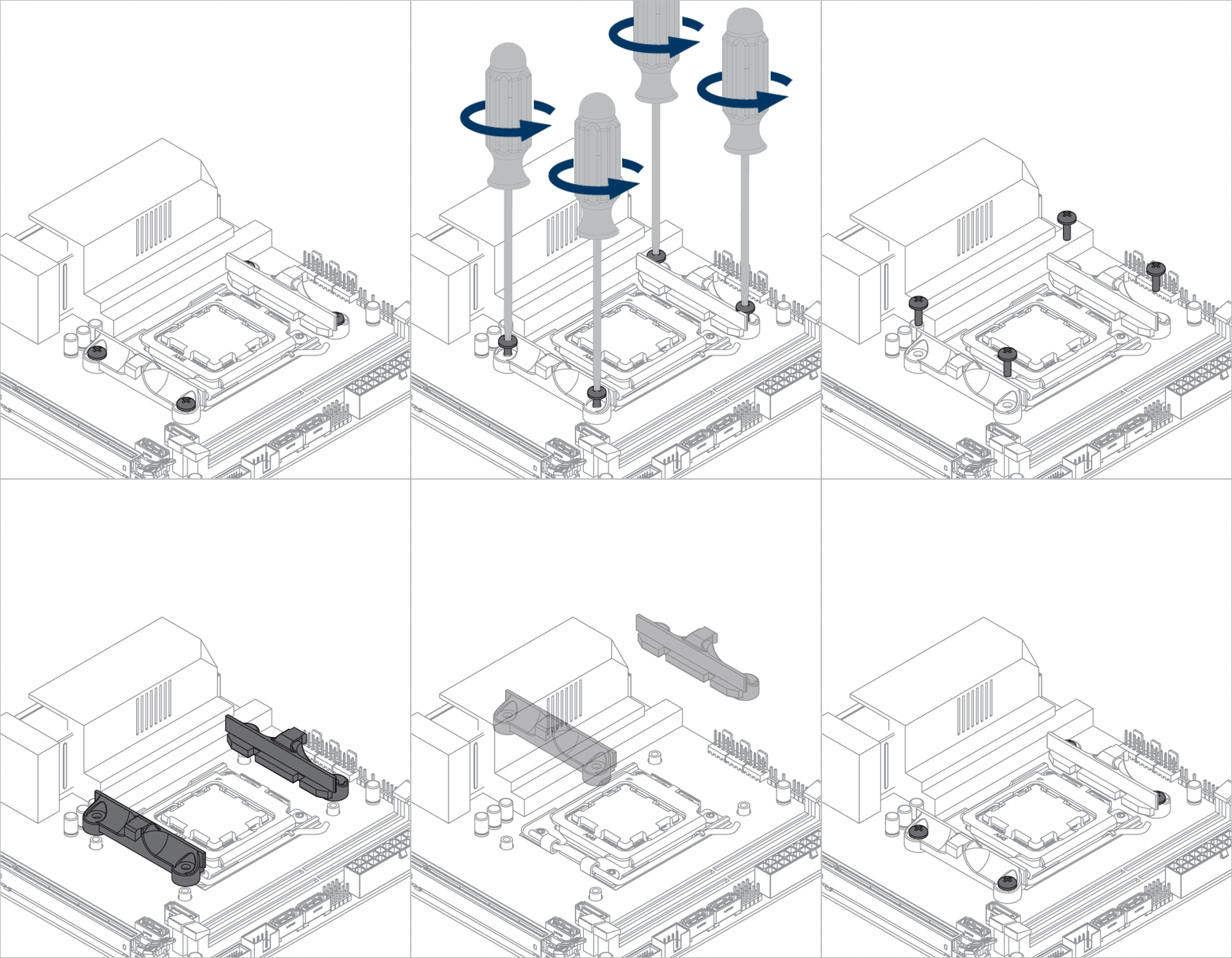
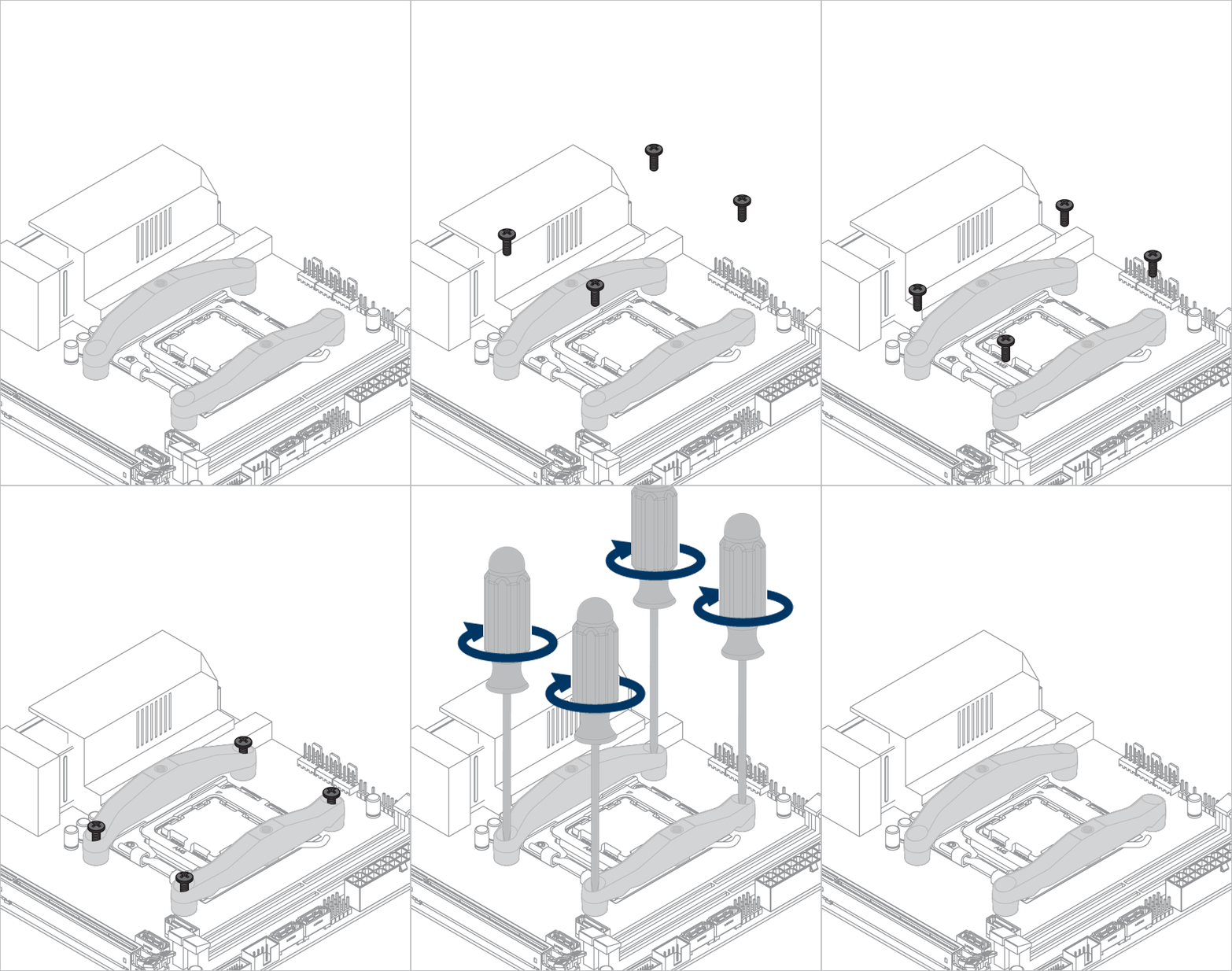
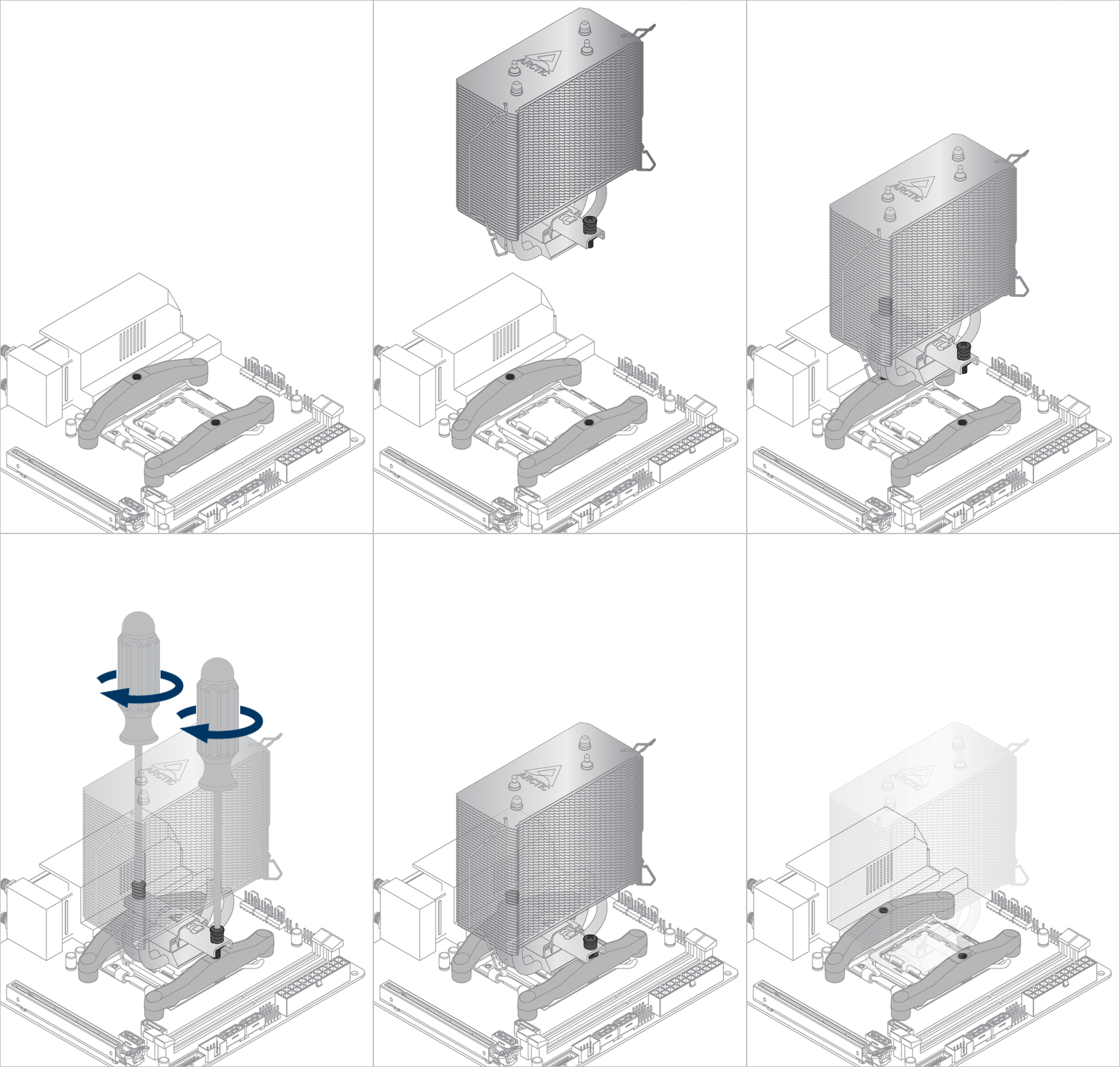
Keep the removed screws for later installation of the mounting modules.
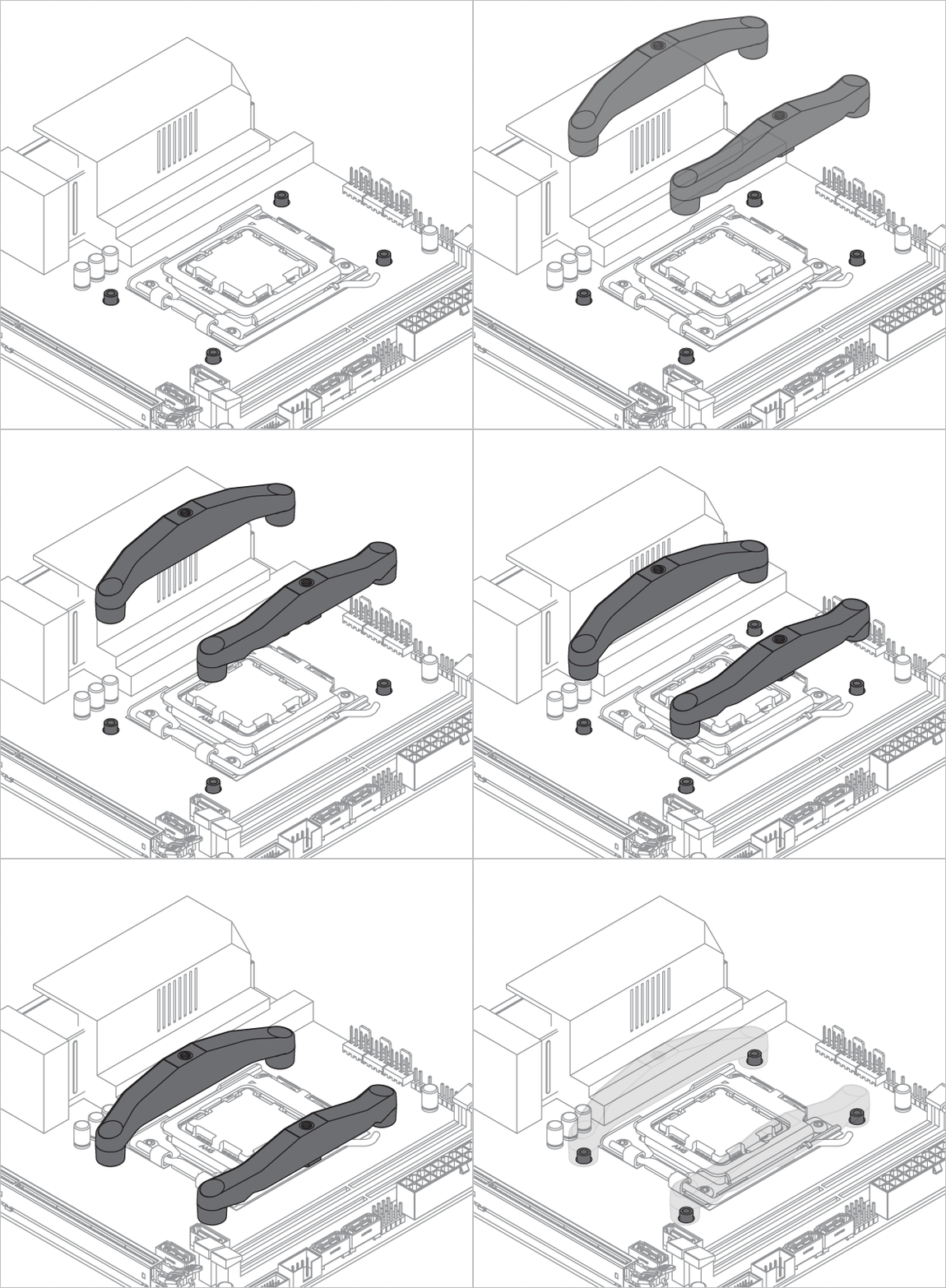
The screws loosened when removing the AMD mounting are now needed to install the modules.
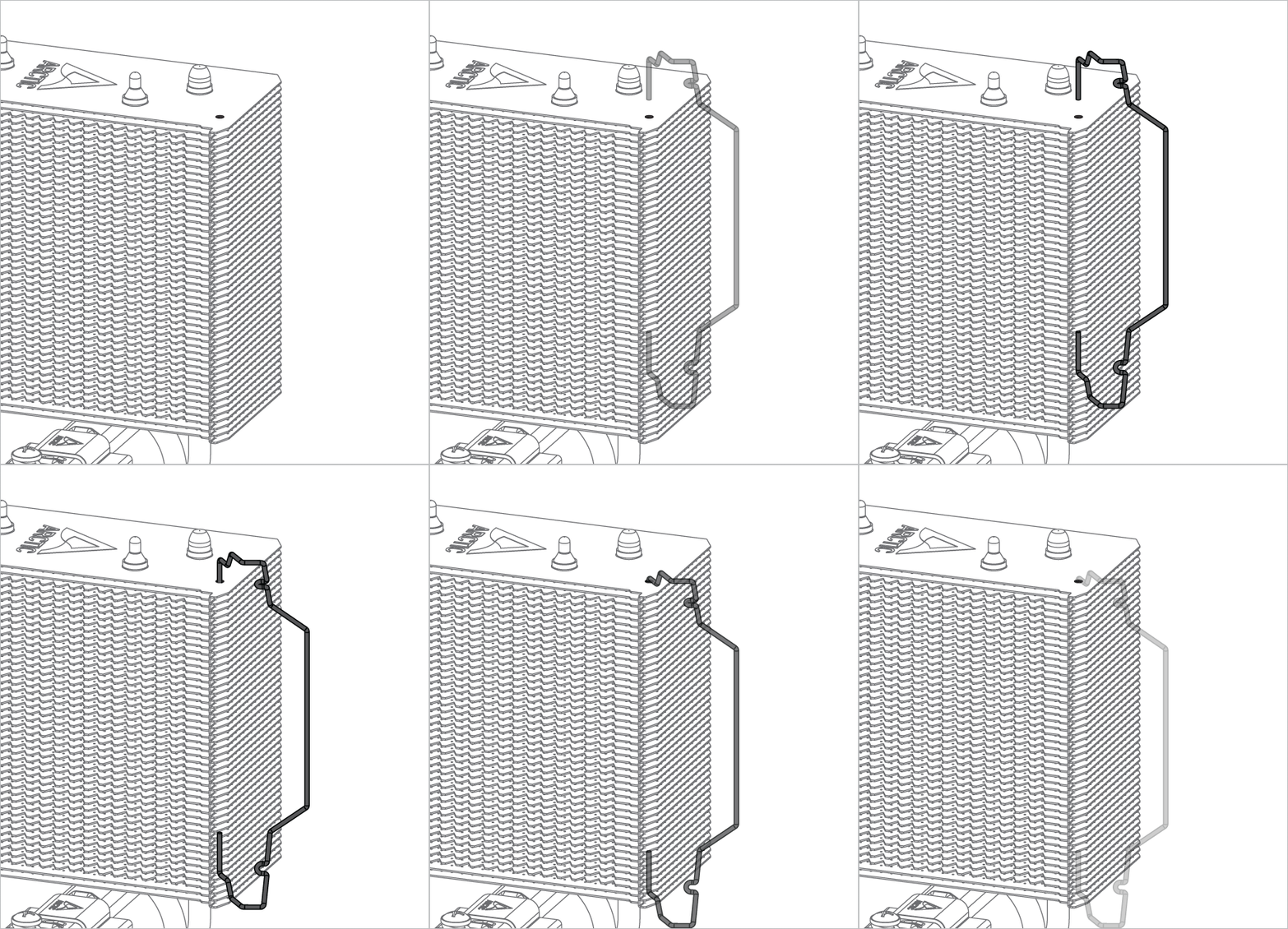
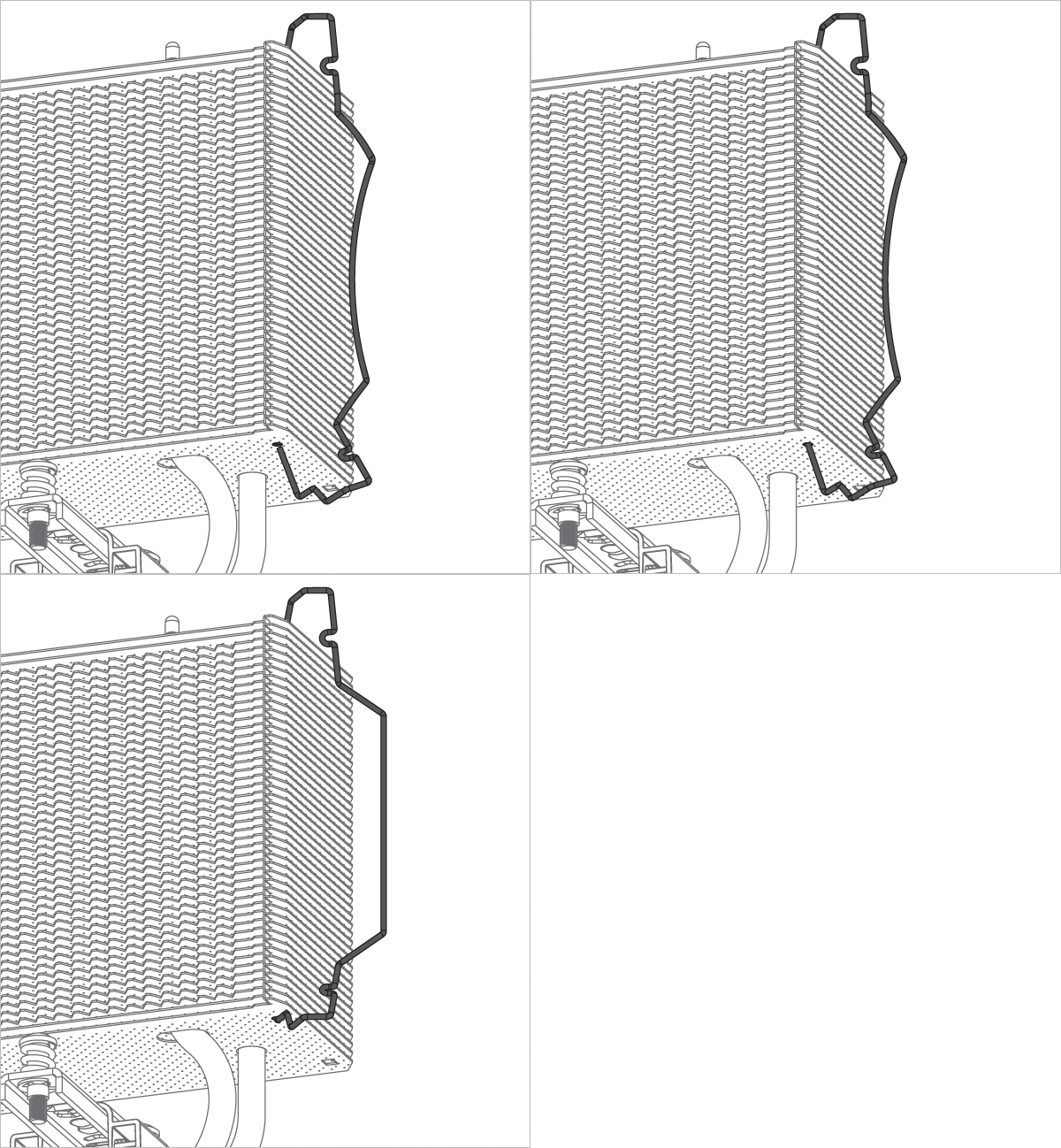
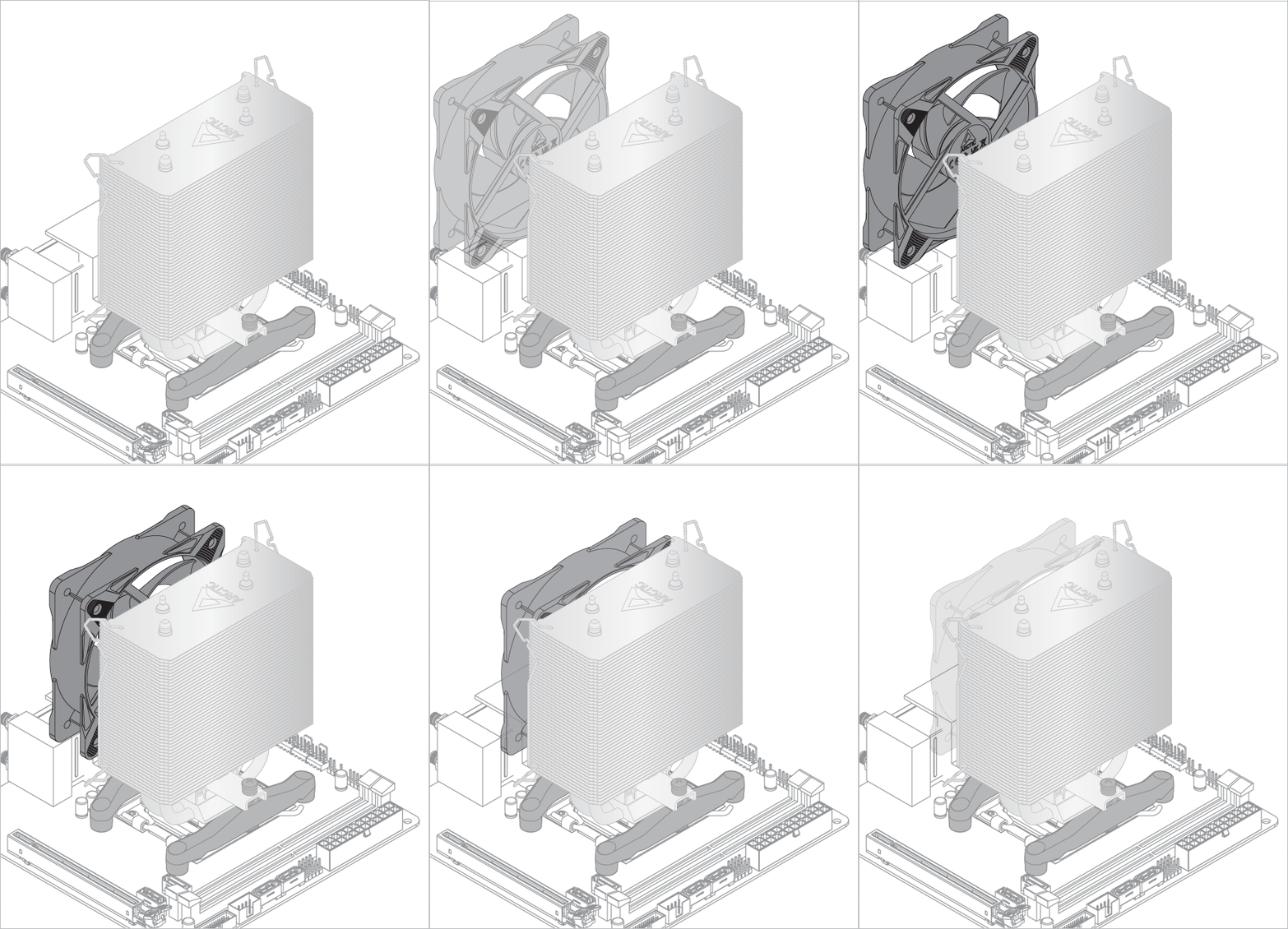
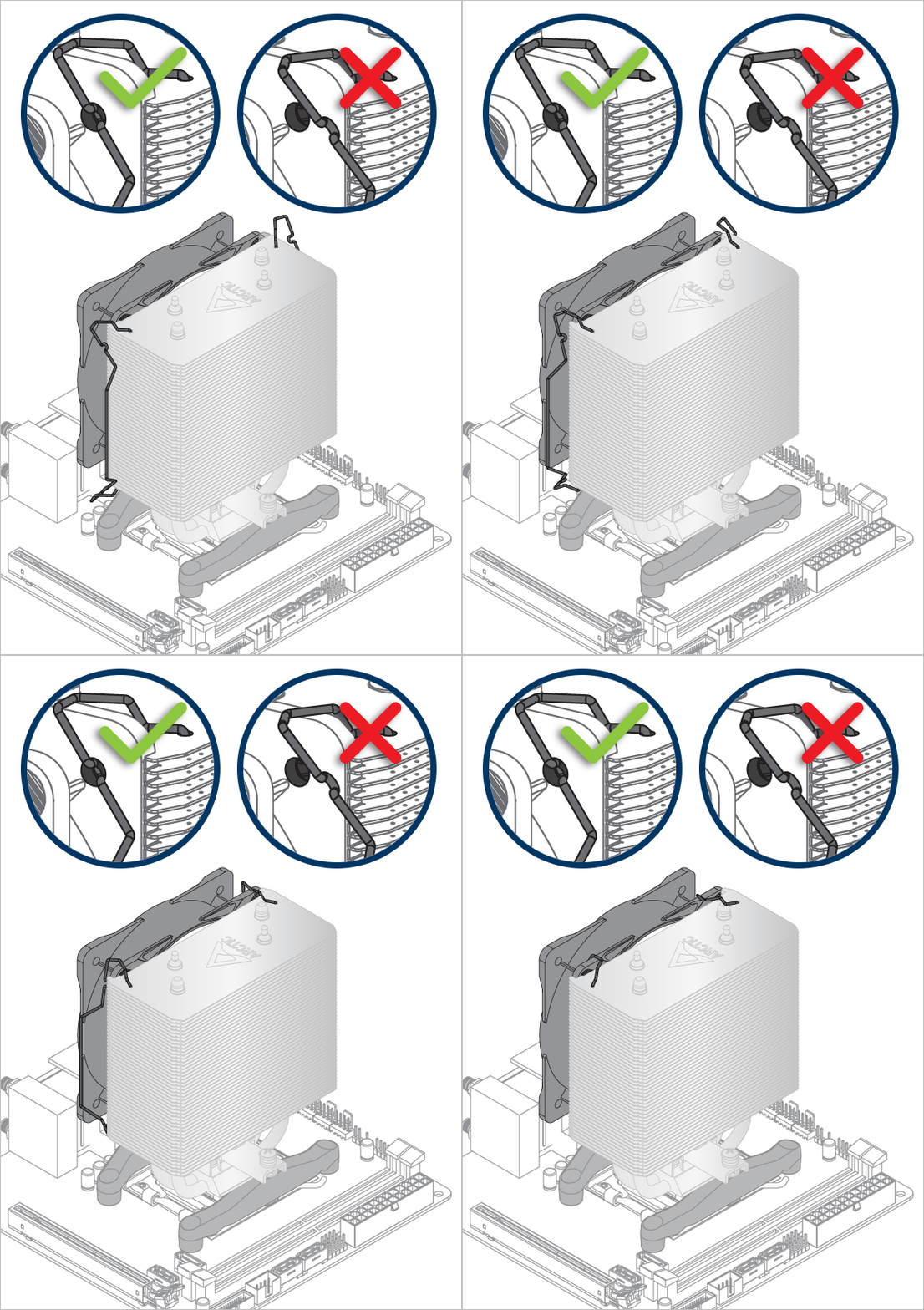
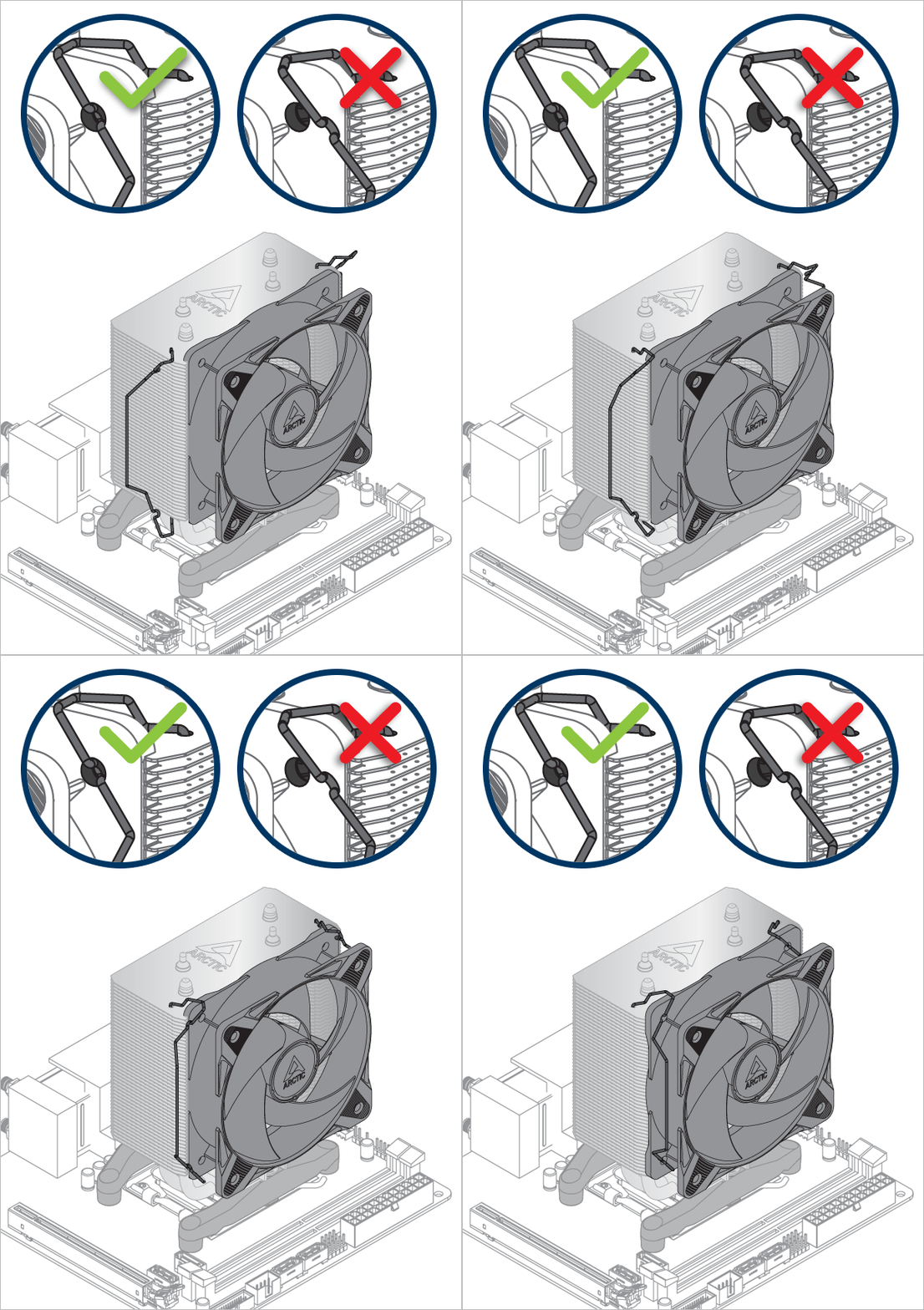
Install the fan clips in the alignment shown below.
Select your CPU Model
Complete the CPU selection to proceed with the installation.
Center Mount Configuration
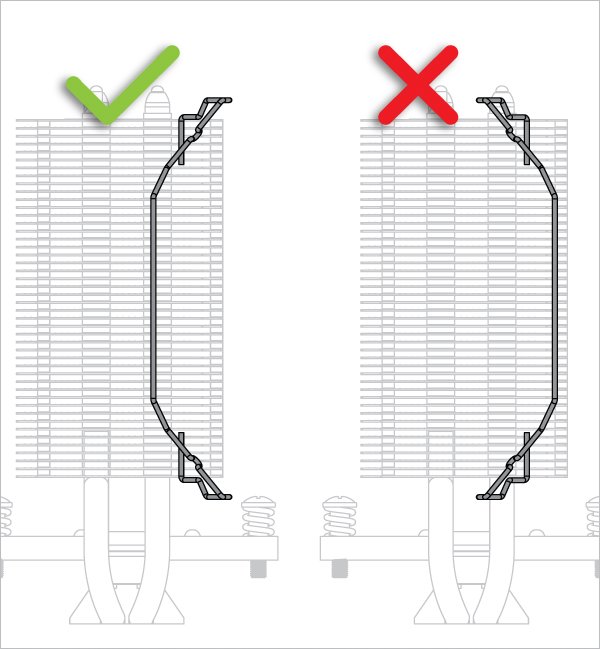
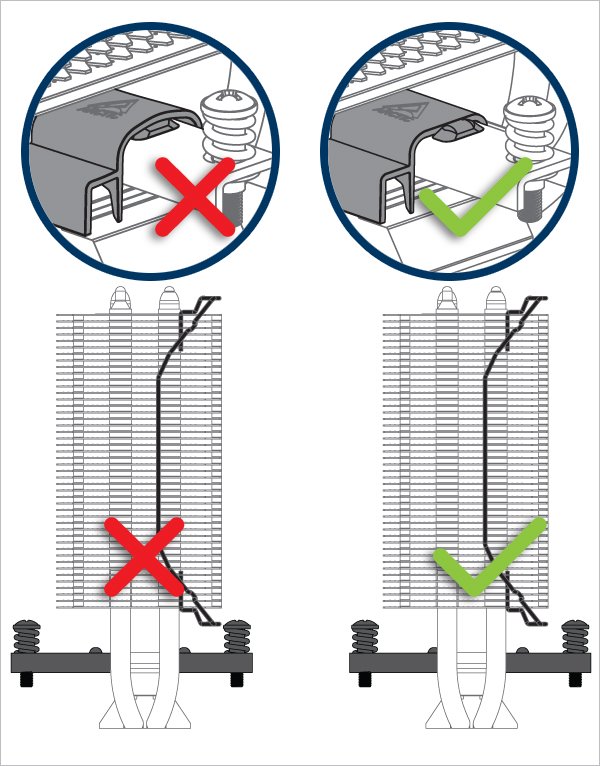
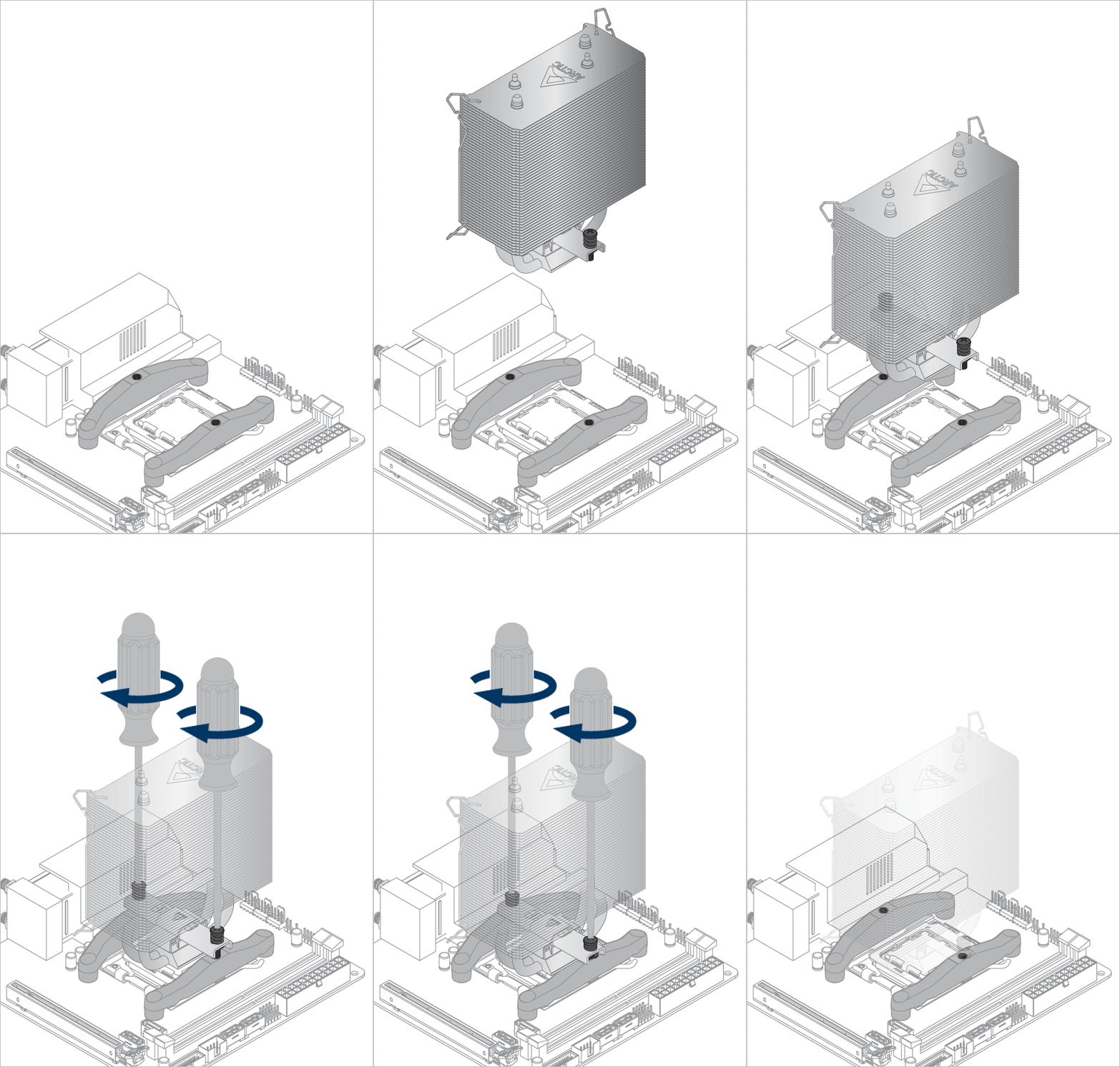
Check that the mounting bar is aligned as shown below. The mounting bar can be pushed sideways in to the correct alignment.
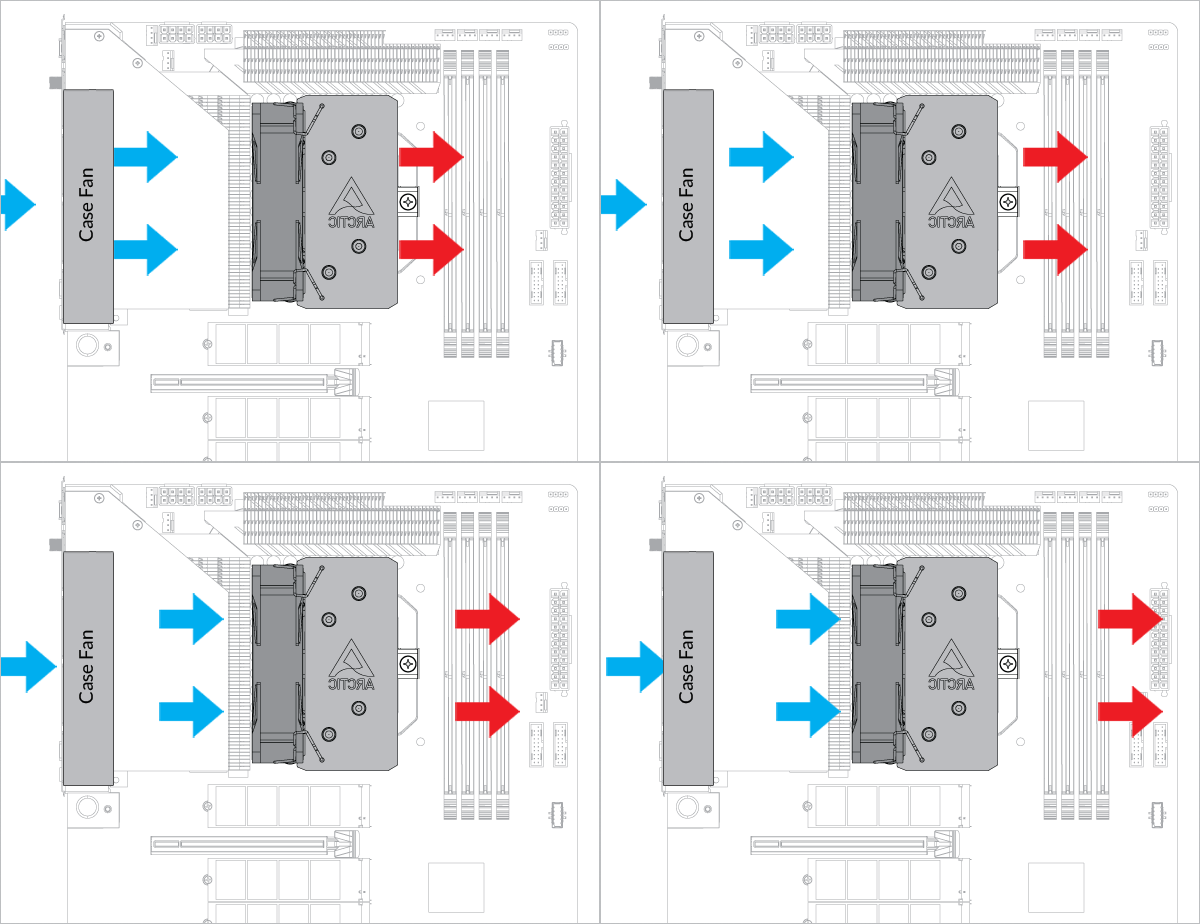
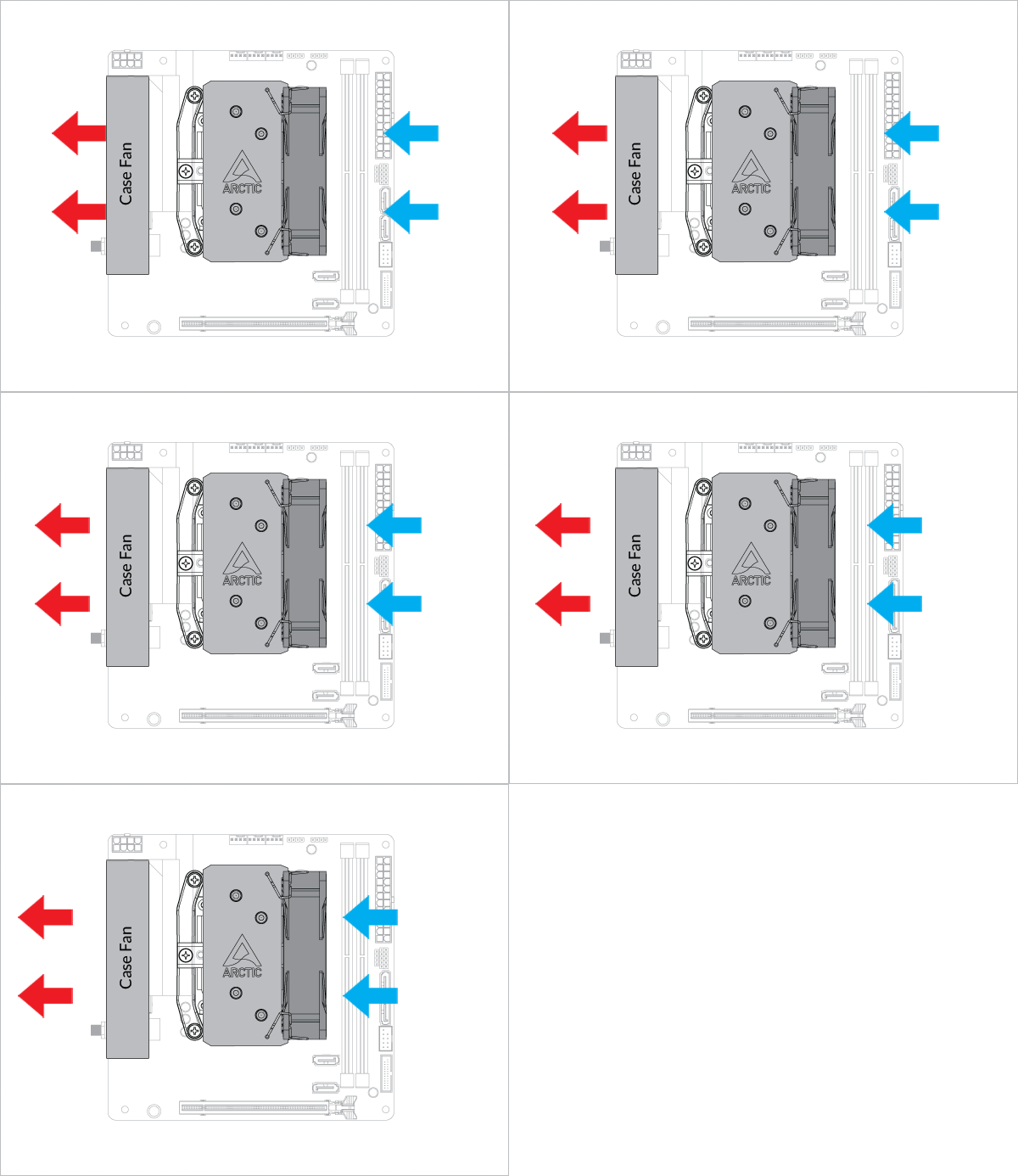
- Back Exhaust
- Back Intake
Select airflow direction
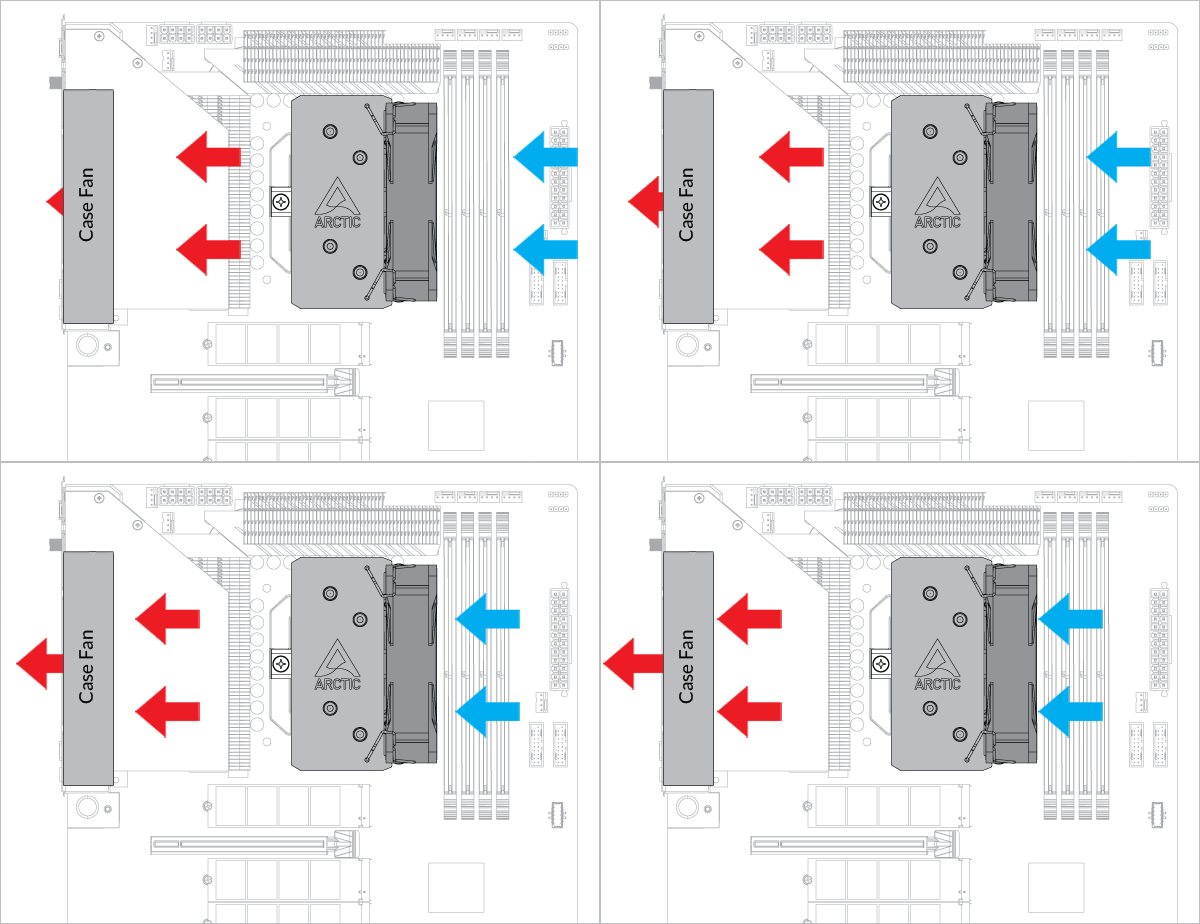
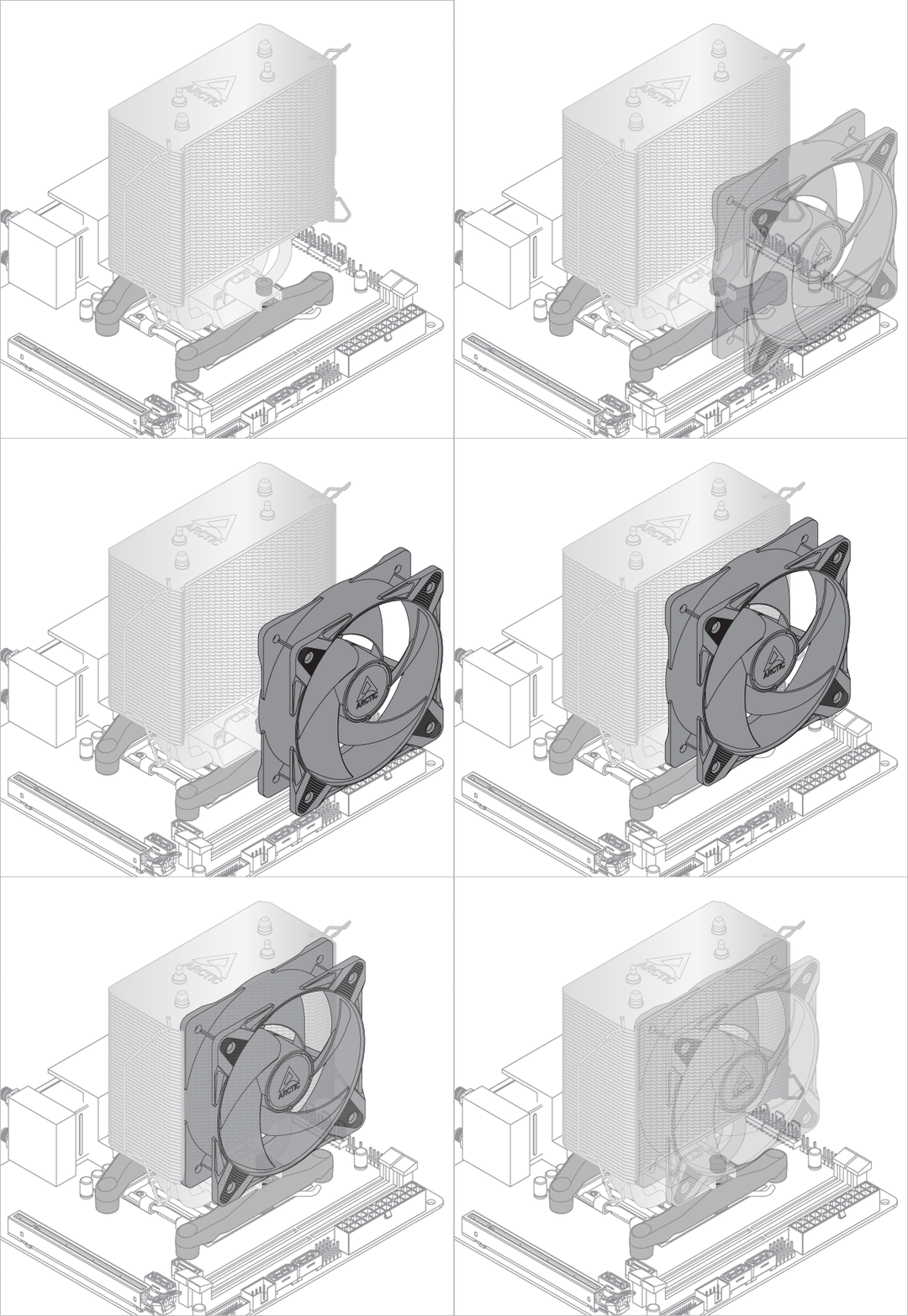
The fans can be rotated to aid cable management
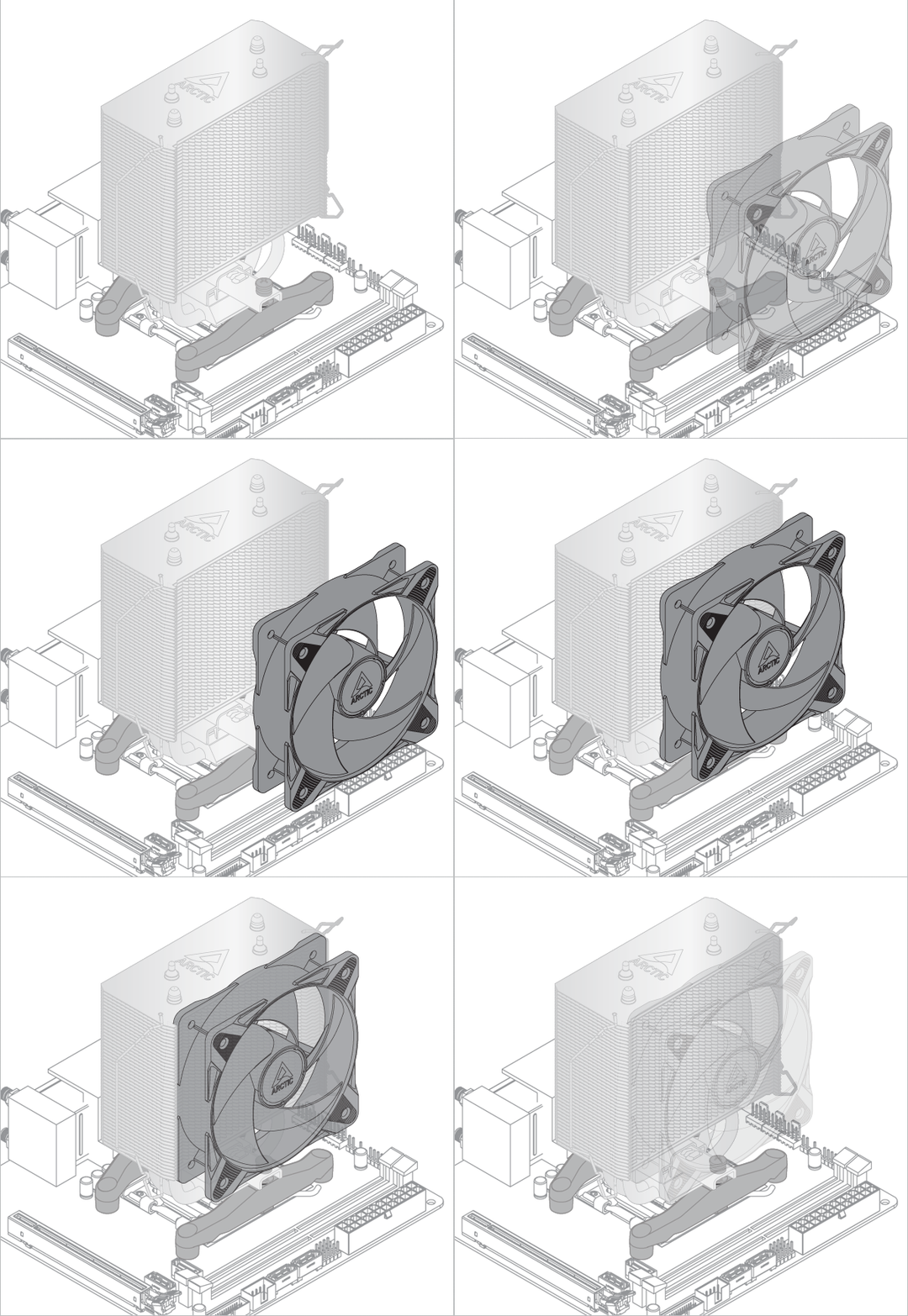

The fans can be rotated to aid cable management
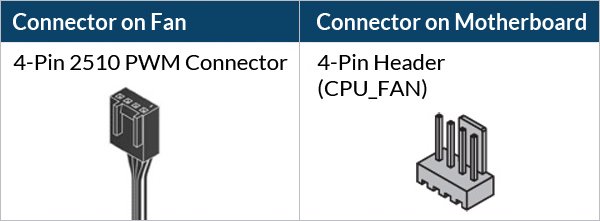
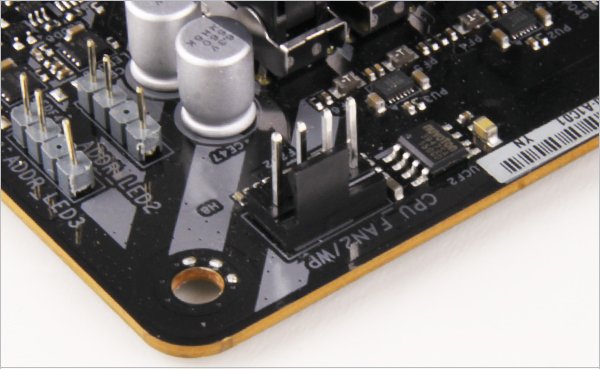
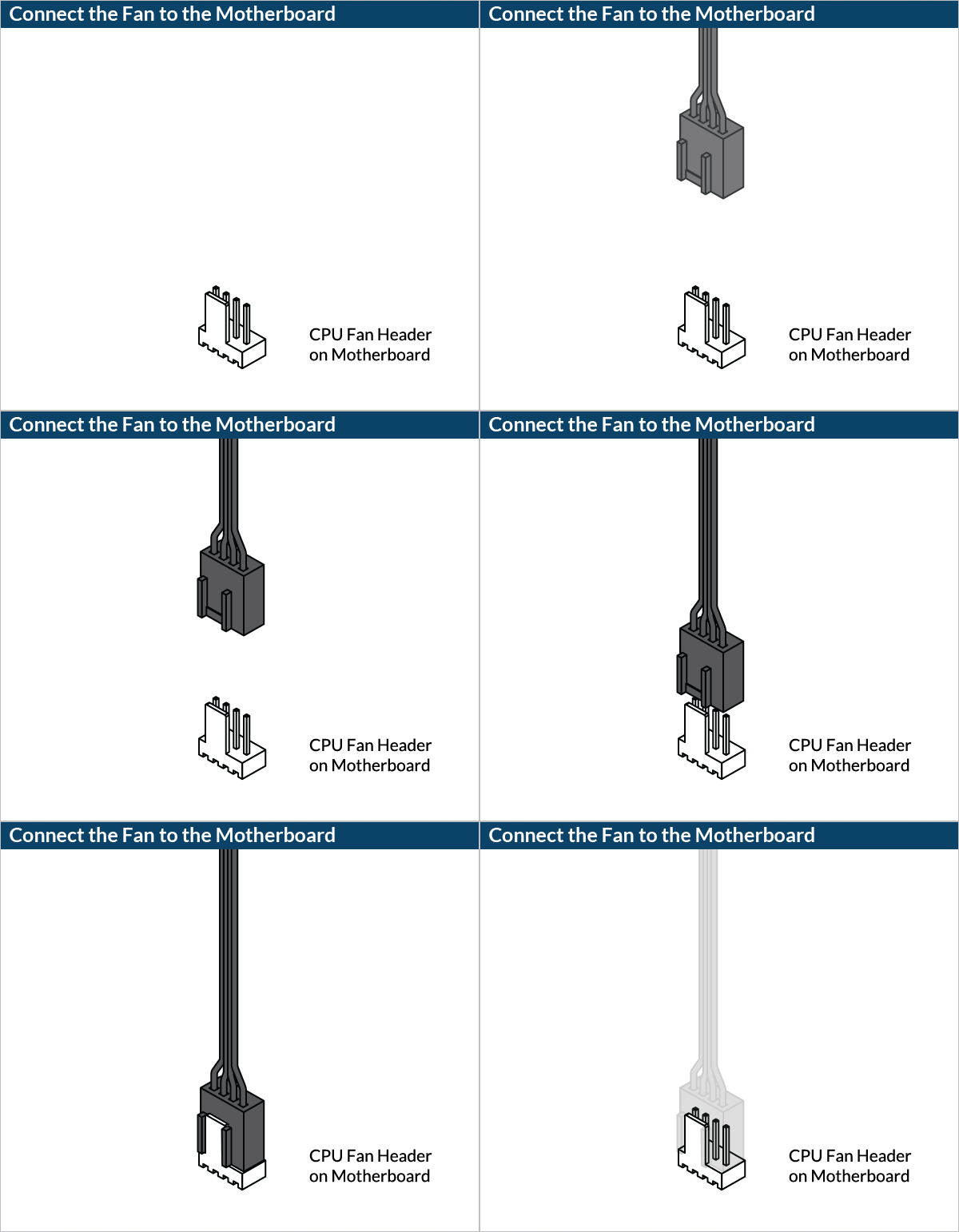
To get the best out of your cooler, it is recommended to adjust the fan speed control in the BIOS, follow this guide to adjust your PWM.
Offset Mount Configuration
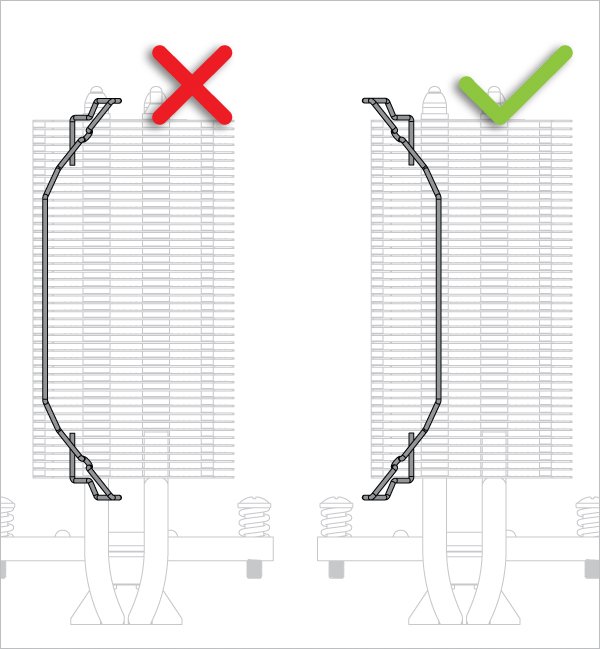
Check that the mounting bar is aligned as shown below. The mounting bar can be pushed sideways in to the correct alignment.
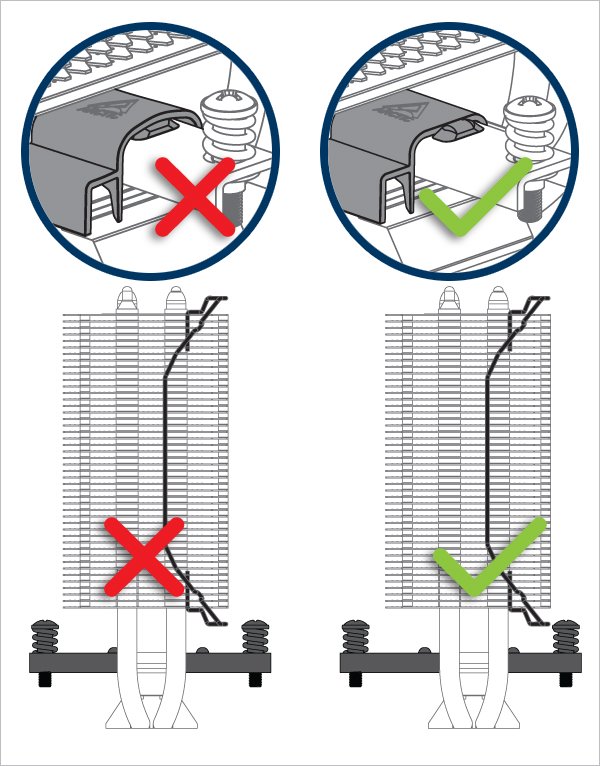
Only back exhaust configuration is supported on offset mount setting.
The fans can be rotated to aid cable management
To get the best out of your cooler, it is recommended to adjust the fan speed control in the BIOS, follow this guide to adjust your PWM.


