Installation
Step 1: Identifying the Correct Header on your Motherboard
Depending on the brand and tier, latest motherboards usually offer two types of visually distinguishable headers related to RGB lighting:

 Warning
RGB and A-RGB are not compatible with each other!
For the 5V A-RGB Header, different manufacturers will have different names shown on the motherboard. Please refer to your motherboard manual for more details.
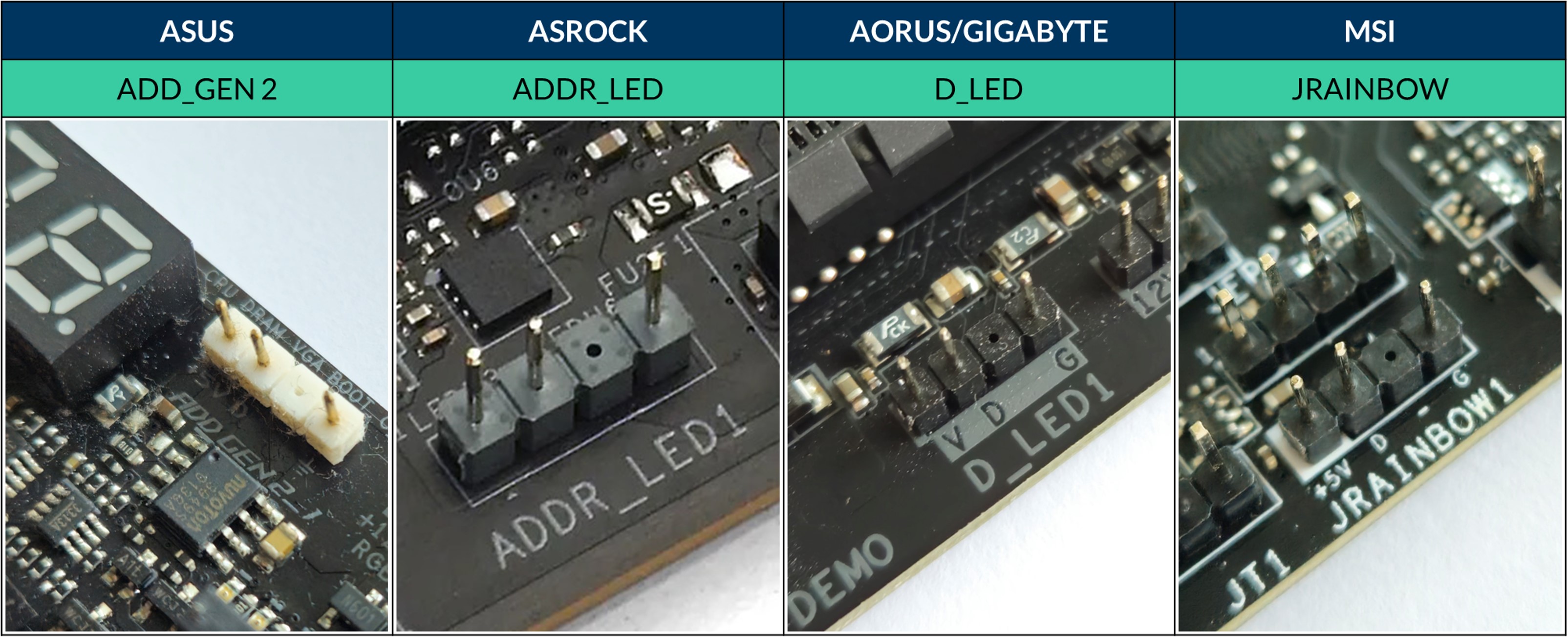
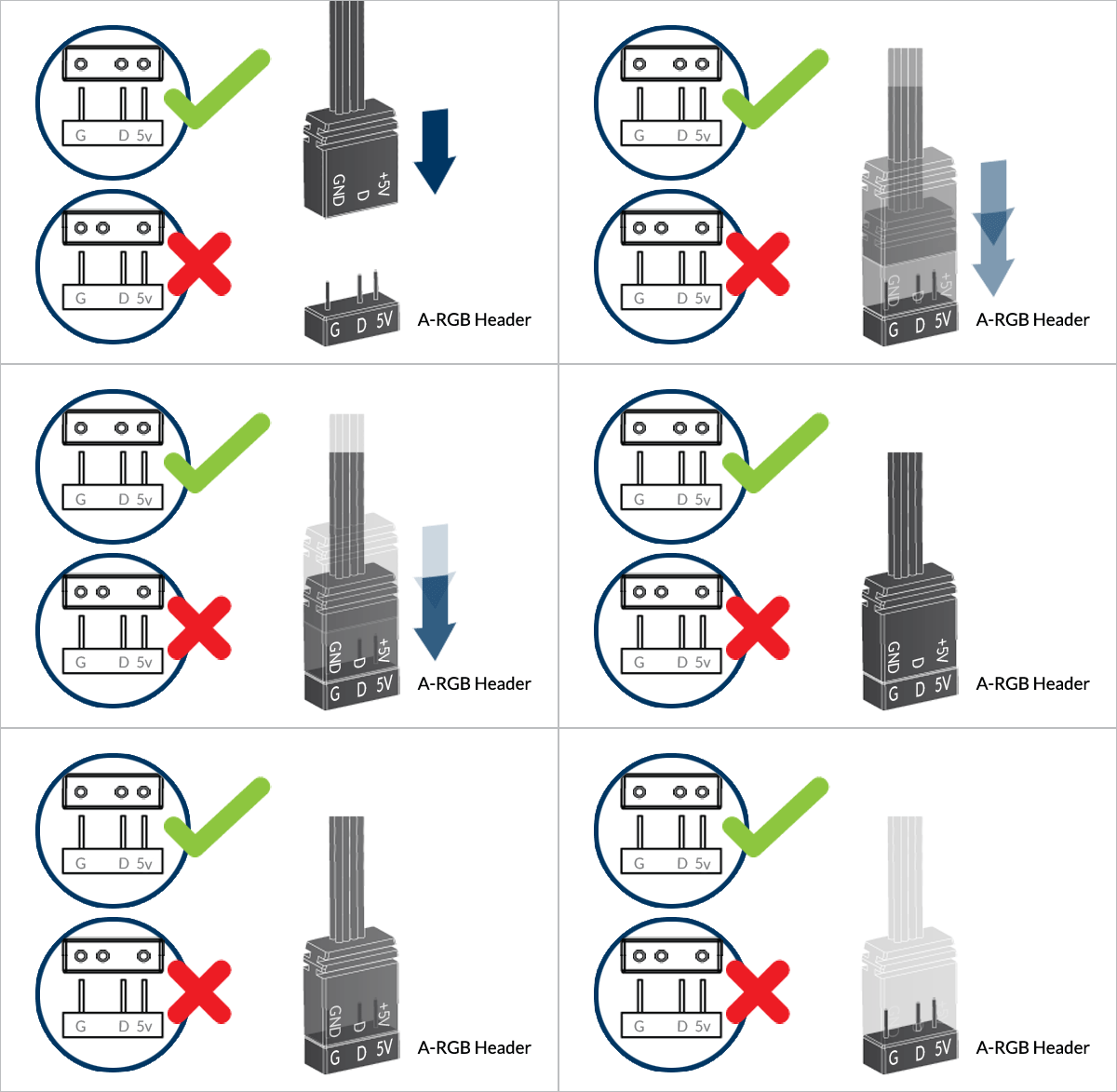
Step 2: Connecting the A-RGB Plug to the A-RGB Header on your Motherboard
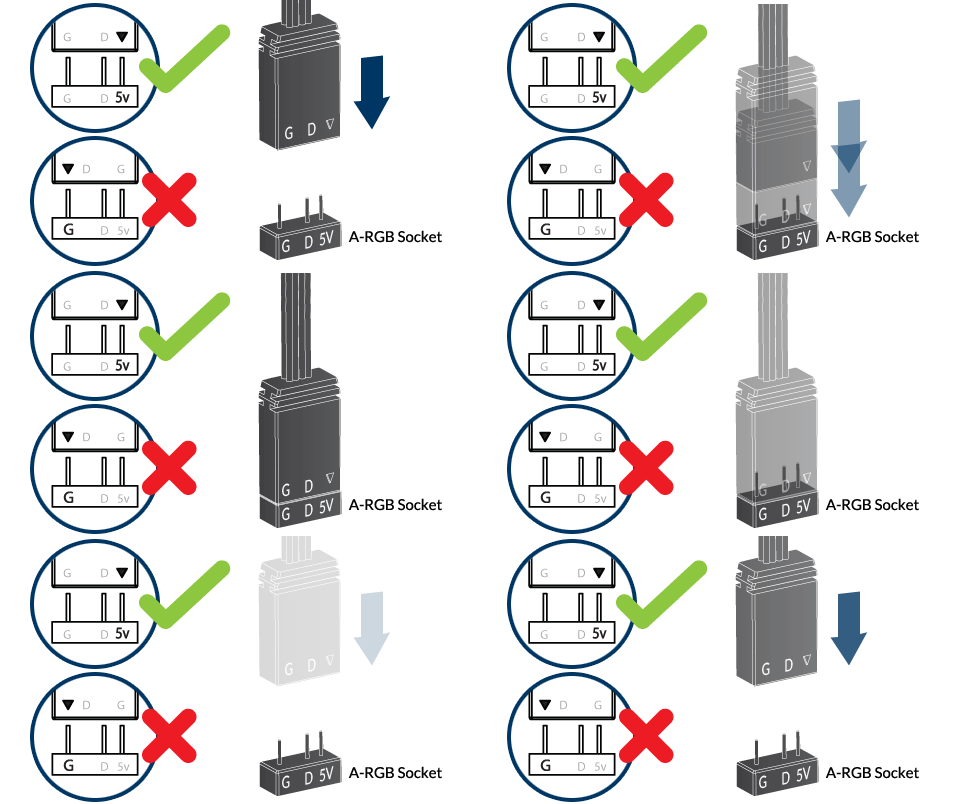
On some of ARCTIC’s A-RGB products, the A-RGB plug might have an arrow marking instead, which should line up with the 5V on the A-RGB Socket on the motherboard.
(Optional) Step 3: How to Daisy-chain Fans

Attention
As some motherboards have limited number of A-RGB headers, ARCTIC’s A-RGB Products come with a daisy-chainable cables to control up to 5 fans per header. This limitation is given by the total current available on the header and can be circumvented by using a power injector.
Daisy-chaining is a wiring scheme where two or more devices are plugged into each other to form a continuous chain, thus connecting them in series. As a result, the signal for color and lighting effects for each LED sent from the header can be controlled independently.
Splitters, or split connections, refers to a wiring scheme where two or more devices are connected in parallel. As a result, the signal for the color and lighting effects sent out from the header for each LED are also split into two or more copies of itself.
Software Control
ARCTIC’s A-RGB products are compatible with a wide range of motherboards (including ASUS, GIGABYTE, ASRock and MSI). While most motherboards have their own RGB software, they are often limited in functionality and might not offer support for all the RGB enable components in a given setup.

For complete control and enhanced synergy with peripherals, ARCTIC recommends using SignalRGB, a free app that let’s you customize the RGB lighting in your setup the way you see fit. They also offer support for a wide range of peripherals.
Setting Up and Configuring ARCTIC’s Products on SignalRGB
Download SignalRGB Getting started with SignalRGB Configuring devicesUse the sorting drop down menu and search bar in SignalRGB to look for ARCTIC’s A-RGB Products!
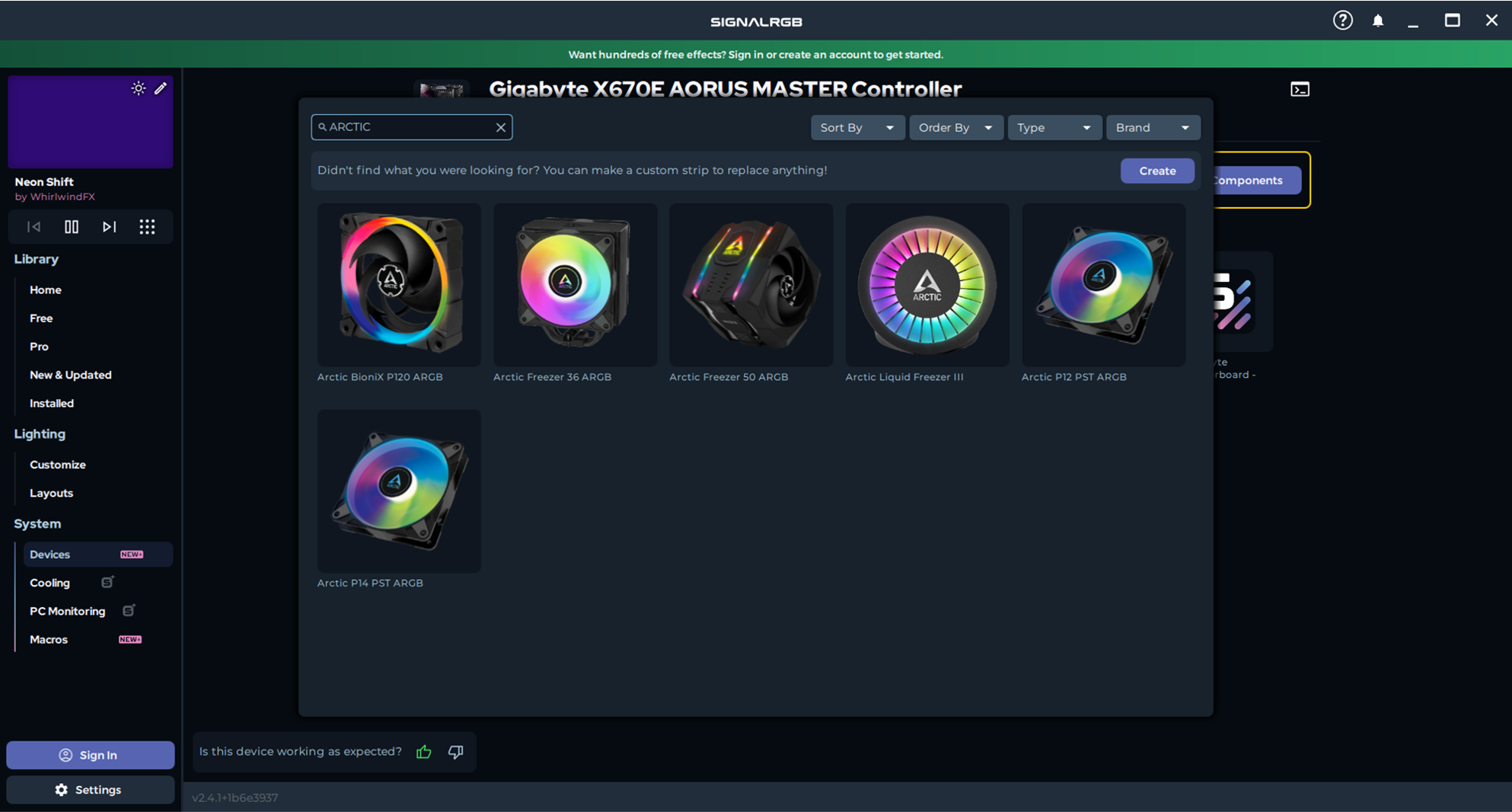
Need Additional help? Check out SignalRGB’s forums Contact SignalRGB Support Contact ARCTIC Support
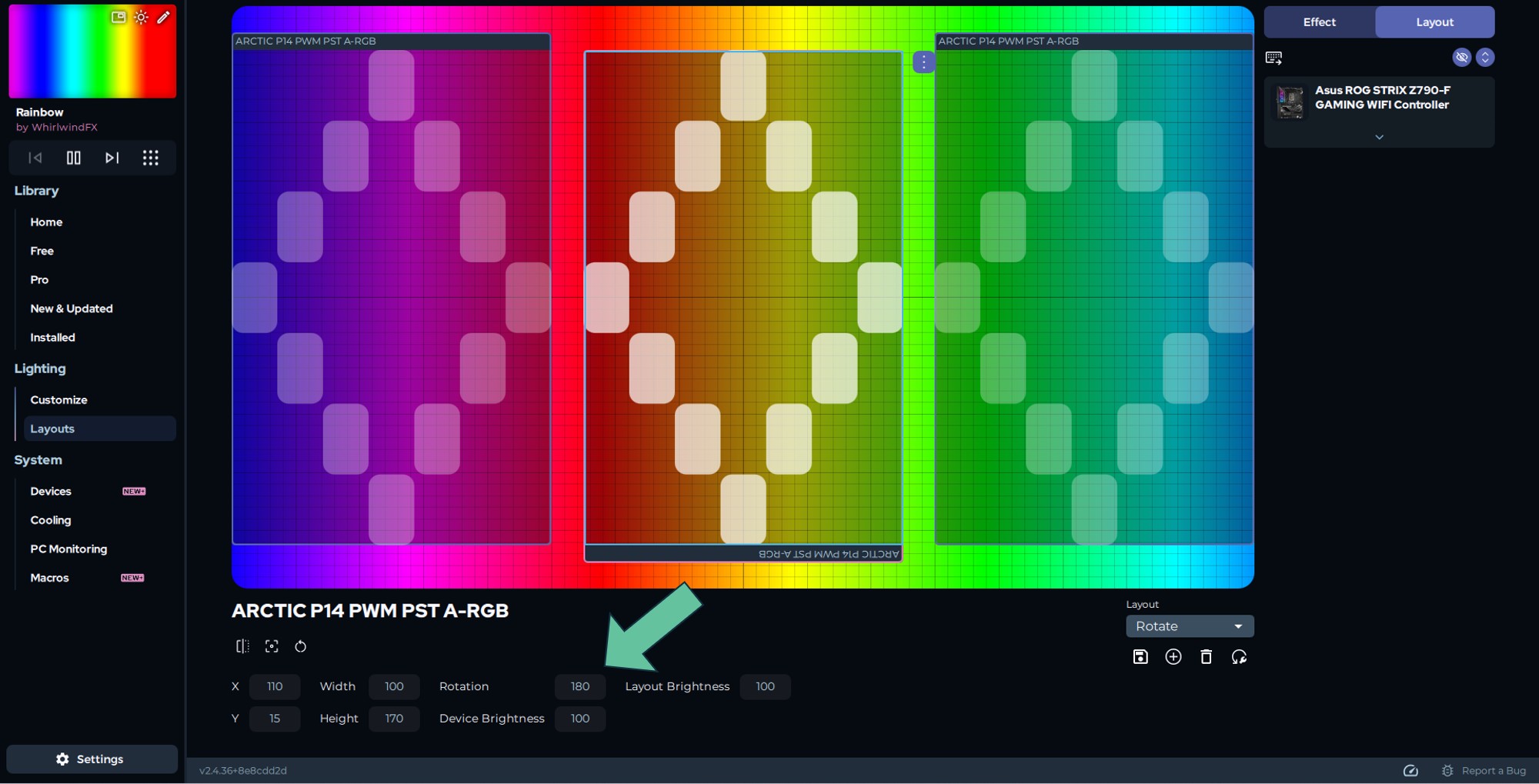
Asynchronous lighting effect issues can be resolved by rotating your device using SignalRGB.
- If you are not currently using SignalRGB, please download SignalRGB to get started.
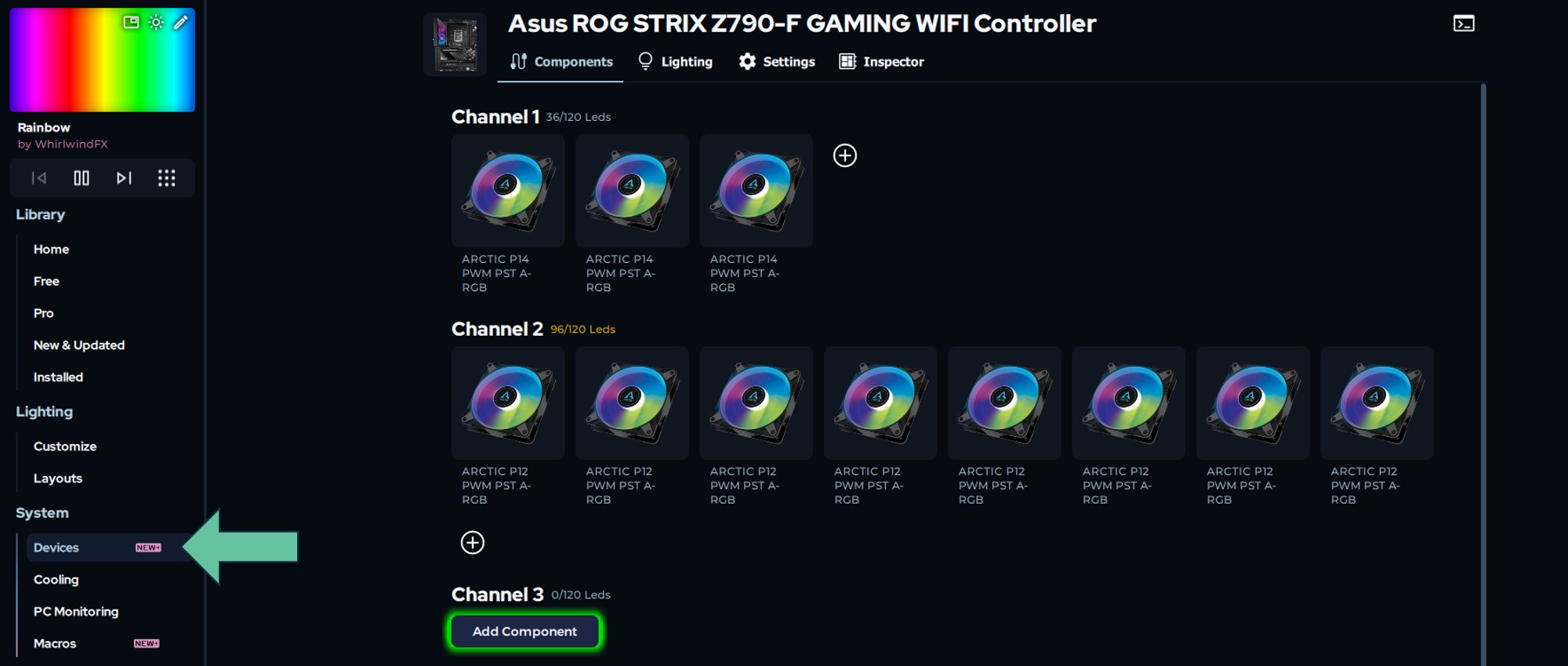
- Using SignalRGB, first set up your devices in the "Devices" section under "System":
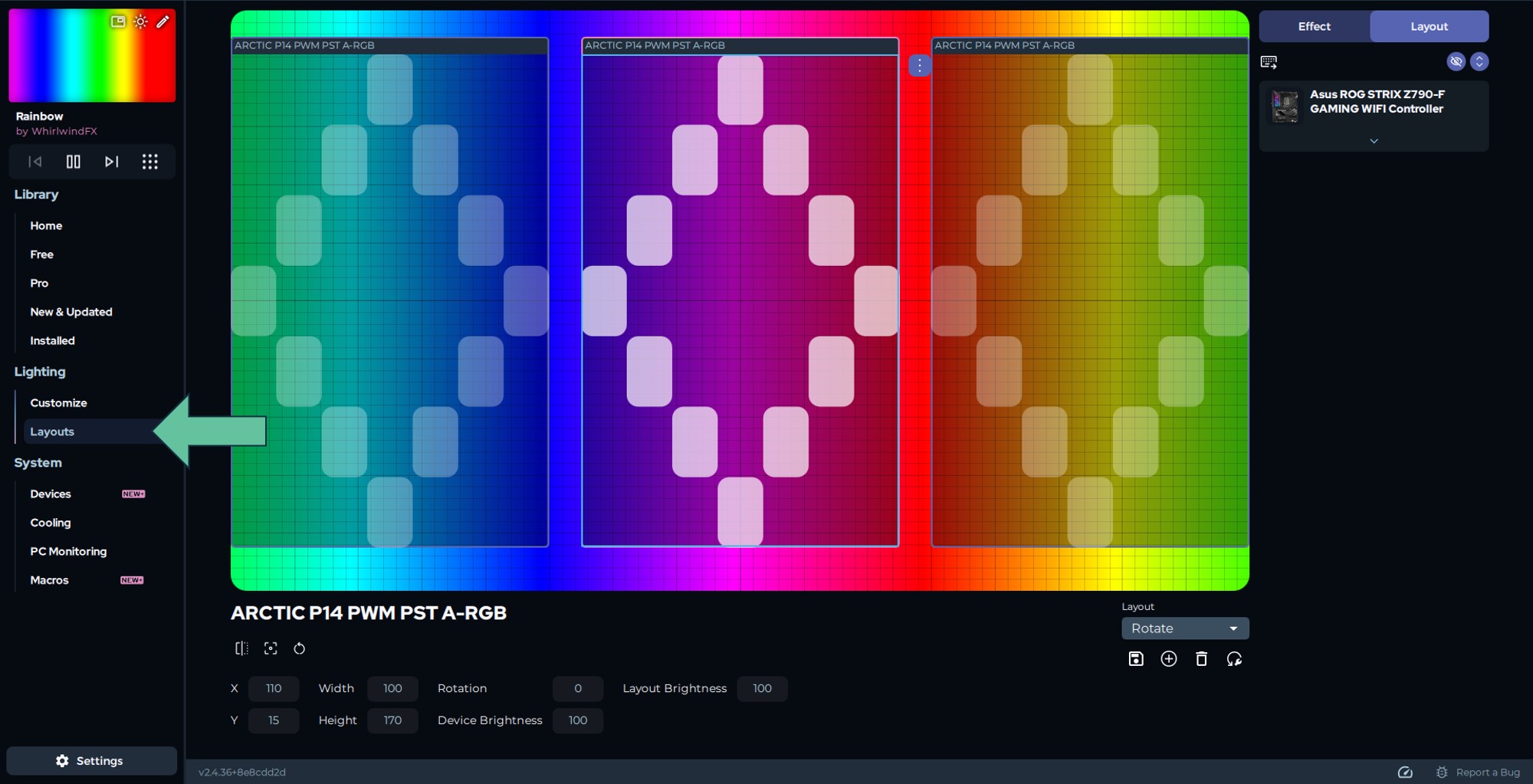
- Arrange the installed devices in the "Layouts" section under "Lighting":
- For any device with asynchronous lighting effect, select that device in the layout and input 180 in the "Rotation" box
推荐产品