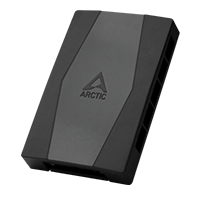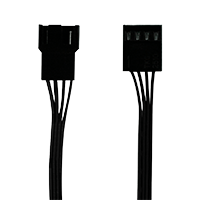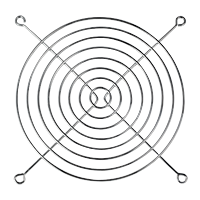
Benötigtes Werkzeug

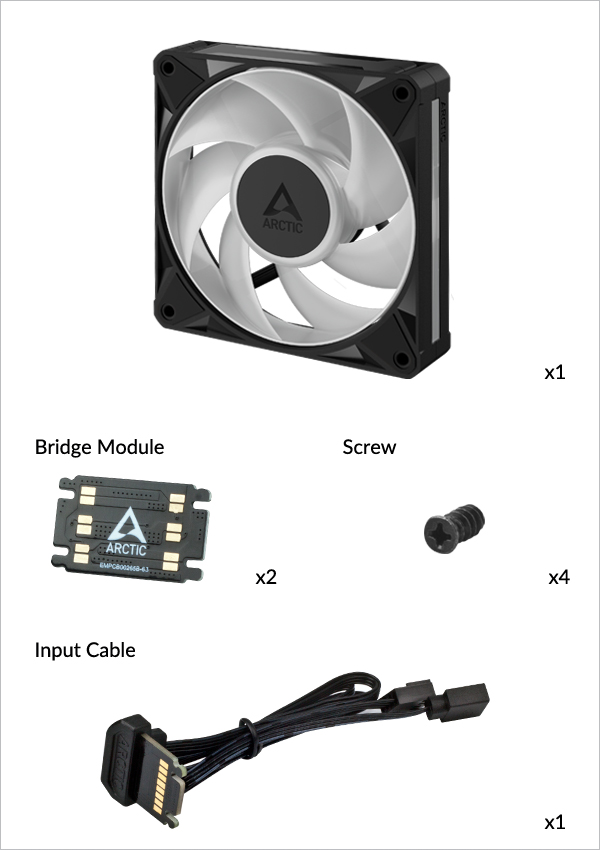
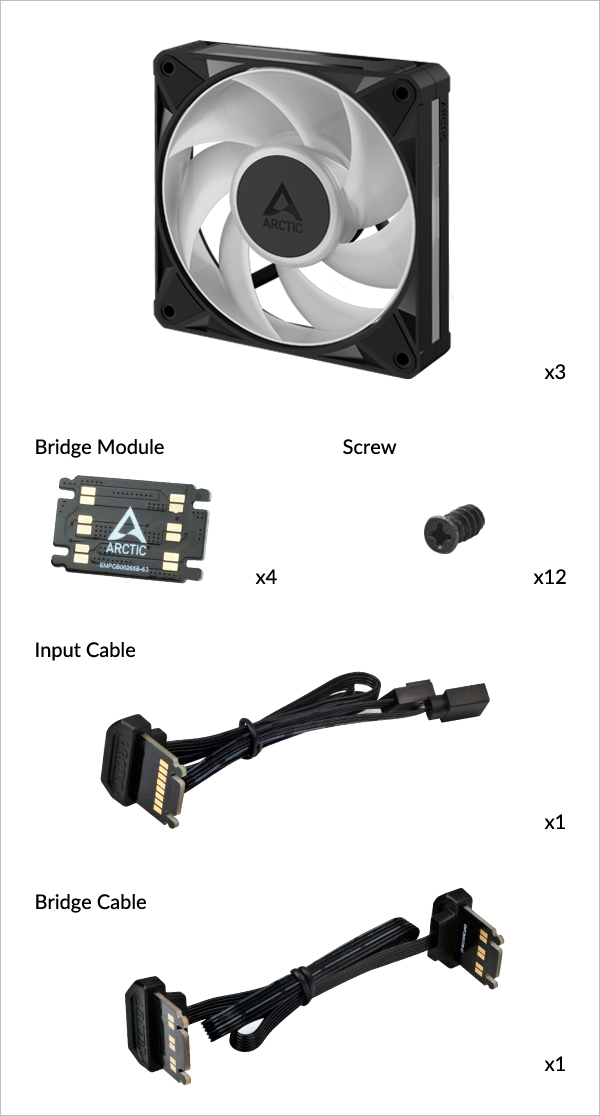
- Einzelpack
- Dreierpack
Bionix P12 A-RGB
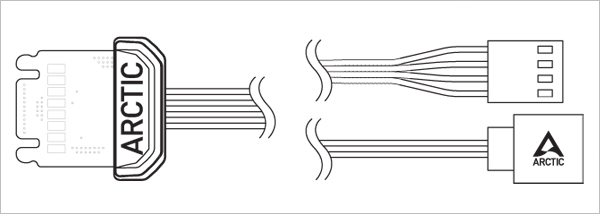
Input Cable
Steuert die Lüftergeschwindigkeit, A-RGB-Effekte und versorgt den Lüfter über das Mainboard oder entsprechende Controller mit Strom
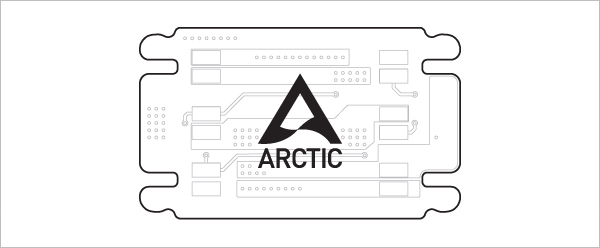
Bridge Module
Zum Verbinden nebeneinander liegender Lüfter
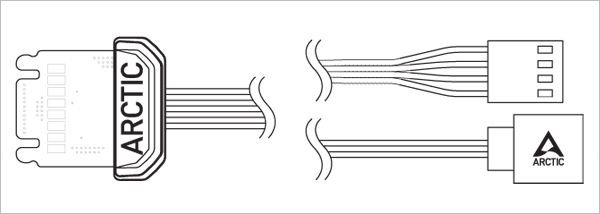
Input Cable
Steuert die Lüftergeschwindigkeit, A-RGB-Effekte und versorgt den Lüfter über das Mainboard oder entsprechende Controller mit Strom
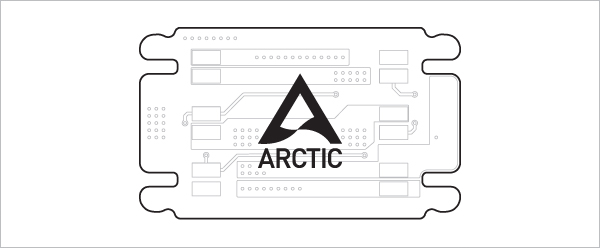
Bridge Module
Zum Verbinden nebeneinander liegender Lüfter
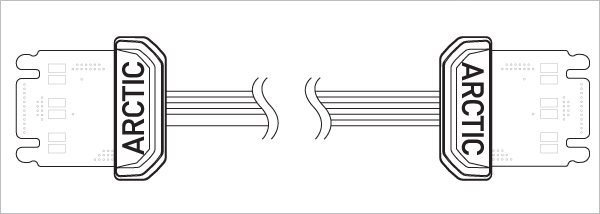
Bridge Cable
Zum Verbinden von Lüftern auf Distanz
Kabel und Module für BioniX P12 A-RGB und P14 A-RGB sind austauschbar und untereinander kompatibel. Geringfügige Unterschiede in Passform oder Aussehen zwischen den Modellen können auftreten. Dies ist normal und beeinträchtigt weder Leistung noch Funktion.
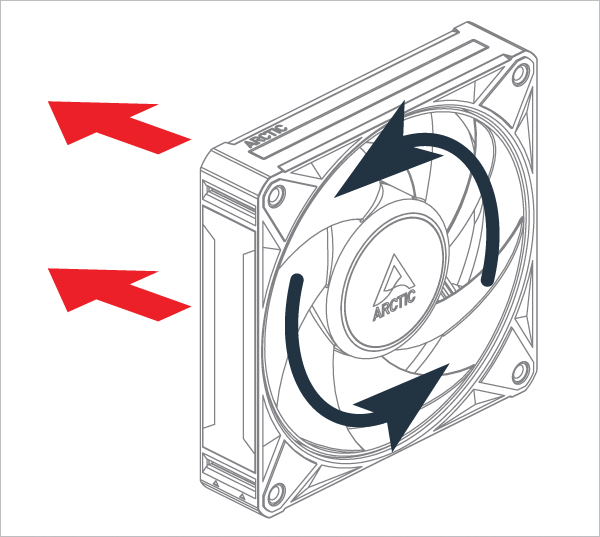
Ausrichtung
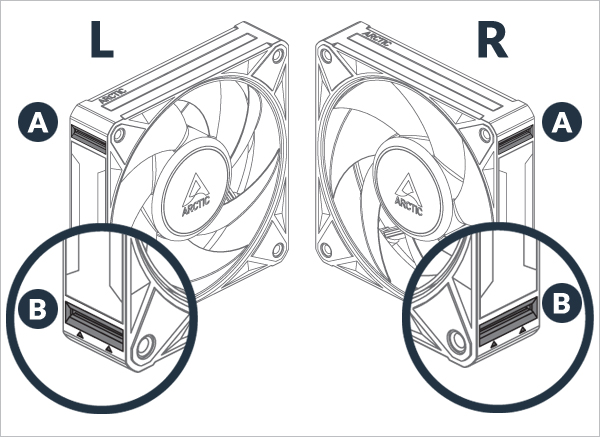
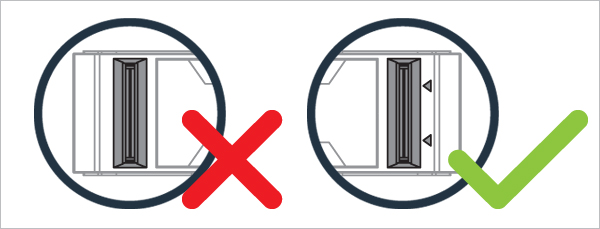
A : Passiver Anschluss zum Zusammenhalten der Lüfter
B : Elektrischer Anschluss, der den Lüfter mit Strom versorgt
Elektrische Anschlüsse sind mit Pfeilen gekennzeichnet
Achtung
Halte die Anschlüsse frei von Fremdkörpern/ Materialien
Für den 1. Lüfter
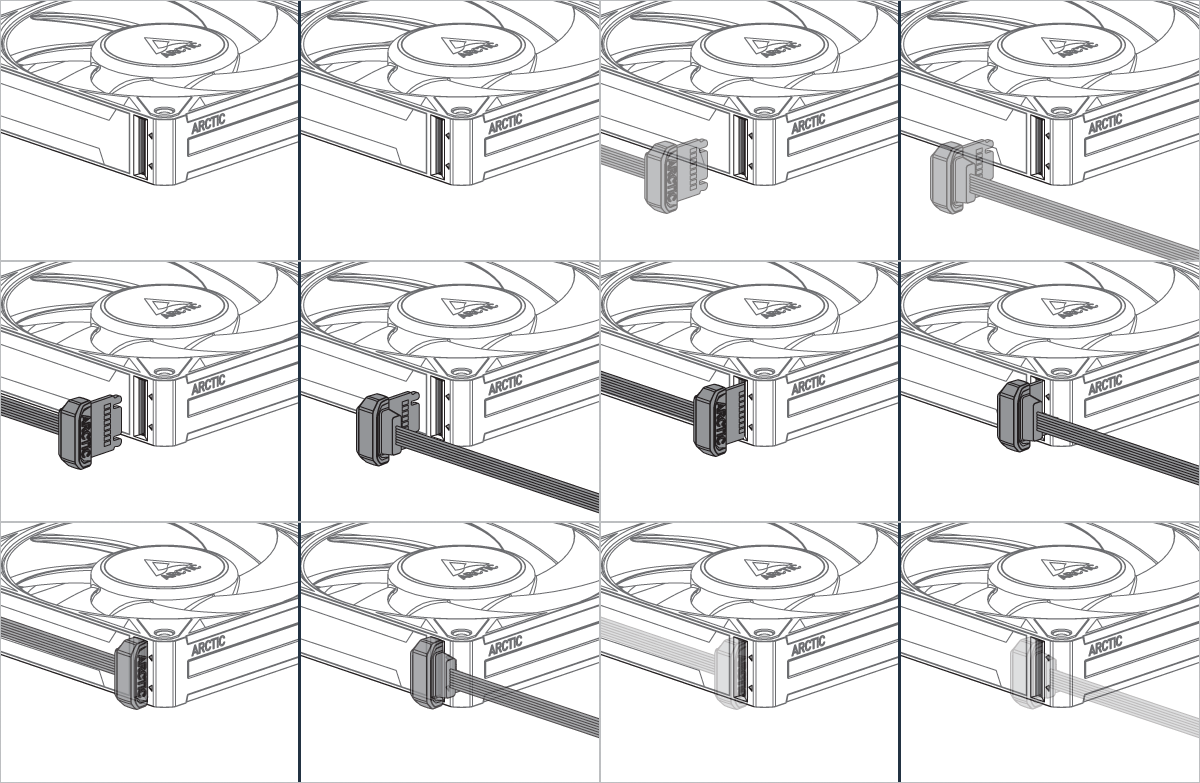

Kann in beliebiger Ausrichtung montiert werden!
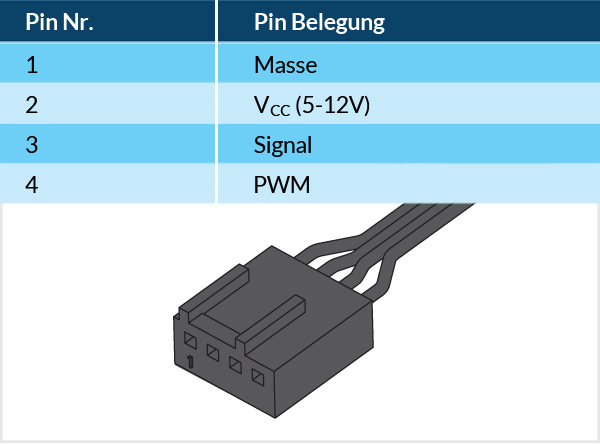
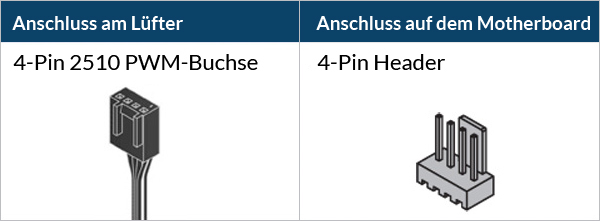
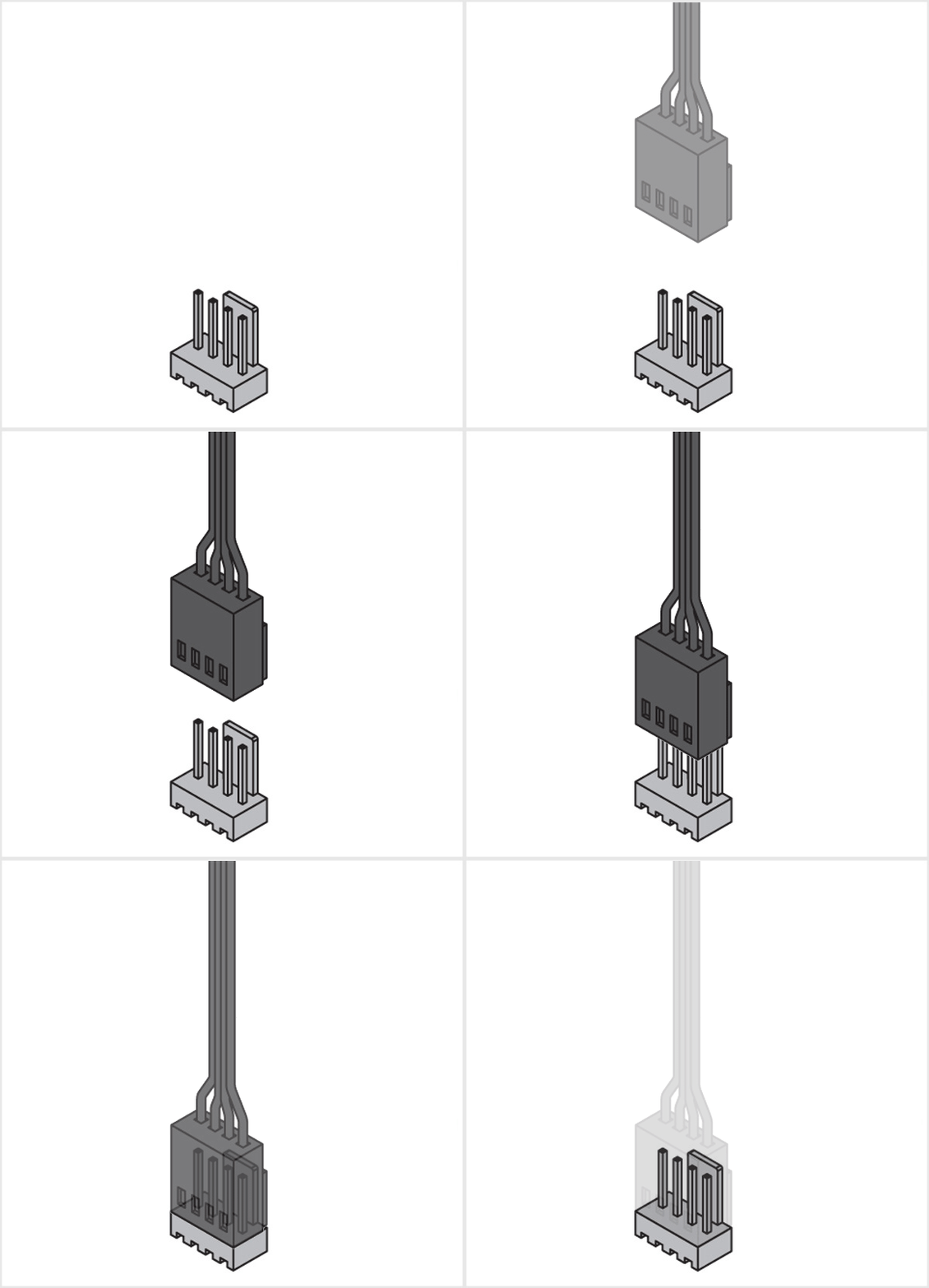
Achtung
3-Pin-Buchsen sind mit dem 4-Pin-Stecker kompatibel, aber die Steuerung des Lüfters via PWM ist nicht möglich.

Stelle sicher, dass der Lüfteranschluss deines Mainboards genügend Strom für mehrere Lüfter liefern kann. Schließe an einen 1-A-Anschluss maximal 3 Lüfter, an einen 2-A-Anschluss 6 Lüfter und an einen 3-A-Anschluss 9 Lüfter an. Einzelheiten dazu, findest du in den Spezifikationen deines Mainboards.
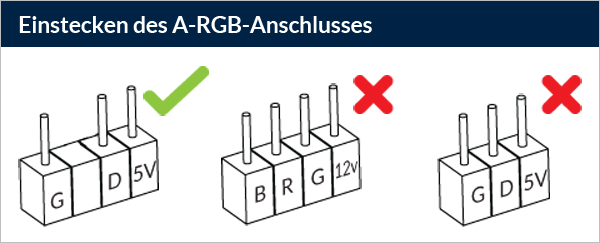
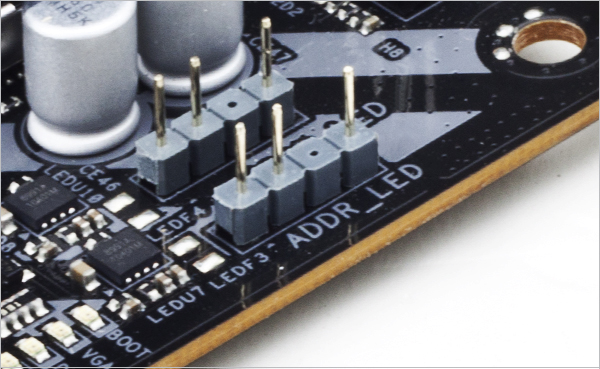
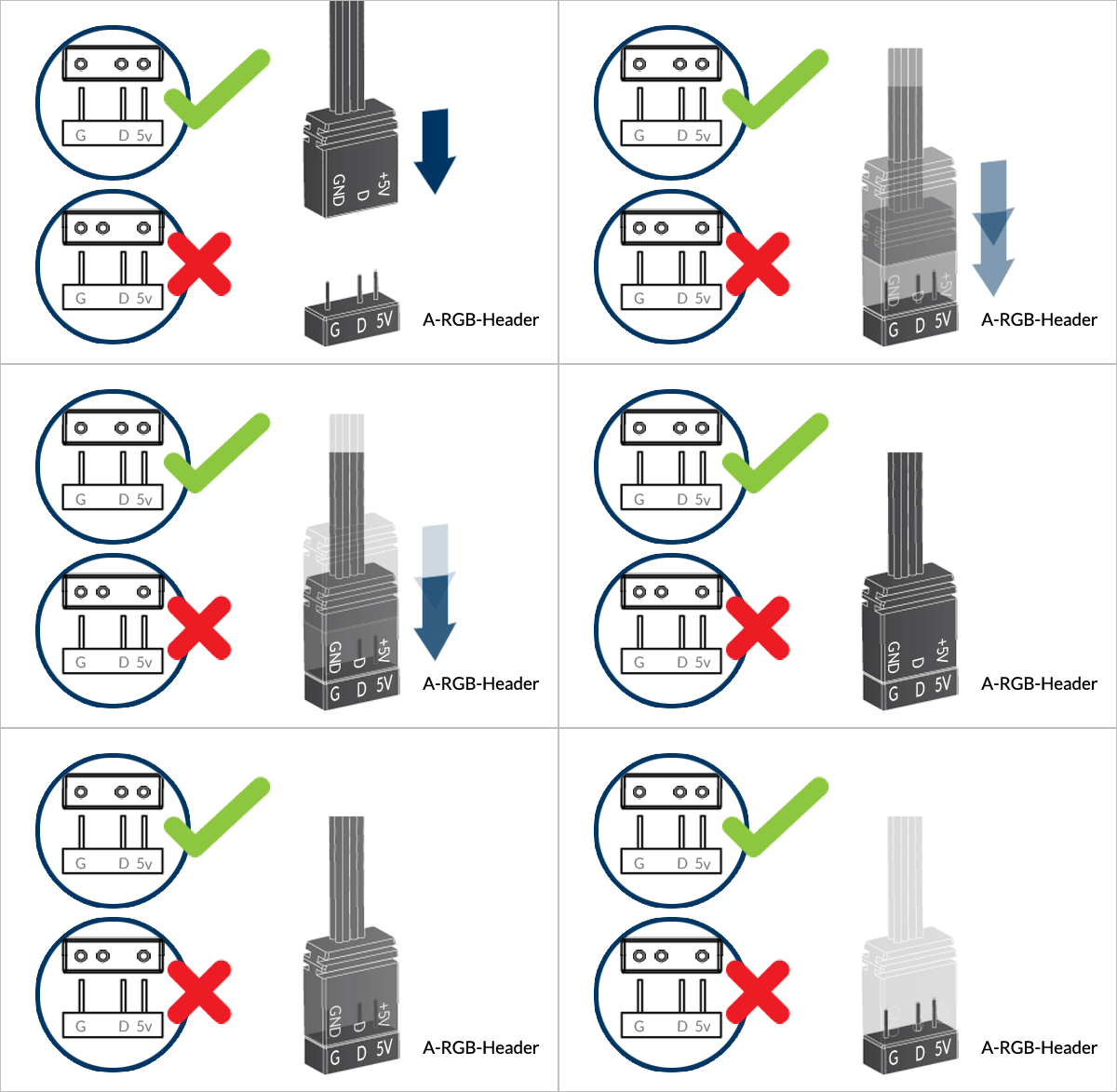
Schließe das Input Cable an einen A-RGB-Anschluss des Mainboards an. Stelle sicher, dass der A-RGB-Anschluss genügend Strom für mehrere Lüfter liefern kann. Schließe an einen 2-A-Anschluss maximal 3 Lüfter und an einen 3-A-Anschluss 5 Lüfter an. Einzelheiten dazu, findest du in den Spezifikationen deines Mainboards.
Um deine A-RGB-Produkte voll auszuschöpfen, lies den A-RGB Setup Guide.
Für zusätzliche Lüfter
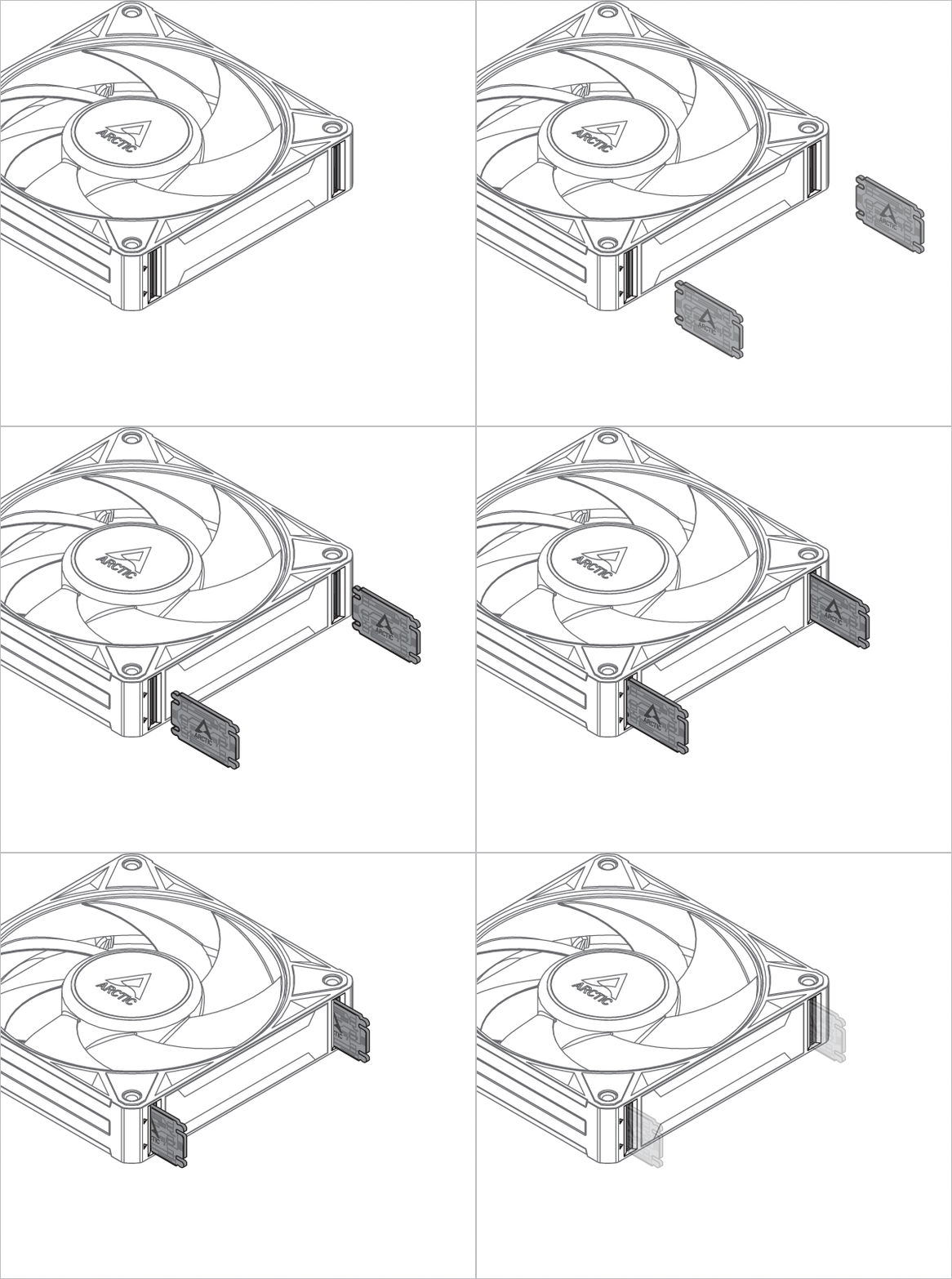

* Pro Lüfter sind zwei Bridge Modules erforderlich
Kann in beliebiger Ausrichtung montiert werden!
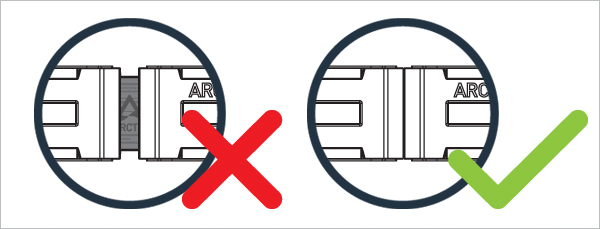
Elektrische Anschlüsse sind mit Pfeilen gekennzeichnet and should line up with each other
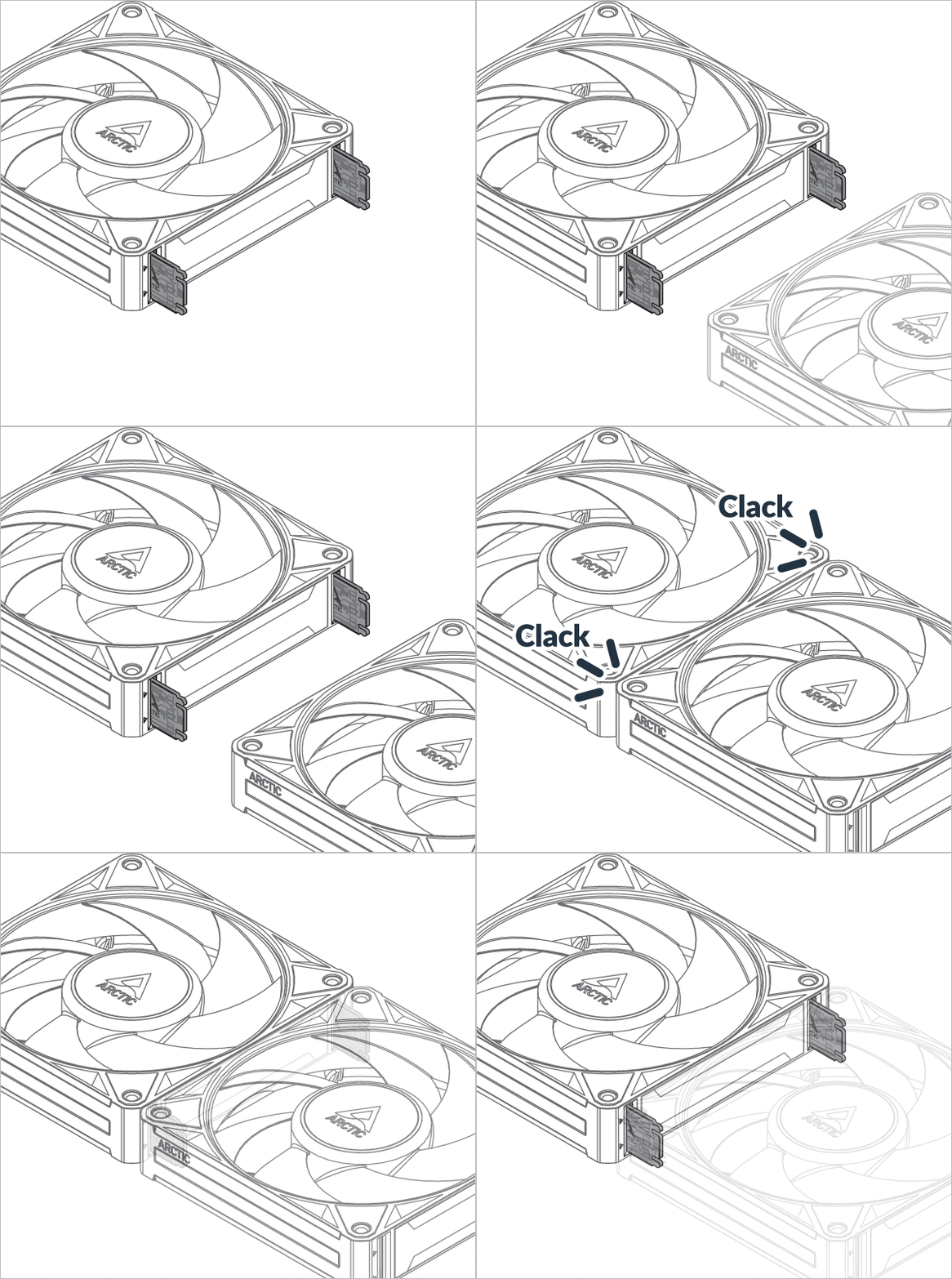
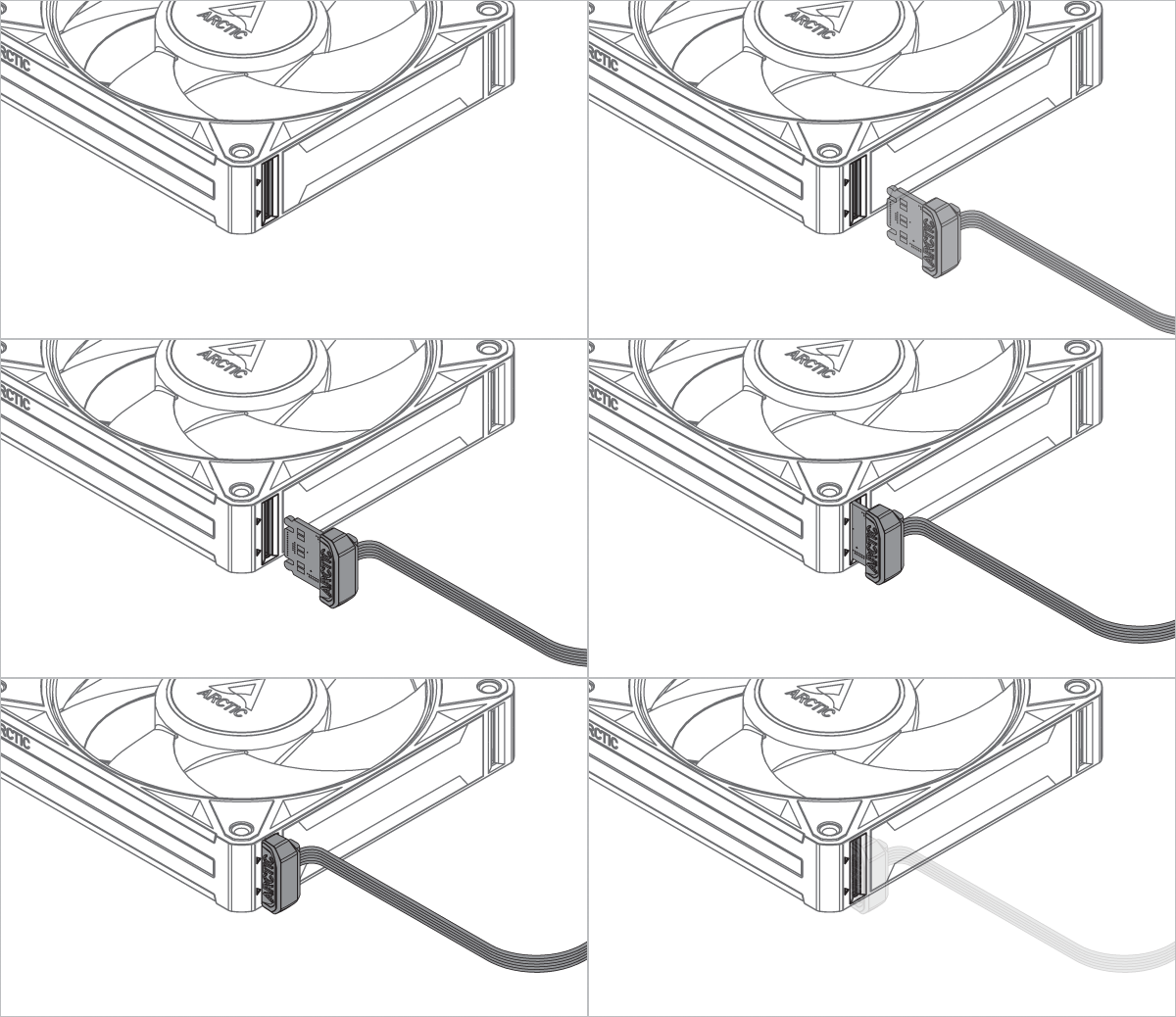

* Nur im Dreierpack
Kann in beliebiger Ausrichtung montiert werden!
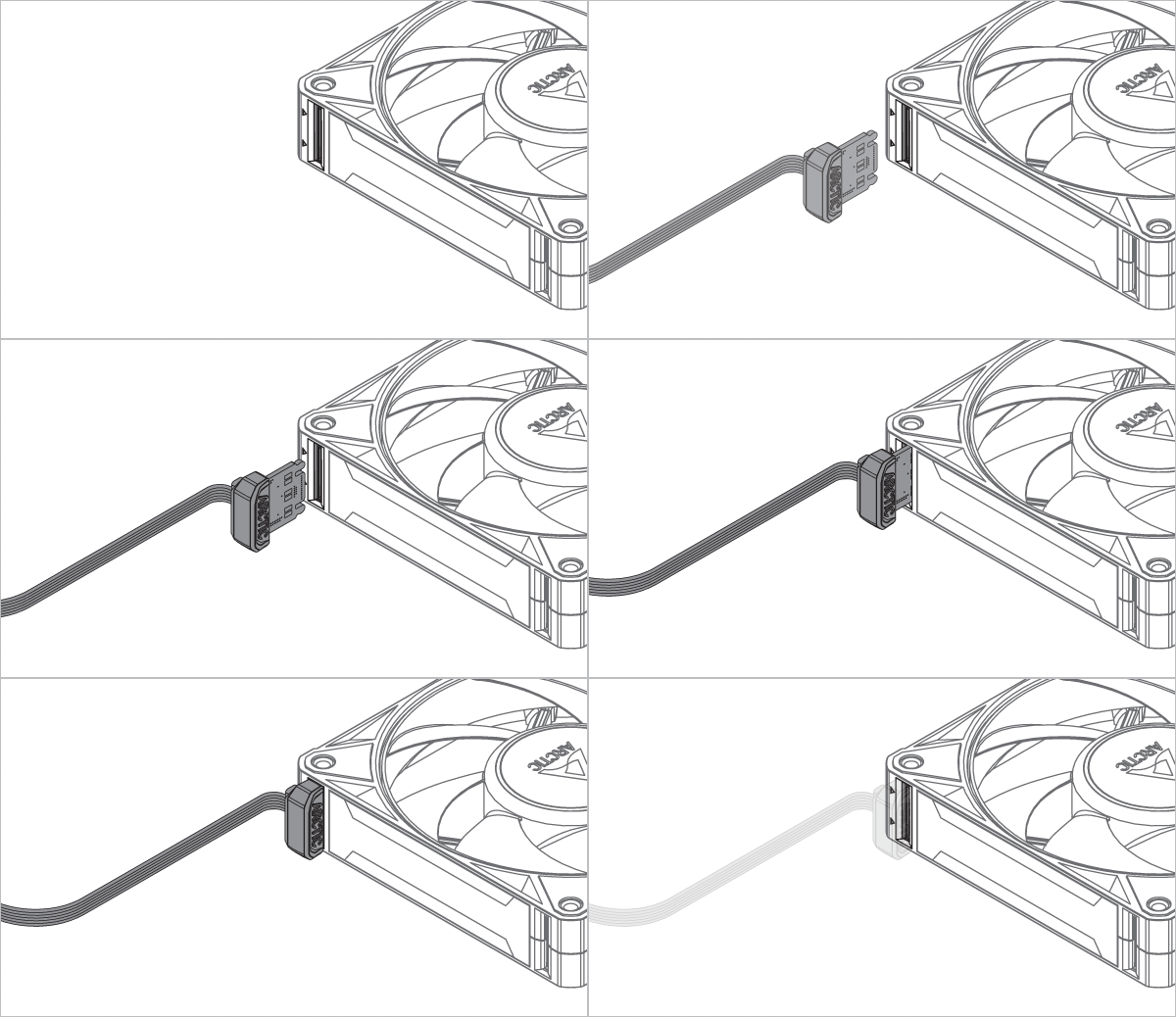
Kabel und Module für BioniX P12 A-RGB und P14 A-RGB sind austauschbar und untereinander kompatibel. Geringfügige Unterschiede in Passform oder Aussehen zwischen den Modellen können auftreten. Dies ist normal und beeinträchtigt weder Leistung noch Funktion.
Verbinde zuerst alle Lüfter miteinander, um die Installation zu erleichtern!
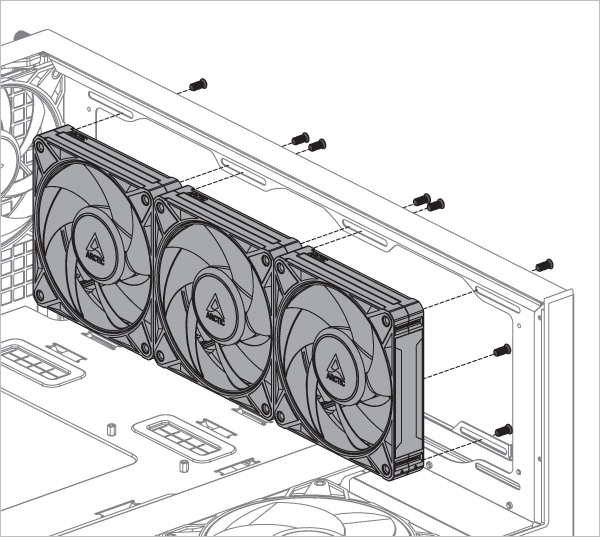

* Pro Lüfter sind 4 Schrauben erforderlich
Verbinde zuerst alle Lüfter miteinander, um die Installation zu erleichtern!
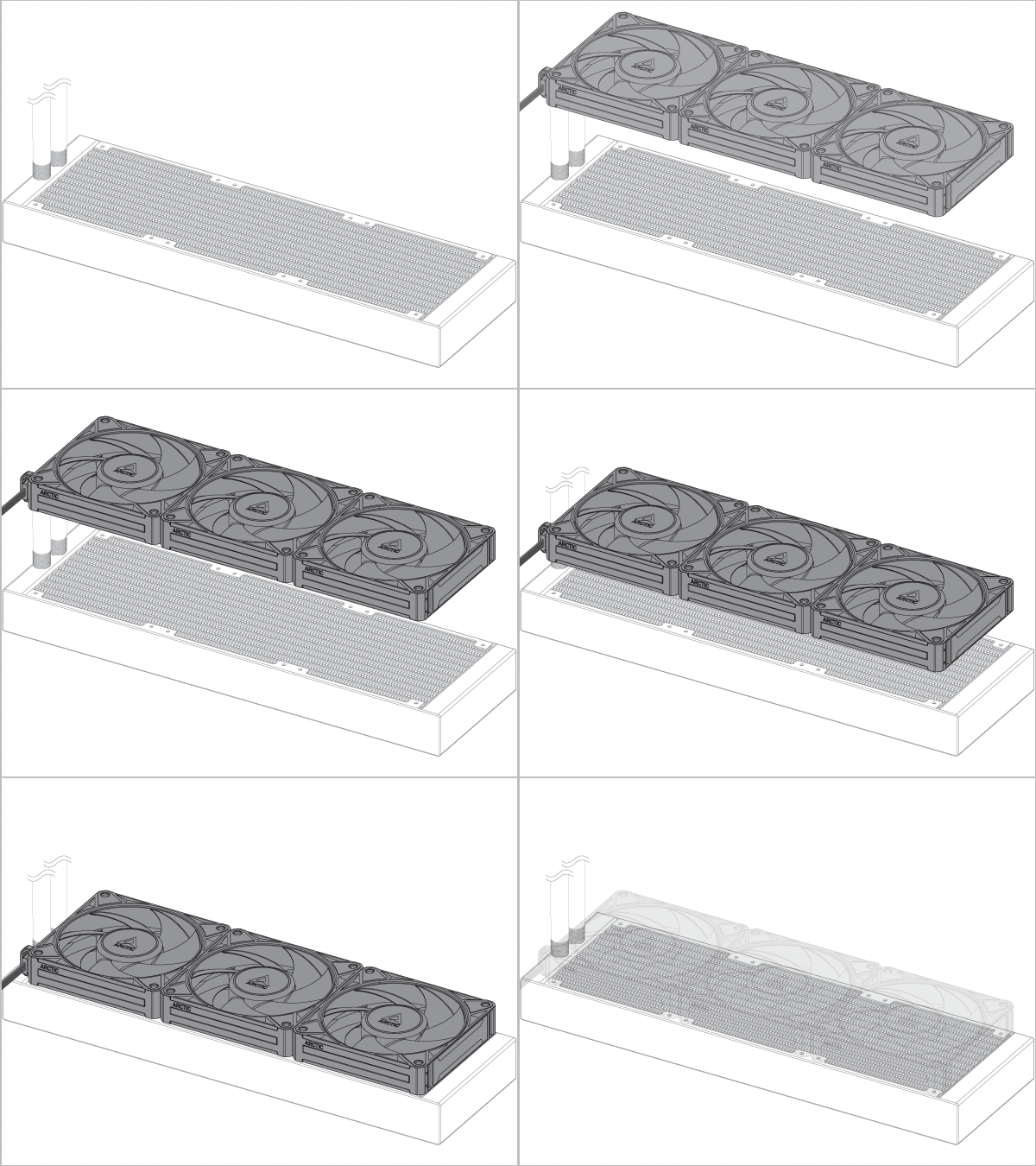
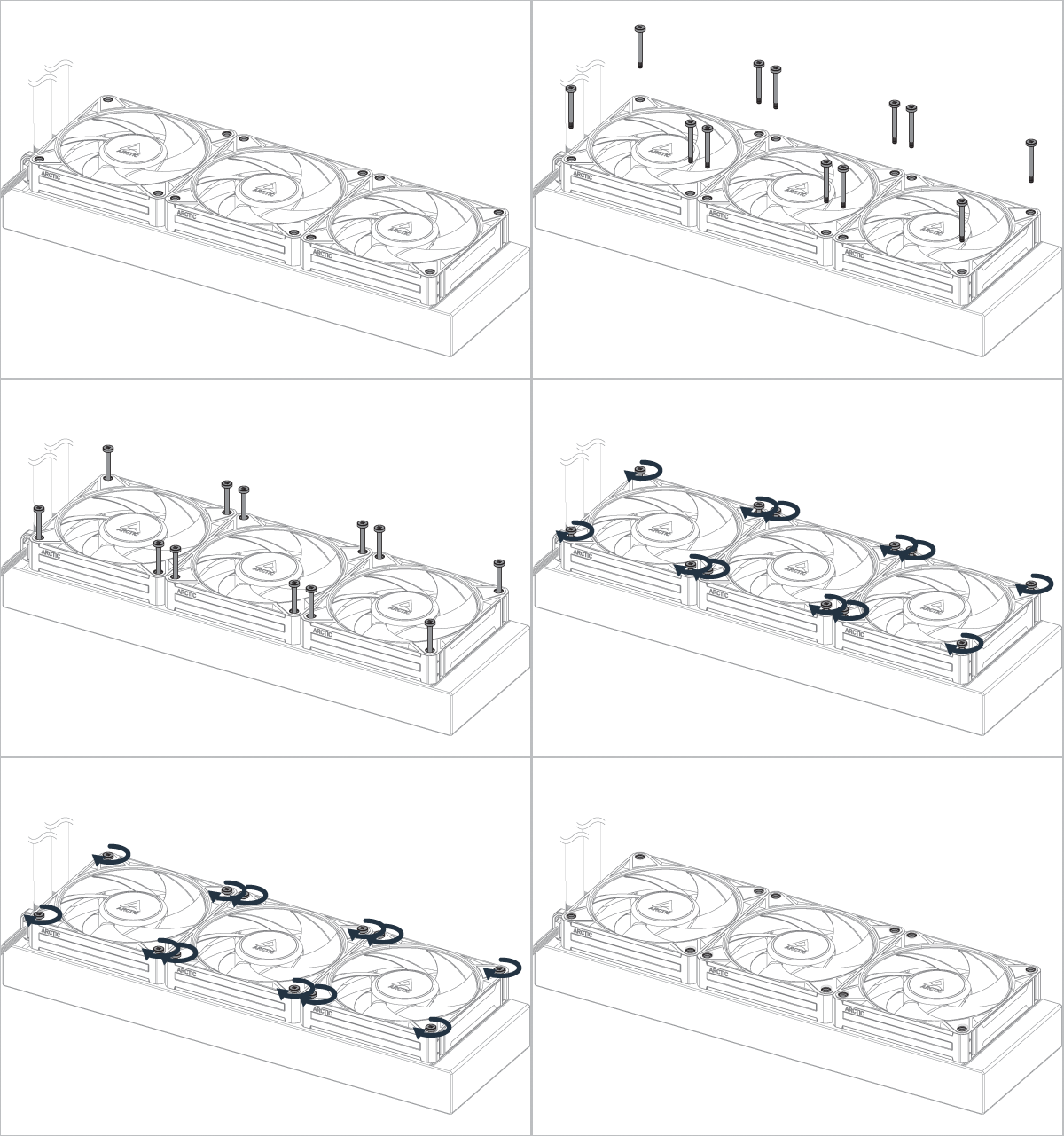
Radiatorschrauben sind nicht enthalten. Verwende die mit dem Radiator/ Kühler gelieferten Schrauben und prüfe, ob sie durch den Lüfter passen und das Gewinde mindestens 1 mm hervorsteht.
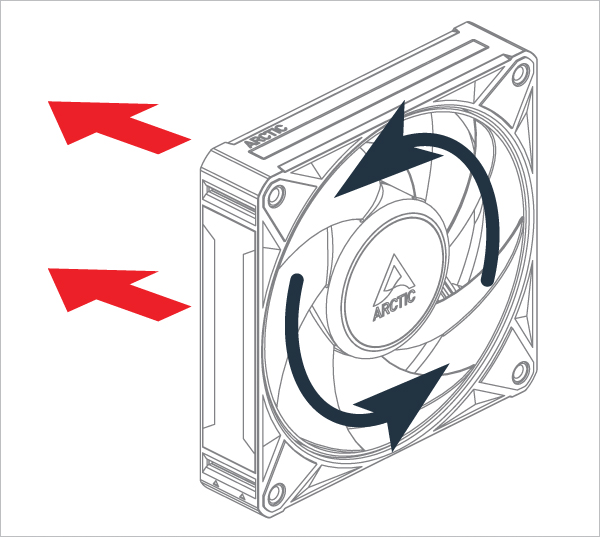
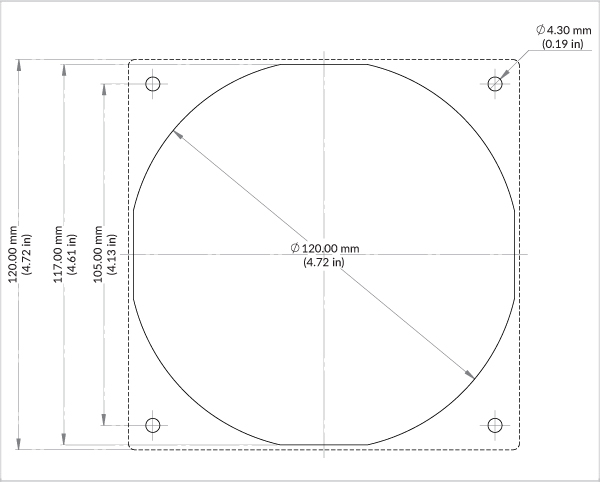
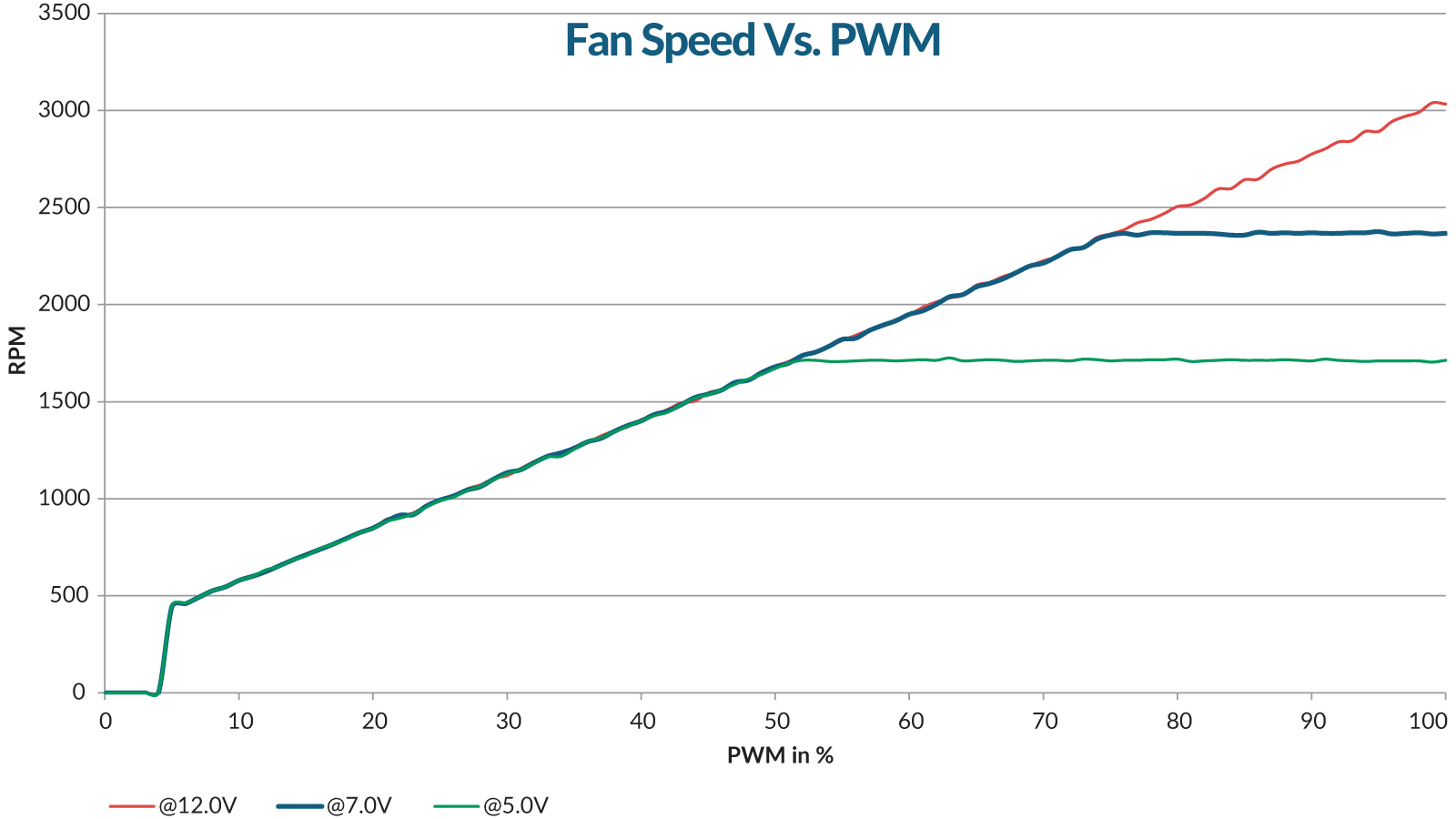
Die Geschwindigkeit des BioniX P12 A-RGB kann über das PWM-Signal des Mainboards angepasst werden. Bitte folge dieser Anleitung, um die Einstellungen an deinem Mainboard vorzunehmen.
Die Geschwindigkeit des BioniX P12 A-RGB kann über das PWM-Signal des Mainboards angepasst werden. Bitte folge dieser Anleitung, um die Einstellungen an deinem Mainboard vorzunehmen.
Empfohlene Produkte