Potřebné nářadí

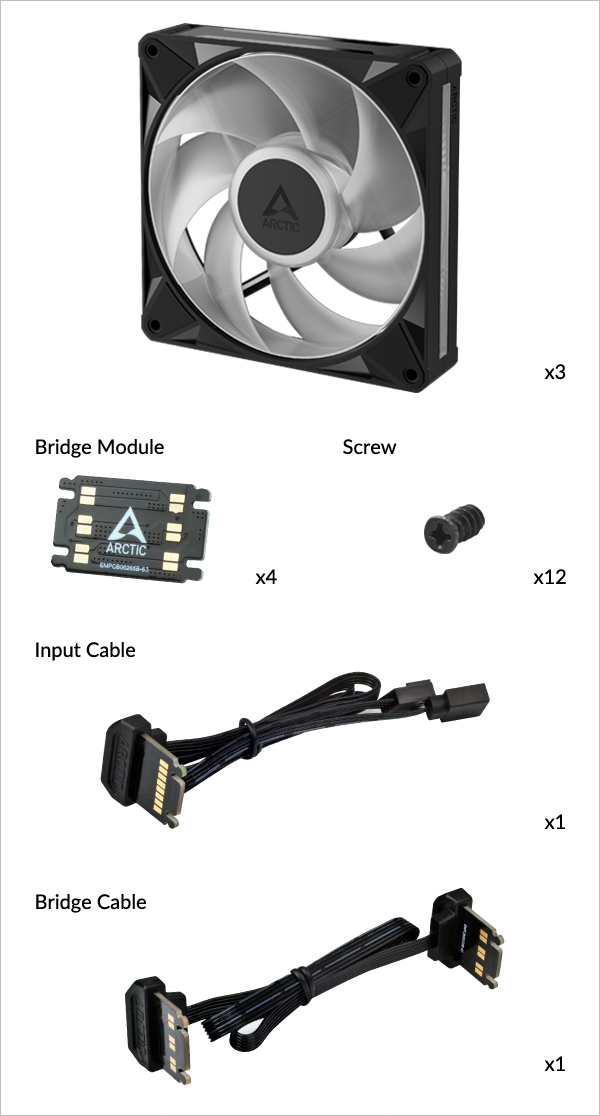
- Jednotlivé balení
- Trojbalení
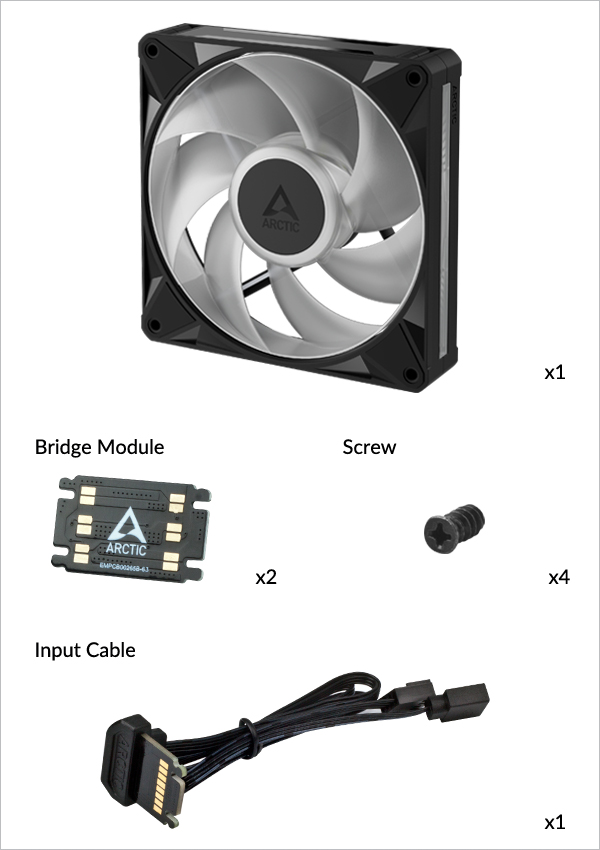
Bionix P14 A-RGB
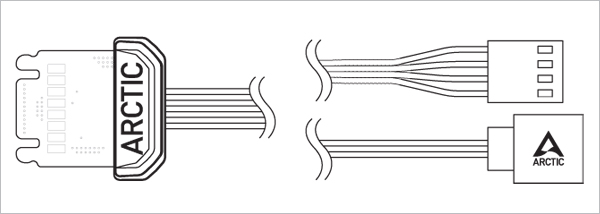
Input Cable
Ovládá otáčky ventilátoru a efekty A-RGB a napájí ventilátor ze základní desky / příslušných řadičů
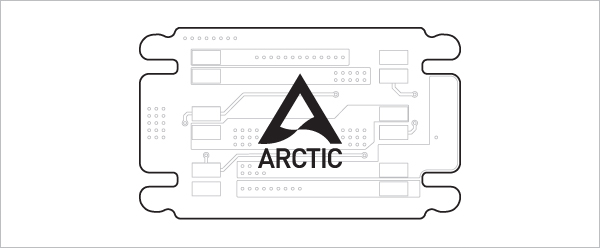
Bridge Module
Pro řetězové propojení sousedních ventilátorů
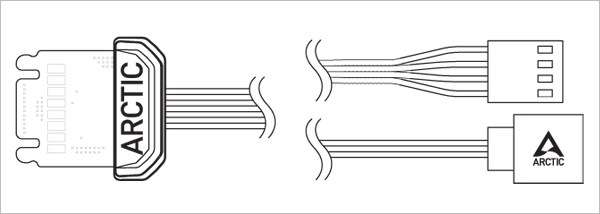
Input Cable
Ovládá otáčky ventilátoru a efekty A-RGB a napájí ventilátor ze základní desky / příslušných řadičů
Bridge Module
Pro řetězové propojení sousedních ventilátorů
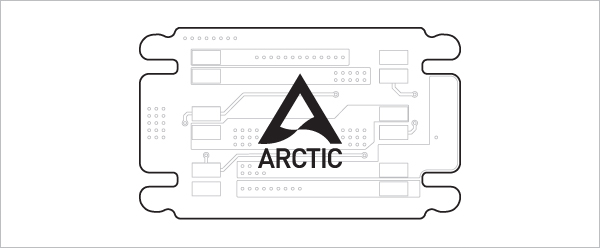
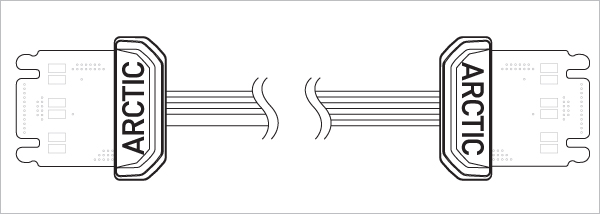
Bridge Cable
Pro řetězové propojení vzdálených ventilátorů
Kabely a moduly pro BioniX P14 A-RGB a P12 A-RGB jsou zaměnitelné a vzájemně kompatibilní. Mezi modely se mohou vyskytnout drobné rozdíly v uložení nebo vzhledu. To je normální a nemá vliv na výkon ani funkčnost.
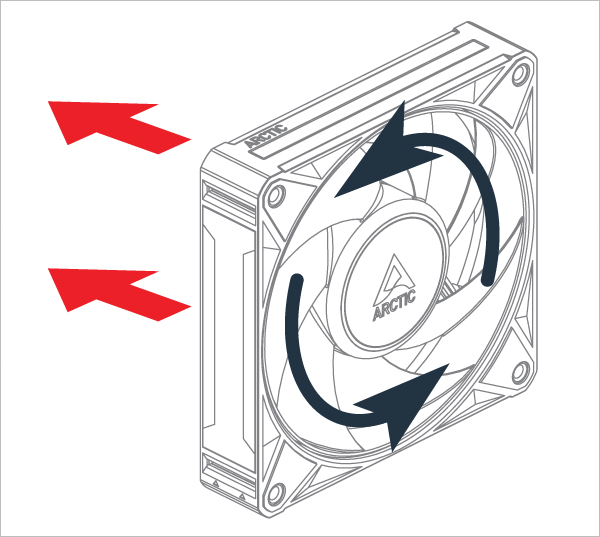
Orientace
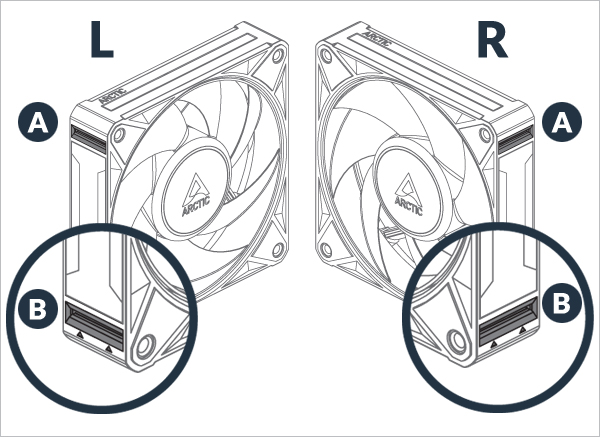
A : Pasivní port pro spojení ventilátorů k sobě
B : Elektrický port, který napájí ventilátor
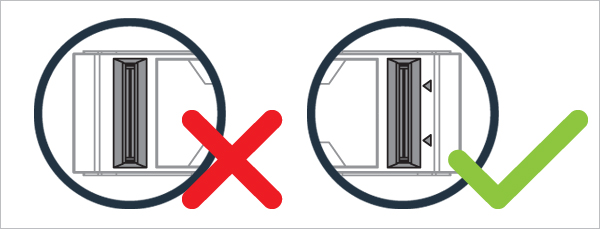
Elektrické porty jsou označeny šipkami
Pozor
Udržuj porty bez cizích předmětů / materiálů
Pro 1. ventilátor
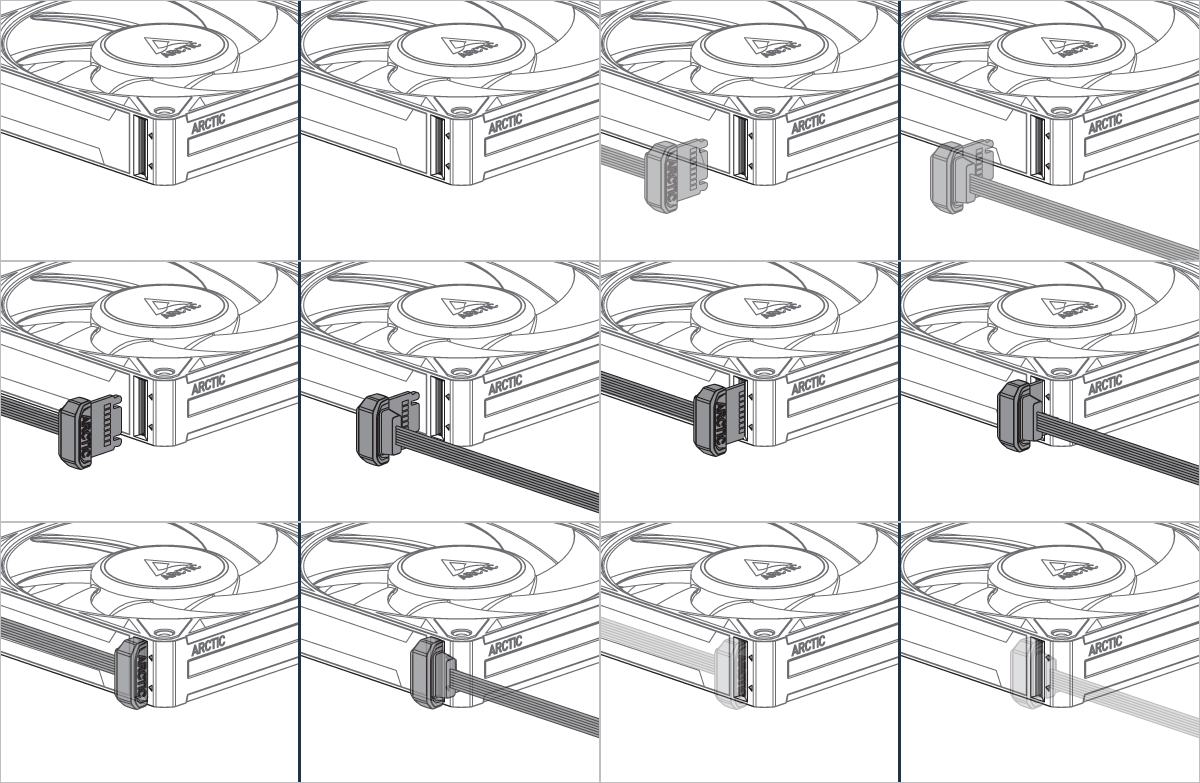

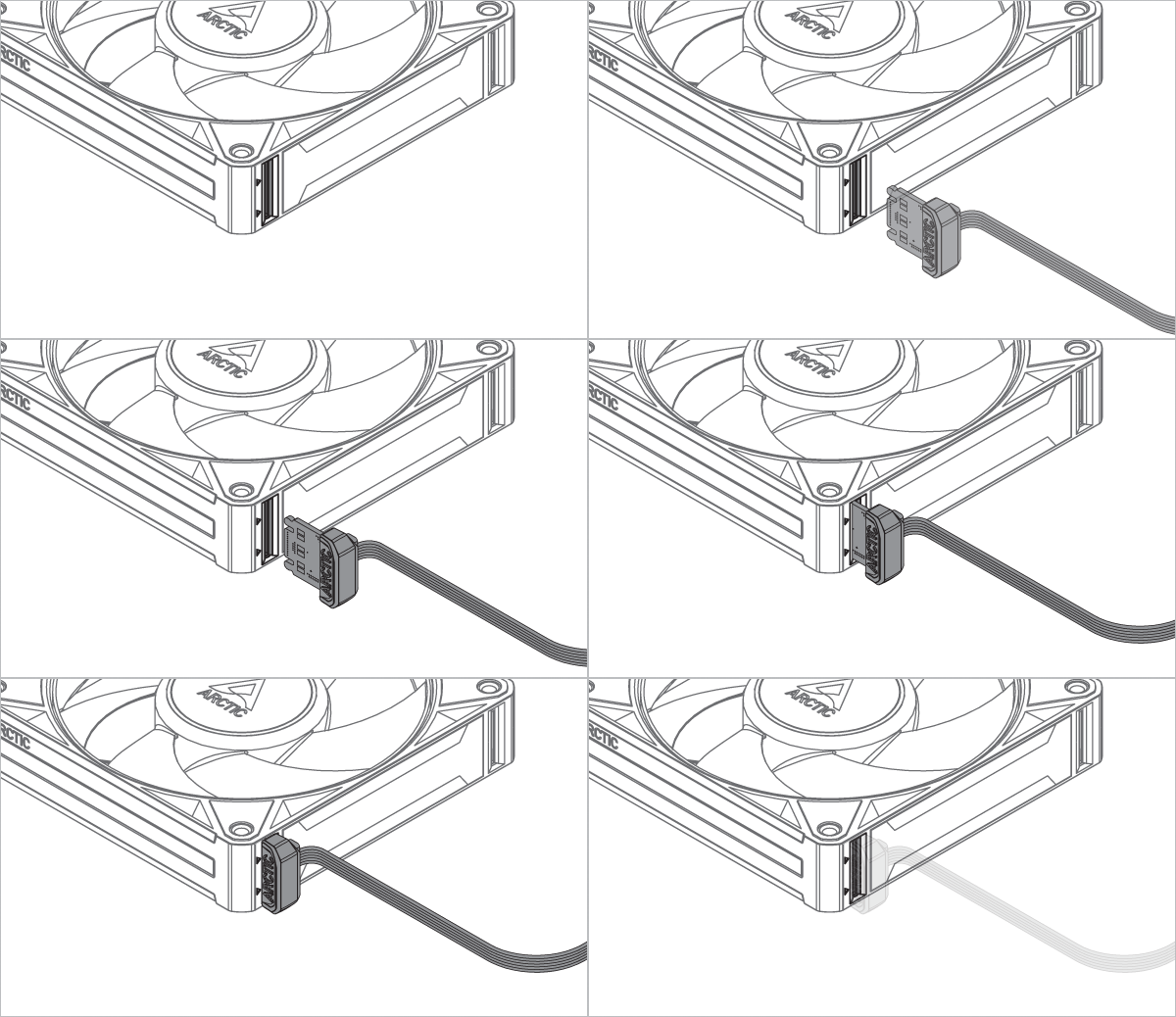
Lze nainstalovat v libovolné orientaci!

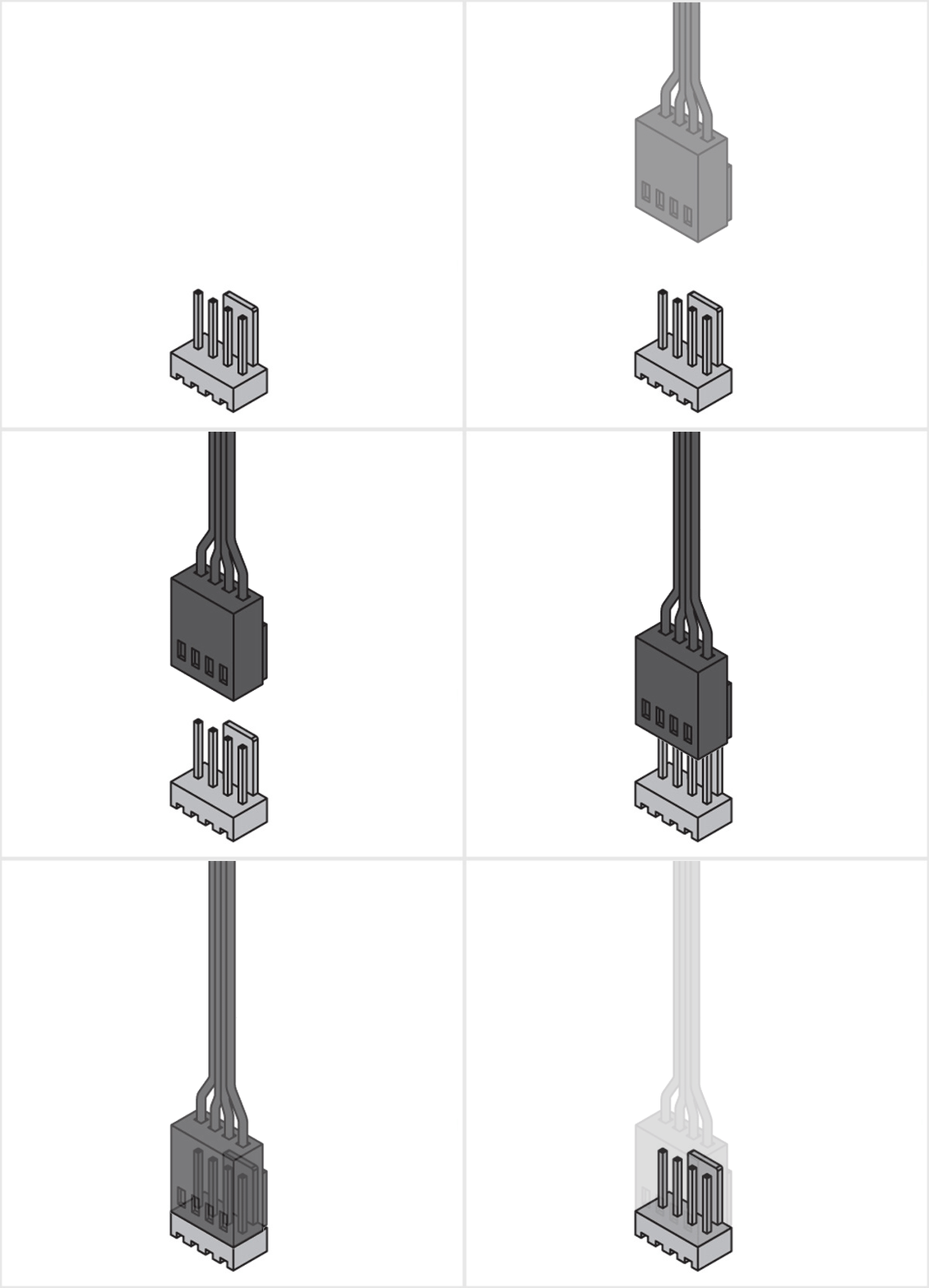
Pozor
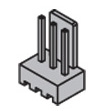
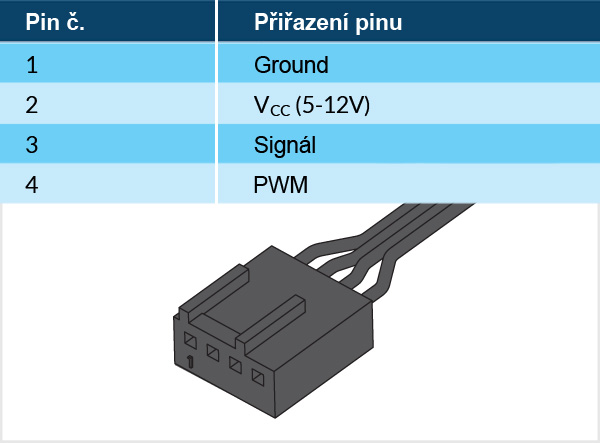
3pinová zásuvka je kompatibilní se 4pinovou zástrčkou, ale ovládání ventilátoru pomocí PWM nebude k dispozici.

Ujisti se, že konektor pro ventilátory na tvé základní desce dokáže dodat dostatek energie pro více ventilátorů. K 1A konektoru připoj nejvýše 3 ventilátory, k 2A konektoru 6 ventilátorů a k 3A konektoru 9 ventilátorů. Podrobnosti najdeš ve specifikacích základní desky.
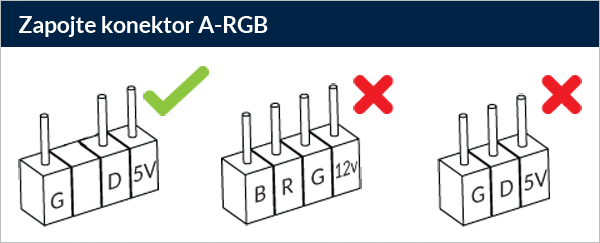
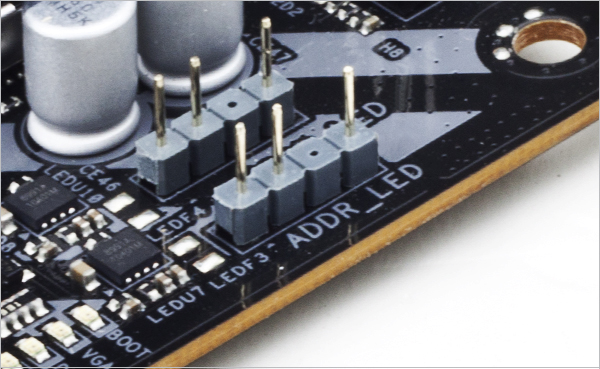
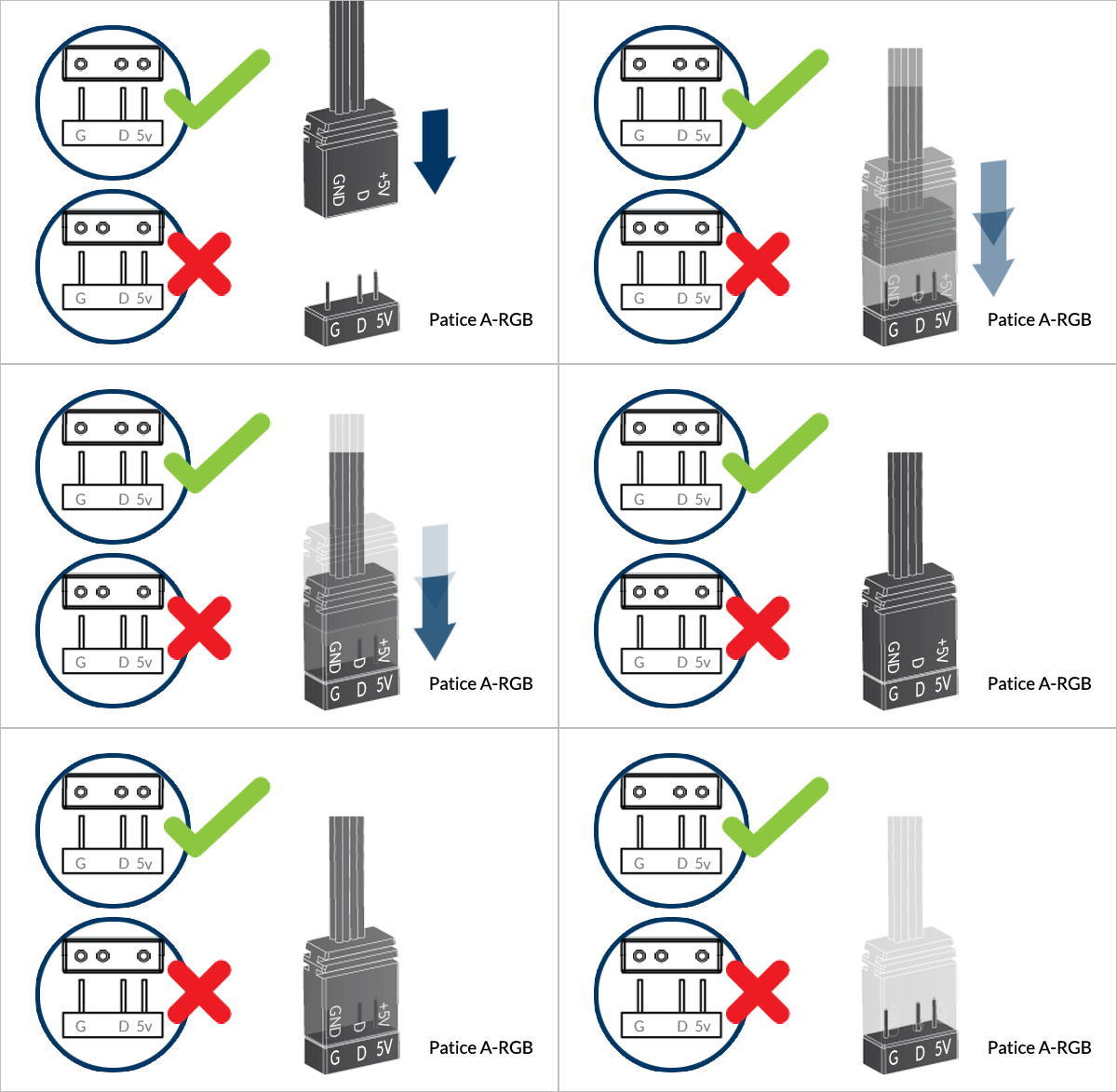
Připoj Input Cable přímo k vyhrazenému konektoru A-RGB. Ujisti se, že konektor A-RGB tvé základní desky dokáže dodat dostatek energie pro více ventilátorů. K 2A konektoru připoj nejvýše 3 ventilátorů a k 3A konektoru 5 ventilátorů. Podrobnosti najdeš ve specifikacích základní desky.
Chceš-li plně využít své produkty A-RGB, přečti si průvodce nastavením A-RGB.
Pro další ventilátory
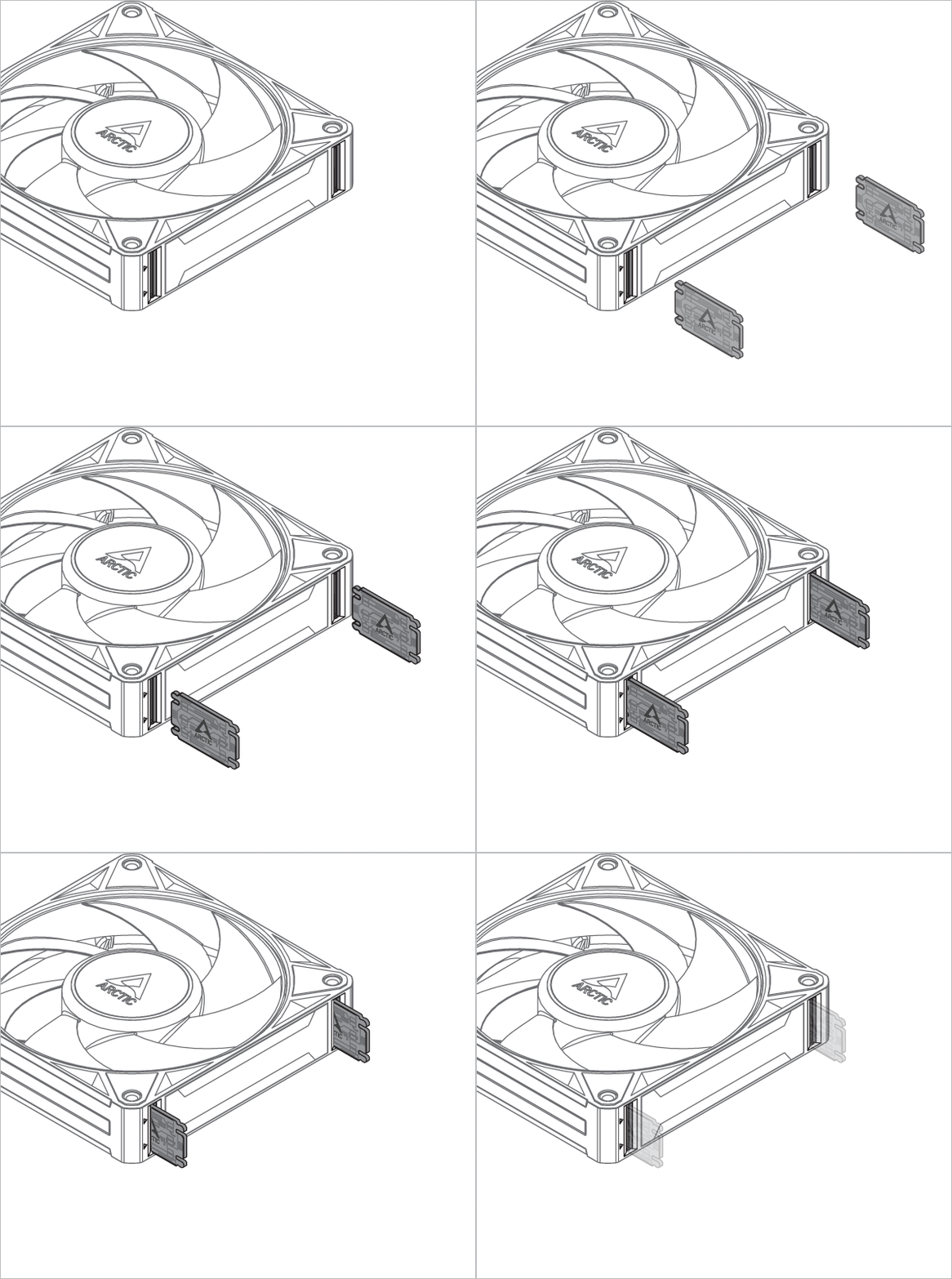

* Na každý ventilátor jsou potřeba dva Bridge Modules
Lze nainstalovat v libovolné orientaci!
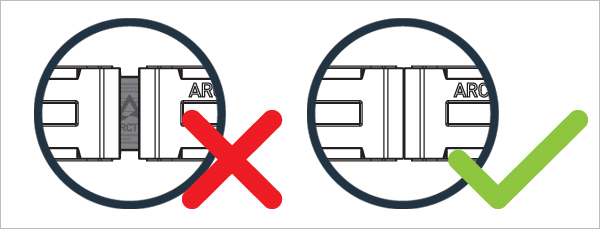
Elektrické porty jsou označeny šipkou a musí být vzájemně zarovnané
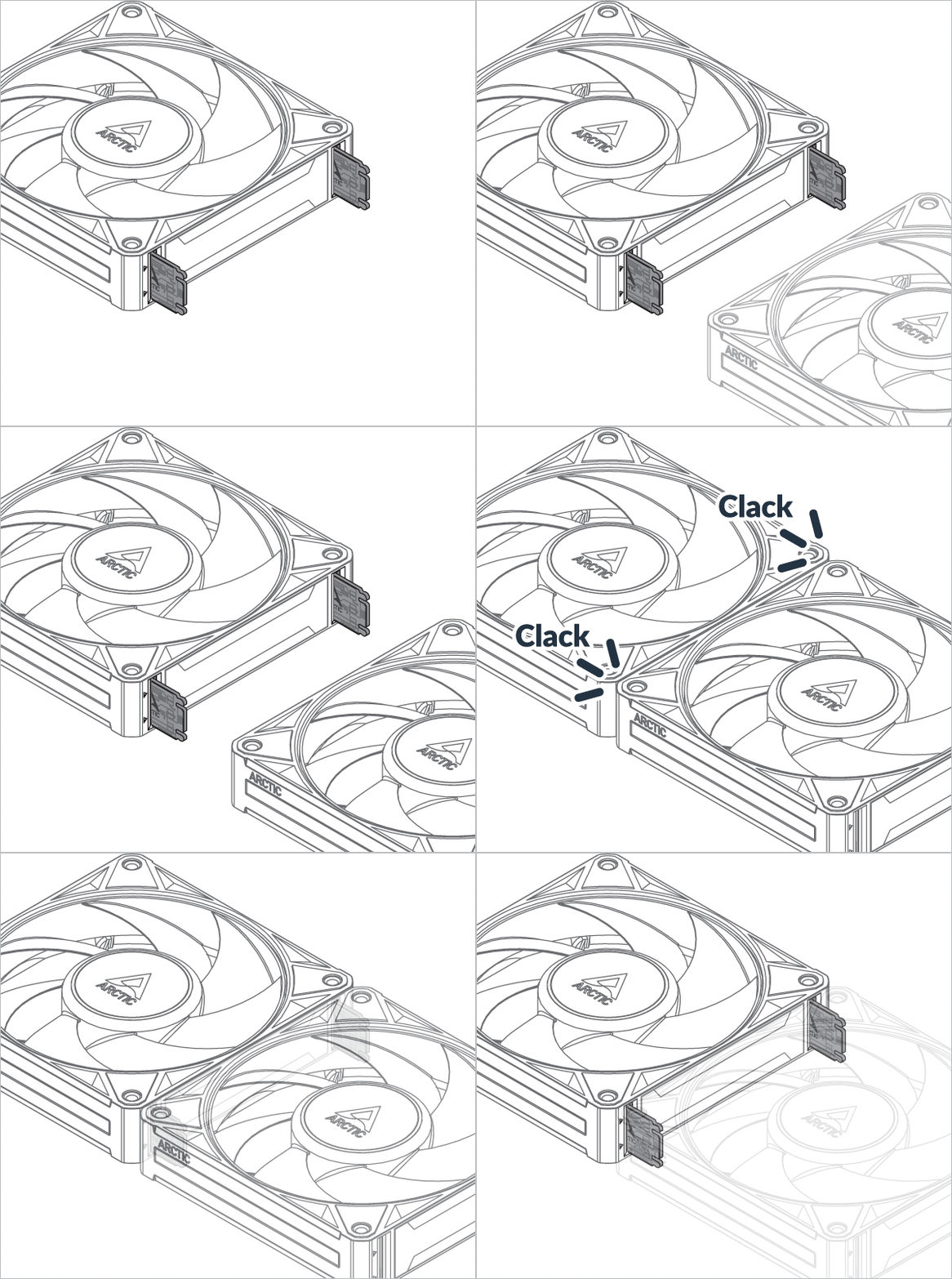

* Pouze v trojbalení
Lze nainstalovat v libovolné orientaci!
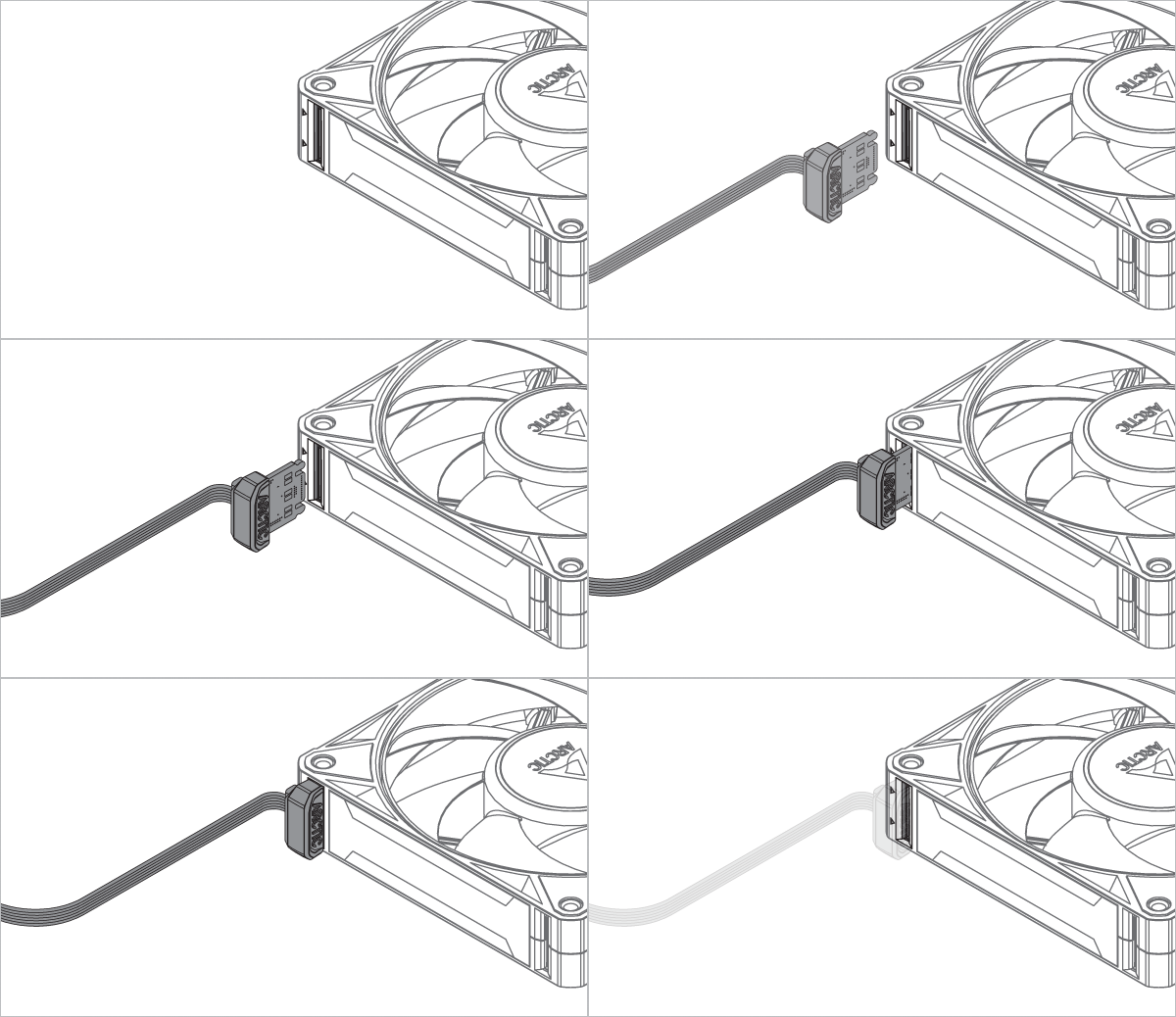
Kabely a moduly pro BioniX P14 A-RGB a P12 A-RGB jsou zaměnitelné a vzájemně kompatibilní. Mezi modely se mohou vyskytnout drobné rozdíly v uložení nebo vzhledu. To je normální a nemá vliv na výkon ani funkčnost.
Nejprve spoj všechny ventilátory dohromady, aby byla instalace snazší!
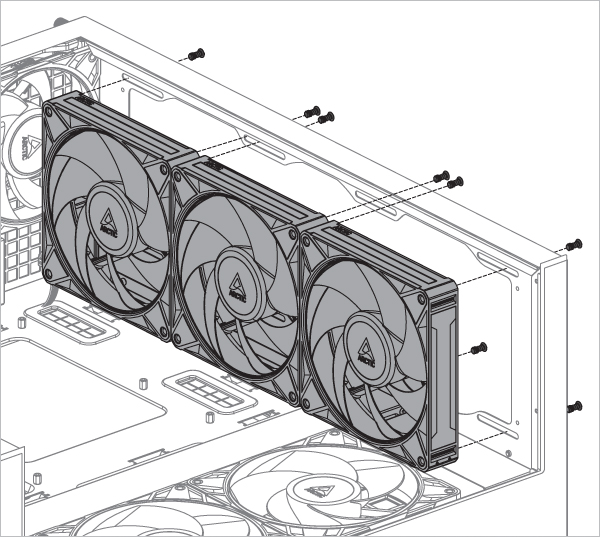

* Na každý ventilátor jsou potřeba 4 šrouby
Nejprve spoj všechny ventilátory dohromady, aby byla instalace snazší!
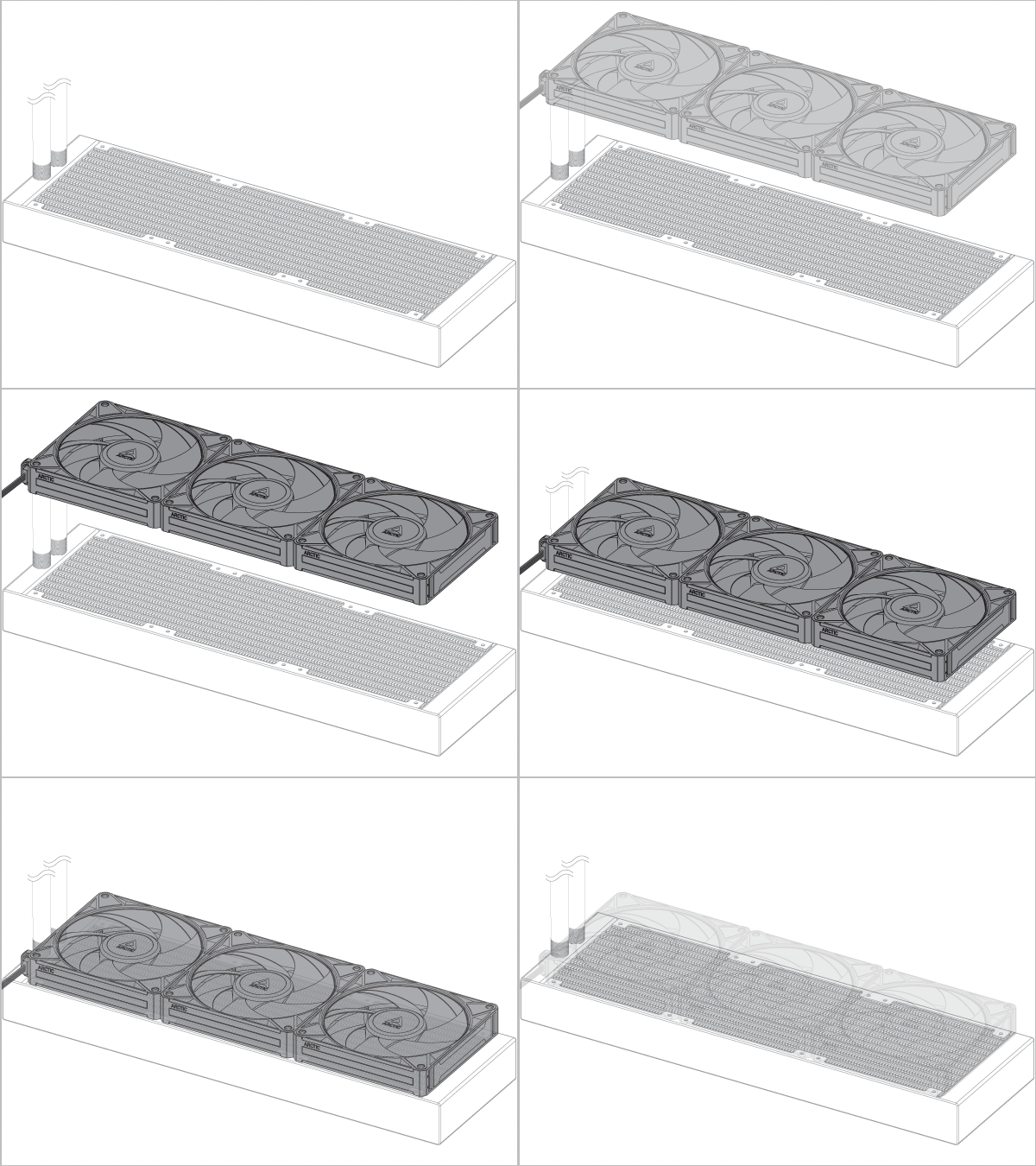
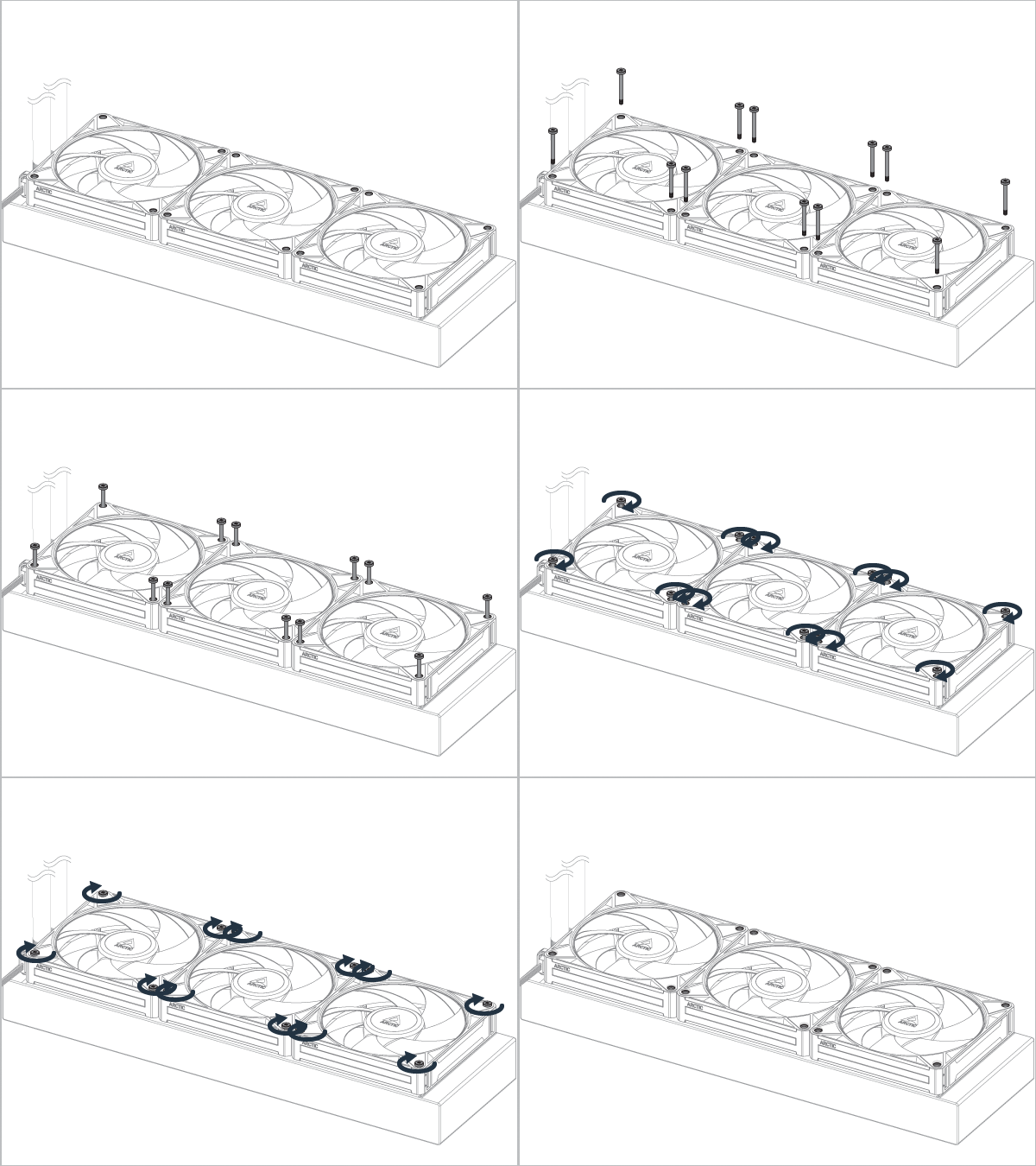
Šrouby pro radiátor nejsou součástí balení. Použij ty, které byly dodány s chladičem, a zkontroluj, zda projdou ventilátorem a zda závit vyčnívá alespoň o 1 mm.
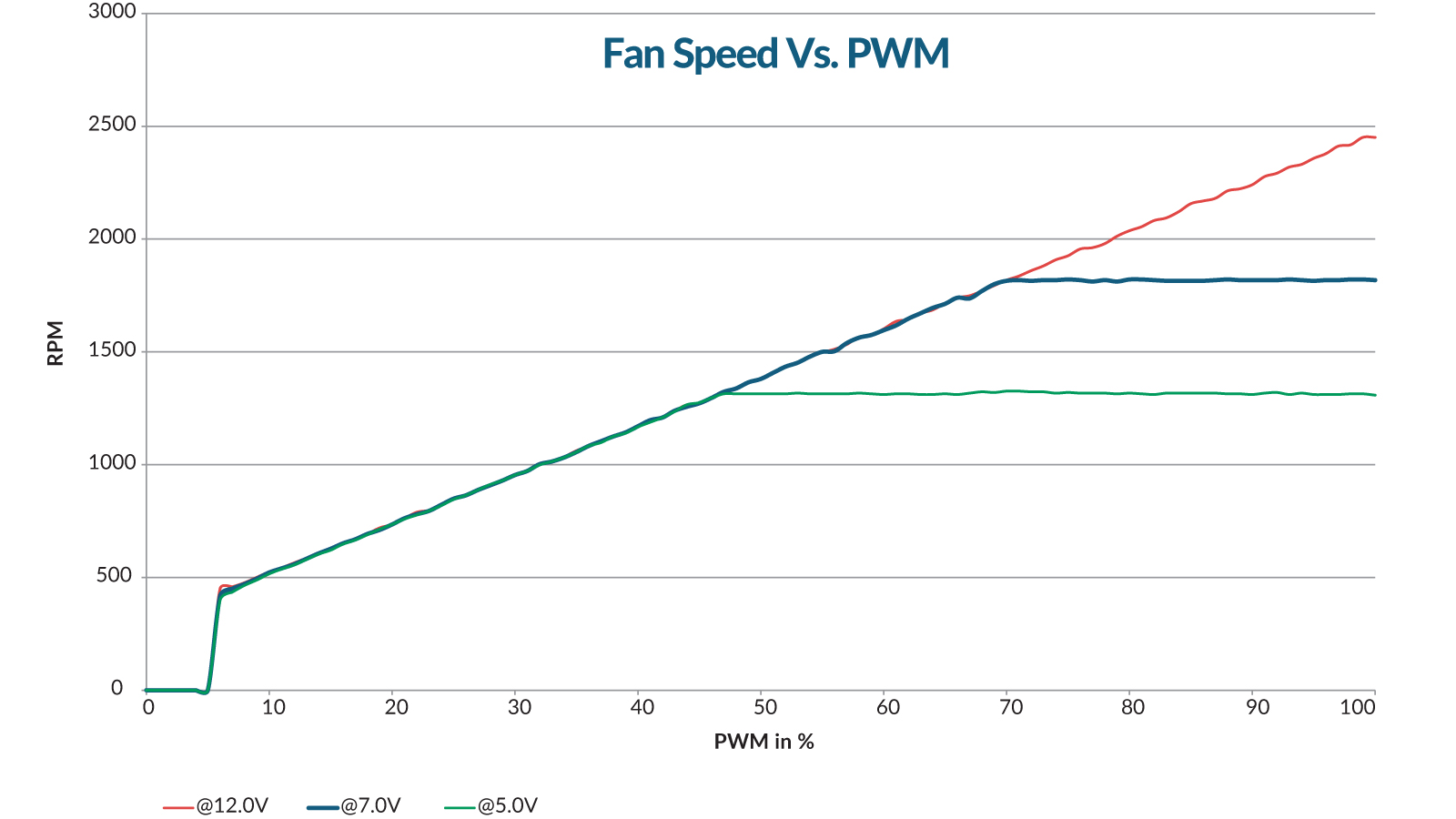
Otáčky BioniX P14 A-RGB lze upravit pomocí signálu PWM ze základní desky. Podle tohoto postupu uprav nastavení na své základní desce.
Otáčky BioniX P14 A-RGB lze upravit pomocí signálu PWM ze základní desky. Podle tohoto postupu uprav nastavení na své základní desce.
Doporučené produkty