Chcete-li zkontrolovat kompatibilitu vaší grafické karty, klikněte na tento odkaz.
Potřebné nástroje
 Šroubovák s křížovou hlavou PH2

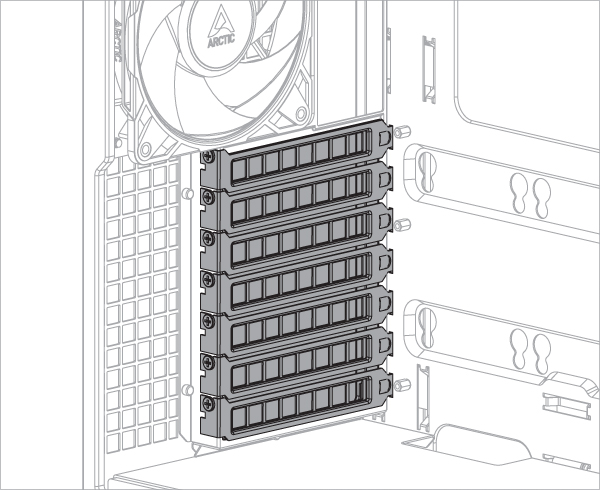
Pro instalaci držáku grafické karty Accelero je potřeba alespoň 7 slotů PCIe. Před instalací montážní sady odstraňte kryty slotů PCIe.
Některé grafické karty jsou vybaveny nadměrně velkým chladičem, který výrazně překračuje rozměry definované specifikací PCIe. Pokud je taková karta namontována ve vertikálním držáku, zasáhne do oblasti chladiče CPU a v některých případech může způsobit mechanické překážky. Pokud se setkáte s takovými překážkami, upravte polohu rozšiřujícího kabelu, abyste uvolnili více místa pro chladič CPU.
Volitelné: Povolte šrouby a distanční sloupky, abyste mohli nastavit stoupací kabel a grafiku do jiné polohy.
K odemčení a instalaci distančního sloupku použijte nástroj na distanční sloupky.
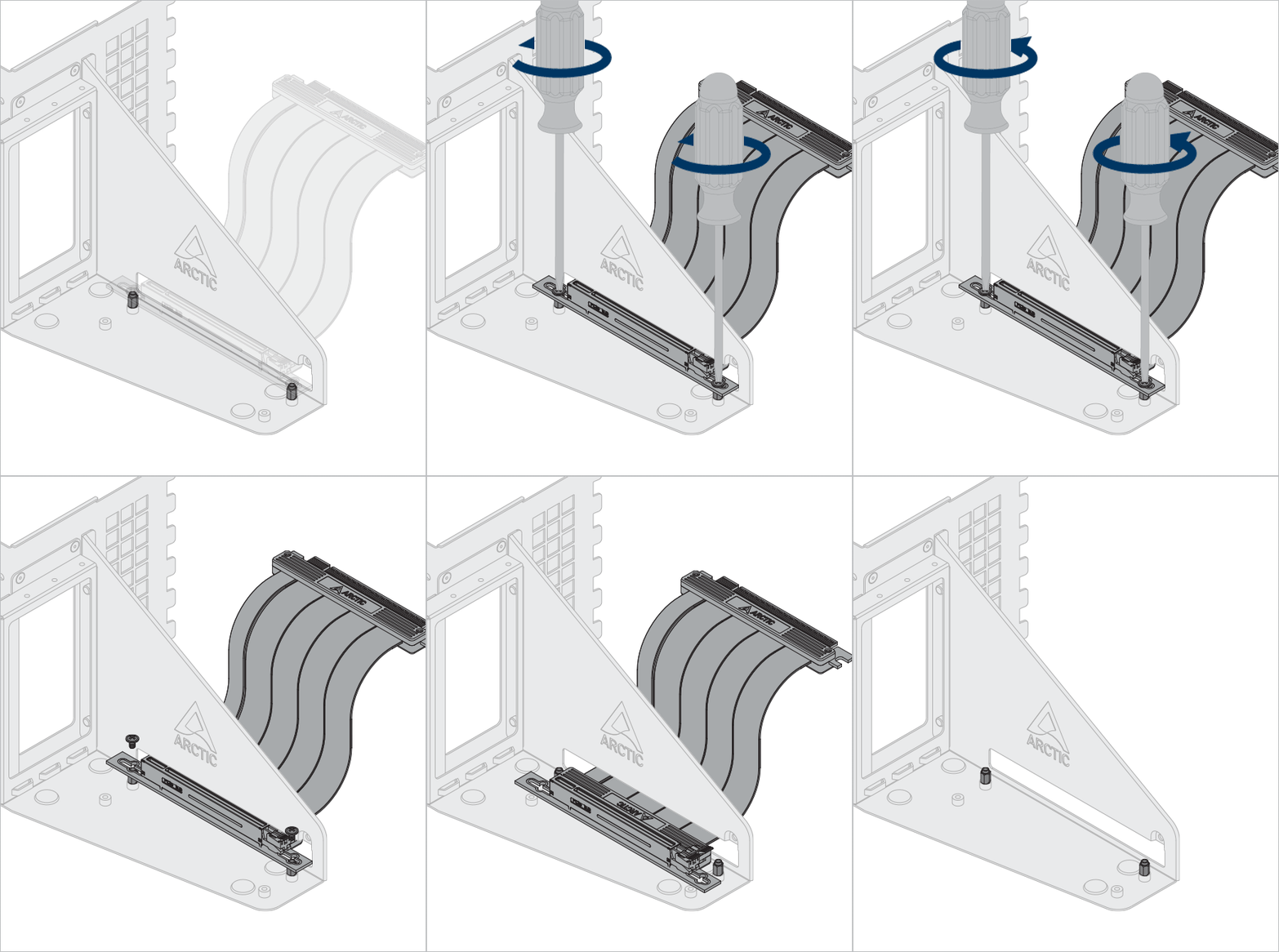
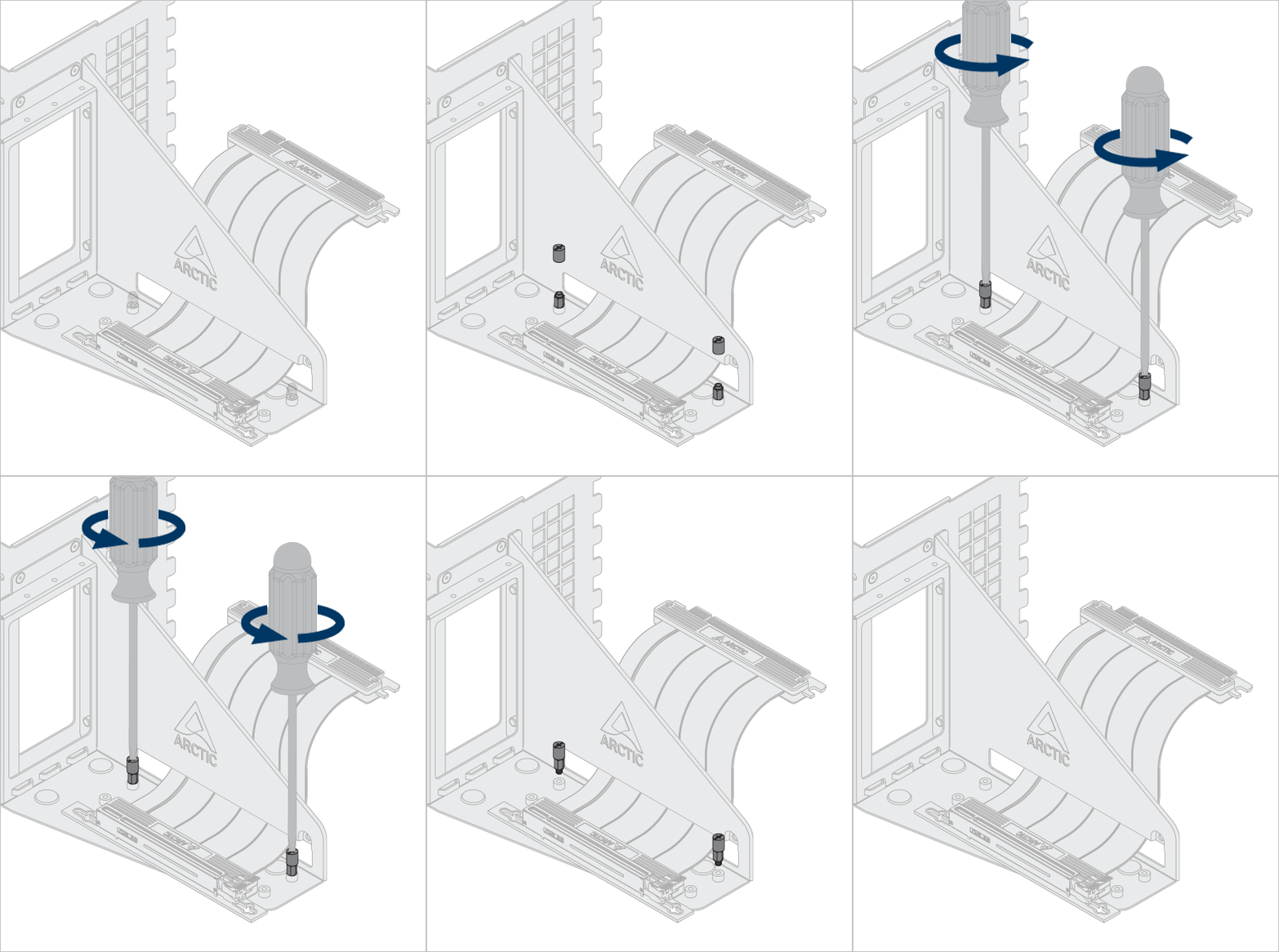

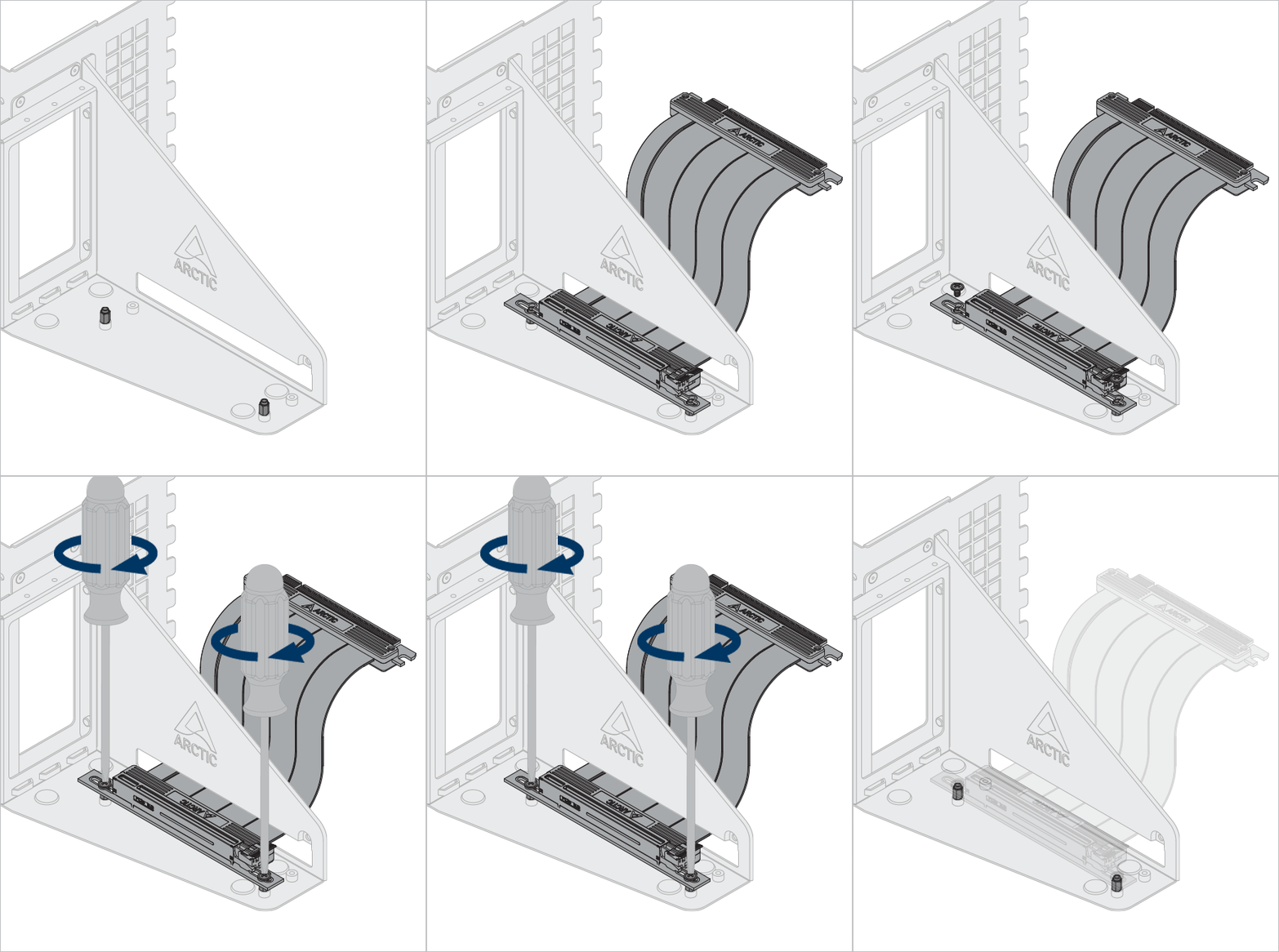
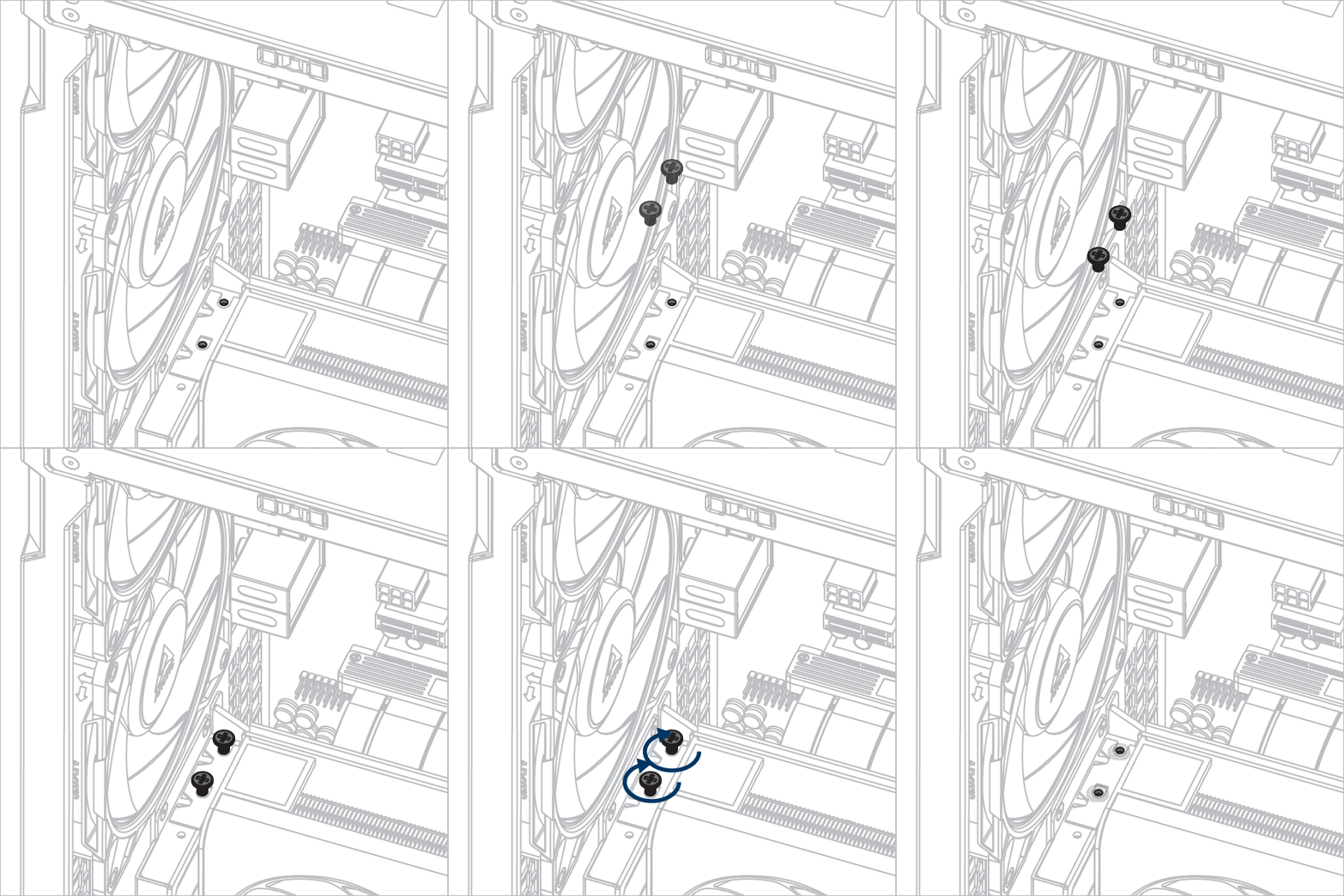
Instalace držáku grafické karty Accelero
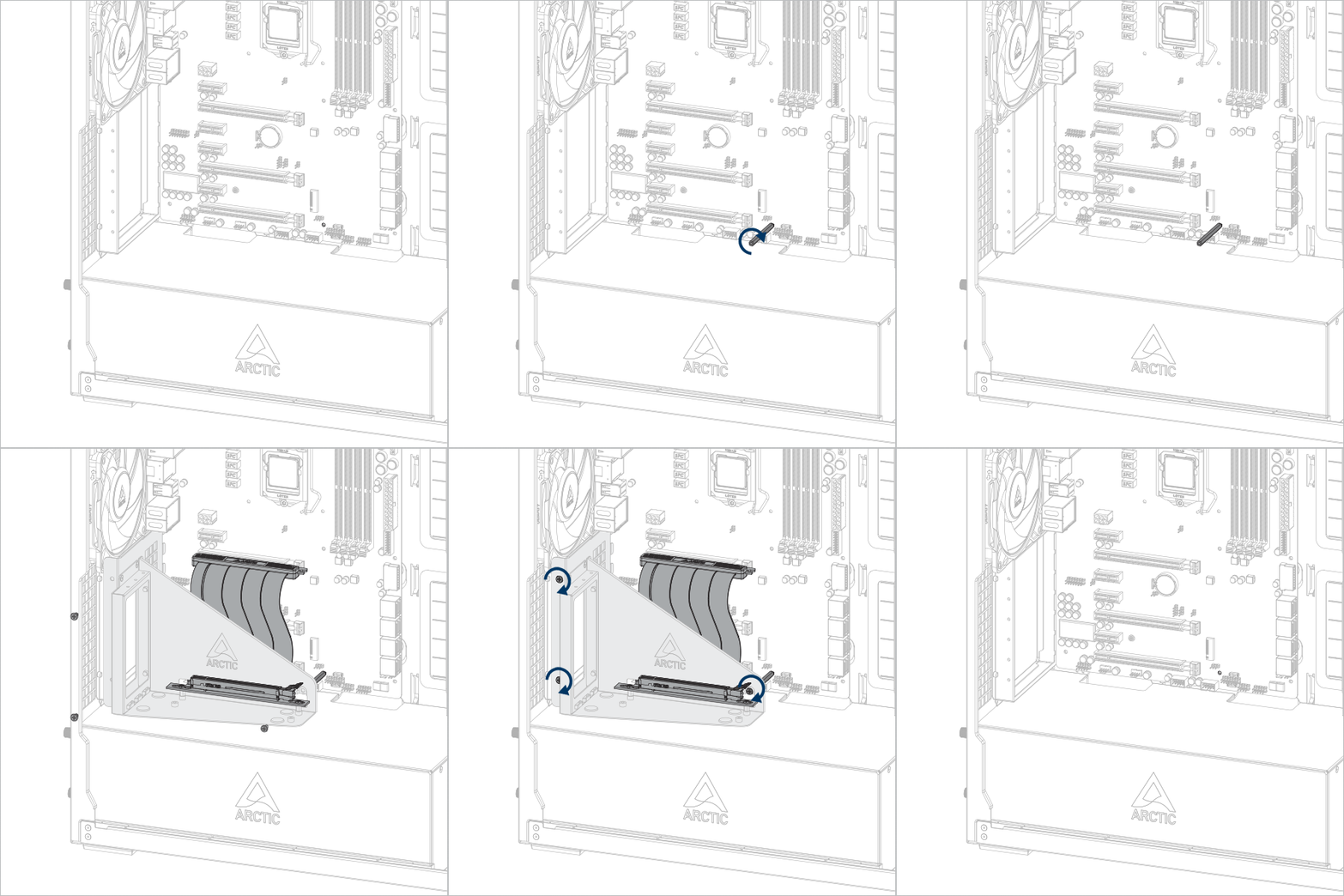


Důležité! Ujistěte se, že je kabel zcela zasunut do slotu. Pro dosažení nejlepšího výkonu doporučujeme použít první slot PCIe.
Nainstalujte grafickou kartu
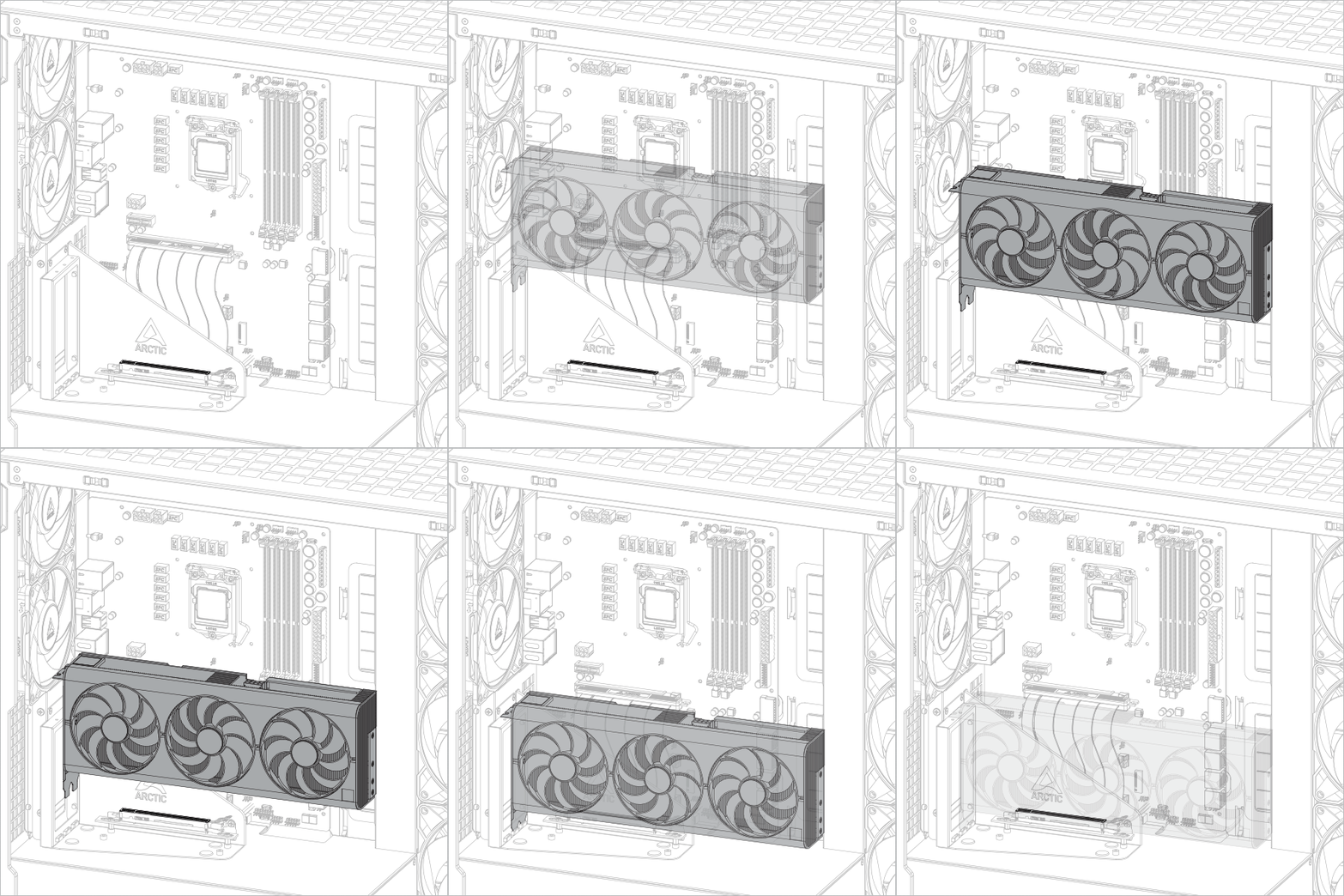
Pozor
Ujistěte se, že je grafická karta zcela zasunuta do slotu

Doporučené produkty