Um die Kompatibilität Ihrer Grafikkarte zu überprüfen, folgen Sie bitte diesem Link.
Benötigtes Werkzeug
 PH2 Kreuzschlitzschraubendreher
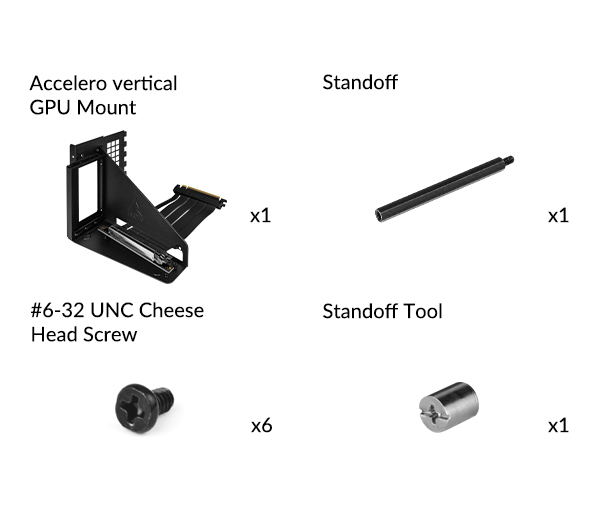
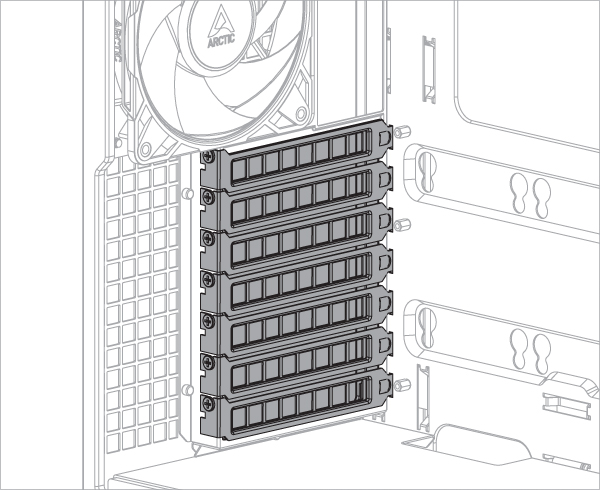
Für die Installation der Accelero-GPU-Halterung werden mindestens 7 PCIe-Steckplätze benötigt. Entfernen Sie die PCIe-Steckplatzabdeckungen, bevor Sie das Montagekit installieren.
Manche Grafikkarten sind mit einem überdimensionierten Kühler ausgestattet, der die in der PCIe-Spezifikation festgelegten Abmessungen deutlich überschreitet. Wird eine solche Karte in die vertikale Montagehalterung eingesetzt, ragt sie in den Bereich des CPU-Kühlers hinein und kann in manchen Fällen zu mechanischen Kollisionen führen. In solchen Fällen kann die Position des Riser-Kabels angepasst werden, um mehr Platz für den CPU-Kühler zu schaffen.
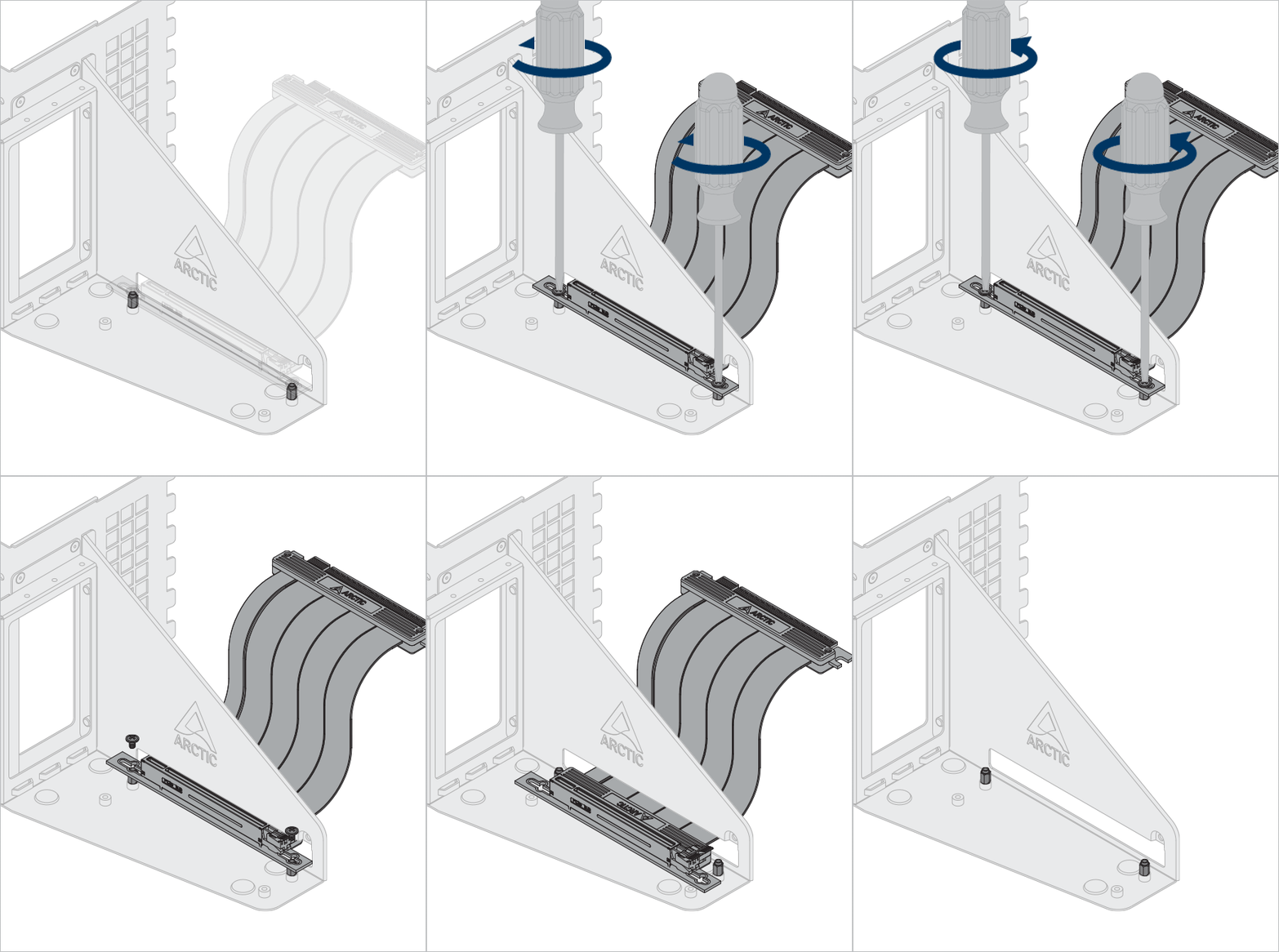
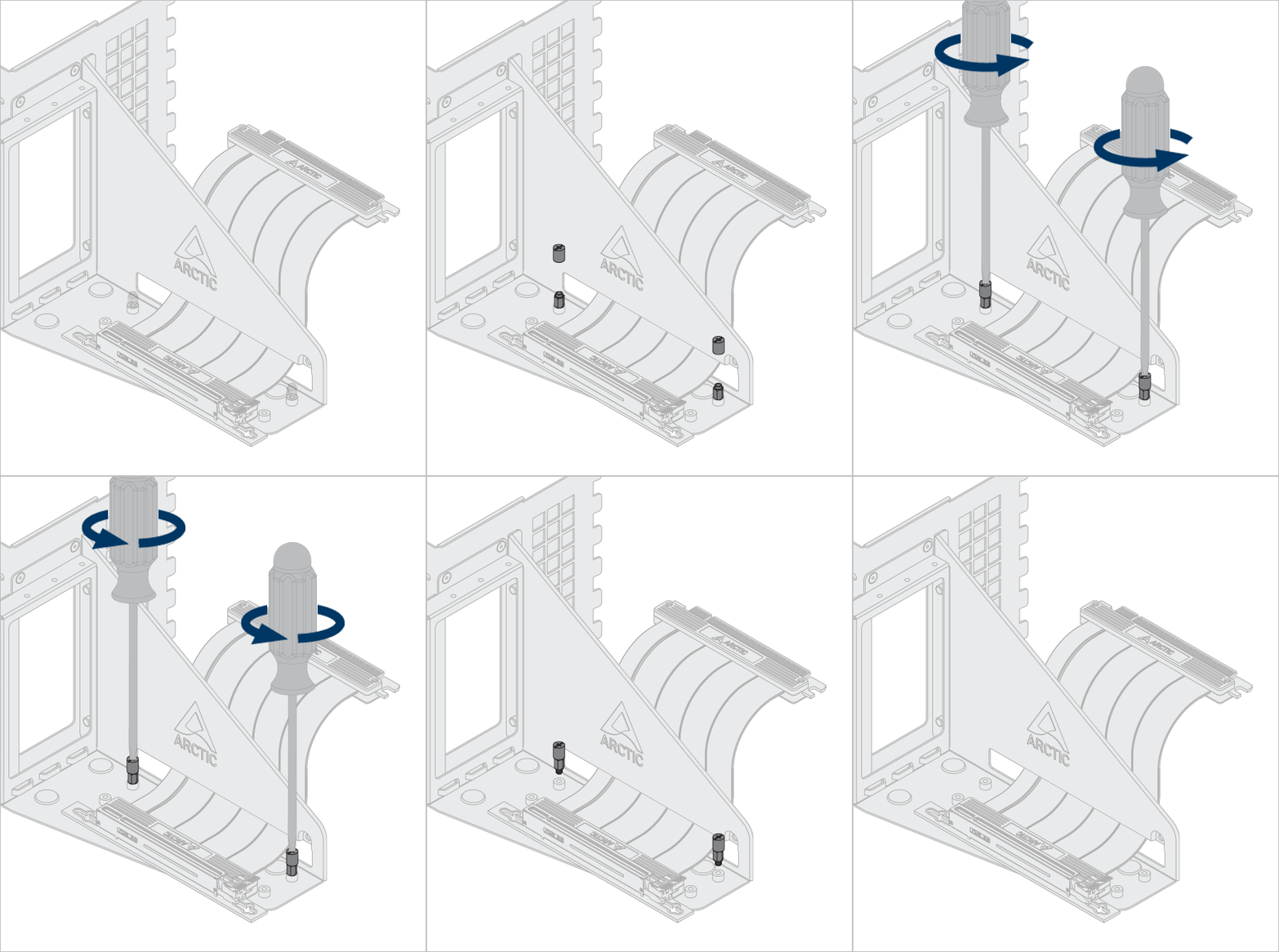
Optional: Lösen Sie die Schrauben und Abstandshalter, um das Riserkabel und die Grafik in einer anderen Position zu positionieren.
Verwenden Sie das Abstandshalterwerkzeug, um die Abstandshalter zu lösen und zu montieren.

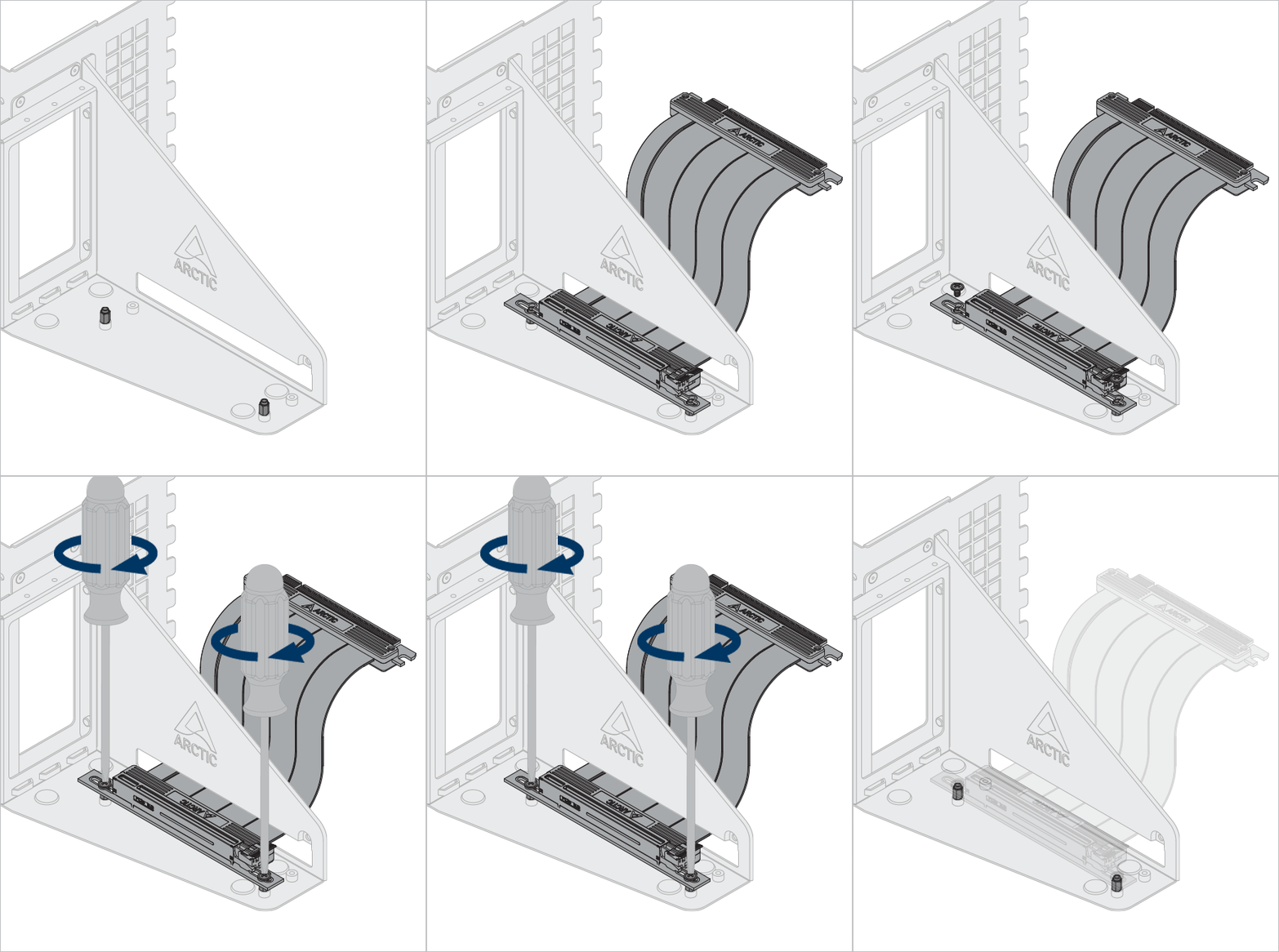
Installieren Sie die Accelero-GPU-Halterung.
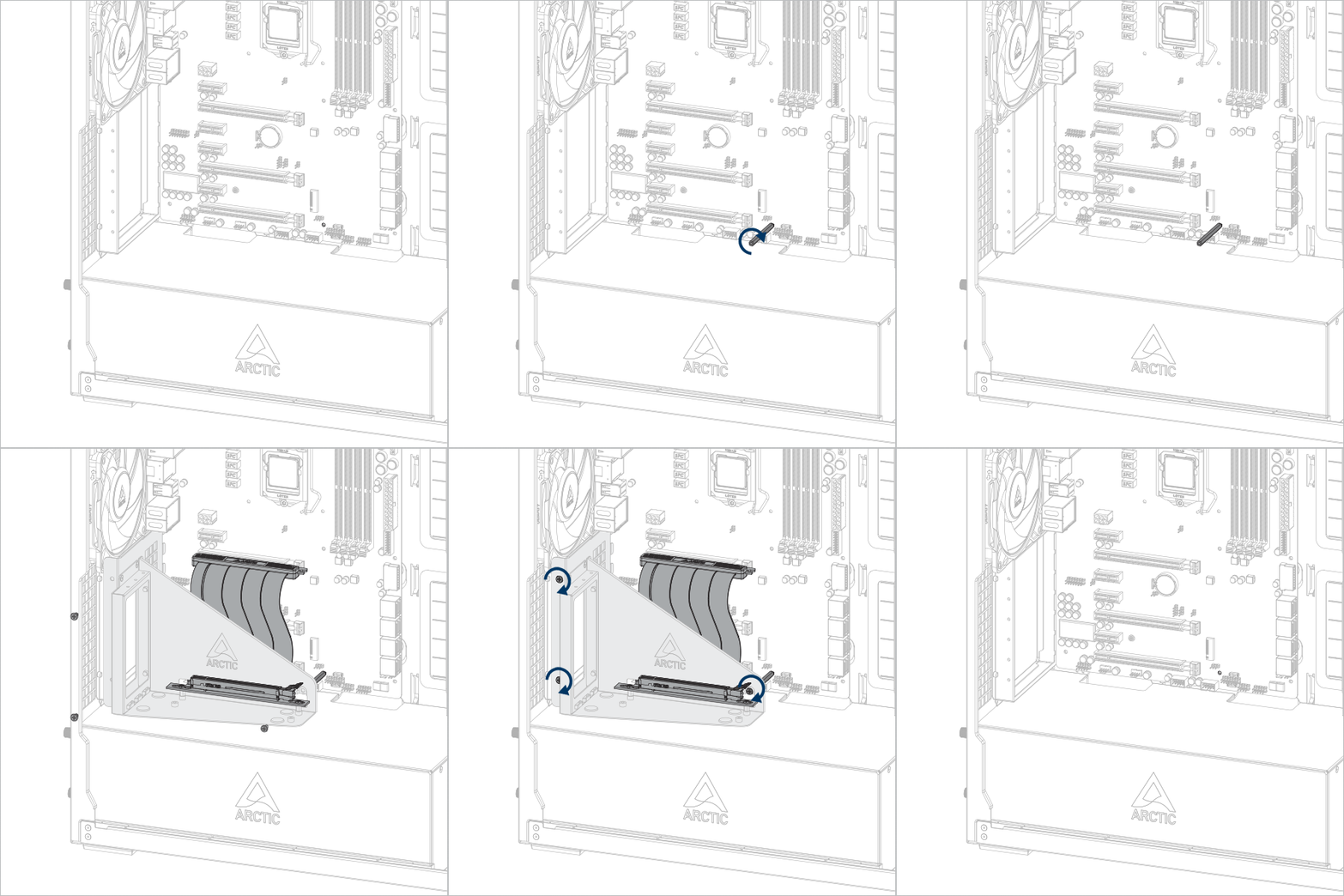


Wichtig! Achte darauf, dass das Kabel vollständig im Slot steckt. Für die beste Leistung empfehlen wir dir, den ersten PCIe-Steckplatz zu verwenden.
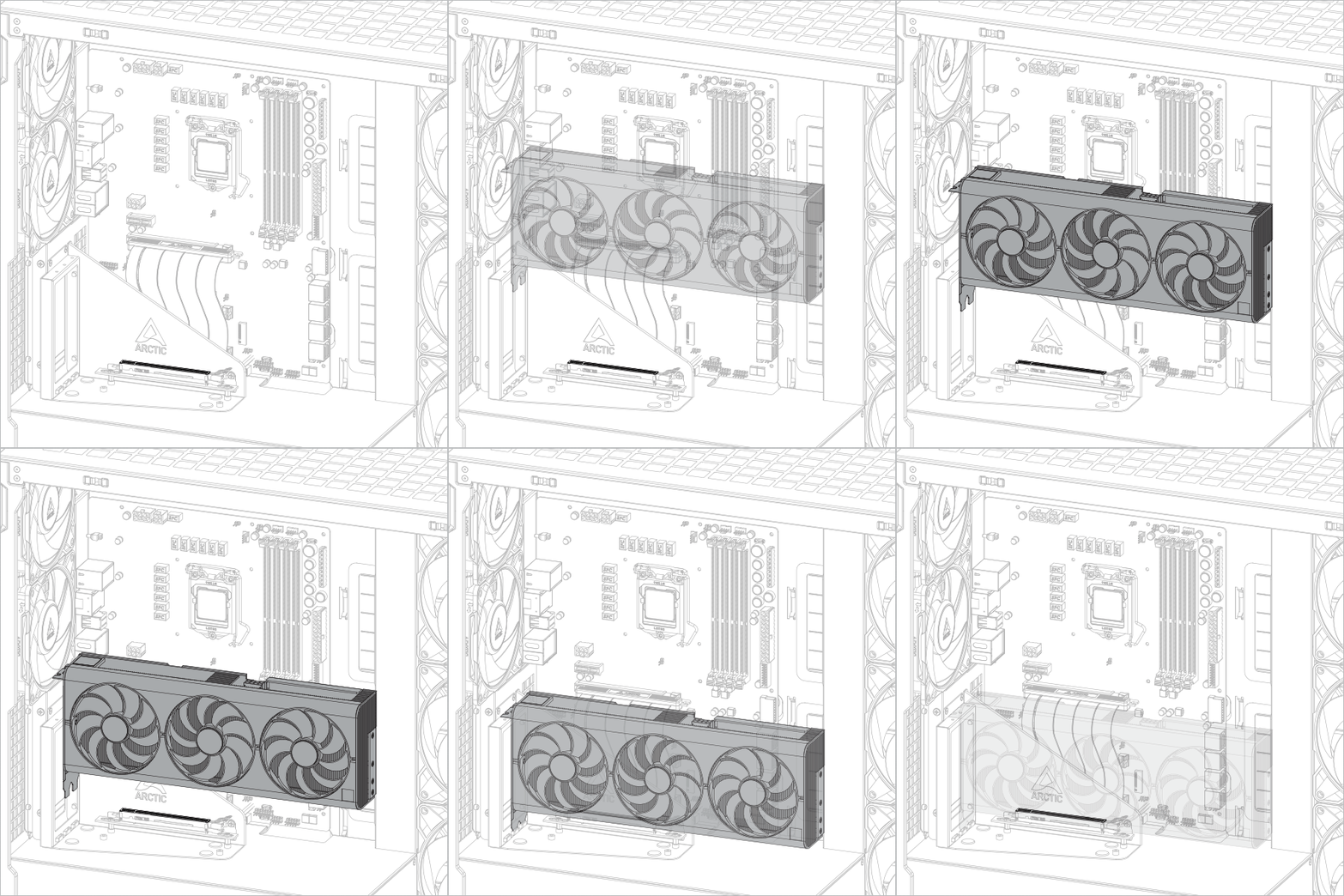
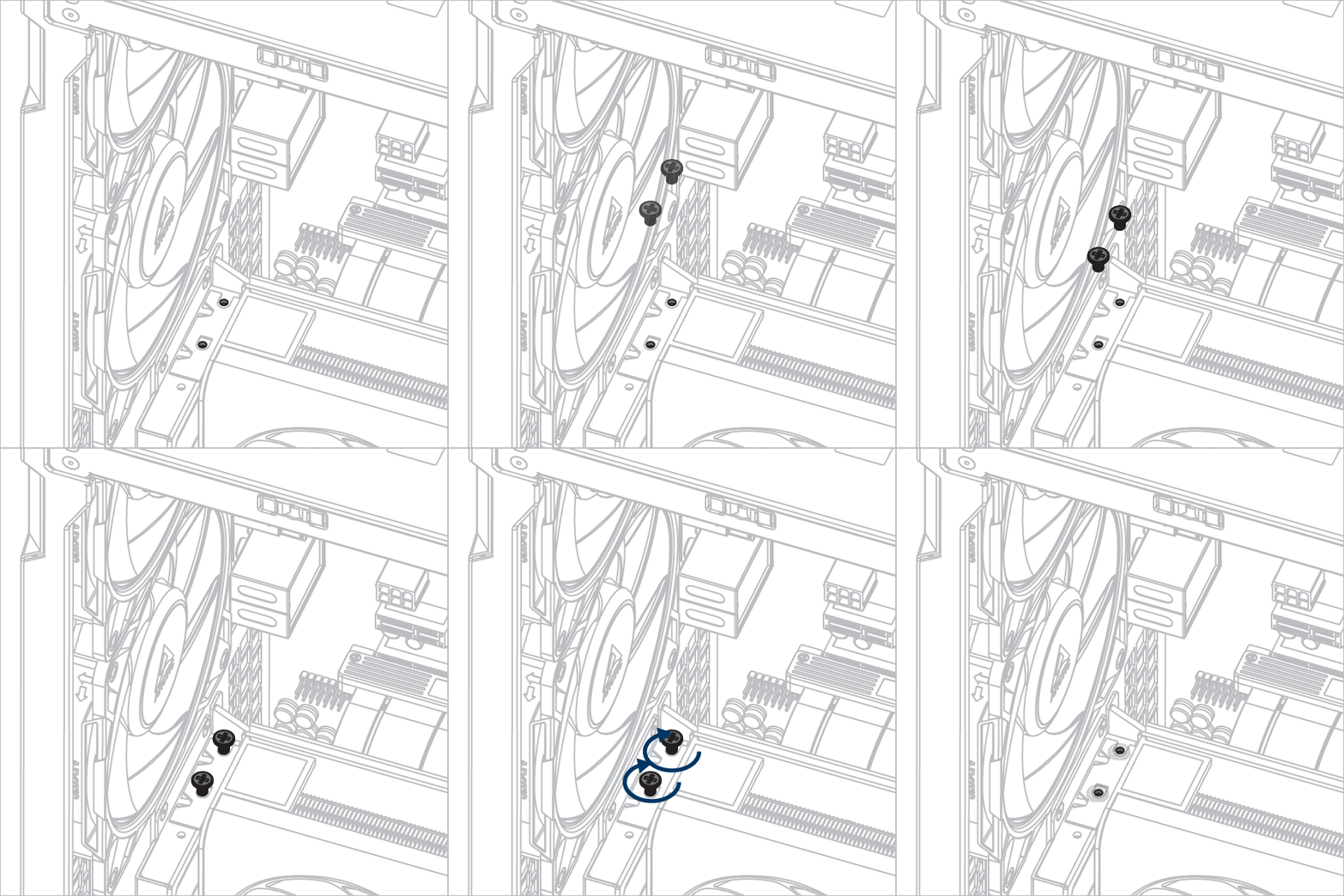
Installiere die Grafikkarte
Aufmerksamkeit
Stellen Sie sicher, dass die Grafikkarte vollständig im Steckplatz sitzt.

Empfohlene Produkte