Para verificar a compatibilidade da sua placa gráfica, siga este link.
Ferramentas necessárias
 Chave de fenda Philips PH2
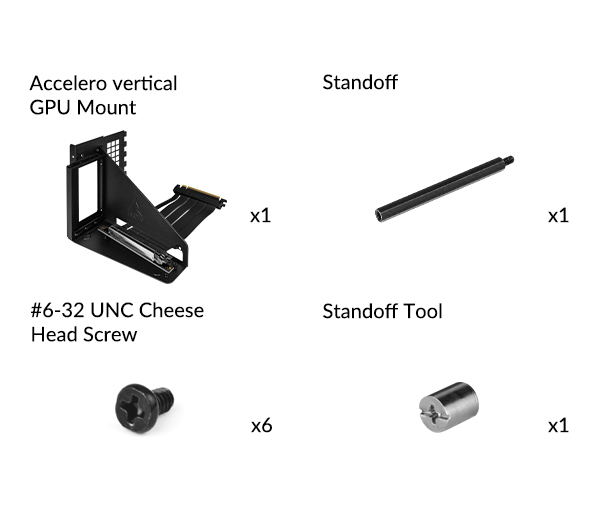
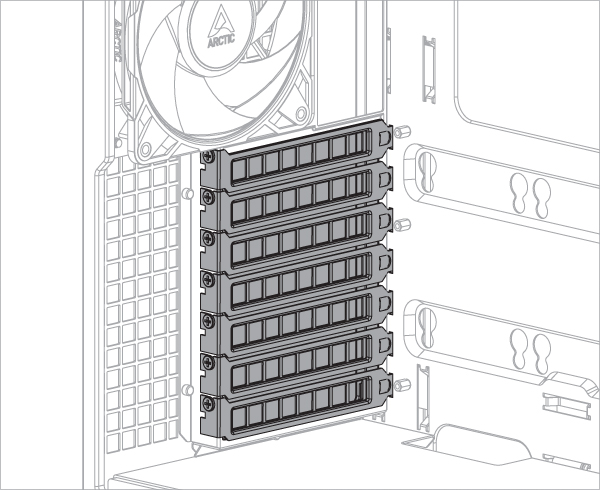
Para instalar o suporte de GPU Accelero, são necessários pelo menos 7 slots PCIe. Remova as tampas dos slots PCIe antes de instalar o kit de montagem.
Algumas placas gráficas vêm equipadas com um cooler superdimensionado que excede em muito as dimensões definidas pela especificação PCIe. Quando essa placa é montada no suporte vertical, ela invade a área do cooler da CPU e, em alguns casos, pode causar interferências mecânicas. Diante dessas interferências, ajuste a posição do cabo riser para liberar mais espaço para o cooler da CPU.
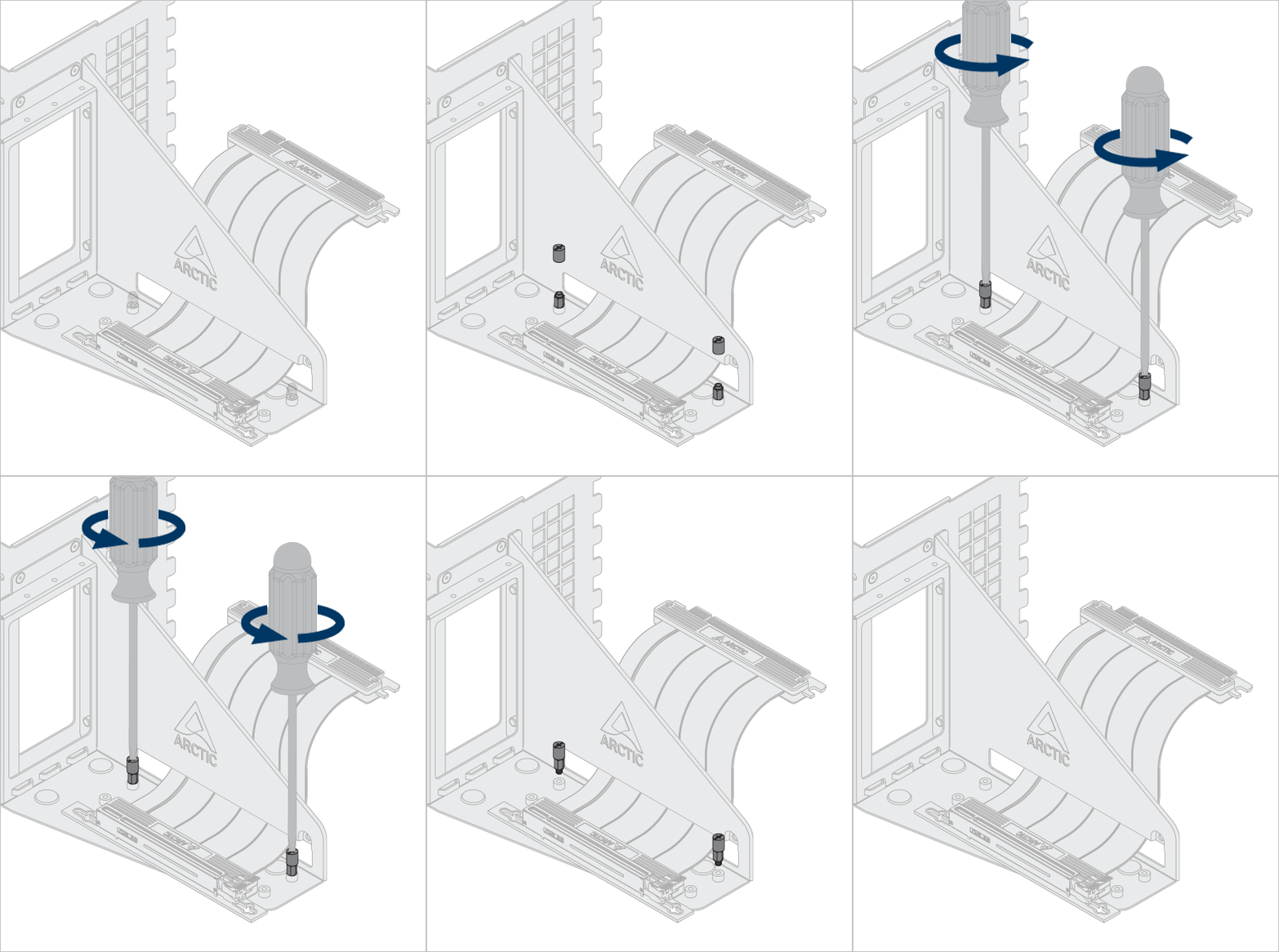
Opcional: Desaperte os parafusos e espaçadores para ajustar o cabo riser e o gráfico em uma posição diferente.
Use a ferramenta de espaçador para desapertar e instalar o espaçador.
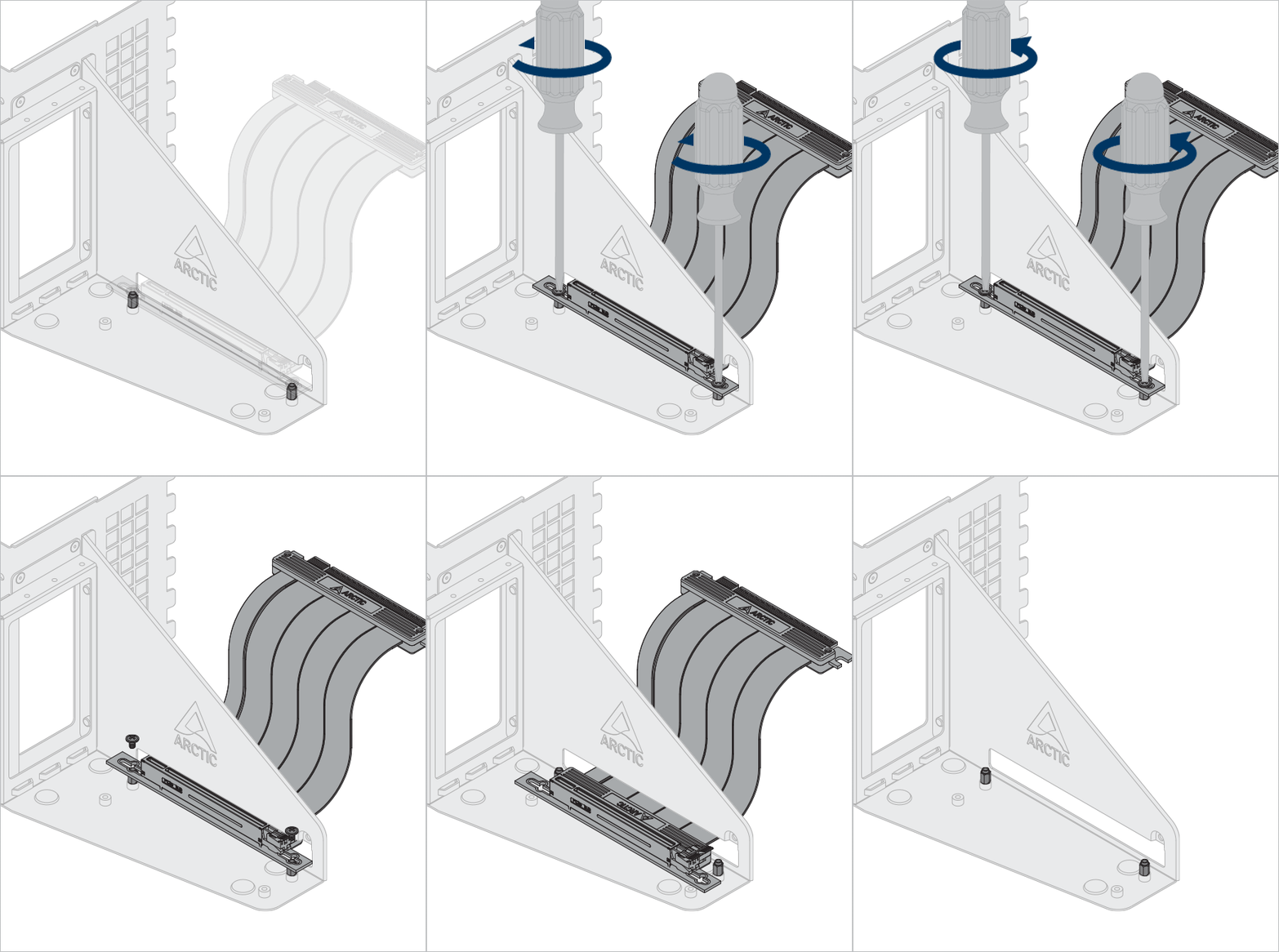

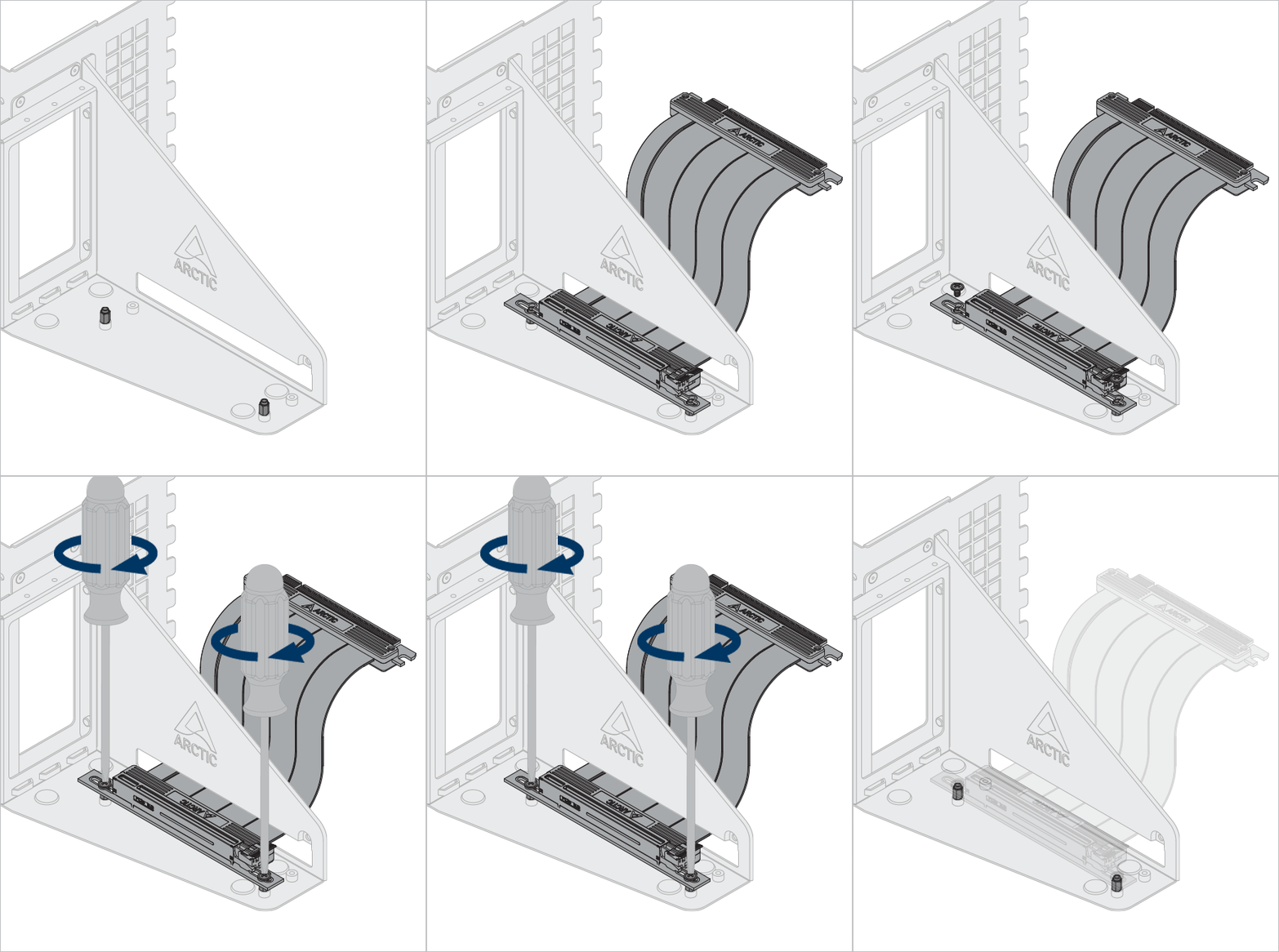
Instale o suporte de GPU Accelero
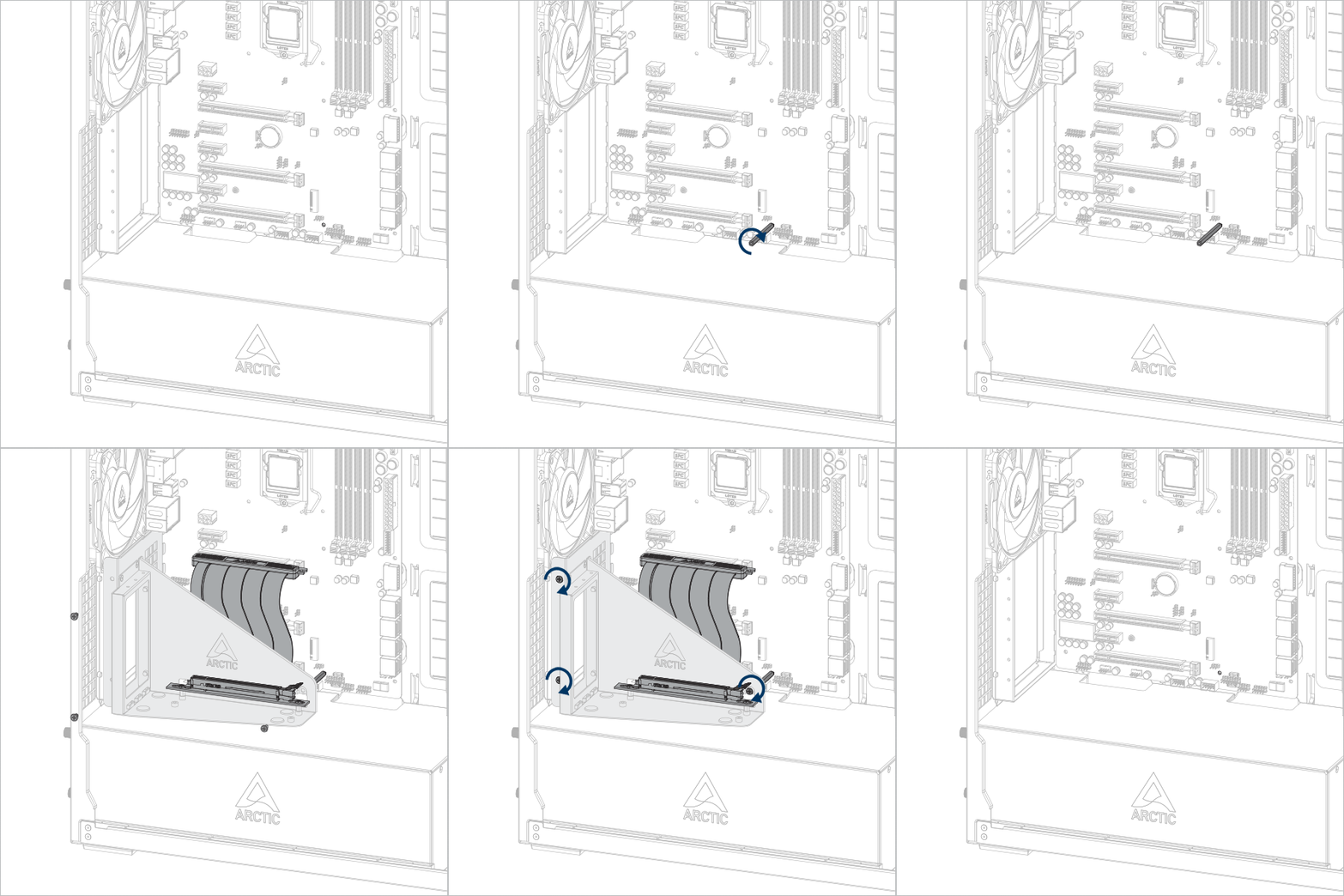


Importante! Certifique-se de que o cabo esteja totalmente inserido no slot. Recomendamos usar o primeiro slot PCIe para melhor desempenho.
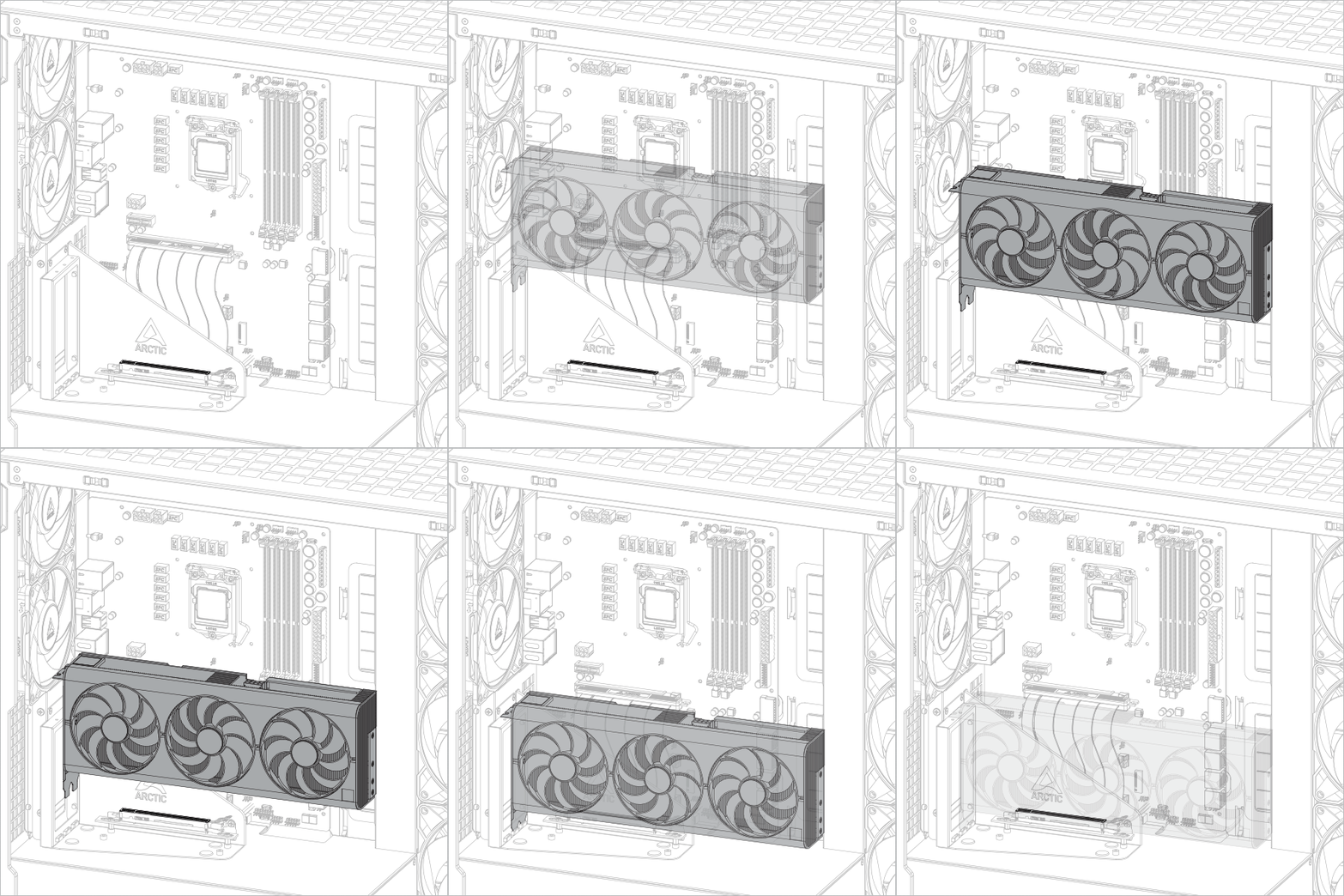
Instalar a placa gráfica
Atenção
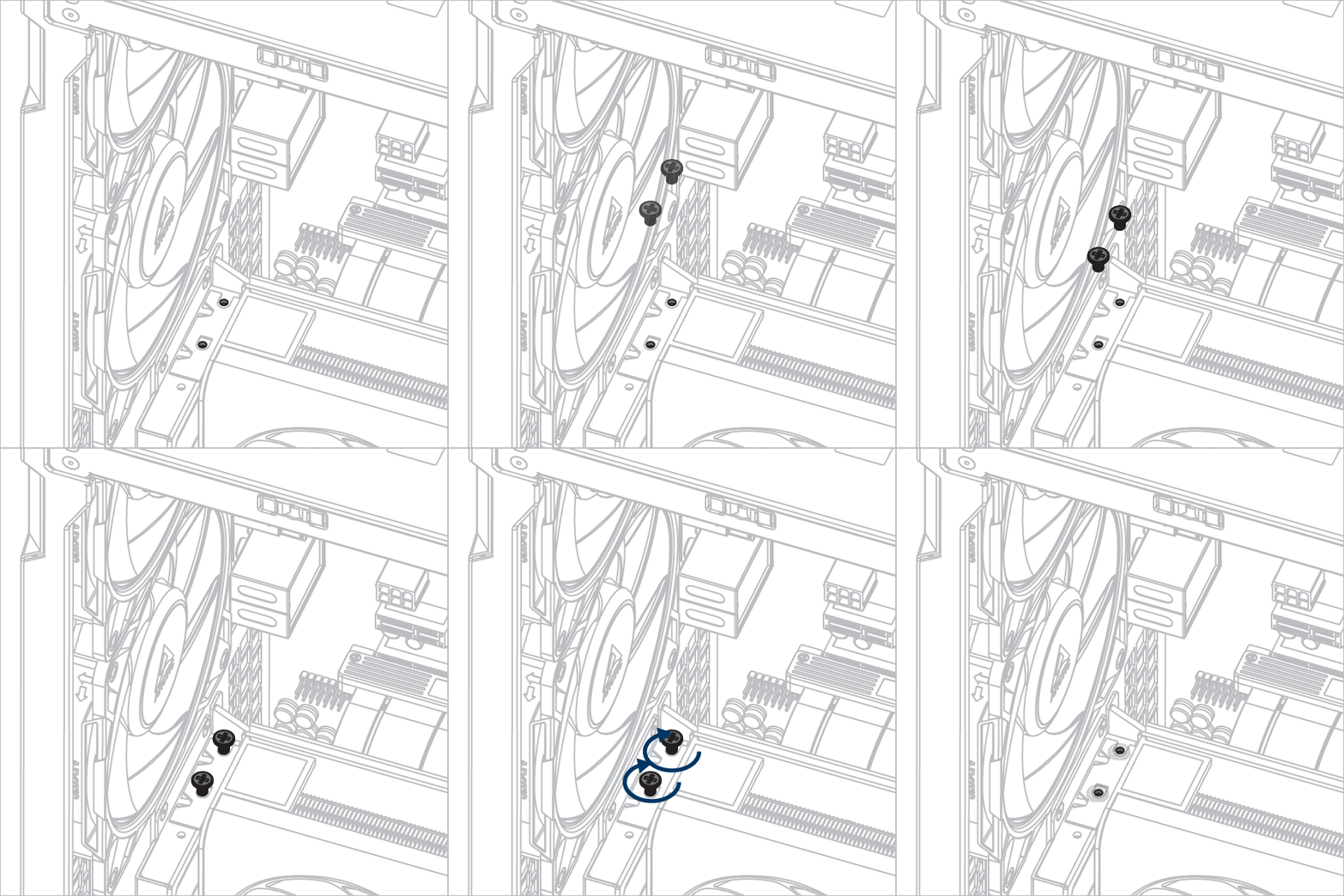
Certifique-se de que a placa gráfica esteja totalmente inserida no slot.

Produtos recomendados