Outils requis
 Tournevis cruciforme PH2
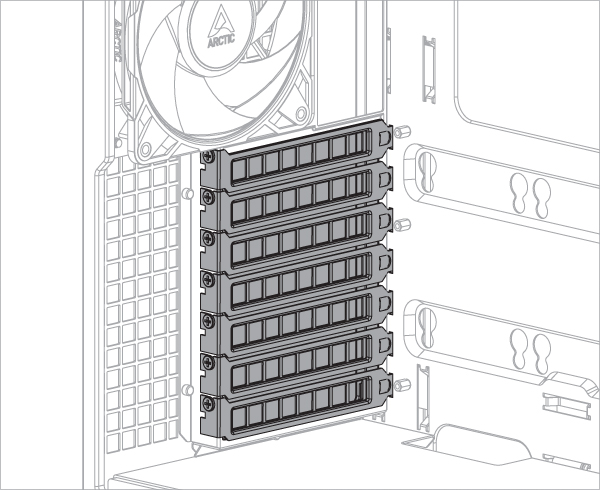
Pour installer le support de carte graphique Accelero, il faut au moins 7 emplacements PCIe. Retirez les caches des emplacements PCIe avant d'installer le kit de montage.
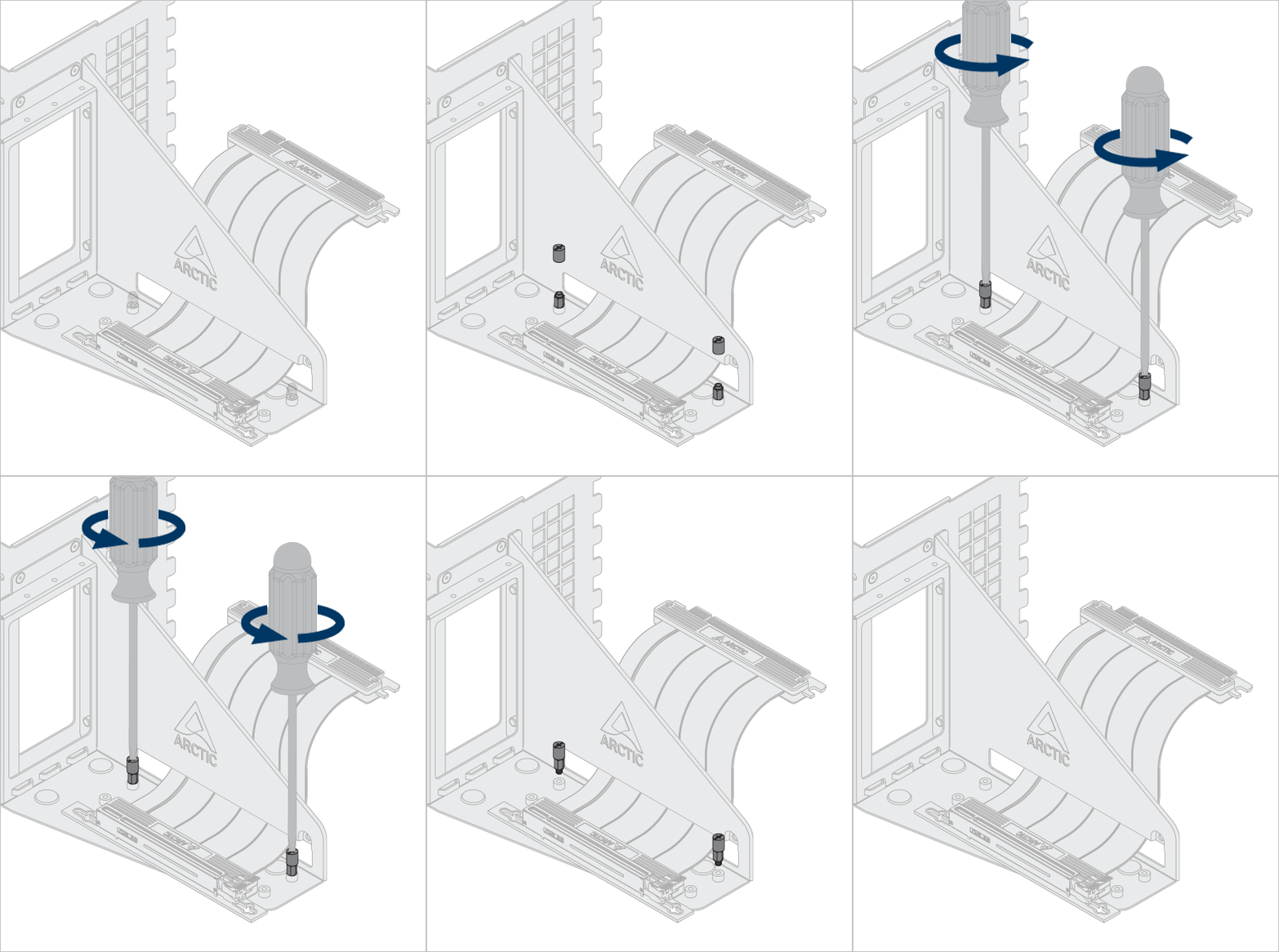
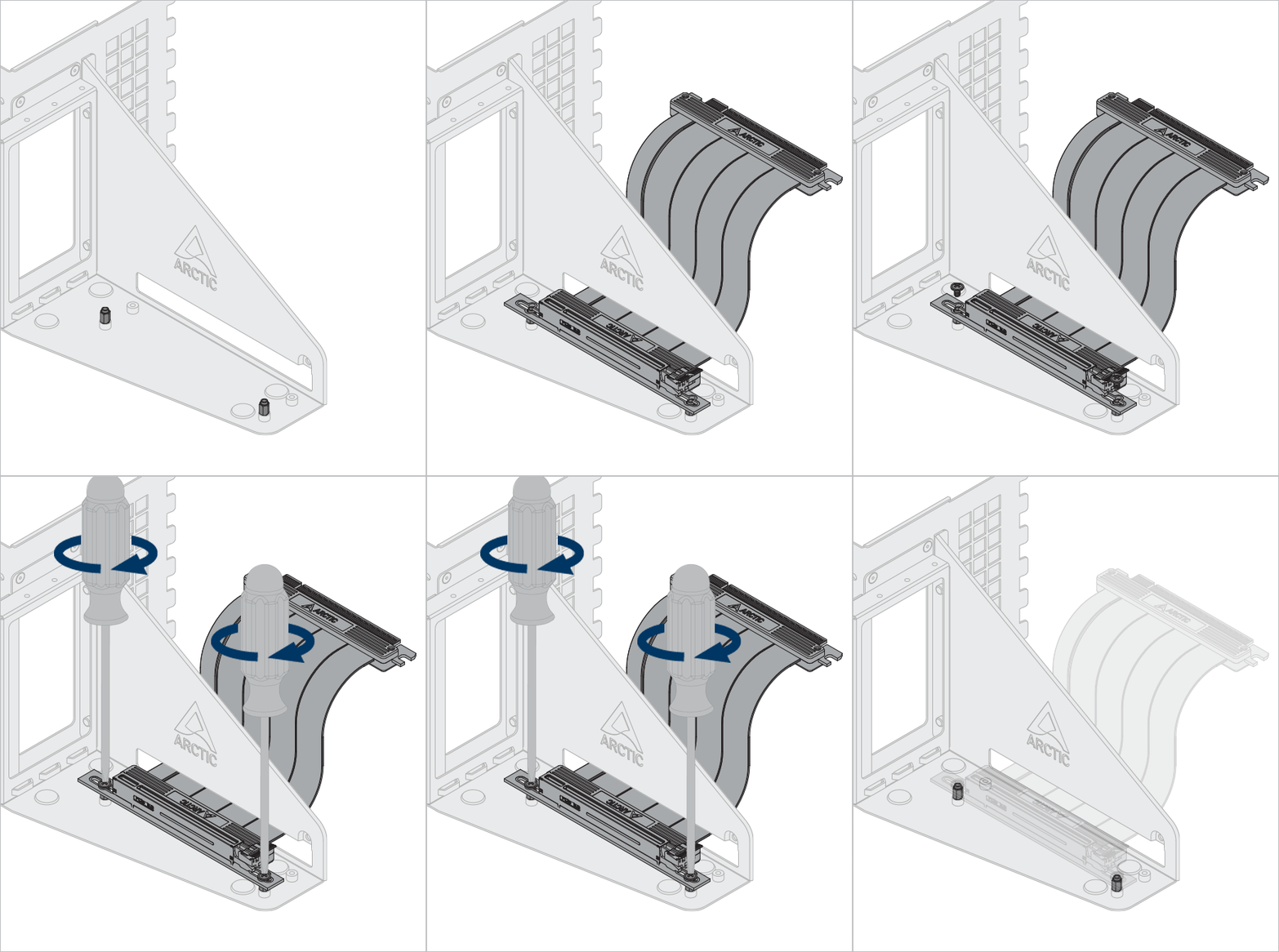
Certaines cartes graphiques sont équipées d'un système de refroidissement surdimensionné, dont les dimensions dépassent largement celles définies par la spécification PCIe. Lors de l'installation de cette carte dans le support vertical, elle empiète sur l'espace réservé au refroidissement du processeur et peut, dans certains cas, engendrer des interférences mécaniques. Dans ce cas, il est possible d'ajuster la position du câble riser afin de dégager de l'espace pour le refroidissement du processeur.
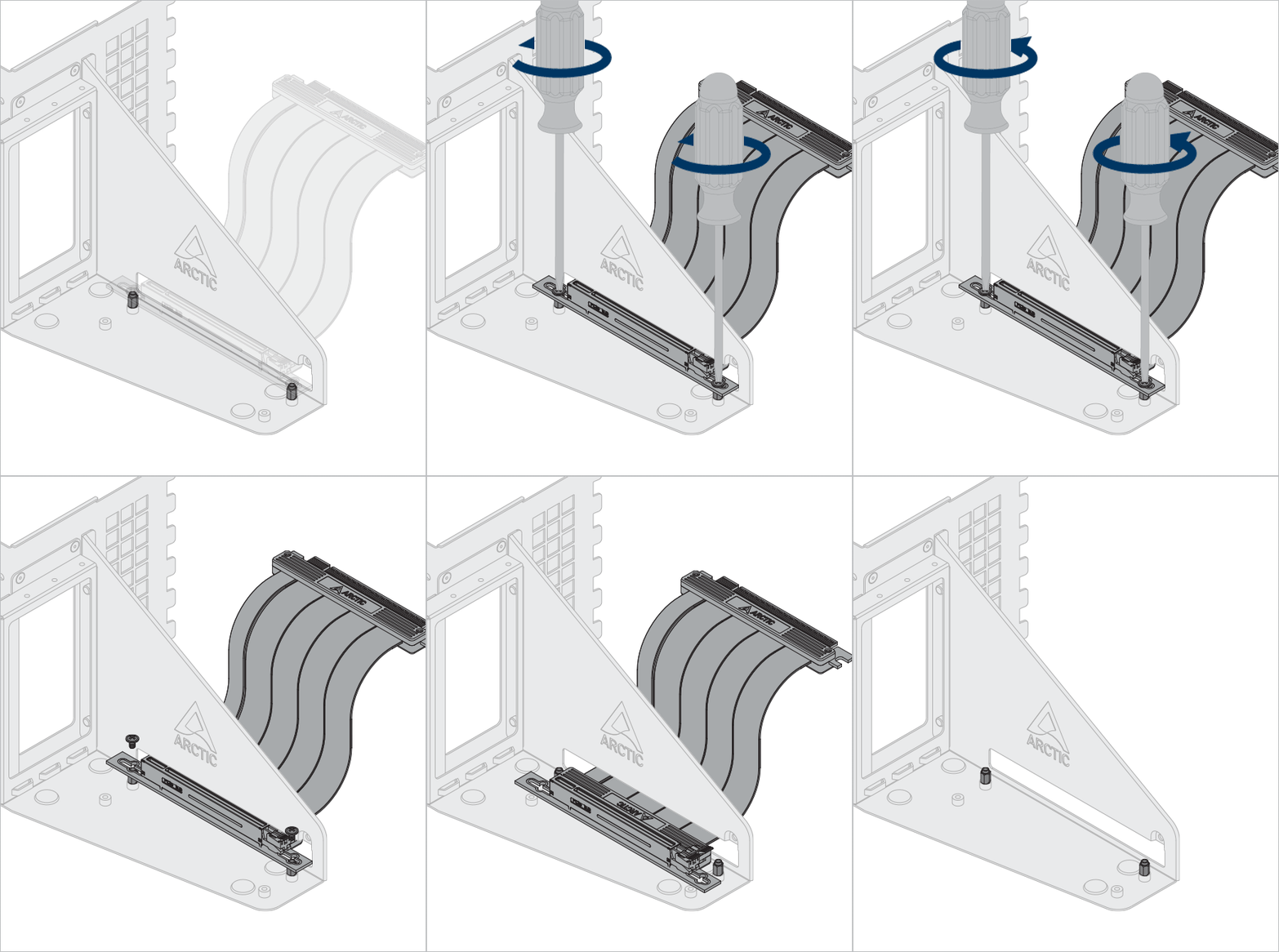
Facultatif : Déverrouillez les vis et les entretoises pour ajuster la position du câble riser et du graphisme.
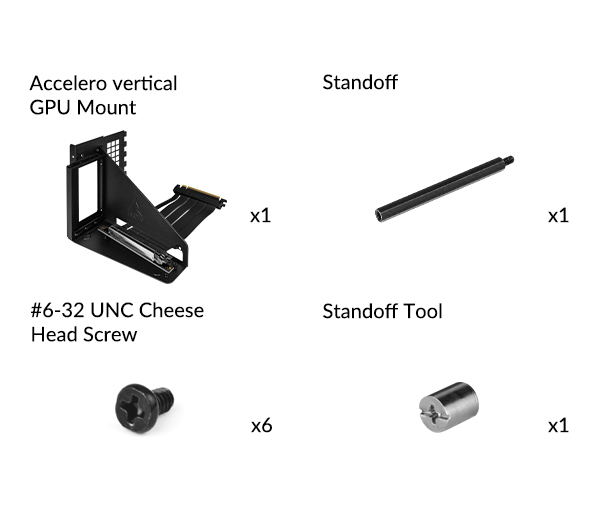
Utilisez l’outil d’entretoise pour déverrouiller et installer l’entretoise.

Installez le support GPU Accelero
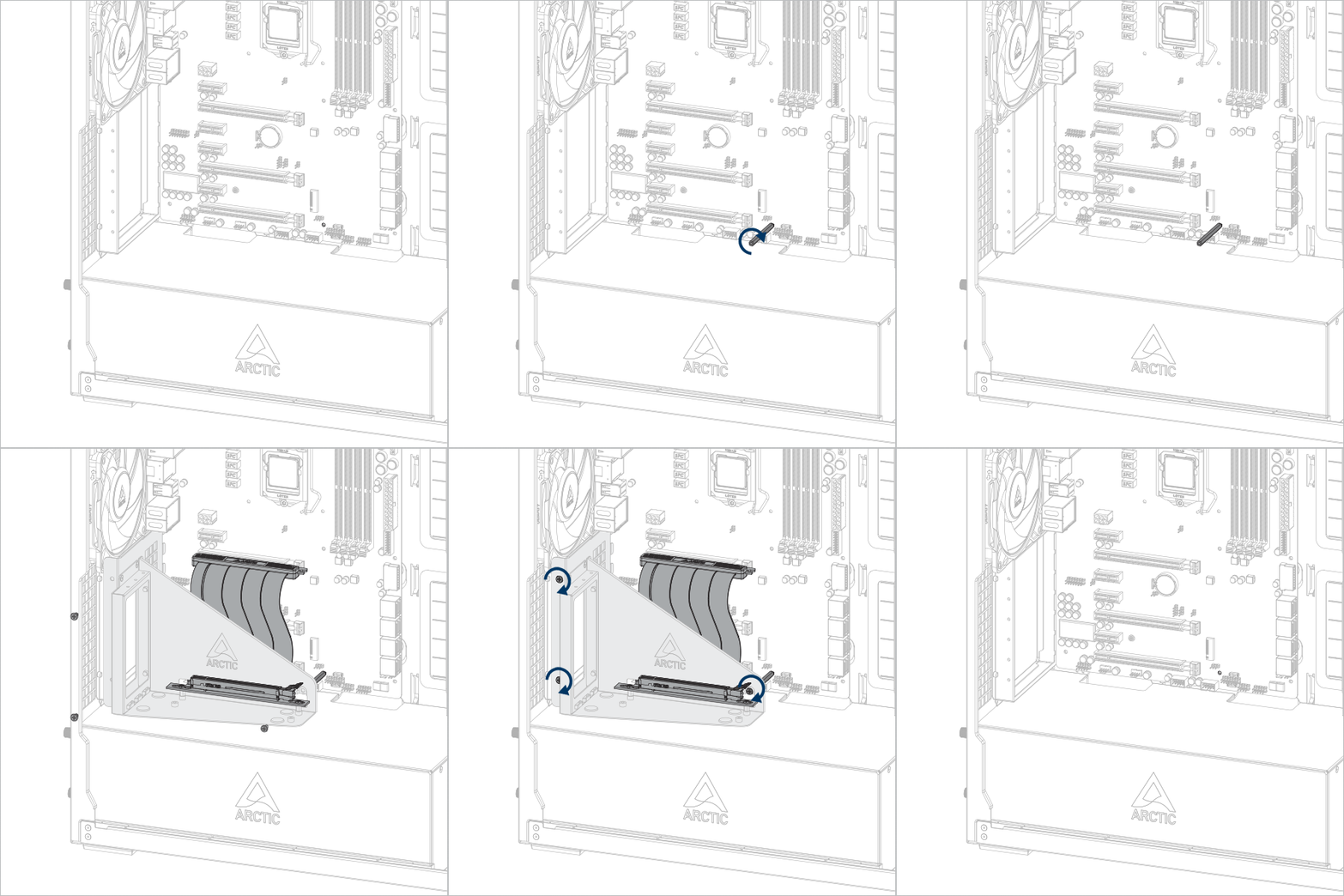


Important ! Assurez-vous que le câble est bien inséré dans le slot. Nous recommandons d'utiliser le premier slot PCIe pour des performances optimales.
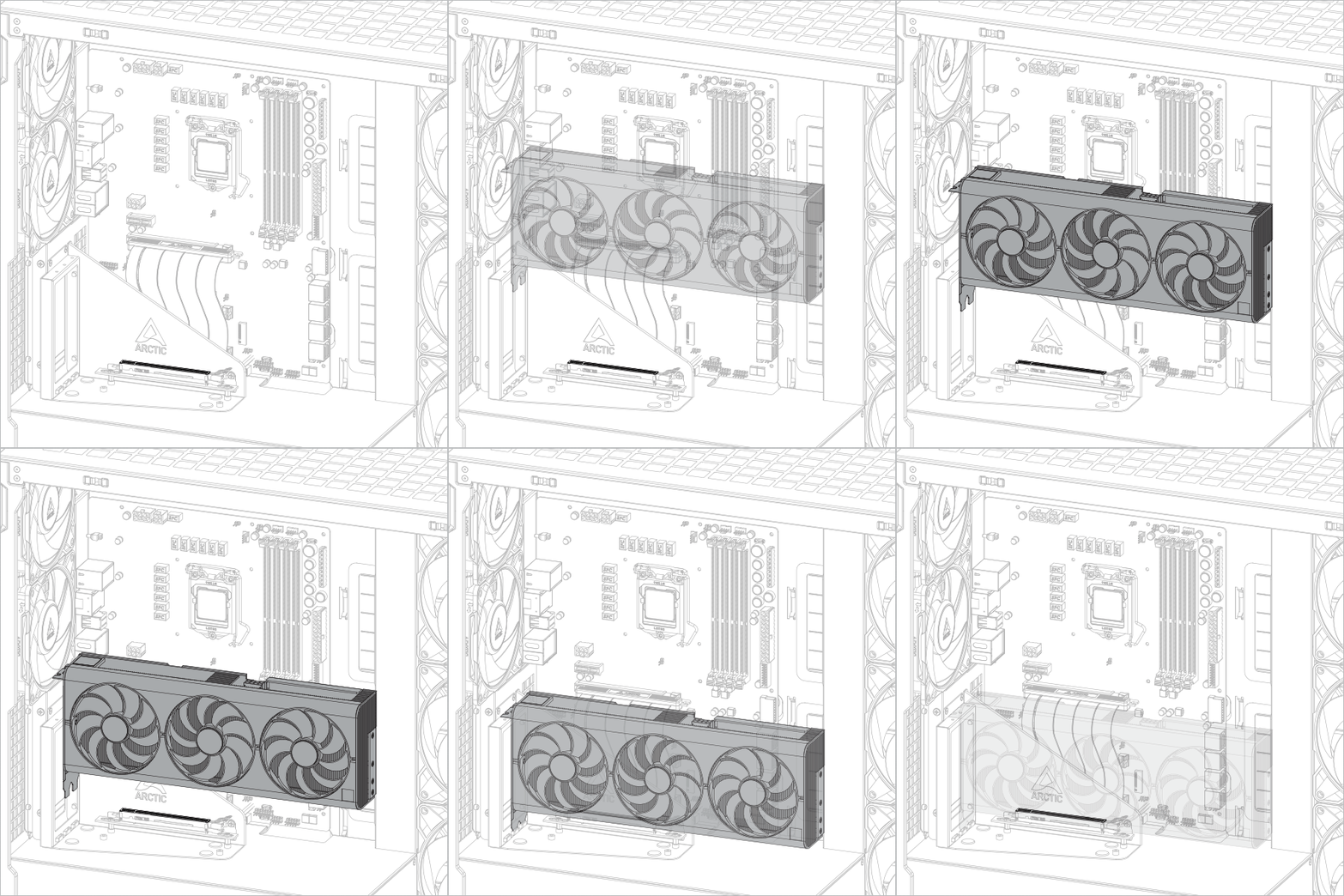
Installation de la carte graphique
Attention
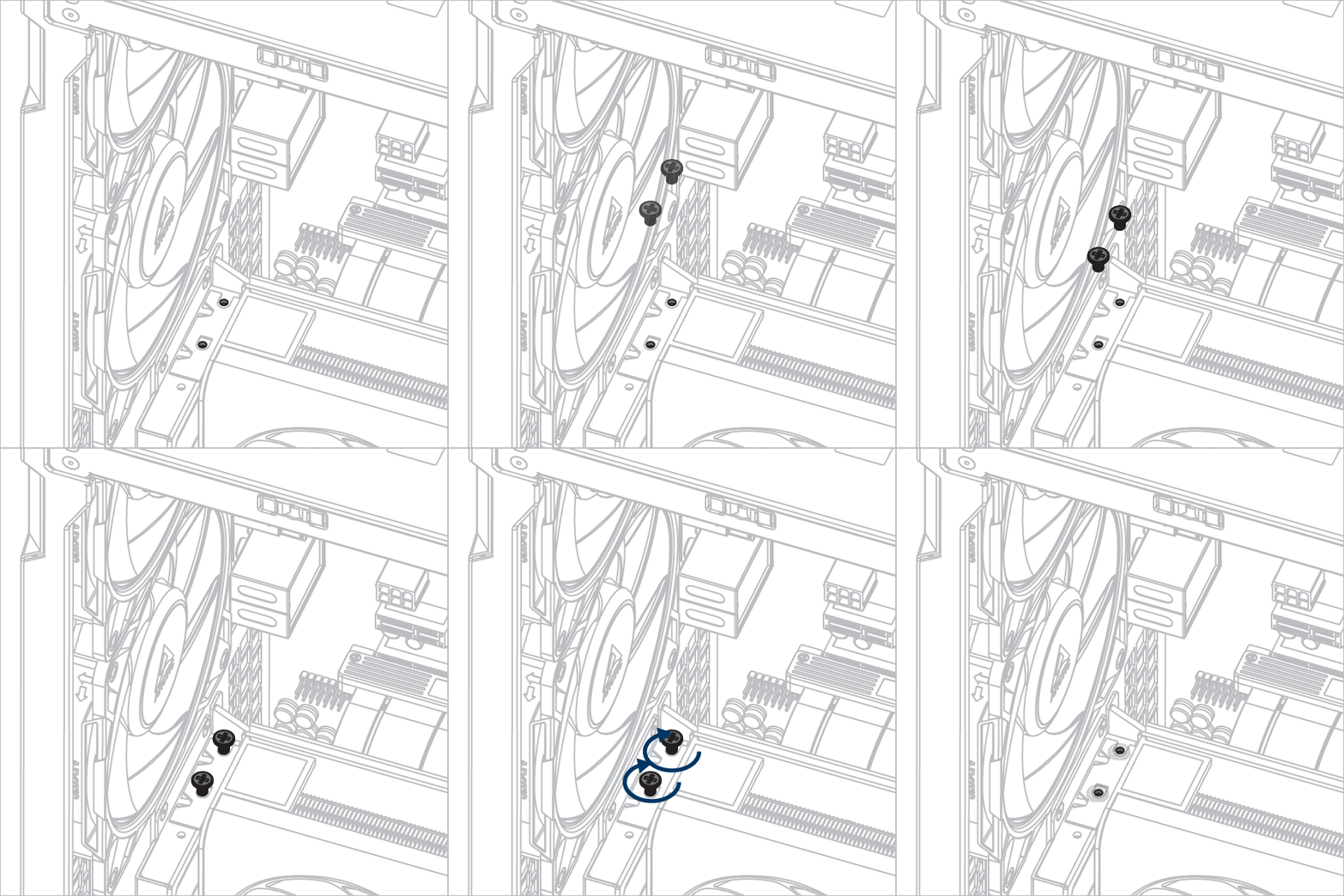
Assurez-vous que la carte graphique est complètement insérée dans l'emplacement prévu.

Produits Recommandés