언어
English
Deutsch
Français
Español
Italiano
Русский
čeština
Polski
Português
中文
عربي
日本の
한국인
Türkçe
Svenska
Nederlands

죄송하지만 이 문서는 한국어로 제공되지 않습니다. 아래는 영어 버전입니다.

To check the compatibility of your motherboard, please follow this link.

Required Tools

PH2 Philips Head Screwdriver

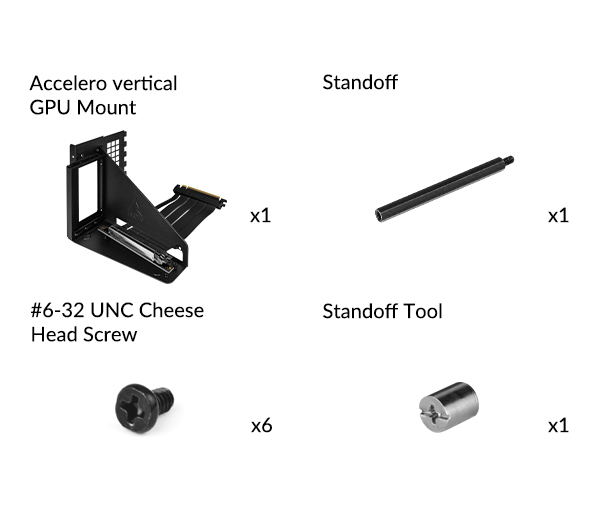
Packaging Content
Preparation

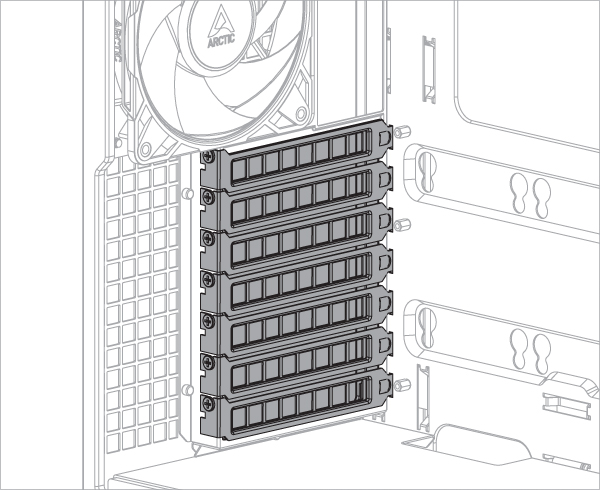
To install the Accelero GPU Mount, at least 7 PCIe slots are required. Remove the PCIe slot covers before installing the mounting kit.

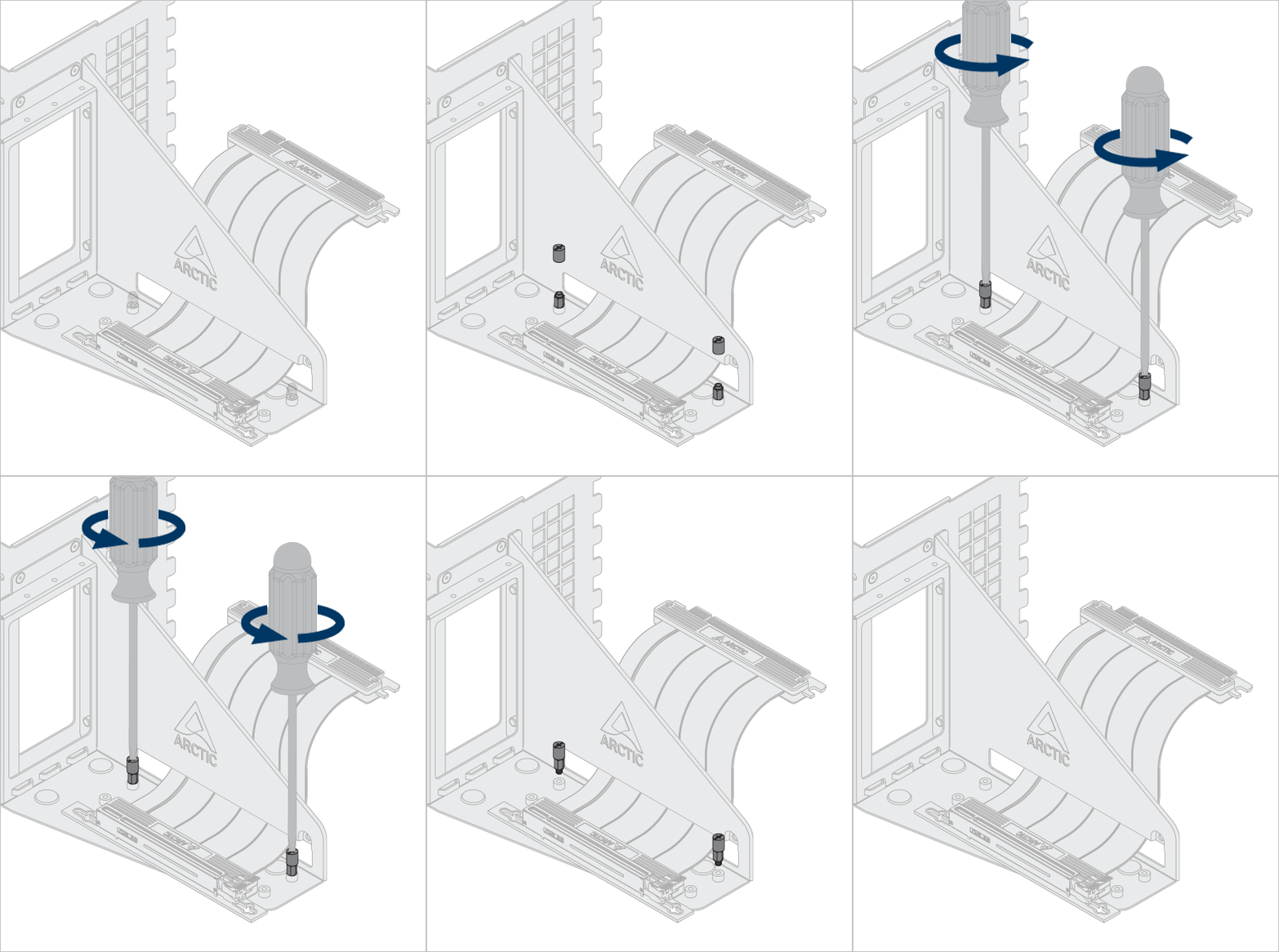
Some graphics cards are equipped with an oversized cooler that exceeds greatly the dimensions defined by the PCIe specification. When such card is assembled in the vertical mount bracket, it will come into the CPU cooler area and in some cases may present mechanical interferences.When faced with such interferences, adjusting the position of the riser cable to free up more space for CPU cooler.

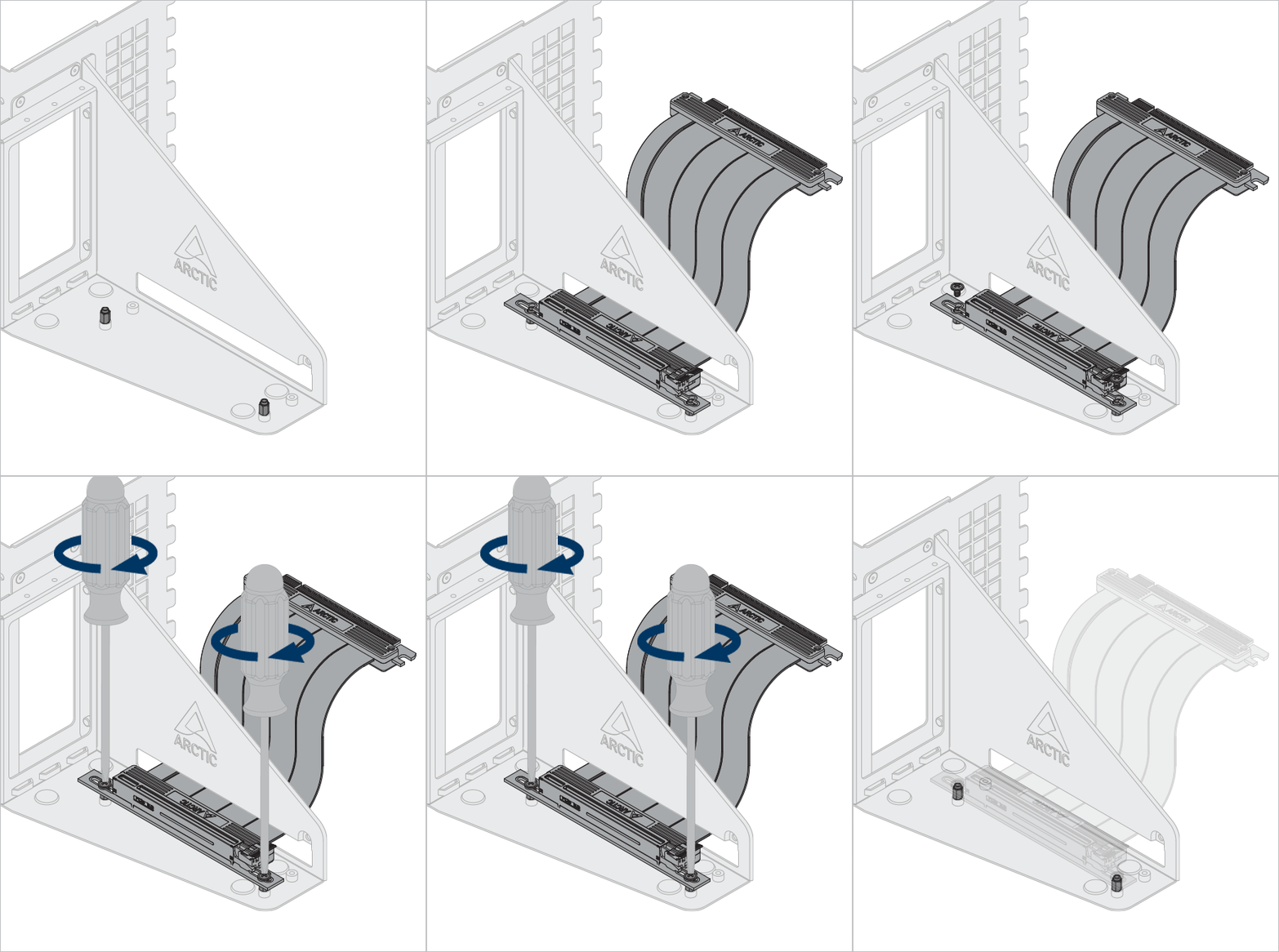
Optional: Unlock the screws and standoffs to adjust the riser cable and graphic to different position.
Use the standoff tool to unlock and install the standoff.

Installation

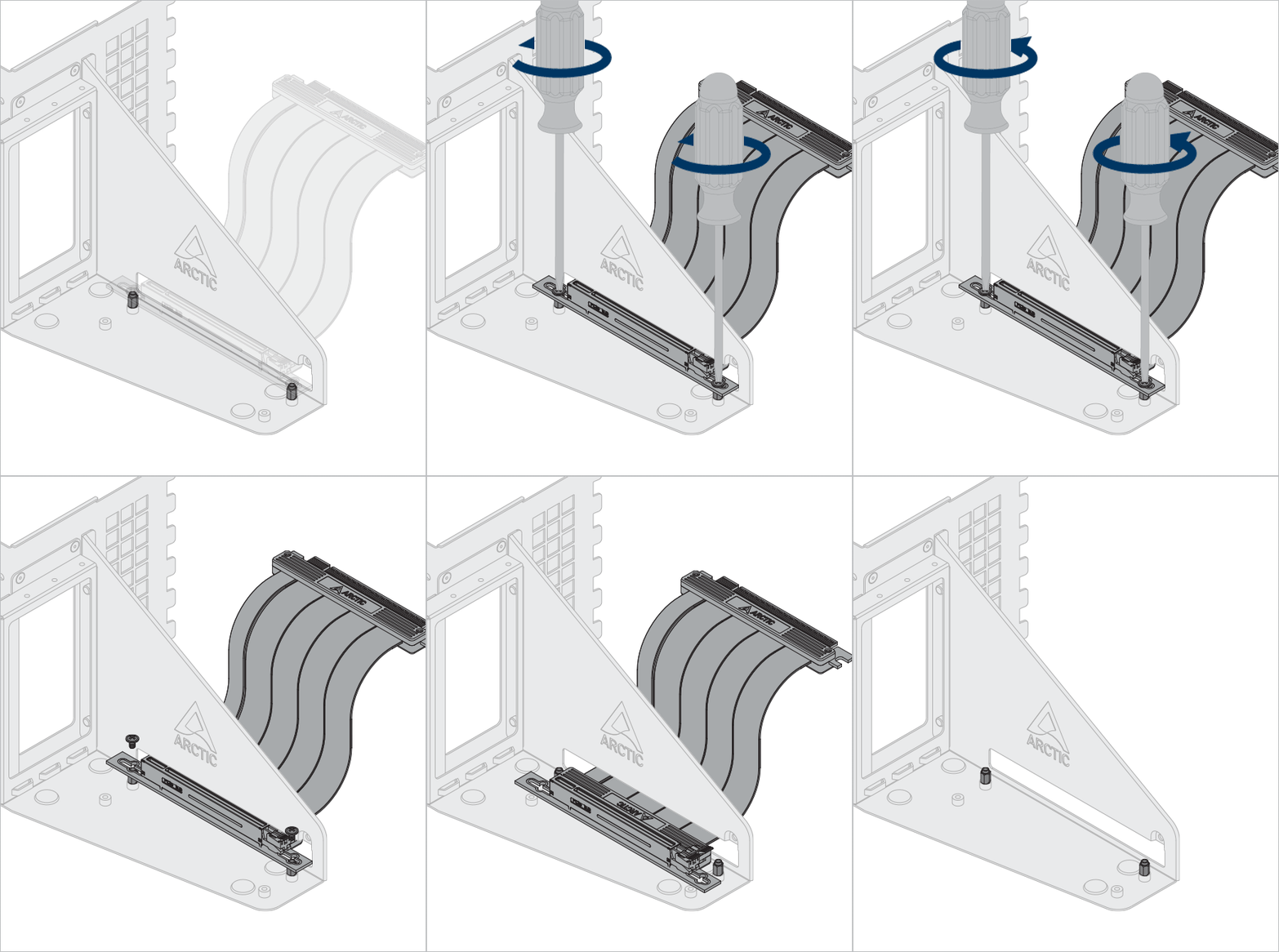
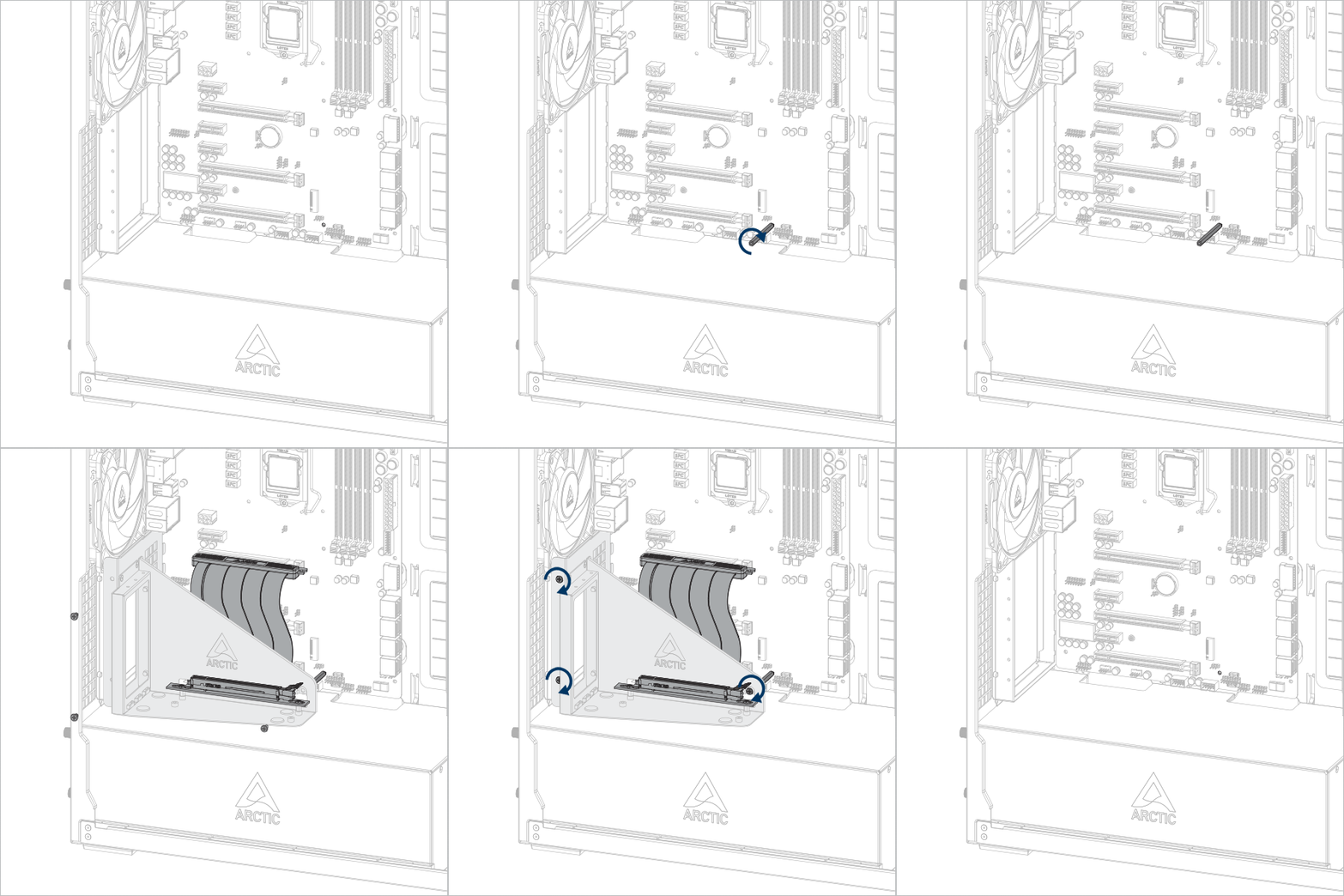
Install the Accelero GPUMount

Important! Make sure the cable is fully inserted into the slot. We recommend using the first PCIe slot for best performance.

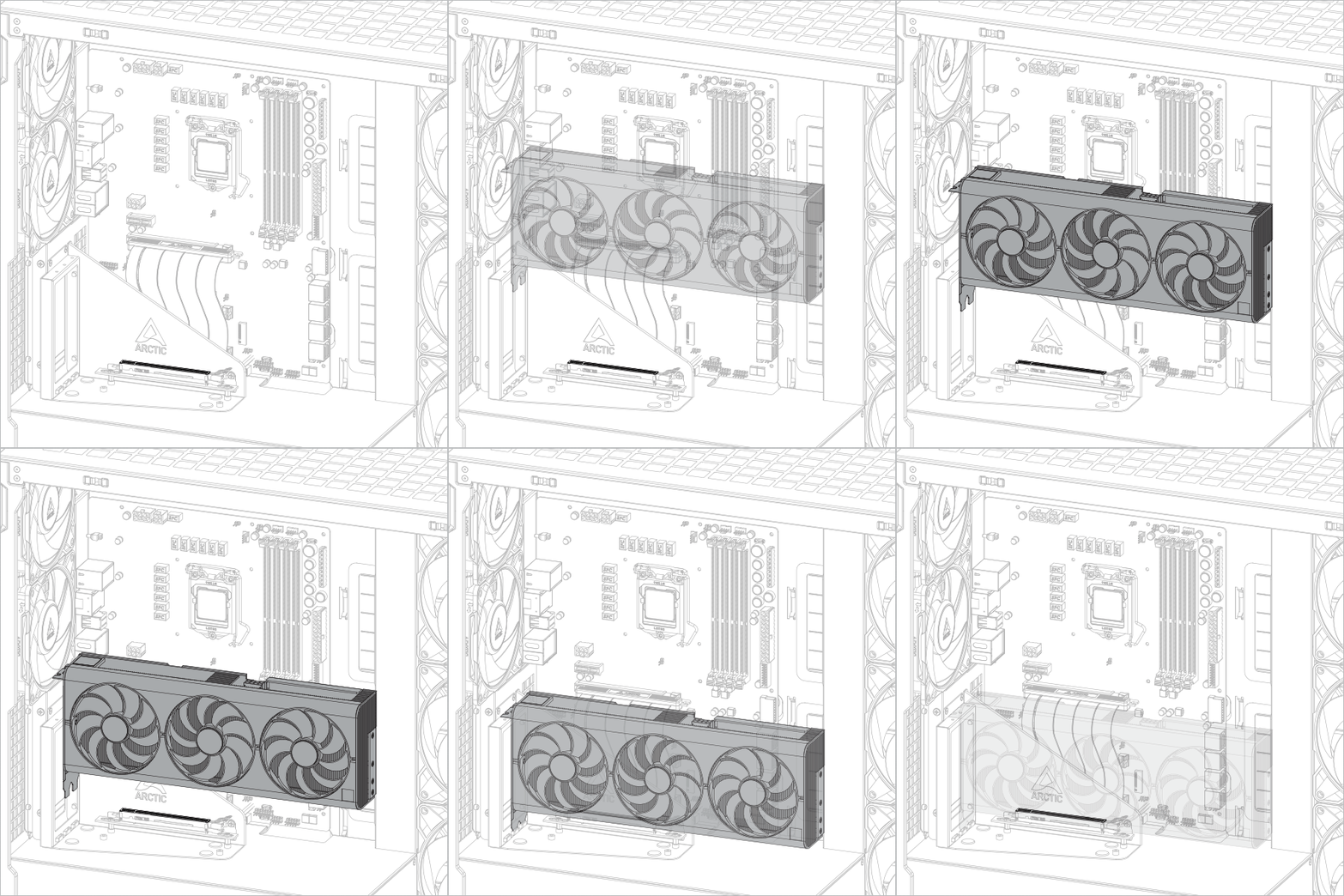
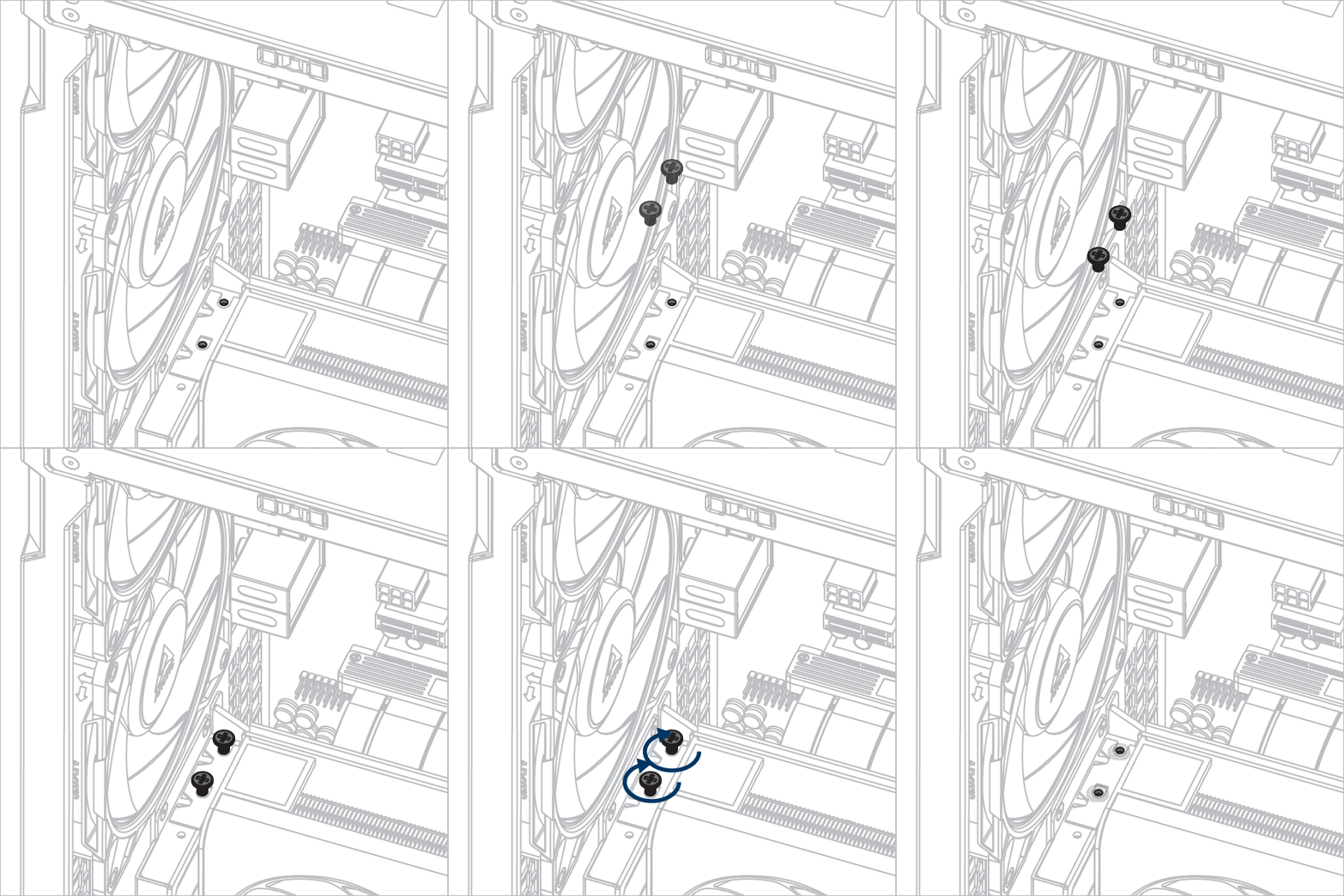
Install the graphic card

Attention

Make sure the graphic card is fully inserted into the slot.

support.arctic.de는 사용자에게 최상의 웹사이트 경험을 제공하기 위해 쿠키를 사용합니다. 또한, 일부 쿠키는 타사 서비스에서 설정하기도 합니다. 자세한 내용은 개인정보처리방침을 참조하세요..

나는 받아들인다

ARCTIC의 쿠키는 허용하지만 Google Analytics를 이용한 추적은 허용하지 않을 경우, 여기를 클릭하여 허용하세요.