Ekran kartınızın uyumluluğunu kontrol etmek için lütfen bu bağlantıyı takip edin.
Gerekli Araçlar
 PH2 Philips Başlı Tornavida
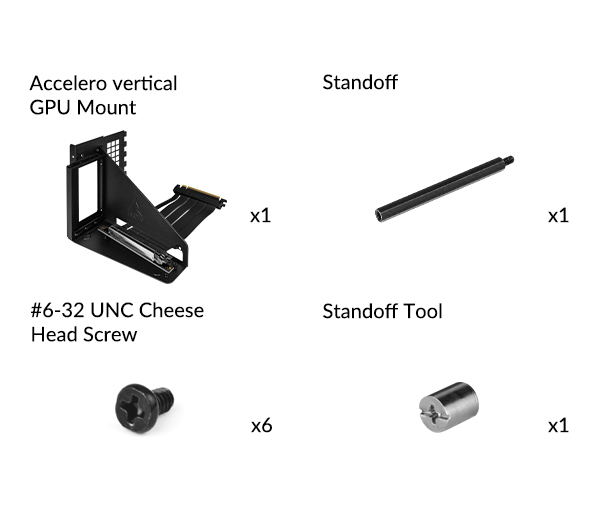
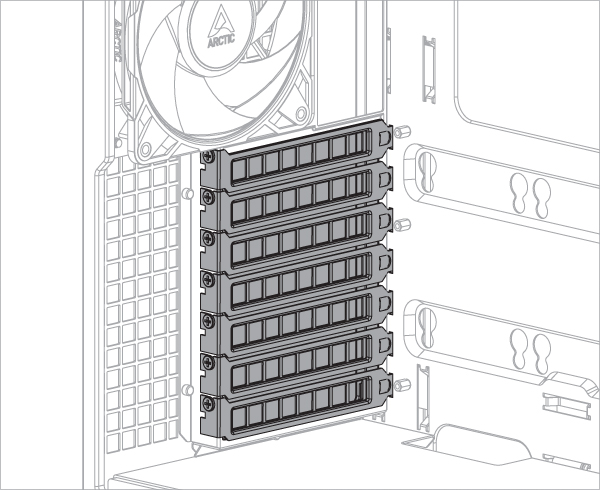
Accelero GPU Montaj Aparatını takmak için en az 7 adet PCIe yuvası gereklidir. Montaj kitini takmadan önce PCIe yuva kapaklarını çıkarın.
Bazı ekran kartları, PCIe spesifikasyonunda tanımlanan boyutları büyük ölçüde aşan aşırı büyük bir soğutucu ile donatılmıştır. Bu tür bir kart dikey montaj braketine takıldığında, CPU soğutucu alanına girer ve bazı durumlarda mekanik girişimlere neden olabilir. Bu tür girişimlerle karşılaşıldığında, CPU soğutucu için daha fazla alan açmak üzere yükseltici kablonun konumunu ayarlamak gerekir.
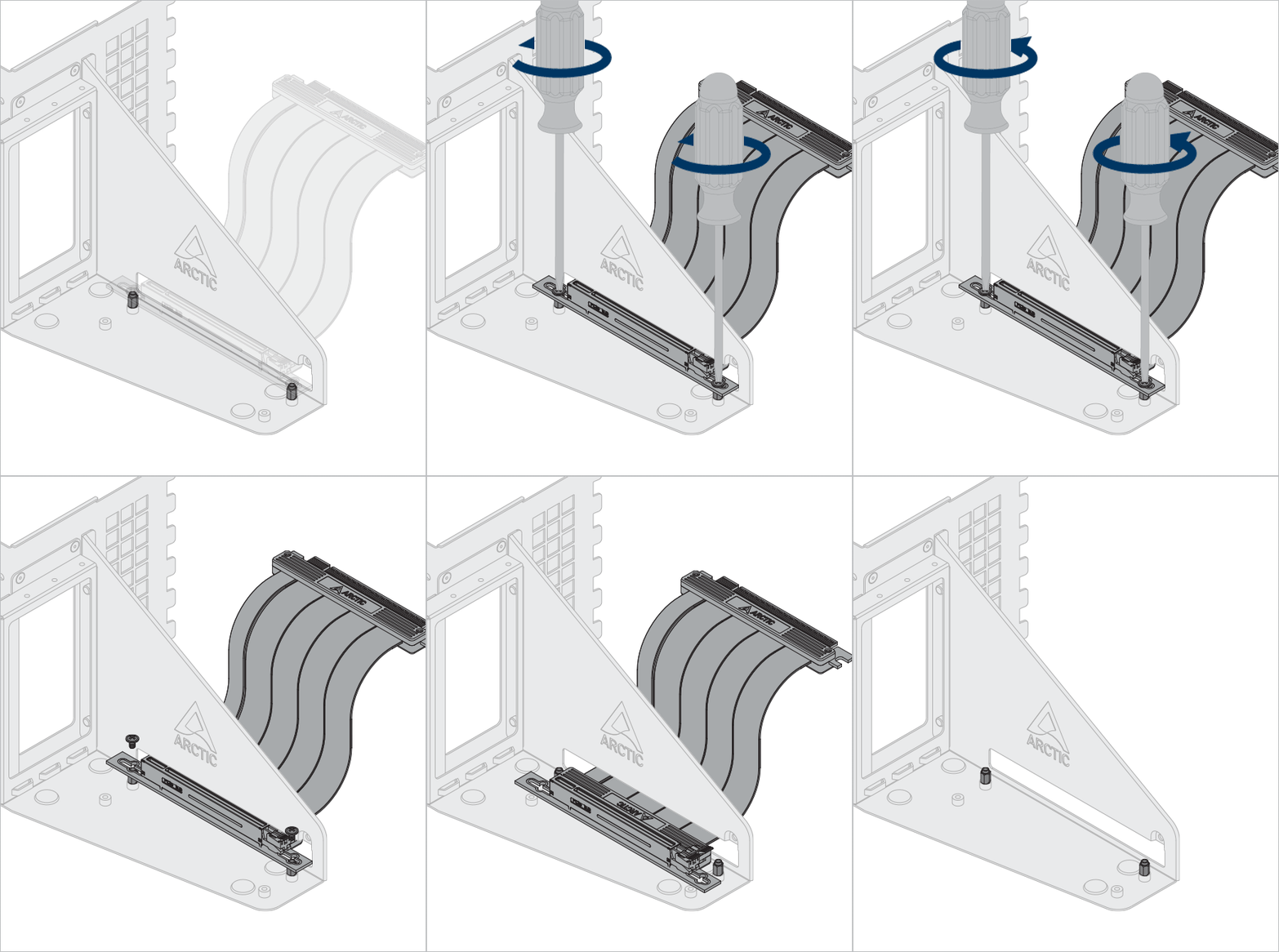
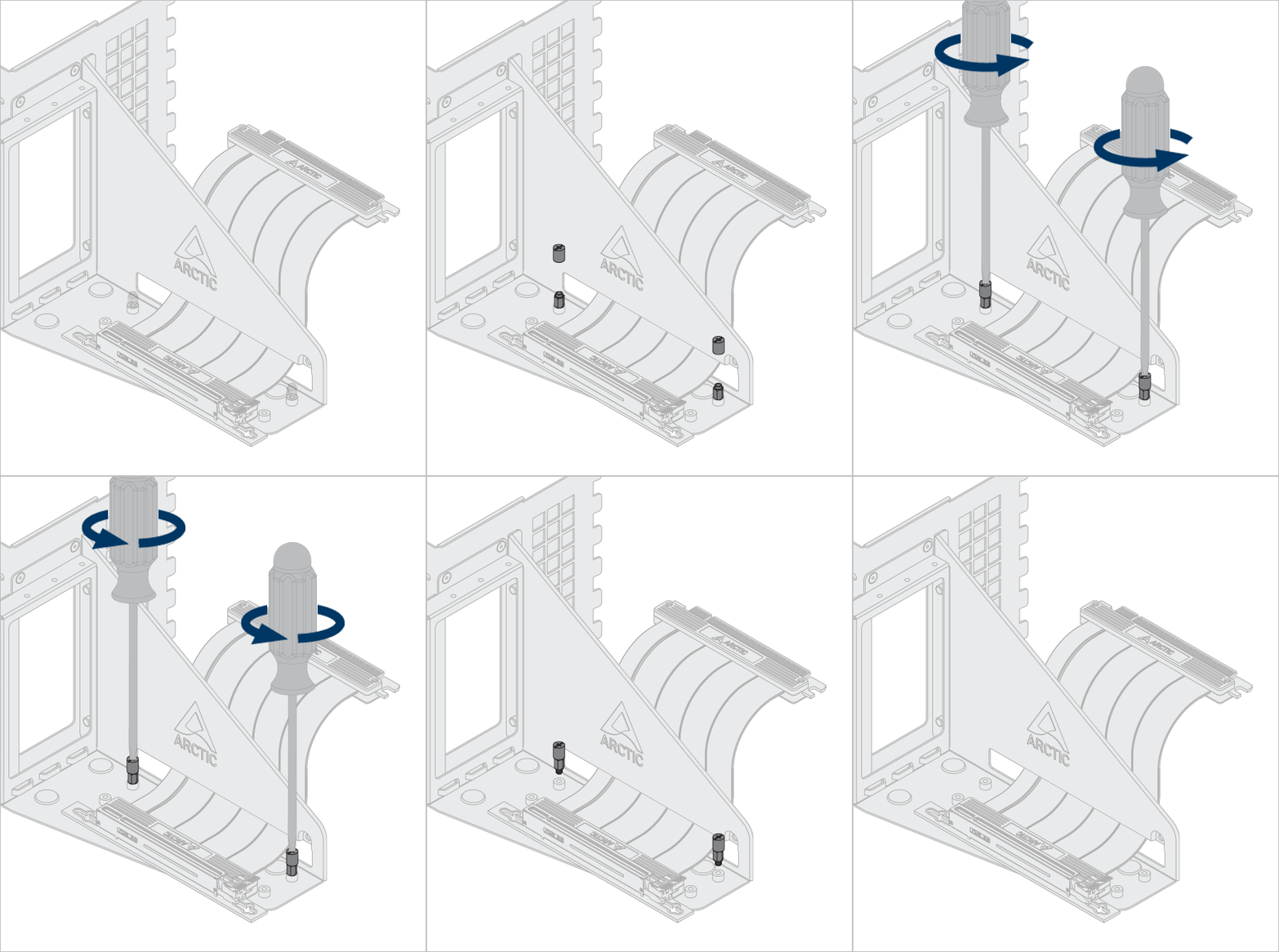
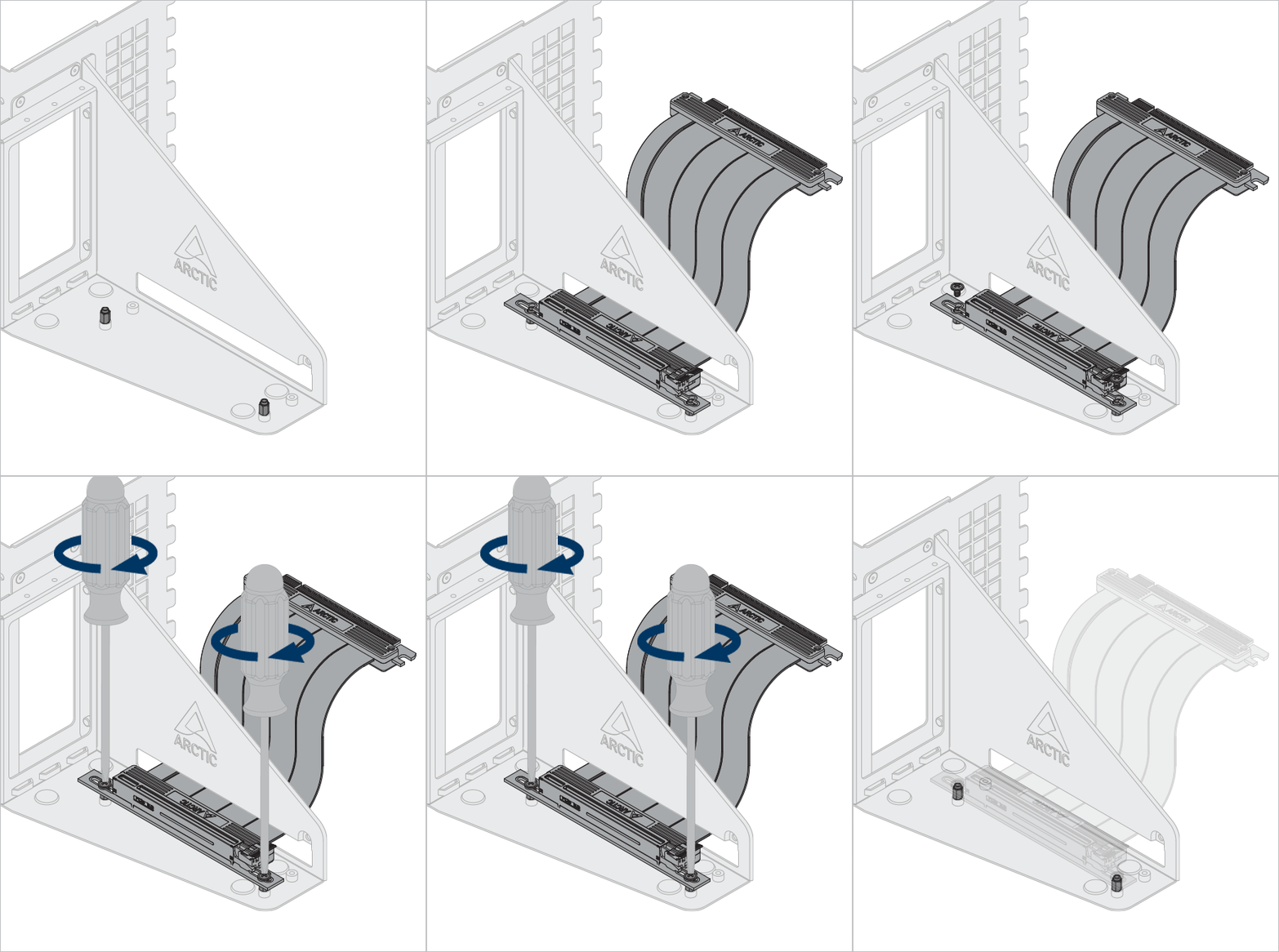
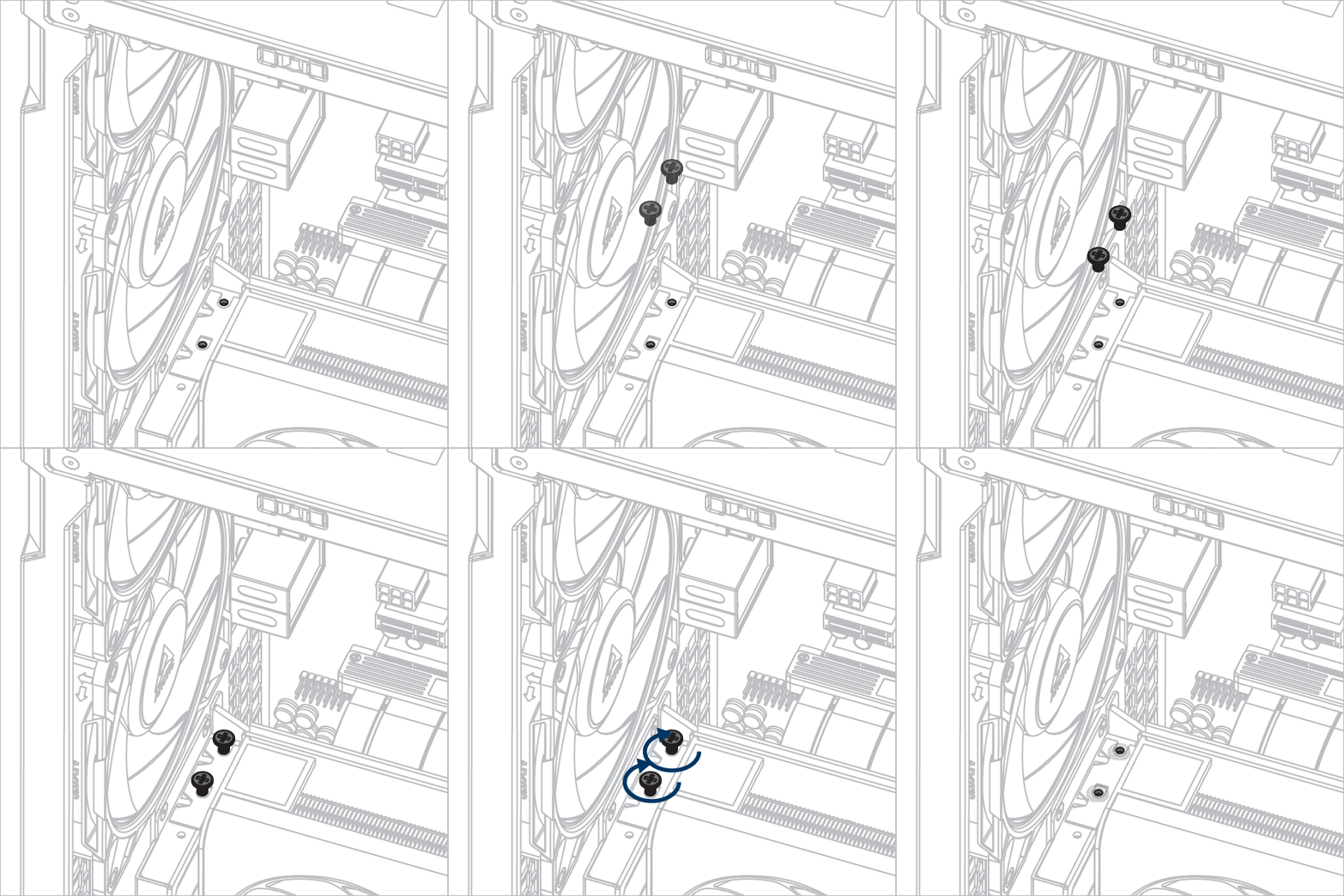
Oİsteğe bağlı: Yükseltici kabloyu ve grafiği farklı konuma ayarlamak için vidaları ve ara parçaları gevşetin.
Ara parçayı gevşetmek ve takmak için ara parça aletini kullanın.

Accelero GPU Montaj Aparatını Takın
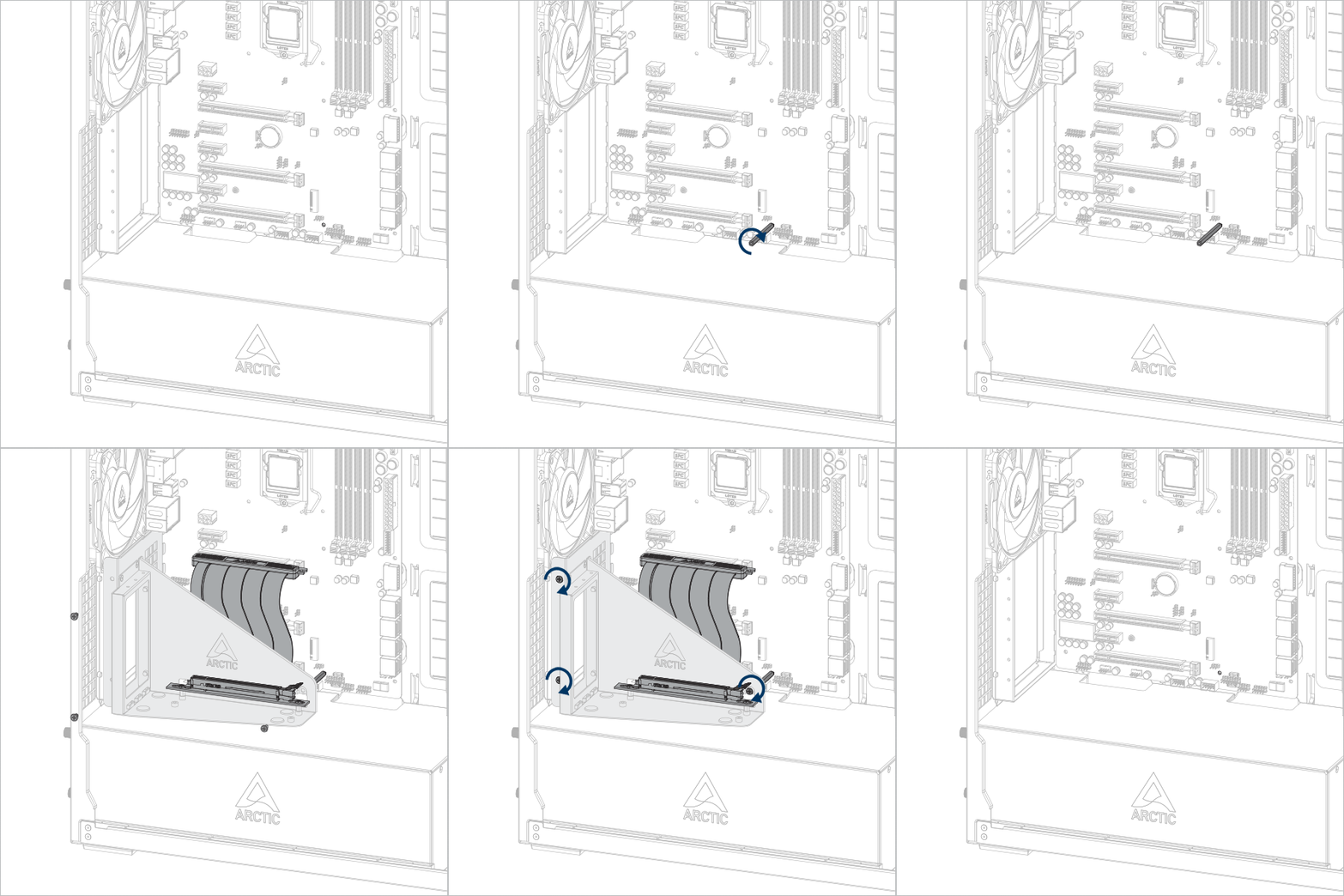


Önemli! Kablonun yuvaya tam olarak takıldığından emin olun. En iyi performans için ilk PCIe yuvasını kullanmanızı öneririz..
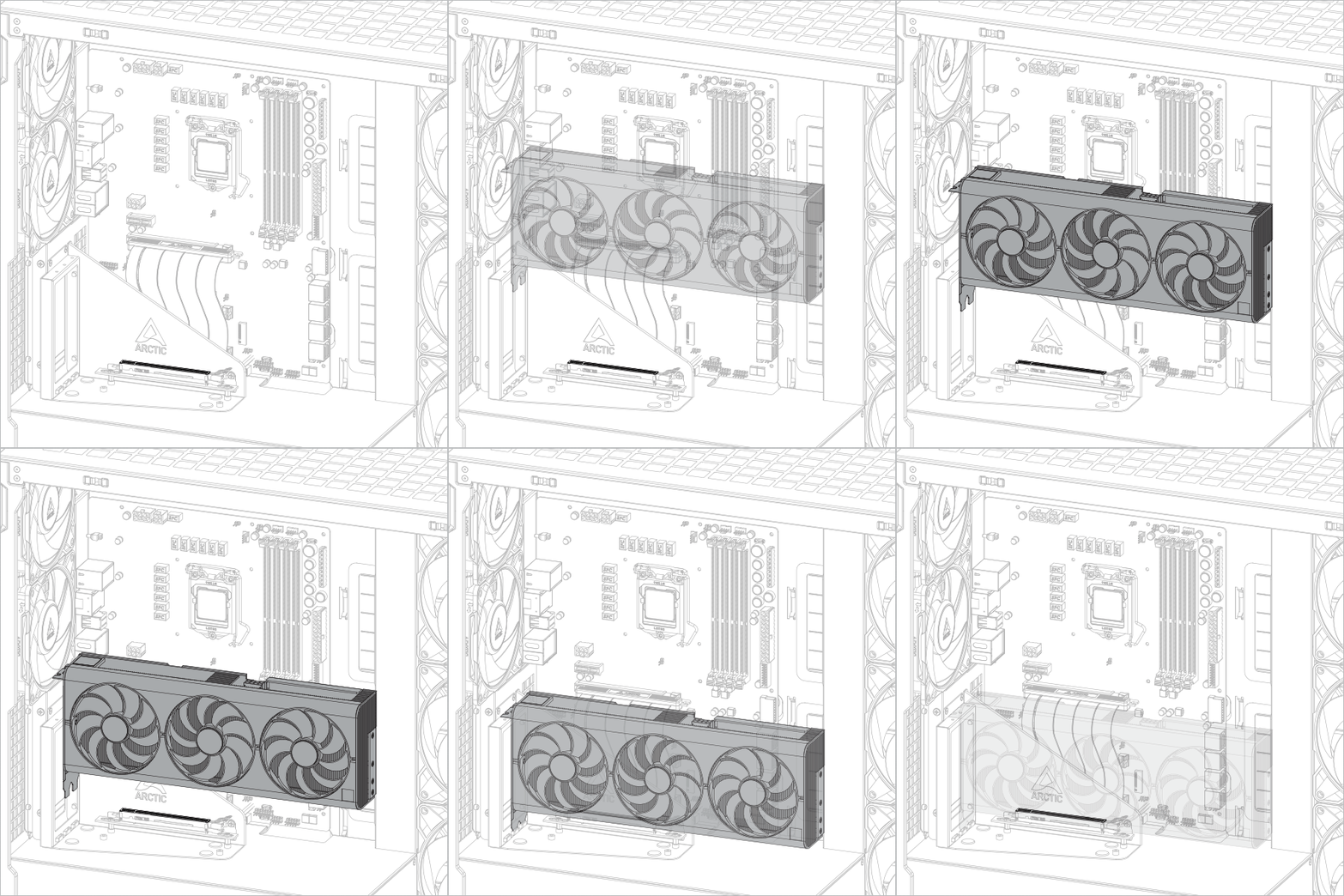
Grafik kartını takın
Dikkat
Ekran kartının yuvaya tam olarak oturduğundan emin olun.

Önerilen Ürünler