グラフィック カードの互換性を確認するには、このリンクに従ってください。
必要なツール
 PH2 プラスドライバー
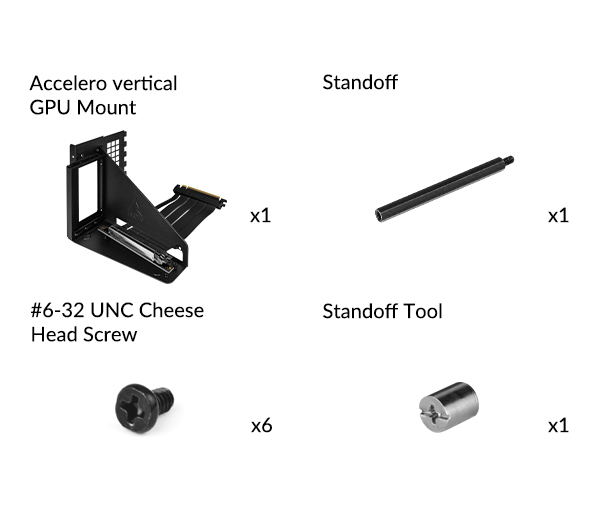
パッケージ内容
準備
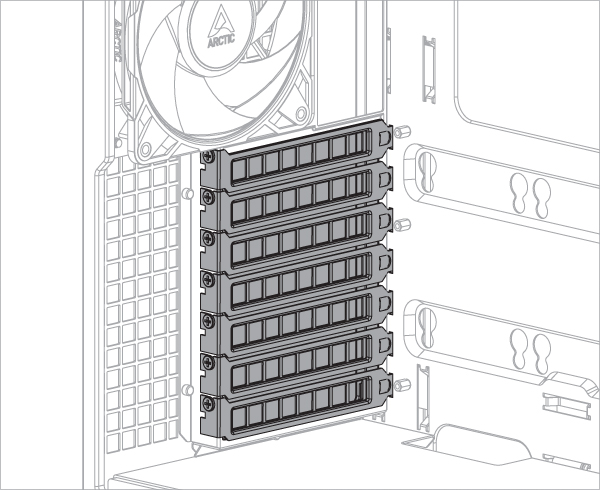
Accelero GPUマウントを取り付けるには、少なくとも7つのPCIeスロットが必要です。マウントキットを取り付ける前に、PCIeスロットカバーを取り外してください。
一部のグラフィックカードには、PCIe規格で定義された寸法を大幅に超える大型クーラーが搭載されています。このようなカードを垂直マウントブラケットに取り付けると、CPUクーラーの領域に入り込み、場合によっては機械的な干渉を引き起こす可能性があります。 このような干渉が発生した場合は、ライザーケーブルの位置を調整してCPUクーラー用のスペースを確保してください。
オプション:ネジとスペーサーを緩めて、ライザーケーブルとグラフィックの位置を調整してください。
スペーサーツールを使ってスペーサーを緩めて取り付けます。
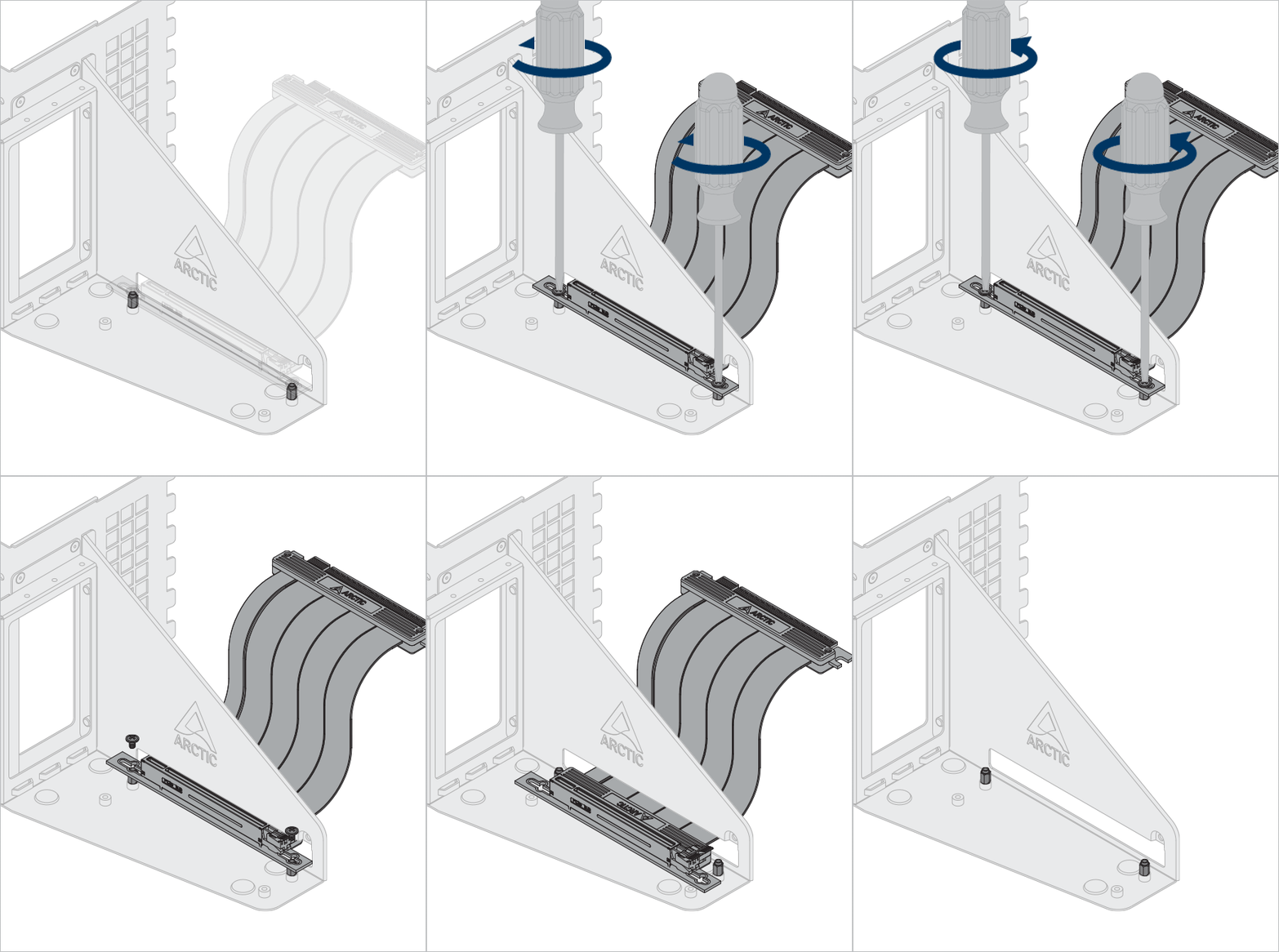
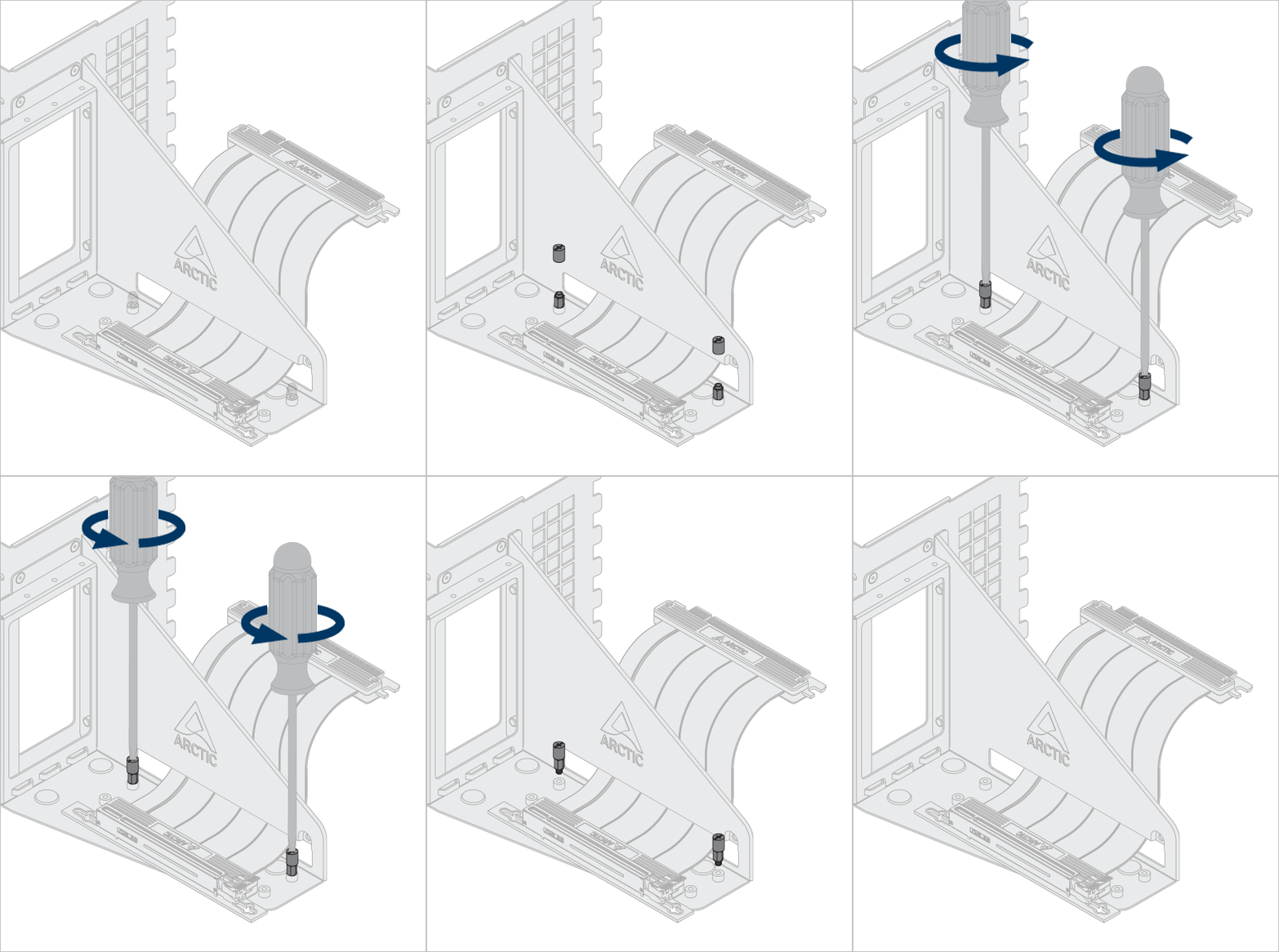

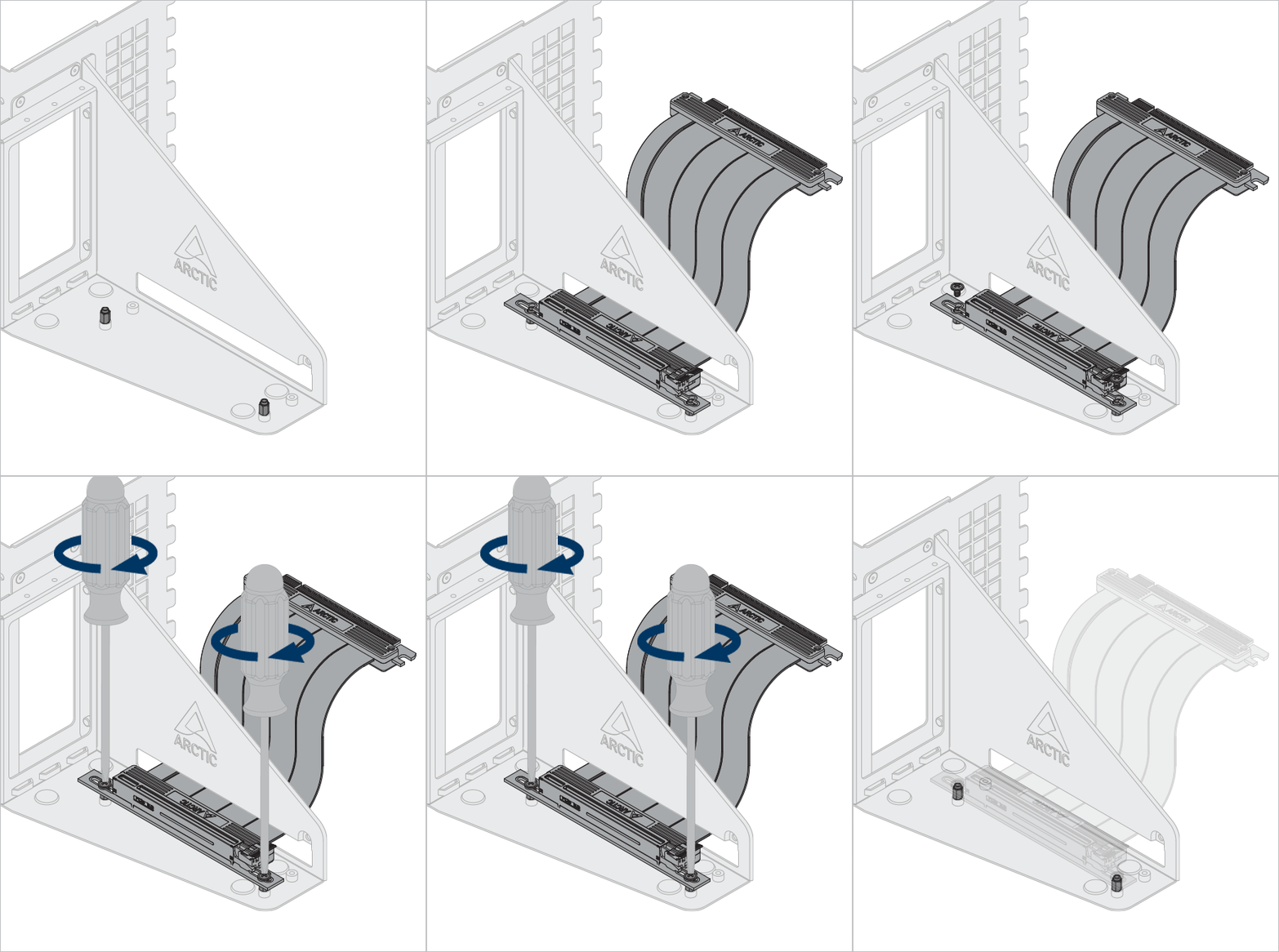
インストール
Accelero GPUマウントを取り付けます
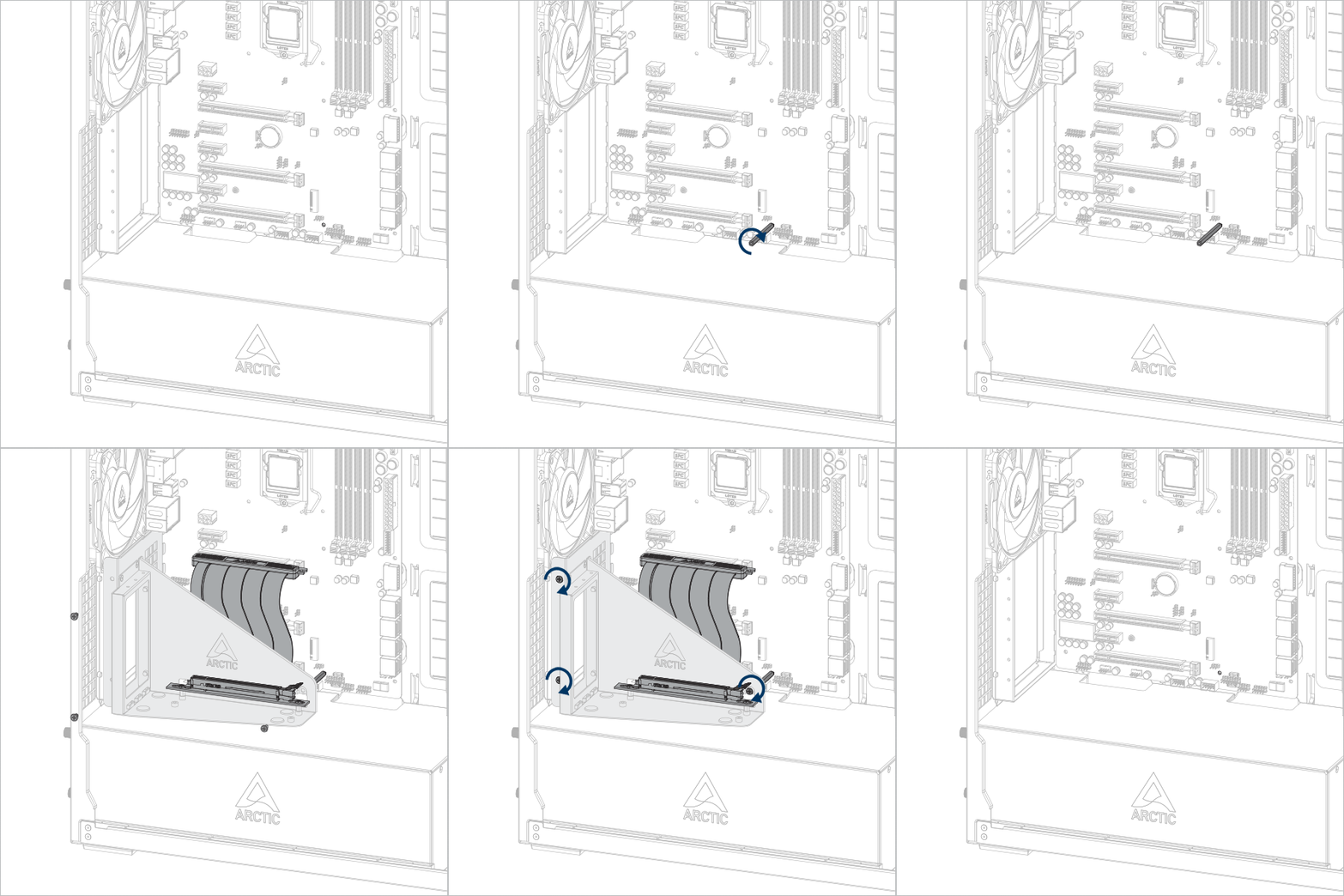


重要!ケーブルがスロットに完全に挿入されていることを確認してください。最高のパフォーマンスを得るには、最初のPCIeスロットを使用することをお勧めします。
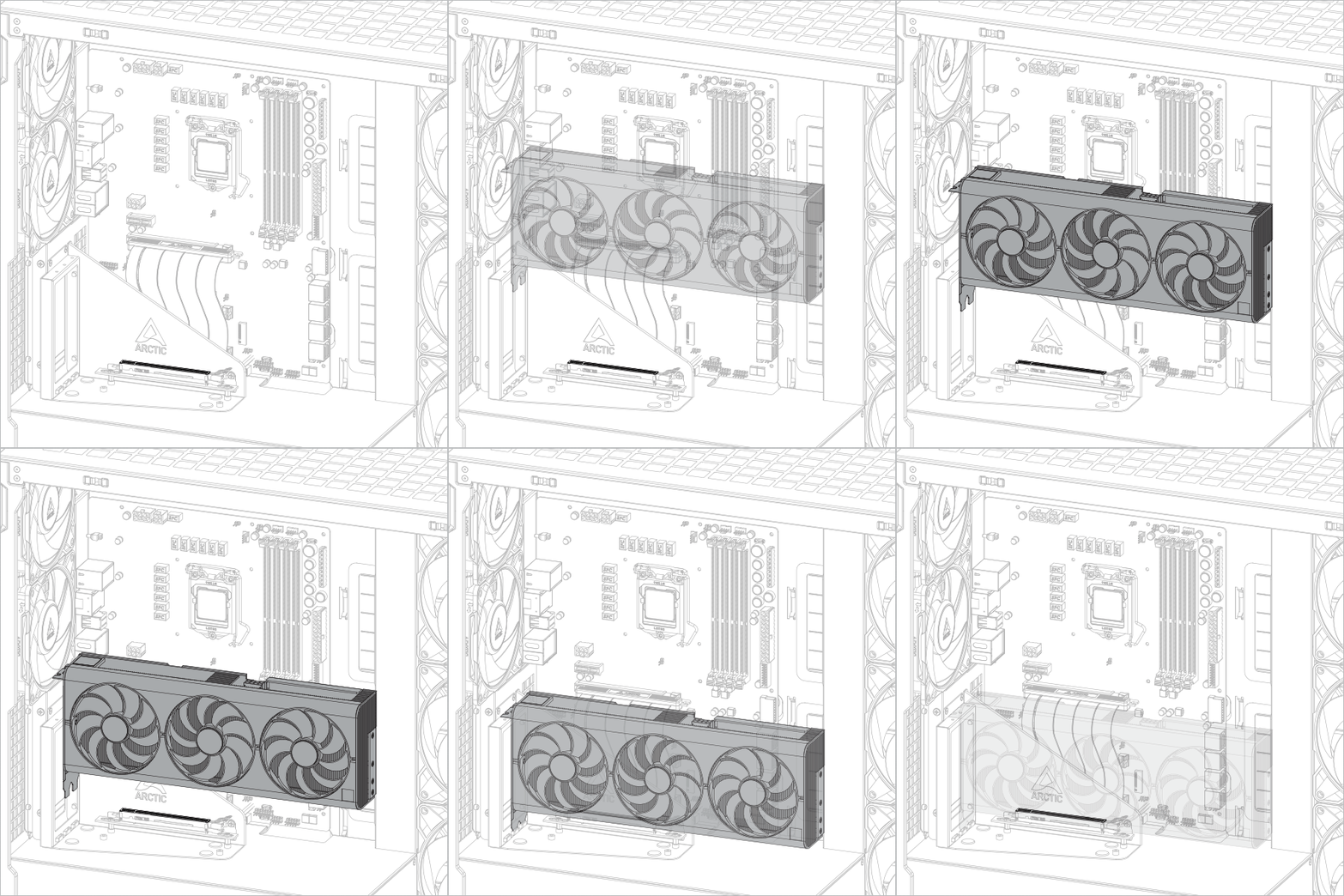
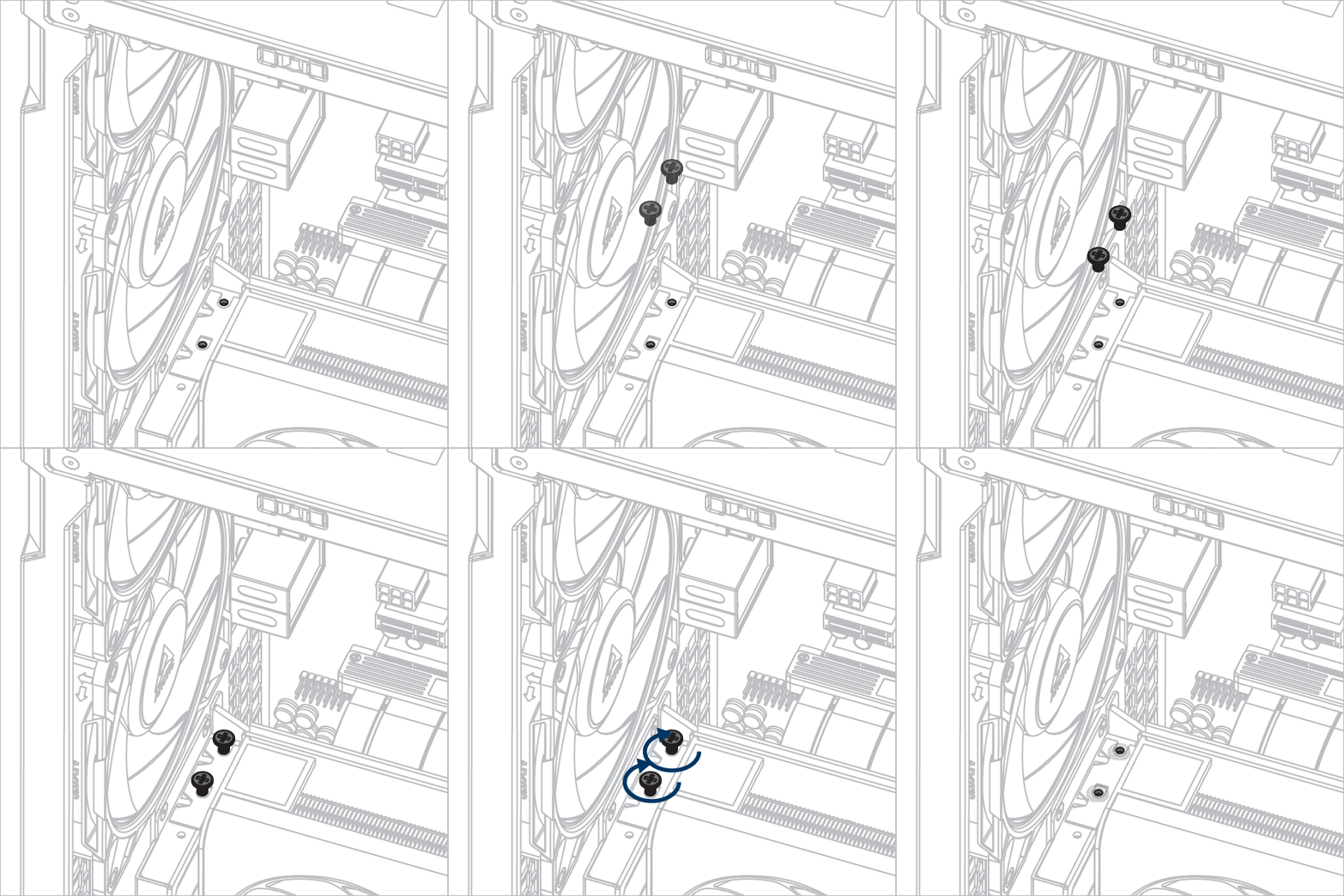
グラフィックカードをインストールする
注意
グラフィックカードがスロットに完全に挿入されていることを確認してください。

おすすめ商品