语言
English
Deutsch
Français
Español
Italiano
Русский
čeština
Polski
Português
中文
عربي
日本の
한국인
Türkçe
Svenska
Nederlands

很遗憾,本文档暂无中文版本,以下为英文版本。

To check the compatibility of your motherboard, please follow this link.

Required Tools

PH2 Philips Head Screwdriver

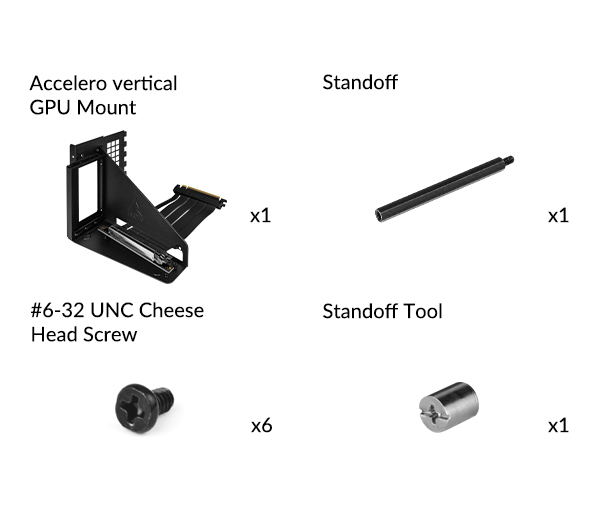
Packaging Content
Preparation

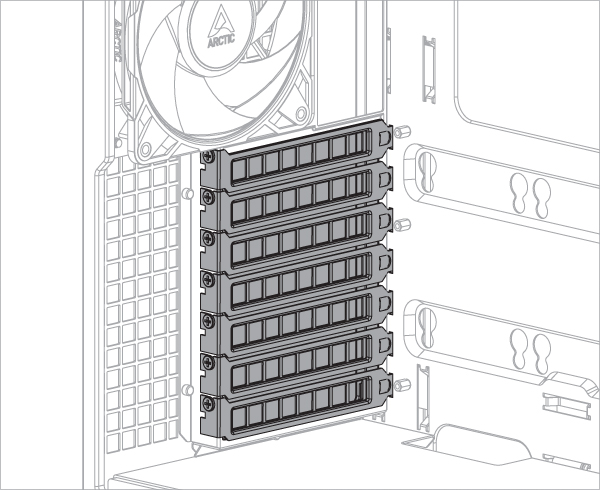
To install the Accelero GPU Mount, at least 7 PCIe slots are required. Remove the PCIe slot covers before installing the mounting kit.

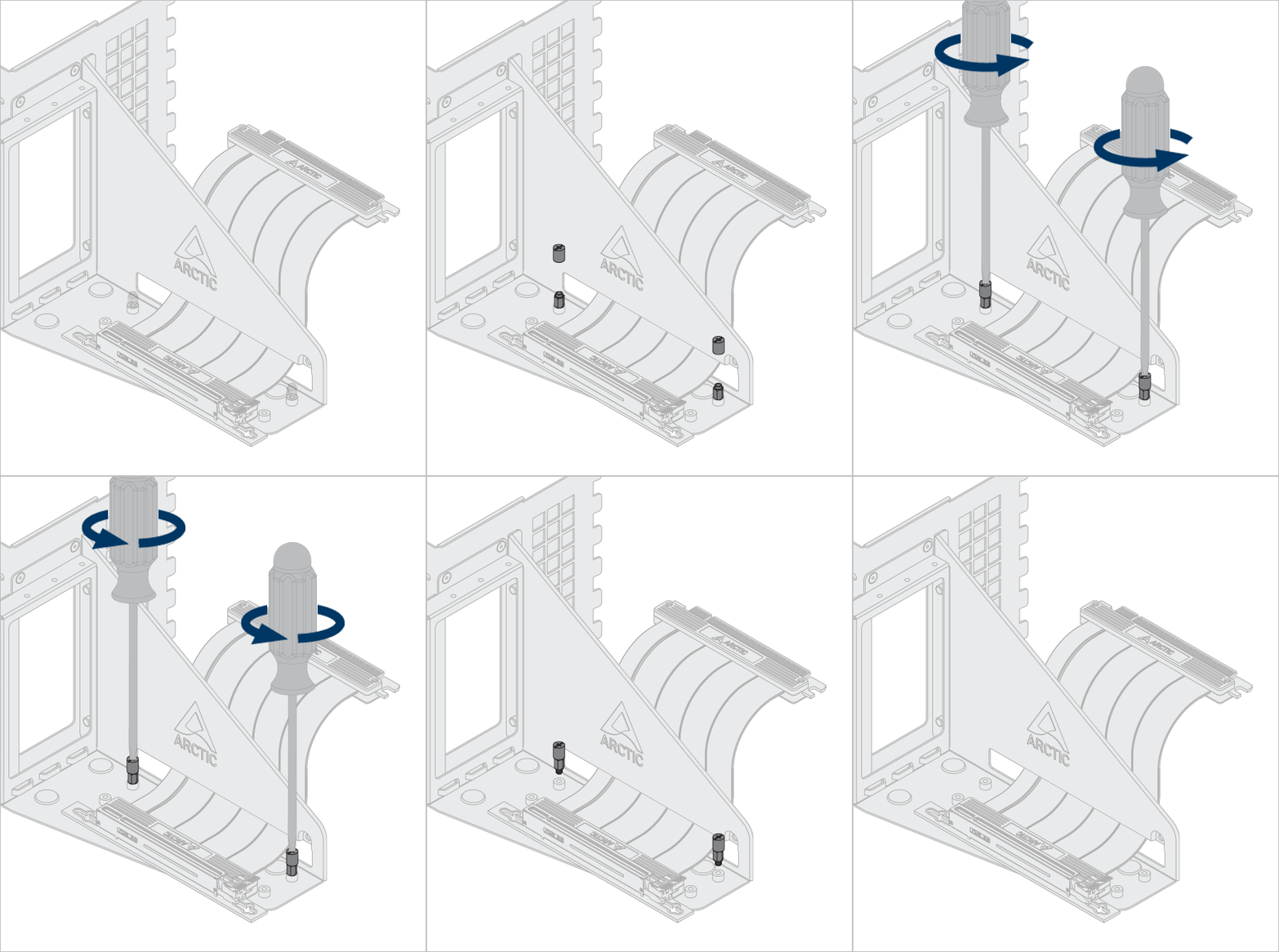
Some graphics cards are equipped with an oversized cooler that exceeds greatly the dimensions defined by the PCIe specification. When such card is assembled in the vertical mount bracket, it will come into the CPU cooler area and in some cases may present mechanical interferences.When faced with such interferences, adjusting the position of the riser cable to free up more space for CPU cooler.

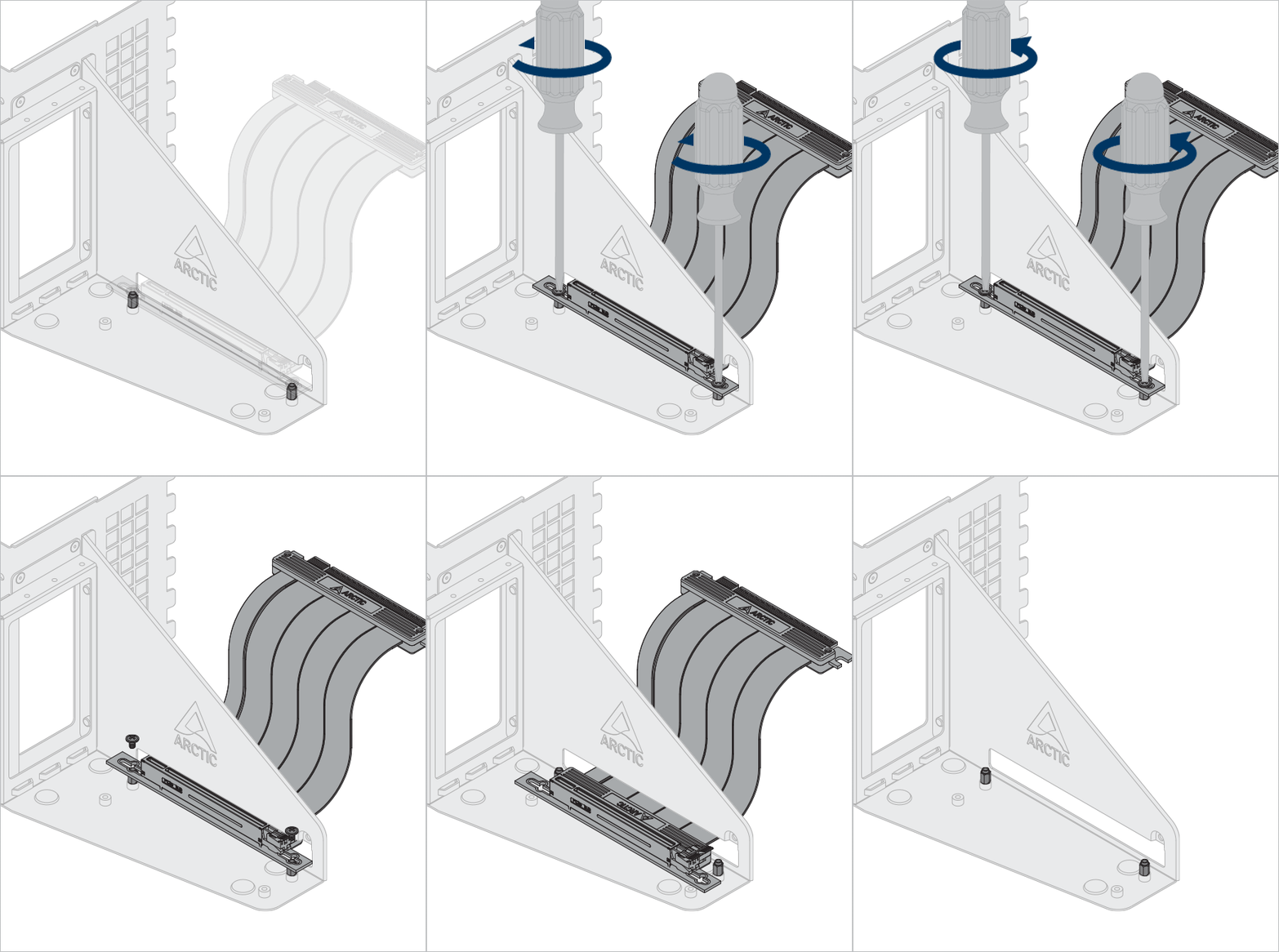
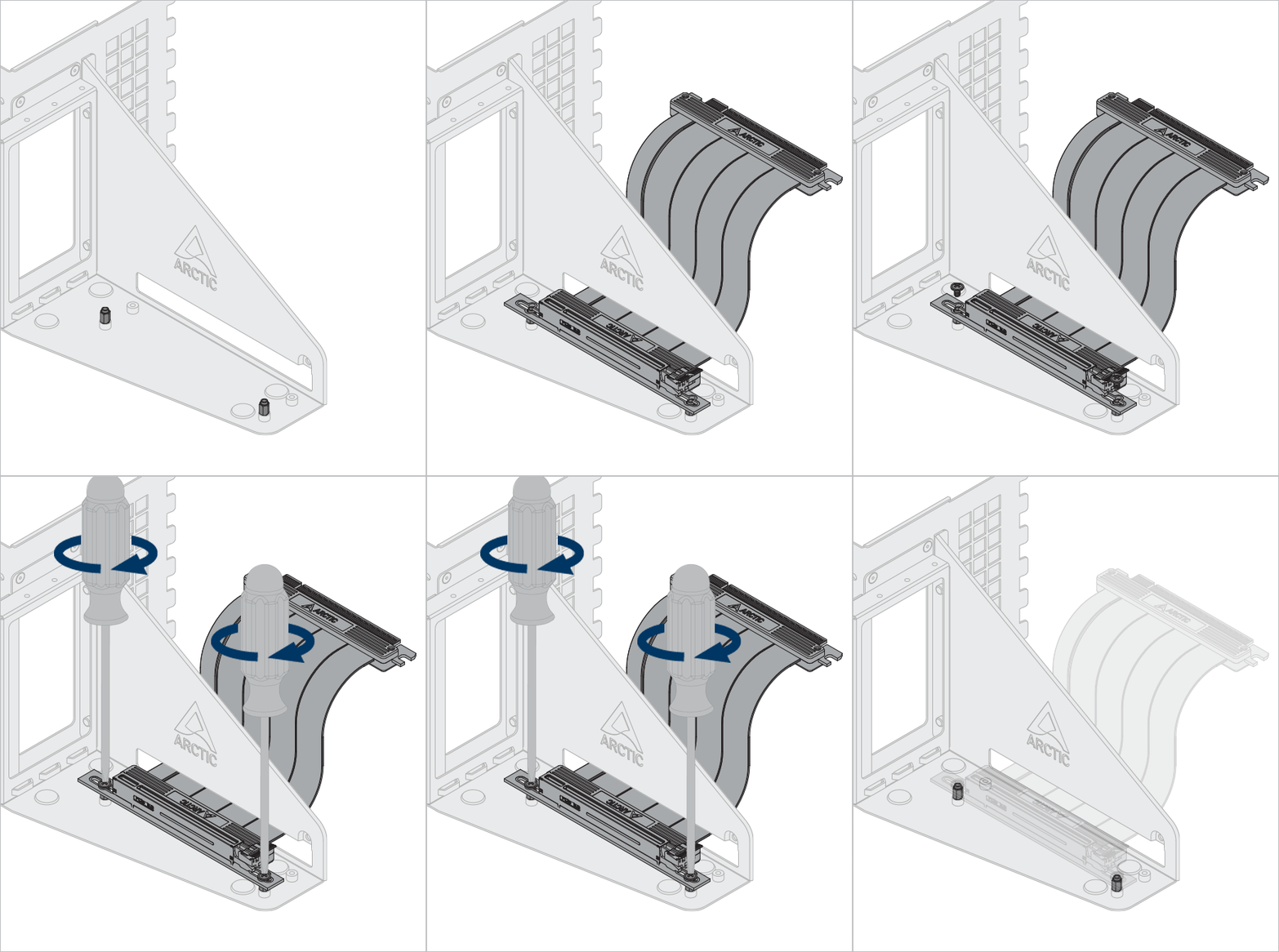
Optional: Unlock the screws and standoffs to adjust the riser cable and graphic to different position.
Use the standoff tool to unlock and install the standoff.

Installation

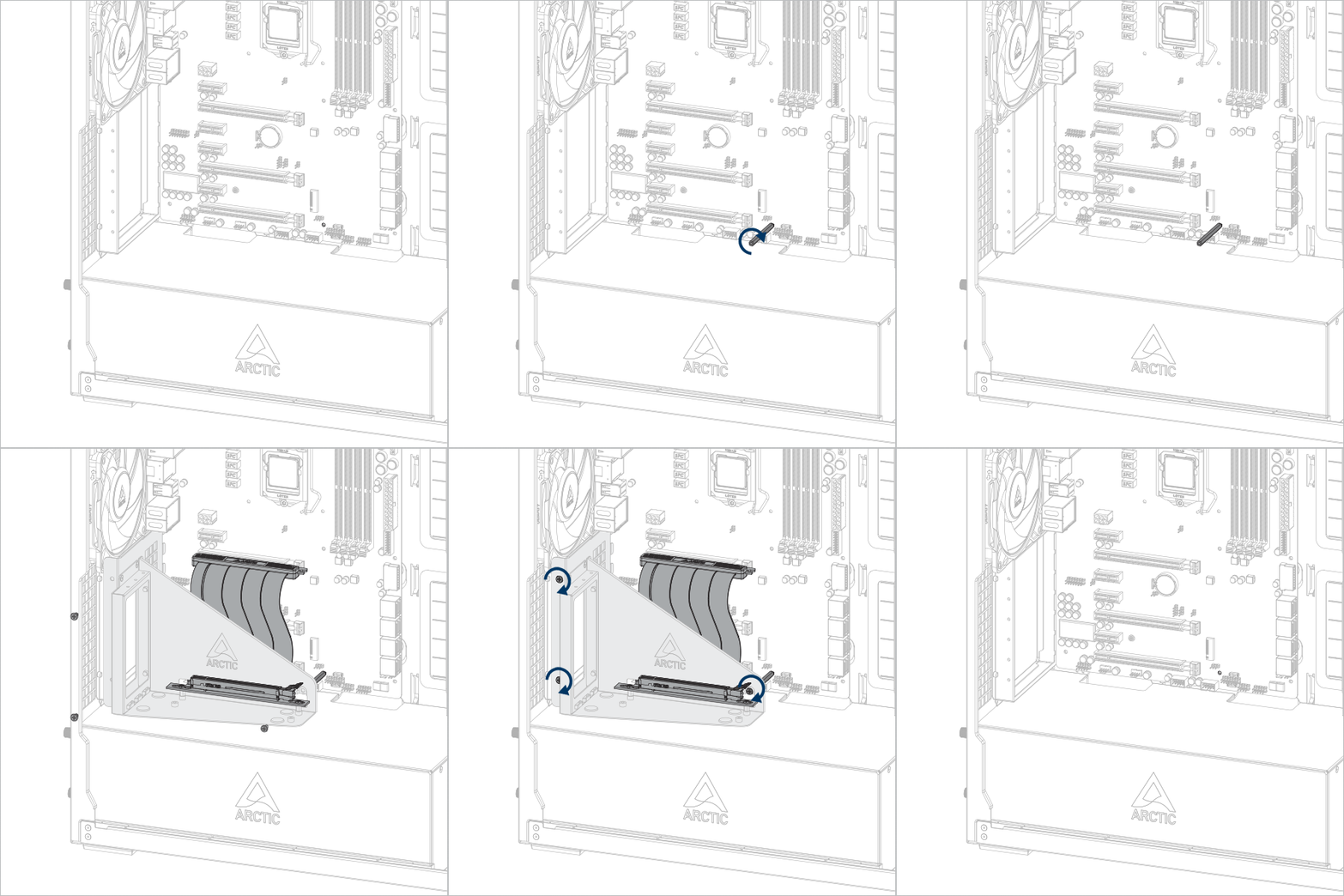
Install the Accelero GPUMount

Important! Make sure the cable is fully inserted into the slot. We recommend using the first PCIe slot for best performance.

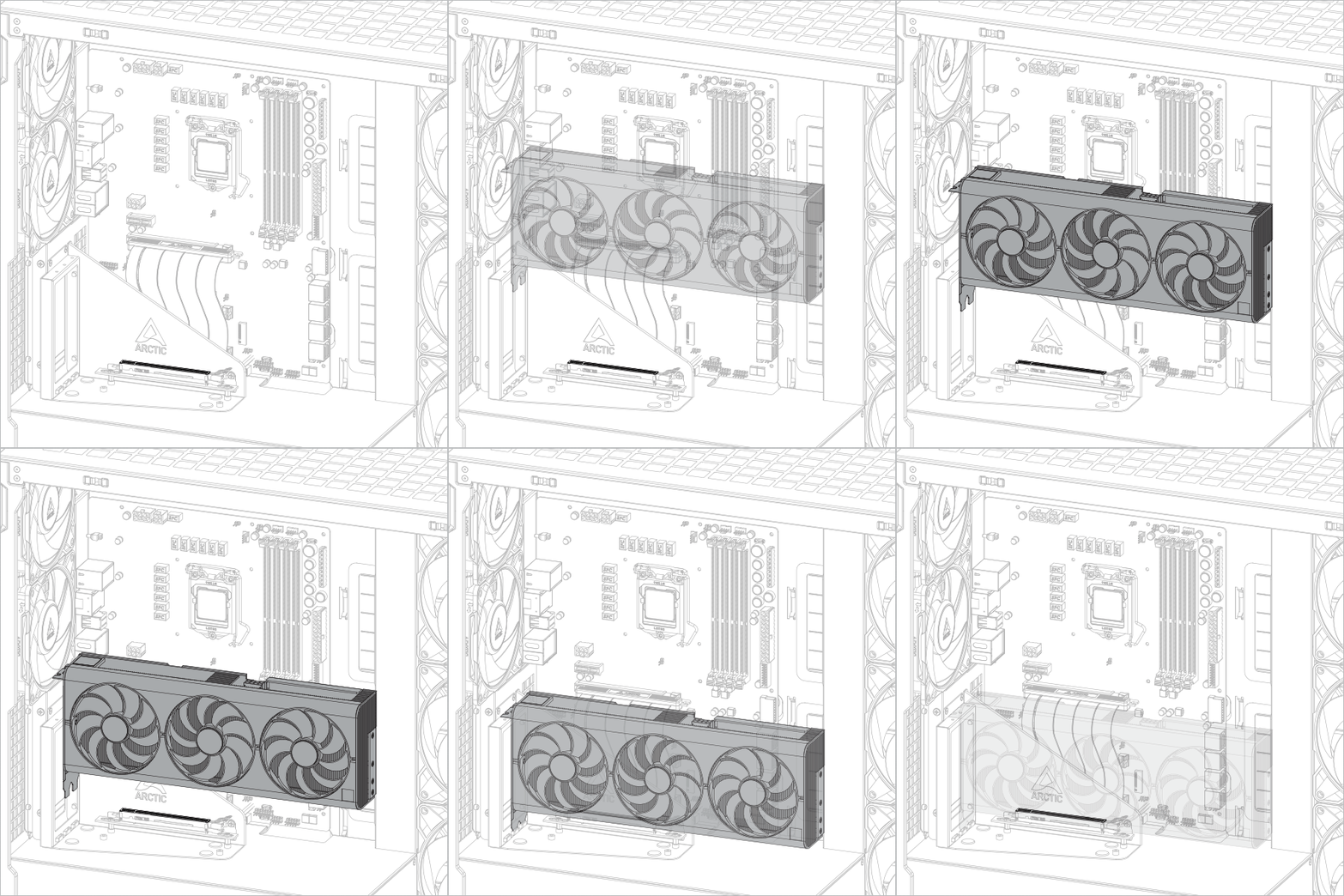
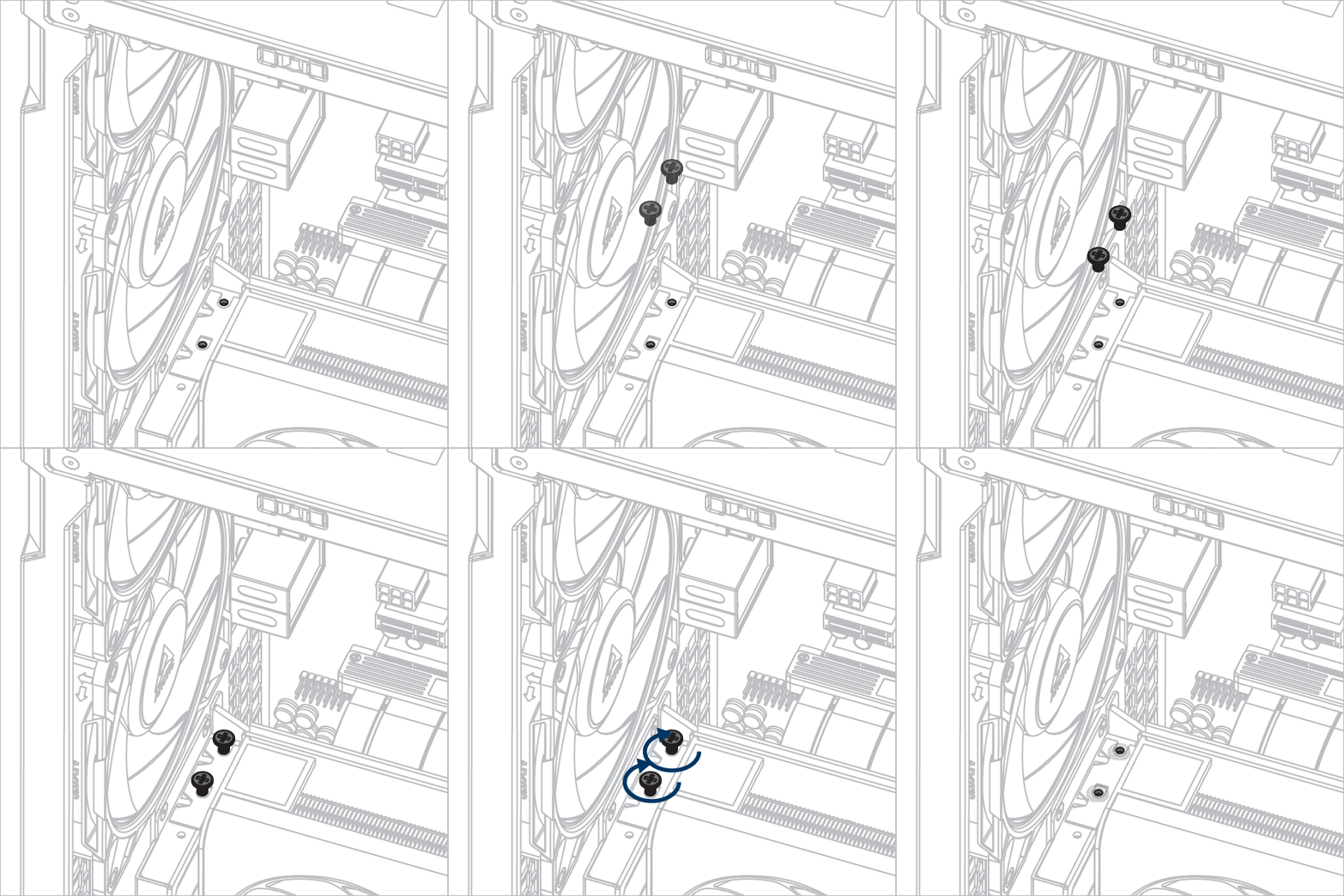
Install the graphic card

Attention

Make sure the graphic card is fully inserted into the slot.

support.arctic.de 使用 Cookie,旨在为读者提供最佳的网站体验。此外,一些 Cookie 也由第三方服务设置。更多信息,请参阅隐私政策.

我接受

如果您接受来自 ARCTIC 的 cookie,但不接受使用 Google Analytics 的跟踪,请点击此处接受。